Home › Productivity

 US
US
1 of 1 storefronts
Content in en-US
Content in en-US
Information
Preview 3 platforms
iPhone 7 images


iPad 6 images


Mac 9 images
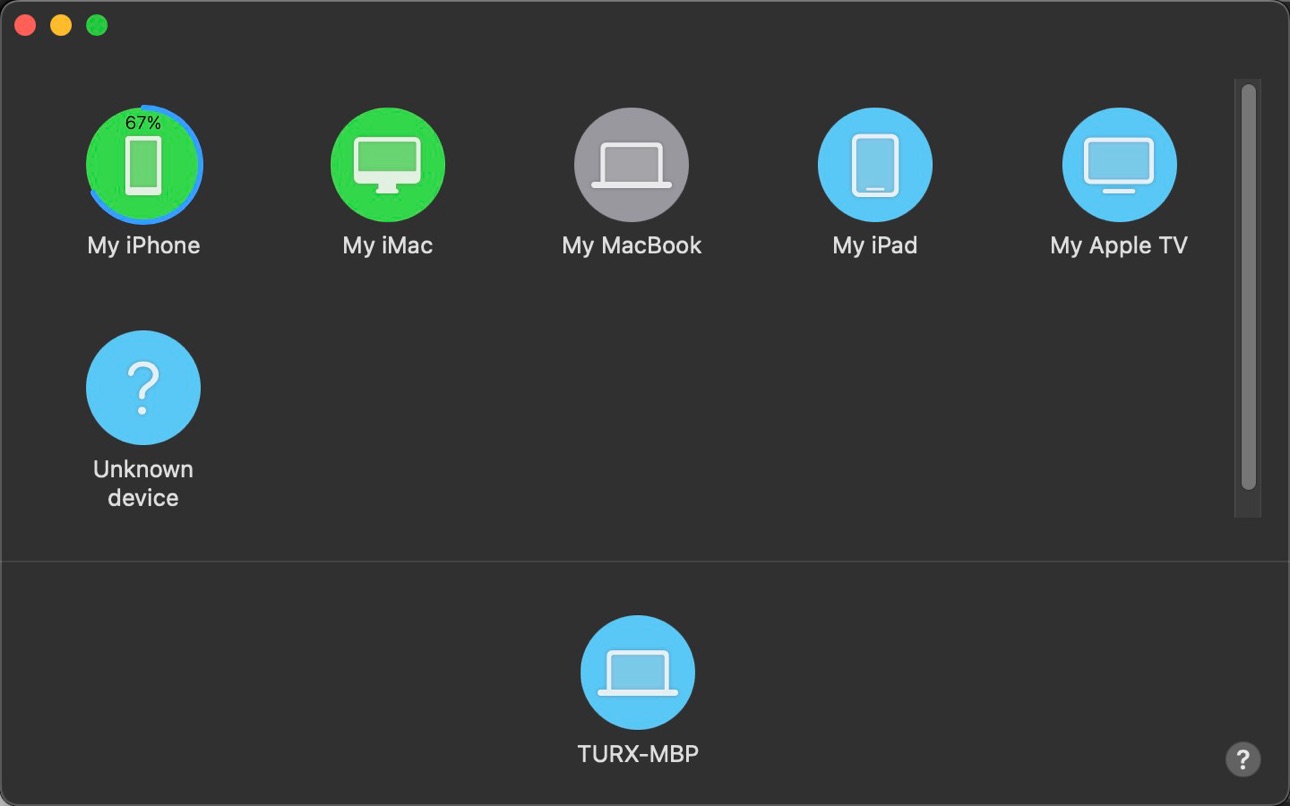


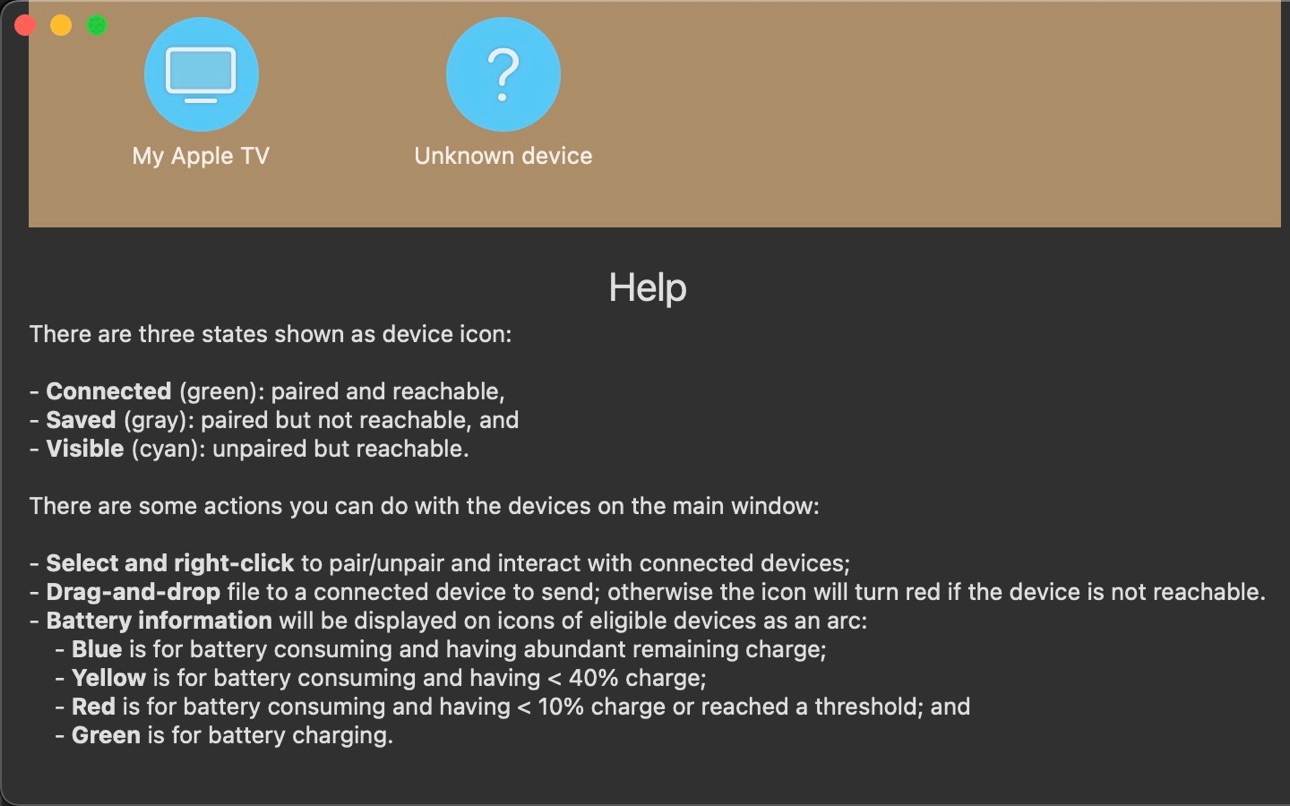


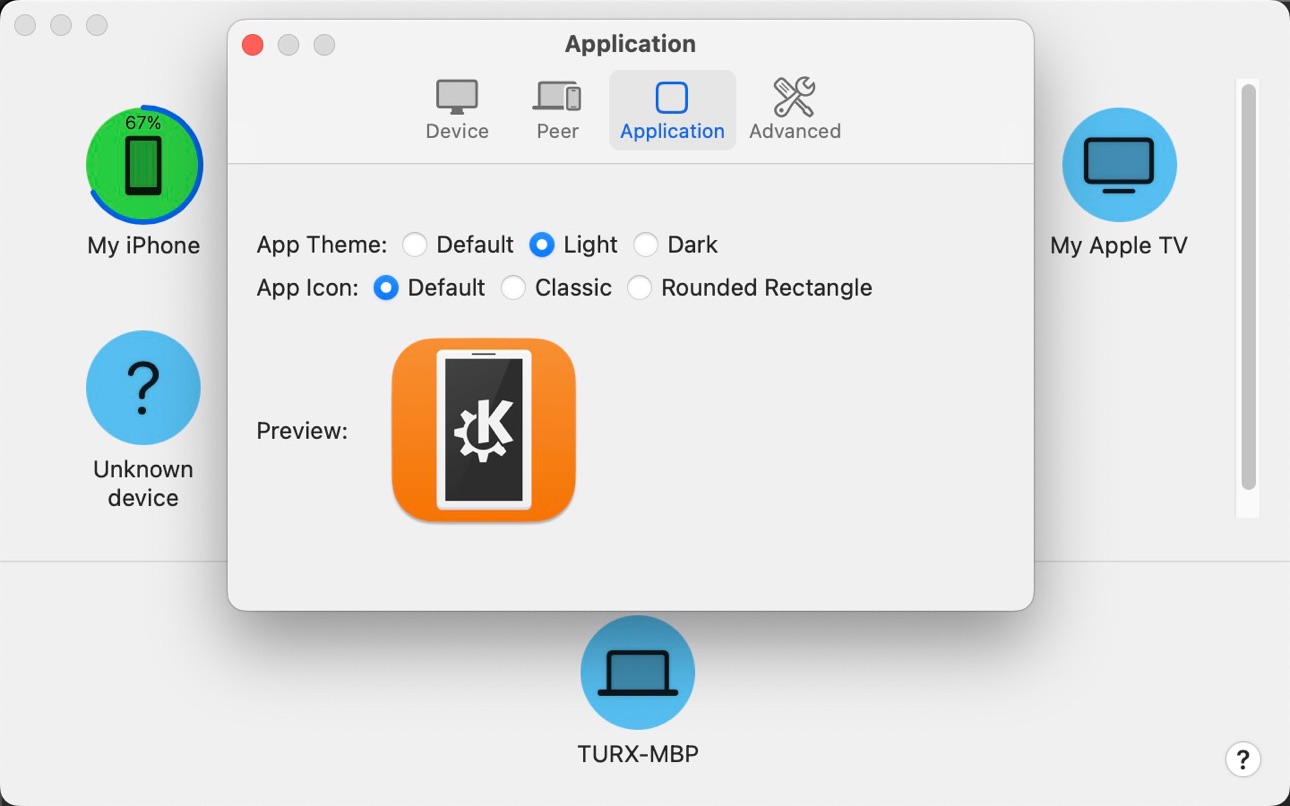
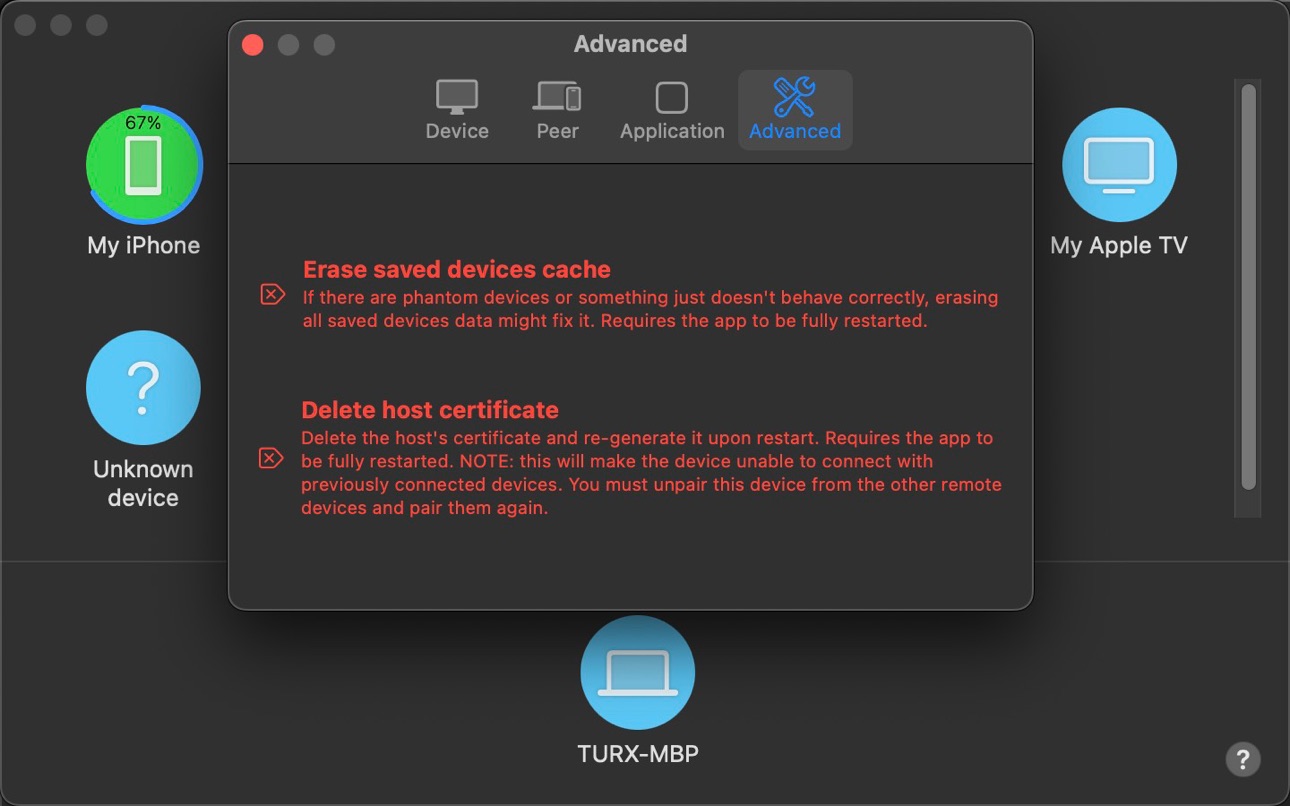
What’s New Version 0.5.5
- Security enhancements (OpenSSL upgrade & pairing protocol version matching check)
- UI optimizations (spacing, iOS 26, and english display text optimizations)
- Clipboard sync optimizations (reduce accidental overrides due to timestamp differences)
- Communication optimizations (limit size of identity and control packets to prevent the injection of arbitrary-sized JSON packets)
Description
KDE Connect provides a set of features to integrate your workflow across devices:
- Shared clipboard: copy and paste between your devices.
- Share files and URLs to your computer from any app.
- Virtual touchpad and keyboard: Use your phone screen as your computer's touchpad or keyboard
- Remote presentation remote: control a laser pointer on the screen of your computer by moving your phone around.
- Remote commands: run commands on your computer from your phone.
- End-to-end TLS encryption: your information is safe.
Please note you will need to install KDE Connect on your other computers/phones/tablets and keep the version up-to-date for the latest features to work.
This app is part of an open source project and it exists thanks to all the people who contributed to it. Please visit the KDE Connect website to grab the source code.
Accessibility
ipadiphonemacrealityDevicetvoswatch
Version history 12 versions
Build 880613337v0.5.52026-05-07 19:06:06
- Security enhancements (OpenSSL upgrade & pairing protocol version matching check)
- UI optimizations (spacing, iOS 26, and english display text optimizations)
- Clipboard sync optimizations (reduce accidental overrides due to timestamp differences)
- Communication optimizations (limit size of identity and control packets to prevent the injection of arbitrary-sized JSON packets)
Build 879814988v0.5.42025-11-16 22:26:24
Bug fixes
Build 879279676v0.5.32025-10-28 21:37:50
Fixed crash-on-initial-launch on devices running iOS 17 and earlier
Build 876700380v0.5.22025-07-25 21:56:43
Improve compatibility
Build 872999101v0.5.12025-03-05 21:53:34
Fix compatibility with GSConnect
Build 872249262v0.5.02025-03-03 09:17:29
- Add modifiers to the remote keyboard plugin
- Added in-app notification view
- Verification key now changes every second (only if both devices support it)
Build 869394197v0.4.12024-10-01 14:10:11
Fixed some crashes.
Build 868896788v0.4.02024-09-10 20:04:17
- Display file transfer progress and other improvements to file transfers
- Allow presenter to control mouse remotely
- Improve discovery of devices
- Many bugfixes and internal rewrites
Build 854672135v0.3.12024-08-05 00:22:30
Performance improvements & bug fixes
Build 850433023v0.3.02023-01-30 19:20:43
- You can now transfer large files without crashing the app or causing the app to become unresponsive (!82 by Apollo Zhu, reviewed by Han Young)
- Add keyboard support as a part of remote input (!76 by Han Young, reviewed by Apollo Zhu)
- Now sends original HEIC images instead of jpg/png when possible (!52 by Apollo Zhu)
## Improve compatibility with iOS 16
- Fix device name only showing as "iPhone" or iPad on iOS 16 (!81 by Apollo Zhu)
- Fix crash on iOS 16 when pressing "Enter" key in "Add Devices by IP" while some text fields are empty (!75 by Apollo Zhu, reviewed by Ruixuan Tu)
- Fix crash on iOS 16 when there are other KDE Connect compatible devices present (!74 by Apollo Zhu, reviewed by Ruixuan Tu)
- Fix incorrect battery status color on iOS 16 (!77 by Apollo Zhu)
## Better support for iPad
- Improve layout on iPad (!45 by Apollo Zhu)
- Tab bar on iPad and other wide screen devices now have consistent background (!72 by Ruixuan Tu, reviewed by Apollo Zhu)
## Misc
- Update features list and discovery help based on feedback (!63, !65, !66 by Apollo Zhu)
- Fix missing remote device certificate after pairing in some rare circumstances (!50 by Apollo Zhu, reviewed by Lucas Wang)
- Fix inconsistent device certificate caused by incorrect keychain access group (!70 by Apollo Zhu)
- Fix crashing on launch for Macs with Apple Silicon (!83 by Apollo Zhu, reviewed by Ruixuan Tu)
- Code cleanup and refactoring (!60, !71 by Claudio Cambra, reviewed by Apollo Zhu; !40, !49, !68, !69 by Apollo Zhu)
Build 848565713v0.2.12022-05-09 15:08:53
- Allows alerts to be queued instead of discarded when other alerts are already present (!42 by Stefan Kowalczyk through Season of KDE, reviewed by Apollo Zhu and Lucas Wang)
- Fix "time-out" issues when pairing with Ubuntu 20.04 LTS and Linux distributions based on it (!64 by Apollo Zhu, reviewed by Lucas Wang (and Philip Cohn-Cort))
- Fix crash on pair with outdated GSConnect clients (!48 by Apollo Zhu, reviewed by Lucas Wang)
- Fix saved devices not shown until a device becomes reachable with KDE Connect (!47 by Apollo Zhu, reviewed by Lucas Wang)
- Automatically focus on text fields to improve user experience (!62 by Apollo Zhu, reviewed by Lucas Wang)
Build 843494081v0.2.02022-04-24 16:56:37
No pricing data captured yet — comparisons appear once the app has paid storefronts or in-app purchases.
Availability 1 of 1 storefronts
| Region | Language | Price | Ratings | Avg | Version |
|---|---|---|---|---|---|
| US | en-US | Free | 267 | 4.2 | 0.5.5 |
Change log 16 changes · US
✎
releaseNotes updated
- Security enhancements (OpenSSL upgrade & pairing protocol version matching check)
- UI optimizations (spacing, iOS 26, and english display text optimizations)
✎
description updated
KDE Connect provides a set of features to integrate your workflow across devices:
- Shared clipboard: copy and paste between your devices.
- Share files and UR
✎
subtitle updated
Communication Between Devices
✎
name updated
KDE Connect
◆
Version 0.5.5 released
- Security enhancements (OpenSSL upgrade & pairing protocol version matching check)
- UI optimizations (spacing, iOS 26, and english display text optimizations)
- Clipboard sync optimizations (reduce accidental overrides due to timestamp di
◆
Version 0.5.4 released
Bug fixes
◆
Version 0.5.3 released
Fixed crash-on-initial-launch on devices running iOS 17 and earlier
◆
Version 0.5.2 released
Improve compatibility
◆
Version 0.5.1 released
Fix compatibility with GSConnect
◆
Version 0.5.0 released
- Add modifiers to the remote keyboard plugin
- Added in-app notification view
- Verification key now changes every second (only if both devices support it)
◆
Version 0.4.1 released
Fixed some crashes.
◆
Version 0.4.0 released
- Display file transfer progress and other improvements to file transfers
- Allow presenter to control mouse remotely
- Improve discovery of devices
- Many bugfixes and internal rewrites
◆
Version 0.3.1 released
Performance improvements & bug fixes
◆
Version 0.3.0 released
- You can now transfer large files without crashing the app or causing the app to become unresponsive (!82 by Apollo Zhu, reviewed by Han Young)
- Add keyboard support as a part of remote input (!76 by Han Young, reviewed by Apollo Zhu)
- N
◆
Version 0.2.1 released
- Allows alerts to be queued instead of discarded when other alerts are already present (!42 by Stefan Kowalczyk through Season of KDE, reviewed by Apollo Zhu and Lucas Wang)
- Fix "time-out" issues when pairing with Ubuntu 20.04 LTS and Li
◆
Version 0.2.0 released