Home › Utilities

 US
US
1 of 1 storefronts
Content in en-US
Content in en-US
Information
Preview 3 platforms
iPhone 10 images


iPad 10 images




Apple Watch 8 images


What’s New Version 1.9.4
Fix an issue with interactive widgets after updating to iOS 18.4.
Description
Welcome to an enhanced home control experience with Home Widget for HomeKit app – the ultimate solution for managing your HomeKit devices effortlessly, right from your Home screen. Say goodbye to the hassle of searching and organizing, and say hello to streamlined control and customization.
Have you ever dreamed of controlling your HomeKit devices right from your Home screen? Of checking the status of your HomeKit accessories without moving? Of customizing each action button without spending hours on it? Of finding the same actions always in the same place on your Home Screen? of toggling a device right from the Lock Screen?
Your dreams have become reality through our innovation!
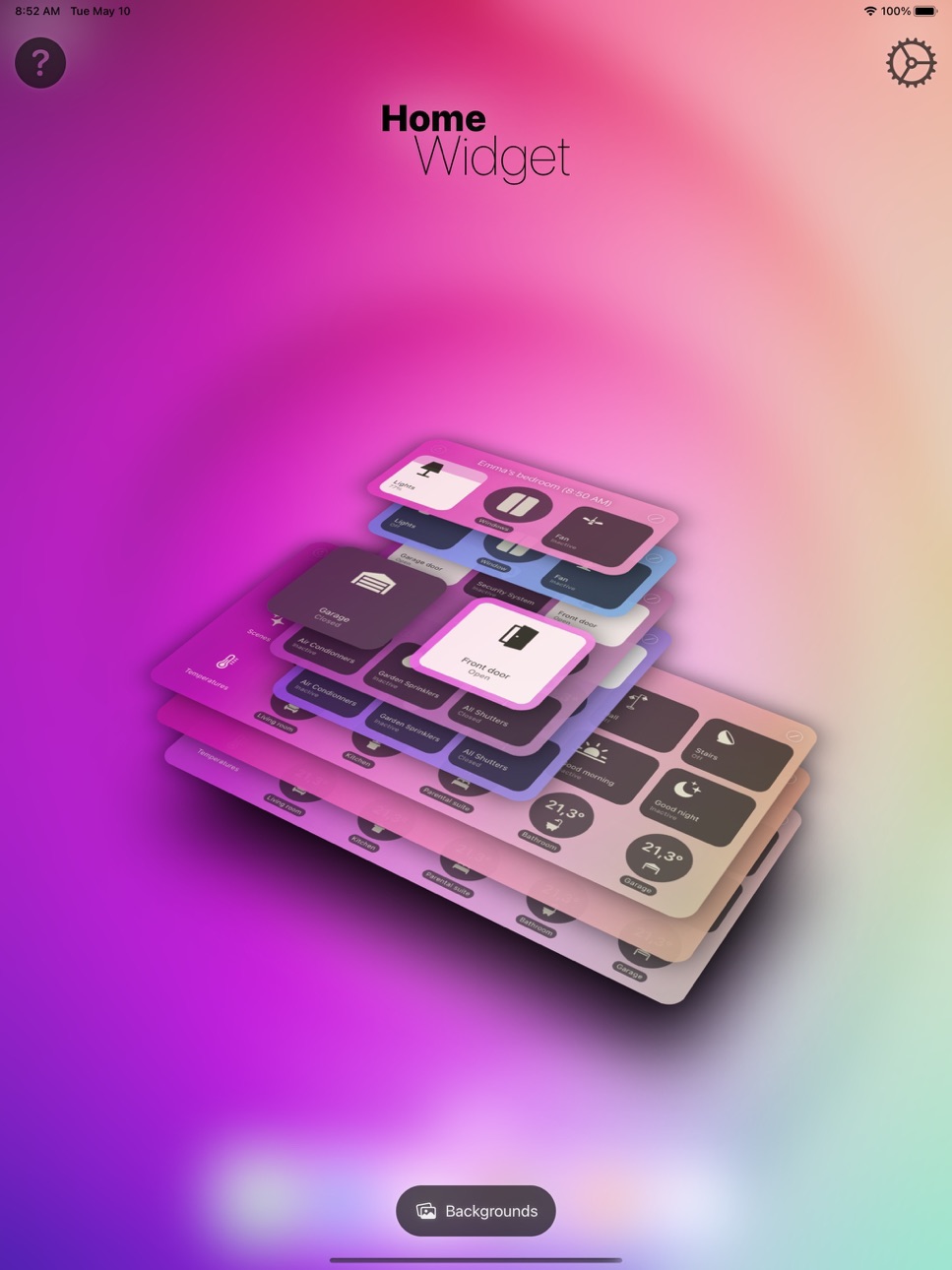
Home Widget has been specifically designed for this purpose! You can now interact with your entire HomeKit universe (accessories, scenes, groups, shortcuts and cameras) from your iPhone or iPad Home Screen with the brand new iOS Home Widgets.
We were keen to design an app as simple as possible, in the spirit of iOS Widgets so that it is both efficient and pleasant to use.
Enough with words, let's dive into action!
You just create a panel in the application, you then add it accessories, scenes or sensors and even shortcuts, and that's it! All you have to do is add your Widget to the Home Screen and you can control your home right away. It’s a child’s play! HomeKit camera are also supported. You can open a live feed just with one tap from your widgets.
And if you are like us and do like everything to have its place, you can customize the icons, the names, the background colors of the panels, add transparency, blur, play with settings, and endlessly customize your control panels and widgets. You can also dim your lights with an integrated dimmer or even change the color.
Whether you have only a single connected lock or an entire HomeKit home, take the time to try it out. The possibilities are truly immense.
For example, if you want to hide a button that opens your front door under the Calendar Widget, it's simple! A stack of Widgets, a "Home Widget" under the Calendar Widget and you're done.
Last but not least, the great thing about Home Widget is that it it maintains the state of accessories, just like iOS Control Center does. If a lamp is on then the button is bright, if it is off it is dark.
One last tip for the road, you can also position your HomeKit widgets on the "Today View" by swiping right from the Home Screen or Lock Screen. This gives you access to your home from the locked screen. (It remains protected by Face ID / Touch ID).
To shorten it, “Home Widget”:
• brings HomeKit widgets to iPhone and iPad
• allows you to create customizable HomeKit control panels and actions
• provides state feedback for HomeKit accessories, scenes and groups
• shares panels between different devices via iCloud
• shares panels between different accounts using AirDrop
Family sharing is enabled on all our subscriptions and in-app purchase so you can use it across all the family devices.
Turn your iPhone or iPad into a real HomeKit control center!
Some functionalities require “Home Widget Premium” which is available as a one-time in-app purchase or for those who prefer, it also comes as as an annual or monthly subscription. Its price is extremely affordable and will allow us to keep improving and maintaining this smart app.
Your feedback is invaluable so please do not hesitate to contact us to give us your thoughts or make suggestions: contact@vision-apps.com
If you like it do not hesitate to recommend this app to your friends.
The Vision-App team
HomeKit is trademark of Apple Inc., registered in the U.S. and other countries
---
Term of Use: https://www.apple.com/legal/internet-services/itunes/dev/stdeula/
Privacy Policy: http://vision-apps.com/privacypolicy.html
In-App Purchases US pricing
Premium Subscriptions Subscription
Monthly subscription · Monthly 7-day free trial$0.99
Annual subscription · Yearly 14-day free trial$6.99
One-Time Purchases
Lifetime License$14.99
Capabilities
In-App Purchases
Accessibility
ipadiphonemacrealityDevicetvoswatch
Version history 25 versions
Build 873749857v1.9.42025-04-09 14:58:06
Fix an issue with interactive widgets after updating to iOS 18.4.
Build 870083421v1.9.32024-11-05 09:21:53
This version fixes an issue with widget colors when HomeScreen is in Tinted mode. It also fixes some remaining issues with iOS 18.
Build 869643262v1.9.22024-10-14 08:04:10
This version fixes widget layout issues with iOS 18 and new iPhones.
It also fixes widget layout issues when « Large icons with no label » mode is enabled on the Home Screen.
Build 866302006v1.9.12024-05-31 20:01:49
Fixes an issue that prevent Widgets/Complications to be listed on Apple Watch Complication/Widget gallery.
Now you should be able to add all your circular panels as widget on your Watch Faces. Be sure to open the Watch app a first time to sync your panels data.
Build 866098454v1.9.02024-05-23 06:19:56
This new version brings the Apple WatchOS companion app. Your feedbacks are welcome!
It also fixes some minor issue on iPhone & iPad app.
Build 861844119v1.8.62023-12-03 13:26:08
This version fixes a major bug that can occur on iOS 17.1.1. It also corrects some minor issues:
- fixes the bug of interactive widgets that stops working (buttons inoperative since the widgets buttons remain highlighted in blue)
- fixes translation problems in French and Spanish
- fixes some minor issues
- fixes the display on iPhone 13 Pro Max in Zoom mode.
Build 860519387v1.8.52023-11-28 09:08:57
This new version fixes some minor issues:
- fixes a crash that can very rarely happen on widgets.
- fixes a problem with some Hue sensors migrated under Matter that was displayed as "Not responding"
- removes the now useless "Force HK Database Update" settings that could cause unexpected behavior
- fixes some Spanish translation issues.
- fixes a transparent background layout issue on iPhone 13 Pro Max (when in zoom mode)
Build 860397082v1.8.42023-10-05 18:05:28
Fix an issue on last version that could cause background refresh to stop working.
Build 860199682v1.8.32023-10-03 20:03:22
This version improves app overall stability by fixing some minor bugs and two potential crashes.
Build 860151025v1.8.22023-09-25 18:17:00
V1.8.2 also fixes an issue with large and extra large panel that was stuck replace by orange placeholder because of an issue on iOS17. In that case other widgets was not refreshed properly.
- Our Widgets are now fully interactive! You no longer even leave the Home Screen or the Lock Screen to turn your lights On and Off, activate your Scenes or trigger your Actions. No need to open the app anymore.
- We have integrated dimmers with interactive widgets. You can now vary the intensity or color of your lights directly or half-open your blinds, and always directly from the Widgets! It is even possible to ask for confirmation before performing a sensitive action.
- in response to your feedback, we've introduced a new widget size: a compact 2x2 layout with four buttons. Enjoy quick access to your most-used actions while conserving screen space.
- now a tap on one of the sensors, detectors, counters or refresh buttons allows you to refresh the widget, again without having to launch the application in the foreground
- the "Nightstand" mode allows you to use Widgets and benefit from all the new features and interactivity even in the middle of the night.
- there are also many new features on the iPad. Small and Circular Widgets can now be used on the locked screen. Again, no need to leave the lock screen to perform any action.
- you have shades or rolling shutters, you can now choose their precise position from the widgets.
- finally, with the new version of iOS we have further improved response and execution times and the application remains the fastest on the market to perform all these actions.
In short, you will have understood, this new version brings a lot of new features and we are very happy and very proud to finally be able to present them to you!
Thank you all for your support and your help in the realization of this application. As always, if you appreciate our work, consider leaving us your testimonials on the App Store.
If you have any questions or concerns, contact us directly! It's always a pleasure to help you: support@vision-apps.com
Build 860042939v1.8.12023-09-20 20:14:58
- Our Widgets are now fully interactive! You no longer even leave the Home Screen or the Lock Screen to turn your lights On and Off, activate your Scenes or trigger your Actions. No need to open the app anymore.
- We have integrated dimmers with interactive widgets. You can now vary the intensity or color of your lights directly or half-open your blinds, and always directly from the Widgets! It is even possible to ask for confirmation before performing a sensitive action.
- in response to your feedback, we've introduced a new widget size: a compact 2x2 layout with four buttons. Enjoy quick access to your most-used actions while conserving screen space.
- now a tap on one of the sensors, detectors, counters or refresh buttons allows you to refresh the widget, again without having to launch the application in the foreground
- the "Nightstand" mode allows you to use Widgets and benefit from all the new features and interactivity even in the middle of the night.
- there are also many new features on the iPad. Small and Circular Widgets can now be used on the locked screen. Again, no need to leave the lock screen to perform any action.
- you have shades or rolling shutters, you can now choose their precise position from the widgets.
- finally, with the new version of iOS we have further improved response and execution times and the application remains the fastest on the market to perform all these actions.
In short, you will have understood, this new version brings a lot of new features and we are very happy and very proud to finally be able to present them to you!
Thank you all for your support and your help in the realization of this application. As always, if you appreciate our work, consider leaving us your testimonials on the App Store.
If you have any questions or concerns, contact us directly! It's always a pleasure to help you: support@vision-apps.com
+ V 1.8.1 Minor bug fixes:
- names of small (2x2) panels are now saved if customized.
- import of panels (via file sharing) now works via AirDrop and Messages and not only by email
- power-off scene display on LockScreen widget has been fixed
- dimmable lights icons are not truncated anymore when dimmer value is not 100%
- adds options to disable the interactivity (for dimmers, confirmations or toggles)
Build 859050412v1.8.02023-09-18 18:29:03
- Our Widgets are now fully interactive! You no longer even leave the Home Screen or the Lock Screen to turn your lights On and Off, activate your Scenes or trigger your Actions. No need to open the app anymore.
- We have integrated dimmers with interactive widgets. You can now vary the intensity or color of your lights directly or half-open your blinds, and always directly from the Widgets! It is even possible to ask for confirmation before performing a sensitive action.
- in response to your feedback, we've introduced a new widget size: a compact 2x2 layout with four buttons. Enjoy quick access to your most-used actions while conserving screen space.
- now a tap on one of the sensors, detectors, counters or refresh buttons allows you to refresh the widget, again without having to launch the application in the foreground
- the "Nightstand" mode allows you to use Widgets and benefit from all the new features and interactivity even in the middle of the night.
- there are also many new features on the iPad. Small and Circular Widgets can now be used on the locked screen. Again, no need to leave the lock screen to perform any action.
- you have shades or rolling shutters, you can now choose their precise position from the widgets.
- finally, with the new version of iOS we have further improved response and execution times and the application remains the fastest on the market to perform all these actions.
In short, you will have understood, this new version brings a lot of new features and we are very happy and very proud to finally be able to present them to you!
Thank you all for your support and your help in the realization of this application. As always, if you appreciate our work, consider leaving us your testimonials on the App Store.
If you have any questions or concerns, contact us directly! It's always a pleasure to help you: support@vision-apps.com
Build 855804163v1.2.72023-03-27 12:33:17
Hello!
I am thrilled to announce the release of this new version 1.2.7, which includes some amazing new features and improvements based on user feedback.
I have added a relock iPhone feature after using the Lock Screen widget, a roller blinds/shutters position dimmer, a new shortcut action, and more. I am grateful to all of you for your continued support, and I hope these new features will make your experience even better.
Please make sure to update your device's operating system to the latest version to take advantage of the relock iPhone feature.
I also want to take a moment to ask for your help in spreading the word about my app. Marketing an app can be challenging, and I would be grateful if you could share the app with your friends and family, leave a review on the App Store, and help us reach more people who could benefit from my app.
Here's what's new in version 1.2.7:
- Adds a relock iPhone feature after using the Lock Screen widget (last iOS version only. Please update your device OS).
- Adds a dimming action type for roller shutters/blinds. You can now precisely position the opening position using the slider.
- Adds the roller shutter/blind's current position on button items (like for dimming lights).
- Adds a new "Launch Shortcut (without return)" action to launch actions like opening the TV remote, locking the phone.
- Improves the "Toggle - Dimmer" cinematic so that when a lamp goes from ON to OFF state, you have a delay to slide the dimmer and cancel the toggle OFF action.
- Improves the behavior of manually reducing the app.
- Fixes an offset issue on the panel carousel.
- Improvements and bug fixes.
Thank you for your support, and I look forward to continuing to improve the app for you."
Build 855621320v1.2.62023-03-24 09:50:40
Hi dear users! I am happy to announce some new features!
If you really want to keep on your Lock Screen when using a Widget from there, it is now possible by running a shortcut. As prerequisite, you'll need to update to last iOS version first, and then to enable that feature from the Home Widget app settings page.
Here is the usual "What's new" list.
"What's new":
---------------
- Adds relock iPhone feature after using lockscreen widget
- Adds a new "Launch Shortcut (without return)" action to launch actions like opening TV remote, locking the phone, etc.
- Improve the "Toggle - Dimmer" cinematic so that when a lamp goes from ON to OFF state, you have a delay to slide the dimmer and cancel the toggle OFF action.
- Fixes an issue that prevent iPhone to relock after using dimmer.
- Fixes an issue that prevent iPhone to relock on manual reducing (camera preview).
- Fixes an offset issue on panel carousel.
- Improvements and bug fixes.
Enjoy!
Build 855499763v1.2.52023-03-17 10:49:25
Now supports the latest iOS feature that allows your device to relock after using a lock screen widget.
Bug fixes and performance improvements.
Build 854259625v1.2.42023-01-11 07:09:04
Happy New Year 2023 to all of you!
Please excuse me for not keeping up with the usual pace of updates lately, but personal challenges have affected my pace of work. I will try to get back to my usual update rhythm as soon as possible and to add exciting new features in this new year 2023.
This new minor release brings a number of improvements and bug fixes:
- improved HomeKit logic that takes advantage of the new iOS 16.2 HomeKit architecture
- the ability to refresh widgets every 15 minutes, with recommended and warning emojis displayed in the settings for certain refresh frequencies
- fixes an issues with labels on extra-large panels on iPadOS 16+
- fixes for issue with widget backgrounds on iPhone 14 Pro and Pro Max
- improved icon search results and the ability to display twice as many results on iPhone
- disabling of dynamic icons for buttons with a single state, such as shortcuts
- fixes for issues where lock screen widgets were not properly aligned on the 3D rotating stack view
- explanations on how to set up lock screen widgets, as well as fixes for issues with Polish app name translations and empty icons when adding the first lock screen widget.
Thank you for using the Home Widget app.
I hope you enjoy these updates and improvements.
Build 848781251v1.2.32022-09-11 18:42:56
Dear users, this new version brings the new Lock Screen Widgets feature and the new iOS Home app icons.
I expect that you'll enjoy this new release.
What's new:
- Adds new Lock Screen Circular Widget
- Adds a new Icon Library on iOS 16 named « HomeKit ». It contains all the new icons of the new iOS 16 Home app
- Some icons (door, window, shade) from this new « HomeKit » icon set are now dynamic (closed/open regarding the device state).
- Fixes a layout issue on iPad mini 6th gen that cause detail view header text to be truncated in horizontal mode
- fixes a layout issue on Circular Waiting View on iPhone 8 & 8 Plus
- adds PPM displays on CO/CO2 sensor.
- panel title will be displayed in black when background color is white.
- what's new button will disappear after 10 displays.
- fixes an issue on panel preview image when sharing panels by mail.
- fixes a crash when voice over is enable!
- Fix some minor layout issues
- fixes some translations.
Build 848671114v1.2.22022-04-29 17:57:58
- V1.2.2 fixes an issue with Accessory Counter action that was not working properly in V.1.2.1
Hello!
This new version brings some new languages (Spanish, Italian, German, Dutch and Polish).
If you notice a translation problem in your native language, please let me know by email (contact@vision-apps.com).
I would like to thank all the users who participated in this translation process! Thank you very much for your great involvement and for helping me to make this application available in more languages. Thanks to Florian, Gianluca C, Jan, Maciej, Edivaldo, Rick, Sven, Denis, Armin, Sabato, Gianluca S, Daniele, Ivan, Diego and all the others!
- fixes an issue with Accessory Counter action that was not working properly in V.1.2.1
- adds Bidirectional audio for HK Cameras/Doorbell that support it.
- adds an Accessory Counter action that let you display number of ON/Open/Unreachable devices.
- adds new action type for cameras to start streaming in audio muted, unmuted or bidirectional (ideal for doorbells).
- adds some icons and change default devices icons (gate, garage door, window, window blings).
- adds a “Reset background” button on “Backgrounds” page.
- adds an option for "Home Assistant" users to disable HomeKit database updates that could cause some unexpected behavior on some devices.
- changes not responding device display (icon instead of red text)
- "Transparency" & "Blur" slider now shows the exact amount
- fixes an issue that causes panel auto-naming to be disabled on previous versions. Now new panels will be auto named as soon as you add some device in it.
- fixed a layout issue with portrait cameras.
- fixes an issue that could cause some "unresponding devices" to stay in "writing state".
- fixes a corner radius issue on small panel without margin on some devices (mainly iPad).
- fixes a crash that occurs on Widgets in marginal cases.
- fixes an issue that cause Widget settings (long press on widget) to not be translated.
- fixes panel title center alignment when only one button (refresh or edit) is hidden.
- changes default icons for faucets and water valve devices.
- fixes minor issues and brings some performance improvements.
Thanks again for helping me making this app better each time.
Build 848218429v1.2.12022-04-28 06:27:53
Hello!
This new version brings some new languages (Spanish, Italian, German, Dutch and Polish).
If you notice a translation problem in your native language, please let me know by email (contact@vision-apps.com).
I would like to thank all the users who participated in this translation process! Thank you very much for your great involvement and for helping me to make this application available in more languages. Thanks to Florian, Gianluca C, Jan, Maciej, Edivaldo, Rick, Sven, Denis, Armin, Sabato, Gianluca S, Daniele, Ivan, Diego and all the others!
This new version also brings some great new features and fixes some minor issues:
- adds Bidirectional audio for HK Cameras/Doorbell that support it.
- adds an Accessory Counter action that let you display number of ON/Open/Unreachable devices.
- adds new action type for cameras to start streaming in audio muted, unmuted or bidirectional (ideal for doorbells).
- adds some icons and change default devices icons (gate, garage door, window, window blings).
- adds a “Reset background” button on “Backgrounds” page.
- adds an option for "Home Assistant" users to disable HomeKit database updates that could cause some unexpected behavior on some devices.
- changes not responding device display (icon instead of red text)
- "Transparency" & "Blur" slider now shows the exact amount
- fixes an issue that causes panel auto-naming to be disabled on previous versions. Now new panels will be auto named as soon as you add some device in it.
- fixed a layout issue with portrait cameras.
- fixes an issue that could cause some "unresponding devices" to stay in "writing state".
- fixes a corner radius issue on small panel without margin on some devices (mainly iPad).
- fixes a crash that occurs on Widgets in marginal cases.
- fixes an issue that cause Widget settings (long press on widget) to not be translated.
- fixes panel title center alignment when only one button (refresh or edit) is hidden.
- changes default icons for faucets and water valve devices.
- fixes minor issues and brings some performance improvements.
Thanks again for helping me making this app better each time.
Build 848145386v1.2.02022-04-06 20:00:07
Hello!
Once again, thank you very much to all of you for your great feedbacks and suggestions!
I'm happy to announce lots of highly anticipated new features in this new version:
This new version brings:
- Support for HomeKit Cameras: you can now get a live stream or a snapshot preview of all your cameras just by tapping a button from your widgets.
- Lights color support: Last version brought dimmers, now you can go further by adjusting not only brightness level but also lights color directly from your Home Screen.
- Battery level sensors: You can now monitor your device battery levels by using the new available sensors.
- Thermostats & Air Conditionner temperature sensors: Use your thermostats, valves and air-conditionner devices as temperature sensors to monitor temperature all over the home.
- Panel background: Each panel can now be personalized using gradients, solid colors & custom images all with transparency and blur effect over your Home Screen.
- Action with delay or with confirmation: You can now protect your sensible actions from a miss click by asking a confirmation or a delay before action fires.
- Better performances: The HomeKit Core Engine of the app has been optimized to minimize action execution times.
- Emojis as icons: You can use any native emojis as a action icon.
- Custom widgets fonts: you can change the font used by the widgets to match your Springboard font.
- New settings: « home zones » can be ignored when sorting accessories & sensors.
- New settings: You can skip « No response » devices for faster toggle and refresh actions.
This version also fixes all known issues at this time ;)
As usual, please feel free to contact me for any issue, question or suggestion: contact@vision-apps.com
Clement
Build 848123524v1.1.72022-04-05 18:50:44
This version fixes some minor issues, and brings some improvements.
- improves HomeKit execution time
- adds a setting to ignore zone sorting when listing accessories & sensors
- adds delay & confirmation action types for Thermostats and Security Systems devices
- improves haptic feedback
- improves action type selector (adding icons, reordering action types)
- fixes some issues when using delay or confirmation action types
- fixes some random crash on the widgets that could cause them to not being updated
- fixes some background refresh issues with iOS 15.4+
Build 847710053v1.1.62022-03-15 19:51:44
This new minor version mainly fixes some issues. Lots of new features to come in next major release ;)
- adds bold font support from accessibility settings for widgets
- adds a secondary label on actions in Action Picker view to help differentiate some devices with same names.
- adds an app option for « Power-off » scenes to use white color when activated like others standard scenes
- improves subscriptions label in app settings
- improves animations on iOS 15.3+
- improves item detail view display to fit on all screen sizes
- fix issue where Item name or panel name fields was hidden behind keyboard on some devices
- changes the way devices are identified to close the « Not found » issue definitively
- fixes a layout offset issue when changing device orientation on iPadOS.
Build 847577403v1.1.52022-03-08 23:33:05
- fixes an issue that cause a delay when adding an item.
- adds Font and Font size selection for Widgets in the App Settings
- improves panels and buttons layout mainly on iPadOS
- fixes some minor UI issues
- now settings sub-screens will pop back automatically on value selection
- removes F(fahrenheit) and C(celsius) on temperature unit display to gain some space and readability « 25°C become 25° »
- fixes an issue that cause some icons to not be available when upgrading from iOS 14 to iOS 15
- improves display on small devices
- improves Backgrounds setup screen
Build 847482670v1.1.42022-03-07 18:01:17
This minor version fix a crash when editing a panel from a widget on some iOS versions only. It also fixes some visual glitches.
Improve performances on iOS 15+
Build 847452510v1.1.32022-03-02 14:37:22
Hi all,
Thanks again to all of you for your great suggestions, good feedbacks and for helping me making this app better.
here is a update with some improvements, fixes and great additions.
If you like the app, think about giving me a review or a rating on the App Store. It helps me a lot! If you have some technical issue or any question, please prefer to send me an email at support@vision-apps.com It's easier to communicate that way.
Clement
Here is what’s new in this version:
- adds support for HomePod/AppleTV/Media scenes only: You can now use scene that only include you HomePod or Apple TV.
- adds a « With Confirmation » action type to protect sensitive actions with a green confirmation button before executing action
- adds « No action » action type if you want some action button to only display state without doing an action when tapping (useful if you just want to display a device state)
- adds blur effect on button backgrounds on iOS 15+. Improves readability and design when background is fully transparent.
- adds a Siri Shortcut to refresh your widgets, so that you can add a « Refresh Widgets » at the end of your shortcuts or ask Siri to refresh your widgets.
- adds an option to force app reduction after a specific delay even if all devices did not respond in time. Can be useful if you have some devices that are really slow and don’t want to wait for them.
- improves the sensors fade out effect (now still readable even when fade out)
- improves execution phase and reduce time to execute an action
- fixes duplicate progress circle display on iPadOS when a page sheet is presented
- fixes a minor issue on scene states where sometimes a scene state could be wrong
- fixes an issue where devices with same or no serial numbers could be miss-matched
- fixes two crashes that could occurs randomly (thanks TBL)
- fixes an issue that cause devices to be displayed as « Not found » during some minutes after a device reboot
- fixes a crash when tapping multiple times on the action picker
- now supports iOS 14.3
Price history by region
Currency
Show
Columns
Search
Availability 1 of 1 storefronts
| Region | Language | Price | Ratings | Avg | Version |
|---|---|---|---|---|---|
| US | en-US | Free | 151 | 4.1 | 1.9.4 |
Change log 29 changes · US
✎
releaseNotes updated
Fix an issue with interactive widgets after updating to iOS 18.4.
✎
description updated
Welcome to an enhanced home control experience with Home Widget for HomeKit app – the ultimate solution for managing your HomeKit devices effortlessly, right fr
✎
subtitle updated
Home app Interactive Widgets
✎
name updated
Home Widget - for HomeKit
◆
Version 1.9.4 released
Fix an issue with interactive widgets after updating to iOS 18.4.
◆
Version 1.9.3 released
This version fixes an issue with widget colors when HomeScreen is in Tinted mode. It also fixes some remaining issues with iOS 18.
◆
Version 1.9.2 released
This version fixes widget layout issues with iOS 18 and new iPhones.
It also fixes widget layout issues when « Large icons with no label » mode is enabled on the Home Screen.
◆
Version 1.9.1 released
Fixes an issue that prevent Widgets/Complications to be listed on Apple Watch Complication/Widget gallery.
Now you should be able to add all your circular panels as widget on your Watch Faces. Be sure to open the Watch app a first time to
◆
Version 1.9.0 released
This new version brings the Apple WatchOS companion app. Your feedbacks are welcome!
It also fixes some minor issue on iPhone & iPad app.
◆
Version 1.8.6 released
This version fixes a major bug that can occur on iOS 17.1.1. It also corrects some minor issues:
- fixes the bug of interactive widgets that stops working (buttons inoperative since the widgets buttons remain highlighted in blue)
- fixes tr
◆
Version 1.8.5 released
This new version fixes some minor issues:
- fixes a crash that can very rarely happen on widgets.
- fixes a problem with some Hue sensors migrated under Matter that was displayed as "Not responding"
- removes the now useless "Force HK Datab
◆
Version 1.8.4 released
Fix an issue on last version that could cause background refresh to stop working.
◆
Version 1.8.3 released
This version improves app overall stability by fixing some minor bugs and two potential crashes.
◆
Version 1.8.2 released
V1.8.2 also fixes an issue with large and extra large panel that was stuck replace by orange placeholder because of an issue on iOS17. In that case other widgets was not refreshed properly.
- Our Widgets are now fully interactive! You no l
◆
Version 1.8.1 released
- Our Widgets are now fully interactive! You no longer even leave the Home Screen or the Lock Screen to turn your lights On and Off, activate your Scenes or trigger your Actions. No need to open the app anymore.
- We have integrated dimmer
◆
Version 1.8.0 released
- Our Widgets are now fully interactive! You no longer even leave the Home Screen or the Lock Screen to turn your lights On and Off, activate your Scenes or trigger your Actions. No need to open the app anymore.
- We have integrated dimmer
◆
Version 1.2.7 released
Hello!
I am thrilled to announce the release of this new version 1.2.7, which includes some amazing new features and improvements based on user feedback.
I have added a relock iPhone feature after using the Lock Screen widget, a roller bl
◆
Version 1.2.6 released
Hi dear users! I am happy to announce some new features!
If you really want to keep on your Lock Screen when using a Widget from there, it is now possible by running a shortcut. As prerequisite, you'll need to update to last iOS version fi
◆
Version 1.2.5 released
Now supports the latest iOS feature that allows your device to relock after using a lock screen widget.
Bug fixes and performance improvements.
◆
Version 1.2.4 released
Happy New Year 2023 to all of you!
Please excuse me for not keeping up with the usual pace of updates lately, but personal challenges have affected my pace of work. I will try to get back to my usual update rhythm as soon as possible and t
◆
Version 1.2.3 released
Dear users, this new version brings the new Lock Screen Widgets feature and the new iOS Home app icons.
I expect that you'll enjoy this new release.
What's new:
- Adds new Lock Screen Circular Widget
- Adds a new Icon Library on iOS 16 na
◆
Version 1.2.2 released
- V1.2.2 fixes an issue with Accessory Counter action that was not working properly in V.1.2.1
Hello!
This new version brings some new languages (Spanish, Italian, German, Dutch and Polish).
If you notice a translation problem in your
◆
Version 1.2.1 released
Hello!
This new version brings some new languages (Spanish, Italian, German, Dutch and Polish).
If you notice a translation problem in your native language, please let me know by email (contact@vision-apps.com).
I would like to thank a
◆
Version 1.2.0 released
Hello!
Once again, thank you very much to all of you for your great feedbacks and suggestions!
I'm happy to announce lots of highly anticipated new features in this new version:
This new version brings:
- Support for HomeKit Cameras: yo
◆
Version 1.1.7 released
This version fixes some minor issues, and brings some improvements.
- improves HomeKit execution time
- adds a setting to ignore zone sorting when listing accessories & sensors
- adds delay & confirmation action types for Thermostats and Se
◆
Version 1.1.6 released
This new minor version mainly fixes some issues. Lots of new features to come in next major release ;)
- adds bold font support from accessibility settings for widgets
- adds a secondary label on actions in Action Picker view to help differ
◆
Version 1.1.5 released
- fixes an issue that cause a delay when adding an item.
- adds Font and Font size selection for Widgets in the App Settings
- improves panels and buttons layout mainly on iPadOS
- fixes some minor UI issues
- now settings sub-screens will
◆
Version 1.1.4 released
This minor version fix a crash when editing a panel from a widget on some iOS versions only. It also fixes some visual glitches.
Improve performances on iOS 15+
◆
Version 1.1.3 released
Hi all,
Thanks again to all of you for your great suggestions, good feedbacks and for helping me making this app better.
here is a update with some improvements, fixes and great additions.
If you like the app, think about giving me a re