Home › Finance

 US
US
1 of 1 storefronts
Content in en-US
Content in en-US
Information
Preview 1 platform
iPhone 5 images



What’s New Version 1.4
Track your company equity, all in one place.
- Connect your Carta or Shareworks account to import grants and holdings automatically.
- Prefer to do it yourself? Add and manage equity holdings manually.
- See detailed grant and holding info anytime.
- Plus bug fixes and performance improvements.
Description
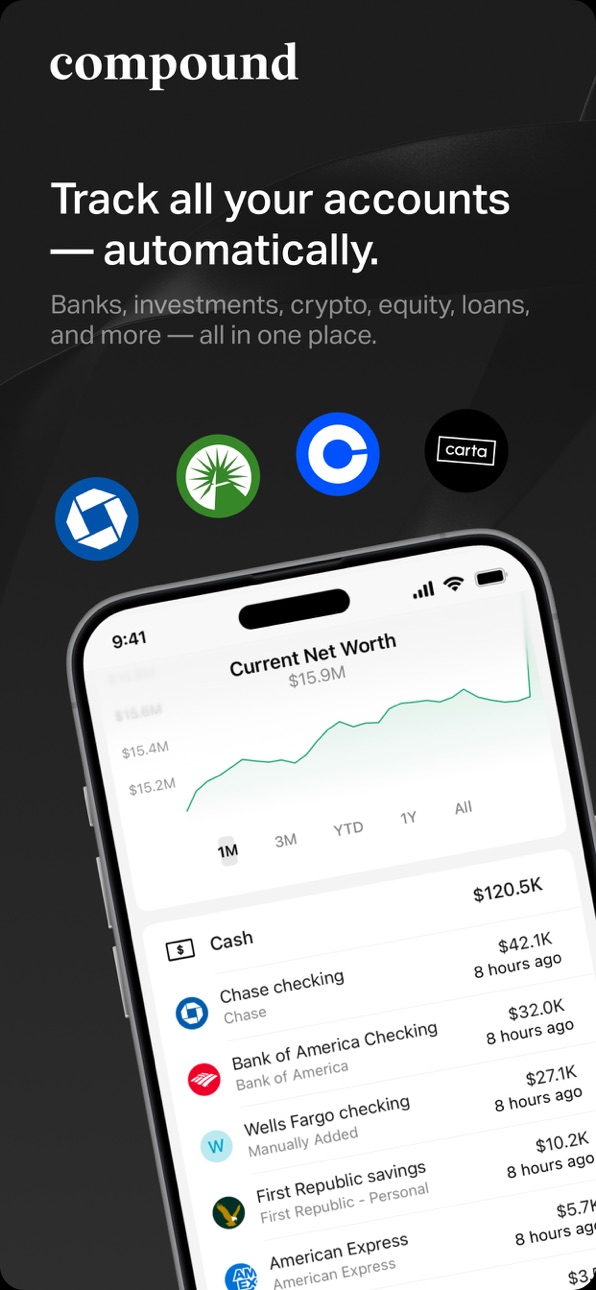
Compound Planning brings your entire financial life into one place — and keeps it updated automatically.
It gives you a complete picture of your net worth, investments, equity, real estate, and liabilities, all organized in a real-time financial dashboard. You also get a secure vault for your financial, tax, and estate documents — each tagged to the right assets so they’re always easy to find.
Compound Planning is built for people who want to simplify their complex financial lives. It brings every account, asset, liability, and document together so you can stay organized and make confident decisions with your money.
If you already have a Compound Planning dashboard, you can sign in and start using it on your iPhone.
If you’re new to Compound Planning, go to compoundplanning.com on any desktop browser to create a dashboard and connect your accounts.
Key features:
→ 1,000+ integrations: Banks, credit cards, 401(k)s, company equity, crypto, real estate, mortgages, and more.
→ Net Worth Monitoring: Your personal balance sheet updates automatically as account values change.
→ Document Vault: Store your financial, tax, and estate documents in one secure place.
→ Full Visibility: Every account, every holding, every liability — clearly organized.
→ Bank-Level Security: Your data is encrypted and protected at every step.
The Compound Planning iOS app is built by Compound Planning, Inc., a digital family office managing more than $5 billion for high-net-worth founders, early employees, executives, retirees, and families. Our 50+ advisors combine modern technology with deep expertise across investments, taxes, estate planning, and equity compensation to help clients manage their entire financial lives in one place. Compound Planning, Inc. was named one of America’s Top RIA Firms by Forbes (2025) and one of America’s Top RIAs and 50 Fastest Growing RIAs by Financial Advisor Magazine (2024, 2025), and featured in TechCrunch, Forbes, Barron’s, and The New York Times.
Compound Planning, Inc (“Compound Planning”) is an SEC-registered investment adviser.
Learn more at https://compoundplanning.com
Disclosures: https://legal.compoundplanning.com/
Terms of Service: https://legal.compoundplanning.com/terms-of-service
Privacy Policy: https://legal.compoundplanning.com/privacy-policy
Compound currently supports US financial institutions.
Accessibility
ipadiphonemacrealityDevicetvoswatch
Version history 18 versions
Build 887308577v1.42026-06-23 22:05:47
Track your company equity, all in one place.
- Connect your Carta or Shareworks account to import grants and holdings automatically.
- Prefer to do it yourself? Add and manage equity holdings manually.
- See detailed grant and holding info anytime.
- Plus bug fixes and performance improvements.
Build 885249135v1.32026-05-18 14:10:38
- You can now sign up and create your Compound dashboard directly from your phone, without opening a browser.
- If you have access to multiple dashboards, you can switch between them directly from the app without logging out and back in.
- Bug fixes and performance improvements.
Build 883587715v1.22026-04-01 18:13:08
Fewer bugs, smoother flows, and a big step forward for in-app setup. This release brings Add Account to iOS along with general fixes and improvements, letting you add certain account types directly from the app so you no longer need to go to the web to get started.
Build 881857667v1.1.32026-02-04 18:55:12
General improvements and bug fixes
Build 872891758v1.1.22025-12-17 13:10:08
The Compound experience, now on mobile.
Build 859396786v1.1.12024-03-25 20:09:53
In an effort to further focus on building an exceptional web application experience, Compound will be temporarily sunsetting support for our iOS app.
The app will continue to display and present your dashboard data, however we will be discontinuing help desk support for the app and any ongoing app bug fixes, and app updates.
While we recognize and apologize for the inconvenience this may cause, our commitment to providing the best possible experience on web is ultimately what drove this decision. Mobile is still a key part of our longer term Product strategy, and we expect to renew investment in mobile apps in the near future. Please reach out to your advisor if you have any questions or concerns about this change, or if you'd like to participate in an early beta when we begin to relaunch our mobile client experience.
Build 858907628v1.1.02023-08-24 22:37:46
Your Compound app now offers greater detail and insight into Compound investment accounts.
Specifically, you can:
• View Compound Invest account information in a dedicated tab, with performance, income, trades, and deposit information
• View detailed performance data for each account or all accounts, compared against market index benchmarks
• View transaction details with easy-to-manage filters for trades, transfers, and dividends
Build 858382660v1.0.102023-07-13 21:56:40
Your Compound app now offers improved sign-in options, better synced net worth data (across iOS and webapp), and more transaction information for investment accounts.
Specifically, you can:
- Sign in with one of the recovery codes created when you set up Two-Factor Authentication
- Expand or collapse different sections of the Net Worth screen and see those changes reflected on webapp and vice versa (changes in webapp will be reflected in the mobile app)
- View transaction details for all synced investment accounts, including those managed outside of Compound
Build 858339039v1.0.92023-07-10 15:47:00
New improvements.
Build 856973874v1.0.82023-05-20 17:47:02
New improvements.
Build 856356789v1.0.72023-05-09 16:25:59
On your Compound app you can now access different reports (e.g. proposals, analysis, and more) that your Compound advisory team publishes for you. When you have a report available, you will see it in the new Reports tab at the bottom of the screen
Build 856284771v1.0.62023-04-13 22:53:53
New improvements.
Build 856250448v1.0.52023-04-11 17:18:52
New improvements.
Build 855871932v1.0.42023-04-10 16:26:23
Vault on mobile now supports the same advanced tagging available on the Compound webapp dashboard. Specifically, you can:
- Add or remove details to a Vault file (e.g. account, document type, year/quarter, or custom tags) that are available on the webapp. (Currently, custom tags can still only be created on the webapp)
- View and filter Vault files by tag, or set of tags
- Share images or PDFs from apps outside of Compound (e.g. Dropbox, Google Drive) into the Compound Vault
- Continue to tag Vault files as tax-related if you are a current Compound tax filing client
Build 855149480v1.0.32023-03-07 22:40:39
Trade notifications have been improved with some new features. Specifically, you can:
- View detailed notes for a trade notification, which can contain pro-rata information as well as other details from your Financial Advisor
- Confirm that a trade specifies approximate amounts
Build 854763337v1.0.22023-02-23 17:06:23
You can now label Vault documents as tax filing-related on your mobile device if you are a current Compound tax filing client. Specifically, you can:
- Mark a document with a tax document type (e.g. W-2, 1099, 1040) and for the current tax filing year (2022), and have it automatically show up in Tax Vault on webclient for tax filing team to review
- Explicitly mark any document as tax-related for the current tax filing year, and have it automatically show up in Tax Vault on webclient for tax filing team to review
Build 853664879v1.0.12023-02-03 18:45:22
You can now receive trade notifications from Compound’s investment operations team and manage trades on your mobile device. Specifically, you can:
- Receive requests for confirmation of trades via push notifications
- Accept or reject trade notification requests
- View trade notifications that are pending your action, executing, completed, or expired
Build 842491066v1.0.02022-12-01 16:05:39
No pricing data captured yet — comparisons appear once the app has paid storefronts or in-app purchases.
Availability 1 of 1 storefronts
| Region | Language | Price | Ratings | Avg | Version |
|---|---|---|---|---|---|
| US | en-US | Free | 11 | 5.0 | 1.4 |
Change log 22 changes · US
✎
releaseNotes updated
Track your company equity, all in one place.
- Connect your Carta or Shareworks account to import grants and holdings automatically.
- Prefer to do it yourself?
✎
description updated
Compound Planning brings your entire financial life into one place — and keeps it updated automatically.
It gives you a complete picture of your net worth, inv
✎
subtitle updated
Your finances, all in one app
✎
name updated
Compound Planning
◆
Version 1.4 released
Track your company equity, all in one place.
- Connect your Carta or Shareworks account to import grants and holdings automatically.
- Prefer to do it yourself? Add and manage equity holdings manually.
- See detailed grant and holding info
◆
Version 1.3 released
- You can now sign up and create your Compound dashboard directly from your phone, without opening a browser.
- If you have access to multiple dashboards, you can switch between them directly from the app without logging out and back in.
-
◆
Version 1.2 released
Fewer bugs, smoother flows, and a big step forward for in-app setup. This release brings Add Account to iOS along with general fixes and improvements, letting you add certain account types directly from the app so you no longer need to go t
◆
Version 1.1.3 released
General improvements and bug fixes
◆
Version 1.1.2 released
The Compound experience, now on mobile.
◆
Version 1.1.1 released
In an effort to further focus on building an exceptional web application experience, Compound will be temporarily sunsetting support for our iOS app.
The app will continue to display and present your dashboard data, however we will be disc
◆
Version 1.1.0 released
Your Compound app now offers greater detail and insight into Compound investment accounts.
Specifically, you can:
• View Compound Invest account information in a dedicated tab, with performance, income, trades, and deposit information
• V
◆
Version 1.0.10 released
Your Compound app now offers improved sign-in options, better synced net worth data (across iOS and webapp), and more transaction information for investment accounts.
Specifically, you can:
- Sign in with one of the recovery codes created
◆
Version 1.0.9 released
New improvements.
◆
Version 1.0.8 released
New improvements.
◆
Version 1.0.7 released
On your Compound app you can now access different reports (e.g. proposals, analysis, and more) that your Compound advisory team publishes for you. When you have a report available, you will see it in the new Reports tab at the bottom of the
◆
Version 1.0.6 released
New improvements.
◆
Version 1.0.5 released
New improvements.
◆
Version 1.0.4 released
Vault on mobile now supports the same advanced tagging available on the Compound webapp dashboard. Specifically, you can:
- Add or remove details to a Vault file (e.g. account, document type, year/quarter, or custom tags) that are available
◆
Version 1.0.3 released
Trade notifications have been improved with some new features. Specifically, you can:
- View detailed notes for a trade notification, which can contain pro-rata information as well as other details from your Financial Advisor
- Confirm that
◆
Version 1.0.2 released
You can now label Vault documents as tax filing-related on your mobile device if you are a current Compound tax filing client. Specifically, you can:
- Mark a document with a tax document type (e.g. W-2, 1099, 1040) and for the current tax
◆
Version 1.0.1 released
You can now receive trade notifications from Compound’s investment operations team and manage trades on your mobile device. Specifically, you can:
- Receive requests for confirmation of trades via push notifications
- Accept or reject trade
◆
Version 1.0.0 released