Home › Education

 US
US
1 of 1 storefronts
Content in en-US
Content in en-US
Information
Preview 2 platforms
iPhone 10 images


iPad 10 images




What’s New Version 6.5.1
6.5.1: Smoother bilingual reading, plus Practice and reading polish.
• Sharper bilingual sentences. Long-press on a sentence and WonderBoox shows the complete matching text in both languages — even when one language combines or splits a sentence differently — then reads it aloud and highlights exactly the right words in the story.
• Practice shows the source book. Each saved word's example sentence now names the book it came from, so kids remember the story where they first met it.
• The whole word, highlighted. In Practice, every part of a saved word is marked in its example sentence — including separable verbs that split apart (common in Dutch and German).
• A quicker way back to the cover. The "back to cover" button now sits in the top-left corner of the page, within easy reach while reading.
• Plus stability and polish.
Description
WonderBoox is an interactive reading app that builds vocabulary through stories. Kids read beautifully illustrated books in 9 languages on iPhone or iPad, tap any word for its contextual meaning, double-tap for a translation in any language, and save vocabulary to review with age-adaptive flashcards.
AN OMNIDIRECTIONAL DICTIONARY YOU WON'T FIND ELSEWHERE
Most language apps assume you speak English. WonderBoox doesn't. Our contextual dictionary works from any of the 9 supported languages to any other. No English required.
- A Japanese child learning German sees definitions in Japanese
- A Korean child learning Spanish gets translations in Korean
- A French child learning Japanese learns directly, not through English
Every definition shows the word's meaning in that specific sentence, not a generic dictionary entry.
LEARN VOCABULARY NATURALLY
Three intuitive gestures put language at your child's fingertips:
- TAP any word to see its contextual definition
- DOUBLE-TAP for a translation in any language
- LONG-PRESS to translate the entire sentence
Save words with one tap and review them later with smart flashcards powered by spaced repetition, the same science used by medical students and polyglots.
AGE-ADAPTIVE LEARNING
The app adapts to your child's age:
- Ages 5 to 7: Simple 2-button reviews, gentle difficulty
- Ages 8 to 10: 3-button interface, moderate challenge
- Ages 11 and up: Full 4-button reviews with interval previews
FEATURES PARENTS LOVE
- Illustrated storybooks at A1-A2 level, with new books added regularly
- Read-aloud narration with word-by-word highlighting
- Comprehension quizzes with mastery tracking
- Progress dashboard with reading streaks and achievements
- Up to 4 family profiles with individual progress
- Works offline, perfect for travel
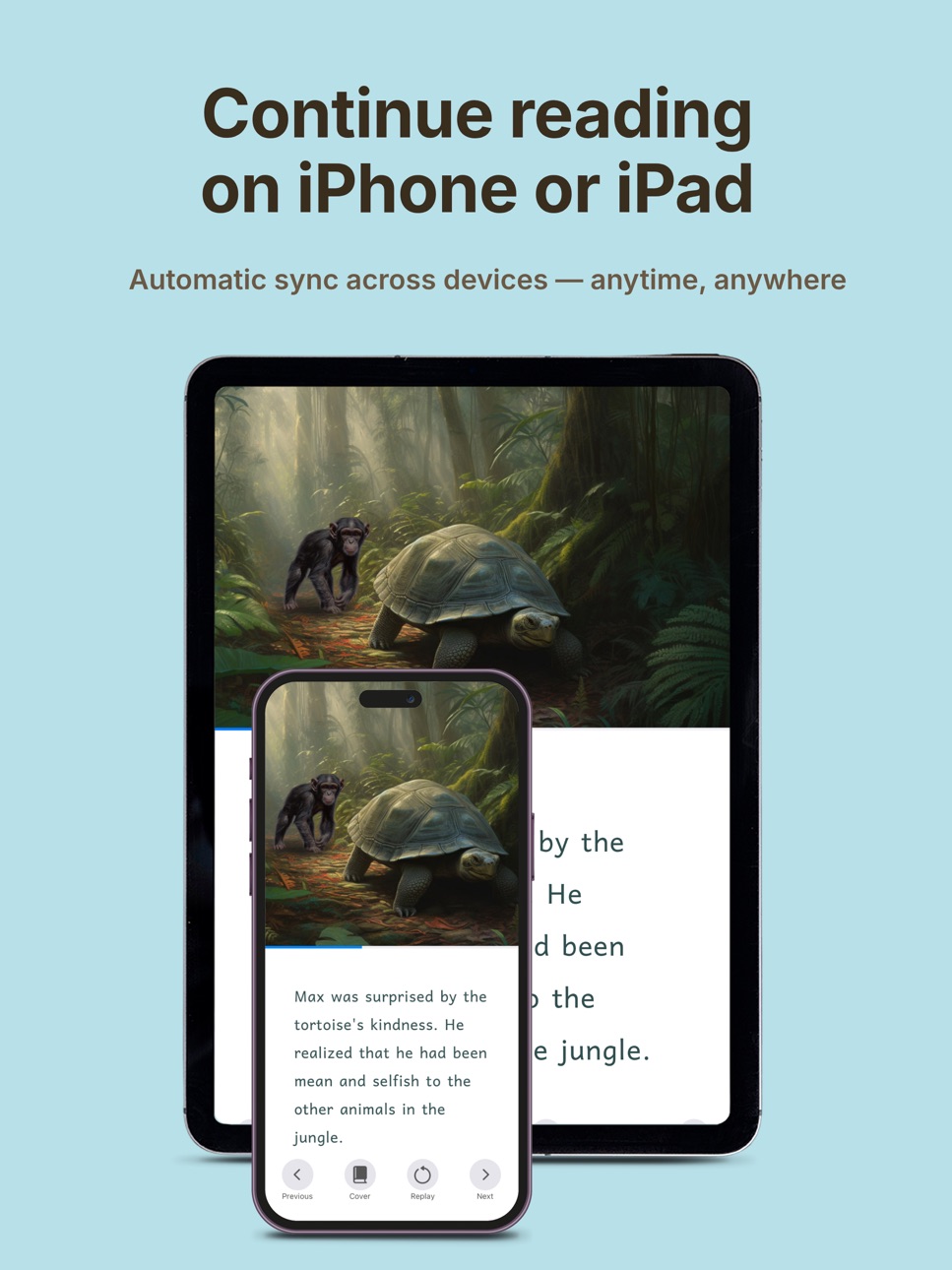
- iCloud sync across all devices
- Parental controls and safe environment
9 LANGUAGES, ANY DIRECTION
English (British/American), Spanish (European/Latin American), French, German, Italian, Dutch, Japanese, Korean, and Chinese (Simplified).
PERFECT FOR
- Bilingual families maintaining heritage languages
- Expat families adapting to a new country
- Parents who want their children to grow vocabulary naturally through stories
- International school students
Download WonderBoox and give your child the gift of vocabulary that grows through reading.
SUBSCRIPTION OPTIONS
Premium unlocks unlimited books, advanced flashcard practice, offline reading, and multiple user profiles. Choose monthly, annual, or lifetime access.
---
Privacy Policy: https://cambrian-labs.com/privacy-policy
Terms of Use: https://www.apple.com/legal/internet-services/itunes/dev/stdeula/
Questions or feedback? Contact us at cambrian-labs.com/support
In-App Purchases US pricing
Subscriptions Subscription
Annual subscription. · Yearly 7-day free trial$8.99
Monthly subscription. · Monthly 3-day free trial$1.99
One-Time Purchases
Lifetime access$14.99
Capabilities
In-App Purchases
Accessibility
ipadiphonemacrealityDevicetvoswatch
Version history 25 versions
Build 887359120v6.5.12026-06-24 23:22:56
6.5.1: Smoother bilingual reading, plus Practice and reading polish.
• Sharper bilingual sentences. Long-press on a sentence and WonderBoox shows the complete matching text in both languages — even when one language combines or splits a sentence differently — then reads it aloud and highlights exactly the right words in the story.
• Practice shows the source book. Each saved word's example sentence now names the book it came from, so kids remember the story where they first met it.
• The whole word, highlighted. In Practice, every part of a saved word is marked in its example sentence — including separable verbs that split apart (common in Dutch and German).
• A quicker way back to the cover. The "back to cover" button now sits in the top-left corner of the page, within easy reach while reading.
• Plus stability and polish.
Build 886161252v6.5.02026-06-10 15:12:40
6.5.0: Resume where you left off, distraction-free reading, and a parent inbox.
• Resume where you left off: each reader returns to the page they last read. No more starting from the cover every time.
• Distraction-free reading: the on-screen controls fade away while you read, so nothing covers the story. Tap anywhere to bring them back; swipe to turn the page.
• Smart-tap on words: one tap shows a definition when you're reading in your own language, a translation when reading in another.
• Parent inbox: when WonderBoox needs to reach a grown-up, the message lives in the More tab behind the parental gate.
• Cleaner reading progress: a subtle bar inside the book and on every library thumbnail. The percentage number is gone, so kids see a bar that fills and turns green when finished.
• Stability and polish: a tidier Progress screen, the right recommended age on every cover, smarter Keep Reading suggestions, performance improvements, deletable reading reminders, tighter parental-gate behaviour, and more.
Build 886011539v6.4.02026-05-22 21:15:52
6.4.0: A lighter app, a bigger library, and reliable iCloud backup.
• Much smaller, faster download — WonderBoox now installs in a fraction of the space. Books download on demand, so you only keep what you're reading.
• A growing cloud library — browse every available story and tap once to download and start reading. New books appear automatically, with no app update needed.
• Free up space anytime — remove a downloaded book without losing your reading progress, saved words, or quiz scores.
• Reliable iCloud backup — your readers, reading progress, saved words, and quiz results now sync to iCloud and restore on a new device or after reinstalling.
• Stability and polish across the library, reader, and quizzes.
Build 885677811v6.3.12026-05-14 22:46:10
6.3.1: A fix for free trials, plus a handful of improvements.
• The Practice tab now shows how many words are ready to review at a glance — tracked separately for each reader.
• Practice review now shows the correct example sentence from the book for each saved word, in a cleaner card layout.
• A cleaner layout for iPad in landscape, and other visual polish.
• Notifications for new books and reading tips, so you never miss what's new.
• Fixed an issue that prevented some free trials from starting after installing the app.
Build 885278251v6.3.02026-05-05 19:42:24
6.3.0: Improvements to make reading and practicing more delightful for kids and easier for parents.
• Practice mode now shows the original sentence each word was saved from, with the word highlighted. Research shows children remember vocabulary best in the context they learned it.
• New replay button on every book page — tap to restart the narration and word-highlighting from the start, anytime.
• Smarter home screen suggestion: picks the book your child has made the most progress on, or an age-appropriate one to start. The pick stays steady between visits.
• Steadier home greeting — only when opening the app or switching readers, not on every screen change.
• Polish: matched card widths on the home screen, clearer cover button in the reader, and a new "Rate WonderBoox" option in Settings.
Build 884884678v6.2.12026-04-24 22:47:09
• Fixed blurry cover in "Rapunzel"
• Fixed text layout in iPhone landscape mode for "The Helpful Robot"
• Improved quiz button layout for consistent font size
• Fixed proper names not showing translations in some books
• Fixed sentence translation mismatches in some books
• Added word pronunciation button to the translation bubble
Build 884721135v6.2.02026-04-21 03:45:52
• Improved layout in landscape mode
• Customized onboarding experience with demos
• Bug fixes
Build 883900083v6.1.02026-03-30 22:14:41
A COMPLETELY NEW LOOK
WonderBoox 6.0 has been redesigned from the ground up with a modern, polished interface. Improved layouts, more natural narration, and refreshed texts and illustrations across the library.
NEW BOOKS & COLLECTIONS
Discover new stories and browse the library by collections — making it easier to find the right book for your child.
CONTEXTUAL, OMNIDIRECTIONAL DICTIONARY
Tap any word to see what it means in that specific sentence — not a generic dictionary entry. Double-tap for a translation. Long-press for the whole sentence translated. Works from any of the 9 supported languages to any other.
READING AIDS: PINYIN & FURIGANA
Chinese books now show optional pinyin above characters, and Japanese books show furigana — toggle them on or off while reading.
REGIONAL VARIANTS
English books are now available in both British and American English. Spanish books come in European and Latin American variants. The glossary handles spelling differences automatically.
VOCABULARY LEARNING WITH SMART FLASHCARDS
Save any word while reading and review it later with spaced repetition flashcards that adapt to your child's age. Younger kids get simpler choices; older learners get the full experience.
PROGRESS DASHBOARD & ACHIEVEMENTS
Track reading streaks, books finished, words learned, and quiz accuracy. Unlock 8 achievements from First Book to Polyglot.
"MY LANGUAGE" & MULTI-LANGUAGE LEARNING
Set your native language and choose which languages you're learning. Every definition, translation, and review card respects your preference — even per-book.
PLUS: iCloud sync across devices, parental gate for settings, flexible reminders, and improved user profiles.
6.0.1: Faster app launch and significantly reduced storage usage on device.
6.0.2: Improved translations for several words across all languages, including character names and story-specific vocabulary. Better English definitions for context-sensitive words with multiple meanings. Enhanced support for Korean, Japanese, and Chinese vocabulary.
6.1.0: The entire app interface — buttons, menus, labels, and quiz audio — is now fully translated into all supported languages. WonderBoox now feels native no matter which language you or your child speaks.
Build 883669083v6.0.22026-03-24 21:37:01
A COMPLETELY NEW LOOK
WonderBoox 6.0 has been redesigned from the ground up with a modern, polished interface. Improved layouts, more natural narration, and refreshed texts and illustrations across the library.
NEW BOOKS & COLLECTIONS
Discover new stories and browse the library by collections — making it easier to find the right book for your child.
CONTEXTUAL, OMNIDIRECTIONAL DICTIONARY
Tap any word to see what it means in that specific sentence — not a generic dictionary entry. Double-tap for a translation. Long-press for the whole sentence translated. Works from any of the 9 supported languages to any other.
READING AIDS: PINYIN & FURIGANA
Chinese books now show optional pinyin above characters, and Japanese books show furigana — toggle them on or off while reading.
REGIONAL VARIANTS
English books are now available in both British and American English. Spanish books come in European and Latin American variants. The glossary handles spelling differences automatically.
VOCABULARY LEARNING WITH SMART FLASHCARDS
Save any word while reading and review it later with spaced repetition flashcards that adapt to your child's age. Younger kids get simpler choices; older learners get the full experience.
PROGRESS DASHBOARD & ACHIEVEMENTS
Track reading streaks, books finished, words learned, and quiz accuracy. Unlock 8 achievements from First Book to Polyglot.
"MY LANGUAGE" & MULTI-LANGUAGE LEARNING
Set your native language and choose which languages you're learning. Every definition, translation, and review card respects your preference — even per-book.
PLUS: iCloud sync across devices, parental gate for settings, flexible reminders, and improved user profiles.
6.0.1: Faster app launch and significantly reduced storage usage on device.
6.0.2: Improved translations for several words across all languages, including character names and story-specific vocabulary. Better English definitions for context-sensitive words with multiple meanings. Enhanced support for Korean, Japanese, and Chinese vocabulary.
Build 883463629v6.0.12026-03-17 18:55:46
A COMPLETELY NEW LOOK
WonderBoox 6.0 has been redesigned from the ground up with a modern, polished interface. Improved layouts, more natural narration, and refreshed texts and illustrations across the library.
NEW BOOKS & COLLECTIONS
Discover new stories and browse the library by collections — making it easier to find the right book for your child.
CONTEXTUAL, OMNIDIRECTIONAL DICTIONARY
Tap any word to see what it means in that specific sentence — not a generic dictionary entry. Double-tap for a translation. Long-press for the whole sentence translated. Works from any of the 9 supported languages to any other.
READING AIDS: PINYIN & FURIGANA
Chinese books now show optional pinyin above characters, and Japanese books show furigana — toggle them on or off while reading.
REGIONAL VARIANTS
English books are now available in both British and American English. Spanish books come in European and Latin American variants. The glossary handles spelling differences automatically.
VOCABULARY LEARNING WITH SMART FLASHCARDS
Save any word while reading and review it later with spaced repetition flashcards that adapt to your child's age. Younger kids get simpler choices; older learners get the full experience.
PROGRESS DASHBOARD & ACHIEVEMENTS
Track reading streaks, books finished, words learned, and quiz accuracy. Unlock 8 achievements from First Book to Polyglot.
"MY LANGUAGE" & MULTI-LANGUAGE LEARNING
Set your native language and choose which languages you're learning. Every definition, translation, and review card respects your preference — even per-book.
PLUS: iCloud sync across devices, parental gate for settings, flexible reminders, and improved user profiles.
6.0.1: Faster app launch and significantly reduced storage usage on device.
Build 882900807v6.0.02026-03-16 10:25:28
A COMPLETELY NEW LOOK
WonderBoox 6.0 has been redesigned from the ground up with a modern, polished interface. Improved layouts, more natural narration, and refreshed texts and illustrations across the library.
NEW BOOKS & COLLECTIONS
Discover new stories and browse the library by collections — making it easier to find the right book for your child.
CONTEXTUAL, OMNIDIRECTIONAL DICTIONARY
Tap any word to see what it means in that specific sentence — not a generic dictionary entry. Double-tap for a translation. Long-press for the whole sentence translated. Works from any of the 9 supported languages to any other.
READING AIDS: PINYIN & FURIGANA
Chinese books now show optional pinyin above characters, and Japanese books show furigana — toggle them on or off while reading.
REGIONAL VARIANTS
English books are now available in both British and American English. Spanish books come in European and Latin American variants. The glossary handles spelling differences automatically.
VOCABULARY LEARNING WITH SMART FLASHCARDS
Save any word while reading and review it later with spaced repetition flashcards that adapt to your child's age. Younger kids get simpler choices; older learners get the full experience.
PROGRESS DASHBOARD & ACHIEVEMENTS
Track reading streaks, books finished, words learned, and quiz accuracy. Unlock 8 achievements from First Book to Polyglot.
"MY LANGUAGE" & MULTI-LANGUAGE LEARNING
Set your native language and choose which languages you're learning. Every definition, translation, and review card respects your preference — even per-book.
PLUS: iCloud sync across devices, parental gate for settings, flexible reminders, and improved user profiles.
Build 868190624v5.4.02024-08-15 09:07:18
- Reminders to read
- Redesigned Results screen
- User interface fixes
- Improved onboarding
- Bug fixes
Build 860468604v5.3.32023-10-07 13:20:34
- Several improvements in the User interface
- Improved OnBoarding screens
- Corrected narration in Chinese in the book "The Mischievous Monkey"
- Added missing pinyin text to the book "The Magic Garden"
- Bug fixes
Build 858628373v5.3.22023-07-30 17:55:24
- New book
- User Interface improvements
- Bug fixes
- Improved onboarding
Build 857088761v5.3.12023-05-26 12:47:15
- 1 new book
- Improvements in User Interface
- Typos fixed
- Bug fixes
Build 856842502v5.32023-05-03 20:51:31
- 2 new books
- Improvements in User Interface
- Typos fixed
- Bug fixes
Build 856589648v5.22023-04-23 15:55:04
- 2 New books
- Change language from book cover
- Current user shown in quiz screen
- Current user shown in book page
- User name shown in results
- Current user shown in book cover
- Improvements in User Interface
- Several bug fixes
Build 856186564v5.12023-04-09 22:32:17
• Contents typos corrected
• Showing reading progress of each book in the library
• Larger book icons and more readable titles in the library
• 2 New stories
• Bug fixes
Build 855180798v5.02023-02-28 19:53:30
- 9 languages, including: English, Spanish, French, German, Italian, Japanese, Simplified Chinese, Japanese and Korean
- User interface improvements
- Bug fixes
- Contents typos fixed
Build 853453016v4.02022-11-28 13:56:41
- Muti-user
- Results page: reading habits, quiz results
- Quiz on only voice, only text or combined
- App OnBoarding
- Info Page
- Data persistence across devices
- User interface improvements
- Bug fixes
- Contents typos fixed
Build 849622692v3.02022-06-01 18:53:44
- All books and quizzes in English and Spanish
- 2 new books
- User interface improvements
- Bug fixes
Build 848470391v2.52022-04-22 15:29:09
- New Story
- Bug fixes
Build 848387955v2.02022-04-16 22:02:54
- New story added to the library
- Improvements in the user interface
- Bug fixes
Build 847956798v1.52022-04-04 17:14:12
- Reduced App size
- New story added to the library
- User interface improvements
- Bug Fixes
Build 842473136v1.02022-02-21 09:00:47
Price history by region
Currency
Show
Columns
Search
Availability 1 of 1 storefronts
| Region | Language | Price | Ratings | Avg | Version |
|---|---|---|---|---|---|
| US | en-US | Free | 2 | 4.5 | 6.5.1 |
Change log 29 changes · US
✎
releaseNotes updated
6.5.1: Smoother bilingual reading, plus Practice and reading polish.
• Sharper bilingual sentences. Long-press on a sentence and WonderBoox shows the complete
✎
description updated
WonderBoox is an interactive reading app that builds vocabulary through stories. Kids read beautifully illustrated books in 9 languages on iPhone or iPad, tap a
✎
subtitle updated
Bilingual Stories for Kids
✎
name updated
WonderBoox: Language Reading
◆
Version 6.5.1 released
6.5.1: Smoother bilingual reading, plus Practice and reading polish.
• Sharper bilingual sentences. Long-press on a sentence and WonderBoox shows the complete matching text in both languages — even when one language combines or splits a se
◆
Version 6.5.0 released
6.5.0: Resume where you left off, distraction-free reading, and a parent inbox.
• Resume where you left off: each reader returns to the page they last read. No more starting from the cover every time.
• Distraction-free reading: the on-scr
◆
Version 6.4.0 released
6.4.0: A lighter app, a bigger library, and reliable iCloud backup.
• Much smaller, faster download — WonderBoox now installs in a fraction of the space. Books download on demand, so you only keep what you're reading.
• A growing cloud lib
◆
Version 6.3.1 released
6.3.1: A fix for free trials, plus a handful of improvements.
• The Practice tab now shows how many words are ready to review at a glance — tracked separately for each reader.
• Practice review now shows the correct example sentence from t
◆
Version 6.3.0 released
6.3.0: Improvements to make reading and practicing more delightful for kids and easier for parents.
• Practice mode now shows the original sentence each word was saved from, with the word highlighted. Research shows children remember vocab
◆
Version 6.2.1 released
• Fixed blurry cover in "Rapunzel"
• Fixed text layout in iPhone landscape mode for "The Helpful Robot"
• Improved quiz button layout for consistent font size
• Fixed proper names not showing translations in some books
• Fixed sentence tran
◆
Version 6.2.0 released
• Improved layout in landscape mode
• Customized onboarding experience with demos
• Bug fixes
◆
Version 6.1.0 released
A COMPLETELY NEW LOOK
WonderBoox 6.0 has been redesigned from the ground up with a modern, polished interface. Improved layouts, more natural narration, and refreshed texts and illustrations across the library.
NEW BOOKS & COLLECTIONS
Di
◆
Version 6.0.2 released
A COMPLETELY NEW LOOK
WonderBoox 6.0 has been redesigned from the ground up with a modern, polished interface. Improved layouts, more natural narration, and refreshed texts and illustrations across the library.
NEW BOOKS & COLLECTIONS
Di
◆
Version 6.0.1 released
A COMPLETELY NEW LOOK
WonderBoox 6.0 has been redesigned from the ground up with a modern, polished interface. Improved layouts, more natural narration, and refreshed texts and illustrations across the library.
NEW BOOKS & COLLECTIONS
Di
◆
Version 6.0.0 released
A COMPLETELY NEW LOOK
WonderBoox 6.0 has been redesigned from the ground up with a modern, polished interface. Improved layouts, more natural narration, and refreshed texts and illustrations across the library.
NEW BOOKS & COLLECTIONS
Di
◆
Version 5.4.0 released
- Reminders to read
- Redesigned Results screen
- User interface fixes
- Improved onboarding
- Bug fixes
◆
Version 5.3.3 released
- Several improvements in the User interface
- Improved OnBoarding screens
- Corrected narration in Chinese in the book "The Mischievous Monkey"
- Added missing pinyin text to the book "The Magic Garden"
- Bug fixes
◆
Version 5.3.2 released
- New book
- User Interface improvements
- Bug fixes
- Improved onboarding
◆
Version 5.3.1 released
- 1 new book
- Improvements in User Interface
- Typos fixed
- Bug fixes
◆
Version 5.3 released
- 2 new books
- Improvements in User Interface
- Typos fixed
- Bug fixes
◆
Version 5.2 released
- 2 New books
- Change language from book cover
- Current user shown in quiz screen
- Current user shown in book page
- User name shown in results
- Current user shown in book cover
- Improvements in User Interface
- Several bug fixes
◆
Version 5.1 released
• Contents typos corrected
• Showing reading progress of each book in the library
• Larger book icons and more readable titles in the library
• 2 New stories
• Bug fixes
◆
Version 5.0 released
- 9 languages, including: English, Spanish, French, German, Italian, Japanese, Simplified Chinese, Japanese and Korean
- User interface improvements
- Bug fixes
- Contents typos fixed
◆
Version 4.0 released
- Muti-user
- Results page: reading habits, quiz results
- Quiz on only voice, only text or combined
- App OnBoarding
- Info Page
- Data persistence across devices
- User interface improvements
- Bug fixes
- Contents typos fixed
◆
Version 3.0 released
- All books and quizzes in English and Spanish
- 2 new books
- User interface improvements
- Bug fixes
◆
Version 2.5 released
- New Story
- Bug fixes
◆
Version 2.0 released
- New story added to the library
- Improvements in the user interface
- Bug fixes
◆
Version 1.5 released
- Reduced App size
- New story added to the library
- User interface improvements
- Bug Fixes
◆
Version 1.0 released