Home › Graphics & Design

 US
US
1 of 1 storefronts
Content in en-US
Content in en-US
Information
Preview 2 platforms
iPhone 6 images




iPad 6 images


What’s New Version 3.1.3
- I have changed the settings related to advertising.
Description
[+] What is this app?
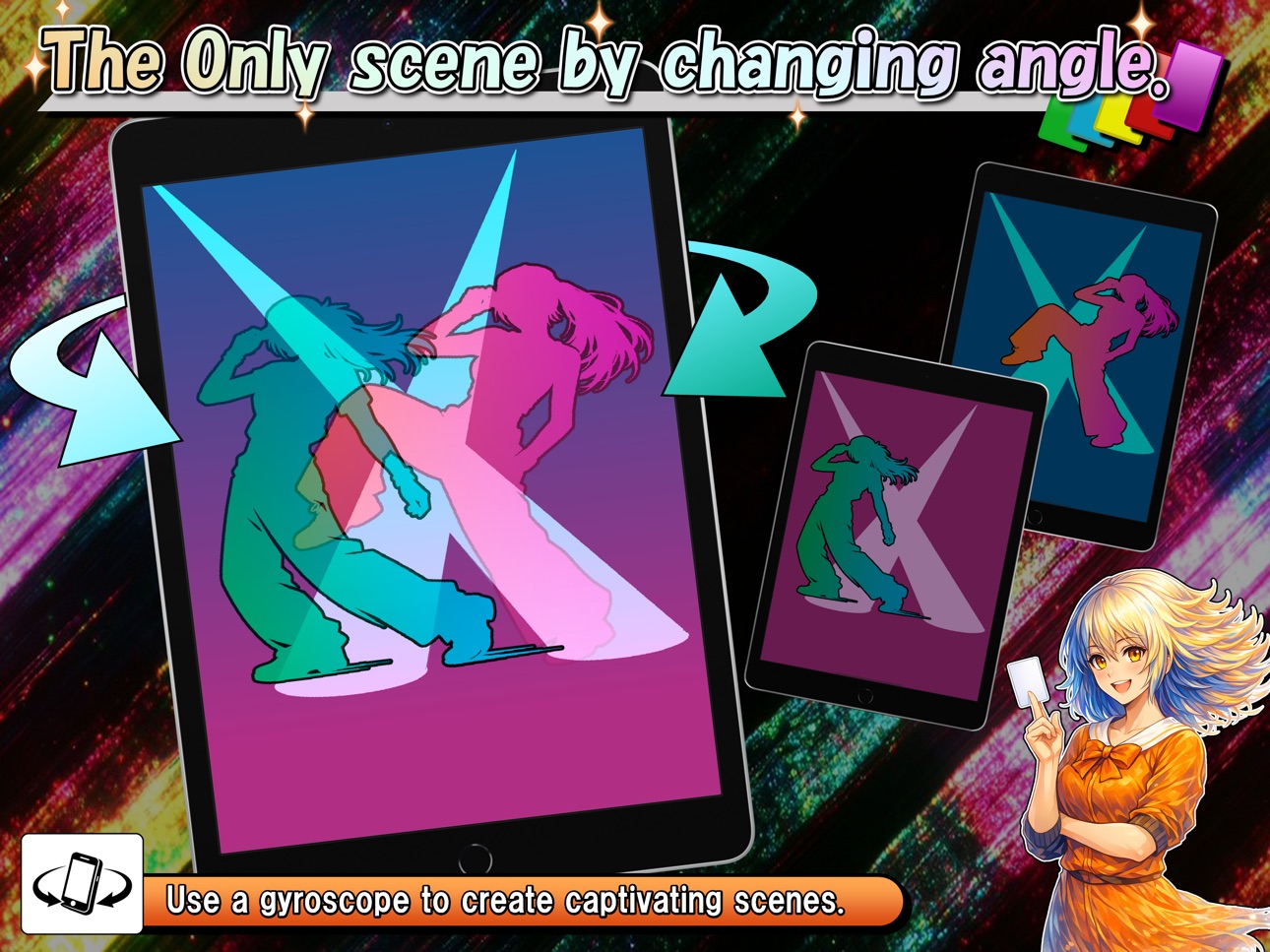
You can create lenticular data that changes the pattern depending on
the viewing angle, and in some cases gives a three-dimensional effect.
Using the data, you can easily simulate the lenticular animation in the app.
Let's get excited with acquaintances using memorable scene pictures and illustrations of yours.
[+] Main functions
- Create lenticular:
In addition to being able to set 6 types of "Type of change",
you can also create lenticules with various parameters.
Adding up to 6 images, it can be used in a wide variety of ways.
You can also select the direction of rotation: vertical or horizontal.
Furthermore, when setting images, in addition to regular images,
there is also a function that allows you to set single-color images and
objects to move on a background image, so we can meet a wide range of needs.
- Start lenticular:
While running, the gyro sensor detects the tilt of the device and an image change gradually.
Also, if your single tap while it is running, it will pause the operation and display the menu.
By tapping the buttons on the menu, you can also "change the size/position of the card'', "pause the operation while hiding the menu" and "Automatic Lenticular Animation (+ Reverse Playback)".
Double tap to return to previous screen.
(At least 2 or more images must be set to execute)
- Save lenticular:
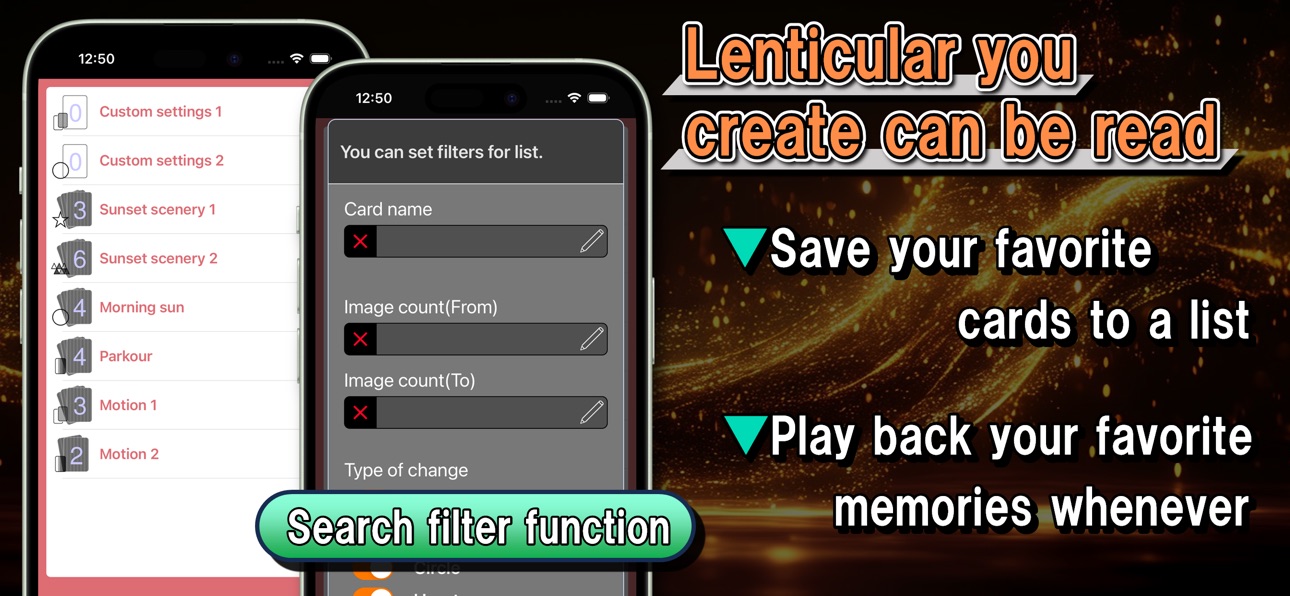
The created lenticular setting data can be read immediately from "List" after saving.
Lenticular data including memorable photos and favorite scenes can be read and enjoyed them at any time.
The search function is also implemented, so even if you save a large amount data, you can quickly search for the desired lenticular.
[+] Notes
We can't compensate for any financial or physical damage caused by using this app.
This app isn't an application that actually uses a lenticular lens but uses the gyro sensor of the device to change images.
Therefore, it isn't designed to change the image when the observation position is changed without rotating the device.
If you feel unwell while using the app, please stop using the app immediately.
[+] Contacts
If you notice anything when using this app, or if you have any requests for additional functions,
we would appreciate it if you could contact us using the inquiry form or the contact information below.
Twitter: https://twitter.com/Ayasata_info
Mail: inquiry3493@gmail.com
Accessibility
ipadiphonemacrealityDevicetvoswatch
Version history 25 versions
Build 886854949v3.1.32026-06-12 14:47:17
- I have changed the settings related to advertising.
Build 886414269v3.1.22026-06-02 17:55:14
- The search filter now doesn't allow sorting of the list.
- Some text has been modified.
Build 884093950v3.1.12026-04-03 22:23:05
- Fixed the animation processing in the dissipative mode of "Type of change: Circle".
Build 883327706v3.12026-03-18 23:43:07
- When adding an image in "Edit > Image," you can now select "Create an image of a color." This can be used to create scenes that create a vibrant change or a specific atmosphere with simple color schemes.
- When adding an image in "Edit > Image," you can now select "Generate extracted images." This allows you to extract a portion of an image as an object, and then select a background image to create an image that can be animated.
- Added a feature that automatically executes animations regardless of the device angle while lenticular printing is in progress. Start lenticular printing, display the button menu with a single tap, and then turn on auto mode with the rightmost button to start the animation automatically (turn it off to disable it).
- The display process (shape of the graphic) for "Type of change: Star" has been partially corrected.
- The "Level of mosaic" can now be set up to a maximum of 30.
- The "Number of stripes" can now be set up to a maximum of 100.
- The setting range for "Slowness of change" has been expanded to allow specifying a value between 5 and 400.
- The "Dissipative Mode" feature has been implemented for "Type of change: Circle, Heart, Star". When enabled, the shapes that make up the change will be randomly arranged each time a lenticular is run.
- We have slightly increased the maximum number of pixels for images temporarily stored in the app. This will improve the image quality of larger images to some extent.
- Fixed a bug where the app would crash if you deleted an image after setting six images.
- Some UI design elements have been corrected.
Build 881767563v3.0.42026-01-23 23:22:22
- Correction of AppStore information
Build 880580563v3.0.32025-12-12 07:26:00
Age rating update
Build 879545112v3.0.22025-11-06 21:50:35
- Compatible with iOS 15 and later.
- Fixed some code.
Build 876148776v3.0.12025-07-07 09:49:17
- Changed app icon
- Changed launch screen
- In Japanese localization, changed app name on app list screen to Japanese
Build 867101446v3.02024-07-01 17:45:28
- Compatible with iOS14 or later.
- Added new item “Type of change”.
- With the addition of "Type of change", parameters that can be set exclusively for a certain type have been added.
- Added the ability to set the background color for image using transparent colors (default is white).
- Implemented the function of multiple selection and deletion of card data on "List".
- Implemented search filter function in "List".
- Implemented the function that allows you to change the size and position of the card while lenticular is running (the menu will be displayed with a single tap while lenticular is running).
- Corrected an issue where the "Direction" selection item wasn't displayed correctly under certain conditions.
- Fixed a bug where image size conversion was incorrect when saving a card under certain conditions.
- Other fixes related to overall app processing.
- Other fixes related to UI design.
Build 866204667v2.0.12024-05-25 10:54:53
- Fixed some code.
Build 863844604v2.02024-02-21 09:36:43
- Introduced a new setting parameter "Difference of Change" in "Edit".
- Modified so that images change more smoothly when the lenticular moves.(when "Difference of Change" is 0)
- Changed the specification to hide a home bar when not in use.
- Change contents of Tips.
- Fixed some UI design.
- Changed App's icon.
- Change screenshots.
- Compatible with iPad.
- Created an inquiry form.
Build 855373140v1.242023-03-07 10:37:31
- Added the function to share image set in "Edit".
Build 855298159v1.232023-03-04 02:10:02
- Fixed the bug that caused a crash under certain conditions when creating a new lenticular after renaming.
- Changed to the specification that can't be set to existing name when saving a lenticular.
- Changed app's primary language to English.
- Changed the subject of the "Option" inquiry.
- Fixed "Option" design.
Build 854542474v1.222023-01-23 10:28:39
- Changed screenshot in AppStore.
Build 854447388v1.212023-01-17 15:22:59
- Fixed the icon that displays the number of card in List.
- Fixed icon and launch image.
Build 853493128v1.22022-11-23 20:24:57
- English correspondence.
- Fixed the design of the Save button, Tips button, and Start button in "Edit".
- Added Inquiry item to "Option".
- Fixed a bug that rarely displayed strangely after long pressing and swapping cells in "List".
- Partially modified the contents of Tips.
Build 851864279v1.1.102022-08-28 15:56:06
Build 845898262v1.1.92021-12-12 08:42:00
Build 845777891v1.1.82021-12-07 09:44:48
Build 843841157v1.1.72021-08-29 13:56:21
Build 843757098v1.1.62021-08-25 15:22:17
Build 842745846v1.1.52021-06-20 23:13:35
Build 842650460v1.1.42021-06-14 21:08:44
Build 842498317v1.1.32021-06-03 10:12:12
Build 842479334v1.1.22021-06-02 10:14:36
No pricing data captured yet — comparisons appear once the app has paid storefronts or in-app purchases.
Availability 1 of 1 storefronts
| Region | Language | Price | Ratings | Avg | Version |
|---|---|---|---|---|---|
| US | en-US | Free | 23 | 4.7 | 3.1.3 |
Change log 29 changes · US
✎
releaseNotes updated
- I have changed the settings related to advertising.
✎
description updated
[+] What is this app?
You can create lenticular data that changes the pattern depending on
the viewing angle, and in some cases gives a three-dimensional effec
✎
subtitle updated
Rotate and enjoy!
✎
name updated
LenticularMaker
◆
Version 3.1.3 released
- I have changed the settings related to advertising.
◆
Version 3.1.2 released
- The search filter now doesn't allow sorting of the list.
- Some text has been modified.
◆
Version 3.1.1 released
- Fixed the animation processing in the dissipative mode of "Type of change: Circle".
◆
Version 3.1 released
- When adding an image in "Edit > Image," you can now select "Create an image of a color." This can be used to create scenes that create a vibrant change or a specific atmosphere with simple color schemes.
- When adding an image in "Edit >
◆
Version 3.0.4 released
- Correction of AppStore information
◆
Version 3.0.3 released
Age rating update
◆
Version 3.0.2 released
- Compatible with iOS 15 and later.
- Fixed some code.
◆
Version 3.0.1 released
- Changed app icon
- Changed launch screen
- In Japanese localization, changed app name on app list screen to Japanese
◆
Version 3.0 released
- Compatible with iOS14 or later.
- Added new item “Type of change”.
- With the addition of "Type of change", parameters that can be set exclusively for a certain type have been added.
- Added the ability to set the background color for ima
◆
Version 2.0.1 released
- Fixed some code.
◆
Version 2.0 released
- Introduced a new setting parameter "Difference of Change" in "Edit".
- Modified so that images change more smoothly when the lenticular moves.(when "Difference of Change" is 0)
- Changed the specification to hide a home bar when not in
◆
Version 1.24 released
- Added the function to share image set in "Edit".
◆
Version 1.23 released
- Fixed the bug that caused a crash under certain conditions when creating a new lenticular after renaming.
- Changed to the specification that can't be set to existing name when saving a lenticular.
- Changed app's primary language to E
◆
Version 1.22 released
- Changed screenshot in AppStore.
◆
Version 1.21 released
- Fixed the icon that displays the number of card in List.
- Fixed icon and launch image.
◆
Version 1.2 released
- English correspondence.
- Fixed the design of the Save button, Tips button, and Start button in "Edit".
- Added Inquiry item to "Option".
- Fixed a bug that rarely displayed strangely after long pressing and swapping cells in "List".
- Pa
◆
Version 1.1.10 released
◆
Version 1.1.9 released
◆
Version 1.1.8 released
◆
Version 1.1.7 released
◆
Version 1.1.6 released
◆
Version 1.1.5 released
◆
Version 1.1.4 released
◆
Version 1.1.3 released
◆
Version 1.1.2 released