Home › Utilities

 US
US
1 of 1 storefronts
Content in en-US
Content in en-US
Information
Apple ID1560432788
Bundle IDcom.plumewifi.plume.cciil
SellerSeller
Min iOS16.0
Min macOS13.0
Device familiesiphone
Released2021-11-08
Copyright© 2026 Plume Design, Inc.
Privacy policyLink ↗
Preview 1 platform
iPhone 7 images


What’s New Version 26.210.1
What’s new in this update:
We’ve redesigned the Attune app with a more intuitive interface, giving you a seamless experience
with easier-than-ever controls for managing your WiFi network.
Key changes:
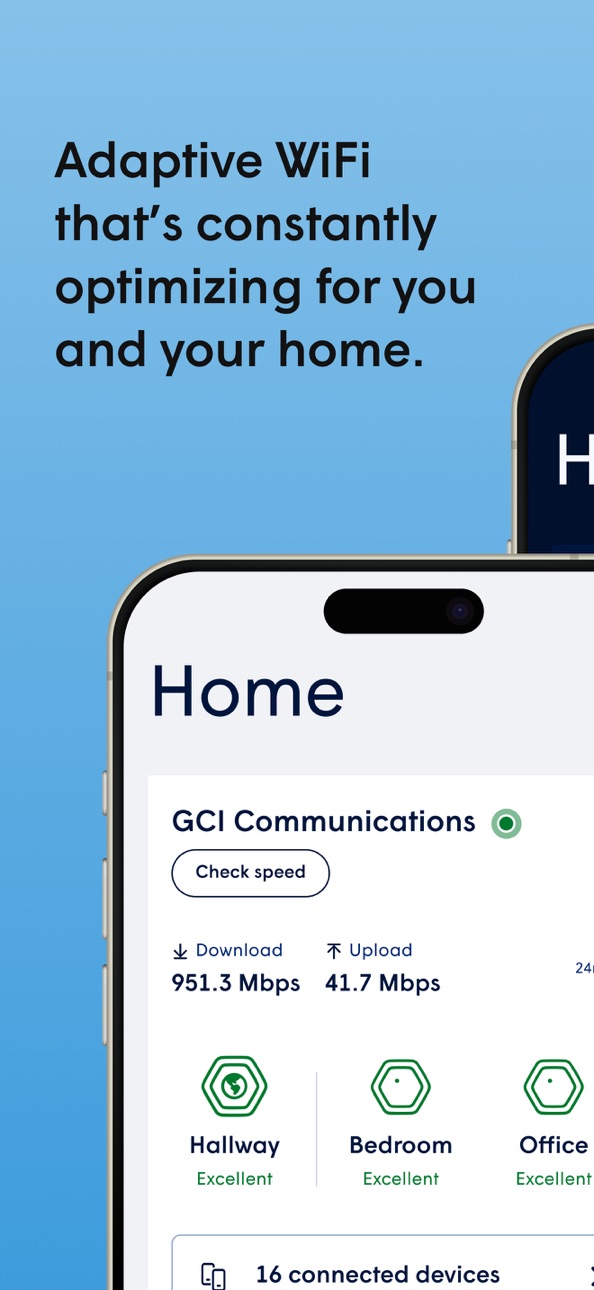
Home Dashboard
The improved Home Dashboard puts everything you need up front. Manage key features with a
tap and see an overview of your home network at a glance.
Dark Mode Support
If your smartphone is set to Dark Mode, so is the app.
Device Groups
We’ve added the ability for you to sort your connected devices into groups. You can easily apply
security settings or limit internet connection time across a group.
Traffic Boost
Choose which types of internet traffic are most important to you on your network. Prioritize video
calls, gaming, or streaming within your local network for what’s important to you. Note: Not all
Fidium-provided devices support the Traffic Boost feature. Unsupported devices will not display
this feature in the app.
Focus Schedules
Replacing the previous "freeze schedules" feature, Focus Schedules lets you pause internet across
devices, people profiles, or groups during scheduled periods.
Network Performance Rating
You can now see how your extenders are performing with clear ratings, ranging from Poor to
Excellent, based on signal strength and data speed. Identifying whether you’ve placed your
extenders in ideal locations is now much easier.
Enhanced Content Filters
Keep your network safe and sound with updated content filter tiers: Restricted, Moderate, Light,
and None. If you’ve already used the content filters, your existing settings will automatically
transfer over to these new tiers.
Improved Terminology
Several core features have updated names and terminology to help clarify what they do.
Edit a Device’s Category, Brand, and Model
You can now edit your device’s category, brand, and model without having to call us to make
changes.
Content Filter Settings
You can now block or allow websites on your own, giving you better control over which sites are
accessible on your WiFi.
Description
Fidium Attune™ WiFi, powered by Plume HomePass®, gives you total control over your home WiFi experience. Our free, easy-to-use app gives you a 360 degree view of your entire home WiFi network. If you need to run a speed test, know who’s online, troubleshoot a home network issue, monitor network and home security, or set controls around when to make access available—you have a simple interface at your fingertips 24/7.
The app walks you through your network set up and the smart system will constantly adapt and make improvements to ensure your connected home is running at peak performance every day. With Attune, you’ll get new insights, more customization and an unprecedented level of communication from your smart home devices.
Fidium’s Attune™ WiFi app offers the simple, smart controls that improve your experience as an internet customer.
Accessibility
ipadiphonemacrealityDevicetvoswatch
Version history 5 versions
Build 869831507v26.210.12026-04-13 13:29:53
What’s new in this update:
We’ve redesigned the Attune app with a more intuitive interface, giving you a seamless experience
with easier-than-ever controls for managing your WiFi network.
Key changes:
Home Dashboard
The improved Home Dashboard puts everything you need up front. Manage key features with a
tap and see an overview of your home network at a glance.
Dark Mode Support
If your smartphone is set to Dark Mode, so is the app.
Device Groups
We’ve added the ability for you to sort your connected devices into groups. You can easily apply
security settings or limit internet connection time across a group.
Traffic Boost
Choose which types of internet traffic are most important to you on your network. Prioritize video
calls, gaming, or streaming within your local network for what’s important to you. Note: Not all
Fidium-provided devices support the Traffic Boost feature. Unsupported devices will not display
this feature in the app.
Focus Schedules
Replacing the previous "freeze schedules" feature, Focus Schedules lets you pause internet across
devices, people profiles, or groups during scheduled periods.
Network Performance Rating
You can now see how your extenders are performing with clear ratings, ranging from Poor to
Excellent, based on signal strength and data speed. Identifying whether you’ve placed your
extenders in ideal locations is now much easier.
Enhanced Content Filters
Keep your network safe and sound with updated content filter tiers: Restricted, Moderate, Light,
and None. If you’ve already used the content filters, your existing settings will automatically
transfer over to these new tiers.
Improved Terminology
Several core features have updated names and terminology to help clarify what they do.
Edit a Device’s Category, Brand, and Model
You can now edit your device’s category, brand, and model without having to call us to make
changes.
Content Filter Settings
You can now block or allow websites on your own, giving you better control over which sites are
accessible on your WiFi.
Build 869466841v3.141.52024-10-08 19:27:21
Bug fixes
Build 860702890v 3.115.32023-10-16 18:25:26
New feature! IoT Onboarding Mode: a special networking profile to help you connect IoT devices to your network that may not be discovered by your phone right away. This feature adds seamless support for claim 2.4GHz IoT devices.
Added the ability to enable or disable automatic speed test in Adapt
Improved UI on Adapt card on home screen
Improved UI and UX for Freeze Schedules
Bug fixes and performance improvements
Build 848615987v2.85.12022-04-28 13:14:40
Bug fixes
Build 841093511v2.802021-11-08 17:20:45
No pricing data captured yet — comparisons appear once the app has paid storefronts or in-app purchases.
Availability 1 of 1 storefronts
| Region | Language | Price | Ratings | Avg | Version |
|---|---|---|---|---|---|
| US | en-US | Free | 4.1k | 4.2 | 26.210.1 |
Change log 8 changes · US
✎
releaseNotes updated
What’s new in this update:
We’ve redesigned the Attune app with a more intuitive interface, giving you a seamless experience
with easier-than-ever controls
✎
description updated
Fidium Attune™ WiFi, powered by Plume HomePass®, gives you total control over your home WiFi experience. Our free, easy-to-use app gives you a 360 degree view o
✎
name updated
Fidium Attune WiFi
◆
Version 26.210.1 released
What’s new in this update:
We’ve redesigned the Attune app with a more intuitive interface, giving you a seamless experience
with easier-than-ever controls for managing your WiFi network.
Key changes:
Home Dashboard
The improved
◆
Version 3.141.5 released
Bug fixes
◆
Version 3.115.3 released
New feature! IoT Onboarding Mode: a special networking profile to help you connect IoT devices to your network that may not be discovered by your phone right away. This feature adds seamless support for claim 2.4GHz IoT devices.
Added the a
◆
Version 2.85.1 released
Bug fixes
◆
Version 2.80 released