Home › Productivity

 US
US
1 of 1 storefronts
Content in en-US
Content in en-US
Information
Preview 2 platforms
iPhone 8 images


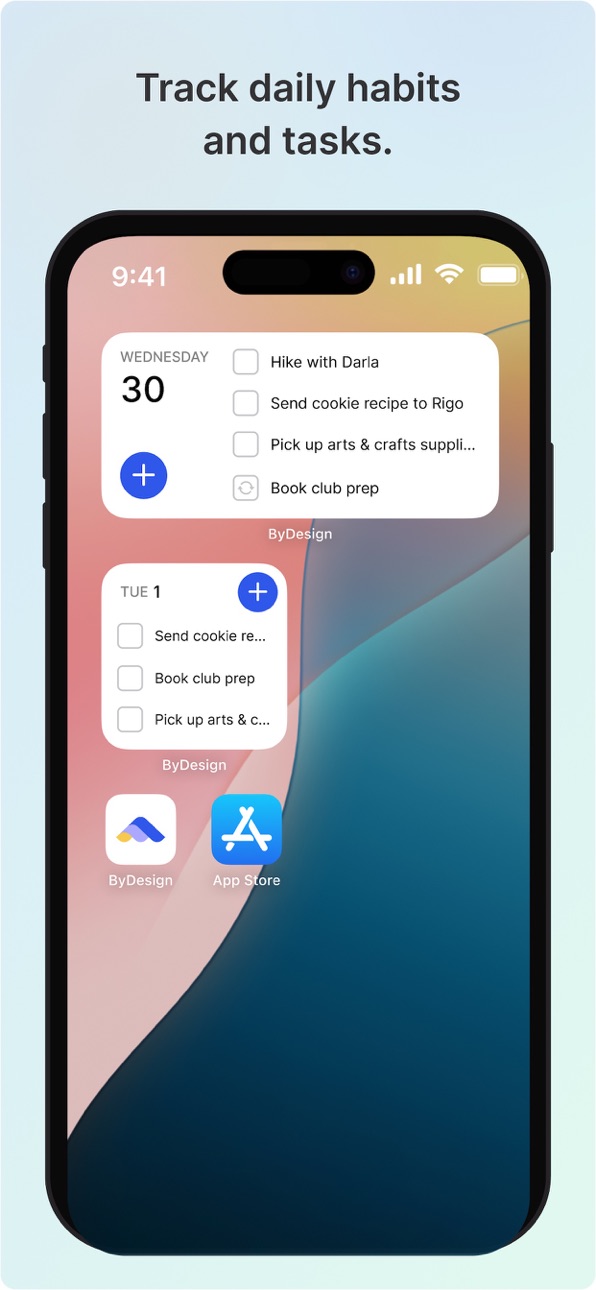
iPad 5 images


What’s New Version 5.6.0
This release introduces a new H4 heading format, along with general user experience improvements for a smoother, more comfortable app experience.
Description
Plan your day, manage your to-do list, and organize your whole life in one app. ByDesign brings your tasks, daily planner, calendar, and notes together — synced across all your devices.
Features:
Calendar
- Connect as many calendars you want - personal, work or school.
- Manage and time box the tasks from ByDesign in the same calendar.
- Use colors to organize your calendar.
- Create all-day events and tasks and drag them to a specific time to plan efficiently.
Powerful note-taking
- Add attachments - PDFs, photos, audio, web links, and more.
- Create checklists. Make a grocery list, a wish list, or a to-do list, then tap to check off items as you go.
- Apply different text styles, such as heading or body, bulleted lists, and more.
- Add tables to quickly organize information.
Organize and search
- Search for text in notes, your tasks, and tables.
- Link from one page to another to connect ideas, content, or any information. Try typing “/” for a shortcut to add links and pages while writing in your pages.
- Keep your notes in pages and folders, and sort them in the order you prefer.
- Use drag and drop as a fast and flexible way to categorize and organize your pages.
Collaborate
- Collaborate on entire pages or sub pages.
- Mention friends to notify them of important updates.
- Select and add comments on a particular text and have a full conversation in the thread.
- Use page comments to discuss anything related to that page.
- See what others updated in a shared page while you were away with alerts.
In-App Purchases US pricing
ByDesign Pro Subscription
Yearly · Yearly 7-day free trial$47.99
(Year) · Yearly$48.00
Monthly · Monthly 7-day free trial$5.99
(Month) · Monthly$6.00
Remove Ads Subscription
Year · Yearly$23.99
Month · Monthly$2.99
Capabilities
In-App Purchases
Accessibility
ipadiphonemacrealityDevicetvoswatch
Version history 25 versions
Build 888130082v5.6.02026-07-10 20:01:31
This release introduces a new H4 heading format, along with general user experience improvements for a smoother, more comfortable app experience.
Build 887080859v5.5.02026-06-29 15:32:48
We've been busy making ByDesign better! This update includes:
• Performance improvements for faster syncing across your devices
• Bug fixes for a smoother, more reliable experience
• Polished design and small refinements throughout
Thanks for using ByDesign! We read every review — if you're enjoying the app, we'd love a rating.
Build 886430508v5.4.02026-06-02 19:08:16
This release includes minor bug fixes and performance improvements
Build 885727967v5.2.02026-05-15 18:50:13
Kanban is here!
You asked — we delivered. Manage your tasks in a visual board view, drag cards between columns, and stay on top of everything at a glance.
Also included: a handful of bug fixes and stability improvements.
Build 885322271v5.1.22026-05-06 14:11:11
A few improvements to widgets for a smoother experience.
Build 885240302v5.1.02026-05-04 14:43:50
This update brings fixes to widgets, the calendar view, and several page UI improvements for a smoother experience.
Build 884923861v5.0.22026-04-25 16:51:05
This release includes bug fixes for multi-language support and widget stability.
Build 884779258v5.0.02026-04-22 18:05:58
This release brings several major updates:
• Multi-language support — the app is now available in multiple languages
• Google Calendar two-way sync — keep your schedules in perfect harmony
• New widgets — fresh options to personalize your experience
Build 883590557v4.2.62026-03-20 16:36:51
Your Google Calendar events now appear in their original colors — just as you set them. We've also made general stability improvements under the hood.
Build 881494652v4.2.42026-01-14 14:11:18
This update includes a fix for an issue affecting the widget experience.
Build 881286439v4.2.22026-01-07 16:52:35
This release includes the "Quick Task" shortcut fix.
Build 880745821v4.2.02025-12-17 02:38:03
Choose any color for your pages, tasks, events, and habits - no limits.
Build 879881286v4.1.02025-11-18 22:02:13
- You can now send calendar invites directly from ByDesign. Just add a guest’s email to an event — that’s it!
- Guests who receive the invite can now respond with their attendance
Build 879370251v4.0.02025-10-30 23:00:36
In this release, we’ve added a new feature — you can now edit your Apple Calendar events directly from the ByDesign app.
Build 879061363v3.9.02025-10-19 12:21:17
We’ve added Natural Language Processing to the Edit Task form and the Timeline, making it even easier to create and manage tasks.
This update also includes a few fixes for the Habit screen and the comments card inside pages.
Build 878905123v3.8.82025-10-15 19:21:25
We made minor bug fixes in this version
Build 878873706v3.8.62025-10-13 20:08:49
We’ve made several improvements and bug fixes to enhance your experience:
- Updated toggle designs for iOS 26
- Addressed a few other minor issues
Additionally, we’ve redesigned the rating pop-up to make it easier for you to share feedback about the app.
Build 878514852v3.8.42025-10-06 15:43:19
This release primarily includes bug fixes and minor UI refinements.
Build 878082384v3.8.22025-09-13 14:10:49
- Pomodoro timer & task timer feature
- bug fixes
Build 877423322v3.8.02025-09-01 11:16:18
Ability to share the text/link/image with ByDesign app from the system share menu.
Bug fixes.
Build 877001664v3.7.82025-08-06 17:54:24
- Widget bug fix
- Other small fixes
Build 876964267v3.7.62025-08-04 13:32:35
- Added more options for images inside the page
- Bug fixes
Build 876840542v3.7.42025-07-31 13:57:30
- bug fixes
Build 876751075v3.7.22025-07-29 18:16:34
Bug fixes
Performance optimization
Build 876361216v3.7.02025-07-14 18:33:40
Bug fixes & performance optimization.
Price history by region
Currency
Show
Columns
Search
Availability 1 of 1 storefronts
| Region | Language | Price | Ratings | Avg | Version |
|---|---|---|---|---|---|
| US | en-US | Free | 105 | 4.9 | 5.6.0 |
Change log 29 changes · US
✎
releaseNotes updated
This release introduces a new H4 heading format, along with general user experience improvements for a smoother, more comfortable app experience.
✎
description updated
Plan your day, manage your to-do list, and organize your whole life in one app. ByDesign brings your tasks, daily planner, calendar, and notes together — synced
✎
subtitle updated
Schedule, tasks & daily agenda
✎
name updated
ByDesign: ToDo List & Calendar
◆
Version 5.6.0 released
This release introduces a new H4 heading format, along with general user experience improvements for a smoother, more comfortable app experience.
◆
Version 5.5.0 released
We've been busy making ByDesign better! This update includes:
• Performance improvements for faster syncing across your devices
• Bug fixes for a smoother, more reliable experience
• Polished design and small refinements throughout
Thanks f
◆
Version 5.4.0 released
This release includes minor bug fixes and performance improvements
◆
Version 5.2.0 released
Kanban is here!
You asked — we delivered. Manage your tasks in a visual board view, drag cards between columns, and stay on top of everything at a glance.
Also included: a handful of bug fixes and stability improvements.
◆
Version 5.1.2 released
A few improvements to widgets for a smoother experience.
◆
Version 5.1.0 released
This update brings fixes to widgets, the calendar view, and several page UI improvements for a smoother experience.
◆
Version 5.0.2 released
This release includes bug fixes for multi-language support and widget stability.
◆
Version 5.0.0 released
This release brings several major updates:
• Multi-language support — the app is now available in multiple languages
• Google Calendar two-way sync — keep your schedules in perfect harmony
• New widgets — fresh options to personalize your
◆
Version 4.2.6 released
Your Google Calendar events now appear in their original colors — just as you set them. We've also made general stability improvements under the hood.
◆
Version 4.2.4 released
This update includes a fix for an issue affecting the widget experience.
◆
Version 4.2.2 released
This release includes the "Quick Task" shortcut fix.
◆
Version 4.2.0 released
Choose any color for your pages, tasks, events, and habits - no limits.
◆
Version 4.1.0 released
- You can now send calendar invites directly from ByDesign. Just add a guest’s email to an event — that’s it!
- Guests who receive the invite can now respond with their attendance
◆
Version 4.0.0 released
In this release, we’ve added a new feature — you can now edit your Apple Calendar events directly from the ByDesign app.
◆
Version 3.9.0 released
We’ve added Natural Language Processing to the Edit Task form and the Timeline, making it even easier to create and manage tasks.
This update also includes a few fixes for the Habit screen and the comments card inside pages.
◆
Version 3.8.8 released
We made minor bug fixes in this version
◆
Version 3.8.6 released
We’ve made several improvements and bug fixes to enhance your experience:
- Updated toggle designs for iOS 26
- Addressed a few other minor issues
Additionally, we’ve redesigned the rating pop-up to make it easier for you to share feedback
◆
Version 3.8.4 released
This release primarily includes bug fixes and minor UI refinements.
◆
Version 3.8.2 released
- Pomodoro timer & task timer feature
- bug fixes
◆
Version 3.8.0 released
Ability to share the text/link/image with ByDesign app from the system share menu.
Bug fixes.
◆
Version 3.7.8 released
- Widget bug fix
- Other small fixes
◆
Version 3.7.6 released
- Added more options for images inside the page
- Bug fixes
◆
Version 3.7.4 released
- bug fixes
◆
Version 3.7.2 released
Bug fixes
Performance optimization
◆
Version 3.7.0 released
Bug fixes & performance optimization.