Home › Productivity

Superlist: To-Do List & Notes
Planner, Tasks, Reminders & AI
 US
US
1 of 1 storefronts
Content in en-US
Content in en-US
Information
Preview 2 platforms

iPhone 8 images




iPad 8 images


What’s New Version 1.56.1
Select Multiple at Once
Long-press any item to start a selection, then tap to add more. With several items selected, you can act on them all at once: move tasks to another list, add to or remove from your Inbox, duplicate, copy as text or Markdown, copy a link, or delete. Working with images? You can download or replace all your selected images in one step.
Faster, Smoother Start
Superlist now opens noticeably quicker. Your lists show up right away instead of waiting on background work, and the app is more resilient — recovering gracefully if local data ever gets into a bad state.
Description
From the team that created Wunderlist: Superlist is the to-do list, notes, and AI meeting app that keeps your work and life organized — and turns every meeting into action items automatically, so nothing slips through the cracks.
Capture AI meeting notes, create tasks by voice, collaborate in real-time, and manage it all in one beautiful place.
AI that turns meetings into action:
- Auto-generate structured meeting notes — summaries, action items, and due dates — the moment your call ends.
- Ask AI Chat follow-up questions about any meeting, or generate replies and next steps from your notes.
- Speak your thoughts with the Voice Assistant — Superlist turns them into tasks, reminders, and notes instantly.
- Convert Slack messages, emails, and Linear tickets into tasks with one tap.
The fastest way from idea to done:
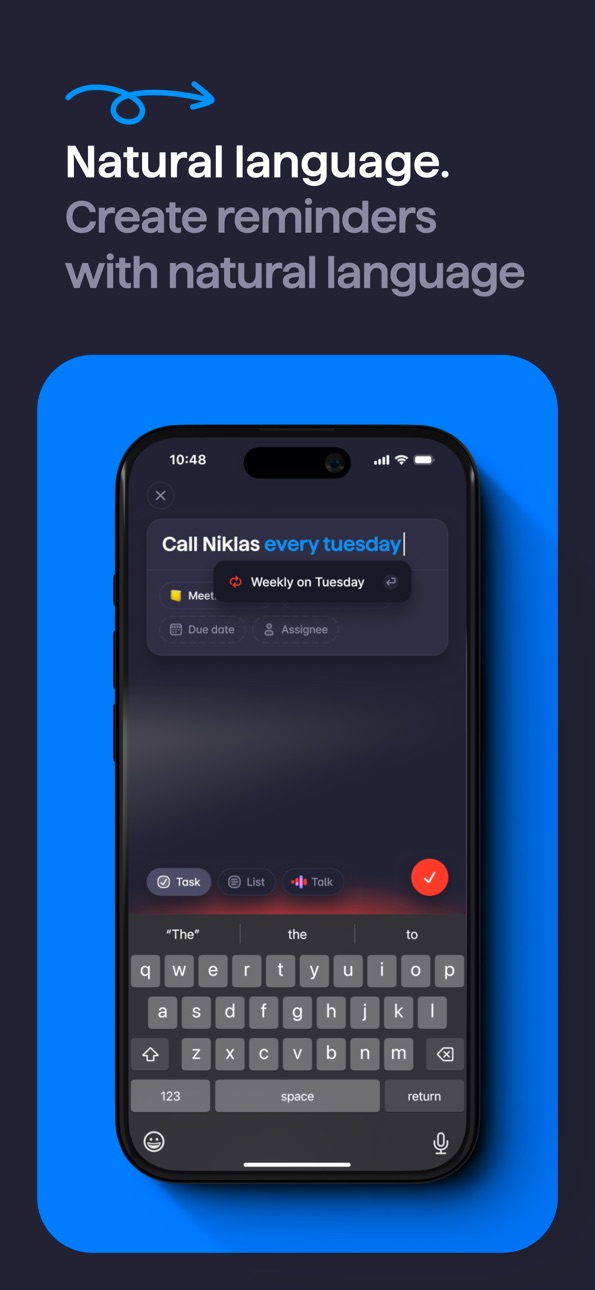
- Create tasks in plain language — type "call Sarah tomorrow at 3pm" and Superlist handles the rest.
- Start projects instantly with AI-assisted list generation.
- Add due dates just by typing them — no menus.
- Capture notes, brainstorm, and turn thoughts into todos.
Everything in one place:
- Organized, customizable lists with infinite subtask nesting.
- Work projects, personal goals, and everything between — in one view.
- Reminders and notifications across all your devices.
- Repeatable tasks to build your routine.
Work better together:
- Real-time collaboration on shared lists and projects.
- Chat inside tasks to keep conversations on-point.
- Share lists, assign tasks, and manage work — without switching apps.
- Integrates with Slack, Linear, GitHub, Gmail, Google Calendar, and more.
Built for real people:
- A beautiful interface that's a joy to use.
- Customize lists with cover images and emojis.
- Works on every device, online and offline.
Get started today for free.
Superlist can be used for free, but you can upgrade and unlock more features with a subscription. A monthly or yearly purchase will be applied to your iTunes account on confirmation. Subscriptions auto-renew unless canceled within 24 hours before the end of the current period. Cancel anytime in your iTunes account settings. Any unused portion of a free trial is forfeited if you purchase a subscription. See our Terms of Use (www.superlist.com/terms) and Privacy Policy (www.superlist.com/privacy-policy).
In-App Purchases US pricing
Pro Personal Subscription
Super Yearly · Yearly 7-day free trial$249.00
Super Monthly · Monthly$25.00
Pro Monthly · Monthly 7-day free trial$15.00
Yearly$96.00
Monthly$10.00
Basic Yearly · Yearly$59.00
Basic Monthly · Monthly$6.00
Capabilities
In-App Purchases
Accessibility
ipadiphonemacrealityDevicetvoswatch
Version history 25 versions
Build 887655239v1.56.12026-07-08 05:35:11
Select Multiple at Once
Long-press any item to start a selection, then tap to add more. With several items selected, you can act on them all at once: move tasks to another list, add to or remove from your Inbox, duplicate, copy as text or Markdown, copy a link, or delete. Working with images? You can download or replace all your selected images in one step.
Faster, Smoother Start
Superlist now opens noticeably quicker. Your lists show up right away instead of waiting on background work, and the app is more resilient — recovering gracefully if local data ever gets into a bad state.
Build 887482071v1.56.02026-06-28 14:15:00
Select Multiple at Once
Long-press any item to start a selection, then tap to add more. With several items selected, you can act on them all at once: move tasks to another list, add to or remove from your Inbox, duplicate, copy as text or Markdown, copy a link, or delete. Working with images? You can download or replace all your selected images in one step.
Faster, Smoother Start
Superlist now opens noticeably quicker. Your lists show up right away instead of waiting on background work, and the app is more resilient — recovering gracefully if local data ever gets into a bad state.
Build 887139005v1.55.62026-06-18 18:24:28
See your progress at a glance. Your Profile now includes an Activity Heatmap that shows your task activity over time, so you can spot your most productive streaks.
Moving a task to a different list is now just a tap away. Do it directly from the task details, no drag-and-drop required.
Search just got smarter. Results refresh automatically as tasks are updated, so what you see is always current.
Tap any file attachment to preview it instantly. No extra steps, no waiting.
Plus a handful of smaller bug fixes and improvements to keep things running smoothly.
Build 886974999v1.55.52026-06-15 22:09:58
See your progress at a glance. Your Profile now includes an Activity Heatmap that shows your task activity over time, so you can spot your most productive streaks.
Moving a task to a different list is now just a tap away. Do it directly from the task details, no drag-and-drop required.
Search just got smarter. Results refresh automatically as tasks are updated, so what you see is always current.
Tap any file attachment to preview it instantly. No extra steps, no waiting.
Plus a handful of smaller bug fixes and improvements to keep things running smoothly.
Build 886832722v1.55.42026-06-12 03:56:59
See your progress at a glance. Your Profile now includes an Activity Heatmap that shows your task activity over time, so you can spot your most productive streaks.
Moving a task to a different list is now just a tap away. Do it directly from the task details, no drag-and-drop required.
Search just got smarter. Results refresh automatically as tasks are updated, so what you see is always current.
Tap any file attachment to preview it instantly. No extra steps, no waiting.
Plus a handful of smaller bug fixes and improvements to keep things running smoothly.
Build 886373199v1.55.32026-06-03 06:37:28
See your progress at a glance. Your Profile now includes an Activity Heatmap that shows your task activity over time, so you can spot your most productive streaks.
Moving a task to a different list is now just a tap away. Do it directly from the task details, no drag-and-drop required.
Search just got smarter. Results refresh automatically as tasks are updated, so what you see is always current.
Tap any file attachment to preview it instantly. No extra steps, no waiting.
Plus a handful of smaller bug fixes and improvements to keep things running smoothly.
Build 886194900v1.55.22026-05-27 20:34:32
See your progress at a glance. Your Profile now includes an Activity Heatmap that shows your task activity over time, so you can spot your most productive streaks.
Moving a task to a different list is now just a tap away. Do it directly from the task details, no drag-and-drop required.
Search just got smarter. Results refresh automatically as tasks are updated, so what you see is always current.
Tap any file attachment to preview it instantly. No extra steps, no waiting.
Plus a handful of smaller bug fixes and improvements to keep things running smoothly.
Build 886139811v1.55.12026-05-26 18:54:53
See your progress at a glance. Your Profile now includes an Activity Heatmap that shows your task activity over time, so you can spot your most productive streaks.
Moving a task to a different list is now just a tap away. Do it directly from the task details, no drag-and-drop required.
Search just got smarter. Results refresh automatically as tasks are updated, so what you see is always current.
Tap any file attachment to preview it instantly. No extra steps, no waiting.
Plus a handful of smaller bug fixes and improvements to keep things running smoothly.
Build 885832358v1.55.02026-05-20 01:36:41
See your progress at a glance. Your Profile now includes an Activity Heatmap that shows your task activity over time, so you can spot your most productive streaks.
Moving a task to a different list is now just a tap away. Do it directly from the task details, no drag-and-drop required.
Search just got smarter. Results refresh automatically as tasks are updated, so what you see is always current.
Tap any file attachment to preview it instantly. No extra steps, no waiting.
Plus a handful of smaller bug fixes and improvements to keep things running smoothly.
Build 884972113v1.54.02026-04-30 04:47:56
Improved Talk
You can now see exactly which tasks are created and where they're saved after using Talk in Superlist. We've also improved how Talk automatically handles different languages, so switching between them feels effortless.
Mobile Meeting Notes
Superlist can now record your in-person meetings and turn them into a clear summary with next actions. Just hit record during your meeting, and afterwards share the summary with participants — or anyone who couldn't make it — to keep everyone in the loop.
Build 884886940v1.53.22026-04-25 06:45:39
Sorting Options in All Your Lists
You can now sort any of your lists alphabetically, by creation date, or other criteria. Selecting a sort option automatically hides all non-task content in a list and sorts the tasks. Adding new tasks will place them in the correct position. Deactivate the sort order to make non-task content like headlines or paragraphs visible again.
Other Improvements
- Improved the search results UI
- Fixed a bug where text in mobile popovers was misaligned
Build 884696307v1.53.12026-04-20 19:19:09
Sorting Options in All Your Lists
You can now sort any of your lists alphabetically, by creation date, or other criteria. Selecting a sort option automatically hides all non-task content in a list and sorts the tasks. Adding new tasks will place them in the correct position. Deactivate the sort order to make non-task content like headlines or paragraphs visible again.
Other Improvements
- Improved the search results UI
- Fixed a bug where text in mobile popovers was misaligned
Build 884536224v1.53.02026-04-15 17:19:43
Sorting Options in All Your Lists
You can now sort any of your lists alphabetically, by creation date, or other criteria. Selecting a sort option automatically hides all non-task content in a list and sorts the tasks. Adding new tasks will place them in the correct position. Deactivate the sort order to make non-task content like headlines or paragraphs visible again.
Other Improvements
- Improved the search results UI
- Fixed a bug where text in mobile popovers was misaligned
Build 883983116v1.52.22026-04-02 19:45:58
Fresh looks, faster workflows, and a whole new language — let's go!
• 9 new themes – Dress up your Superlist. Find the look that fits your vibe.
• Duplicate tasks & lists – Clone anything in seconds. Duplicates arrive clean: no assignees, no due dates, nothing checked off.
• Swipe to delete lists – Clear out the sidebar with a quick swipe. Bye-bye, clutter.
• Search for Labels – Find exactly what you're looking for, faster.
• Superlist is now fully in Spanish – ¡Bienvenidos!
Build 883813172v1.52.12026-03-27 19:05:51
Fresh looks, faster workflows, and a whole new language — let's go!
• 9 new themes – Dress up your Superlist. Find the look that fits your vibe.
• Duplicate tasks & lists – Clone anything in seconds. Duplicates arrive clean: no assignees, no due dates, nothing checked off.
• Swipe to delete lists – Clear out the sidebar with a quick swipe. Bye-bye, clutter.
• Search for Labels – Find exactly what you're looking for, faster.
• Superlist is now fully in Spanish – ¡Bienvenidos!
Build 883677960v1.52.02026-03-26 21:17:55
Fresh looks, faster workflows, and a whole new language — let's go!
• 9 new themes – Dress up your Superlist. Find the look that fits your vibe.
• Duplicate tasks & lists – Clone anything in seconds. Duplicates arrive clean: no assignees, no due dates, nothing checked off.
• Swipe to delete lists – Clear out the sidebar with a quick swipe. Bye-bye, clutter.
• Search for Labels – Find exactly what you're looking for, faster.
• Superlist is now fully in Spanish – ¡Bienvenidos!
Build 883181077v1.51.02026-03-11 18:31:12
Manage Your Labels
You can now manage your labels directly from Settings. Rename or delete them, and any changes will automatically apply across all tasks using that label.
Control Who Appears as a Collaborator
Choose which collaborators appear when assigning tasks, so your assignee list stays clean and relevant. Find this in Settings under Collaborators.
Copy Meeting Transcripts in One Tap
Copying a meeting transcript is now just one tap away. Look for the new button in the top right of any transcript view.
Subtasks Stay With Their Parent
When viewing tasks sorted by list, subtasks now correctly appear under their parent task's list instead of getting grouped under "No List."
Repeating Tasks Fix
Fixed a bug that was cutting off text in the repeating task options.
Build 882745893v1.50.02026-02-25 07:19:09
- Improved editing across the app, including smoother document writing, more reliable task creation, and better drag & drop and copy & paste.
- Smarter NLP in task titles with improved date and deadline recognition.
- New Sort by Team option available in Lists, Inbox, Today, and Tasks views.
- Team Toggle now also controls visibility of team-owned tasks in Inbox, Today, and Tasks views.
- Lists view now includes new Private and Shared tabs.
Build 882538226v1.49.12026-02-18 13:30:28
- Improved Share Sheet: Page titles now become task titles, and URLs are added to the description automatically.
- URLs in task titles are now tappable in Task Detail View.
- Smoother animations and popover improvements throughout the app.
Build 882291356v1.49.02026-02-16 19:56:59
- Improved Share Sheet: Page titles now become task titles, and URLs are added to the description automatically.
- URLs in task titles are now tappable in Task Detail View.
- Smoother animations and popover improvements throughout the app.
Build 882079155v1.47.32026-02-03 09:16:48
- New: Data export options: You can now export your entire account data as a CSV file. Just head to Settings to find the new option.
- Improved: Animations in the Tasks and Lists views are now smoother when switching between tabs
- Fixed: A few additional smaller bugs to improve the overall experience
Build 881463049v1.47.22026-01-14 08:06:10
- New: Data export options: You can now export your entire account data as a CSV file. Just head to Settings to find the new option.
- Improved: Animations in the Tasks and Lists views are now smoother when switching between tabs
- Fixed: A few additional smaller bugs to improve the overall experience
Build 881285382v1.47.12026-01-08 20:47:36
- New: Data export options: You can now export your entire account data as a CSV file. Just head to Settings to find the new option.
- Improved: Animations in the Tasks and Lists views are now smoother when switching between tabs
- Fixed: A few additional smaller bugs to improve the overall experience
Build 881243125v1.47.02026-01-07 08:01:05
We’ve improved overall stability for a smoother, more reliable experience.
Build 880570535v1.46.12025-12-12 08:59:49
You can now choose what number appears on your app icon on the Home Screen. Select the counter that’s most helpful for you:
- Number of tasks in your Inbox
- Number of due and overdue tasks from your Today view
- Number of unread notifications
Price history by region
Currency
Show
Columns
Search
Availability 1 of 1 storefronts
| Region | Language | Price | Ratings | Avg | Version |
|---|---|---|---|---|---|
| US | en-US | Free | 438 | 4.5 | 1.56.1 |
Change log 29 changes · US
✎
releaseNotes updated
Select Multiple at Once
Long-press any item to start a selection, then tap to add more. With several items selected, you can act on them all at once: move tasks
✎
description updated
From the team that created Wunderlist: Superlist is the to-do list, notes, and AI meeting app that keeps your work and life organized — and turns every meeting
✎
subtitle updated
Planner, Tasks, Reminders & AI
✎
name updated
Superlist: To-Do List & Notes
◆
Version 1.56.1 released
Select Multiple at Once
Long-press any item to start a selection, then tap to add more. With several items selected, you can act on them all at once: move tasks to another list, add to or remove from your Inbox, duplicate, copy as text or M
◆
Version 1.56.0 released
Select Multiple at Once
Long-press any item to start a selection, then tap to add more. With several items selected, you can act on them all at once: move tasks to another list, add to or remove from your Inbox, duplicate, copy as text or M
◆
Version 1.55.6 released
See your progress at a glance. Your Profile now includes an Activity Heatmap that shows your task activity over time, so you can spot your most productive streaks.
Moving a task to a different list is now just a tap away. Do it directly fr
◆
Version 1.55.5 released
See your progress at a glance. Your Profile now includes an Activity Heatmap that shows your task activity over time, so you can spot your most productive streaks.
Moving a task to a different list is now just a tap away. Do it directly fr
◆
Version 1.55.4 released
See your progress at a glance. Your Profile now includes an Activity Heatmap that shows your task activity over time, so you can spot your most productive streaks.
Moving a task to a different list is now just a tap away. Do it directly fr
◆
Version 1.55.3 released
See your progress at a glance. Your Profile now includes an Activity Heatmap that shows your task activity over time, so you can spot your most productive streaks.
Moving a task to a different list is now just a tap away. Do it directly fr
◆
Version 1.55.2 released
See your progress at a glance. Your Profile now includes an Activity Heatmap that shows your task activity over time, so you can spot your most productive streaks.
Moving a task to a different list is now just a tap away. Do it directly fr
◆
Version 1.55.1 released
See your progress at a glance. Your Profile now includes an Activity Heatmap that shows your task activity over time, so you can spot your most productive streaks.
Moving a task to a different list is now just a tap away. Do it directly fr
◆
Version 1.55.0 released
See your progress at a glance. Your Profile now includes an Activity Heatmap that shows your task activity over time, so you can spot your most productive streaks.
Moving a task to a different list is now just a tap away. Do it directly fr
◆
Version 1.54.0 released
Improved Talk
You can now see exactly which tasks are created and where they're saved after using Talk in Superlist. We've also improved how Talk automatically handles different languages, so switching between them feels effortless.
Mobile
◆
Version 1.53.2 released
Sorting Options in All Your Lists
You can now sort any of your lists alphabetically, by creation date, or other criteria. Selecting a sort option automatically hides all non-task content in a list and sorts the tasks. Adding new tasks will
◆
Version 1.53.1 released
Sorting Options in All Your Lists
You can now sort any of your lists alphabetically, by creation date, or other criteria. Selecting a sort option automatically hides all non-task content in a list and sorts the tasks. Adding new tasks will
◆
Version 1.53.0 released
Sorting Options in All Your Lists
You can now sort any of your lists alphabetically, by creation date, or other criteria. Selecting a sort option automatically hides all non-task content in a list and sorts the tasks. Adding new tasks will
◆
Version 1.52.2 released
Fresh looks, faster workflows, and a whole new language — let's go!
• 9 new themes – Dress up your Superlist. Find the look that fits your vibe.
• Duplicate tasks & lists – Clone anything in seconds. Duplicates arrive clean: no assignees,
◆
Version 1.52.1 released
Fresh looks, faster workflows, and a whole new language — let's go!
• 9 new themes – Dress up your Superlist. Find the look that fits your vibe.
• Duplicate tasks & lists – Clone anything in seconds. Duplicates arrive clean: no assignees, n
◆
Version 1.52.0 released
Fresh looks, faster workflows, and a whole new language — let's go!
• 9 new themes – Dress up your Superlist. Find the look that fits your vibe.
• Duplicate tasks & lists – Clone anything in seconds. Duplicates arrive clean: no assignees, n
◆
Version 1.51.0 released
Manage Your Labels
You can now manage your labels directly from Settings. Rename or delete them, and any changes will automatically apply across all tasks using that label.
Control Who Appears as a Collaborator
Choose which collaborators a
◆
Version 1.50.0 released
- Improved editing across the app, including smoother document writing, more reliable task creation, and better drag & drop and copy & paste.
- Smarter NLP in task titles with improved date and deadline recognition.
- New Sort by Team optio
◆
Version 1.49.1 released
- Improved Share Sheet: Page titles now become task titles, and URLs are added to the description automatically.
- URLs in task titles are now tappable in Task Detail View.
- Smoother animations and popover improvements throughout the app.
◆
Version 1.49.0 released
- Improved Share Sheet: Page titles now become task titles, and URLs are added to the description automatically.
- URLs in task titles are now tappable in Task Detail View.
- Smoother animations and popover improvements throughout the app.
◆
Version 1.47.3 released
- New: Data export options: You can now export your entire account data as a CSV file. Just head to Settings to find the new option.
- Improved: Animations in the Tasks and Lists views are now smoother when switching between tabs
- Fixed: A
◆
Version 1.47.2 released
- New: Data export options: You can now export your entire account data as a CSV file. Just head to Settings to find the new option.
- Improved: Animations in the Tasks and Lists views are now smoother when switching between tabs
- Fixed: A
◆
Version 1.47.1 released
- New: Data export options: You can now export your entire account data as a CSV file. Just head to Settings to find the new option.
- Improved: Animations in the Tasks and Lists views are now smoother when switching between tabs
- Fixed: A
◆
Version 1.47.0 released
We’ve improved overall stability for a smoother, more reliable experience.
◆
Version 1.46.1 released
You can now choose what number appears on your app icon on the Home Screen. Select the counter that’s most helpful for you:
- Number of tasks in your Inbox
- Number of due and overdue tasks from your Today view
- Number of unread notificati