Home › Photo & Video

 US
US
1 of 1 storefronts
Content in en-US
Content in en-US
Information
Preview 2 platforms
iPhone 10 images




iPad 10 images


What’s New Version 3.3.0
New! Bring your collages to life with stunning Video Animations.
Description
Phinsh Collage & Montage Maker is your go-to photo montage maker and photo editor, designed to turn your memories into a creative photo collage. Using a versatile photo grid, you can create a unique photo montage with an unlimited number of photos to form beautiful and artistic collages in just a few clicks!
With Phinsh, you can create and customize eye-catching photo collages for various purposes:
• Social Media: Create engaging posts and stories for Instagram, Facebook, Twitter, and more.
• Print Projects: Print your collages as framed pictures, posters, photo walls, t-shirts, mugs, pillows, cards, and more!
• Home Decor: Design stunning photo wall art or framed picture collages for home decoration. You can even create a unique wallpaper with your own photos.
• Business Branding: Make custom business decorations, such as a photo collage in your logo shape.
• Special Occasions: Create a unique love photo frame for anniversaries (heart shape collage), a custom birthday photo frame, or even a graduation photo frame 2025 to celebrate key milestones.
• Gifts: Design a thoughtful family photo frame for Mother's Day, Father's Day, or create a personalized scrapbook-style gift for any occasion.
• Promotions & Causes: Make promotional material or photo collages using text or logos for your cause or campaign.
• Creative Art: Turn your photos into a stunning Photo Mosaic, a unique creative photo collage, or a mood board. Perfect for digital scrapbooking and expressing your artistic side.
Key Features:
-------------
- Easy to Use: Our intuitive interface and improved photo picker with a 'Select All' option make creating beautiful collages a breeze.
- Unlimited Photos: Use as many photos as you like—whether it's 20, 50, 100, or even +500 photos in one collage.
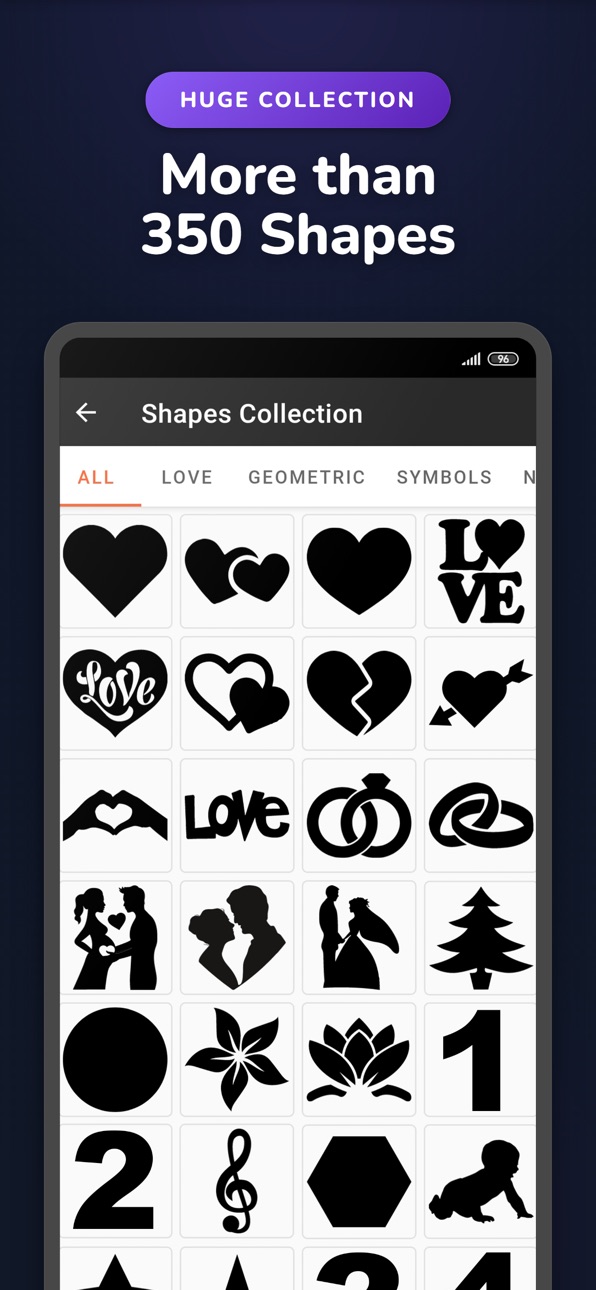
- 350+ Shape Templates: Choose from a variety of shapes and templates including circle, heart, text, number, and more to design your photo collage.
- Add Text on Photo & Stickers: A powerful tool to add text on photo with various fonts, styles, and formatting options. Add fun and expressive stickers to make your creation truly unique.
- Cloud Photo Support: Seamlessly add photos from iCloud, Google Drive, and more to your collage.
- Flexible Layouts: Adjust grid spacing, change the layout ratio, move, resize, and swap photos. Instantly rearrange all your pictures with a single tap using the Shuffle feature.
- Picture Editor Tools: Swap, crop, rotate, or delete specific photos to fine-tune your collage.
- Multiple Aspect Ratios: Choose from predefined or custom aspect ratios for your rectangular photo collages.
- Custom Grid Density: Adjust the density of your photo grid for a finer or coarser shape fitting.
- Video Animations: Create stunning video animations from your shape collages.
- Gradient & Solid Backgrounds: Choose from +85 gradient backgrounds or pick your own solid background color.
- Social Sharing: Instantly share your photo collages on Instagram, Facebook, WhatsApp, X, and more.
Unlock More Power:
--------------------
PRO: Use your own Custom Shapes as a Frame for ultimate personalization.
PRO: Export your Collage with a Transparent Background.
Extra Feature: High-Resolution Saving (up to 6000x6000px) for top-quality prints.
Create your dream photo montage, birthday frame photo, or photo mosaic art with Phinsh, the ultimate unlimited collage maker. Show off your creative skills now!
We’d love to hear your feedback—please rate our app and share your ideas!
For support, contact us at: support@phinsh.com.
In-App Purchases US pricing
Phinsh PRO Subscription
(Yearly) · Yearly$11.99
(Monthly) · Monthly$2.99
One-Time Purchases
High Quality Image$0.99
Ultra High Quality Image$1.99
Phinsh PRO Forever$34.99
Capabilities
In-App Purchases
Accessibility
ipadiphonemacrealityDevicetvoswatch
Version history 13 versions
Build 881124991v3.3.02025-12-31 13:42:39
New! Bring your collages to life with stunning Video Animations.
Build 881094753v3.2.02025-12-30 13:12:29
Added 100+ new shapes (Asian, Animals, Nature, etc.).
App is now available in 23 languages!
UI improvements.
Bug fixes.
Build 880253064v3.1.32025-12-04 22:04:58
Added French, Turkish and Russian languages.
Arabic UI largely improved.
Improved UI for wide screens.
Bug fixes.
Build 879624764v3.0.52025-11-11 01:08:59
Bug fixes
Build 878082743v3.0.42025-09-16 11:00:23
- Unlimited photos can now be selected instead of max 999
- Bug fixes
Build 877505209v3.0.32025-08-24 11:25:25
Bug fixes
Build 877322029v3.0.22025-08-18 06:38:57
Bug fixes.
Build 877267754v3.0.12025-08-15 06:54:32
Bug fixes.
Build 874144960v3.0.02025-08-14 18:49:05
- New option to edit collage photos: Swap, replace, crop, rotate, or delete specific photos to fine-tune your collage.
- Add text to your collage: Now you can add text with multiple styles and formatting options.
- Improved Photo Picker: Added "Select All" to quickly add all photos in an album.
- Cloud Photo Support: Add photos from iCloud.
- Shuffle Photos: Rearrange all photos with one click.
- New Shapes: 25+ creative options.
- Bug fix: Resolved a crash in the photo cropping screen.
- Performance Boost: Faster and more stable app experience.
Build 854431321v2.3.52023-01-19 20:03:50
- Collage Maker UI improvements
Build 854076999v2.3.32022-12-27 20:49:20
- HD and UHD collage saves to gallery instead of "Files" app
- UI improvements
Build 853858198v2.3.02022-12-13 22:06:53
- Use any text as collage shape template
- Create rectangular regular collage
- Add stickers
- New shapes added
- Change canvas layout ratio
- New gradients added
- Save collage with resolutions up to 6000px
- Crop photos
- Use custom collage shape (PRO)
- Use transparent background (PRO)
Build 839672663v1.0.02021-08-08 08:37:33
Price history by region
Currency
Show
Columns
Search
Availability 1 of 1 storefronts
| Region | Language | Price | Ratings | Avg | Version |
|---|---|---|---|---|---|
| US | en-US | Free | 577 | 4.7 | 3.3.0 |
Change log 17 changes · US
✎
releaseNotes updated
New! Bring your collages to life with stunning Video Animations.
✎
description updated
Phinsh Collage & Montage Maker is your go-to photo montage maker and photo editor, designed to turn your memories into a creative photo collage. Using a versati
✎
subtitle updated
Photo Frame & Shape Collage
✎
name updated
Phinsh Photo Collage Maker
◆
Version 3.3.0 released
New! Bring your collages to life with stunning Video Animations.
◆
Version 3.2.0 released
Added 100+ new shapes (Asian, Animals, Nature, etc.).
App is now available in 23 languages!
UI improvements.
Bug fixes.
◆
Version 3.1.3 released
Added French, Turkish and Russian languages.
Arabic UI largely improved.
Improved UI for wide screens.
Bug fixes.
◆
Version 3.0.5 released
Bug fixes
◆
Version 3.0.4 released
- Unlimited photos can now be selected instead of max 999
- Bug fixes
◆
Version 3.0.3 released
Bug fixes
◆
Version 3.0.2 released
Bug fixes.
◆
Version 3.0.1 released
Bug fixes.
◆
Version 3.0.0 released
- New option to edit collage photos: Swap, replace, crop, rotate, or delete specific photos to fine-tune your collage.
- Add text to your collage: Now you can add text with multiple styles and formatting options.
- Improved Photo Picker:
◆
Version 2.3.5 released
- Collage Maker UI improvements
◆
Version 2.3.3 released
- HD and UHD collage saves to gallery instead of "Files" app
- UI improvements
◆
Version 2.3.0 released
- Use any text as collage shape template
- Create rectangular regular collage
- Add stickers
- New shapes added
- Change canvas layout ratio
- New gradients added
- Save collage with resolutions up to 6000px
- Crop photos
- Use custom colla
◆
Version 1.0.0 released