Home › Productivity

 US
US
 CAen-CAUSen-US
 AENot Available
 AFNot Available
 ALNot Available
 AMNot Available
 ATNot Available
 AUNot Available
 AZNot Available
 BANot Available
 BENot Available
 BGNot Available
 BHNot Available
 BMNot Available
 BNNot Available
 BTNot Available
 BYNot Available
 CHNot Available
 CNNot Available
 CYNot Available
 CZNot Available
 DENot Available
 DKNot Available
 EENot Available
 EGNot Available
 ESNot Available
 FINot Available
 FJNot Available
 FMNot Available
 FRNot Available
 GBNot Available
 GENot Available
 GRNot Available
 HKNot Available
 HRNot Available
 HUNot Available
 IDNot Available
 IENot Available
 ILNot Available
 INNot Available
 IQNot Available
 ISNot Available
 ITNot Available
 JONot Available
 JPNot Available
 KGNot Available
 KHNot Available
 KRNot Available
 KWNot Available
 KZNot Available
 LANot Available
 LBNot Available
 LKNot Available
 LTNot Available
 LUNot Available
 LVNot Available
 MDNot Available
 MENot Available
 MKNot Available
 MMNot Available
 MNNot Available
 MONot Available
 MRNot Available
 MTNot Available
 MVNot Available
 MYNot Available
 NLNot Available
 NONot Available
 NPNot Available
 NRNot Available
 NZNot Available
 OMNot Available
 PGNot Available
 PHNot Available
 PKNot Available
 PLNot Available
 PTNot Available
 PWNot Available
 QANot Available
 RONot Available
 RSNot Available
 RUNot Available
 SANot Available
 SBNot Available
 SENot Available
 SGNot Available
 SINot Available
 SKNot Available
 THNot Available
 TJNot Available
 TMNot Available
 TONot Available
 TRNot Available
 TWNot Available
 UANot Available
 UZNot Available
 VNNot Available
 VUNot Available
 XKNot Available
 YENot Available
 ZANot Available
2 of 101 storefronts
Content in en-US
Content in en-US
Information
Preview 2 platforms
iPhone 3 images


iPad 3 images


What’s New Version 4.0.8
Performance improvements
Description
Ontraccr provides next-generation automation software that helps construction and field service businesses automate the tedious and time-consuming workflows no one should be spending their time on. Whether you’re a big enterprise or a small service contractor, Ontraccr’s automations will save your team incredible amounts of time and money by eliminating the countless hours currently spent supporting manual workflows.
At Ontraccr, we understand that every construction business is truly unique, from different cultures and processes to different budgetary constraints; that's exactly why we provide companies with the highest levels of flexibility, giving you all the power to decide exactly how you want to automate your business processes.
***
FIELD OPERATIONS
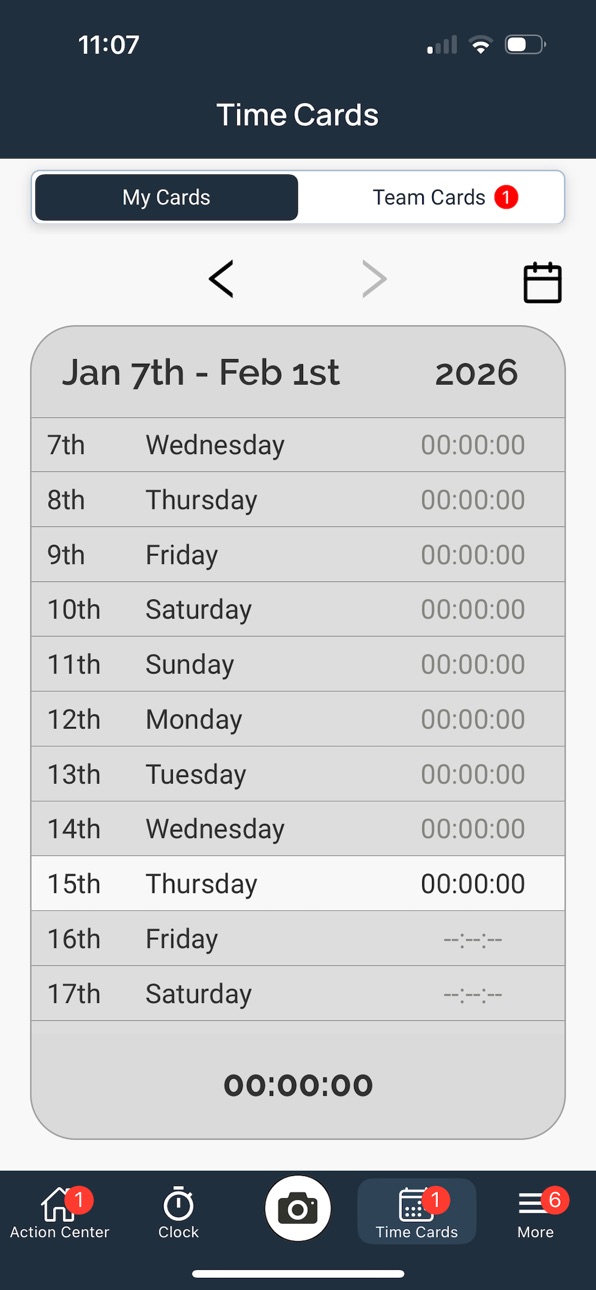
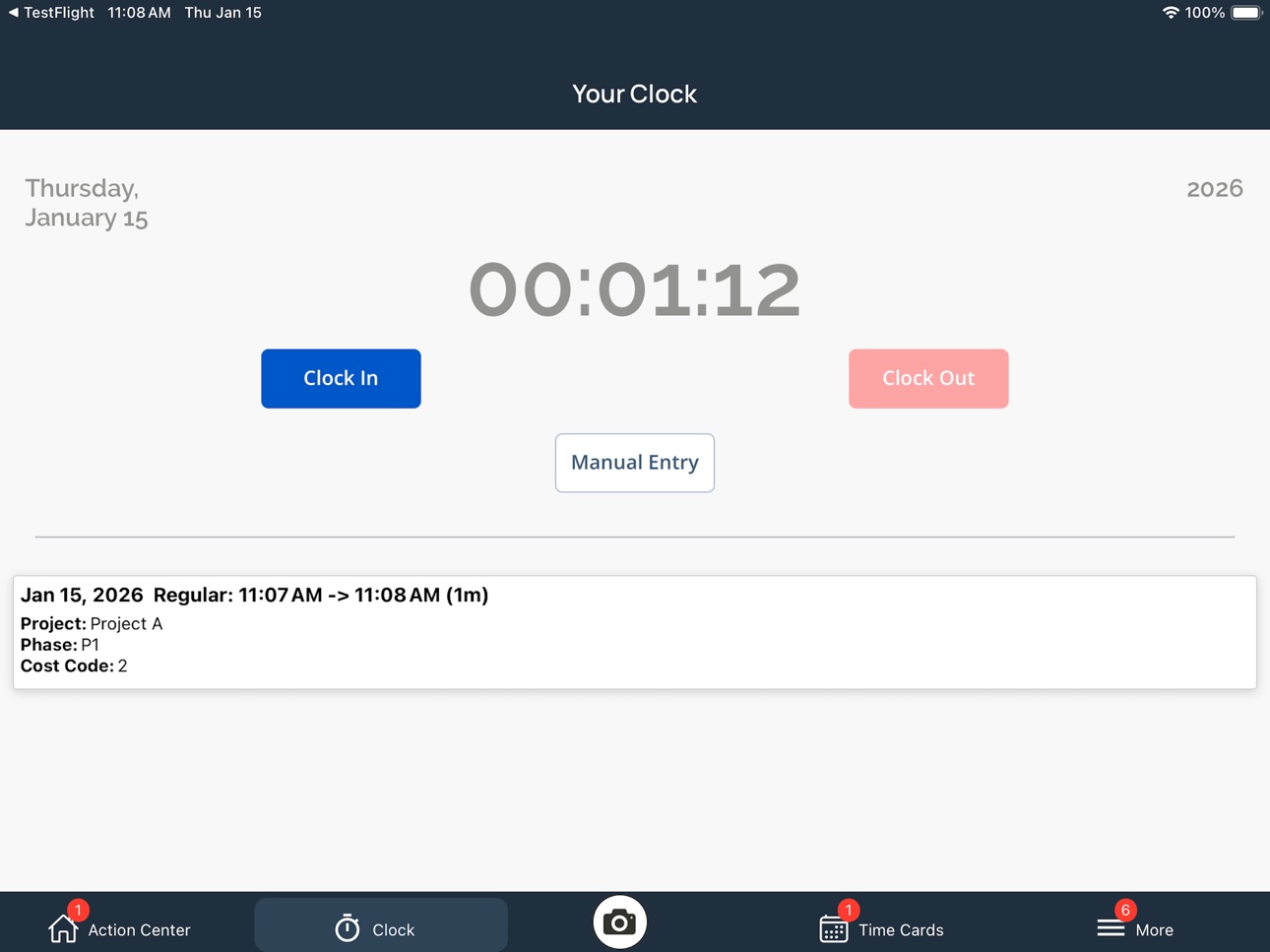
Ontraccr provides a great channel for office and field teams to stay tightly connected and communicate with each other in real-time. While managers receive instant updates from the field to help them manage their projects and operations, the Ontraccr mobile app is a great way for field workers to stay organized, track their time, report on progress easily, and gain instant access to any important documents and files right from the jobsite.
PROJECT MANAGEMENT
Ontraccr is a great tool to manage your projects and project contracts from start to finish. Whether it’s organizing your various project documents and forms, managing your budget, receiving real-time progress updates from your field team, or tracking heavy equipment usage, Ontraccr gives you a complete window into your projects.
DOCUMENT AUTOMATION
Ontraccr’s next-generation document automation system lets you put your documentation processes on auto-pilot. Manage any type of document you need, create fully-automated workflows for each document, design your documents to help your brand stand out, and view detailed data on all your documentation in one easy place.
BILLING
Manage your team's entire end-to-end billing process in Ontraccr, from work orders to invoices. The Ontraccr mobile app even lets you collect payments directly from the field!
OPERATIONS
Ontraccr’s advanced tracking system enables teams to track anything they need across the entire operation, including everything from tracking new business opportunities to tracking field tasks. Create as many trackers as you need for any purpose, customize each tracker to match your exact needs, share trackers with as many collaborators as you need, and trigger automated workflows easily.
REPORTS & ANALYTICS
Ontraccr’s powerful analytics engine helps companies gain valuable, real-time insights into any aspect of their operations.
INTEGRATIONS
Ontraccr integrates with the tools companies use daily - from finance to project management - streamlining and simplifying workflows to save you time and money.
***
At Ontraccr, we're on a mission to help construction and field service businesses automate their 'busy work' so they can do more with less. Add Ontraccr to the team today and improve the way your business operates!
Capabilities
Wallet
Accessibility
ipadiphonemacrealityDevicetvoswatch
Version history 25 versions
Build 884208042v4.0.82026-04-09 02:36:52
Performance improvements
Build 881436818v4.0.42026-01-19 07:19:39
Bug fixes and performance improvements
Build 875032171v3.44.02025-05-27 17:33:33
Bug fixes
Build 871476425v3.39.02025-01-03 19:56:51
Bug fixes and performance improvements
Build 869546799v3.35.02024-10-10 02:20:49
Bug fixes and performance improvements
Build 865049893v3.27.22024-04-10 18:16:08
QR Code Scanning
Weather Field
Build 863230637v3.22.12024-01-31 03:38:20
Performance improvements
Build 860809846v3.16.02023-10-29 20:24:51
Action Center pagination
Build 860416286v3.15.02023-10-06 18:29:47
Update logo
Build 858448455v3.10.12023-07-13 16:43:19
Bug fixes
Build 857225124v3.8.02023-05-24 02:42:39
Improvements to PDF/Image viewing and annotating.
Build 856897707v3.7.02023-05-08 22:32:08
App improvements
Build 854636575v3.6.02023-01-30 01:48:05
Custom time card fields.
Build 853396688v3.5.52022-11-19 02:25:47
App optimizations.
Build 850873638v3.2.82022-07-16 18:45:04
Copy Button: Use the copy button in forms and board cards to copy texts fields.
Build 849742774v3.2.12022-06-03 16:01:28
Bugfixes
Build 847399424v2.7.62022-03-01 23:07:23
Bug fixes
Build 847268646v2.6.62022-02-19 18:41:29
Users can now upload photos from their existing photo library
Build 846894375v2.6.02022-01-29 20:09:36
Bug fixes and performance enhancements
Build 846274472v2.5.12021-12-30 00:42:31
Version 2.5.1 adds some great new features:
-Forms: Documents can now be saved as drafts in the mobile app for users to update throughout their work and submit when they’re ready
-Forms: The new ‘attributes’ field can display a customer’s billing address automatically when filling out a form such as an invoice or quote
-Forms: all search bars for any forms pages (including within customer profiles) can now search the contents of the documents themselves, making it easy for users to simply search for keywords within the files
-A new ‘other forms’ tab has been added to customer profiles to view any other documents related to the customer’s profile
-Materials: Folders are now visible from anywhere within the mobile app
Build 842794974v2.1.02021-06-27 20:09:05
Introducing some major new features!
-Scheduling: admins can now create and manage employee schedules. Employees can quickly clock in to shifts via the new Schedule page
-Forms: admins can now create and manage custom forms for employees to complete
Build 842256394v2.0.02021-05-25 01:18:41
Version 2.0 brings the new document management system to OnTraccr. Now you can view and share files right within the app!
Build 841146034v1.2.42021-03-31 22:03:04
Minor enhancements
Build 840941753v1.2.22021-03-21 22:39:25
We’re excited to add some major new features to OnTraccr in this release! You can now communicate with each other, send photos, and more:
- Photo Upload: you can now take photos right from the app, with full support for freehand and text annotations. So if an issue arises in the field, you can snap a quick photo, mark it up to identify the issue, and send it off in seconds!
- Mobile Live Feed: now everyone has their own live feed in the mobile app where you can add notes, take and send photos, and message each other with a simple tagging system. (Note: this replaces the previous field notes system). To send a message to someone, simply start by typing in @ and then select their name from the list.
- Help Screens: we’ve added new help screens to the major pages in the mobile app, making it easier for new users to learn how to use the app
Build 840783031v1.1.22021-03-08 20:55:29
Users can now add clock into service jobs. With service jobs, users have the option to quickly clock in by typing in a location and description for the task instead of clocking in to a specific project or cost code.
No pricing data captured yet — comparisons appear once the app has paid storefronts or in-app purchases.
Availability 2 of 101 storefronts
| Region | Language | Price | Ratings | Avg | Version |
|---|---|---|---|---|---|
| CA | en-CA | Free | 27 | 3.4 | 4.0.8 |
| US | en-US | Free | 1 | 5.0 | 4.0.8 |
Not available in: AE, AF, AL, AM, AT, AU, AZ, BA, BE, BG, BH, BM, BN, BT, BY, CH, CN, CY, CZ, DE, DK, EE, EG, ES, FI, FJ, FM, FR, GB, GE, GR, HK, HR, HU, ID, IE, IL, IN, IQ, IS, IT, JO, JP, KG, KH, KR, KW, KZ, LA, LB, LK, LT, LU, LV, MD, ME, MK, MM, MN, MO, MR, MT, MV, MY, NL, NO, NP, NR, NZ, OM, PG, PH, PK, PL, PT, PW, QA, RO, RS, RU, SA, SB, SE, SG, SI, SK, TH, TJ, TM, TO, TR, TW, UA, UZ, VN, VU, XK, YE, ZA
Change log 29 changes · US
✎
releaseNotes updated
Performance improvements
✎
description updated
Ontraccr provides next-generation automation software that helps construction and field service businesses automate the tedious and time-consuming workflows no
✎
subtitle updated
Construction Management
✎
name updated
Ontraccr
◆
Version 4.0.8 released
Performance improvements
◆
Version 4.0.4 released
Bug fixes and performance improvements
◆
Version 3.44.0 released
Bug fixes
◆
Version 3.39.0 released
Bug fixes and performance improvements
◆
Version 3.35.0 released
Bug fixes and performance improvements
◆
Version 3.27.2 released
QR Code Scanning
Weather Field
◆
Version 3.22.1 released
Performance improvements
◆
Version 3.16.0 released
Action Center pagination
◆
Version 3.15.0 released
Update logo
◆
Version 3.10.1 released
Bug fixes
◆
Version 3.8.0 released
Improvements to PDF/Image viewing and annotating.
◆
Version 3.7.0 released
App improvements
◆
Version 3.6.0 released
Custom time card fields.
◆
Version 3.5.5 released
App optimizations.
◆
Version 3.2.8 released
Copy Button: Use the copy button in forms and board cards to copy texts fields.
◆
Version 3.2.1 released
Bugfixes
◆
Version 2.7.6 released
Bug fixes
◆
Version 2.6.6 released
Users can now upload photos from their existing photo library
◆
Version 2.6.0 released
Bug fixes and performance enhancements
◆
Version 2.5.1 released
Version 2.5.1 adds some great new features:
-Forms: Documents can now be saved as drafts in the mobile app for users to update throughout their work and submit when they’re ready
-Forms: The new ‘attributes’ field can display a customer’s b
◆
Version 2.1.0 released
Introducing some major new features!
-Scheduling: admins can now create and manage employee schedules. Employees can quickly clock in to shifts via the new Schedule page
-Forms: admins can now create and manage custom forms for employees t
◆
Version 2.0.0 released
Version 2.0 brings the new document management system to OnTraccr. Now you can view and share files right within the app!
◆
Version 1.2.4 released
Minor enhancements
◆
Version 1.2.2 released
We’re excited to add some major new features to OnTraccr in this release! You can now communicate with each other, send photos, and more:
- Photo Upload: you can now take photos right from the app, with full support for freehand and text
◆
Version 1.1.2 released
Users can now add clock into service jobs. With service jobs, users have the option to quickly clock in by typing in a location and description for the task instead of clocking in to a specific project or cost code.