Home › Food & Drink

 US
US
1 of 1 storefronts
Content in en-US
Content in en-US
Information
Preview 4 platforms
iPhone 10 images


iPad 10 images



Mac 9 images


Apple Watch 5 images


What’s New Version 3.3.1
What's New in v3.3.1
◆ Dark / Light mode now works for all screens now, including Recipes, Inventory, Meal Planner, Settings, and shopping screens.
◆ Checkout checked items from All Lists in one flow, with history and inventory updates.
◆ New Inventory Assistant and duplicate cleanup improvements.
◆ Faster quantity/price edits while shopping.
◆ Smoother onboarding, recipe saving, sync, alerts, and keep-screen-awake reliability.
Description
Stop food waste, save money, and keep your kitchen organized with Grocery AI. Grocery AI helps you track your grocery purchases, know what’s in your pantry, fridge, and freezer, plan meals around what you already have, organize recipes, and shop before you run out. From inventory tracking and expiry alerts to smart shopping lists, meal planning, and pantry-aware recipe ideas, Grocery AI helps you stay stocked, cook smarter, and waste less. Available on iPhone, iPad, Mac, Apple Watch, and iOS Home Screen widgets.
=== REDUCE FOOD WASTE & STAY STOCKED
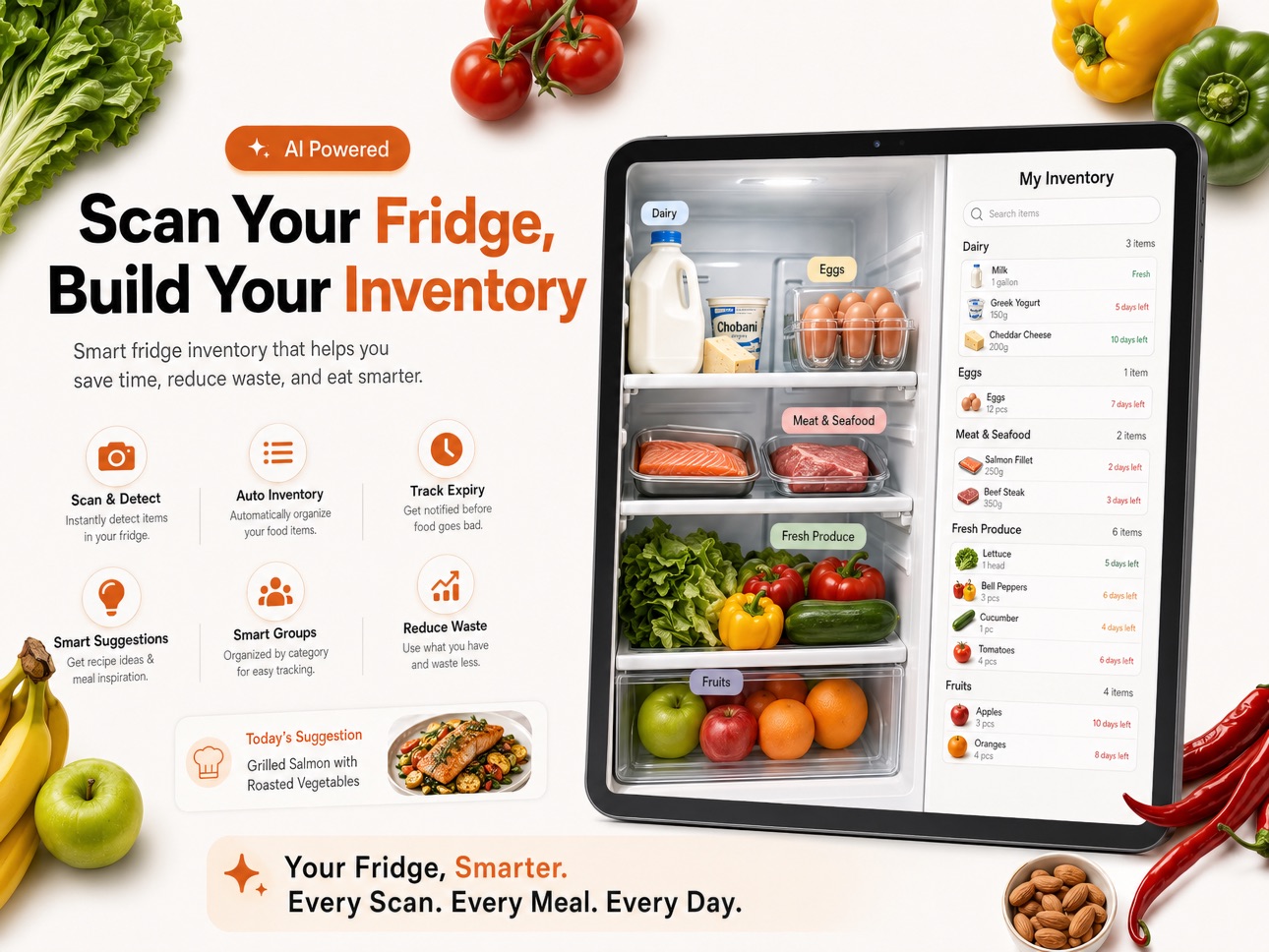
◆ Track grocery purchases and move items into inventory so you always know what you have.
◆ Organize pantry, fridge, freezer, and other storage locations with custom inventory areas.
◆ Monitor stock using quantity or percentage-left.
◆ Add expiry dates, photos, barcodes, notes, and multipack sizes for better accuracy.
◆ Get alerts for low stock, out-of-stock, expiring soon, and expired items.
◆ Use ingredients before they go bad and avoid buying duplicates.
◆ Plan ahead so your pantry stays stocked with the items you use most.
◆ Automatically update inventory as items are purchased, used, or consumed.
◆ Import inventory from receipts, notes, pantry photos, CSV files, and Excel spreadsheets.
=== SMART SHOPPING LISTS
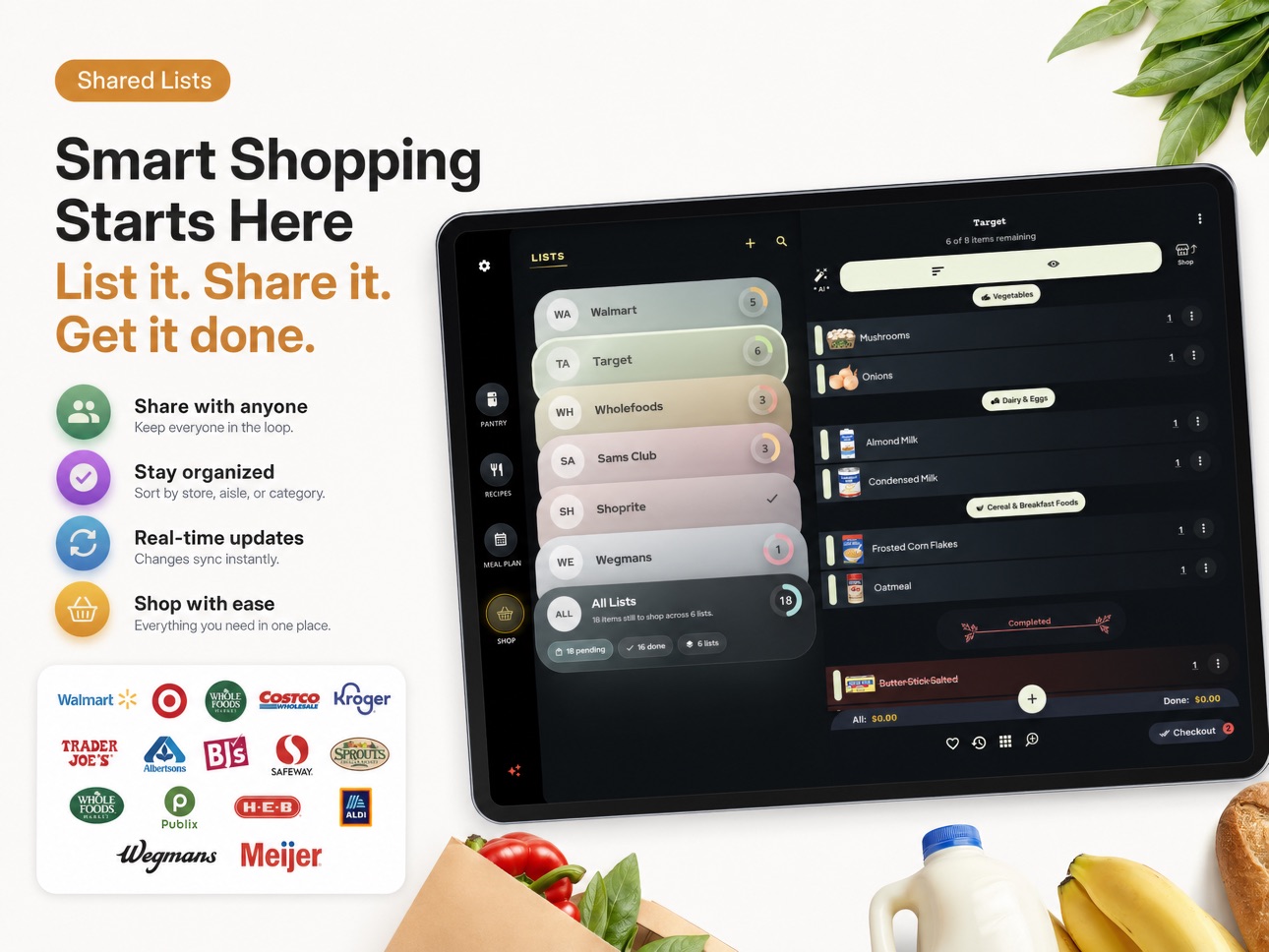
◆ Create color-coded shopping lists for different stores, trips, or occasions.
◆ Add items fast by search, barcode scan, Voice Add, AI receipt import, note import, photo import, or recipe ingredients.
◆ Build shopping lists based on what is low, missing, or needed for upcoming meals.
◆ Search by item, category, sub-category, or #tag to find what you need instantly.
◆ Organize items with quantity, unit, size, brand, notes, photos, barcode, priority, and favorites.
◆ Sort by aisle, category, favorites, priority, checked status, or Smart AI Sorting.
◆ Compare prices across retailers and track coupon savings, taxes, and totals.
◆ Save receipts to checkout history for returns, bookkeeping, and price tracking.
◆ Keep rewards cards linked to your list for faster checkout.
◆ Bulk edit items to move, copy, tag, recategorize, or update multiple items at once.
=== RECIPES & MEAL PLANNING
◆ Save and organize recipes so meal ideas are always easy to find.
◆ Import recipes from URLs, recipe websites, social media, cookbook pages, or AI generation tools.
◆ Generate recipes from ingredients you already have at home.
◆ Use Chef AI for pantry-aware meal ideas, substitutions, and recipe help.
◆ Add recipe ingredients to one or more shopping lists with scaled quantities.
◆ Plan your week with recipes or quick meal items.
◆ Build meal plans around ingredients that need to be used soon.
◆ Mark meals as eaten to keep inventory honest and up to date.
◆ Email or print your meal plan for the family or the fridge.
=== AI TOOLS THAT SAVE TIME
◆ Voice Add 2.0 turns natural speech into grocery items with quantities, sizes, brands, units, and notes.
◆ Import shopping lists from receipts, notes, and pantry or fridge photos.
◆ AI helps classify and organize imported items so you spend less time cleaning up.
◆ Scan cookbook pages or recipe websites into editable digital recipes.
◆ Scan a dish photo to generate a recipe or nutrition card.
=== APPLE WATCH, WIDGETS & SYNC
◆ Use Apple Watch to view lists, check off items, and glance at inventory alerts.
◆ Add Grocery AI widgets to your iPhone Home Screen for shopping lists, inventory, recipes, and meal plans.
◆ Interactive shopping list widgets let you check off items even faster on supported iOS versions.
◆ Sync Shopping Lists, Inventory, Recipes, and Meal Planner across devices by signing in with the same Grocery AI account.
Some advanced AI, sync, import, and sharing features may require Premium. Subscription options may include monthly or yearly billing, and auto-renewal can be managed in your Apple ID account settings.
Terms Of Use: https://www.groceryai.com/termsofservice
Privacy Policy: https://www.groceryai.com/privacypolicy
In-App Purchases US pricing
Grocery King Subscriptions Subscription
GK Premium - 1 Year · Yearly$59.99
GK Premium - Monthly Plan · Monthly$9.99
Grocery AI Monthly · Monthly$6.99
Capabilities
In-App Purchases
Accessibility
ipadiphonemacrealityDevicetvoswatch
Version history 25 versions
Build 887612084v3.3.12026-06-30 21:12:48
What's New in v3.3.1
◆ Dark / Light mode now works for all screens now, including Recipes, Inventory, Meal Planner, Settings, and shopping screens.
◆ Checkout checked items from All Lists in one flow, with history and inventory updates.
◆ New Inventory Assistant and duplicate cleanup improvements.
◆ Faster quantity/price edits while shopping.
◆ Smoother onboarding, recipe saving, sync, alerts, and keep-screen-awake reliability.
Build 885881433v3.2.62026-05-19 22:32:40
What's New in v3.2.6
◆ Smoother onboarding with better recipe website setup and finalizing flow.
◆ Recipe suggestions selected during onboarding can now save in the background.
◆ AI import tips are clearer and less repetitive.
◆ Hands-free recipe navigation is more stable when switching apps.
◆ Added a new Sounds setting for app sound effects.
◆ Improved shopping list search, photo upload reliability, and background refresh behavior.
Build 885545047v3.2.52026-05-12 17:54:50
What's New in v3.2.5:
◆ Improved onboarding and upgrade screens with clearer monthly subscription options.
◆ Added better Google Sign-In error messages when login does not complete.
◆ Improved recipe search with clearer active search styling and better ingredient-match results.
◆ Made recipe notes easier to add, edit, and read.
◆ Improved pantry sorting for more predictable inventory lists.
Build 885454552v3.2.42026-05-09 19:01:56
=== What’s New in v3.2.4
◆ Improved the meal planning flow, with a smoother date picker and better navigation into Meal Plan from recipes, especially on tablet.
◆ Improved the recipe collection picker with a clearer Save/Cancel flow and better saving feedback.
◆ Enhanced duplicate pantry cleanup with more item details and a cleaner review experience.
=== What’s New in v3.2.3
New AI Inventory Assistant
◆ You can now run an AI review inside an inventory location to get suggestions for where items should be organized.
◆ Recommended moves can be reviewed, adjusted, and applied in bulk.
=== Better duplicate pantry cleanup
◆ The app now does a better job spotting duplicate pantry items with the same name across locations.
◆ There’s a dedicated cleanup flow to review duplicates, edit them, adjust stock, or delete extras more easily.
=== Faster pantry item management
◆ You can now duplicate an inventory item to create a separate stock entry faster.
◆ Pantry item editing was improved with clearer duplicate warnings and better handling when moving items between inventory locations.
=== Smarter inventory search
◆ Search now matches items more accurately using alternate names, plural forms, and keywords.
◆ Results also show clearer size details and better visibility into where items may already exist.
=== Shopping list improvements
◆ Shopping list items can now be duplicated directly from category and subcategory views.
◆ Newly duplicated items are easier to spot right after saving.
=== General polish
◆ Inventory screens got readability and layout improvements.
◆ Tablet inventory behavior and a few recipe/category details were also refined.
Build 885336988v3.2.32026-05-06 23:32:06
What’s New in v3.2.3
=== New AI Inventory Assistant
◆ You can now run an AI review inside an inventory location to get suggestions for where items should be organized.
◆ Recommended moves can be reviewed, adjusted, and applied in bulk.
=== Better duplicate pantry cleanup
◆ The app now does a better job spotting duplicate pantry items with the same name across locations.
◆ There’s a dedicated cleanup flow to review duplicates, edit them, adjust stock, or delete extras more easily.
=== Faster pantry item management
◆ You can now duplicate an inventory item to create a separate stock entry faster.
◆ Pantry item editing was improved with clearer duplicate warnings and better handling when moving items between inventory locations.
=== Smarter inventory search
◆ Search now matches items more accurately using alternate names, plural forms, and keywords.
◆ Results also show clearer size details and better visibility into where items may already exist.
=== Shopping list improvements
◆ Shopping list items can now be duplicated directly from category and subcategory views.
◆ Newly duplicated items are easier to spot right after saving.
=== General polish
◆ Inventory screens got readability and layout improvements.
◆ Tablet inventory behavior and a few recipe/category details were also refined.
Build 885186765v3.2.02026-05-03 02:01:07
New in v3.2.0 :
Default home tab
◆ Users can now choose whether Grocery AI opens to Pantry or Shop by default.
Pantry / Inventory
◆ Improved stock tracking for items that use quantity or percentage remaining.
◆ Users can now add catalog items directly into inventory more smoothly.
◆ Expiry reminders for inventory items were improved.
◆ Added a faster way to remove all items from an inventory location.
◆ Inventory screens got small readability and dark mode improvements.
Recipes
◆ Recipe ingredient import is smarter across saved recipes, clipped recipes, and pasted ingredient lists.
◆ Ingredient category matching was improved, so imported ingredients are more likely to land in the right place.
◆ Pantry-based recipe suggestions during onboarding were improved.
Sign-in
◆ Google Sign-In support was improved, especially on Apple platforms.
General polish
◆ Better dark mode consistency across a few screens.
◆ Navigation behavior on tablet/desktop was refined.
Build 885160955v3.1.92026-05-01 19:35:34
What’s New in v3.1.9
◆ New setting to change the default home screen between Pantry and Lists.
◆ Bug fixes and some UI tweaks.
What’s New in v3.1.4
Pantry Improvements
◆ Grocery AI is now more pantry-first, making it easier to cook and shop from what you already have.
◆ Refreshed navigation makes it faster to move between Pantry, Recipes, Meal Plan, Shop, and Settings.
◆ Track pantry items by exact quantity or percentage remaining.
◆ See clearer alerts for items that are low, empty, expiring soon, or expired.
Recipe Improvements
◆ Cooking AI Chat can use selected pantry items to suggest more useful meal ideas.
◆ AI-generated recipes from AI Chat can now be imported directly into My Recipes.
Meal Planning improvements
◆ Mark meals as eaten and Grocery AI can help update matching pantry inventory.
◆ Meal plan cards now show pantry availability so you know what you have before cooking.
Shopping list improvements
◆ Shopping lists hold their place better while checking off, searching, or editing items.
◆ Receipt and pantry scan flows are clearer, with better handling for duplicates and empty scans.
Miscellaneous
◆ Recipe timers, reminders, startup, and notifications are more reliable.
◆ light-mode search, onboarding, and tablet/desktop layouts were polished.
Build 885041573v3.1.72026-04-29 02:00:36
What’s New in v3.1.7
◆ Bug fixes and some UI tweaks.
What’s New in v3.1.4
Pantry Improvements
◆ Grocery AI is now more pantry-first, making it easier to cook and shop from what you already have.
◆ Refreshed navigation makes it faster to move between Pantry, Recipes, Meal Plan, Shop, and Settings.
◆ Track pantry items by exact quantity or percentage remaining.
◆ See clearer alerts for items that are low, empty, expiring soon, or expired.
Recipe Improvements
◆ Cooking AI Chat can use selected pantry items to suggest more useful meal ideas.
◆ AI-generated recipes from AI Chat can now be imported directly into My Recipes.
Meal Planning improvements
◆ Mark meals as eaten and Grocery AI can help update matching pantry inventory.
◆ Meal plan cards now show pantry availability so you know what you have before cooking.
Shopping list improvements
◆ Shopping lists hold their place better while checking off, searching, or editing items.
◆ Receipt and pantry scan flows are clearer, with better handling for duplicates and empty scans.
Miscellaneous
◆ Recipe timers, reminders, startup, and notifications are more reliable.
◆ light-mode search, onboarding, and tablet/desktop layouts were polished.
Build 884991331v3.1.52026-04-28 16:57:26
What’s New in v3.1.5
◆ Bug fixes and some UI tweaks.
What’s New in v3.1.4
Pantry Improvements
◆ Grocery AI is now more pantry-first, making it easier to cook and shop from what you already have.
◆ Refreshed navigation makes it faster to move between Pantry, Recipes, Meal Plan, Shop, and Settings.
◆ Track pantry items by exact quantity or percentage remaining.
◆ See clearer alerts for items that are low, empty, expiring soon, or expired.
Recipe Improvements
◆ Cooking AI Chat can use selected pantry items to suggest more useful meal ideas.
◆ AI-generated recipes from AI Chat can now be imported directly into My Recipes.
Meal Planning improvements
◆ Mark meals as eaten and Grocery AI can help update matching pantry inventory.
◆ Meal plan cards now show pantry availability so you know what you have before cooking.
Shopping list improvements
◆ Shopping lists hold their place better while checking off, searching, or editing items.
◆ Receipt and pantry scan flows are clearer, with better handling for duplicates and empty scans.
Miscellaneous
◆ Recipe timers, reminders, startup, and notifications are more reliable.
◆ light-mode search, onboarding, and tablet/desktop layouts were polished.
Build 884897402v3.1.42026-04-26 17:19:15
What’s New in v3.1.4
Pantry Improvements
◆ Grocery AI is now more pantry-first, making it easier to cook and shop from what you already have.
◆ Refreshed navigation makes it faster to move between Pantry, Recipes, Meal Plan, Shop, and Settings.
◆ Track pantry items by exact quantity or percentage remaining.
◆ See clearer alerts for items that are low, empty, expiring soon, or expired.
Recipe Improvements
◆ Cooking AI Chat can use selected pantry items to suggest more useful meal ideas.
◆ AI-generated recipes from AI Chat can now be imported directly into My Recipes.
Meal Planning improvements
◆ Mark meals as eaten and Grocery AI can help update matching pantry inventory.
◆ Meal plan cards now show pantry availability so you know what you have before cooking.
Shopping list improvements
◆ Shopping lists hold their place better while checking off, searching, or editing items.
◆ Receipt and pantry scan flows are clearer, with better handling for duplicates and empty scans.
Miscellaneous
◆ Recipe timers, reminders, startup, and notifications are more reliable.
◆ light-mode search, onboarding, and tablet/desktop layouts were polished.
Build 884403027v3.0.322026-04-13 13:25:47
What’s New
◆ Added a faster way to send all recipe ingredients to one or more shopping lists.
◆ Improved onboarding with clearer plan options, smarter free trial handling, and better promo / offer support.
◆ Polished shopping lists with cleaner layouts, smoother scrolling, steadier search behavior, and better item feedback.
◆ Added inventory location reordering and improved inventory organization and reminder reliability.
◆ Refined recipe browsing, coupon handling, and item editing for a cleaner day-to-day experience.
Build 884467023v3.0.332026-04-13 22:56:35
What’s New
◆ Added a faster way to send all recipe ingredients to your shopping list.
◆ Grocery King now remembers your past list choices for recipe ingredients to make repeat shopping quicker.
◆ Improved hands-free recipe navigation with a smoother setup and clearer activation flow.
◆ Added support for reordering inventory locations.
◆ Improved shopping list stability so lists hold position better when checking off items or working from search.
◆ Refined the home screen, search experience, app startup, and reminder reliability.
Build 884345360v3.0.262026-04-10 15:01:59
What’s New in Grocery AI v3.0.0
One of our biggest updates yet, with major improvements across Shopping Lists, Inventory, Recipes, Meal Planning, Widgets, Apple Watch, onboarding, and big-screen experiences.
◆ Smarter Shopping List imports
Build lists faster with barcode scanning, receipt import, note import, and photo-based item detection. We also improved the review flow so imported items are easier to confirm before saving.
◆ Voice Add 2.0
Capture an entire grocery run hands-free. Voice Add now better understands natural speech and turns it into structured items with quantities, sizes, units, brands, and notes.
◆ Better barcode and scan flows
Scanning is now more polished across lists and inventory, with clearer processing states, stronger feedback, and better fallback handling when a code or product isn’t recognized.
◆ Apple Watch support
Browse lists, check off items from your wrist, and glance at inventory alerts like low stock, expiring soon, expired, and out-of-stock items. We also added watch complications and Smart Stack support.
◆ Smarter iOS widgets
Shopping list, inventory, recipe, and meal plan widgets refresh more reliably, support faster interactions, and deep link more smoothly into the app. Widget data also stays more aligned with Apple Watch snapshots.
◆ Recipes Hub refresh
Recipes got a major upgrade with a more modern hub, richer explore experience, improved navigation, better caching, and easier transitions between Explore, My Recipes, and collections.
◆ Pantry-aware Chef AI
You can now chat with Chef AI for meal suggestions and cooking help grounded in the inventory items you already have.
◆ Better AI recipe tools
We expanded recipe generation and import flows, including generating recipes from a dish name, your ingredients, cookbook pages, and food photos. Recipe clipping and website import were also refined.
◆ Improved cooking mode and timers
Cooking is easier with stronger recipe playback, better step navigation, and multiple timers that can stay active in the background and notify you when they finish.
◆ Stronger inventory tools
Inventory received major upgrades across editing, browsing, and importing. Work more efficiently with receipts, notes, shelf photos, and Excel/CSV imports, while keeping quantities, units, and expiry tracking more accurate.
◆ Expiry and pantry tracking improvements
Expiry handling, stock logic, and inventory item data are more reliable, with better signals for what is low, expiring soon, expired, or out of stock.
◆ Meal Planner improvements
Meal Planning now feels more connected to the rest of the app. Scheduling meals, marking them as eaten, checking pantry status, printing plans, and emailing plans have all been improved.
◆ Better tablet and desktop layouts
The iPad, tablet, and macOS experience now makes better use of split views, resizable layouts, grids, keyboard-friendly flows, and side-by-side browsing.
◆ macOS enhancements
The Mac app now has stronger in-app workflows, including better recipe clipping, email/print handling, and menu integration for faster keyboard-driven actions.
◆ New guides center
We added a richer in-app Guides experience covering Shopping Lists, Inventory, Recipes, Meal Planner, Family Sync, iOS Widgets, and Apple Watch.
◆ Better sync visibility and account controls
Account Settings now give you more control over signed-in devices, including device details, device removal, and clearer sync guardrails.
◆ Sign-in and onboarding improvements
Onboarding was rebuilt across many steps to better introduce AI imports, pantry tools, nutrition scanning, widgets, watch features, retailers, and recipes.
◆ Visual polish everywhere
You’ll notice a cleaner dark theme, more frosted-glass surfaces, smoother animations, better accessibility, improved keyboard support, and more consistent layouts across phone, tablet, and desktop.
Build 884300187v3.0.242026-04-09 16:03:30
What’s New in Grocery AI v3.0.0
One of our biggest updates yet, with major improvements across Shopping Lists, Inventory, Recipes, Meal Planning, Widgets, Apple Watch, onboarding, and big-screen experiences.
◆ Smarter Shopping List imports
Build lists faster with barcode scanning, receipt import, note import, and photo-based item detection. We also improved the review flow so imported items are easier to confirm before saving.
◆ Voice Add 2.0
Capture an entire grocery run hands-free. Voice Add now better understands natural speech and turns it into structured items with quantities, sizes, units, brands, and notes.
◆ Better barcode and scan flows
Scanning is now more polished across lists and inventory, with clearer processing states, stronger feedback, and better fallback handling when a code or product isn’t recognized.
◆ Apple Watch support
Browse lists, check off items from your wrist, and glance at inventory alerts like low stock, expiring soon, expired, and out-of-stock items. We also added watch complications and Smart Stack support.
◆ Smarter iOS widgets
Shopping list, inventory, recipe, and meal plan widgets refresh more reliably, support faster interactions, and deep link more smoothly into the app. Widget data also stays more aligned with Apple Watch snapshots.
◆ Recipes Hub refresh
Recipes got a major upgrade with a more modern hub, richer explore experience, improved navigation, better caching, and easier transitions between Explore, My Recipes, and collections.
◆ Pantry-aware Chef AI
You can now chat with Chef AI for meal suggestions and cooking help grounded in the inventory items you already have.
◆ Better AI recipe tools
We expanded recipe generation and import flows, including generating recipes from a dish name, your ingredients, cookbook pages, and food photos. Recipe clipping and website import were also refined.
◆ Improved cooking mode and timers
Cooking is easier with stronger recipe playback, better step navigation, and multiple timers that can stay active in the background and notify you when they finish.
◆ Stronger inventory tools
Inventory received major upgrades across editing, browsing, and importing. Work more efficiently with receipts, notes, shelf photos, and Excel/CSV imports, while keeping quantities, units, and expiry tracking more accurate.
◆ Expiry and pantry tracking improvements
Expiry handling, stock logic, and inventory item data are more reliable, with better signals for what is low, expiring soon, expired, or out of stock.
◆ Meal Planner improvements
Meal Planning now feels more connected to the rest of the app. Scheduling meals, marking them as eaten, checking pantry status, printing plans, and emailing plans have all been improved.
◆ Better tablet and desktop layouts
The iPad, tablet, and macOS experience now makes better use of split views, resizable layouts, grids, keyboard-friendly flows, and side-by-side browsing.
◆ macOS enhancements
The Mac app now has stronger in-app workflows, including better recipe clipping, email/print handling, and menu integration for faster keyboard-driven actions.
◆ New guides center
We added a richer in-app Guides experience covering Shopping Lists, Inventory, Recipes, Meal Planner, Family Sync, iOS Widgets, and Apple Watch.
◆ Better sync visibility and account controls
Account Settings now give you more control over signed-in devices, including device details, device removal, and clearer sync guardrails.
◆ Sign-in and onboarding improvements
Onboarding was rebuilt across many steps to better introduce AI imports, pantry tools, nutrition scanning, widgets, watch features, retailers, and recipes.
◆ Visual polish everywhere
You’ll notice a cleaner dark theme, more frosted-glass surfaces, smoother animations, better accessibility, improved keyboard support, and more consistent layouts across phone, tablet, and desktop.
Build 884334443v3.0.252026-04-09 22:09:11
What’s New in Grocery AI v3.0.0
One of our biggest updates yet, with major improvements across Shopping Lists, Inventory, Recipes, Meal Planning, Widgets, Apple Watch, onboarding, and big-screen experiences.
◆ Smarter Shopping List imports
Build lists faster with barcode scanning, receipt import, note import, and photo-based item detection. We also improved the review flow so imported items are easier to confirm before saving.
◆ Voice Add 2.0
Capture an entire grocery run hands-free. Voice Add now better understands natural speech and turns it into structured items with quantities, sizes, units, brands, and notes.
◆ Better barcode and scan flows
Scanning is now more polished across lists and inventory, with clearer processing states, stronger feedback, and better fallback handling when a code or product isn’t recognized.
◆ Apple Watch support
Browse lists, check off items from your wrist, and glance at inventory alerts like low stock, expiring soon, expired, and out-of-stock items. We also added watch complications and Smart Stack support.
◆ Smarter iOS widgets
Shopping list, inventory, recipe, and meal plan widgets refresh more reliably, support faster interactions, and deep link more smoothly into the app. Widget data also stays more aligned with Apple Watch snapshots.
◆ Recipes Hub refresh
Recipes got a major upgrade with a more modern hub, richer explore experience, improved navigation, better caching, and easier transitions between Explore, My Recipes, and collections.
◆ Pantry-aware Chef AI
You can now chat with Chef AI for meal suggestions and cooking help grounded in the inventory items you already have.
◆ Better AI recipe tools
We expanded recipe generation and import flows, including generating recipes from a dish name, your ingredients, cookbook pages, and food photos. Recipe clipping and website import were also refined.
◆ Improved cooking mode and timers
Cooking is easier with stronger recipe playback, better step navigation, and multiple timers that can stay active in the background and notify you when they finish.
◆ Stronger inventory tools
Inventory received major upgrades across editing, browsing, and importing. Work more efficiently with receipts, notes, shelf photos, and Excel/CSV imports, while keeping quantities, units, and expiry tracking more accurate.
◆ Expiry and pantry tracking improvements
Expiry handling, stock logic, and inventory item data are more reliable, with better signals for what is low, expiring soon, expired, or out of stock.
◆ Meal Planner improvements
Meal Planning now feels more connected to the rest of the app. Scheduling meals, marking them as eaten, checking pantry status, printing plans, and emailing plans have all been improved.
◆ Better tablet and desktop layouts
The iPad, tablet, and macOS experience now makes better use of split views, resizable layouts, grids, keyboard-friendly flows, and side-by-side browsing.
◆ macOS enhancements
The Mac app now has stronger in-app workflows, including better recipe clipping, email/print handling, and menu integration for faster keyboard-driven actions.
◆ New guides center
We added a richer in-app Guides experience covering Shopping Lists, Inventory, Recipes, Meal Planner, Family Sync, iOS Widgets, and Apple Watch.
◆ Better sync visibility and account controls
Account Settings now give you more control over signed-in devices, including device details, device removal, and clearer sync guardrails.
◆ Sign-in and onboarding improvements
Onboarding was rebuilt across many steps to better introduce AI imports, pantry tools, nutrition scanning, widgets, watch features, retailers, and recipes.
◆ Visual polish everywhere
You’ll notice a cleaner dark theme, more frosted-glass surfaces, smoother animations, better accessibility, improved keyboard support, and more consistent layouts across phone, tablet, and desktop.
Build 884261925v3.0.12026-04-08 17:26:01
What’s New in Grocery AI v3.0.0
One of our biggest updates yet, with major improvements across Shopping Lists, Inventory, Recipes, Meal Planning, Widgets, Apple Watch, onboarding, and big-screen experiences.
◆ Smarter Shopping List imports
Build lists faster with barcode scanning, receipt import, note import, and photo-based item detection. We also improved the review flow so imported items are easier to confirm before saving.
◆ Voice Add 2.0
Capture an entire grocery run hands-free. Voice Add now better understands natural speech and turns it into structured items with quantities, sizes, units, brands, and notes.
◆ Better barcode and scan flows
Scanning is now more polished across lists and inventory, with clearer processing states, stronger feedback, and better fallback handling when a code or product isn’t recognized.
◆ Apple Watch support
Browse lists, check off items from your wrist, and glance at inventory alerts like low stock, expiring soon, expired, and out-of-stock items. We also added watch complications and Smart Stack support.
◆ Smarter iOS widgets
Shopping list, inventory, recipe, and meal plan widgets refresh more reliably, support faster interactions, and deep link more smoothly into the app. Widget data also stays more aligned with Apple Watch snapshots.
◆ Recipes Hub refresh
Recipes got a major upgrade with a more modern hub, richer explore experience, improved navigation, better caching, and easier transitions between Explore, My Recipes, and collections.
◆ Pantry-aware Chef AI
You can now chat with Chef AI for meal suggestions and cooking help grounded in the inventory items you already have.
◆ Better AI recipe tools
We expanded recipe generation and import flows, including generating recipes from a dish name, your ingredients, cookbook pages, and food photos. Recipe clipping and website import were also refined.
◆ Improved cooking mode and timers
Cooking is easier with stronger recipe playback, better step navigation, and multiple timers that can stay active in the background and notify you when they finish.
◆ Stronger inventory tools
Inventory received major upgrades across editing, browsing, and importing. Work more efficiently with receipts, notes, shelf photos, and Excel/CSV imports, while keeping quantities, units, and expiry tracking more accurate.
◆ Expiry and pantry tracking improvements
Expiry handling, stock logic, and inventory item data are more reliable, with better signals for what is low, expiring soon, expired, or out of stock.
◆ Meal Planner improvements
Meal Planning now feels more connected to the rest of the app. Scheduling meals, marking them as eaten, checking pantry status, printing plans, and emailing plans have all been improved.
◆ Better tablet and desktop layouts
The iPad, tablet, and macOS experience now makes better use of split views, resizable layouts, grids, keyboard-friendly flows, and side-by-side browsing.
◆ macOS enhancements
The Mac app now has stronger in-app workflows, including better recipe clipping, email/print handling, and menu integration for faster keyboard-driven actions.
◆ New guides center
We added a richer in-app Guides experience covering Shopping Lists, Inventory, Recipes, Meal Planner, Family Sync, iOS Widgets, and Apple Watch.
◆ Better sync visibility and account controls
Account Settings now give you more control over signed-in devices, including device details, device removal, and clearer sync guardrails.
◆ Sign-in and onboarding improvements
Onboarding was rebuilt across many steps to better introduce AI imports, pantry tools, nutrition scanning, widgets, watch features, retailers, and recipes.
◆ Visual polish everywhere
You’ll notice a cleaner dark theme, more frosted-glass surfaces, smoother animations, better accessibility, improved keyboard support, and more consistent layouts across phone, tablet, and desktop.
Build 883323491v3.0.02026-04-07 17:47:55
What’s New in Grocery AI v3.0.0
One of our biggest updates yet, with major improvements across Shopping Lists, Inventory, Recipes, Meal Planning, Widgets, Apple Watch, onboarding, and big-screen experiences.
◆ Smarter Shopping List imports
Build lists faster with barcode scanning, receipt import, note import, and photo-based item detection. We also improved the review flow so imported items are easier to confirm before saving.
◆ Voice Add 2.0
Capture an entire grocery run hands-free. Voice Add now better understands natural speech and turns it into structured items with quantities, sizes, units, brands, and notes.
◆ Better barcode and scan flows
Scanning is now more polished across lists and inventory, with clearer processing states, stronger feedback, and better fallback handling when a code or product isn’t recognized.
◆ Apple Watch support
Browse lists, check off items from your wrist, and glance at inventory alerts like low stock, expiring soon, expired, and out-of-stock items. We also added watch complications and Smart Stack support.
◆ Smarter iOS widgets
Shopping list, inventory, recipe, and meal plan widgets refresh more reliably, support faster interactions, and deep link more smoothly into the app. Widget data also stays more aligned with Apple Watch snapshots.
◆ Recipes Hub refresh
Recipes got a major upgrade with a more modern hub, richer explore experience, improved navigation, better caching, and easier transitions between Explore, My Recipes, and collections.
◆ Pantry-aware Chef AI
You can now chat with Chef AI for meal suggestions and cooking help grounded in the inventory items you already have.
◆ Better AI recipe tools
We expanded recipe generation and import flows, including generating recipes from a dish name, your ingredients, cookbook pages, and food photos. Recipe clipping and website import were also refined.
◆ Improved cooking mode and timers
Cooking is easier with stronger recipe playback, better step navigation, and multiple timers that can stay active in the background and notify you when they finish.
◆ Stronger inventory tools
Inventory received major upgrades across editing, browsing, and importing. Work more efficiently with receipts, notes, shelf photos, and Excel/CSV imports, while keeping quantities, units, and expiry tracking more accurate.
◆ Expiry and pantry tracking improvements
Expiry handling, stock logic, and inventory item data are more reliable, with better signals for what is low, expiring soon, expired, or out of stock.
◆ Meal Planner improvements
Meal Planning now feels more connected to the rest of the app. Scheduling meals, marking them as eaten, checking pantry status, printing plans, and emailing plans have all been improved.
◆ Better tablet and desktop layouts
The iPad, tablet, and macOS experience now makes better use of split views, resizable layouts, grids, keyboard-friendly flows, and side-by-side browsing.
◆ macOS enhancements
The Mac app now has stronger in-app workflows, including better recipe clipping, email/print handling, and menu integration for faster keyboard-driven actions.
◆ New guides center
We added a richer in-app Guides experience covering Shopping Lists, Inventory, Recipes, Meal Planner, Family Sync, iOS Widgets, and Apple Watch.
◆ Better sync visibility and account controls
Account Settings now give you more control over signed-in devices, including device details, device removal, and clearer sync guardrails.
◆ Sign-in and onboarding improvements
Onboarding was rebuilt across many steps to better introduce AI imports, pantry tools, nutrition scanning, widgets, watch features, retailers, and recipes.
◆ Visual polish everywhere
You’ll notice a cleaner dark theme, more frosted-glass surfaces, smoother animations, better accessibility, improved keyboard support, and more consistent layouts across phone, tablet, and desktop.
Build 874023262v2.4.72025-04-15 07:26:26
What's new in v2.4.7:
◆ Instacart integration is here! You can now shop your grocery list directly from Instacart. Just tap the 'Shop' button on your list and get your groceries delivered to your door.
◆ Revamped Mac App Experience. Major improvements to the user interface and performance for a smoother, faster, and more intuitive experience on the Mac desktop app.
◆ Clip Recipes Directly Within the Mac App. You can now clip and download recipes directly from websites using the browser built right into the Mac desktop app. No more switching apps!
◆ Shop Your List Without Leaving the App (Mac). Use the new in-app browser on the Mac app to shop for items on your grocery list directly from online retailers, all within the app.
◆ Integrated Online Shopping: Search for items on your shopping list and add them directly to your online cart at major retailers.
◆ Track Units & Sizes: Manage inventory more accurately by specifying different units and sizes for the same product type.
◆ Improved Recipe Clipper: Enjoy a faster and more reliable experience saving recipes from websites.
◆ Fix for Inventory / Pantry duplicates.
◆ Fix for some recipe folders not displaying recipes inside them
◆ UI Polish & Bug Fixes: Numerous small improvements and fixes for a smoother overall app experience.
Build 873944222v2.4.62025-04-11 07:09:26
What's new in v2.4.6:
◆ Revamped Mac App Experience. Major improvements to the user interface and performance for a smoother, faster, and more intuitive experience on the Mac desktop app.
◆ Clip Recipes Directly Within the Mac App. You can now clip and download recipes directly from websites using the browser built right into the Mac desktop app. No more switching apps!
◆ Shop Your List Without Leaving the App (Mac). Use the new in-app browser on the Mac app to shop for items on your grocery list directly from online retailers, all within the app.
◆ Integrated Online Shopping: Search for items on your shopping list and add them directly to your online cart at major retailers.
◆ Track Units & Sizes: Manage inventory more accurately by specifying different units and sizes for the same product type.
◆ Improved Recipe Clipper: Enjoy a faster and more reliable experience saving recipes from websites.
◆ Fix for Inventory / Pantry duplicates.
◆ Fix for some recipe folders not displaying recipes inside them
◆ UI Polish & Bug Fixes: Numerous small improvements and fixes for a smoother overall app experience.
Build 873874772v2.4.42025-04-09 02:05:55
What's new in v2.4.4:
◆ Supercharged Barcode Scanning: Access details on 1.4 billion+ products! Scan to add items with photos, average prices, expiry info, and auto-categorization to your lists or pantry.
◆ Integrated Online Shopping: Search for items on your shopping list and add them directly to your online cart at major retailers.
◆ Track Units & Sizes: Manage inventory more accurately by specifying different units and sizes for the same product type.
◆ Improved Recipe Clipper: Enjoy a faster and more reliable experience saving recipes from websites.
◆ Fix for Inventory / Pantry duplicates.
◆ Fix for some recipe folders not displaying recipes inside them
◆ UI Polish & Bug Fixes: Numerous small improvements and fixes for a smoother overall app experience.
Build 873808428v2.4.22025-04-06 13:49:35
What's new in v2.4.2:
* **Supercharged Barcode Scanning:** Access details on 1.4 billion+ products! Scan to add items with photos, average prices, expiry info, and auto-categorization to your lists or pantry.
* **Integrated Online Shopping:** Search for items on your shopping list and add them directly to your online cart at major retailers.
* **Track Units & Sizes:** Manage inventory more accurately by specifying different units and sizes for the same product type.
* **Improved Recipe Clipper:** Enjoy a faster and more reliable experience saving recipes from websites.
* **UI Polish & Bug Fixes:** Numerous small improvements and fixes for a smoother overall app experience.
Build 873501078v2.3.02025-03-25 10:08:42
v2.3.0
We've made some behind-the-scenes improvements to enhance your experience even further. In this update, we've addressed a few minor bugs and boosted performance to ensure everything runs more smoothly and reliably.
Build 873343048v2.2.92025-03-19 01:53:39
v2.2.9
We've made some behind-the-scenes improvements to enhance your experience even further. In this update, we've addressed a few minor bugs and boosted performance to ensure everything runs more smoothly and reliably.
Build 870249257v2.2.72024-11-07 07:26:35
v2.2.7
We've made some behind-the-scenes improvements to make your experience smoother and more reliable. In this update, we've squashed some pesky bugs and boosted performance to keep everything running seamlessly. You might not see any obvious changes, but trust us—your app just got better!
As always, we're grateful for your ideas and feedback! Got something to share? Write to us at: support@groceryai.com
Happy shopping, The Grocery AI Team
Build 868081932v2.2.62024-08-10 07:00:29
Bug fixes and minor UX enhancements.
Price history by region
Currency
Show
Columns
Search
Availability 1 of 1 storefronts
| Region | Language | Price | Ratings | Avg | Version |
|---|---|---|---|---|---|
| US | en-US | Free | 156 | 4.3 | 3.3.1 |
Change log 29 changes · US
✎
releaseNotes updated
What's New in v3.3.1
◆ Dark / Light mode now works for all screens now, including Recipes, Inventory, Meal Planner, Settings, and shopping screens.
◆ Checkout
✎
description updated
Stop food waste, save money, and keep your kitchen organized with Grocery AI. Grocery AI helps you track your grocery purchases, know what’s in your pantry, fri
✎
subtitle updated
Lists Pantry Recipes & Meals
✎
name updated
Grocery AI
◆
Version 3.3.1 released
What's New in v3.3.1
◆ Dark / Light mode now works for all screens now, including Recipes, Inventory, Meal Planner, Settings, and shopping screens.
◆ Checkout checked items from All Lists in one flow, with history and inventory updates.
◆
◆
Version 3.2.6 released
What's New in v3.2.6
◆ Smoother onboarding with better recipe website setup and finalizing flow.
◆ Recipe suggestions selected during onboarding can now save in the background.
◆ AI import tips are clearer and less repetitive.
◆ Hands-free
◆
Version 3.2.5 released
What's New in v3.2.5:
◆ Improved onboarding and upgrade screens with clearer monthly subscription options.
◆ Added better Google Sign-In error messages when login does not complete.
◆ Improved recipe search with clearer active search styl
◆
Version 3.2.4 released
=== What’s New in v3.2.4
◆ Improved the meal planning flow, with a smoother date picker and better navigation into Meal Plan from recipes, especially on tablet.
◆ Improved the recipe collection picker with a clearer Save/Cancel flow and be
◆
Version 3.2.3 released
What’s New in v3.2.3
=== New AI Inventory Assistant
◆ You can now run an AI review inside an inventory location to get suggestions for where items should be organized.
◆ Recommended moves can be reviewed, adjusted, and applied in bulk.
=
◆
Version 3.2.0 released
New in v3.2.0 :
Default home tab
◆ Users can now choose whether Grocery AI opens to Pantry or Shop by default.
Pantry / Inventory
◆ Improved stock tracking for items that use quantity or percentage remaining.
◆ Users can now add catalog i
◆
Version 3.1.9 released
What’s New in v3.1.9
◆ New setting to change the default home screen between Pantry and Lists.
◆ Bug fixes and some UI tweaks.
What’s New in v3.1.4
Pantry Improvements
◆ Grocery AI is now more pantry-first, making it easier to cook and s
◆
Version 3.1.7 released
What’s New in v3.1.7
◆ Bug fixes and some UI tweaks.
What’s New in v3.1.4
Pantry Improvements
◆ Grocery AI is now more pantry-first, making it easier to cook and shop from what you already have.
◆ Refreshed navigation makes it faster to
◆
Version 3.1.5 released
What’s New in v3.1.5
◆ Bug fixes and some UI tweaks.
What’s New in v3.1.4
Pantry Improvements
◆ Grocery AI is now more pantry-first, making it easier to cook and shop from what you already have.
◆ Refreshed navigation makes it faster to
◆
Version 3.1.4 released
What’s New in v3.1.4
Pantry Improvements
◆ Grocery AI is now more pantry-first, making it easier to cook and shop from what you already have.
◆ Refreshed navigation makes it faster to move between Pantry, Recipes, Meal Plan, Shop, and Sett
◆
Version 3.0.33 released
What’s New
◆ Added a faster way to send all recipe ingredients to your shopping list.
◆ Grocery King now remembers your past list choices for recipe ingredients to make repeat shopping quicker.
◆ Improved hands-free recipe navigation with
◆
Version 3.0.32 released
What’s New
◆ Added a faster way to send all recipe ingredients to one or more shopping lists.
◆ Improved onboarding with clearer plan options, smarter free trial handling, and better promo / offer support.
◆ Polished shopping lists with cl
◆
Version 3.0.26 released
What’s New in Grocery AI v3.0.0
One of our biggest updates yet, with major improvements across Shopping Lists, Inventory, Recipes, Meal Planning, Widgets, Apple Watch, onboarding, and big-screen experiences.
◆ Smarter Shopping List import
◆
Version 3.0.25 released
What’s New in Grocery AI v3.0.0
One of our biggest updates yet, with major improvements across Shopping Lists, Inventory, Recipes, Meal Planning, Widgets, Apple Watch, onboarding, and big-screen experiences.
◆ Smarter Shopping List import
◆
Version 3.0.24 released
What’s New in Grocery AI v3.0.0
One of our biggest updates yet, with major improvements across Shopping Lists, Inventory, Recipes, Meal Planning, Widgets, Apple Watch, onboarding, and big-screen experiences.
◆ Smarter Shopping List import
◆
Version 3.0.1 released
What’s New in Grocery AI v3.0.0
One of our biggest updates yet, with major improvements across Shopping Lists, Inventory, Recipes, Meal Planning, Widgets, Apple Watch, onboarding, and big-screen experiences.
◆ Smarter Shopping List import
◆
Version 3.0.0 released
What’s New in Grocery AI v3.0.0
One of our biggest updates yet, with major improvements across Shopping Lists, Inventory, Recipes, Meal Planning, Widgets, Apple Watch, onboarding, and big-screen experiences.
◆ Smarter Shopping List import
◆
Version 2.4.7 released
What's new in v2.4.7:
◆ Instacart integration is here! You can now shop your grocery list directly from Instacart. Just tap the 'Shop' button on your list and get your groceries delivered to your door.
◆ Revamped Mac App Experience. Major
◆
Version 2.4.6 released
What's new in v2.4.6:
◆ Revamped Mac App Experience. Major improvements to the user interface and performance for a smoother, faster, and more intuitive experience on the Mac desktop app.
◆ Clip Recipes Directly Within the Mac App. You can
◆
Version 2.4.4 released
What's new in v2.4.4:
◆ Supercharged Barcode Scanning: Access details on 1.4 billion+ products! Scan to add items with photos, average prices, expiry info, and auto-categorization to your lists or pantry.
◆ Integrated Online Shopping: Sear
◆
Version 2.4.2 released
What's new in v2.4.2:
* **Supercharged Barcode Scanning:** Access details on 1.4 billion+ products! Scan to add items with photos, average prices, expiry info, and auto-categorization to your lists or pantry.
* **Integrated Online Shop
◆
Version 2.3.0 released
v2.3.0
We've made some behind-the-scenes improvements to enhance your experience even further. In this update, we've addressed a few minor bugs and boosted performance to ensure everything runs more smoothly and reliably.
◆
Version 2.2.9 released
v2.2.9
We've made some behind-the-scenes improvements to enhance your experience even further. In this update, we've addressed a few minor bugs and boosted performance to ensure everything runs more smoothly and reliably.
◆
Version 2.2.7 released
v2.2.7
We've made some behind-the-scenes improvements to make your experience smoother and more reliable. In this update, we've squashed some pesky bugs and boosted performance to keep everything running seamlessly. You might not see any o
◆
Version 2.2.6 released
Bug fixes and minor UX enhancements.