Home › Productivity

SmartBMS Utility
Perfect for your JBD BMS!
 US
US
 DEde-DEUSen-US
 RUru
RUru CZen-GB
 NLnl
NLnl CAen-CA
 CHde-CH
 DKen-GB
 FRfr-FR
 AEen-GB
 ATde-DE
 AUen-AU
 BYen-GB
 GBen-GB
 LTen-GB
 PLen-GB
 ROen-GB
 UAen-GB
 ALen-GB
 AOen-GB
 ARes-MX
 BAen-GB
 BBen-GB
 BEen-GB
 BGen-GB
 BHen-GB
 BJen-GB
 BOes-MX
 BRpt-BR
 BSen-GB
 BZen-GB
 CIfr-FR
 CLes-MX
 CMfr-FR
 COes-MX
 CRes-MX
 CVen-GB
 CYen-GB
 DOes-MX
 DZen-GB
 ECes-MX
 EEen-GB
 ESes-ES
 FIen-GB
 GAfr-FR
 GHen-GB
 GMen-GB
 GRen-GB
 GTes-MX
 GWen-GB
 GYen-GB
 HNes-MX
 HRen-GB
 HUen-GB
 IEen-GB
 ILen-GB
 ISen-GB
 ITit
ITit JMen-GB
 JOen-GB
 KEen-GB
 KWen-GB
 KYen-GB
 LRen-GB
 LUen-GB
 LVen-GB
 LYen-GB
 MAen-GB
 MDen-GB
 MEen-GB
 MGen-GB
 MKen-GB
 MTen-GB
 MUen-GB
 MWen-GB
 MXes-MX
 MZen-GB
 NEen-GB
 NGen-GB
 NIes-MX
 NOen-GB
 NZen-AU
 OMen-GB
 PAes-MX
 PEes-MX
 PTpt-PT
 PYes-MX
 QAen-GB
 RSen-GB
 RWen-GB
 SAen-GB
 SCen-GB
 SEsv
SEsv SIen-GB
 SKen-GB
 SLen-GB
 SRen-GB
 STen-GB
 SVes-MX
 SZen-GB
 TCen-GB
 TDen-GB
 TNen-GB
 TRen-GB
 TTen-GB
 TZen-GB
 UGen-GB
 UYen-GB
 VEes-MX
 VGen-GB
 XKen-GB
111 of 111 storefronts
Content in en-US
Content in en-US
Information
Preview 3 platforms
iPhone 9 images



iPad 8 images


Mac 7 images


What’s New Version 3.5.6
- Re-added the auto connection to device
- Fixed the device name filter in connection screen
- Small logging adjustments
Description
Welcome to SmartBMS Utility, an advanced solution that helps you optimize energy management while extending the life of your batteries. Our app allows you to monitor and control your battery management system (BMS) with ease from your smartphone.
With real-time monitoring, you can always keep an eye on the current state of charge, power consumption and other important data of your battery. This allows you to make informed decisions about energy consumption and minimize potential energy wastage.
Our intelligent control offers the possibility to adapt the settings to your individual needs. This enables you to optimally plan the charging and discharging process and increase energy efficiency.
The Smart BMS app gives you notifications about the condition of your battery. Receive important alerts so you can react to changes in time to ensure the safety and longevity of your battery system.
Your data is important to us. Therefore, all information is only stored locally on your device to ensure security. You can rest assured that your data is protected.
Our app is easy to integrate and compatible with the JBD and Daly BMS. Setup is straightforward, so you can start using SmartBMS Utility quickly and easily.
Whether you are an environmentally conscious homeowner, a solar energy enthusiast or looking to upgrade your camper, the Smart BMS app gives you the tools you need to unleash the full potential of your battery management system and promote sustainable energy use.
Discover the possibilities of efficient and environmentally friendly energy management with SmartBMS Utility. Download now and start using energy smarter today!
If you have any questions or need more information, we are at your disposal. Thank you for your interest in our app and your support!
Accessibility
ipadiphonemacrealityDevicetvoswatch
Version history 25 versions
Build 885170415v3.5.62026-05-01 22:21:25
- Re-added the auto connection to device
- Fixed the device name filter in connection screen
- Small logging adjustments
Build 883414191v3.5.52026-03-16 19:10:18
- Consistent button design
- Automatic reconnection to batteries in Multiview
JBD
- Fixed an issue with reading cell voltage under certain conditions
- Fixed temperature calibration
- Hardware overcurrent protection values are now read correctly
Build 880780057v3.5.42025-12-19 20:36:03
* updated the multi device summary view
* fixed device filter keyboard type
* reworked the page transition
* fixed styling of input fields
JBD:
* fixed reading of large voltage packages
* fixed overcurrent and shortcircuit configuration values based on BMS type
Daly:
* read cell voltages above 32S (untested)
Build 876737531v3.5.32025-07-29 12:28:13
- Allow 20 characters for custom name
- Display MAC Address in overview
- [JBD] Fix hardware overcurrent protection values in advanced configuration
Build 875408993v3.5.22025-06-08 14:02:59
* Fix calibration
* Minor UI changes
* Two-Column cell view for 12 cells or more
Build 874421938v3.5.12025-04-30 18:01:01
* Export Logging:
* Timestamp is now in UTC
* Added chart to preview selected data
* Fixed time formatting for different languages
* New: View logs of devices that are outside range
* Reworked the logging view
* Removed time range selection
[Windows]:
- Notifications are now available!
Build 873223014v3.5.02025-03-13 23:30:55
- Some translations have been revised
- The logging graph has been expanded to include zoom and scroll functions
- Pop-up dialogs have been adapted to the respective platform
- Time format is now adopted by the system
- Performance optimization for logging has been carried out
- Navigation between the tabs has been adjusted
Build 870729176v3.4.22024-12-01 08:20:25
[JBD]:
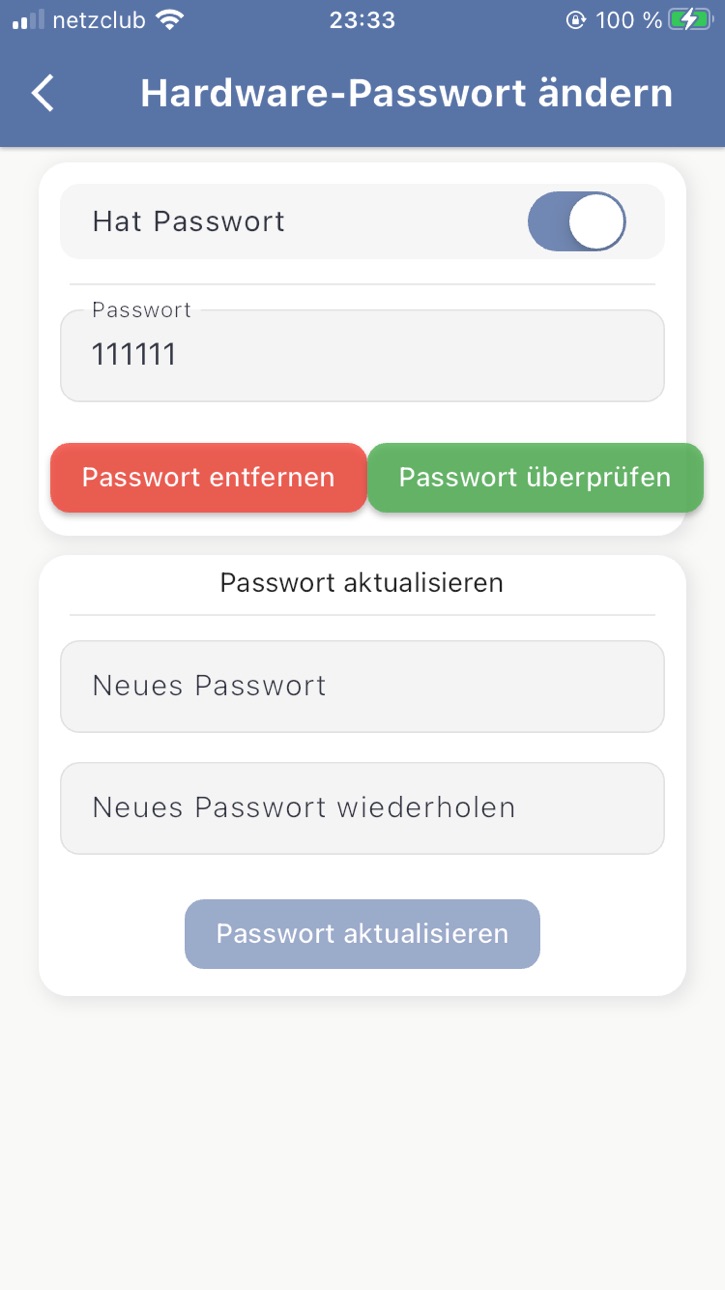
- Added option to create and remove a bluetooth password
- You can now read and write the configuration when a battery is protected by a bluetooth password
- Changing the password does not cause an error when connecting the next time
- Added option to change max. speed of tachometer
- SOC is now displayed when using serial and parallel connections in multi device view
Build 869521538v3.4.12024-10-07 21:23:28
* Updated the UI in some places
* Fix export of CSV files
* You can now trigger notifications and actions based on cellvoltage delta
JBD:
* We now support password protected bluetooth dongles!
* Implement Calibration (Current, Voltage
Daly:
* Increased the maximum value for rated capacity
Build 867971946v3.4.02024-08-04 22:55:14
* Updated the UI in some places
* Fix export of CSV files
* You can now trigger notifications and actions based on cellvoltage delta
JBD:
* We now support password protected bluetooth dongles!
* Implement Calibration (Current, Voltage
Daly:
* Increased the maximum value for rated capacity
Build 866115029v3.3.02024-05-24 00:39:32
- Added option to set up notifications and actions once certain events occur
- Fix opening contact form and other sites on android
- Improved logging view
- JBD:
- Fix writing certain configuration parameters that depend on others
Build 865180854v3.2.42024-04-14 14:42:42
- Exporting files under MacOS fixed
- Daly:
- Checking password has been fixed
Build 864988666v3.2.32024-04-05 22:26:12
- Fixed some bugs with setting a bms password
Daly:
- Added unfiltered search to find all dongles and support more bms
Build 864711487v3.2.22024-03-26 01:32:56
- Added Chinese and Italian to the supported languages.
- JBD:
- Fixed read configuration for some special batteries.
Build 864385305v3.2.12024-03-12 20:56:57
- Configuration profiles added. You can export and import them to get support from your dealer or share them with your friends!
- The version number of the app is now visible on the information page.
- More logging information has been added so we can better help you when you contact us!
- JBD:
- Added compatibility for newer BMS versions
- More crash safety!
- Daly:
- Progress bar will be displayed when writing configuration
- The switch-off delay is now calculated correctly
Build 864314380v3.2.02024-03-09 04:04:10
- Configuration profiles added. You can export and import them to get support from your dealer or share them with your friends!
- The version number of the app is now visible on the information page.
- More logging information has been added so we can better help you when you contact us!
- JBD:
- Added compatibility for newer BMS versions
- More crash safety!
- Daly:
- Progress bar will be displayed when writing configuration
- The switch-off delay is now calculated correctly
Build 863656976v3.1.22024-02-09 11:44:03
- Devices will now reconnect after connection has been lost
- JBD: Added support for older bluetooth dongles
Build 862518751v3.1.12023-12-28 00:34:13
- Multiview scrollable
- Open Device from MultiDeviceView
- Battery Display in overview can be switched between old and new style by clicking
Daly:
- Refactored the configuration dropdowns
JBD:
- Advanced Protection configuration added
- Disable configuration editing until first read
Build 861946630v3.1.02023-12-04 17:04:31
- We now support the Daly BMS with all the available features!
- New UI to display the battery capacity
- In the Multiconnection screen you have a section to display summed up values
- reorganized app settings
Changes for JBD:
- display the bms error counts
- reset the bms errors
Build 860246070v3.0.42023-09-28 01:23:33
- Added debugging log
- Changed how files are exported / shared
- Added option to enable background operation
- Minor UI adjustments
- Fixed "Discharge Overcurrent Trigger" value offset by 10 mA
- Fix Auto-Connect when a device is already connected
Build 860277241v3.0.52023-09-28 20:43:22
- Added debugging log
- Changed how files are exported / shared
- Added option to enable background operation
- Minor UI adjustments
- Fixed "Discharge Overcurrent Trigger" value offset by 10 mA
- Fix Auto-Connect when a device is already connected
Build 859835231v3.0.32023-09-11 23:24:51
- Fix wrong keyboard type on device filter
- Minor UI layout and text adjustments
- Added help texts in Configuration View
Build 859619933v3.0.22023-09-03 02:06:03
- Added option to filter for BMS names
Build 859511730v3.0.12023-08-30 16:42:34
• Fix estimated Range in GPS View
• Fix text breaking in Overview
• Minor visual improvements
• Added alert when connection to BMS takes longer than expected
• Display warnings and errors from BMS (Overcurrent etc.)
• Added Export Logging Data to CSV file
Build 858512216v3.0.02023-08-12 15:24:36
Version 3 has finally been released!
We have reprogrammed the entire app, which means that the app is now also available on other platforms.
Price history by region
Currency
Show
Columns
Search
Availability 111 of 111 storefronts
| Region | Language | Price | Ratings | Avg | Version |
|---|---|---|---|---|---|
| DE | de-DE | EUR 7.99 | 28 | 4.0 | 3.5.6 |
| US | en-US | USD 6.99 | 12 | 4.3 | 3.5.6 |
| RU | ru | RUB 599 | 5 | 4.2 | 3.5.6 |
| CZ | en-GB | CZK 199 | 4 | 5.0 | 3.5.6 |
| NL | nl | EUR 7.99 | 4 | 4.8 | 3.5.6 |
| CA | en-CA | CAD 9.99 | 2 | 4.5 | 3.5.6 |
| CH | de-CH | CHF 6 | 2 | 2.5 | 3.5.6 |
| DK | en-GB | DKK 59 | 2 | 3.0 | 3.5.6 |
| FR | fr-FR | EUR 7.99 | 2 | 5.0 | 3.5.6 |
| AE | en-GB | AED 24.99 | 1 | 1.0 | 3.5.6 |
| AT | de-DE | EUR 7.99 | 1 | 4.0 | 3.5.6 |
| AU | en-AU | AUD 9.99 | 1 | 5.0 | 3.5.6 |
| BY | en-GB | USD 7.99 | 1 | 5.0 | 3.5.6 |
| GB | en-GB | GBP 6.99 | 1 | 3.0 | 3.5.6 |
| LT | en-GB | EUR 7.99 | 1 | 5.0 | 3.5.6 |
| PL | en-GB | PLN 29.99 | 1 | 5.0 | 3.5.6 |
| RO | en-GB | RON 39.99 | 1 | 5.0 | 3.5.6 |
| UA | en-GB | USD 7.99 | 1 | 1.0 | 3.5.6 |
| AL | en-GB | USD 7.99 | 0 | — | 3.5.6 |
| AO | en-GB | USD 6.99 | 0 | — | 3.5.6 |
| AR | es-MX | USD 6.99 | 0 | — | 3.5.6 |
| BA | en-GB | EUR 7.99 | 0 | — | 3.5.6 |
| BB | en-GB | USD 7.99 | 0 | — | 3.5.6 |
| BE | en-GB | EUR 7.99 | 0 | — | 3.5.6 |
| BG | en-GB | EUR 7.99 | 0 | — | 3.5.6 |
| BH | en-GB | USD 7.99 | 0 | — | 3.5.6 |
| BJ | en-GB | USD 7.99 | 0 | — | 3.5.6 |
| BO | es-MX | USD 6.99 | 0 | — | 3.5.6 |
| BR | pt-BR | BRL 49.9 | 0 | — | 3.5.6 |
| BS | en-GB | USD 7.99 | 0 | — | 3.5.6 |
| BZ | en-GB | USD 6.99 | 0 | — | 3.5.6 |
| CI | fr-FR | USD 7.99 | 0 | — | 3.5.6 |
| CL | es-MX | CLP 7990 | 0 | — | 3.5.6 |
| CM | fr-FR | USD 7.99 | 0 | — | 3.5.6 |
| CO | es-MX | COP 29900 | 0 | — | 3.5.6 |
| CR | es-MX | USD 6.99 | 0 | — | 3.5.6 |
| CV | en-GB | USD 6.99 | 0 | — | 3.5.6 |
| CY | en-GB | EUR 7.99 | 0 | — | 3.5.6 |
| DO | es-MX | USD 6.99 | 0 | — | 3.5.6 |
| DZ | en-GB | USD 6.99 | 0 | — | 3.5.6 |
| EC | es-MX | USD 6.99 | 0 | — | 3.5.6 |
| EE | en-GB | EUR 7.99 | 0 | — | 3.5.6 |
| ES | es-ES | EUR 7.99 | 0 | — | 3.5.6 |
| FI | en-GB | EUR 7.99 | 0 | — | 3.5.6 |
| GA | fr-FR | USD 6.99 | 0 | — | 3.5.6 |
| GH | en-GB | USD 7.99 | 0 | — | 3.5.6 |
| GM | en-GB | USD 6.99 | 0 | — | 3.5.6 |
| GR | en-GB | EUR 7.99 | 0 | — | 3.5.6 |
| GT | es-MX | USD 6.99 | 0 | — | 3.5.6 |
| GW | en-GB | USD 6.99 | 0 | — | 3.5.6 |
| GY | en-GB | USD 6.99 | 0 | — | 3.5.6 |
| HN | es-MX | USD 6.99 | 0 | — | 3.5.6 |
| HR | en-GB | EUR 7.99 | 0 | — | 3.5.6 |
| HU | en-GB | HUF 2990 | 0 | — | 3.5.6 |
| IE | en-GB | EUR 7.99 | 0 | — | 3.5.6 |
| IL | en-GB | ILS 24.9 | 0 | — | 3.5.6 |
| IS | en-GB | USD 7.99 | 0 | — | 3.5.6 |
| IT | it | EUR 7.99 | 0 | — | 3.5.6 |
| JM | en-GB | USD 6.99 | 0 | — | 3.5.6 |
| JO | en-GB | USD 6.99 | 0 | — | 3.5.6 |
| KE | en-GB | USD 7.99 | 0 | — | 3.5.6 |
| KW | en-GB | USD 6.99 | 0 | — | 3.5.6 |
| KY | en-GB | USD 6.99 | 0 | — | 3.5.6 |
| LR | en-GB | USD 6.99 | 0 | — | 3.5.6 |
| LU | en-GB | EUR 7.99 | 0 | — | 3.5.6 |
| LV | en-GB | EUR 7.99 | 0 | — | 3.5.6 |
| LY | en-GB | USD 6.99 | 0 | — | 3.5.6 |
| MA | en-GB | USD 6.99 | 0 | — | 3.5.6 |
| MD | en-GB | USD 7.99 | 0 | — | 3.5.6 |
| ME | en-GB | EUR 6.99 | 0 | — | 3.5.6 |
| MG | en-GB | USD 6.99 | 0 | — | 3.5.6 |
| MK | en-GB | USD 6.99 | 0 | — | 3.5.6 |
| MT | en-GB | EUR 7.99 | 0 | — | 3.5.6 |
| MU | en-GB | USD 7.99 | 0 | — | 3.5.6 |
| MW | en-GB | USD 6.99 | 0 | — | 3.5.6 |
| MX | es-MX | MXN 149 | 0 | — | 3.5.6 |
| MZ | en-GB | USD 6.99 | 0 | — | 3.5.6 |
| NE | en-GB | USD 6.99 | 0 | — | 3.5.6 |
| NG | en-GB | NGN 9900 | 0 | — | 3.5.6 |
| NI | es-MX | USD 6.99 | 0 | — | 3.5.6 |
| NO | en-GB | NOK 89 | 0 | — | 3.5.6 |
| NZ | en-AU | NZD 12.99 | 0 | — | 3.5.6 |
| OM | en-GB | USD 6.99 | 0 | — | 3.5.6 |
| PA | es-MX | USD 6.99 | 0 | — | 3.5.6 |
| PE | es-MX | PEN 29.9 | 0 | — | 3.5.6 |
| PT | pt-PT | EUR 7.99 | 0 | — | 3.5.6 |
| PY | es-MX | USD 6.99 | 0 | — | 3.5.6 |
| QA | en-GB | QAR 24.99 | 0 | — | 3.5.6 |
| RS | en-GB | EUR 7.99 | 0 | — | 3.5.6 |
| RW | en-GB | USD 6.99 | 0 | — | 3.5.6 |
| SA | en-GB | SAR 29.99 | 0 | — | 3.5.6 |
| SC | en-GB | USD 6.99 | 0 | — | 3.5.6 |
| SE | sv | SEK 99 | 0 | — | 3.5.6 |
| SI | en-GB | EUR 7.99 | 0 | — | 3.5.6 |
| SK | en-GB | EUR 7.99 | 0 | — | 3.5.6 |
| SL | en-GB | USD 6.99 | 0 | — | 3.5.6 |
| SR | en-GB | USD 7.99 | 0 | — | 3.5.6 |
| ST | en-GB | USD 6.99 | 0 | — | 3.5.6 |
| SV | es-MX | USD 6.99 | 0 | — | 3.5.6 |
| SZ | en-GB | USD 6.99 | 0 | — | 3.5.6 |
| TC | en-GB | USD 6.99 | 0 | — | 3.5.6 |
| TD | en-GB | USD 6.99 | 0 | — | 3.5.6 |
| TN | en-GB | USD 6.99 | 0 | — | 3.5.6 |
| TR | en-GB | TRY 399.99 | 0 | — | 3.5.6 |
| TT | en-GB | USD 6.99 | 0 | — | 3.5.6 |
| TZ | en-GB | TZS 19900 | 0 | — | 3.5.6 |
| UG | en-GB | USD 7.99 | 0 | — | 3.5.6 |
| UY | en-GB | USD 6.99 | 0 | — | 3.5.6 |
| VE | es-MX | USD 6.99 | 0 | — | 3.5.6 |
| VG | en-GB | USD 6.99 | 0 | — | 3.5.6 |
| XK | en-GB | EUR 7.99 | 0 | — | 3.5.6 |
Change log 29 changes · US
✎
releaseNotes updated
- Re-added the auto connection to device
- Fixed the device name filter in connection screen
- Small logging adjustments
✎
description updated
Welcome to SmartBMS Utility, an advanced solution that helps you optimize energy management while extending the life of your batteries. Our app allows you to mo
✎
subtitle updated
Perfect for your JBD BMS!
✎
name updated
SmartBMS Utility
◆
Version 3.5.6 released
- Re-added the auto connection to device
- Fixed the device name filter in connection screen
- Small logging adjustments
◆
Version 3.5.5 released
- Consistent button design
- Automatic reconnection to batteries in Multiview
JBD
- Fixed an issue with reading cell voltage under certain conditions
- Fixed temperature calibration
- Hardware overcurrent protection values are now read cor
◆
Version 3.5.4 released
* updated the multi device summary view
* fixed device filter keyboard type
* reworked the page transition
* fixed styling of input fields
JBD:
* fixed reading of large voltage packages
* fixed overcurrent and shortcircuit configuration val
◆
Version 3.5.3 released
- Allow 20 characters for custom name
- Display MAC Address in overview
- [JBD] Fix hardware overcurrent protection values in advanced configuration
◆
Version 3.5.2 released
* Fix calibration
* Minor UI changes
* Two-Column cell view for 12 cells or more
◆
Version 3.5.1 released
* Export Logging:
* Timestamp is now in UTC
* Added chart to preview selected data
* Fixed time formatting for different languages
* New: View logs of devices that are outside range
* Reworked the logging view
* Removed time range sel
◆
Version 3.5.0 released
- Some translations have been revised
- The logging graph has been expanded to include zoom and scroll functions
- Pop-up dialogs have been adapted to the respective platform
- Time format is now adopted by the system
- Performance optimiza
◆
Version 3.4.2 released
[JBD]:
- Added option to create and remove a bluetooth password
- You can now read and write the configuration when a battery is protected by a bluetooth password
- Changing the password does not cause an error when connecting the next t
◆
Version 3.4.1 released
* Updated the UI in some places
* Fix export of CSV files
* You can now trigger notifications and actions based on cellvoltage delta
JBD:
* We now support password protected bluetooth dongles!
* Implement Calibration (Current, Voltage
Dal
◆
Version 3.4.0 released
* Updated the UI in some places
* Fix export of CSV files
* You can now trigger notifications and actions based on cellvoltage delta
JBD:
* We now support password protected bluetooth dongles!
* Implement Calibration (Current, Voltage
Dal
◆
Version 3.3.0 released
- Added option to set up notifications and actions once certain events occur
- Fix opening contact form and other sites on android
- Improved logging view
- JBD:
- Fix writing certain configuration parameters that depend on others
◆
Version 3.2.4 released
- Exporting files under MacOS fixed
- Daly:
- Checking password has been fixed
◆
Version 3.2.3 released
- Fixed some bugs with setting a bms password
Daly:
- Added unfiltered search to find all dongles and support more bms
◆
Version 3.2.2 released
- Added Chinese and Italian to the supported languages.
- JBD:
- Fixed read configuration for some special batteries.
◆
Version 3.2.1 released
- Configuration profiles added. You can export and import them to get support from your dealer or share them with your friends!
- The version number of the app is now visible on the information page.
- More logging information has been adde
◆
Version 3.2.0 released
- Configuration profiles added. You can export and import them to get support from your dealer or share them with your friends!
- The version number of the app is now visible on the information page.
- More logging information has been adde
◆
Version 3.1.2 released
- Devices will now reconnect after connection has been lost
- JBD: Added support for older bluetooth dongles
◆
Version 3.1.1 released
- Multiview scrollable
- Open Device from MultiDeviceView
- Battery Display in overview can be switched between old and new style by clicking
Daly:
- Refactored the configuration dropdowns
JBD:
- Advanced Protection configuration added
- D
◆
Version 3.1.0 released
- We now support the Daly BMS with all the available features!
- New UI to display the battery capacity
- In the Multiconnection screen you have a section to display summed up values
- reorganized app settings
Changes for JBD:
- display the
◆
Version 3.0.5 released
- Added debugging log
- Changed how files are exported / shared
- Added option to enable background operation
- Minor UI adjustments
- Fixed "Discharge Overcurrent Trigger" value offset by 10 mA
- Fix Auto-Connect when a device is already c
◆
Version 3.0.4 released
- Added debugging log
- Changed how files are exported / shared
- Added option to enable background operation
- Minor UI adjustments
- Fixed "Discharge Overcurrent Trigger" value offset by 10 mA
- Fix Auto-Connect when a device is already c
◆
Version 3.0.3 released
- Fix wrong keyboard type on device filter
- Minor UI layout and text adjustments
- Added help texts in Configuration View
◆
Version 3.0.2 released
- Added option to filter for BMS names
◆
Version 3.0.1 released
• Fix estimated Range in GPS View
• Fix text breaking in Overview
• Minor visual improvements
• Added alert when connection to BMS takes longer than expected
• Display warnings and errors from BMS (Overcurrent etc.)
• Added Export Logging D
◆
Version 3.0.0 released
Version 3 has finally been released!
We have reprogrammed the entire app, which means that the app is now also available on other platforms.