Home › Business

 US
US
1 of 1 storefronts
Content in en-US
Content in en-US
Information
Apple ID1537807375
Bundle IDcom.lowes.driversapp.delivered
SellerSeller
Min iOS15.6
Min macOS12.5
Device familiesiphone, ipad, ipod
Released2020-11-03
Copyright© Lowe's Inc. 2020
Privacy policyLink ↗
Preview 2 platforms
iPhone 6 images



iPad 6 images


What’s New Version 5.1.6
This update includes improvements and refinements to enhance your delivery experience:
* Call the Alternate Delivery Contact directly by tapping the phone icon next to their name.
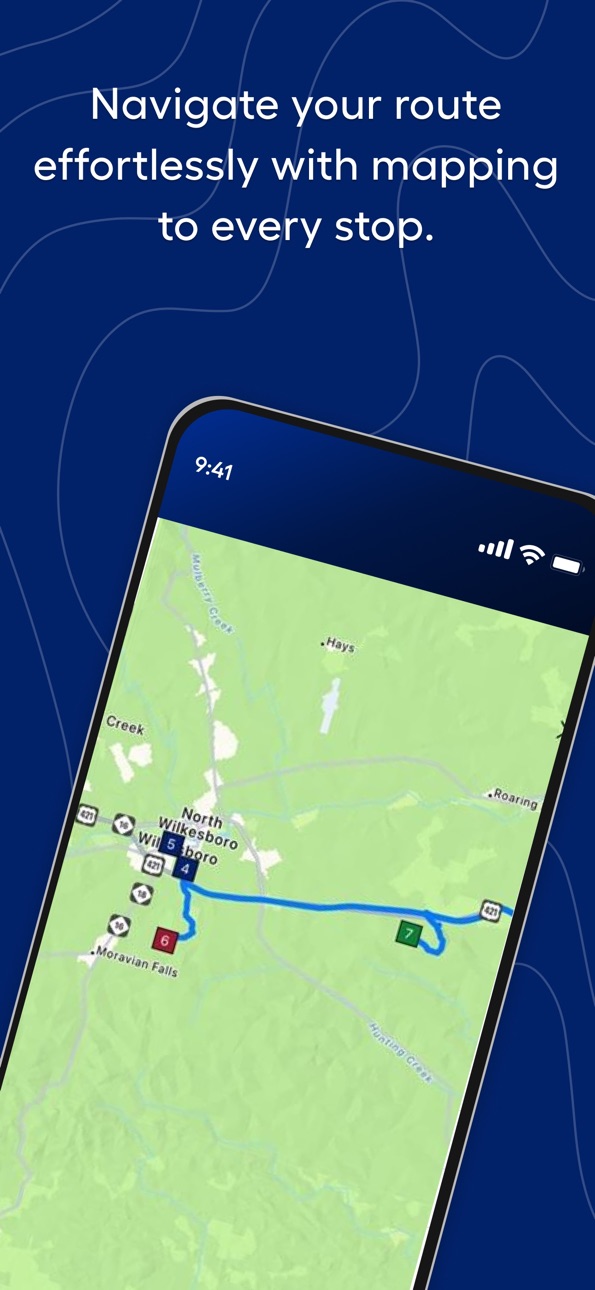
* Access the map even before deliveries have finished loading.
* Keep captured Haul Away photos when selecting a different reason code.
* Enjoy improved app stability with backend performance enhancements.
Description
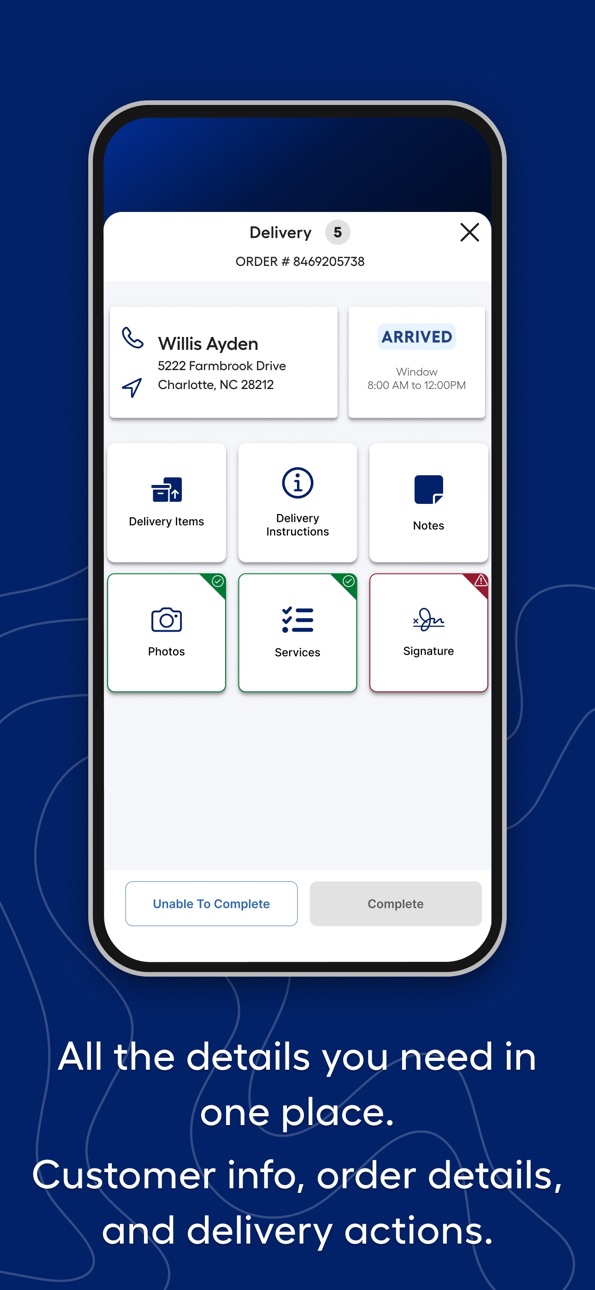
Third-party drivers can update delivery status, capture photos, and more, all within the Delivered app. This powerful all-in-one tool has everything you need to get the job done quickly and efficiently, saving you time and headaches. From your morning pick-up to the last drop of the day, Delivered by Lowe's has you covered with all the information and reporting you need in one simple app.
We’ll be constantly adding features to the app as we make improvements, so check back often for updates as we create the best app around for Lowe’s third-party delivery drivers.
Accessibility
ipadiphonemacrealityDevicetvoswatch
Version history 25 versions
Build 885144111v5.1.62026-05-11 09:11:43
This update includes improvements and refinements to enhance your delivery experience:
* Call the Alternate Delivery Contact directly by tapping the phone icon next to their name.
* Access the map even before deliveries have finished loading.
* Keep captured Haul Away photos when selecting a different reason code.
* Enjoy improved app stability with backend performance enhancements.
Build 883941851v5.1.52026-04-01 07:33:22
Includes performance improvements to customer delivery tracking.
Build 882218060v5.1.42026-03-23 07:21:32
Backend enhancements to improve overall app stability
Improved syncing of delivery statuses across multiple devices
Build 881772119v5.1.22026-01-28 06:31:44
This update includes improvements and refinements to enhance your delivery experience:
- Screen pull to refresh/sync has been reintroduced on the Load screen
- Delivery Instructions tile is now required to view when instructions are provided by the customer
- Updated pop-up messaging when accessing Not Staged deliveries
- Minor UI fixes and visual improvements
- Backend performance enhancements for improved app stability
Build 880804262v5.1.12026-01-07 07:15:16
iOS Release Notes
This update brings several improvements to enhance your delivery experience:
- Performance upgrades for improved app stability.
- Refreshed login screen for a cleaner, updated look.
- New ability to view your selected fleet asset in the side panel.
- Fixed issue that prevented attaching photos from the device’s gallery.
- New prompt guiding users to enable “Always Allow” location permissions for improved customer support.
- Fixed issue when users were unable to capture a partial loading exception after receiving a staged status update.
Build 878993630v5.1.02025-10-17 16:43:04
Release Notes:
- Added Temporary Window Removal as a new Extended Service.
- Introduced an enhanced view when capturing the manager signature for loading that displays the selected truck asset and allows users to edit asset details prior to signature capture.
- Improved delivery services visibility by allowing users to access and review the Services tile prior to an Arrival status.
- General performance and backend improvements to ensure a smoother and more reliable app experience.
Build 878761445v5.0.32025-10-09 12:10:20
This update includes key improvements to enhance your app experience:
- Backend enhancements for improved overall app stability.
- Fixed issue that caused app to crash when adding a Hookup service to a delivery.
Build 878559487v5.0.22025-10-01 11:00:08
- Improved app performance and stability for a smoother experience.
- Enhancements that improve login session retention to reduce repeated sign-ins.
- Fixed an issue where customer addresses did not display correctly in navigation apps during In Transit status updates.
- Enabled to allow updating orders from Not Delivered to Delivered by starting navigation.
Build 878256841v5.0.12025-09-20 04:28:32
This update brings important fixes and improvements to enhance your app experience.
- Backend changes for overall app stability.
- Fixed issue with Re-Trip delivery types not closing.
- Updated delivery status colours for improved visibility.
Build 877980374v5.0.02025-09-10 14:02:58
Includes numerous backend changes that improve overall stability and optimize app infrastructure to support quicker updates and new features.
Also including the below enhancements:
- Improved customer signature flow with fewer clicks to complete.
- Displaying returning location's address in Returns screen for easy navigation.
Build 874770804v4.1.12025-05-15 10:02:49
Release Notes 4.1.1
Including multiple backend changes to improve syncing of both LTD status updates and Return Manifest for final mile delivery.
Build 874524372v4.1.02025-05-05 23:55:02
4.1.0 Release Notes
Introducing the below new Extended Services to track service completions and improve driver visibility of customer requirements. Also including the ability to add extended services to a delivery if necessary.
- Hookup - Complete hookup of appliance.
- Carry In - Carried in more than 20 boxes or units.
- Flights of Stairs - Required climbing more than 2 flights of stairs.
- 4 Person Meetup - Required a delivery team of 4 people to complete delivery.
Also including the all new Fleet Adder experience that allows drivers to indicate Lowe's owned vs 3PL provided assets to complete delivery routes.
Build 874391840v4.0.22025-04-29 17:37:54
Along with backend improvements to overall app stability, release includes the following fixes.
- Ability to view consolidated box routes.
- Improving syncing of return manifest when completing route.
Build 873752319v4.0.12025-04-03 11:49:13
Includes fix to display correct item number in new UI.
Build 873666077v4.0.02025-03-31 18:31:10
Including a new route progression bar that tracks the total completion of a route. By completing a delivery, the completion percentage will continue to increase until reaching 100%.
Introducing the Returns screen that is accessible once completing all deliveries on a route. After the final delivery is completed, click “Complete Route” and all items that were not delivered or picked up will display on this screen with the appropriate returning location. Also displaying total Haul Aways and Accessories that were used from the emergency tote.
**The below will not be immediately available for all locations and you will be notified by your leadership prior to seeing update.
Completely new UI design that provides an upgraded delivery app experience for easier delivery completion, enhanced driver visibility and improvements to overall app performance.
Build 873111060v3.22.22025-03-10 22:02:50
Includes new loading restriction that requires a staged status. Not available in all locations and communication will follow when enabling.
Also including backend performance improvements for overall app stability.
Build 872401981v3.22.12025-02-11 16:59:46
Release Notes
Not Delivered deliveries now remain in Deliver screen.
Backend performance improvements for overall app stability.
Localized Truck Delivery
Ability to view shipment details prior to Load To Truck completion.
Build 871056988v3.22.02024-12-11 16:46:52
Along with improvements to overall stability, we are introducing a few enhancements with this release.
Cover Photo Verification
A new flow to ensure quality photos are selected for the cover photo by providing a simple flow when completing the delivery. When you click “Complete” to close out a delivery, a pop-up will display to verify if the currently selected cover photo is the one they wish to select. This photo is visible to the customer so selecting a photo that represents a successfully completed delivery is essential. The last photo captured will automatically set as the cover photo and you will still have the option to manually select. The new pop-up allows you to review the currently selected cover photo and will easily direct to the gallery if you wish to change.
Extended Services
We have added two new checklist items in the services checklist. You can now indicate if you were required to carry in more than 20 boxes/units and if the delivery required more than two flights of stairs for delivery completion.
App Camera
The preview screen for the app camera has now been fixed to reflect the same as the photo being captured. Before when capturing photos, the preview screen portrayed a zoomed in view, which led you to believe that the photo was more zoomed in and was more difficult to capture photos in tight areas.
Localized Truck Delivery – Loading Restriction
For only those deliveries that service our Localized Truck Delivery model, we are introducing a new requirement to enable loading in the app. All TOs on a shipment must be “loaded to truck” prior to enabling loading. This action is completed by a Lowe’s Associate. A pop-up will display if those functions have not been fully executed. After completion, you can simply pull down the screen and the status will update from “Unable to Load” to “Arrived” and loading can proceed as normal.
Build 869727120v3.21.32024-10-15 15:04:45
Includes ability to retain login session after app has been terminated along with improvements to overall app stability.
Build 869231414v3.21.12024-09-24 19:29:49
Ability to display a canceled shipment status for Localized Truck Delivery.
Build 869062603v3.21.02024-09-17 12:19:12
Introducing the hub & spoke model of Localized Truck Delivery that will enable capturing status updates, photos and signatures for shipments. Localized truck delivery can be identified in the Trucks screen and will only available for select locations.
Build 868412962v3.20.22024-08-22 17:39:31
This release includes performance improvements and bug fixes.
Build 867706413v3.20.12024-07-24 14:01:21
Includes a bug fix that blocked certain deliveries from syncing a Delivered status update.
Build 867506981v3.20.02024-07-16 11:21:31
Introducing the ability to load photos that were captured on a different device. By clicking into the photo gallery of a delivery, new photos will begin displaying if they were taken on another device. A message will display on the gallery if there are additional photos available and simply swiping up will prompt the loading.
Along with this enhancement, we are releasing backend changes to improve overall app stability.
Build 866495046v3.19.12024-06-06 11:46:58
Displaying a new icon if the customer indicates at the point of sale that an appliance hookup is required. When clicking into the delivery details, an icon will display next the item that the customer requested for hookup. This feature has not been fully released, so icon will not be displayed immediately, but should begin to see in the coming weeks.
Including a bug fix that would prevent the services checklist from displaying and user unable to complete the delivery. Multiple backend improvements are also included.
No pricing data captured yet — comparisons appear once the app has paid storefronts or in-app purchases.
Availability 1 of 1 storefronts
| Region | Language | Price | Ratings | Avg | Version |
|---|---|---|---|---|---|
| US | en-US | Free | 510 | 1.9 | 5.1.6 |
Change log 29 changes · US
✎
releaseNotes updated
This update includes improvements and refinements to enhance your delivery experience:
* Call the Alternate Delivery Contact directly by tapping the phone icon
✎
description updated
Third-party drivers can update delivery status, capture photos, and more, all within the Delivered app. This powerful all-in-one tool has everything you need to
✎
subtitle updated
Deliver with ease, with Lowe's
✎
name updated
Delivered, by Lowe's
◆
Version 5.1.6 released
This update includes improvements and refinements to enhance your delivery experience:
* Call the Alternate Delivery Contact directly by tapping the phone icon next to their name.
* Access the map even before deliveries have finished loadi
◆
Version 5.1.5 released
Includes performance improvements to customer delivery tracking.
◆
Version 5.1.4 released
Backend enhancements to improve overall app stability
Improved syncing of delivery statuses across multiple devices
◆
Version 5.1.2 released
This update includes improvements and refinements to enhance your delivery experience:
- Screen pull to refresh/sync has been reintroduced on the Load screen
- Delivery Instructions tile is now required to view when instructions are provi
◆
Version 5.1.1 released
iOS Release Notes
This update brings several improvements to enhance your delivery experience:
- Performance upgrades for improved app stability.
- Refreshed login screen for a cleaner, updated look.
- New ability to view your selected fl
◆
Version 5.1.0 released
Release Notes:
- Added Temporary Window Removal as a new Extended Service.
- Introduced an enhanced view when capturing the manager signature for loading that displays the selected truck asset and allows users to edit asset details prior
◆
Version 5.0.3 released
This update includes key improvements to enhance your app experience:
- Backend enhancements for improved overall app stability.
- Fixed issue that caused app to crash when adding a Hookup service to a delivery.
◆
Version 5.0.2 released
- Improved app performance and stability for a smoother experience.
- Enhancements that improve login session retention to reduce repeated sign-ins.
- Fixed an issue where customer addresses did not display correctly in navigation apps duri
◆
Version 5.0.1 released
This update brings important fixes and improvements to enhance your app experience.
- Backend changes for overall app stability.
- Fixed issue with Re-Trip delivery types not closing.
- Updated delivery status colours for improved visibil
◆
Version 5.0.0 released
Includes numerous backend changes that improve overall stability and optimize app infrastructure to support quicker updates and new features.
Also including the below enhancements:
- Improved customer signature flow with fewer clicks to
◆
Version 4.1.1 released
Release Notes 4.1.1
Including multiple backend changes to improve syncing of both LTD status updates and Return Manifest for final mile delivery.
◆
Version 4.1.0 released
4.1.0 Release Notes
Introducing the below new Extended Services to track service completions and improve driver visibility of customer requirements. Also including the ability to add extended services to a delivery if necessary.
- Hookup
◆
Version 4.0.2 released
Along with backend improvements to overall app stability, release includes the following fixes.
- Ability to view consolidated box routes.
- Improving syncing of return manifest when completing route.
◆
Version 4.0.1 released
Includes fix to display correct item number in new UI.
◆
Version 4.0.0 released
Including a new route progression bar that tracks the total completion of a route. By completing a delivery, the completion percentage will continue to increase until reaching 100%.
Introducing the Returns screen that is accessible once
◆
Version 3.22.2 released
Includes new loading restriction that requires a staged status. Not available in all locations and communication will follow when enabling.
Also including backend performance improvements for overall app stability.
◆
Version 3.22.1 released
Release Notes
Not Delivered deliveries now remain in Deliver screen.
Backend performance improvements for overall app stability.
Localized Truck Delivery
Ability to view shipment details prior to Load To Truck completion.
◆
Version 3.22.0 released
Along with improvements to overall stability, we are introducing a few enhancements with this release.
Cover Photo Verification
A new flow to ensure quality photos are selected for the cover photo by providing a simple flow when completin
◆
Version 3.21.3 released
Includes ability to retain login session after app has been terminated along with improvements to overall app stability.
◆
Version 3.21.1 released
Ability to display a canceled shipment status for Localized Truck Delivery.
◆
Version 3.21.0 released
Introducing the hub & spoke model of Localized Truck Delivery that will enable capturing status updates, photos and signatures for shipments. Localized truck delivery can be identified in the Trucks screen and will only available for select
◆
Version 3.20.2 released
This release includes performance improvements and bug fixes.
◆
Version 3.20.1 released
Includes a bug fix that blocked certain deliveries from syncing a Delivered status update.
◆
Version 3.20.0 released
Introducing the ability to load photos that were captured on a different device. By clicking into the photo gallery of a delivery, new photos will begin displaying if they were taken on another device. A message will display on the gallery
◆
Version 3.19.1 released
Displaying a new icon if the customer indicates at the point of sale that an appliance hookup is required. When clicking into the delivery details, an icon will display next the item that the customer requested for hookup. This feature has