Home › Books

 US
US
1 of 1 storefronts
Content in en-US
Content in en-US
Information
Preview 3 platforms
iPhone 5 images


iPad 5 images


Mac 4 images


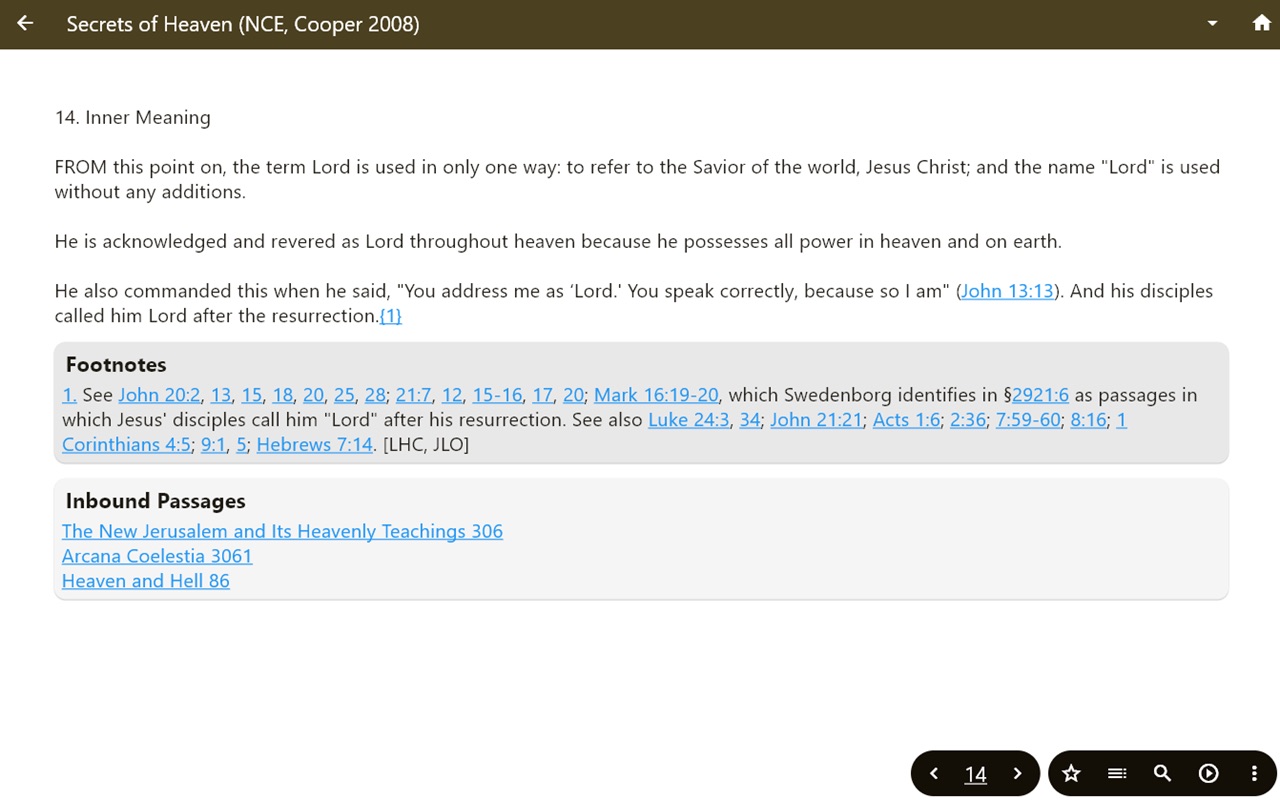

What’s New Version 5.2.0
Improved voices for text-to-speech streaming.
Description
The Swedenborg Reader is an app for reading and searching the theological works of Emanuel Swedenborg and the Holy Bible. It provides user interfaces in 25 languages and offers multiple translations of both Swedenborg’s works and the Bible for each supported language.
Accessibility
ipadiphonemacrealityDevicetvoswatch
Version history 16 versions
Build 886251936v5.2.02026-05-28 20:45:59
Improved voices for text-to-speech streaming.
Build 884989445v5.1.62026-04-28 16:47:24
Improved voices for text-to-speech streaming.
Build 883236889v5.1.22026-03-11 01:39:32
Added a language choice to the search page
Build 882753988v5.1.12026-02-24 23:07:22
- add back the prompt to continue reading from your last location
- add functionality for sharing text highlights and associated notes
- adjust read aloud speed
- bug fixes
Build 882129549v5.0.92026-02-05 16:38:29
Introducing Swedenborg Reader 5!
- Bible reading is now fully integrated along with Emanuel Swedenborg’s works
- Enjoy all your favorite reading tools while exploring the Bible: choose translations, search across texts, save passages, listen aloud, and more
- Seamlessly switch between the Bible and Swedenborg’s works using contextually relevant reference links
Build 875670843v4.4.22025-06-18 09:55:40
- UI modifications, including the addition of a dark theme
- Visual feedback when changing pages
- Reduced interference with system overlays such as the notification area and 3-button navigation
- Link to privacy policy
Build 869442740v4.3.02024-10-05 10:36:13
- Changes to search logic: auto-degrade from "All Words" to "Any" to "All" when there are no results found.
- Change to sliding scale UI for reading speed.
- Refined the logic governing which translation to show when a user follows a reference link to a work, when they have multiple translations of that work downloaded.
- bug fixes
Build 866418262v4.2.62024-06-04 07:29:22
- New highlighting functionality added. Select text to highlight, then choose "Highlight" from the context menu to save your selection as a bookmark. Tap the highlighted text again to add a note.
- Reorganized homepage with direct links to My Bookmarks and NC Chatbot added.
Build 865212436v4.2.02024-04-15 19:17:03
- Added support for user interfaces in Albanian, Montenegrin, and Macedonian
- Text-selection menu will now offer 'share' functionality
Build 864804382v4.1.42024-04-01 20:39:40
-New bookmarking function -- use the star icon to save a list of favorite/notable passages.
-More linking between passages in Swedenborg's works. At the bottom of each page, look for lists of "Related Passages'' (similar/parallel) and "Inbound Passages'' (passages that link or refer to the current passage).
-Many other UI improvements and bug fixes.
Build 862708283v4.0.92024-01-06 23:54:30
Fixed some styling problems that were introduced with the previous (4.0.8) release.
New features added in version 4.0.8
- Add tables of contents for each translation to support easy navigation between chapters.
- Save the furthest passage read for each translation so you can continue where you left off.
- Improve the left/right swipe gesture for navigating through passages.
Build 862678678v4.0.82024-01-04 19:16:48
- Add tables of contents for each translation to support easy navigation between chapters.
- Save the furthest passage read for each translation so you can continue where you left off.
- Improve the left/right swipe gesture for navigating through passages.
Build 860379944v4.0.32023-10-06 20:52:44
We added a more informative error message to deal with a bug that some users have experienced when updating to version 4.0.2 or higher from an earlier version of the app.
Note: If you see a "Couldn't fetch online works. -- Please check your device's internet connection" message despite having an active connection, you have likely run into the same bug.
To resolve the issue, return to the home screen, click the yellow "Information" link, and then click the blue "Clear my data and downloaded translations" button. After doing that you will be able to return to the "Download works" screen and choose your preferred translations to download.
Build 860126952v4.0.22023-09-25 16:49:01
This latest version includes hyperlinks within and between works, and to the many Bible passages that are cited.
Build 838081901v3.0.22020-10-05 18:37:49
Bug fix to the sharing functionality.
Build 837786445v1.02020-10-02 18:10:18
No pricing data captured yet — comparisons appear once the app has paid storefronts or in-app purchases.
Availability 1 of 1 storefronts
| Region | Language | Price | Ratings | Avg | Version |
|---|---|---|---|---|---|
| US | en-US | Free | 9 | 5.0 | 5.2.0 |
Change log 20 changes · US
✎
releaseNotes updated
Improved voices for text-to-speech streaming.
✎
description updated
The Swedenborg Reader is an app for reading and searching the theological works of Emanuel Swedenborg and the Holy Bible. It provides user interfaces in 25 lang
✎
subtitle updated
By New Christian Bible Study
✎
name updated
Swedenborg Reader
◆
Version 5.2.0 released
Improved voices for text-to-speech streaming.
◆
Version 5.1.6 released
Improved voices for text-to-speech streaming.
◆
Version 5.1.2 released
Added a language choice to the search page
◆
Version 5.1.1 released
- add back the prompt to continue reading from your last location
- add functionality for sharing text highlights and associated notes
- adjust read aloud speed
- bug fixes
◆
Version 5.0.9 released
Introducing Swedenborg Reader 5!
- Bible reading is now fully integrated along with Emanuel Swedenborg’s works
- Enjoy all your favorite reading tools while exploring the Bible: choose translations, search across texts, save passages, lis
◆
Version 4.4.2 released
- UI modifications, including the addition of a dark theme
- Visual feedback when changing pages
- Reduced interference with system overlays such as the notification area and 3-button navigation
- Link to privacy policy
◆
Version 4.3.0 released
- Changes to search logic: auto-degrade from "All Words" to "Any" to "All" when there are no results found.
- Change to sliding scale UI for reading speed.
- Refined the logic governing which translation to show when a user follows a refe
◆
Version 4.2.6 released
- New highlighting functionality added. Select text to highlight, then choose "Highlight" from the context menu to save your selection as a bookmark. Tap the highlighted text again to add a note.
- Reorganized homepage with direct links to
◆
Version 4.2.0 released
- Added support for user interfaces in Albanian, Montenegrin, and Macedonian
- Text-selection menu will now offer 'share' functionality
◆
Version 4.1.4 released
-New bookmarking function -- use the star icon to save a list of favorite/notable passages.
-More linking between passages in Swedenborg's works. At the bottom of each page, look for lists of "Related Passages'' (similar/parallel) and "Inb
◆
Version 4.0.9 released
Fixed some styling problems that were introduced with the previous (4.0.8) release.
New features added in version 4.0.8
- Add tables of contents for each translation to support easy navigation between chapters.
- Save the furthest passage
◆
Version 4.0.8 released
- Add tables of contents for each translation to support easy navigation between chapters.
- Save the furthest passage read for each translation so you can continue where you left off.
- Improve the left/right swipe gesture for navigating
◆
Version 4.0.3 released
We added a more informative error message to deal with a bug that some users have experienced when updating to version 4.0.2 or higher from an earlier version of the app.
Note: If you see a "Couldn't fetch online works. -- Please check y
◆
Version 4.0.2 released
This latest version includes hyperlinks within and between works, and to the many Bible passages that are cited.
◆
Version 3.0.2 released
Bug fix to the sharing functionality.
◆
Version 1.0 released