Home › Utilities

 US
US
1 of 1 storefronts
Content in en-US
Content in en-US
Information
Preview 3 platforms
iPhone 10 images


iPad 8 images


Apple Watch 3 images


What’s New Version 1.60.1
- Fixes a bug with Sensor Zoo labelling for compass.
- Improved microphone recording reliability.
Description
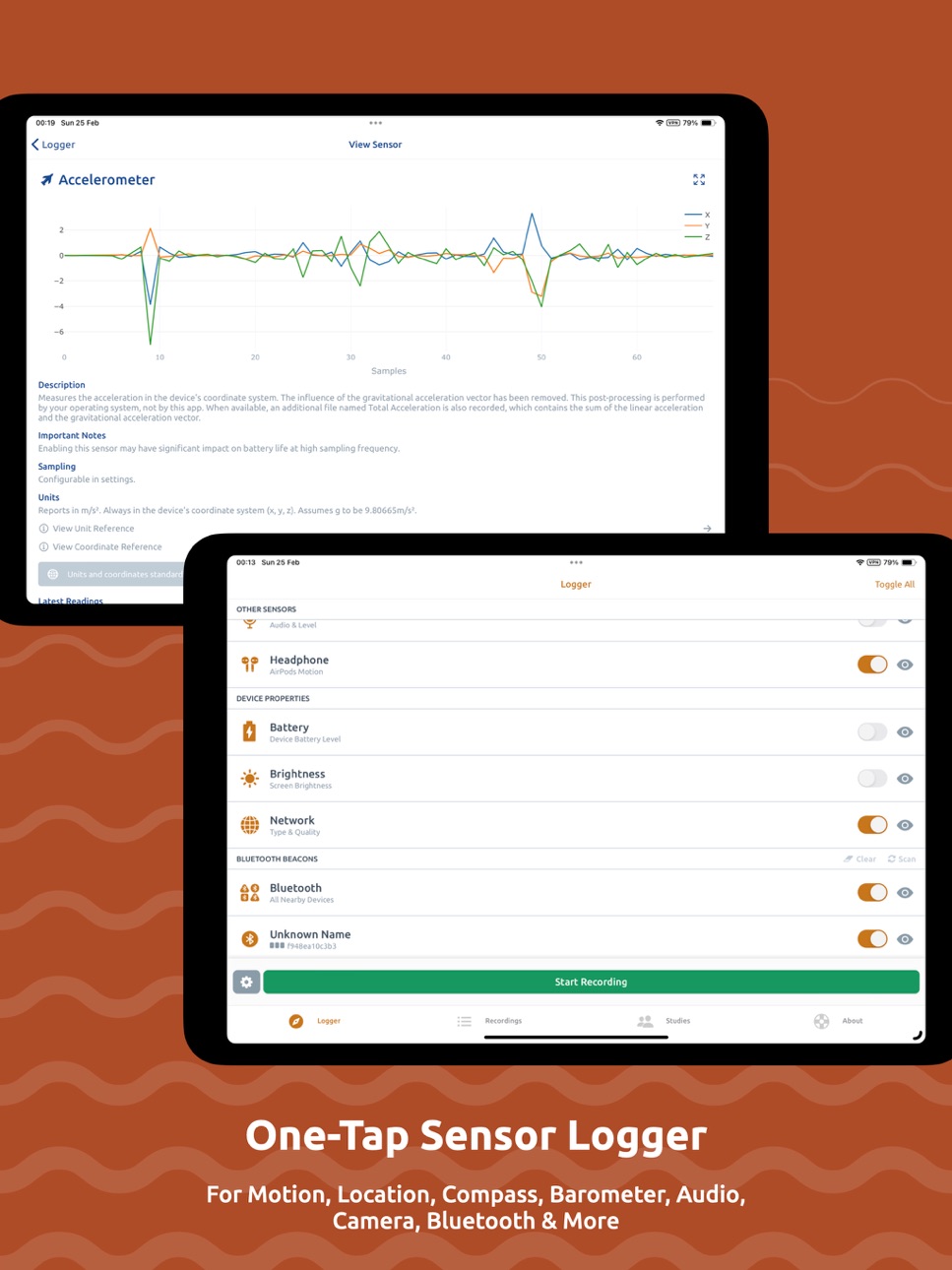
Sensor Logger collects, records and displays data from a range of sensors on iPhone, Apple Watch, iPad and AirPods — including accelerometer, gyroscope, GPS, audio, camera and Bluetooth devices. You can log device properties such as screen brightness, battery and network state. Select and preview desired sensors in a few taps. A single tap initiates the recording function, which works even when the app is in the background. View and manage recordings within the app via interactive plots. The app supports many export formats, including Zipped CSV, JSON, Excel, KML and more. For advanced use cases, stream data via HTTP or MQTT, resample measurements from multiple sensors, create Studies to collect data from other users systematically and write custom automation rules based on sensor, time and location. Once you have collected your data, you can create Stories — data-driven dashboard with your recordings, hosted online for effortless sharing.
Sensor Logger is designed for researchers, educators, and anyone interested in collecting or monitoring sensors on their smartphone. It serves as the ultimate toolbox for exploring various fields, including physics, science, technology, engineering, and mathematics (STEM).
- One-tap logging
- Background recording
- Recordings on interactive plots
- Stream data via HTTP & MQTT
- Intelligent, custom rule engine
- Zipped CSV, JSON, Excel, KML & SQLite exports
- Resample and aggregate measurements
- Enable & disable specific sensors
- Scan and log nearby Bluetooth devices
- Add timestamp-synchronised annotations during recording
- Adjust sampling frequency for sensor groups
- Custom recording workflow
- Raw and calibrated measurements available
- Live plots and readings for sensors
- Organise, sort and filter recordings
- Control & track recording session from Watch
- Bulk export & delete recordings
- Resources to help you analyse your data
- Data stays on-device and private
- Create and share dashboard-style, data-driven Stories using your recordings, hosted online.
Studies & Sensor Logger Cloud
Create Studies to collect data from other Sensor Logger users efficiently. When activated, Studies use the investigator's specified sensor configuration for consistent data collection. Participants can upload their recordings to a secure cloud and join, pause, or switch Studies anytime. Studies include clear data usage descriptions, privacy statements, and contact details to ensure privacy compliance. Customize Study size, duration, sensor configuration, and export formats.
Optional Paid Features (Plus, Pro & Ultimate)
- No limitations on the number of stored recordings
- Additional export formats
- Combined CSV export
- Customise recording workflow
- Advanced sensor configurations
- Custom naming templates
- Theme and icon customizations
- Unlimited Bluetooth beacons and no limit on the minimum RSSI
- Create larger Studies with more participants
- More allocated storage on Sensor Logger Cloud
- Email support
- Advanced study customization
Supported Measurements
- Device Acceleration (Accelerometer; Raw & Calibrated)
- Gravity Vector (Accelerometer)
- Device Rotation Rate (Gyro)
- Device Orientation (Gyro Raw & Calibrated)
- Magnetic Field (Magnetometer Raw & Calibrated)
- Compass
- Barometric Altitude (Barometer)
- GPS Coordinate, Altitude, Speed & Heading
- Audio (Microphone)
- Loudness (Microphone)
- Images (Front/Back)
- Video (Front/Back)
- Depth
- Pedometer
- Activity
- Heart Rate (Watch)
- Wrist Motion (Watch)
- Location & Barometer (Watch)
- Annotations (Timestamp and text)
- Device battery level and state
- Device screen brightness level
- Nearby Bluetooth beacons (advertised data)
- Headphone Motion (AirPods)
- Network
Heart rate logging requires integration with the Health app on the watch. Permission to access the heart rate from HealthKit on the watch is needed for the app to log the measurements.
Terms of Service: https://www.apple.com/legal/internet-services/itunes/dev/stdeula/
In-App Purchases US pricing
Plus & Pro Subscription
Ultimate Monthly · Monthly$24.99
Ultimate Yearly · Yearly$249.99
Pro Monthly · Monthly$9.99
Pro Yearly · Yearly$99.99
Plus Monthly · Monthly$4.99
Plus Yearly · Yearly$49.99
Capabilities
In-App Purchases
Accessibility
ipadiphonemacrealityDevicetvoswatch
Version history 25 versions
Build 887192611v1.60.12026-06-19 23:39:28
- Fixes a bug with Sensor Zoo labelling for compass.
- Improved microphone recording reliability.
Build 886611862v1.602026-06-06 21:00:17
- Camera now supports a snapshot mode, allowing you to bypass the standard image processing pipeline for higher capture frame rate (aka burst mode).
- Camera now supports 15/30/60fps video recording (when supported by the device).
- Improved tilt compensation as part of Sensor Zoo.
- Improved user experience around Sandbox with built-in QR code scanner.
- Improved Study state recovery after a crash, so that participants still gets the opportunity to go through the questionnaire and/or upload workflow when applicable.
Build 885500737v1.592026-05-12 07:28:25
- Explicit support for deep link for easier automation via apps like Shortcuts.
- Introducing a new annotation deep link.
- Introducing new deep links to start and stop recordings.
- Easier to copy config deep link.
- Improved documentation.
- Improved barometer permission detection and warning.
- Prevent sleeping When Performing Cloud Recording Upload.
- Bluetooth support for Rule Engine, including a new “reported as” operator for event driven sensors.
- Improvements to the Rule Engine experience:
- Clearer UI which mode each of the rule is in.
- Updated Gallery example with suitable trigger mode.
- When you create a new rule, the default is now On Change.
- When annotation is triggered via the Rule Engine, there is now a visual indication on the Logger screen.
- Fixes a critical bug where depth is not packaged into the images properly. Note that when depth is enabled, the lens preferences may not be respected.
- Improved Watch layout handling for long duration recordings.
- Watch app now has three screens, with the last screen more explicitly showing file transfer status and app version number for easier debugging.
Build 884936294v1.582026-04-28 05:31:39
- When using Sensor Logger Cloud or BYOB, you can now configure Studies to automatically delete the local copy of the recording from participant’s device upon a successful upload.
- When editing geo-fences in the Rule Engine:
- You can now search for an address or coordinate.
- You can now specify a polygon and edit it.
- Support for playing a tone in the Rule Engine.
- Support for Trigger Mode in the Rule Engine — either trigger every time the condition is met, or when the condition is met for the first time in a sequence.
Build 884779022v1.57.12026-04-22 17:37:44
- Fixes an issue with images rendering at a lower than expected resolution.
- Fixes a rare crash when plotting.
- Standardised segmented control UX.
- Now support variable format BLE.
- Support for full and IMU only Muse V3 devices.
- Optional device metadata information on connection for supported BLE sensors.
Build 884535725v1.572026-04-18 22:01:18
- When you configure HTTP or MQTT streaming as part of a Study, the payload will now also contain the userId so that you can more easily match against questionnaires and other Study related metadata.
- You can now view summary statistics such as total distance travelled, average speed, maximum speed and altitude gain when viewing Location sensor data in a recording.
Build 883884376v1.562026-03-30 00:03:18
- Introducing Audio Indicator. Play a chime when recording starts and stops, and optionally at regular intervals during a session. Choose from multiple tone styles.
- You can now easily select all recordings for bulk operations like tagging, exporting and deleting.
- Fixes an issue with incomplete BLE data when recording All Nearby Devices.
- Fixes an issue where audio recording does not work reliably in the background.
- Behind the scenes upgrades and improvements.
- Fixed an issue with editing Studies with Webhooks.
Build 883641354v1.552026-03-23 18:49:02
- Introducing Sensor Zoo, a collection of open-source, standardised sensor processing algorithms. This allows more throughout standardisation across platforms and hardware.
- Custom AHRS algorithms for orientation, linear acceleration, gyroscope and gravity vector.
- Custom compass calculations with tilt compensation.
- Custom pedometer algorithm.
- Introducing Sandbox, a fun playground to experiment and play with sensors.
- Sensor Logger now supports Vietnamese, Turkish and Indonesian! Thanks to all the community contributors for reviewing!
- Other minor bug fixes and performance improvements.
Build 883566445v1.54.32026-03-20 17:38:00
- Fixed a critical bug where Combined CSV does not work with standalone watch recordings.
Build 882723321v1.542026-02-25 10:23:27
- Introducing a refreshed look for the Sensor Logger Cloud dashboard for Studies with many UX enhancements, including remembering whether you have already downloaded a particular recording already.
- You can now edit most settings and configuration of a Study post-creation.
- Multi-select as a new Questionnaire type for Studies. Participants need to upgrade to this latest version in order to view those questions, if any.
- You can now stream images via MQTT or HTTP alongside all other sensor data. Example dashboard code on Awesome Sensor Logger has been updated to support this new capability
- Additional screens now support localisation, along with other translation enhancements.
- Hiding of password and authentication fields.
- Improved BLE reliability.
- Fixes a bug with invalid port numbers being entered when configuring pushing.
- Bug fixes with plots.
Build 882470442v1.532026-02-18 15:33:16
- Introducing localisation for English, German, Spanish, French, Hindi, Japanese, Korean, Portuguese, and Chinese! Thanks to all the community contributors for reviewing!
- Precise video timestamps are now available so you can better align videos and other sensor data. See Awesome Sensor Logger for documentation.
- Support for lens preference (Wide, Ultra Wide, Telephoto) for the Camera sensor.
- OS version is now part of the Metadata.CSV.
- Zipped CSV and JSON export now package up any tags that you may have added.
- Fixes an issue with Bluetooth scanning.
- Geofence editor in the Rule Engine now supports both standard and satellite view for easier editing.
- Revamped plots across the app for improved performance, displaying up to four times more data points. You can also now tap on the legend to toggle on or off individual traces.
Build 882057631v1.522026-02-04 01:01:45
- Add additional Info or instructions for Participants of a Study. Info will show up as a new tab in a Study, with full markdown support.
- Improved clarity when Webhooks are not configured for a Study.
- Fixes an issue with signature drawing as part of a Study questionnaire.
- Fixes a bug where Join Study questionnaire answers are missing from exported recording for a Study.
- Clear indication the exact moment an image is taken.
- Fixes a bug where the Camera sensor — including in either photos and videos — does not respect NTP settings.
- Clear warning when there are still pending files to be transferred for Watch recordings.
- Fixes an issue where notification permissions are not prompted if relevant rules have been imported via the QR code or Studies mechanism.
- Integration of the latest Sensor BLE.
Build 881397734v1.512026-01-14 12:02:32
- Introducing the new Activity sensor, which logs motion activity types such as walking, running, cycling, driving and stationary.
- Rule Engine support for the Activity sensor.
- Standardisation now applies to quaternions.
- Live sensor preview now supports more fields for orientation and barometer.
- Inline Preview now supports battery temperature.
Build 880575694v1.502025-12-13 20:50:22
- Adds support for webhooks in Studies, enabling investigators to be notified & optionally respond when a participant uploads a recording.
- Fixes a critical issue where the Apple Watch does not connect to the phone, and therefore cannot initiate a Phone & Watch recording.
- Apple Watch supports double tap gesture to start or end recordings.
- Numeric fields on questionnaires now support decimal places.
Build 879621786v1.492025-11-11 01:44:26
- Compass sensor for Watch recordings, in both phone and standalone watch modes.
- The new Watch Complication now allows you to quickly launch the Sensor Logger directly from your Watch face. Complication is available in two styles — circular and corner.
- Compass readings can be used in the Rule Engine.
- Cameras are much more powerful now, you can:
- Pinch to zoom in and out;
- Tap to focus;
- Manually adjust exposure.
- The camera view finder now also comes in three sizes, including a new extra wide size so you can interact with the new camera features more easily.
- Studies can be extended for longer, even on the free tier — and for paid users, Studies can be extended even longer, up to 4 months at a time.
- Refreshed Apple Watch app icon to match the same style as the iOS counterpart.
- Note that the Toggle All option on the Logger screen has been removed for a more streamlined interface.
Build 879437520v1.482025-11-04 10:46:04
- Introducing Inline Preview — see your sensor readings live during a recording, with real-time values, spike traces, and 3D cubes.
- Bulk tag editing, allowing you to assign or remove tags from multiple recordings at once for faster organization
- Minor UI improvements, including more legible footnotes.
- Fixed rare issues with recovered and duplicate recordings.
Build 878747945v1.47.12025-10-08 11:04:16
- Introducing Network Time Protocol (NTP) support, allowing for more precise time alignment across sensors and devices.
- Bug fixes and improvements, including a critical issue where there is a degradation in performance when Sensor Logger goes into the background.
Build 878665370v1.46.12025-10-06 09:14:40
- Fixes a bug where the Compass sensor does not respect the sampling frequency.
- Fixes Study notification bugs.
- Log uncalibrated accelerometer values on the Watch.
Build 877948397v1.462025-09-09 20:41:54
- Introducing Bring Your Own Bucket for Studies
- Pro tier users get more value for money, with their included Sensor Logger Cloud storage doubling from 10 GB to 20 GB.
- Ultimate users enjoy additional benefits, including the ability to run up to 50 active Studies simultaneously, an increase from 20. The Sensor Logger Cloud storage allocation also doubles, from 100 GB to 200 GB. Additionally, Ultimate users can now create XL Studies with twice as many participants, accommodating up to 2000.
Build 877664379v1.45.22025-08-29 21:04:28
- When using On & Dim, you can temporarily wake the screen for easier annotation and ending of the recording session.
- Improved interface when creating Study by making some secondary sections collapsible.
- Shortcuts to relevant settings sections when previewing sensors.
- Prevents screen from turning off when bulk uploading is in progress in the Study page.
- Fixes a bug where the microphone preview could crash.
- Minor UI enhancements and other behind the scenes upgrade.
Build 877201833v1.45.12025-08-13 22:02:43
- Fixed a bug with large file transfers from the watch.
Build 876977273v1.452025-08-05 17:58:04
- Magnetometer support on the Apple Watch — both via the iPhone and in Watch Only mode.
- Show Paused state clearly when the recording is paused from the Rule Engine.
- Fixed a critical issue where acceleration magnitude is not properly triggered as part of the Rule Engine
- Fixed a bug where plots may display the UTC / Local times incorrectly.
- Automatically clear export cache on fresh relaunch of the app.
- Fixed a crash that can occur if a Bluetooth beacon does not return any plottable fields when used in conjunction with a custom decoder from sensor-ble.
Build 876154517v1.442025-07-07 11:04:13
- Introducing support for connecting and decoding select Bluetooth sensors, starting with Muse V3 and RuuviTag. More BLE devices coming soon — if you want to help building out the decoding library or have specific sensors in mind, please reach out!
- Additional device information for Bluetooth Beacons, including Software Revision, Firmware Revision, Hardware Revision and Serial Number.
- Revamped plots are now more mobile friendly, allowing you scroll, pan and zoom more easily. Further, if you previously relied on the “Disable Plots” option for extended recording, this is no longer needed.
- Study investigators can now reactivate a Study, provided it is still within 90 days of the original end date.
- Wrist Motion now also logs pitch, roll and yaw, in addition to quaternions.
- Improved low battery warning when starting to log.
- Fixes a critical bug where rules failed to trigger when conditions involve Wrist Motion values.
- Rules Console is properly cleared when a new recording starts.
- Rules Console now displays logs in local time.
- Find and copy your unique device id.
Build 874879491v1.43.32025-06-05 20:13:31
- Fixes an issue where the Human Readable Timestamp option is not respected when joining a study or when the configuration is being shared via QR code / Copy Code.
Build 874150392v1.43.22025-04-19 13:14:36
- Fixes a critical issue where the Rule Engine is not evaluating with the correct sensor values.
Price history by region
Currency
Show
Columns
Search
Availability 1 of 1 storefronts
| Region | Language | Price | Ratings | Avg | Version |
|---|---|---|---|---|---|
| US | en-US | Free | 105 | 4.8 | 1.60.1 |
Change log 29 changes · US
✎
releaseNotes updated
- Fixes a bug with Sensor Zoo labelling for compass.
- Improved microphone recording reliability.
✎
description updated
Sensor Logger collects, records and displays data from a range of sensors on iPhone, Apple Watch, iPad and AirPods — including accelerometer, gyroscope, GPS, au
✎
subtitle updated
Motion Logger with CSV Export
✎
name updated
Sensor Logger
◆
Version 1.60.1 released
- Fixes a bug with Sensor Zoo labelling for compass.
- Improved microphone recording reliability.
◆
Version 1.60 released
- Camera now supports a snapshot mode, allowing you to bypass the standard image processing pipeline for higher capture frame rate (aka burst mode).
- Camera now supports 15/30/60fps video recording (when supported by the device).
- Improve
◆
Version 1.59 released
- Explicit support for deep link for easier automation via apps like Shortcuts.
- Introducing a new annotation deep link.
- Introducing new deep links to start and stop recordings.
- Easier to copy config deep link.
- Improv
◆
Version 1.58 released
- When using Sensor Logger Cloud or BYOB, you can now configure Studies to automatically delete the local copy of the recording from participant’s device upon a successful upload.
- When editing geo-fences in the Rule Engine:
- You can
◆
Version 1.57.1 released
- Fixes an issue with images rendering at a lower than expected resolution.
- Fixes a rare crash when plotting.
- Standardised segmented control UX.
- Now support variable format BLE.
- Support for full and IMU only Muse V3 devices.
- Opti
◆
Version 1.57 released
- When you configure HTTP or MQTT streaming as part of a Study, the payload will now also contain the userId so that you can more easily match against questionnaires and other Study related metadata.
- You can now view summary statistics su
◆
Version 1.56 released
- Introducing Audio Indicator. Play a chime when recording starts and stops, and optionally at regular intervals during a session. Choose from multiple tone styles.
- You can now easily select all recordings for bulk operations like tagging
◆
Version 1.55 released
- Introducing Sensor Zoo, a collection of open-source, standardised sensor processing algorithms. This allows more throughout standardisation across platforms and hardware.
- Custom AHRS algorithms for orientation, linear acceleration,
◆
Version 1.54.3 released
- Fixed a critical bug where Combined CSV does not work with standalone watch recordings.
◆
Version 1.54 released
- Introducing a refreshed look for the Sensor Logger Cloud dashboard for Studies with many UX enhancements, including remembering whether you have already downloaded a particular recording already.
- You can now edit most settings and confi
◆
Version 1.53 released
- Introducing localisation for English, German, Spanish, French, Hindi, Japanese, Korean, Portuguese, and Chinese! Thanks to all the community contributors for reviewing!
- Precise video timestamps are now available so you can better align
◆
Version 1.52 released
- Add additional Info or instructions for Participants of a Study. Info will show up as a new tab in a Study, with full markdown support.
- Improved clarity when Webhooks are not configured for a Study.
- Fixes an issue with signature drawi
◆
Version 1.51 released
- Introducing the new Activity sensor, which logs motion activity types such as walking, running, cycling, driving and stationary.
- Rule Engine support for the Activity sensor.
- Standardisation now applies to quaternions.
- Live sensor p
◆
Version 1.50 released
- Adds support for webhooks in Studies, enabling investigators to be notified & optionally respond when a participant uploads a recording.
- Fixes a critical issue where the Apple Watch does not connect to the phone, and therefore cannot in
◆
Version 1.49 released
- Compass sensor for Watch recordings, in both phone and standalone watch modes.
- The new Watch Complication now allows you to quickly launch the Sensor Logger directly from your Watch face. Complication is available in two styles — circul
◆
Version 1.48 released
- Introducing Inline Preview — see your sensor readings live during a recording, with real-time values, spike traces, and 3D cubes.
- Bulk tag editing, allowing you to assign or remove tags from multiple recordings at once for faster organi
◆
Version 1.47.1 released
- Introducing Network Time Protocol (NTP) support, allowing for more precise time alignment across sensors and devices.
- Bug fixes and improvements, including a critical issue where there is a degradation in performance when Sensor Logger
◆
Version 1.46.1 released
- Fixes a bug where the Compass sensor does not respect the sampling frequency.
- Fixes Study notification bugs.
- Log uncalibrated accelerometer values on the Watch.
◆
Version 1.46 released
- Introducing Bring Your Own Bucket for Studies
- Pro tier users get more value for money, with their included Sensor Logger Cloud storage doubling from 10 GB to 20 GB.
- Ultimate users enjoy additional benefits, including the ability to ru
◆
Version 1.45.2 released
- When using On & Dim, you can temporarily wake the screen for easier annotation and ending of the recording session.
- Improved interface when creating Study by making some secondary sections collapsible.
- Shortcuts to relevant settings s
◆
Version 1.45.1 released
- Fixed a bug with large file transfers from the watch.
◆
Version 1.45 released
- Magnetometer support on the Apple Watch — both via the iPhone and in Watch Only mode.
- Show Paused state clearly when the recording is paused from the Rule Engine.
- Fixed a critical issue where acceleration magnitude is not properly tri
◆
Version 1.44 released
- Introducing support for connecting and decoding select Bluetooth sensors, starting with Muse V3 and RuuviTag. More BLE devices coming soon — if you want to help building out the decoding library or have specific sensors in mind, please re
◆
Version 1.43.3 released
- Fixes an issue where the Human Readable Timestamp option is not respected when joining a study or when the configuration is being shared via QR code / Copy Code.
◆
Version 1.43.2 released
- Fixes a critical issue where the Rule Engine is not evaluating with the correct sensor values.