Home › Music

 US
US
1 of 1 storefronts
Content in en-US
Content in en-US
Information
Preview 2 platforms
iPhone 5 images


iPad 4 images



What’s New Version 4.0.5
FIXED ISSUES
• Changes to a custom tuning style are now saved reliably.
• The notes for the highest wound string and the treble struts of a pitch raise can now again be set by playing them on the piano.
• Opening a tuning document is no longer occasionally delayed by a few seconds.
Description
pianoscope turns your iPhone or iPad into the ultimate assistant for high-quality piano tuning — for professional piano tuners and passionate pianists alike.
Free two-week trial. pianoscope Standard & Pro are available as in-app purchases.
FOR PROFESSIONAL PIANO TUNERS
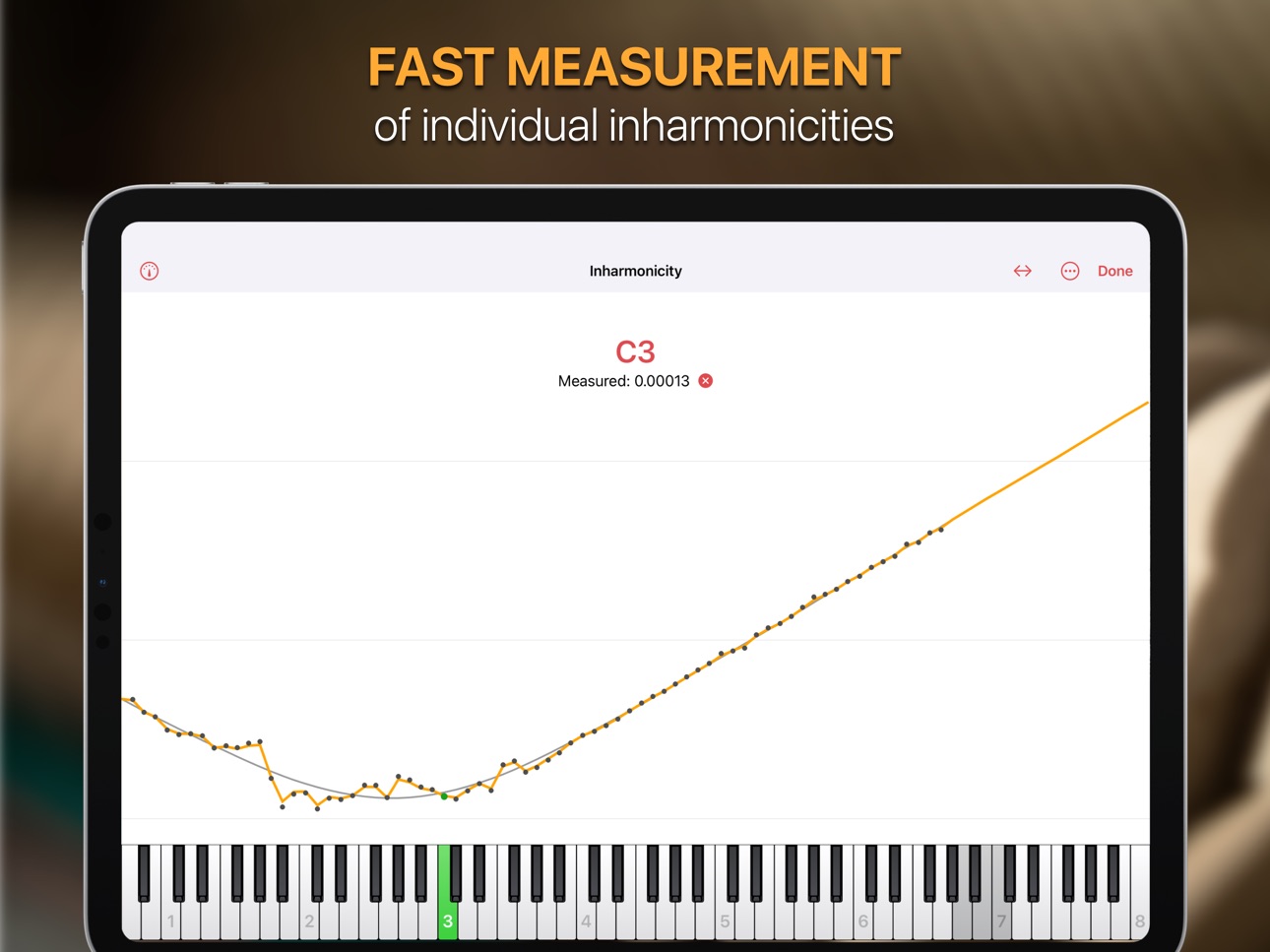
With the Pro edition of pianoscope, you can increase your precision and efficiency and make your work less strenuous. Measure the inharmonicity of an instrument at lightning speed, or accelerate the pitch raising of strongly out-of-tune pianos. With pianoscope Pro, you will meet the expectations of even the most demanding pianists.
HOW IS PIANOSCOPE DIFFERENT FROM OTHER PROFESSIONAL PROGRAMS?
Conventional programs determine the required stretch similarly to piano tuners working aurally. They start with a temperament octave and go outward from there with fixed intervals. The disadvantage is that you, as a tuner, have to determine which intervals are suitable for the partial structure of an individual instrument.
With pianoscope, you only have to decide which intervals should generally be as pure as possible and choose the appropriate tuning style. Through thousands of calculations — impossible for a human — the program finds a tuning curve that optimally satisfies your requirements.
Find more information at www.pianoscope.app/features/pro
FOR PASSIONATE PIANISTS
Are you frustrated that your piano soon loses its finely balanced sound after being professionally tuned? With pianoscope Standard and some practice, you can create high-quality tunings yourself. You don't have to train your hearing for years. All you need is a little hands-on skill and the courage to learn something new.
Find more information at www.pianoscope.app/features/standard
STANDARD FEATURES (AVAILABLE VIA IN-APP PURCHASE)
- Measurement of the individual inharmonicity and partial strengths of an instrument
- Available tuning styles: Balanced, Octaves Pure, Fifths Pure, Twelfths Pure, Nineteenths Pure
- Concert pitch selection: 400.00 Hz – 480.00 Hz
- Numerical display of target pitch and current deviation in cents
- Fast-reacting automatic key selection
- Responsive graphical feedback with indicator scale and/or strobe
- Individual tuning documents for each of your instruments
- Synchronize documents across multiple iPhones and iPads via iCloud Drive, Dropbox, or similar cloud services
- Adjustable range, for example for tuning harpsichords
- Use one of over 80 predefined unequal temperaments
- Supports iOS Dark Mode
PRO FEATURES (AVAILABLE VIA IN-APP PURCHASE)
- Graphical representation of the calculated tuning curves
- Detailed deviation curves for fourths, fifths, octaves, twelfths, double octaves, nineteenths, and triple octaves
- Create custom tuning styles with individual weighting of single intervals
- Optional extra stretch, separate for bass and treble
- Individual calculation of the overpull for pitch raising
- Perform pitch raises without muting unisons using the spectrum display
- Optimize the concert pitch
- Display current partial intensities in the tuning view
- Use the freeze indicator to increase consistency
- Advanced strobe settings
- Additional information for each instrument: manufacturer, model, serial number, notes
- Calibrate your iPhone or iPad to a reference tone
- Use multiple microphones to increase accuracy
Download pianoscope now and start your free trial of all features!
Privacy policy: https://pianoscope.app/en/privacy
Terms of use: https://pianoscope.app/en/terms
Capabilities
In-App Purchases
Accessibility
ipadiphonemacrealityDevicetvoswatch
Version history 25 versions
Build 887583366v4.0.52026-06-29 15:13:44
FIXED ISSUES
• Changes to a custom tuning style are now saved reliably.
• The notes for the highest wound string and the treble struts of a pitch raise can now again be set by playing them on the piano.
• Opening a tuning document is no longer occasionally delayed by a few seconds.
Build 885366833v4.0.42026-05-08 14:17:27
Fixed issue with indicator freezing in the high treble.
Build 884757590v4.0.32026-04-22 12:17:38
Fixed Issues:
- Occasionally, spurious treble notes were detected when playing bass notes.
- In some cases, the freeze indicator failed to appear for a played note.
Build 884562729v4.0.22026-04-16 22:09:31
Fixed issues:
- The tuning scale did not consistently update after the device was rotated.
- The automatic key detection could get stuck on wrong notes.
New Features:
- Added Japanese localization.
Build 884474605v4.0.12026-04-14 04:52:46
Improved general stability.
Build 883562744v4.0.02026-04-13 20:16:58
NEW SPECTRUM DISPLAY
Version 4.0 of pianoscope introduces a new spectrum display. It shows the frequency spectrum around a single partial within the tuning scale, allowing you to visually identify multiple frequencies contributing to that partial. This makes it possible to analyze false beats or perform coarse pitch raises without muting unisons.
ACTIVATING THE SPECTRUM DISPLAY
There are three ways to enable the spectrum display:
1. Use the switch in Settings → Pitch → Spectrum.
2. If you have added the Pitch item to the main toolbar, long-press it and enable the spectrum directly from the context menu.
3. Add the new Spectrum item to the main toolbar. Tap it to toggle the spectrum on and off.
IMPROVED INHARMONICITY MODEL
Instead of predicting inharmonicities from the measurements using a theoretical model, the new version can use the exact frequency spacings of partial tones. This new mode is active in newly created documents when you set the inharmonicity weighting to 100%. To apply it to existing documents, re-record the inharmonicity and set the weighting to 100%. The new mode can improve precision with problematic strings whose partials are difficult to predict. However, for it to bring an improvement, you need to measure the inharmonicity with muted unisons. If you don't want to spend the time muting unisons, you should leave the new mode off and stay at the default setting of 85%, which produces good tuning results for most purposes.
BETTER HIGH TREBLE RECOGNITION
Improved signal processing makes the highest notes easier to detect and lock onto.
MENU BAR ON iPad
On iPadOS 26, many pianoscope functions can now be accessed via the main menu bar or via keyboard shortcuts.
IMPROVED BATTERY EFFICIENCY
Reduced energy use means more tuning time before you need to recharge.
REDESIGNED START SCREEN
A fresh new look for browsing and managing your tuning files.
EXTENDED TUNE SCALE
The tune scale has a new ±200 Cents range setting for pitch-raising very flat instruments.
INSTRUMENT TOOLBAR SHORTCUT
Long-pressing the instrument toolbar item now shows a menu with shortcuts to instrument settings and functions like "Optimize Concert Pitch".
INHARMONICITY IN TEMPERAMENT DIAGRAMS
The temperament diagram now offers an option to account for inharmonicity when calculating beat rates. It also allows you to select an octave. These options are available in the more menu.
SIMPLIFIED CHINESE
pianoscope is now also available in Simplified Chinese.
NEW SYSTEM REQUIREMENTS
The app now requires iOS 18 / iPadOS 18 or later.
Build 881105171v3.3.32026-01-03 08:36:09
Fixed Issues:
- Under some circumstances, the automatic key detection could make octave errors during the sustain of a note.
- The back navigation item in the tuning curve view did not correctly toggle its symbol.
Build 880068497v3.3.22025-11-26 14:59:51
Fixed Issues:
- Under iOS 26, the back button of the tuning curve panel could be cut off.
- Long-pressing the back button in the tuning curve panel made the button disappear.
- Under iOS 26, selecting keys on the on-screen keyboard did not always work correctly when tapping near the iOS home indicator.
- Improved attack detection for bass notes.
- When pitch-raising, the pitch display could sometimes freeze when repeatedly striking the same note.
Build 879433843v3.3.12025-11-02 22:48:50
Fixed issues:
- The deviation from the target tuning curve was not always shown in the pitch measurement view.
Build 879415918v3.3.02025-11-01 20:32:52
Fixed issues:
- Improved general stability.
- Importing tuning curves from TuneLab files has been improved.
- The loudness modelling option was not respected in expected values mode of the partials view.
New Features:
- Option for increasing the height of the tuning scale: Main Menu > Settings > Pitch > Indicator > Scale > Height
- The pitch measurement view now shows the mean and median deviation from the target tuning curve in cents.
Build 878671203v3.2.02025-10-16 15:20:45
New Features:
- Added Traditional Chinese localization.
- The tone generator audio output can now be calibrated.
- The tone generator can now optionally boost the volume of selected partials.
Changes:
- The audio input calibration was moved the audio input settings pane.
Build 878211786v3.1.12025-09-18 20:52:45
Improved general stability.
Build 877897225v3.1.02025-09-09 10:47:34
New Features:
- Added new temperaments:
* Neidhardt Große Stadt 1724
* Neidhardt Dorf 1732
* Rameau 1737
* Marpurg III 1776
* Hummel Viennese 1829
* Bach / Lehmann 2005
* Meantone 1/3 Syntonic
* Meantone 1/6 Syntonic
- It is now possible to create custom temperaments in the Pianoscope Standard edition.
- You can now graphically visualize offsets and beat rates of intervals in the major triads of any temperament (iOS 17 or later).
Changes:
- Differentiated the names of the "Jousse Well" and "Jousse Quasi-Equal" temperaments.
Build 877489611v3.0.52025-08-23 13:22:29
Fixed Issues:
- When measuring for pitch raise, pianoscope could spuriously detect note attacks during the decay of a note.
Build 875978411v3.0.42025-07-19 09:53:05
Fixed issues:
- Inharmonicity measurement: With automatic key selection mode other than "Entire Range" some played notes were sometimes not recognized.
Build 873906389v3.0.32025-04-10 15:11:34
Fixed Issues:
- Time chart recording could be reset while a tone was still sounding.
- The "Coleman 10" temperament contained the same offsets as the "Coleman 11" temperament.
Build 873674003v3.0.22025-04-01 01:10:45
- Fixed issue with attack detection for low bass notes.
- Increased default freeze times between C6 and C8 to improve resolving of slow false beats.
Build 873447069v3.0.12025-03-22 20:52:15
Fixed issues:
- Under some circumstances, recording the inharmonicity of low bass notes did not work.
Build 873341191v3.0.02025-03-19 06:22:03
NEW FEATURES
• Improved tuning curve algorithm v3, now enhanced with artificial intelligence. For many instruments, it achieves better stretch in the bass and, when required by the tuning style, purer twelfths in the treble.
• Enhanced partials display, now showing up to 50 partials to support voicing of high frequencies. You can disable the normalization of partial levels and specify the displayed partial amplitude range in decibels.
• New Passthrough mode for the tone generator. When using a headset, this mode lets pianoscope capture the sound you play via the microphone and play it back live through your headphones. If you select a partial bar in the partials view, the app applies a bandpass filter to isolate that specific frequency range—an excellent tool for aural training. Keep in mind that Bluetooth headphones often introduce latency, so Passthrough works best with wired headphones.
• Introducing Time Charts — visualize various parameters of a piano sound and track their evolution over time. To access them, tap the new Time Charts item in the main menu. This feature requires iOS 17 / iPadOS 17 or later.
• Multi-channel audio processing. Pianoscope 3 can now process signals from multiple audio channels and seamlessly combine the results into its pitch display. These signals may come from external audio interfaces or built-in microphones.
• Newer iPhones feature up to four built-in microphones, while newer iPad Pro models even five. By enabling the new Use Multiple Mics switch, pianoscope analyzes each microphone’s signal independently and merges the results, improving tuning consistency—particularly in cases of false beats in the high treble.
• New Prefer No Interruptions option. When activated in the audio settings, iOS will only visually display interruptions such as incoming calls, without disrupting the audio recording.
• Save and recall settings with ease. The new Save function in the settings panel allows you to save all current settings under a custom name and restore them later. If you add the gear symbol to the toolbar in the tuning view, you can quickly access saved settings by long pressing. This is ideal for setting up different configurations for tuning, concert preparation, pitch-raising, voicing, etc., and switching between them effortlessly. You can also use this function to transfer settings to another device.
• Export and import custom tuning styles. You can now export a custom tuning style to a file and import it onto another device.
• Improved search for tuning documents. You can now find tuning documents based on instrument details such as Manufacturer, Model, Serial Number, or Notes. Searching for documents works both in the iOS Files app and within pianoscope's document management.
• Quick document preview in the iOS Files app. The Files app offers an alternative way to locate specific tuning documents in a list. Simply tap and hold on a tuning document, then select Quick Look from the context menu. This opens a QuickLook Preview that displays key document information without needing to open it in pianoscope.
• In the Tuning Curve panel, you can now pinch horizontally with two fingers to smoothly adjust the curve’s width or pinch vertically to change its height. The latter gesture is new and makes it easier to differentiate closely spaced deviation curves.
• Extended freeze indicator duration. You can now increase the freeze duration to up to 5000 ms. Longer durations help resolve frequencies affected by false beats in strings but may also slow down the tuning process. To simplify switching between freeze durations, pianoscope 3 introduces three different sets of durations. You can switch between them in the settings or directly from the tuning view by long-pressing the snowflake symbol in the main toolbar.
• New Delay column. This feature allows you to shift the start of the freeze measurement by a selected duration after the attack.
Full release notes: https://tinyurl.com/2jbawvd6
Build 870295349v2.7.72024-11-08 20:27:45
More improvements to audio input on older devices like the iPhone SE 1.
Build 869994441v2.7.62024-10-27 12:03:46
Fixed issue with activating the audio input on older devices like the iPhone SE 1.
Build 869916937v2.7.52024-10-23 14:51:42
Changes:
- The “Optimize concert pitch” function is now also supported with a single note measurement. However, it is still recommended to measure several notes.
Fixed issues:
- Entering trailing spaces in text fields in the instrument settings panel could lead to problems under iOS 18.
- Thumbnails of pianoscope files showed a text preview instead of an icon under iOS 18.
- Audio interruptions like phone calls, notifications or playing songs could block the audio input until the app was restarted.
Build 868847336v2.7.42024-09-09 11:53:24
General stability fixes.
Build 868636834v2.7.32024-09-02 05:53:44
Fixed issues:
- In areas without cellular reception, the app could appear as unlicensed.
- Measuring the concert pitch in the instrument settings did not work for offsets of more than 50 cents.
Build 866208556v2.7.22024-06-04 06:39:01
- Improved general stability.
- Added Kellner well temperament.
- Optimize concert pitch: Fixed problem with reusing previously measured pitches.
No pricing data captured yet — comparisons appear once the app has paid storefronts or in-app purchases.
Availability 1 of 1 storefronts
| Region | Language | Price | Ratings | Avg | Version |
|---|---|---|---|---|---|
| US | en-US | Free | 271 | 4.7 | 4.0.5 |
Change log 29 changes · US
✎
releaseNotes updated
FIXED ISSUES
• Changes to a custom tuning style are now saved reliably.
• The notes for the highest wound string and the treble struts of a pitch raise can now
✎
description updated
pianoscope turns your iPhone or iPad into the ultimate assistant for high-quality piano tuning — for professional piano tuners and passionate pianists alike.
F
✎
subtitle updated
Professional piano tuning
✎
name updated
pianoscope – Piano Tuner
◆
Version 4.0.5 released
FIXED ISSUES
• Changes to a custom tuning style are now saved reliably.
• The notes for the highest wound string and the treble struts of a pitch raise can now again be set by playing them on the piano.
• Opening a tuning document is no lo
◆
Version 4.0.4 released
Fixed issue with indicator freezing in the high treble.
◆
Version 4.0.3 released
Fixed Issues:
- Occasionally, spurious treble notes were detected when playing bass notes.
- In some cases, the freeze indicator failed to appear for a played note.
◆
Version 4.0.2 released
Fixed issues:
- The tuning scale did not consistently update after the device was rotated.
- The automatic key detection could get stuck on wrong notes.
New Features:
- Added Japanese localization.
◆
Version 4.0.1 released
Improved general stability.
◆
Version 4.0.0 released
NEW SPECTRUM DISPLAY
Version 4.0 of pianoscope introduces a new spectrum display. It shows the frequency spectrum around a single partial within the tuning scale, allowing you to visually identify multiple frequencies contributing to that
◆
Version 3.3.3 released
Fixed Issues:
- Under some circumstances, the automatic key detection could make octave errors during the sustain of a note.
- The back navigation item in the tuning curve view did not correctly toggle its symbol.
◆
Version 3.3.2 released
Fixed Issues:
- Under iOS 26, the back button of the tuning curve panel could be cut off.
- Long-pressing the back button in the tuning curve panel made the button disappear.
- Under iOS 26, selecting keys on the on-screen keyboard did not
◆
Version 3.3.1 released
Fixed issues:
- The deviation from the target tuning curve was not always shown in the pitch measurement view.
◆
Version 3.3.0 released
Fixed issues:
- Improved general stability.
- Importing tuning curves from TuneLab files has been improved.
- The loudness modelling option was not respected in expected values mode of the partials view.
New Features:
- Option for increas
◆
Version 3.2.0 released
New Features:
- Added Traditional Chinese localization.
- The tone generator audio output can now be calibrated.
- The tone generator can now optionally boost the volume of selected partials.
Changes:
- The audio input calibration was move
◆
Version 3.1.1 released
Improved general stability.
◆
Version 3.1.0 released
New Features:
- Added new temperaments:
* Neidhardt Große Stadt 1724
* Neidhardt Dorf 1732
* Rameau 1737
* Marpurg III 1776
* Hummel Viennese 1829
* Bach / Lehmann 2005
* Meantone 1/3 Syntonic
* Meantone 1/6
◆
Version 3.0.5 released
Fixed Issues:
- When measuring for pitch raise, pianoscope could spuriously detect note attacks during the decay of a note.
◆
Version 3.0.4 released
Fixed issues:
- Inharmonicity measurement: With automatic key selection mode other than "Entire Range" some played notes were sometimes not recognized.
◆
Version 3.0.3 released
Fixed Issues:
- Time chart recording could be reset while a tone was still sounding.
- The "Coleman 10" temperament contained the same offsets as the "Coleman 11" temperament.
◆
Version 3.0.2 released
- Fixed issue with attack detection for low bass notes.
- Increased default freeze times between C6 and C8 to improve resolving of slow false beats.
◆
Version 3.0.1 released
Fixed issues:
- Under some circumstances, recording the inharmonicity of low bass notes did not work.
◆
Version 3.0.0 released
NEW FEATURES
• Improved tuning curve algorithm v3, now enhanced with artificial intelligence. For many instruments, it achieves better stretch in the bass and, when required by the tuning style, purer twelfths in the treble.
• Enhanced pa
◆
Version 2.7.7 released
More improvements to audio input on older devices like the iPhone SE 1.
◆
Version 2.7.6 released
Fixed issue with activating the audio input on older devices like the iPhone SE 1.
◆
Version 2.7.5 released
Changes:
- The “Optimize concert pitch” function is now also supported with a single note measurement. However, it is still recommended to measure several notes.
Fixed issues:
- Entering trailing spaces in text fields in the instrument set
◆
Version 2.7.4 released
General stability fixes.
◆
Version 2.7.3 released
Fixed issues:
- In areas without cellular reception, the app could appear as unlicensed.
- Measuring the concert pitch in the instrument settings did not work for offsets of more than 50 cents.
◆
Version 2.7.2 released
- Improved general stability.
- Added Kellner well temperament.
- Optimize concert pitch: Fixed problem with reusing previously measured pitches.