Home › Photo & Video

 US
US
1 of 1 storefronts
Content in en-US
Content in en-US
Information
Preview 2 platforms
iPhone 7 images
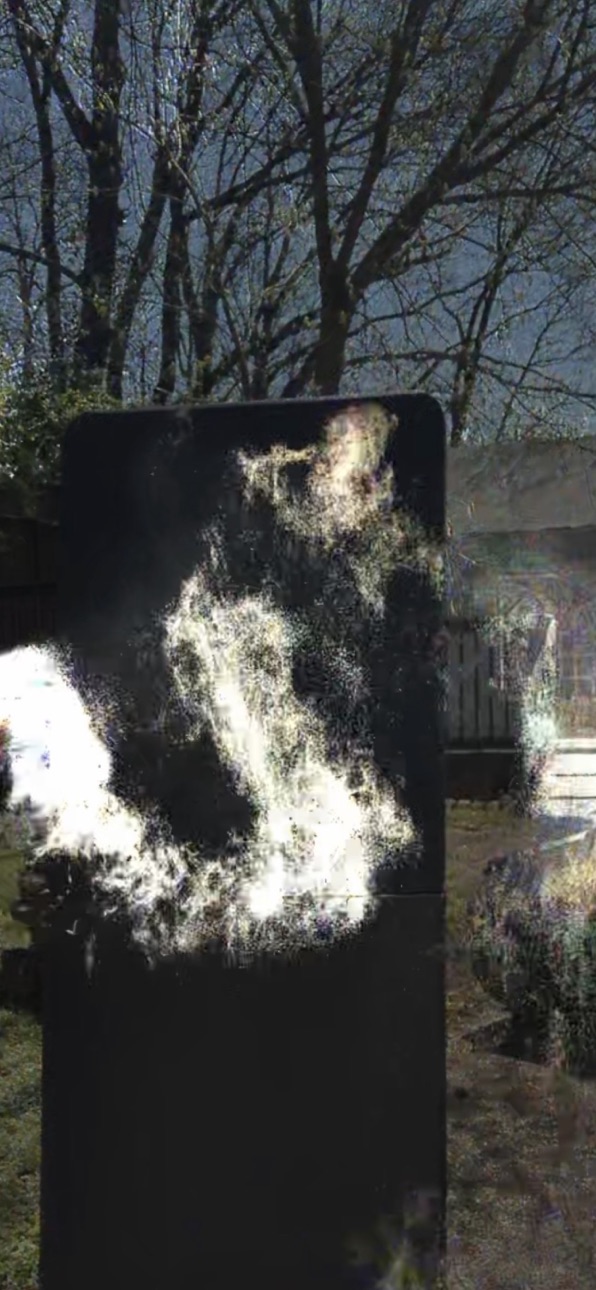


iPad 6 images


What’s New Version 3.5
We added VR mode with voice control. Ever wanted Ghost Goggles? If you have a large iPhone you can enjoy ghost hunting with a VR head set made for phones. Check Amazon. We also added a motion alarm that records video if it detects motion. It works a little like a trail Cam. An optional photo time stamp was also added. We also added a drawing feature for ghost hunters who like to circle parts of their images to show where the ghosts are.
Description
This app has been upgraded to provide the finest in color and motion change capture based on work done at MIT. If something is defracting light or moving this app will notice the difference and highlight it so you can see it better.
Achieve great ghost captures using Ghost Camera. We recommend using af a black background, dark hallway, or shadowed area for the best natural contrast. Works well where light and shadow meet. Daytime and sunlight are not a problem.
If used properly (read instructions in the app) you'll see patterns emerge through smoke, mist, reflective, semi-reflective surfaces, and shadows.
By using this Light and Motion tech combined with extreme edge detection and frame by frame analysis, you can see a whole new world using your camera phone. Ghost Camera's fantastic technology lets you see and analyze very transparent light patterns in greater detail making the un-noticed more visible!
Capture your own evidence, and decide for yourself. Ghost Camera is advanced camera image technology. It 's not a toy or game. Ghost Camera allows the user to digitally capture ghosts and other paranormal light patterns in their surrounding environment. Similar in nature to a thermal camera, Ghost Camera captures small unseen light changes and amplifies the change so the user can see and analyze their paranormal surroundings in a new way.
Note* You must use the built in screen recorder of the iPhone or iPad in order to save what you see on the screen as a video for later analysis.
Google "Screen Recorder iPhone" if it is not accessible.
After you save a video,
You must slowly look through the video frame by frame. Some Ghosts only last 1 or 2 frames in an entire video. A lot of ghosts are also small and my intermingle with others.
We recommend an app called "Video Scrubber Pro" to look at your video evidence frame by frame.
You must set your iPhone to record the screen when you use Ghost Camera if you want to get evidence. Google "how to record screen with your iPhone"
Stop your recording after a while by swiping down on the iPhone and press stop record. This will save the video to your camera roll.
When you are ready to review your Ghost Hunting evidence, go to your saved video. Slowly inspect it frame by frame to see what you have caught. We recommend an app called "Video Scrubber Pro" to look at your video evidence frame by frame. In our experience we have seen things appear sideways and upside down in some videos. Not sure why. May be gravity or optical related. So if you don't see any ghosts in your video , try locking the screen rotation and inspect the video upside down and sideways. This technology and process is not fake. Ghost Camera will amplify any movement or color change. Take into consideration your background and scenery to rule out random Pareidolia and false positives. Not everything is a ghost, but some things are, as you will see.
Post your evidence on social media and give us a good review if you catch something paranormal. Thanks!
...
Accessibility
ipadiphonemacrealityDevicetvoswatch
Version history 10 versions
Build 885944330v3.52026-05-22 04:03:29
We added VR mode with voice control. Ever wanted Ghost Goggles? If you have a large iPhone you can enjoy ghost hunting with a VR head set made for phones. Check Amazon. We also added a motion alarm that records video if it detects motion. It works a little like a trail Cam. An optional photo time stamp was also added. We also added a drawing feature for ghost hunters who like to circle parts of their images to show where the ghosts are.
Build 883898537v3.32026-04-08 20:11:05
This version has twice the resolution as last version. It is also more sensitive allowing a finer range of color change detection. The word generation engine has also been upgraded. The changes in light are now actually using the English alphabet to spell words and communicate. No more word list, so the possibilities are huge!
Build 869137397v2.82024-09-20 09:44:57
We added the shake setting. Now the view port will shake from 0 to 3 pixels. This helps outline hard to see patterns even more.
Build 868481513v2.72024-08-26 09:36:25
bug fix on screen tap issue. tap the screen now to refresh calculations.
Build 867566651v2.62024-07-18 07:05:06
Updated in app instructions. Added Pro G style for no amplify captures.
Build 867084206v2.52024-06-30 12:03:38
Increased speed, No longer needs internet connection.
Hold down - long press on Snap images to save to camera roll
Build 864501816v2.42024-03-18 11:22:01
We updated the instructions. The Snap button was updated. The half second photo capture feature was also improved.
Build 855842512v2.32023-03-28 15:30:49
We updated the main icon and added detailed instructions. A drawing feature was added in which changes in light shades control what is drawn on screen.
Build 854077786v2.22023-01-03 17:04:24
A higher resolution was applied.
Two new screen views were added.
Build 837034811v1.12020-07-29 23:00:30
Price history by region
Currency
Show
Columns
Search
Availability 1 of 1 storefronts
| Region | Language | Price | Ratings | Avg | Version |
|---|---|---|---|---|---|
| US | en-US | USD 3.99 | 3 | 5.0 | 3.5 |
Change log 14 changes · US
✎
releaseNotes updated
We added VR mode with voice control. Ever wanted Ghost Goggles? If you have a large iPhone you can enjoy ghost hunting with a VR head set made for phones. Check
✎
description updated
This app has been upgraded to provide the finest in color and motion change capture based on work done at MIT. If something is defracting light or moving this a
✎
subtitle updated
New MIT Camera Tech plus VR!
✎
name updated
Ghost Pro by Pocket Future
◆
Version 3.5 released
We added VR mode with voice control. Ever wanted Ghost Goggles? If you have a large iPhone you can enjoy ghost hunting with a VR head set made for phones. Check Amazon. We also added a motion alarm that records video if it detects motion. I
◆
Version 3.3 released
This version has twice the resolution as last version. It is also more sensitive allowing a finer range of color change detection. The word generation engine has also been upgraded. The changes in light are now actually using the English al
◆
Version 2.8 released
We added the shake setting. Now the view port will shake from 0 to 3 pixels. This helps outline hard to see patterns even more.
◆
Version 2.7 released
bug fix on screen tap issue. tap the screen now to refresh calculations.
◆
Version 2.6 released
Updated in app instructions. Added Pro G style for no amplify captures.
◆
Version 2.5 released
Increased speed, No longer needs internet connection.
Hold down - long press on Snap images to save to camera roll
◆
Version 2.4 released
We updated the instructions. The Snap button was updated. The half second photo capture feature was also improved.
◆
Version 2.3 released
We updated the main icon and added detailed instructions. A drawing feature was added in which changes in light shades control what is drawn on screen.
◆
Version 2.2 released
A higher resolution was applied.
Two new screen views were added.
◆
Version 1.1 released