Home › Education

 US
US
1 of 1 storefronts
Content in en-US
Content in en-US
Information
Preview 2 platforms
iPhone 6 images


iPad 6 images


What’s New Version 3.1.1
- Fix: Disappearing blocks when simulator is closed.
Description
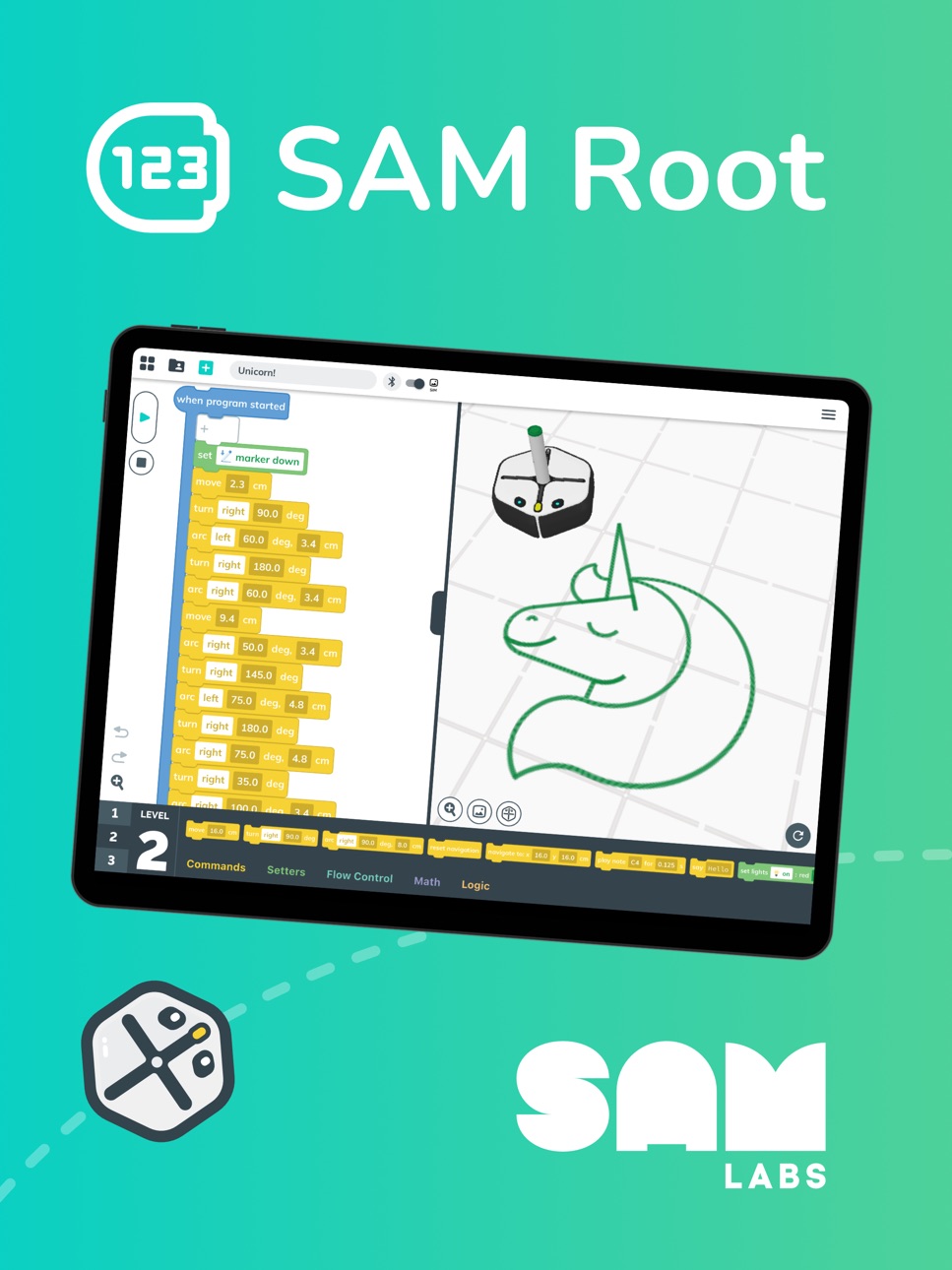
SAM Root makes it easy and fun to learn programming through hands-on robotics! With three progressive coding levels—from graphical blocks to hybrid blocks to Python 3 syntax—you’ll be building real coding skills and controlling robots in no time.
MASTER CODING WITH 3 LEARNING LEVELS
No coding experience? No problem! SAM Root meets you where you are and grows with your skills:
- LEVEL 1: Graphical Blocks – Start with drag-and-drop, graphical blocks to grasp the fundamentals of coding logic—no reading required.
- LEVEL 2: Hybrid Blocks – Transition into more advanced coding structure with blocks that blend visuals and coding script.
- LEVEL 3: Python Code Blocks – Discover the structure and syntax of professional coding languages with full-text Python 3 code blocks.
SEAMLESSLY SWITCH BETWEEN LEVELS
Change coding levels anytime with a tap. SAM Root automatically converts your code, so you can match your skill level and learn the professional Python syntax behind each block.
CONNECT TO ROOT ROBOTS
Pair with a Root coding robot via Bluetooth and bring your programs to life! Control movement, lights, sounds, sensors, and more—while watching your code run in real time.
TEST WITH THE BUILT-IN SIMULATOR
Use the built-in 3D simulator to test your programs, speed up execution, and try new ideas—all without needing hardware.
Accessibility
ipadiphonemacrealityDevicetvoswatch
Version history 20 versions
Build 883226935v3.1.12026-03-10 21:36:35
- Fix: Disappearing blocks when simulator is closed.
Build 882952797v3.1.02026-03-02 22:26:10
- NEW: Screen Free Root!
- NEW: Ability to change Simulator Scene.
Build 882419289v3.0.102026-02-13 00:08:54
- hotfix: disappearing blocks
Build 882307678v3.0.92026-02-09 22:31:32
- Performance improvements for drag and drop
Build 881542069v3.0.82026-01-16 13:35:38
- Updated age ratings for compliance
Build 880045106v3.0.72025-11-25 16:26:09
- Fix: iPad OS 26 would sometimes have issues with pop-up dialogs closing shortly after user opening them
Build 878498527v3.0.62025-09-30 19:07:52
NEW:
- Time estimate for robot firmware update completion.
FIX:
- Trashcan on smaller devices would sometimes be buggy.
Build 878204415v3.0.52025-09-18 14:52:30
NEW:
- Fixed issue with trashcan not working in some cases.
- Fixed broken undo-redo system with multi-drag deletion.
- Added support for universal links.
Build 876043935v3.0.42025-08-30 14:57:43
Multiple Bug Fixes:
- Trashcan at different zoom levels, Block picker flickering and many more.
Additions:
- Root Survey, intuitive messages when updating robots, and more.
Build 875863332v3.0.32025-06-25 08:33:16
NEW drag multiple blocks — Press and hold a block to move it together with any connected blocks!
Bug fixes:
- Project-renaming window no longer appears at unexpected times
- Projects no longer disappear when the window is resized
- Robots in update mode no longer show a false low-battery warning
- Say block visibility corrected — shown in Level 2 & 3 block picker and hidden in Level 1 picker
Build 875028661v3.0.22025-05-23 16:32:08
- v3.0.2 fixes an issue that prevents the simulator from working
iRobot Coding is now SAM Root! The updated SAM Root app is filled with improvements, including:
- NEW Undo/Redo feature
- IMPROVED variable editor
- IMPROVED simulator integration
- IMPROVED support for converting large values to Level 1
- NEW Bluetooth/Simulator toggle
- NEW Upload or Download multiple projects at once
- NEW Solfege music notation option
- NEW Level 1 block tooltips
- IMPROVED performance with hundreds of fixes!
Build 874752600v3.0.12025-05-16 13:52:45
iRobot Coding is now SAM Root! The updated SAM Root app is filled with improvements, including:
- NEW Undo/Redo feature
- IMPROVED variable editor
- IMPROVED simulator integration
- IMPROVED support for converting large values to Level 1
- NEW Bluetooth/Simulator toggle
- NEW Upload or Download multiple projects at once
- NEW Solfege music notation option
- NEW Level 1 block tooltips
- IMPROVED performance with hundreds of fixes!
Build 845403696v3.0.02025-05-13 21:10:33
iRobot Coding is now SAM Root! The updated SAM Root app is filled with improvements, including:
- NEW Undo/Redo feature
- IMPROVED variable editor
- IMPROVED simulator integration
- IMPROVED support for converting large values to Level 1
- NEW Bluetooth/Simulator toggle
- NEW Upload or Download multiple projects at once
- NEW Solfege music notation option
- NEW Level 1 block tooltips
- IMPROVED performance with hundreds of fixes!
Build 843766148v2.1.72021-08-28 01:06:29
- NEW Share projects with URLs — Easily share projects with a custom web link from the project sharing window
- NEW Support for simulator games — Learn to code with new simulator challenges
- NEW Tooltips – Unsure what a button does? Hover or long press to see a description
- Backend improvements
- Bug fixes
Build 842353603v2.1.62021-06-07 02:09:16
- NEW Renaming your robot — Give your physical Root robot a unique name to make it easier to find and connect to
- IMPROVED 3D simulator — Try out virtual stickers in the simulator and set the camera to follow your SimBot
- NEW Italian translation
- Bug fixes and optimizations
Build 840692647v2.1.52021-03-31 15:08:38
- NEW workflow for managing projects — More easily share, rename, and delete projects across the app
- NEW color sensing in simulator — Detect and react to different colors using the Root SimBot
- NEW Root firmware — Detect colors more accurately (model rt1 only) and improve drawing of arcs
- Fixed a bug where the app would not work with certain language settings
- Other bug fixes and improvements
Build 840559879v2.1.42021-03-01 16:10:45
- NEW Python syntax for Level 3 — Translate your projects into the popular Python 3 programming language
- IMPROVED 3D simulator — Enjoy higher quality drawings, improved 3D models, and easier touch interactions
- Bug fixes
Build 839962375v2.1.32021-01-17 19:47:53
- NEW Translations for Spanish, German, French, and Czech
- NEW Japanese learning materials
- Bug fixes
Build 838115091v2.1.12020-12-17 23:56:28
- NEW Integrated Learning Library — Easily explore our curated library of learning content to discover new projects and activities.
- NEW 3D Simulator — Run your code in our powerful, new 3D simulator. Draw in different colors, touch the robot to trigger sensors, and more!
- NEW Comment block — Add text comments in your code to help keep your projects organized.
- NEW Say block — Have Root say things in its own robot language.
- NEW Japanese translation
- Bug fixes
Build 836966790v2.0.02020-09-23 14:12:36
No pricing data captured yet — comparisons appear once the app has paid storefronts or in-app purchases.
Availability 1 of 1 storefronts
| Region | Language | Price | Ratings | Avg | Version |
|---|---|---|---|---|---|
| US | en-US | Free | 42 | 3.8 | 3.1.1 |
Change log 23 changes · US
✎
releaseNotes updated
- Fix: Disappearing blocks when simulator is closed.
✎
description updated
SAM Root makes it easy and fun to learn programming through hands-on robotics! With three progressive coding levels—from graphical blocks to hybrid blocks to Py
✎
name updated
SAM Root
◆
Version 3.1.1 released
- Fix: Disappearing blocks when simulator is closed.
◆
Version 3.1.0 released
- NEW: Screen Free Root!
- NEW: Ability to change Simulator Scene.
◆
Version 3.0.10 released
- hotfix: disappearing blocks
◆
Version 3.0.9 released
- Performance improvements for drag and drop
◆
Version 3.0.8 released
- Updated age ratings for compliance
◆
Version 3.0.7 released
- Fix: iPad OS 26 would sometimes have issues with pop-up dialogs closing shortly after user opening them
◆
Version 3.0.6 released
NEW:
- Time estimate for robot firmware update completion.
FIX:
- Trashcan on smaller devices would sometimes be buggy.
◆
Version 3.0.5 released
NEW:
- Fixed issue with trashcan not working in some cases.
- Fixed broken undo-redo system with multi-drag deletion.
- Added support for universal links.
◆
Version 3.0.4 released
Multiple Bug Fixes:
- Trashcan at different zoom levels, Block picker flickering and many more.
Additions:
- Root Survey, intuitive messages when updating robots, and more.
◆
Version 3.0.3 released
NEW drag multiple blocks — Press and hold a block to move it together with any connected blocks!
Bug fixes:
- Project-renaming window no longer appears at unexpected times
- Projects no longer disappear when the window is resized
- Ro
◆
Version 3.0.2 released
- v3.0.2 fixes an issue that prevents the simulator from working
iRobot Coding is now SAM Root! The updated SAM Root app is filled with improvements, including:
- NEW Undo/Redo feature
- IMPROVED variable editor
- IMPROVED simulator integr
◆
Version 3.0.1 released
iRobot Coding is now SAM Root! The updated SAM Root app is filled with improvements, including:
- NEW Undo/Redo feature
- IMPROVED variable editor
- IMPROVED simulator integration
- IMPROVED support for converting large values to Level 1
-
◆
Version 3.0.0 released
iRobot Coding is now SAM Root! The updated SAM Root app is filled with improvements, including:
- NEW Undo/Redo feature
- IMPROVED variable editor
- IMPROVED simulator integration
- IMPROVED support for converting large values to Level 1
-
◆
Version 2.1.7 released
- NEW Share projects with URLs — Easily share projects with a custom web link from the project sharing window
- NEW Support for simulator games — Learn to code with new simulator challenges
- NEW Tooltips – Unsure what a button does? Hover
◆
Version 2.1.6 released
- NEW Renaming your robot — Give your physical Root robot a unique name to make it easier to find and connect to
- IMPROVED 3D simulator — Try out virtual stickers in the simulator and set the camera to follow your SimBot
- NEW Italian tran
◆
Version 2.1.5 released
- NEW workflow for managing projects — More easily share, rename, and delete projects across the app
- NEW color sensing in simulator — Detect and react to different colors using the Root SimBot
- NEW Root firmware — Detect colors more accu
◆
Version 2.1.4 released
- NEW Python syntax for Level 3 — Translate your projects into the popular Python 3 programming language
- IMPROVED 3D simulator — Enjoy higher quality drawings, improved 3D models, and easier touch interactions
- Bug fixes
◆
Version 2.1.3 released
- NEW Translations for Spanish, German, French, and Czech
- NEW Japanese learning materials
- Bug fixes
◆
Version 2.1.1 released
- NEW Integrated Learning Library — Easily explore our curated library of learning content to discover new projects and activities.
- NEW 3D Simulator — Run your code in our powerful, new 3D simulator. Draw in different colors, touch the
◆
Version 2.0.0 released