Home › Photo & Video

 US
US
1 of 1 storefronts
Content in en-US
Content in en-US
Information
Preview 1 platform
iPhone 6 images



What’s New Version V3.6.1
1: Added HD@24 and 4K@24 settings to the Video Resolution Menu. The 24fps frame rate is for cinematic used by movie makers for a slightly softer, motion and less “real-time” feel that looks more artistic and story-driven.
2: Fixes crash when shooting Spatial Photo in 16:9. A not supported message pops-up instead of app crashing. The Aspect Ratio setting is unlocked when Spatial lens is selected, allowing users to easily change the setting from 16:9 to 4:3.
3: Remove "Video Format Reset" setting from the SportDiver iOS app. This function is no longer applicable.
Description
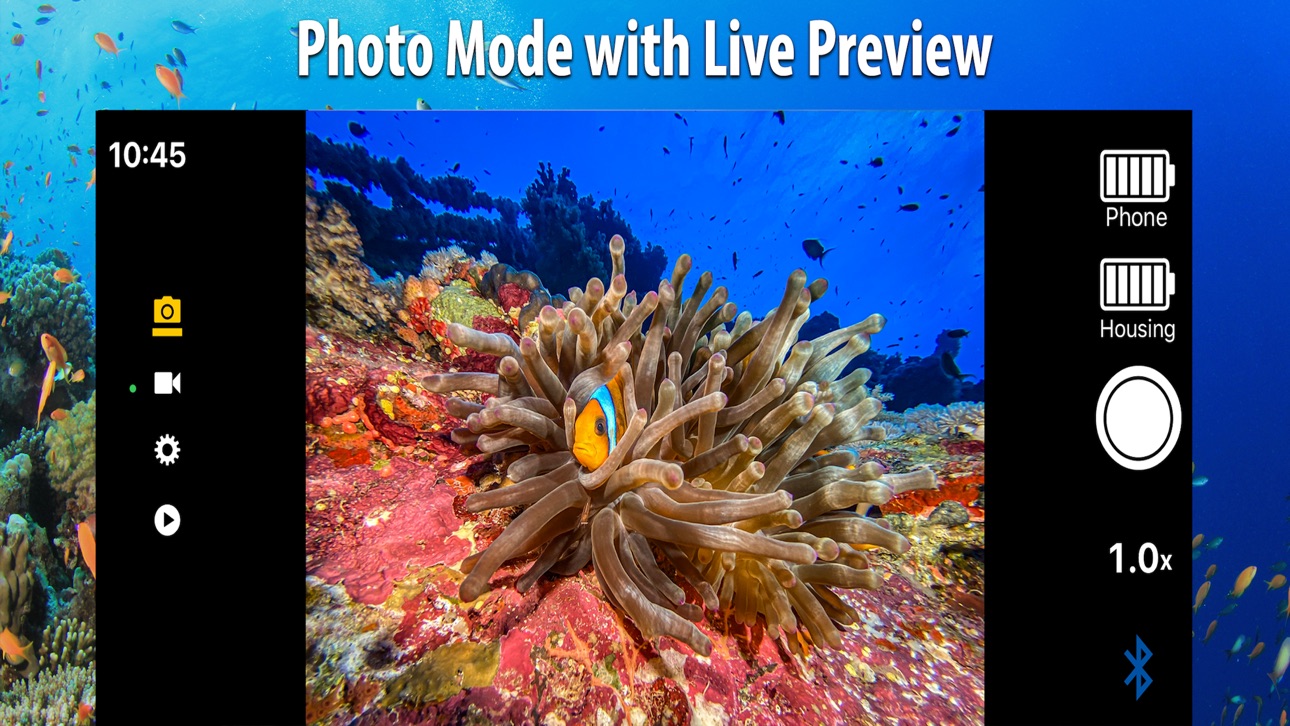
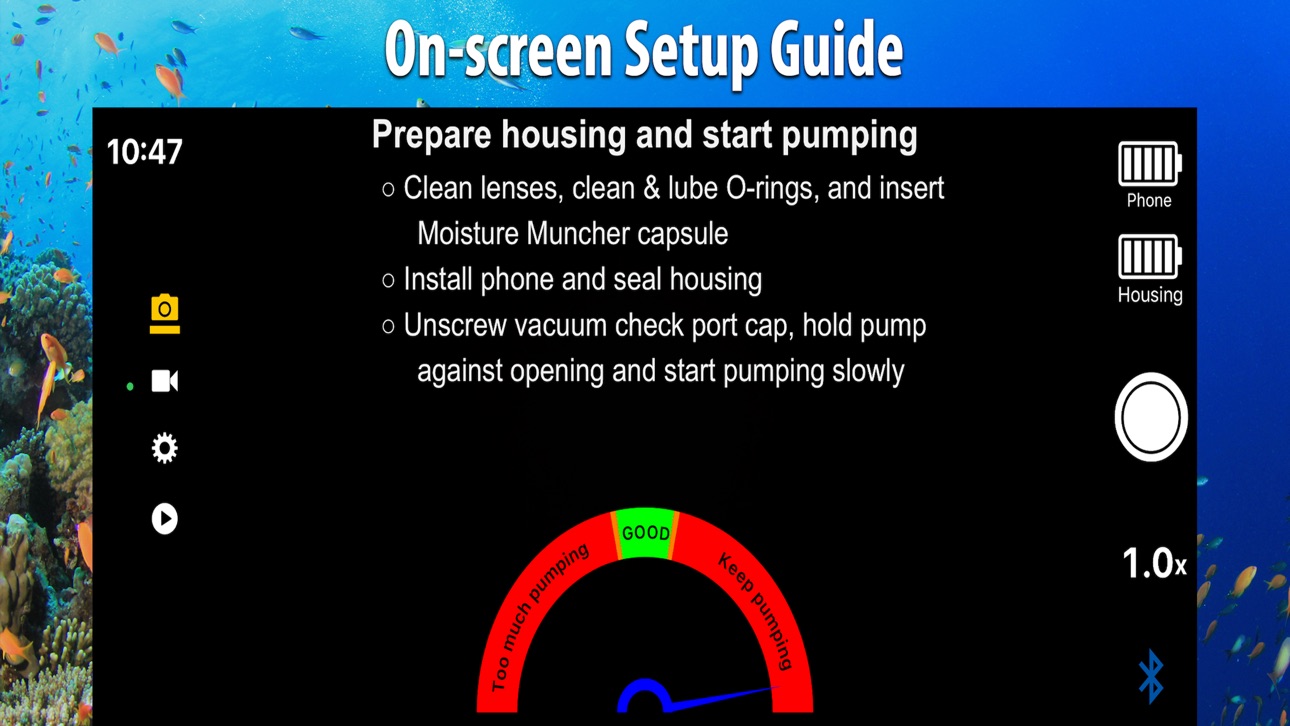
Camera app for SeaLife SportDiver underwater smartphone housings. Capture ultra-high-quality photos and videos using your smartphone. Easy-to-use with advanced camera settings including Lens selection, zooming, JPEG/HEIC/RAW/ProRAW image formats, underwater color-correction filters, manual white balance, EV exposure control, auto & manual focus control, HD/4K/ProRes video formats with frame rates from 24 fps to 240 FPS, video stabilization, landscape and portrait image orientation, 4:3 or 16:9 aspect ratio, and more. View photos and play videos in Playback mode. Files are saved to the Photos app for easy editing and sharing. A Leak Avoidance System checks the waterproof seals before entering the water and alerts you in the unlikely event water enters the housing. For more information about SeaLife SportDiver Underwater smartphone housings, visit sealife-cameras.com.
Accessibility
ipadiphonemacrealityDevicetvoswatch
Version history 25 versions
Build 887421333vV3.6.12026-07-06 01:47:26
1: Added HD@24 and 4K@24 settings to the Video Resolution Menu. The 24fps frame rate is for cinematic used by movie makers for a slightly softer, motion and less “real-time” feel that looks more artistic and story-driven.
2: Fixes crash when shooting Spatial Photo in 16:9. A not supported message pops-up instead of app crashing. The Aspect Ratio setting is unlocked when Spatial lens is selected, allowing users to easily change the setting from 16:9 to 4:3.
3: Remove "Video Format Reset" setting from the SportDiver iOS app. This function is no longer applicable.
Build 882691492vV3.5.32026-02-27 19:27:26
1: Added 24MP and 48MP to the Image Resolution setting. 24MP and 48MP is only supported by iPhones capable of capturing higher resolution. 24MP and 48MP is not available for all Lens settings. Set each lens to the desired resolution, which will be saved independent of the other lenses. Image Resolution will be reduced when zooming, which is the same as the native camera app.
Build 881990662vV3.5.22026-01-30 19:01:51
1: Added new "Fast Switch" setting. When Fast Switch is enabled, pushing the mode button switches between photo and video modes only. When Fast Switch is disabled, pushing the mode button switches between all four modes - Photo > Video > Settings > Playback. To enable/disable Fast Switch, push the OK button in Photo or Video mode until you see a circular arrow icon appear under the shutter button icon. Two circular arrows mean Fast Switch is enabled. Four circular arrows mean Fast Switch is disabled.
2: Updates to comply with new iOS app policies
3: Other minor bug fixes.
Build 879301090vV3.5.12025-10-29 12:44:56
iOS26 compatibility update.
Build 870296998vV3.52025-10-23 14:34:39
1: Restores ProRAW photo and ProRes video settings for 17 Pro and 17 Pro Max phones
2: Added Spatial Video - BETA setting. Record 3D video viewable on Apple Vision Pro headset. Only supported by 15/16/17 Pro & Pro Max models
3: Improved graphic user interface. Modes and messages are easier to read.
4: Added photo/video file delete function. Pushing the shutter lever in Playback mode opens "Delete this?" message. Push OK to confirm deletion
5: Improved app performance and stability associated with the release of iOS 26
6: Updated App Store description
Note: Another app update with some significant enhancements is in progress and will be released soon
Build 869472970vV3.4.62024-10-05 16:56:22
- Added new video formats to the Video Settings menu for iPhone 16-series.
- Removed video formats that Apple no longer supports for some older iPhone models.
- Improved app performance and stability associated with the release of iOS 18.
Build 868368166vV3.4.52024-08-21 21:26:29
• Improved zooming function. Replaced zooming steps with smooth zoom transition.
• Updated Video settings menu to include all supported video formats.
• Added Self-Timer setting with options for 3, 5 and 10 seconds. Applies to photos and videos. Useful when using SeaLife AquaPod telescoping monopod.
• Revised video playback function. Push OK button to play video.
• Revised picture-in-video (PIV) function. Push Mode button to capture photo while recording video.
• Fixes app freezing issue affecting some phone models.
• Revised start-up screen.
• Various minor bug fixes.
Build 866258120vV3.4.42024-05-29 04:52:14
- Fixes bug that may cause app to freeze (lock-up) or crash
- Includes all app enhancements as version 3.4.3:
1. Update the SportDiver app version number in the app settings menu.
2. Bug fixes that may cause the app to close or hang-up on some iPhone models.
3. New White Balance menu with options for Auto, UW Deep, UW Shallow, and Manual. UW Deep (greater than 25ft/8m) and UW Shallow (less than 25ft/8m) are color-correction filters for deep diving or shallow snorkeling. Use white balance color filters as an alternate to the included red filter - Don't use both at the same time. Set white balance to auto when using a photo-video light. When white balance is set to Manual, use the Temperature and Tint settings to manually adjust color balance.
4. Add Aspect Ratio setting with options for 4:3 (default) and 16:9. The Aspect Ratio setting only applies to photos. Videos will always be recorded using 16:9 aspect ratio. When using 16:9, the Image Format setting will be locked to JPEG.
5. Photos and videos are saved in portrait orientation when the phone is held vertically. When the phone is held horizontally, photos and videos are saved in landscape orientation.
6. Add HEIF to Image Format settings. Supports JPEG, HEIF, ProRAW, ProRAW+JPEG and ProRAW+HEIF. ProRAW is only available for iPhones 12 Pro/Pro Max and up. HEIF files (High Efficiency File Format) use a more modern and sophisticated form of compression than JPEG, but may not be compatible with some photo editing software. HEIF and ProRAW is not available when Aspect Ratio is set to 16:9.
7. The Picture-in-Video (PIV) function has been relocated to the Mode button. During video recording, push the Mode button to capture and save a photo.
8. Updated Video setting with options for non-HDR video format. HDR (High Dynamic Range) is recommended if you are not editing your videos. HDR is also known as "Dolby Vision". Apple only supports PreRes with HDR.
Build 865805833vV3.4.32024-05-09 16:44:03
1. Update the SportDiver app version number in the app settings menu.
2. Bug fixes that may cause the app to close or hang-up on some iPhone models.
3. New White Balance menu with options for Auto, UW Deep, UW Shallow, and Manual. UW Deep (greater than 25ft/8m) and UW Shallow (less than 25ft/8m) are color-correction filters for deep diving or shallow snorkeling. Use white balance color filters as an alternate to the included red filter - Don't use both at the same time. Set white balance to auto when using a photo-video light. When white balance is set to Manual, use the Temperature and Tint settings to manually adjust color balance.
4. Add Aspect Ratio setting with options for 4:3 (default) and 16:9. The Aspect Ratio setting only applies to photos. Videos will always be recorded using 16:9 aspect ratio. When using 16:9, the Image Format setting will be locked to JPEG.
5. Photos and videos are saved in portrait orientation when the phone is held vertically. When the phone is held horizontally, photos and videos are saved in landscape orientation.
6. Add HEIF to Image Format settings. Supports JPEG, HEIF, ProRAW, ProRAW+JPEG and ProRAW+HEIF. ProRAW is only available for iPhones 12 Pro/Pro Max and up. HEIF files (High Efficiency File Format) use a more modern and sophisticated form of compression than JPEG, but may not be compatible with some photo editing software. HEIF and ProRAW is not available when Aspect Ratio is set to 16:9.
7. The Picture-in-Video (PIV) function has been relocated to the Mode button. During video recording, push the Mode button to capture and save a photo.
8. Updated Video setting with options for non-HDR video format. HDR (High Dynamic Range) is recommended if you are not editing your videos. HDR is also known as "Dolby Vision". Apple only supports PreRes with HDR.
Build 865753219vV3.4.22024-05-08 05:16:34
1:Bug fixes that caused the app to close, hang-up or crash on some iPhone models.
2:New White Balance menu with options for Auto, UW Deep, UW Shallow, and Manual. UW Deep (greater than 25ft/8m) and UW Shallow (less than 25ft/8m) are color-correction filters for deep diving or shallow snorkeling. Use white balance color filters as an alternate to the included red filter - Don't use both at the same time. Set white balance to auto when using a photo-video light. When white balance is set to Manual, use the Temperature and Tint settings to manually adjust color balance.
3:Add Aspect Ratio setting with options for 4:3 (default) and 16:9. The Aspect Ratio setting only applies to photos. Videos will always be recorded using 16:9 aspect ratio. When using 16:9, the Image Format setting will be locked to JPEG.
4:Photos and videos are saved in portrait orientation when the phone is held vertically. When the phone is held horizontally, photos and videos are saved in landscape orientation.
5:Add HEIF to Image Format settings. Supports JPEG, HEIF, ProRAW, ProRAW+JPEG and ProRAW+HEIF. ProRAW is only available for iPhones 12 Pro/Pro Max and up. HEIF files (High Efficiency File Format) use a more modern and sophisticated form of compression than JPEG, but may not be compatible with some photo editing software. HEIF and ProRAW is not available when Aspect Ratio is set to 16:9.
6:The Picture-in-Video (PIV) function has been relocated to the Mode button. During video recording, push the Mode button to capture and save a photo.
7:Updated Video setting with options for non-HDR video format. HDR (High Dynamic Range) is recommended if you are not editing your videos. HDR is also known as "Dolby Vision". Apple only supports PreRes with HDR.
Build 865652658vV3.4.12024-05-03 02:59:33
1: New White Balance menu with options for Auto, UW Deep, UW Shallow, and Manual. UW Deep (greater than 25ft/8m) and UW Shallow (less than 25ft/8m) are color-correction filters for deep diving or shallow snorkeling. Use white balance color filters as an alternate to the included red filter - Don't use both at the same time. Set white balance to auto when using a photo-video light. When white balance is set to Manual, use the Temperature and Tint settings to manually adjust color balance.
2: Add Aspect Ratio setting with options for 4:3 (default) and 16:9. The Aspect Ratio setting only applies to photos. Videos will always be recorded using 16:9 aspect ratio. When using 16:9, the Image Format setting will be locked to JPEG.
3: Photos and videos are saved in portrait orientation when the phone is held vertically. When the phone is held horizontally, photos and videos are saved in landscape orientation.
4: Add HEIF to Image Format settings. Supports JPEG, HEIF, ProRAW, ProRAW+JPEG and ProRAW+HEIF. ProRAW is only available for iPhones 12 Pro/Pro Max and up. HEIF files (High Efficiency File Format) use a more modern and sophisticated form of compression than JPEG, but may not be compatible with some photo editing software. HEIF and ProRAW is not available when Aspect Ratio is set to 16:9.
5: The Picture-in-Video (PIV) function has been relocated to the Mode button. During video recording, push the Mode button to capture and save a photo.
6: Updated Video setting with options for non-HDR video format. HDR (High Dynamic Range) is recommended if you are not editing your videos. HDR is also known as "Dolby Vision". Apple only supports PreRes with HDR.
7: Fixes crash bug when zooming and taking a photo, or when trying to make a Bluetooth connection with more than one SportDiver housing powered on at the same time.
Build 865548288vV3.42024-04-29 17:20:53
1: New White Balance menu with options for Auto, UW Deep, UW Shallow, and Manual. UW Deep (greater than 25ft/8m) and UW Shallow (less than 25ft/8m) are color-correction filters for deep diving or shallow snorkeling. Use white balance color filters as an alternate to the included red filter - Don't use both at the same time. Set white balance to auto when using aphoto-video light. When white balance is set to Manual, use the Temperature and Tint settings to manually adjust color balance.
2: Add Aspect Ratio setting with options for 4:3 (default) and 16:9. The Aspect Ratio setting only applies to photos. Videos will always be recorded using 16:9 aspect ratio. When using 16:9, the Image Format setting will be locked to JPEG.
3: Photos and videos are saved in portrait orientation when the phone is held vertically. When the phone is held horizontally, photos and videos are saved in landscape orientation.
4: Add HEIF to Image Format settings. Supports JPEG, HEIF, ProRAW, ProRAW+JPEG and ProRAW+HEIF. ProRAW is only available for iPhones 12 Pro/Pro Max and up. HEIF files (High Efficiency File Format) use a more modern and sophisticated form of compression than JPEG, but may not be compatible with some photo editing software. HEIF and ProRAW is not available when Aspect Ratio is set to 16:9.
5: The Picture-in-Video (PIV) function has been relocated to the Mode button. During video recording, push the Mode button to capture and save a photo.
6: Updated Video setting with options for non-HDR video format. HDR (High Dynamic Range) is recommended if you are not editing your videos. HDR is also known as "Dolby Vision". Apple only supports PreRes with HDR.
7: Fixes crash bug when trying to make Bluetooth connection with more than one SportDiver housing powered on at the same time.
Build 862111253vV3.3.12023-12-12 12:05:42
- Fixes ProRes video recording bug with the iPhone 15 Pro and 15 Pro Max.
- 15 Pro model - ProRes4K@30 and ProResHD@60 video settings have been temporarily removed until further notice.
- 15 Pro Max model - ProResHD@60 video setting has been temporarily removed when using the Triple lens setting until further notice.
Build 862046537vV3.32023-12-08 18:59:07
• Fixes video mode crash bug associated with iOS 17
• Other minor bug fixes.
Build 860881107vV3.22023-11-12 21:48:00
• Critical updates for iOS 17 operating system and iPhone 15-series
• Fix Setting Menu language bugs
• Automatically save photos/videos in portrait format when phone is held in portrait position
Build 860813995vV3.12023-10-20 12:03:17
Fixes iOS 17 compatibility issue with iPhone 15 Pro and 15 Pro Max
Build 857056285v3.02023-05-22 14:19:02
1. Added ProRAW image format. ProRAW image capture is only available on iPhone 12/13/14 Pro/ProMax. Phones not supporting ProRAW will support standard RAW-only or RAW+JPEG.
2. Added Image Format setting with options to select JPEG-only, RAW-only or RAW+JPEG.
3. Added ProRAW Resolution setting with 12MP and 48MP options. 48MP ProRAW is only available on iPhone 14 Pro/ProMax when using the Wide lens without zoom. 48MP will revert to 12MP low light.
4. Added ProRes video format. ProRes video recording is only available on iPhone 13/14 Pro/ProMax.
5. Changed the Settings Menu color scheme to white, gray, and black for higher contrast and better visibility.
6. Changed “Normal” lens name to “Wide”.
7. Moved Mode icons to avoid interference with iPhone 14 Pro/ProMax Dynamic Island display feature.
8. Allow zooming when RAW or ProRAW is enabled. ProRAW 48MP is only available at 1X (i.e. no zooming)
9. Allow RAW image capture when using the Triple Lens setting.
10. Changed photo and video file name to date/time format. For example, file name “SeaLife_20230502_170344” means the photo or video was taken on May 2, 2023 at 5:03:44 pm.
11. Changed 3.5-minute pre-dive leak analysis pressure guage titles from “Low Pressure” to “Keep pumping”, and “High Pressure” to “Too much pumping”.
12. Removed Portrait (Bokeh) setting. Caused app instability and potential for app crash.
13. Removed Dual Lens from Lens Setting Menu. Caused app instability and potential for app crash.
14. Removed Photo + 3 Sec. Video setting. Caused app instability and potential for app crash.
15. Added map location to photo and video file meta data. The location can be viewed in the iPhone's Photos app file information screen. Location is not available when shooting underwater.
Developer notes:
a. For more details and important updates, please visit www.sealife-cameras.com/sportdiver-troubleshooting-technical-updates/
b. If you have any suggestions or find a bug, please email us at quality@sealife-cameras.com
c. If you are happy with the SportDiver app, please consider leaving a review in the App Store or updating your previous review.
Build 852177096v2.52022-09-15 08:08:53
Fix landscape screen orientation issue and other minor app bugs associated with iOS 16.
Build 851969900v2.32022-09-02 02:33:32
What’s New
1. Increased maximum zooming range to 7.0x.
2. For iPhones with three lenses, the Triple Lens setting allows switching between all lenses when zooming.
3. Added “Allow all app permissions” pop-up message if any permissions were not allowed.
4. Fixed some minor app bugs
Build 848036364v2.22022-04-02 00:37:52
1. Fixed iOS 15 Menu Settings bug for non-English languages
2. Fix app crash bug when recording video and changing modes. Video recording must be stopped before changing modes.
3. Add important message when turning on RAW+JPEG mode – “Please allow 1 second between RAW+JPEG photos”.
4. Add Picture-in-Video (PIV) function. Push OK button to capture frame-shot image when in Video mode.
5. Add real-time clock to top left of display
6. Updated language translations for some Menu Settings
7. Other general updates associated with iOS 15.x
Build 840349064v2.0.12021-12-17 20:54:18
General updates for iOS 15.2
1: Add Frame Rate to Video Resolution setting. For example, 4K - 60fps (frames per second), 4K – 30fps, 1080-120fps, 1080-60fps, 1080-30fps, etc. Maximum Frame rate and resolution depends on iPhone model.
2: Enhanced zooming function. Each lens has the following zoom range:
> Normal (Wide) lens: Digital zoom from 1.0x to 2.0x in 0.1x step increments.
> Telephoto lens: Digital zoom from 2.0x to 7.0x in various step increments.
> Ultrawide lens: Digital zoom from 0.50x to 1.00x in 0.05 step increments
> Triple lens: Optical zoom of 0.5x ultrawide lens, 1.0x wide (normal) lens and 2.0x Telephoto lens
3: Fixed menu settings bug when iPhone is using non-English language
4: Added app version number to Settings Menu
Build 838528014v2.02021-01-29 23:13:53
1. Add video resolution setting -> UHD-4K, HD-1080p, HD-720p.
2. Fix “Dark Mode” menu visibility issue.
3. Support languages - Spanish, German, French, Italian, Dutch & Chinese.
4. Improved Settings Menu order.
5. Prevent phone from going to Auto-Lock when app is running.
6. Extends the iPhone’s battery life by turning off the camera when phone is in Power Save mode.
7. Add on-screen exposure & settings data to top of display.
8. Change name of Background Blur to “Portrait (Bokeh)”.
9. Add Triple Lens zooming function.
Build 838499501v1.0.62020-11-04 18:52:30
Improved Playback Function.
Build 838331540v1.0.52020-10-23 17:12:39
Improve Shutter Control
Build 838066589v1.0.42020-10-12 07:21:23
(1)White Balance setting with consistent increments.
(2)Tint value setting with consistent increments.
No pricing data captured yet — comparisons appear once the app has paid storefronts or in-app purchases.
Availability 1 of 1 storefronts
| Region | Language | Price | Ratings | Avg | Version |
|---|---|---|---|---|---|
| US | en-US | Free | 208 | 3.3 | V3.6.1 |
Change log 29 changes · US
✎
releaseNotes updated
1: Added HD@24 and 4K@24 settings to the Video Resolution Menu. The 24fps frame rate is for cinematic used by movie makers for a slightly softer, motion and les
✎
description updated
Camera app for SeaLife SportDiver underwater smartphone housings. Capture ultra-high-quality photos and videos using your smartphone. Easy-to-use with advance
✎
subtitle updated
Underwater phone Housing
✎
name updated
SportDiver
◆
Version V3.6.1 released
1: Added HD@24 and 4K@24 settings to the Video Resolution Menu. The 24fps frame rate is for cinematic used by movie makers for a slightly softer, motion and less “real-time” feel that looks more artistic and story-driven.
2: Fixes crash whe
◆
Version V3.5.3 released
1: Added 24MP and 48MP to the Image Resolution setting. 24MP and 48MP is only supported by iPhones capable of capturing higher resolution. 24MP and 48MP is not available for all Lens settings. Set each lens to the desired resolution, whic
◆
Version V3.5.2 released
1: Added new "Fast Switch" setting. When Fast Switch is enabled, pushing the mode button switches between photo and video modes only. When Fast Switch is disabled, pushing the mode button switches between all four modes - Photo > Video >
◆
Version V3.5.1 released
iOS26 compatibility update.
◆
Version V3.5 released
1: Restores ProRAW photo and ProRes video settings for 17 Pro and 17 Pro Max phones
2: Added Spatial Video - BETA setting. Record 3D video viewable on Apple Vision Pro headset. Only supported by 15/16/17 Pro & Pro Max models
3: Improved gr
◆
Version V3.4.6 released
- Added new video formats to the Video Settings menu for iPhone 16-series.
- Removed video formats that Apple no longer supports for some older iPhone models.
- Improved app performance and stability associated with the release of iOS 18.
◆
Version V3.4.5 released
• Improved zooming function. Replaced zooming steps with smooth zoom transition.
• Updated Video settings menu to include all supported video formats.
• Added Self-Timer setting with options for 3, 5 and 10 seconds. Applies to photos and vi
◆
Version V3.4.4 released
- Fixes bug that may cause app to freeze (lock-up) or crash
- Includes all app enhancements as version 3.4.3:
1. Update the SportDiver app version number in the app settings menu.
2. Bug fixes that may cause the app to close or
◆
Version V3.4.3 released
1. Update the SportDiver app version number in the app settings menu.
2. Bug fixes that may cause the app to close or hang-up on some iPhone models.
3. New White Balance menu with options for Auto, UW Deep, UW Shallow, and
◆
Version V3.4.2 released
1:Bug fixes that caused the app to close, hang-up or crash on some iPhone models.
2:New White Balance menu with options for Auto, UW Deep, UW Shallow, and Manual. UW Deep (greater than 25ft/8m) and UW Shallow (less than 25ft/8m) are colo
◆
Version V3.4.1 released
1: New White Balance menu with options for Auto, UW Deep, UW Shallow, and Manual. UW Deep (greater than 25ft/8m) and UW Shallow (less than 25ft/8m) are color-correction filters for deep diving or shallow snorkeling. Use white balance colo
◆
Version V3.4 released
1: New White Balance menu with options for Auto, UW Deep, UW Shallow, and Manual. UW Deep (greater than 25ft/8m) and UW Shallow (less than 25ft/8m) are color-correction filters for deep diving or shallow snorkeling. Use white balance color
◆
Version V3.3.1 released
- Fixes ProRes video recording bug with the iPhone 15 Pro and 15 Pro Max.
- 15 Pro model - ProRes4K@30 and ProResHD@60 video settings have been temporarily removed until further notice.
- 15 Pro Max model - ProResHD@60 video setting has b
◆
Version V3.3 released
• Fixes video mode crash bug associated with iOS 17
• Other minor bug fixes.
◆
Version V3.2 released
• Critical updates for iOS 17 operating system and iPhone 15-series
• Fix Setting Menu language bugs
• Automatically save photos/videos in portrait format when phone is held in portrait position
◆
Version V3.1 released
Fixes iOS 17 compatibility issue with iPhone 15 Pro and 15 Pro Max
◆
Version 3.0 released
1. Added ProRAW image format. ProRAW image capture is only available on iPhone 12/13/14 Pro/ProMax. Phones not supporting ProRAW will support standard RAW-only or RAW+JPEG.
2. Added Image Format setting with options to select JPEG-only, RA
◆
Version 2.5 released
Fix landscape screen orientation issue and other minor app bugs associated with iOS 16.
◆
Version 2.3 released
What’s New
1. Increased maximum zooming range to 7.0x.
2. For iPhones with three lenses, the Triple Lens setting allows switching between all lenses when zooming.
3. Added “Allow all app permissions” pop-up message if any permissions were n
◆
Version 2.2 released
1. Fixed iOS 15 Menu Settings bug for non-English languages
2. Fix app crash bug when recording video and changing modes. Video recording must be stopped before changing modes.
3. Add important message when turning on RAW+JPEG mode – “Pleas
◆
Version 2.0.1 released
General updates for iOS 15.2
1: Add Frame Rate to Video Resolution setting. For example, 4K - 60fps (frames per second), 4K – 30fps, 1080-120fps, 1080-60fps, 1080-30fps, etc. Maximum Frame rate and resolution depends on iPhone model.
2: E
◆
Version 2.0 released
1. Add video resolution setting -> UHD-4K, HD-1080p, HD-720p.
2. Fix “Dark Mode” menu visibility issue.
3. Support languages - Spanish, German, French, Italian, Dutch & Chinese.
4. Improved Settings Menu order.
5. Prevent phone from goi
◆
Version 1.0.6 released
Improved Playback Function.
◆
Version 1.0.5 released
Improve Shutter Control
◆
Version 1.0.4 released
(1)White Balance setting with consistent increments.
(2)Tint value setting with consistent increments.