Home › Productivity

PDFelement: PDF Editor, Viewer
AI pdf,scanner,converter,edit
Information
Preview 2 platforms
iPhone 10 images



iPad 10 images


What’s New Version V6.1.11
1. Revamped Tools page: Added a "Recently Used" section and categorized shortcuts for faster, more efficient navigation.
2. Optimized the editor's primary menu: Clarified menu labels and added support for custom sorting.
3. Improved reading experience on small screens: Added a page aspect ratio lock to minimize accidental zooming and page drifting.
4. Enhanced PDF creation experience: Improved preference retention, ensuring the background selection for new PDFs remembers your last choice.
Description
PDFelement 6.1.0 Major Update: All-New Scan Upgrade
Scan upgraded with optimized core algorithms & UI. New modes for ID,books,invoices,text extraction,whiteboards.Streamlined one-tap workflows,clearer,faster,more efficient scanning.
Tax Season is Here!
March to June – peak tax season.If you're overwhelmed by receipts,statements,forms,PDFelement is the AI-powered solution that brings order to chaos.Turn paper piles into organized digital files in minutes.
Your Tax Season MVP
• Hundreds of paper receipts
Scan + OCR: Scan receipts with your phone. OCR extracts text, making them searchable and editable
• Bank statements in PDF
PDF to Excel Converter: Convert statements to Excel with one click. Data recognized instantly for analysis
• • Scattered tax forms
Merge PDF: Combine forms, proofs, and declarations into one file
Finding tax clauses
Chat with PDF: Ask "What's the tax rate?" – AI finds the answer instantly
• Foreign language invoices
AI Translate: Process documents with translation in 60+ languages
• Errors in reports
Edit PDF: Correct mistakes directly on PDFs without reprinting
• Large files to email
Compress PDF: Reduce size while maintaining quality
• Confidential documents
Password Protect: Keep sensitive data secure with encryption
One app. Everything PDF. For work, study, and life.
AI PDF
• Chat with PDF: Ask questions and get instant, accurate answers directly from your documents
• AI Summarize PDF: Condense lengthy contracts and reports into key points in seconds
• AI Translate: Translate any selected text with seamless switching between 60+languages
• Generate Mind Ma: Visually organize ideas and concepts from any PDF content
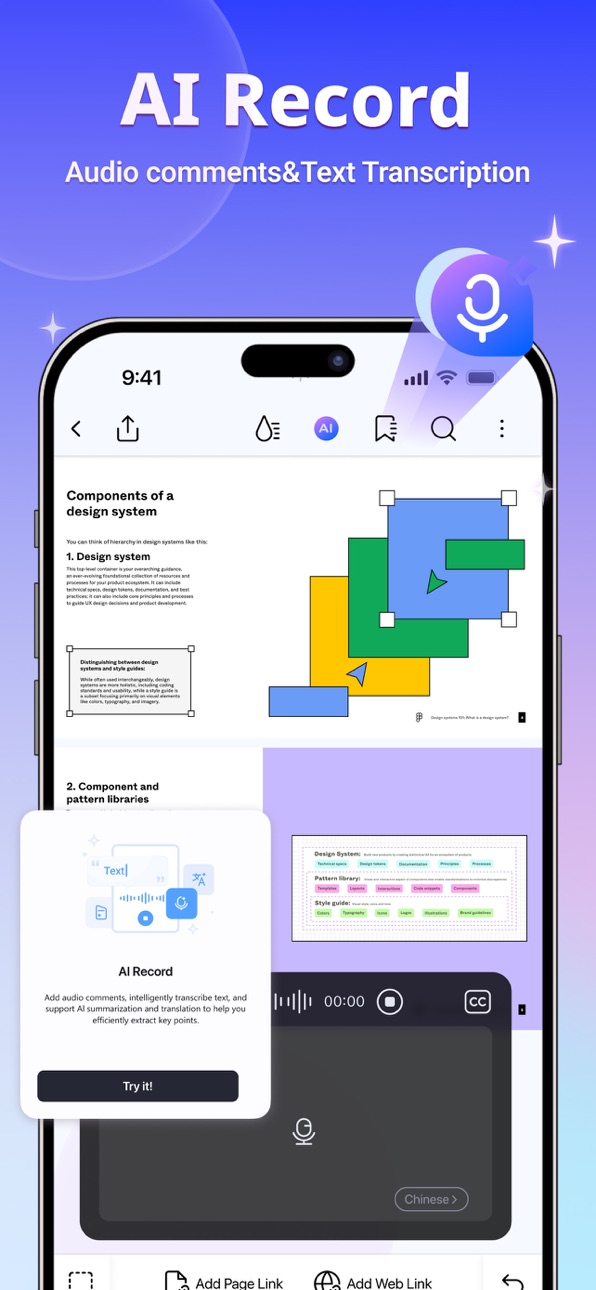
• AI Record: Record and transcribe voice notes to text for efficient annotation
Edit PDF Like Word
• PDF Editing: Edit text and images directly for ultimate convenience
• Font: Edit with the same font and erase easily, quickly navigate & adjust the font size or spacing
Professional PDF Reader
• Liquid Mode: PDFs adjust perfectly to your screen
• Bookmark: Navigate intuitively with Bookmarks
• Read Aloud: Listen with preferred voice and speed
Scan and OCR
• Scanner: Digitize receipts, invoices, and certificates
• OCR: Extract text from images or PDFs for editing
• Scan Multiple Pages: Create single documents from multiple scans
PDF Converter
• PDF to Office & Image: Convert to Word, Excel, PPT, JPG, PNG, and more
• Convert to PDF: Create PDFs from Microsoft Office files and images
Annotate PDF
• Annotate: Add notes, shapes, arrows, and sticky notes
• Text Markup: Highlight key information
• Comment: Make comments stand out with popular styles
• Measure: Calculate distance, perimeter, and area
Create PDF
• Create Blank PDF: Choose from various paper templates
• Create from Images: Import from Photos or scan with camera
Manage PDF
• Compress: Reduce PDF size without quality loss
• Merge PDF: Combine multiple files into one PDF
• Organize Pages: Add, delete, rotate, split, and rearrange pages
Fill and Sign
• Fill Forms: Complete PDF forms with interactive fields
• Digitally Sign: Add text or handwritten signature images
• Custom Stamp: Stamp with images, drawings, or text
Store & Share PDF
• Save to Cloud: Access files anywhere with PDFelement Cloud
• Protect PDF: Set passwords for sensitive content
• Share PDF: Share via social media, link, or email
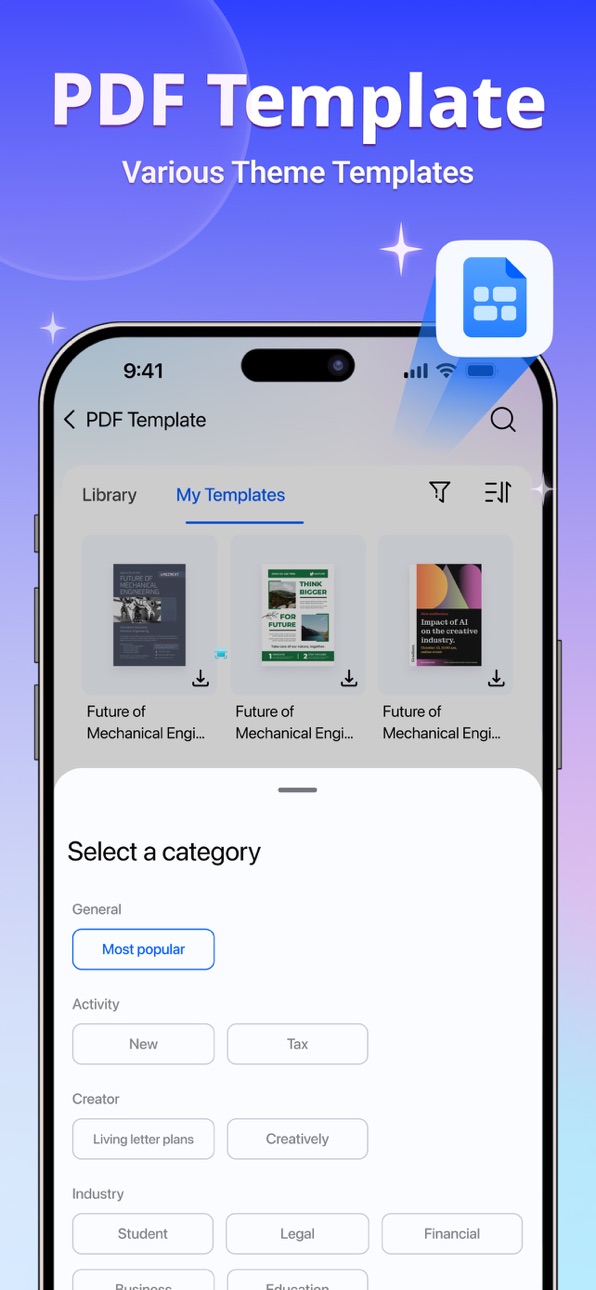
PDF Templates
• Rich Library: Access resumes, invoices, and invitation templates
• Easy Customization: Adjust colors, fonts, and layouts
• Professional Designs: Polished templates for business and education
MEMBERSHIP SUBSCRIPTION DETAILS:
Payment will be charged to your iTunes account upon confirmation of purchase.
Subscriptions automatically renew unless auto-renew is turned off at least 24 hours before the current period ends. Manage your subscriptions for a seamless experience.
Terms of Use: https://www.wondershare.com/company/terms_conditions.html
Privacy Policy: https://www.wondershare.com/privacy.html
In-App Purchases US pricing
PDFelement AI Pro Subscription
Monthly Subscription (AI) · Monthly$3.99
PDFelement Pro Subscription
Weekly Subscription (iOS) · 7 days$6.99
Weekly Subscription (iOS) · 7 days 7-day free trial$9.99
Annual Subscription (iOS) · Yearly$29.99
PDF Editor& Converter& Scanner · Monthly$6.99
Quarterly Subscription (iOS) · 3 months$9.99
One-Time Purchases
iOS$39.99
Capabilities
In-App Purchases
Accessibility
ipadiphonemacrealityDevicetvoswatch
Version history 25 versions
Build 887576435vV6.1.112026-07-01 02:52:08
1. Revamped Tools page: Added a "Recently Used" section and categorized shortcuts for faster, more efficient navigation.
2. Optimized the editor's primary menu: Clarified menu labels and added support for custom sorting.
3. Improved reading experience on small screens: Added a page aspect ratio lock to minimize accidental zooming and page drifting.
4. Enhanced PDF creation experience: Improved preference retention, ensuring the background selection for new PDFs remembers your last choice.
Build 887317792vV6.1.102026-06-24 08:23:44
Bug fixes and performance improvements
Build 886477632vV6.1.92026-06-17 09:24:14
1. Added Control Center and widget shortcuts for quicker access to the app.
2. Updated for iOS 26 with the new Liquid Glass experience.
3. Improved page organization with page merging and custom dimensions when unifying page sizes.
Build 886366942vV6.1.82026-06-03 03:21:48
1. Use Siri to access frequently used PDFelement tools
2. Support Apple Pencil Pro shortcut gestures
3. Optimize writing brush pressure sensitivity
4. Improve the quality of original scanned images
Build 886144494vV6.1.72026-05-27 06:18:20
Bug fixes and performance improvements
Build 885856899vV6.1.62026-05-20 03:19:37
1. Shortcuts can now be used to activate PDFelement functionality.
2. Optimized intelligent high-definition filter effects for the Scan function.
3. Improved interactive experience in the annotation list.
4. New blank documents now support selecting the save location.
Build 884969140vV6.1.52026-05-10 07:55:05
1. Supports PDF to XML conversion
2. Bug fixes and performance improvements
Build 884885791vV6.1.42026-04-27 06:10:09
1. Optimized Apple Pencil (2nd Generation) gestures
2. Supports opening or converting files in PDFelement via system file sharing
Build 884456382vV6.1.32026-04-15 06:45:27
1. Scan filters now support parameter adjustment.
2. Annotations now support search and categorization.
3. Optimized iPad Pencil interactions.
Build 884326331vV6.1.22026-04-10 10:31:28
- Bug Fixes and Performance Improvements
Build 884020016vV6.1.12026-04-09 13:11:43
- Bug Fixes and Performance Improvements
Build 883772245vV6.1.02026-04-01 13:24:09
1. Scanning support added for books and whiteboards.
2. Optimized layout of the Tools menu.
3. Added VAT amount and Tax ID fields when exporting invoice details to Excel.
4. Improved UI for switching between files.
Build 883537882vV6.0.182026-03-25 03:49:28
Optimized homepage entry for the scanning function
Optimized new user guide for the scanning function
Optimized document archiving option
Optimized clickable area for top buttons within documents
Build 883058038vV6.0.172026-03-18 01:23:58
1. A brand-new scanning feature is now available, supporting documents, ID cards, receipts, and text extraction. Scan and easily generate PDFs, unlocking the full potential of our powerful PDF tools.
2. Once receipts are recognized, export multiple details to .xlsx format with a single click, making data processing and calculations quick and easy.
Build 882854472vv6.0.162026-03-04 01:13:53
1. Can scan paper documents into PDFs, optimizing the user's workflow from taking photos, image processing, generating PDFs, and archiving, thus improving the efficiency of scanned document processing.
2. Supports switching between files, easily processing multiple documents simultaneously.
Build 881955915vV6.0.152026-02-09 01:16:29
1. Your tax filing assistant is here! — Receipt Assistant helps you quickly extract receipt data, locate and verify receipt content, and provides cross-platform receipt management. Scan and extract your receipts now!
2. Seamlessly transfer and share edited and annotated content between your iPhone and iPad using Handoff!
Build 881842696vV6.0.142026-01-28 07:57:24
- Quickly recognize and extract receipt information with our helpful tax assistant!
Build 881635210vV6.0.132026-01-23 03:58:20
- Bug fixes and performance improvements
Build 880893764vV6.0.122026-01-08 01:48:51
- Save and share options include exporting only the annotation interface
- UI bug fixes
- Image editing optimizations
Build 880759823v6.0.112025-12-22 01:50:29
- Improved editing experience
- Browser settings now allow you to choose whether to hide the menu with a single click
- Bug fixes and performance improvements
Build 880554867vV6.0.102025-12-12 09:02:16
- Quickly summarize, translate, rewrite, and check grammar of selected text.
- Bug fixes and performance improvements.
Build 880445921vV6.0.92025-12-09 12:12:35
- Bug fixes and performance improvements
Build 880343719vV6.0.82025-12-05 02:02:08
- Optimized annotation and note-adding functionality
- Optimized file sorting logic
- Bug fixes and performance improvements
Build 880038948vV6.0.72025-11-25 10:24:29
- Bug fixes and performance improvements
Build 879676405vV6.0.62025-11-12 10:26:27
Bug fixes and performance improvements
Price history by region
Currency
Show
Columns
Search
Availability 25 of 25 storefronts
| Region | Language | Price | Ratings | Avg | Version |
|---|---|---|---|---|---|
 US US | en-US | Free | 7.5k | 4.6 | V6.1.11 |
 IN IN | en-GB | Free | 2.5k | 4.6 | V6.1.11 |
 AR AR | es-MX | Free | 334 | 4.8 | V6.1.11 |
 PT PT | pt-PT | Free | 329 | 4.7 | V6.1.11 |
 TR TR | en-GB | Free | 309 | 4.7 | V6.1.11 |
 AT AT | de-DE | Free | 307 | 4.6 | V6.1.11 |
 PL PL | en-GB | Free | 123 | 4.5 | V6.1.11 |
 IL IL | en-GB | Free | 109 | 4.6 | V6.1.11 |
 PK PK | en-GB | Free | 107 | 4.6 | V6.1.11 |
 SE SE | sv | Free | 93 | 4.4 | V6.1.11 |
 JO JO | en-GB | Free | 58 | 4.5 | V6.1.11 |
 NO NO | en-GB | Free | 48 | 4.6 | V6.1.11 |
 OM OM | en-GB | Free | 47 | 4.6 | V6.1.11 |
 DK DK | en-GB | Free | 42 | 4.8 | V6.1.11 |
 KH KH | en-GB | Free | 33 | 4.8 | V6.1.11 |
 CY CY | en-GB | Free | 28 | 4.7 | V6.1.11 |
 BH BH | en-GB | Free | 24 | 4.8 | V6.1.11 |
 LB LB | en-GB | Free | 20 | 4.8 | V6.1.11 |
 MM MM | en-GB | Free | 6 | 4.2 | V6.1.11 |
 IS IS | en-GB | Free | 3 | 3.7 | V6.1.11 |
 LA LA | en-GB | Free | 2 | 5.0 | V6.1.11 |
 ME ME | en-GB | Free | 2 | 5.0 | V6.1.11 |
 TM TM | en-GB | Free | 1 | 5.0 | V6.1.11 |
 SB SB | en-GB | Free | 0 | — | V6.1.11 |
 XK XK | en-GB | Free | 0 | — | V6.1.11 |
Change log 29 changes · US
✎
releaseNotes updated
1. Revamped Tools page: Added a "Recently Used" section and categorized shortcuts for faster, more efficient navigation.
2. Optimized the editor's primary menu:
✎
description updated
PDFelement 6.1.0 Major Update: All-New Scan Upgrade
Scan upgraded with optimized core algorithms & UI. New modes for ID,books,invoices,text extraction,whiteboar
✎
subtitle updated
AI pdf,scanner,converter,edit
✎
name updated
PDFelement: PDF Editor, Viewer
◆
Version V6.1.11 released
1. Revamped Tools page: Added a "Recently Used" section and categorized shortcuts for faster, more efficient navigation.
2. Optimized the editor's primary menu: Clarified menu labels and added support for custom sorting.
3. Improved reading
◆
Version V6.1.10 released
Bug fixes and performance improvements
◆
Version V6.1.9 released
1. Added Control Center and widget shortcuts for quicker access to the app.
2. Updated for iOS 26 with the new Liquid Glass experience.
3. Improved page organization with page merging and custom dimensions when unifying page sizes.
◆
Version V6.1.8 released
1. Use Siri to access frequently used PDFelement tools
2. Support Apple Pencil Pro shortcut gestures
3. Optimize writing brush pressure sensitivity
4. Improve the quality of original scanned images
◆
Version V6.1.7 released
Bug fixes and performance improvements
◆
Version V6.1.6 released
1. Shortcuts can now be used to activate PDFelement functionality.
2. Optimized intelligent high-definition filter effects for the Scan function.
3. Improved interactive experience in the annotation list.
4. New blank documents now support
◆
Version V6.1.5 released
1. Supports PDF to XML conversion
2. Bug fixes and performance improvements
◆
Version V6.1.4 released
1. Optimized Apple Pencil (2nd Generation) gestures
2. Supports opening or converting files in PDFelement via system file sharing
◆
Version V6.1.3 released
1. Scan filters now support parameter adjustment.
2. Annotations now support search and categorization.
3. Optimized iPad Pencil interactions.
◆
Version V6.1.2 released
- Bug Fixes and Performance Improvements
◆
Version V6.1.1 released
- Bug Fixes and Performance Improvements
◆
Version V6.1.0 released
1. Scanning support added for books and whiteboards.
2. Optimized layout of the Tools menu.
3. Added VAT amount and Tax ID fields when exporting invoice details to Excel.
4. Improved UI for switching between files.
◆
Version V6.0.18 released
Optimized homepage entry for the scanning function
Optimized new user guide for the scanning function
Optimized document archiving option
Optimized clickable area for top buttons within documents
◆
Version V6.0.17 released
1. A brand-new scanning feature is now available, supporting documents, ID cards, receipts, and text extraction. Scan and easily generate PDFs, unlocking the full potential of our powerful PDF tools.
2. Once receipts are recognized, export
◆
Version v6.0.16 released
1. Can scan paper documents into PDFs, optimizing the user's workflow from taking photos, image processing, generating PDFs, and archiving, thus improving the efficiency of scanned document processing.
2. Supports switching between files, e
◆
Version V6.0.15 released
1. Your tax filing assistant is here! — Receipt Assistant helps you quickly extract receipt data, locate and verify receipt content, and provides cross-platform receipt management. Scan and extract your receipts now!
2. Seamlessly transfer
◆
Version V6.0.14 released
- Quickly recognize and extract receipt information with our helpful tax assistant!
◆
Version V6.0.13 released
- Bug fixes and performance improvements
◆
Version V6.0.12 released
- Save and share options include exporting only the annotation interface
- UI bug fixes
- Image editing optimizations
◆
Version 6.0.11 released
- Improved editing experience
- Browser settings now allow you to choose whether to hide the menu with a single click
- Bug fixes and performance improvements
◆
Version V6.0.10 released
- Quickly summarize, translate, rewrite, and check grammar of selected text.
- Bug fixes and performance improvements.
◆
Version V6.0.9 released
- Bug fixes and performance improvements
◆
Version V6.0.8 released
- Optimized annotation and note-adding functionality
- Optimized file sorting logic
- Bug fixes and performance improvements
◆
Version V6.0.7 released
- Bug fixes and performance improvements
◆
Version V6.0.6 released
Bug fixes and performance improvements