Home › Productivity

 US
US
1 of 1 storefronts
Content in en-US
Content in en-US
Information
Preview 3 platforms
iPhone 9 images




iPad 8 images


Apple Watch 3 images


What’s New Version 4.10.0
Every great journey deserves a smooth ride. This update fine-tunes the engine under the hood — so AppBlock stays out of your way and lets you stay focused on what matters most.
Description
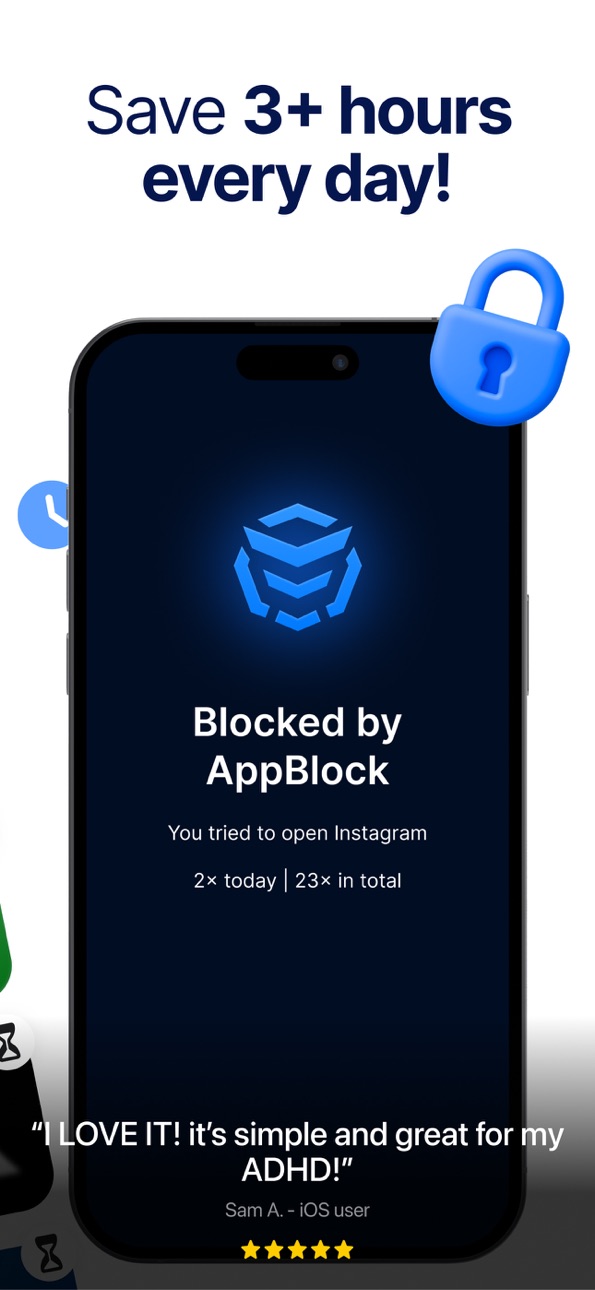
► 15,000,000+ satisfied users
► 63% less screen time in the first week
► Save up to 3 hours every day
AppBlock is the ultimate app blocker that helps you block apps, reduce screen time, and manage social media distractions so you can focus on what truly matters. Our app creates a positive impact on your digital wellbeing. Whether you need a productivity boost, want to unplug in your free time, or looking for a focused study environment, AppBlock gives you full control of your digital habits.
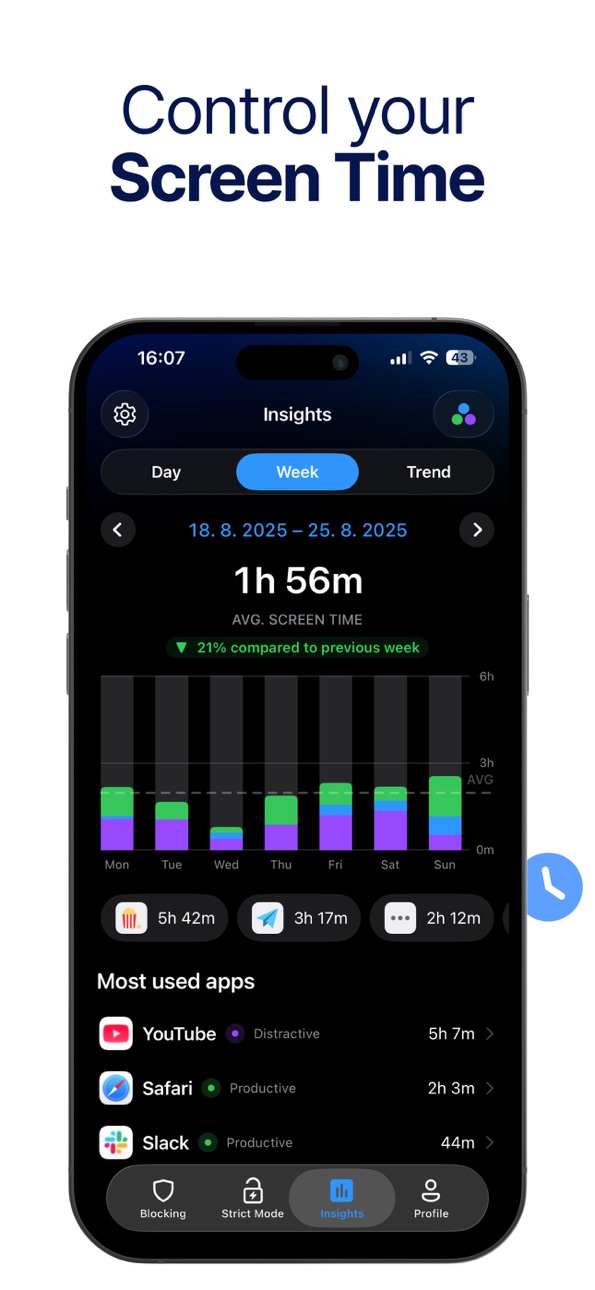
► CONTROL YOUR SCREEN TIME
Cut down on wasted time and build a healthier relationship with your devices. Use custom templates to block the apps that distract you most during the day, stop doomscrolling on social media, and reduce your screen time. Our users reported 63% less screen time in just two weeks. Yes, it’s true! Try it yourself and thank us later.
► WHY APPBLOCK?
– Block Apps: Cut access to social media, games, or anything that pulls you away from your goals.
– Website Blocker: Restrict time-wasting websites or unwanted content.
– Screen Time Control: Monitor and limit app usage to maintain a balanced life.
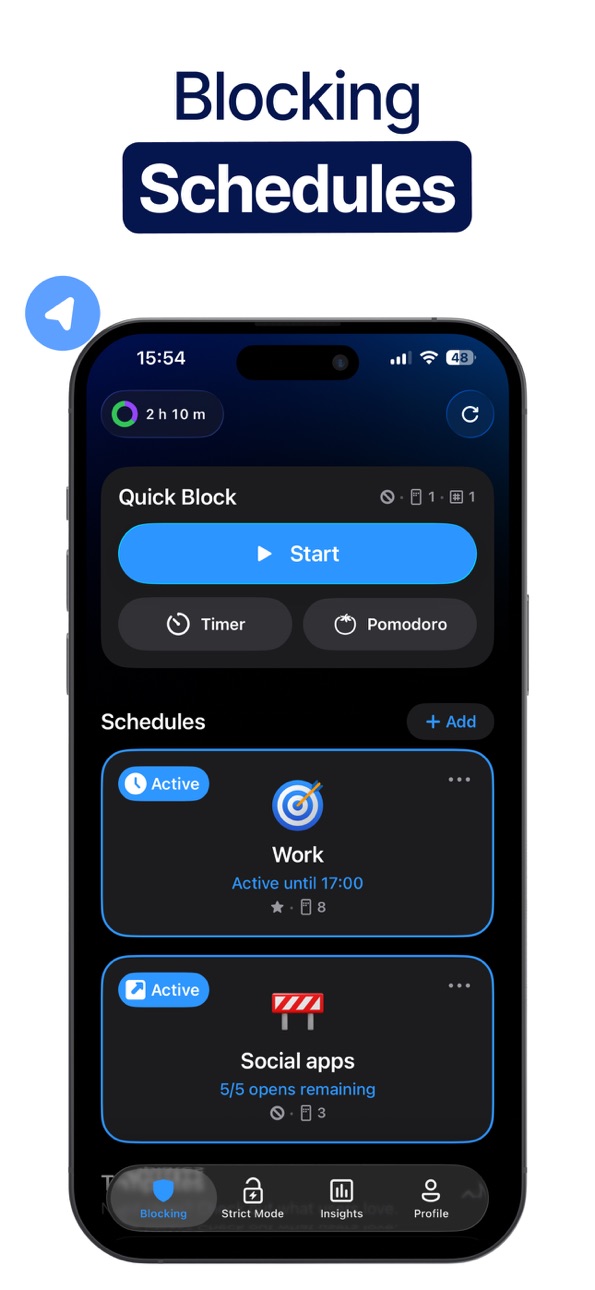
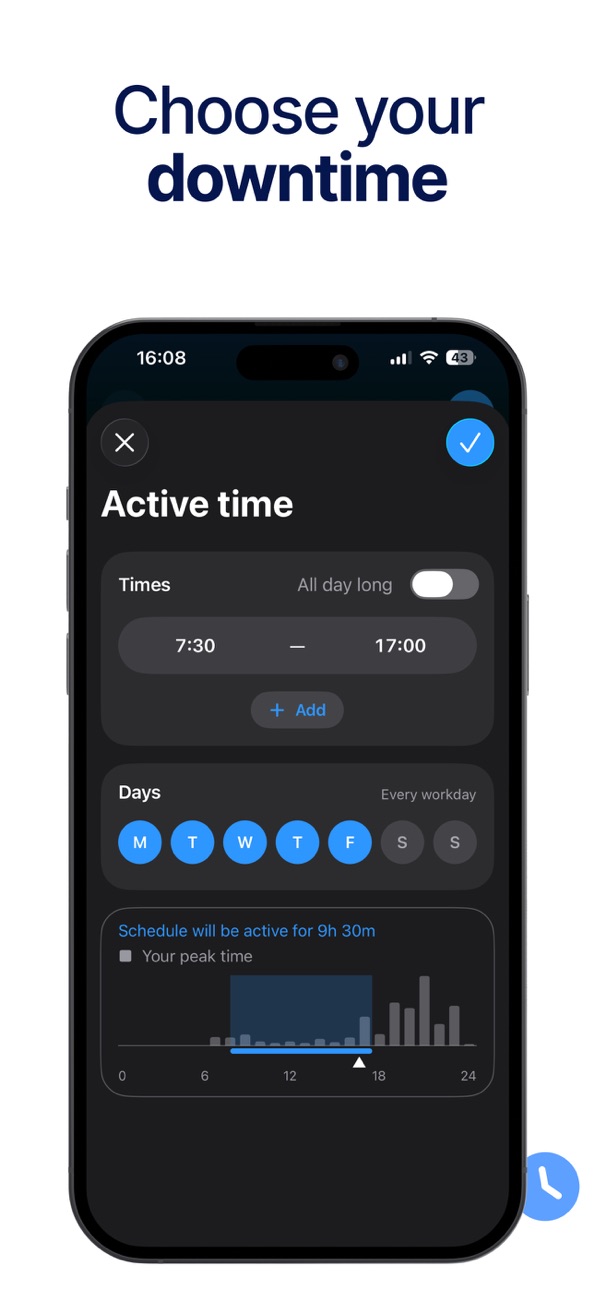
– Customizable Blocking Schedules: Automatically block apps based on time, location, or Wi-Fi.
– App Open Limits: Decide how long you can use certain apps to stay in control.
– Strict Mode: Stay committed by preventing yourself from bypassing restrictions.
– Allowlist: Keep essential apps available while blocking distractions.
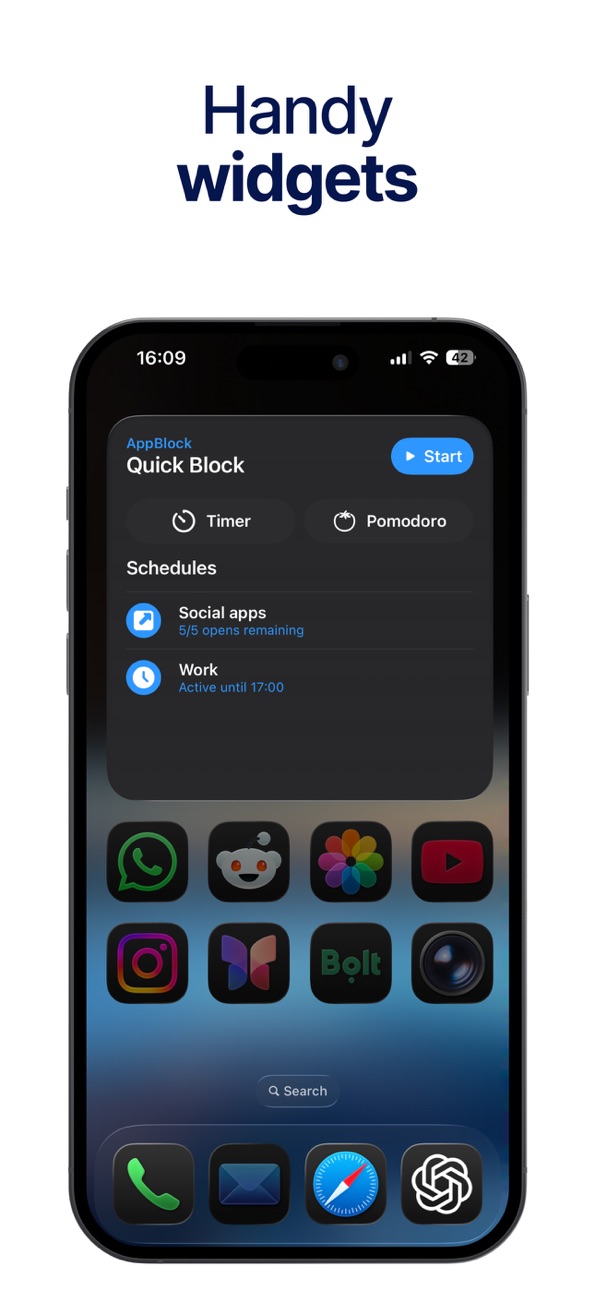
– Quick Block: Need instant focus? Tap once to block apps and websites right away.
► STAY PRODUCTIVE & FOCUSED
AppBlock helps you manage your screen time and remove digital distractions so you can focus on what really matters.
– Improve Sleep: Reduce late-night phone use for better rest.
– Support Mental Health: Stay calm and mindful with fewer interruptions.
– Boost Productivity: Block time-wasting apps and websites to stay on task.
– Study Better: Encourage a distraction-free learning environment.
– Unplug in Free Time: Enjoy hobbies, family, and friends without constant notifications.
► ADVANCED TOOLS & INSIGHTS
– Detailed Statistics: Discover where your screen time goes and identify what distracts you most.
– Focus Sessions: Automatically silence notifications and block apps during key work or study periods.
– Time Management: Create daily structure for balanced digital use.
– AppBlock for Desktop: Stay productive on PC or Mac with browser extensions that block distracting sites.
– Get the extension: https://appblock.app/extensions
► #1 BLOCKER – SAFE BROWSING
Create a secure and distraction-free experience by using AppBlock. With one tap, block apps, websites for safer and more mindful screen use.
► FREE TO USE – START TODAY
AppBlock is free to download and packed with everything you need to build healthier digital habits and reclaim your time in just a few taps. Discover why our app blocker has over 15,000,000 success stories.
► PRIVACY FIRST
Your privacy is our top priority. AppBlock uses Apple’s Screen Time API for secure content blocking. Your personal data stays private and is never shared.
► CONTACT & SUPPORT
Email — support@appblock.app
Website — www.appblock.app
► TERMS & PRIVACY
Terms of Use — https://appblock.app/terms-of-use-app-store
Privacy Policy — https://appblock.app/privacy-policy-app-store
In-App Purchases US pricing
Premium Subscription
Monthly · Monthly$4.99
Yearly · Yearly 7-day free trial$29.99
Yearly · Yearly 7-day free trial$44.99
Yearly · Yearly 7-day free trial$59.99
Monthly · Monthly$14.99
Capabilities
In-App PurchasesSafari extension
Accessibility
ipadiphonemacrealityDevicetvoswatch
Version history 25 versions
Build 887324973v4.10.02026-06-29 07:18:04
Every great journey deserves a smooth ride. This update fine-tunes the engine under the hood — so AppBlock stays out of your way and lets you stay focused on what matters most.
Build 887129391v4.9.102026-06-19 06:29:27
- Strict Mode improvements
- New UI animations for a smoother experience.
Build 886839271v4.9.92026-06-12 00:53:41
- Strict Mode improvements
- New UI animations for a smoother experience.
Build 886775121v4.9.82026-06-10 22:28:58
- Strict Mode improvements
- New UI animations for a smoother experience.
Build 886527310v4.9.72026-06-07 19:12:14
Live Activity for Quick Block Timer
You can now see remaining time for shorter Quick Block timers live on Lock Screen and Dynamic Island.
Live Activities preferences
Want only some Live Activities from AppBlock? No problem. Customize which Live Activities AppBlock shows with new settings screen.
This version also contains fixes for possible issues with location-based schedules and other minor tweaks.
Build 886377834v4.9.62026-06-02 10:04:19
Improved Block Screen design
Clearer explanation, better blocking details for Usage Limit and Open Limit schedules.
Better clarification for Usage Limit schedules with websites
Reduced the size of the app
Other tweaks and improvements.
Build 886011628v4.9.52026-05-23 08:40:31
Improved Block Screen design
Clearer explanation, better blocking details for Usage Limit and Open Limit schedules.
Better clarification for Usage Limit schedules with websites
Reduced the size of the app
Other tweaks and improvements.
Build 885919854v4.9.42026-05-21 17:37:28
Improved Block Screen design
Clearer explanation, better blocking details for Usage Limit and Open Limit schedules.
Better clarification for Usage Limit schedules with websites
Reduced the size of the app
Other tweaks and improvements.
Build 885327861v4.9.32026-05-16 08:41:36
Various smaller improvements and tweaks.
Build 885287150v4.9.22026-05-05 19:51:56
Quick Block editing during Strict Mode - Quick Block in off state can now be edited even when Strict Mode is active so you can configure it before activation. Smaller improvements: - AppBlock now remembers selected filter in Insights - Reliability improvements for location schedules - Simpler & cleaner confirmation screen when activating Strict Mode.
Build 885112945v4.9.12026-04-30 20:10:14
Allowlist for websites
Want to limit browsing to only a few sites during blocking? Specify allowed sites for allowlist schedule and done. Works in all browsers.
Additional Strict Mode options can now be enabled when Strict Mode is active.
Various design and usability improvements for Insights. For example, the excluded system activity is now also part of the Trend.
Added ability to reset Screen Time permissions. If you have issues with your blockings, resetting the Screen Time authorisation may help. You'll find this in the Help section.
Build 884726285v4.9.02026-04-24 12:31:03
Tillad-liste for hjemmesider
Vil du begrænse browsing til kun få sider under blokering? Angiv tilladte sider for tillad-liste tidsplanen, og det er klaret. Virker i alle browsere.
Yderligere muligheder for Strenge Mode kan nu aktiveres, når Strenge Mode er aktiv.
Forskellige design- og brugervenlighedsforbedringer for Indsigter. For eksempel er den udelukkede systemaktivitet nu også en del af Trenden.
Tilføjet mulighed for at nulstille Skærmtid-tilladelser. Hvis du har problemer med dine blokeringer, kan det hjælpe at nulstille Skærmtid-godkendelsen. Du finder dette i Hjælp-sektionen.
Build 884534474v4.8.62026-04-16 18:01:40
- Polish language localization
- Minor improvements in User Insights
Build 883665942v4.8.52026-04-15 07:45:35
- Added the option to buy Premium as a gift
- Better display of average value in User Insights charts
- Fixed a few places where Strict Mode could be bypassed.
Build 883222350v4.8.42026-03-21 18:23:18
- We adjusted how time is calculated in User Insights. You can read more in User Insights settings.
- We fixed search in Application picker for iPadOS 26.
Build 882937876v4.8.32026-03-05 22:33:36
We fixed a lot of bugs - some bigger and some smaller
Build 882795096v4.8.12026-02-27 22:23:09
Bug fixes for schedule editing on newer iOS versions.
Bug fixes for app freeze when pausing or unlocking Open Limit schedule
Build 882536007v4.8.02026-02-19 11:28:17
New schedule icons
- Better organization, a clearer layout, and a few new icons. Make your schedules feel more yours.
Bug fixes and improvements
Build 882192116v4.7.32026-02-10 19:31:38
- Bug fixes and improvements for Contact Support
- Many more bug fixes
Build 882105331v4.7.22026-02-05 02:01:05
- Now you can unlock Strict Mode for a limited time. It re-locks automatically, so you won’t forget to turn it back on.
- We’ve fixed a couple of bugs and annoying crashes.
Build 881888333v4.7.12026-02-03 00:15:52
- Now you can unlock Strict Mode for a limited time. It re-locks automatically, so you won’t forget to turn it back on.
- We’ve fixed a couple of bugs and annoying crashes.
Build 881639857v4.7.02026-01-25 11:27:50
- Now you can unlock Strict Mode for a limited time. It re-locks automatically, so you won’t forget to turn it back on.
- We’ve fixed a couple of bugs and annoying crashes.
Build 881447185v4.6.62026-01-14 23:58:11
Bug fixes and other improvements.
Stability tweaks for Usage Limit schedules.
Improved Notifications settings screen including notification previews.
Build 881356547v4.6.52026-01-10 14:39:11
Bug fixes and other improvements.
Build 881242075v4.6.42026-01-08 08:02:50
Bug fixes and other improvements.
Price history by region
Currency
Show
Columns
Search
Availability 1 of 1 storefronts
| Region | Language | Price | Ratings | Avg | Version |
|---|---|---|---|---|---|
| US | en-US | Free | 6.2k | 4.6 | 4.10.0 |
Change log 29 changes · US
✎
releaseNotes updated
Every great journey deserves a smooth ride. This update fine-tunes the engine under the hood — so AppBlock stays out of your way and lets you stay focused on wh
✎
description updated
► 15,000,000+ satisfied users
► 63% less screen time in the first week
► Save up to 3 hours every day
AppBlock is the ultimate app blocker that helps you block
✎
subtitle updated
App Blocker. Limit Screen Time
✎
name updated
AppBlock: Block Apps & Website
◆
Version 4.10.0 released
Every great journey deserves a smooth ride. This update fine-tunes the engine under the hood — so AppBlock stays out of your way and lets you stay focused on what matters most.
◆
Version 4.9.10 released
- Strict Mode improvements
- New UI animations for a smoother experience.
◆
Version 4.9.9 released
- Strict Mode improvements
- New UI animations for a smoother experience.
◆
Version 4.9.8 released
- Strict Mode improvements
- New UI animations for a smoother experience.
◆
Version 4.9.7 released
Live Activity for Quick Block Timer
You can now see remaining time for shorter Quick Block timers live on Lock Screen and Dynamic Island.
Live Activities preferences
Want only some Live Activities from AppBlock? No problem. Customize whi
◆
Version 4.9.6 released
Improved Block Screen design
Clearer explanation, better blocking details for Usage Limit and Open Limit schedules.
Better clarification for Usage Limit schedules with websites
Reduced the size of the app
Other tweaks and improvements.
◆
Version 4.9.5 released
Improved Block Screen design
Clearer explanation, better blocking details for Usage Limit and Open Limit schedules.
Better clarification for Usage Limit schedules with websites
Reduced the size of the app
Other tweaks and improvements.
◆
Version 4.9.4 released
Improved Block Screen design
Clearer explanation, better blocking details for Usage Limit and Open Limit schedules.
Better clarification for Usage Limit schedules with websites
Reduced the size of the app
Other tweaks and improvements.
◆
Version 4.9.3 released
Various smaller improvements and tweaks.
◆
Version 4.9.2 released
Quick Block editing during Strict Mode - Quick Block in off state can now be edited even when Strict Mode is active so you can configure it before activation. Smaller improvements: - AppBlock now remembers selected filter in Insights - Reli
◆
Version 4.9.1 released
Allowlist for websites
Want to limit browsing to only a few sites during blocking? Specify allowed sites for allowlist schedule and done. Works in all browsers.
Additional Strict Mode options can now be enabled when Strict Mode is active.
◆
Version 4.9.0 released
Tillad-liste for hjemmesider
Vil du begrænse browsing til kun få sider under blokering? Angiv tilladte sider for tillad-liste tidsplanen, og det er klaret. Virker i alle browsere.
Yderligere muligheder for Strenge Mode kan nu aktiveres, nå
◆
Version 4.8.6 released
- Polish language localization
- Minor improvements in User Insights
◆
Version 4.8.5 released
- Added the option to buy Premium as a gift
- Better display of average value in User Insights charts
- Fixed a few places where Strict Mode could be bypassed.
◆
Version 4.8.4 released
- We adjusted how time is calculated in User Insights. You can read more in User Insights settings.
- We fixed search in Application picker for iPadOS 26.
◆
Version 4.8.3 released
We fixed a lot of bugs - some bigger and some smaller
◆
Version 4.8.1 released
Bug fixes for schedule editing on newer iOS versions.
Bug fixes for app freeze when pausing or unlocking Open Limit schedule
◆
Version 4.8.0 released
New schedule icons
- Better organization, a clearer layout, and a few new icons. Make your schedules feel more yours.
Bug fixes and improvements
◆
Version 4.7.3 released
- Bug fixes and improvements for Contact Support
- Many more bug fixes
◆
Version 4.7.2 released
- Now you can unlock Strict Mode for a limited time. It re-locks automatically, so you won’t forget to turn it back on.
- We’ve fixed a couple of bugs and annoying crashes.
◆
Version 4.7.1 released
- Now you can unlock Strict Mode for a limited time. It re-locks automatically, so you won’t forget to turn it back on.
- We’ve fixed a couple of bugs and annoying crashes.
◆
Version 4.7.0 released
- Now you can unlock Strict Mode for a limited time. It re-locks automatically, so you won’t forget to turn it back on.
- We’ve fixed a couple of bugs and annoying crashes.
◆
Version 4.6.6 released
Bug fixes and other improvements.
Stability tweaks for Usage Limit schedules.
Improved Notifications settings screen including notification previews.
◆
Version 4.6.5 released
Bug fixes and other improvements.
◆
Version 4.6.4 released
Bug fixes and other improvements.