Home › Photo & Video

 US
US
1 of 1 storefronts
Content in en-US
Content in en-US
Information
Preview 1 platform
iPhone 4 images

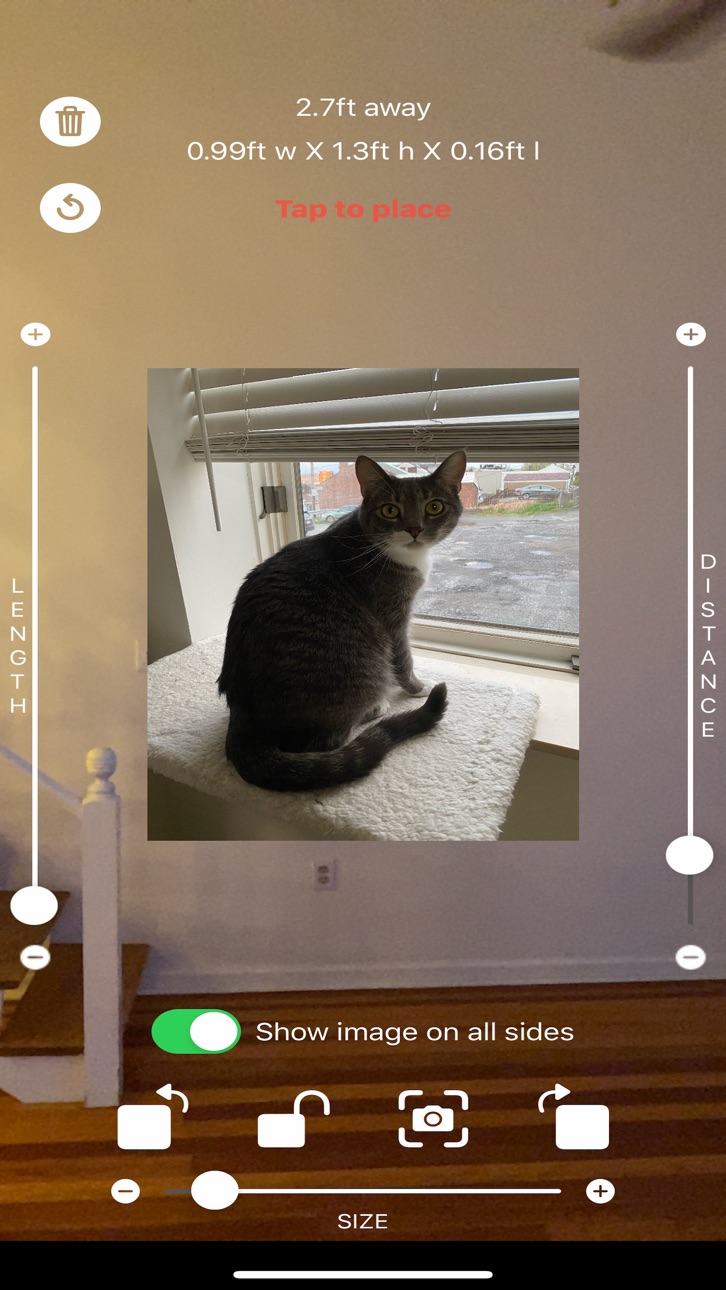
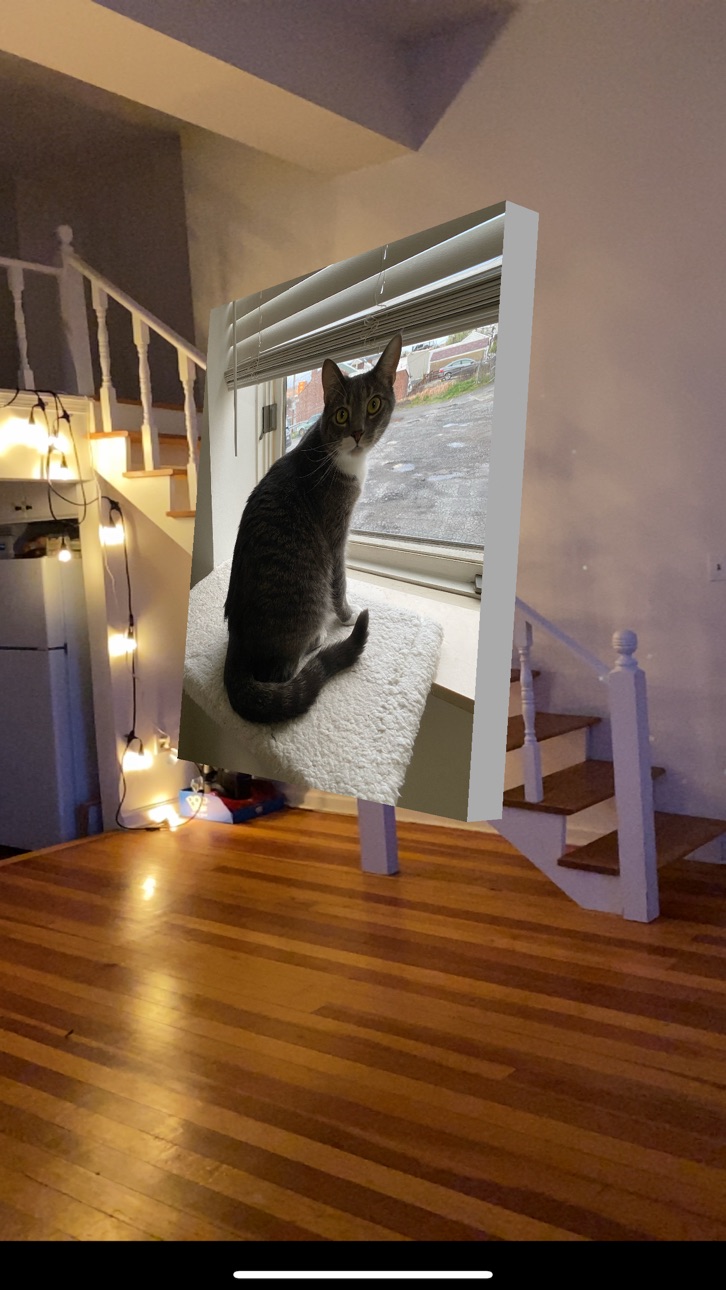

What’s New Version 1.1
New screenshot button to easily capture the augmented reality scene.
For iPhones without a physical home button, the home bar at the bottom of the screen will now be hidden and the camera will display as true fullscreen.
The minimum length dimension of the image was lowered to 0.016ft.
Description
Use your iPhone's camera to view pictures in augmented reality.
Either select a saved photo or take a new one. Once an image is selected, you can place the image in 3d space and interact with it as if the image was in the real world.
This app gives you the ability to modify the image's dimensions, rotation, orientation, and position for ultimate customization.
Tap the info button in the app for helpful tips.
Currently you can only place one image at a time. A future update will allow multiple.
Accessibility
ipadiphonemacrealityDevicetvoswatch
Version history 2 versions
Build 836166125v1.12020-05-28 12:30:41
New screenshot button to easily capture the augmented reality scene.
For iPhones without a physical home button, the home bar at the bottom of the screen will now be hidden and the camera will display as true fullscreen.
The minimum length dimension of the image was lowered to 0.016ft.
Build 836046685v1.02020-05-25 17:51:02
No pricing data captured yet — comparisons appear once the app has paid storefronts or in-app purchases.
Availability 1 of 1 storefronts
| Region | Language | Price | Ratings | Avg | Version |
|---|---|---|---|---|---|
| US | en-US | Free | 8 | 5.0 | 1.1 |
Change log 6 changes · US
✎
releaseNotes updated
New screenshot button to easily capture the augmented reality scene.
For iPhones without a physical home button, the home bar at the bottom of the screen will
✎
description updated
Use your iPhone's camera to view pictures in augmented reality.
Either select a saved photo or take a new one. Once an image is selected, you can place the im
✎
subtitle updated
Photos in augmented reality
✎
name updated
ARPhotoView
◆
Version 1.1 released
New screenshot button to easily capture the augmented reality scene.
For iPhones without a physical home button, the home bar at the bottom of the screen will now be hidden and the camera will display as true fullscreen.
The minimum lengt
◆
Version 1.0 released