Home › Productivity

 US
US
USen-US AEen-GB
 ALen-GB
 AMen-GB
 ATde-DE
 AUen-AU
 AZen-GB
 BAen-GB
 BEen-GB
 BGen-GB
 BHen-GB
 BYen-GB
 CAen-CA
 CHde-CH
 CNzh-Hans-CN
 CYen-GB
 CZen-GB
 DEde-DE
 DKen-GB
 EEen-GB
 EGen-GB
 ESes-ES
 FIen-GB
 FRfr-FR
 GBen-GB
 GEen-GB
 GRen-GB
 HKzh-Hant-HK
 HRen-GB
 HUen-GB
 IDen-GB
 IEen-GB
 ILen-GB
 INen-GB
 IQen-GB
 ISen-GB
 ITit
ITit JOen-GB
 JPja
JPja KRko
KRko KWen-GB
 LBen-GB
 LTen-GB
 LUen-GB
 LVen-GB
 MDen-GB
 MEen-GB
 MKen-GB
 MOzh-Hant-HK
 MTen-GB
 MYen-GB
 NLnl
NLnl NOen-GB
 NZen-AU
 OMen-GB
 PHen-GB
 PLen-GB
 PTpt-PT
 QAen-GB
 ROen-GB
 RSen-GB
 RUru
RUru SAen-GB
 SEsv
SEsv SGen-GB
 SIen-GB
 SKen-GB
 THen-GB
 TRen-GB
 TWzh-Hant-TW
 UAen-GB
 VNen-GB
 XKen-GB
 YEen-GB
74 of 74 storefronts
Content in en-US
Content in en-US
Information
Apple ID1512789792
Bundle IDcom.dialindicator.cdi
SellerSeller
Min iOS13.0
Min macOS11.0
Device familiesiphone, ipad, ipod
Released2020-05-20
Copyright© Chicago Dial Indicator Co. 2020
Privacy policyLink ↗
Preview 2 platforms
iPhone 10 images


iPad 8 images





What’s New Version 1.0.12
This version improves connection handling for wireless gages. If your gage is powered off, the app will now automatically detect it and reconnect when it powers back on (no manual steps required!)
Description
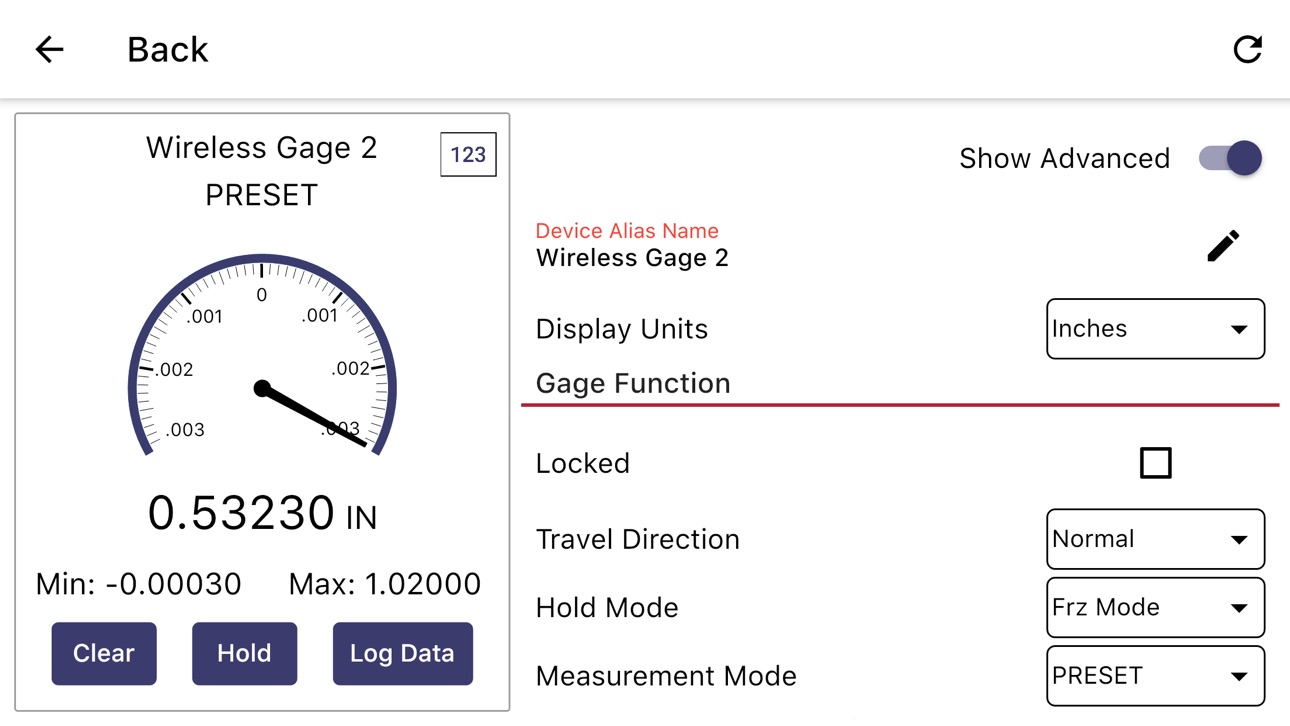
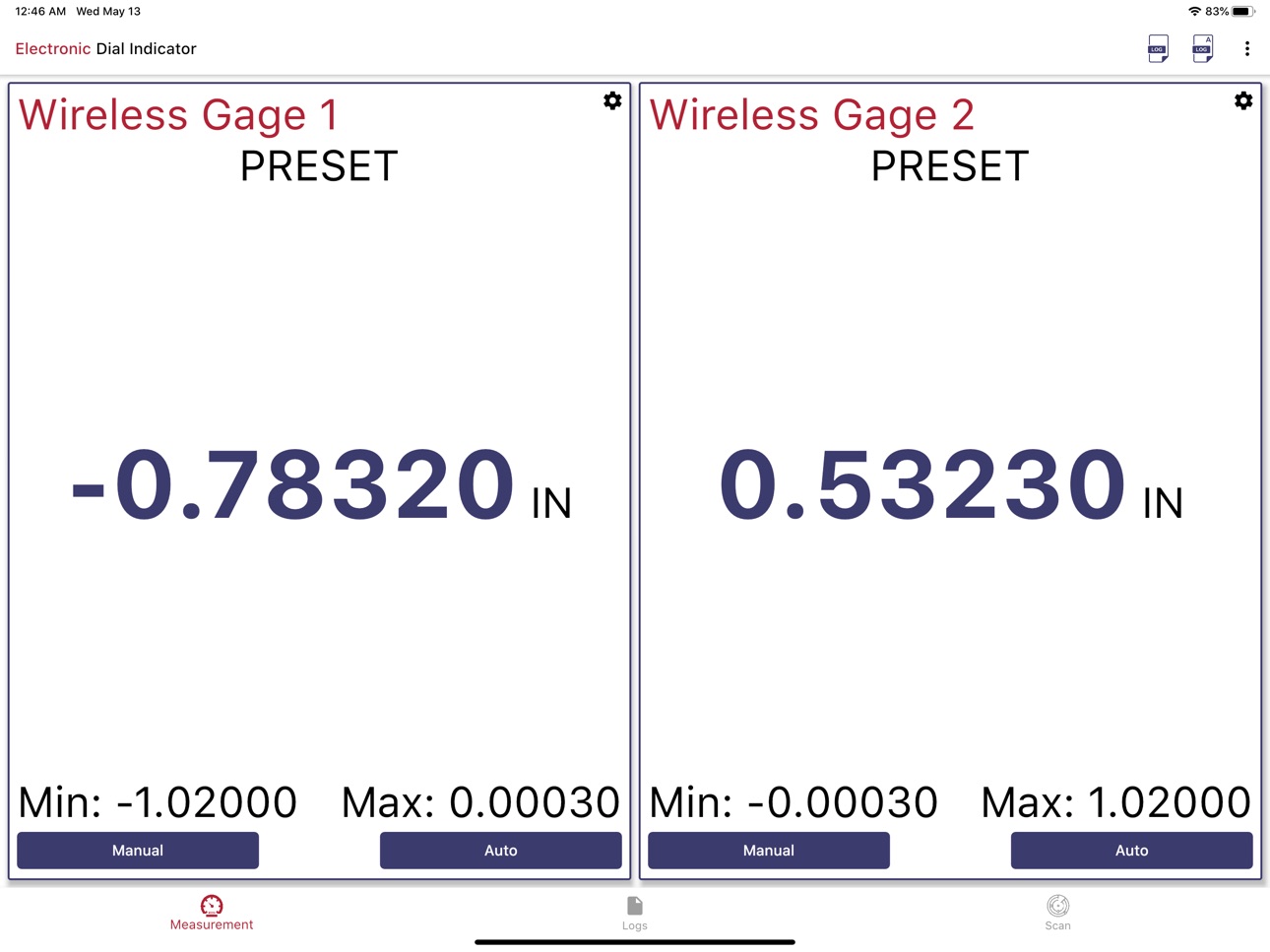
Electronic Dial Indicator lets you connect to your wireless enabled dial indicators to view measurements, configure settings and record data.
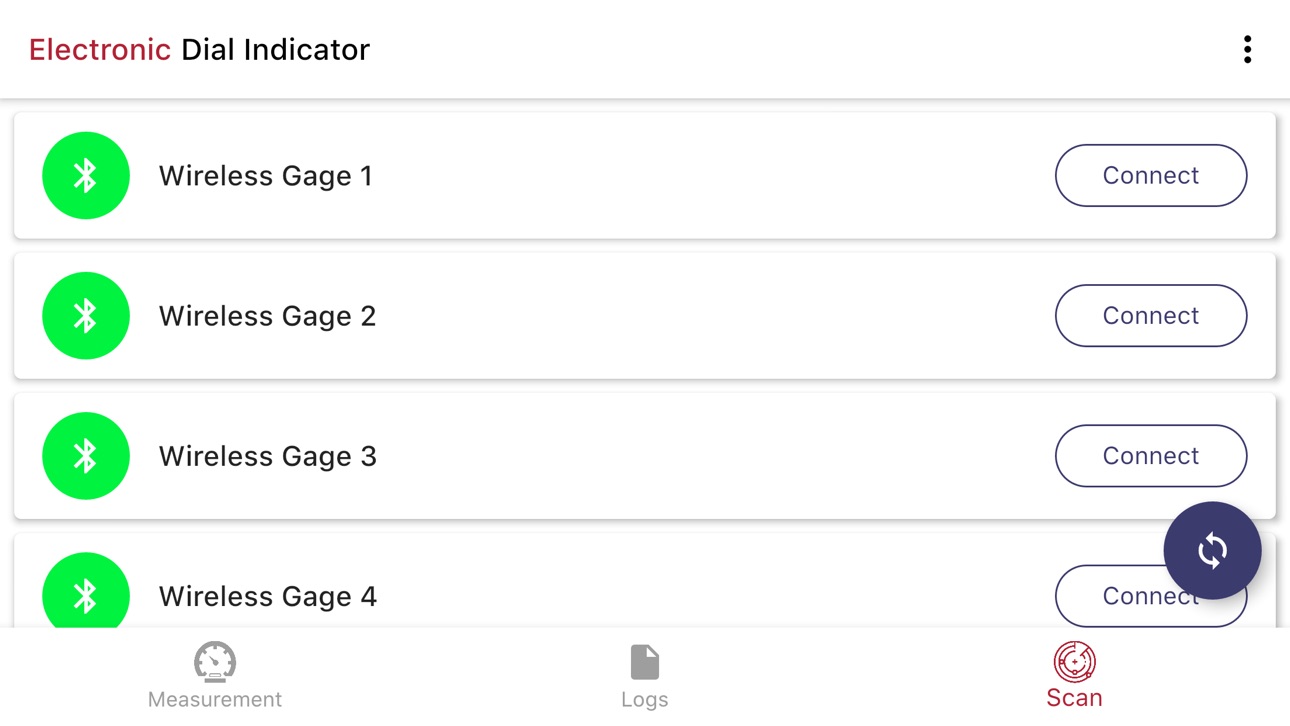
Connect:
- Up to 7 gages can be connected simultaneously
Measure
- View current measurement, min and max
- Select Digital or Analog readouts
- Zero Measurement
- Enable Hold*
- View G/NG tolerance status at a glance*
Configure*
- Adjust all gage settings through an easy to use interface
Record
- Record single measurements for one gage or all connected gages at once
- Enable continuous logging of data at a configurable interval
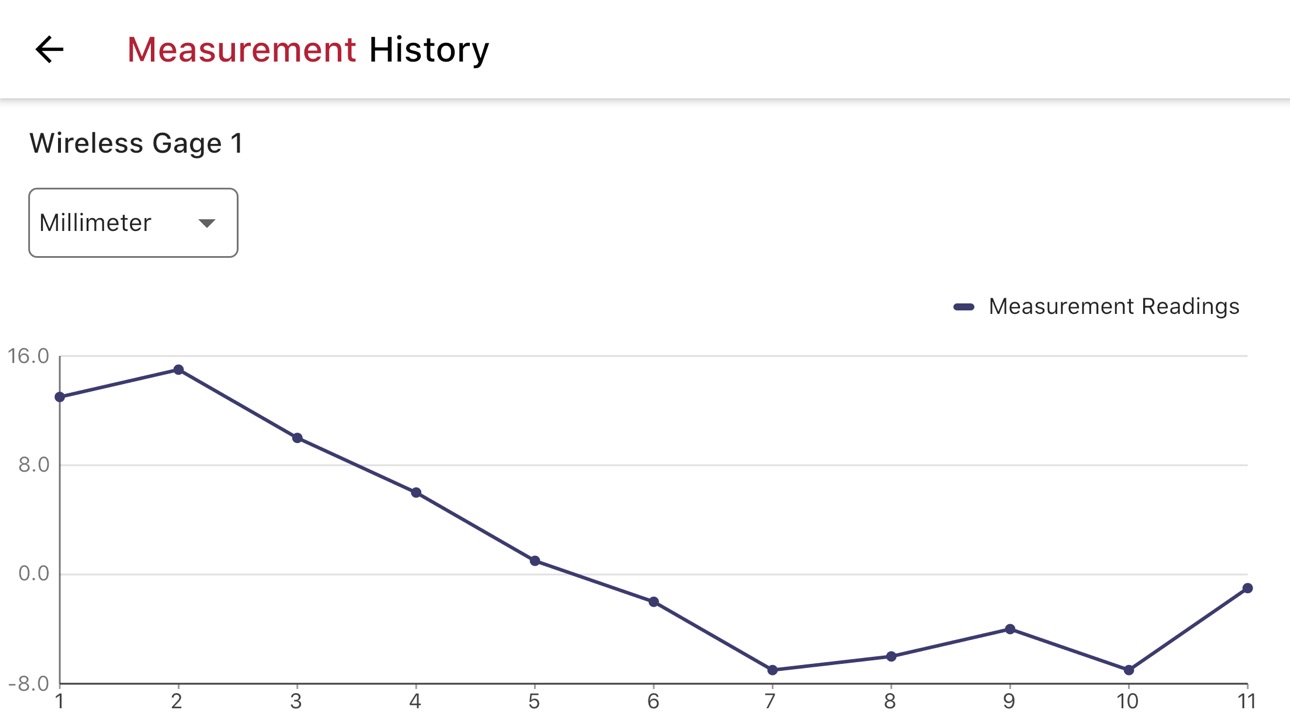
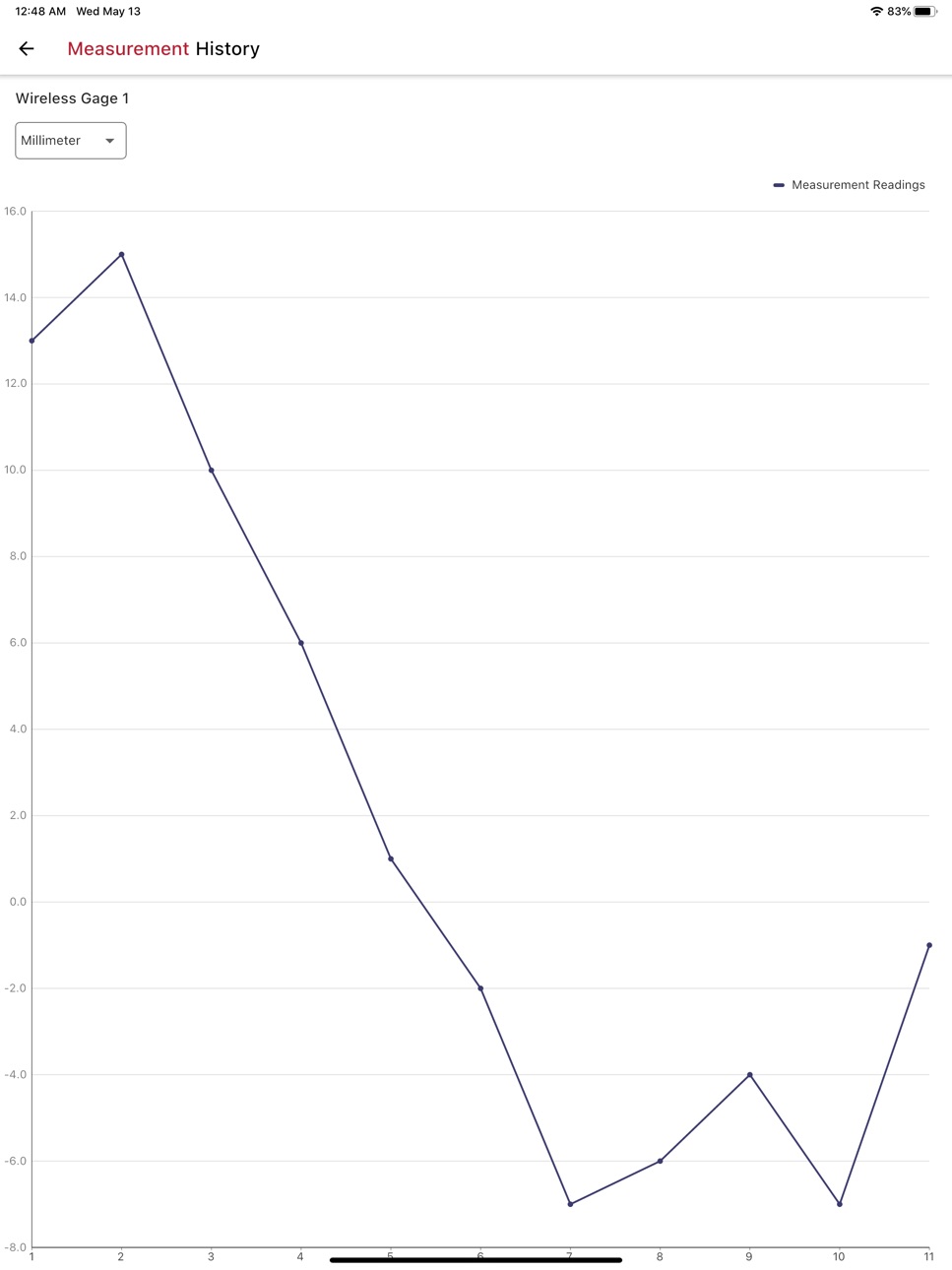
- View recorded measurements in a table or graph
- Share measurement files (csv) via email
*certain models may not support hold functionality or all available gage settings
Devices support several update rates (5 Hz, 1 Hz, 0.5 Hz, On button press) which can be configured on the device.
Accessibility
ipadiphonemacrealityDevicetvoswatch
Version history 4 versions
Build 887309877v1.0.122026-06-30 14:11:50
This version improves connection handling for wireless gages. If your gage is powered off, the app will now automatically detect it and reconnect when it powers back on (no manual steps required!)
Build 880618888v1.0.112026-04-08 23:07:09
Updates to underlying libraries.
Build 836346082v1.0.52020-06-15 15:07:44
- Updates to device connection handling
- General styling and layout improvements
Build 835905976v1.0.12020-05-20 19:12:26
No pricing data captured yet — comparisons appear once the app has paid storefronts or in-app purchases.
Availability 74 of 74 storefronts
| Region | Language | Price | Ratings | Avg | Version |
|---|---|---|---|---|---|
| US | en-US | Free | 6 | 3.3 | 1.0.12 |
| AE | en-GB | Free | 0 | — | 1.0.12 |
| AL | en-GB | Free | 0 | — | 1.0.12 |
| AM | en-GB | Free | 0 | — | 1.0.12 |
| AT | de-DE | Free | 0 | — | 1.0.12 |
| AU | en-AU | Free | 0 | — | 1.0.12 |
| AZ | en-GB | Free | 0 | — | 1.0.12 |
| BA | en-GB | Free | 0 | — | 1.0.12 |
| BE | en-GB | Free | 0 | — | 1.0.12 |
| BG | en-GB | Free | 0 | — | 1.0.12 |
| BH | en-GB | Free | 0 | — | 1.0.12 |
| BY | en-GB | Free | 0 | — | 1.0.12 |
| CA | en-CA | Free | 0 | — | 1.0.12 |
| CH | de-CH | Free | 0 | — | 1.0.12 |
| CN | zh-Hans-CN | Free | 0 | — | 1.0.12 |
| CY | en-GB | Free | 0 | — | 1.0.12 |
| CZ | en-GB | Free | 0 | — | 1.0.12 |
| DE | de-DE | Free | 0 | — | 1.0.12 |
| DK | en-GB | Free | 0 | — | 1.0.12 |
| EE | en-GB | Free | 0 | — | 1.0.12 |
| EG | en-GB | Free | 0 | — | 1.0.12 |
| ES | es-ES | Free | 0 | — | 1.0.12 |
| FI | en-GB | Free | 0 | — | 1.0.12 |
| FR | fr-FR | Free | 0 | — | 1.0.12 |
| GB | en-GB | Free | 0 | — | 1.0.12 |
| GE | en-GB | Free | 0 | — | 1.0.12 |
| GR | en-GB | Free | 0 | — | 1.0.12 |
| HK | zh-Hant-HK | Free | 0 | — | 1.0.12 |
| HR | en-GB | Free | 0 | — | 1.0.12 |
| HU | en-GB | Free | 0 | — | 1.0.12 |
| ID | en-GB | Free | 0 | — | 1.0.12 |
| IE | en-GB | Free | 0 | — | 1.0.12 |
| IL | en-GB | Free | 0 | — | 1.0.12 |
| IN | en-GB | Free | 0 | — | 1.0.12 |
| IQ | en-GB | Free | 0 | — | 1.0.12 |
| IS | en-GB | Free | 0 | — | 1.0.12 |
| IT | it | Free | 0 | — | 1.0.12 |
| JO | en-GB | Free | 0 | — | 1.0.12 |
| JP | ja | Free | 0 | — | 1.0.12 |
| KR | ko | Free | 0 | — | 1.0.12 |
| KW | en-GB | Free | 0 | — | 1.0.12 |
| LB | en-GB | Free | 0 | — | 1.0.12 |
| LT | en-GB | Free | 0 | — | 1.0.12 |
| LU | en-GB | Free | 0 | — | 1.0.12 |
| LV | en-GB | Free | 0 | — | 1.0.12 |
| MD | en-GB | Free | 0 | — | 1.0.12 |
| ME | en-GB | Free | 0 | — | 1.0.12 |
| MK | en-GB | Free | 0 | — | 1.0.12 |
| MO | zh-Hant-HK | Free | 0 | — | 1.0.12 |
| MT | en-GB | Free | 0 | — | 1.0.12 |
| MY | en-GB | Free | 0 | — | 1.0.12 |
| NL | nl | Free | 0 | — | 1.0.12 |
| NO | en-GB | Free | 0 | — | 1.0.12 |
| NZ | en-AU | Free | 0 | — | 1.0.12 |
| OM | en-GB | Free | 0 | — | 1.0.12 |
| PH | en-GB | Free | 0 | — | 1.0.12 |
| PL | en-GB | Free | 0 | — | 1.0.12 |
| PT | pt-PT | Free | 0 | — | 1.0.12 |
| QA | en-GB | Free | 0 | — | 1.0.12 |
| RO | en-GB | Free | 0 | — | 1.0.12 |
| RS | en-GB | Free | 0 | — | 1.0.12 |
| RU | ru | Free | 0 | — | 1.0.12 |
| SA | en-GB | Free | 0 | — | 1.0.12 |
| SE | sv | Free | 0 | — | 1.0.12 |
| SG | en-GB | Free | 0 | — | 1.0.12 |
| SI | en-GB | Free | 0 | — | 1.0.12 |
| SK | en-GB | Free | 0 | — | 1.0.12 |
| TH | en-GB | Free | 0 | — | 1.0.12 |
| TR | en-GB | Free | 0 | — | 1.0.12 |
| TW | zh-Hant-TW | Free | 0 | — | 1.0.12 |
| UA | en-GB | Free | 0 | — | 1.0.12 |
| VN | en-GB | Free | 0 | — | 1.0.12 |
| XK | en-GB | Free | 0 | — | 1.0.12 |
| YE | en-GB | Free | 0 | — | 1.0.12 |
Change log 7 changes · US
✎
releaseNotes updated
This version improves connection handling for wireless gages. If your gage is powered off, the app will now automatically detect it and reconnect when it powers
✎
description updated
Electronic Dial Indicator lets you connect to your wireless enabled dial indicators to view measurements, configure settings and record data.
Connect:
- Up to
✎
name updated
Electronic Dial Indicator
◆
Version 1.0.12 released
This version improves connection handling for wireless gages. If your gage is powered off, the app will now automatically detect it and reconnect when it powers back on (no manual steps required!)
◆
Version 1.0.11 released
Updates to underlying libraries.
◆
Version 1.0.5 released
- Updates to device connection handling
- General styling and layout improvements
◆
Version 1.0.1 released