Home › Productivity

 US
US
1 of 1 storefronts
Content in en-US
Content in en-US
Information
Preview 2 platforms
iPhone 7 images


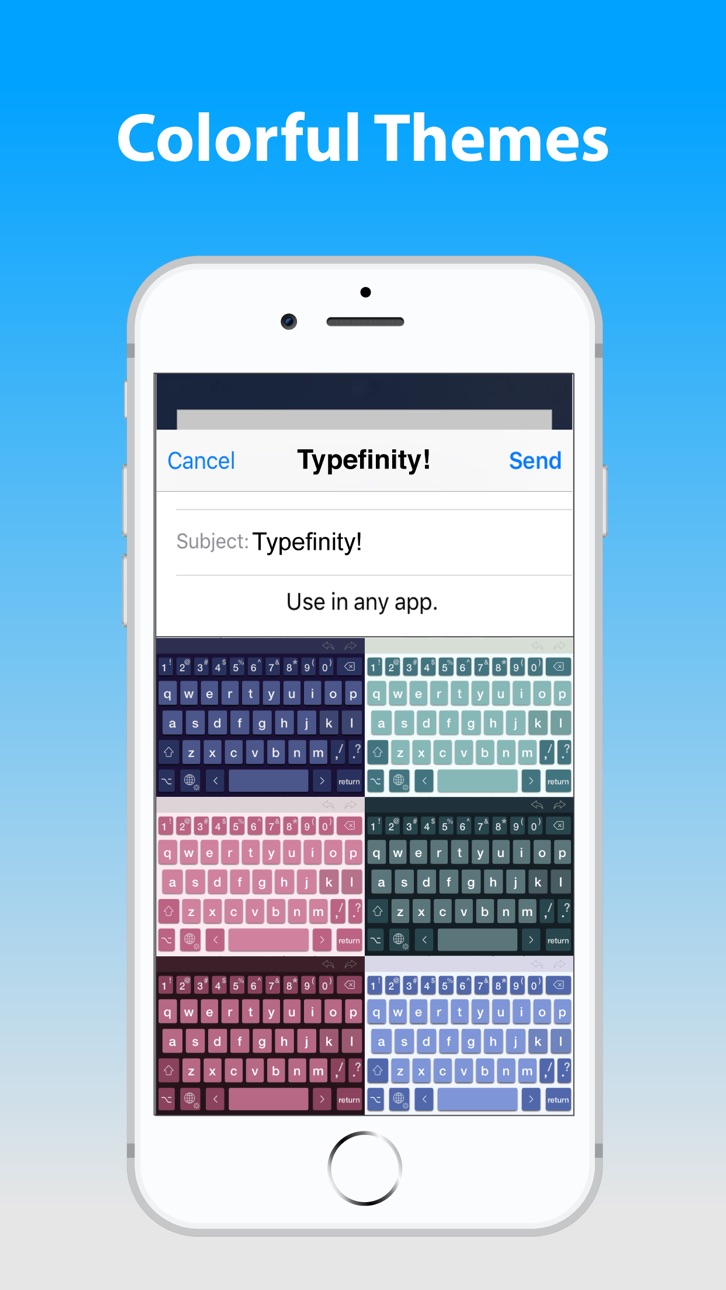


iPad 6 images


What’s New Version 2.3.2
• Fixed bug preventing recognition of touches between keys on iOS 26 with transparency enabled.
Description
Typing without limits on iPad and iPhone. When it comes to on-screen keyboards, bigger IS different, and Typefinity is built to take advantage of the larger screen size on tablets and modern phones. Stay in the flow when it's time to type a number or symbol or you need to move around, because the needed keys are right there in the main layout. And we use the full width, not just the middle, to display word suggestions.
Ergonomics aren't sacrificed either. The main keys are big enough to type fast, and autocorrect is fine-tuned for catching common finger misses. You'll find using Typefinity is almost like having a full bluetooth keyboard -- without the weight and bulk!
• Numbers and punctuation in one layout, where your fingers remember.
• Cursor keys for easy, precise movement by letter or word.
• Dedicated keys for accented characters in your language.
• Option switch for typing other symbols and accented characters.
• Full autocorrect in all supported languages, showing more than three words.
• “Short” layout option for more screen visibility in landscape orientation.
• Swipe input (trace words with your finger), and flick up on number and punctuation keys for shifted versions.
• Numeric and calculator modes.
• Privacy friendly (“full access” is NOT required for most functionality, including autocorrect).
Languages / layouts supported: English (US and British / UK / Aus, Dvorak), Czech, Danish, Dutch, Finnish, French (France and Canada), German, Italian, Norwegian (Bokmål), Polish, Portuguese (Portugal and Brazil), Romanian, Spanish, and Swedish.
In-App Purchases US pricing
One-Time Purchases
Give developer love$4.99
Capabilities
In-App Purchases
Accessibility
ipadiphonemacrealityDevicetvoswatch
Version history 14 versions
Build 886686341v2.3.22026-06-08 22:49:23
• Fixed bug preventing recognition of touches between keys on iOS 26 with transparency enabled.
Build 880842733v2.3.12026-03-14 21:43:56
• Restored ability to grant Full Access to the keyboard. Apple is requiring this now not only for pasting text as mentioned last release, but also for providing haptic key feedback on iPhones. If you won't use Haptic feedback and can do without the paste button on iPad, you do need Full Access. See our prvacy policy for more information (https://typefinity.com/privacy)
Build 880049496v2.32025-12-10 23:10:36
• Liquid Glass support (iOS 26+ only). Enabled by default, you can disable it in Typefinity Settings. We recommend you disable it if you often use apps which have not been updated to support Liquid Glass themselves, as the keyboard will default to a dull opaque appearance in these apps that we cannot detect and correct.
• Removed Paste Button (iPad). Unfortunately after several versions, iOS 18 brought back the requirement for Full Access to access the pasteboard. Rather than restoring use of this flawed monolithic permission (including network access), we have elected to remove the Paste button from the iPad suggestions bar. You'll need to tap into text fields and use the popup menu to paste text.
• Bug fixes.
Build 869683103v2.2.12025-07-26 03:44:20
• Work around changes to animation timing in iOS.
• iOS changes mean Full Access isn't needed anymore to access the clipboard for paste, which means Typefinity no longer needs it at all.
• New Opt layout now brought to Czech, Polish, and Romanian.
• Minor bug fixes.
Build 863386418v2.22024-02-05 20:29:12
• iOS 13 is the new minimum version.
• Add haptic keyclicks options on phone.
• Fix bug with nonstandard keyclick sounds.
• New Opt layout fine-tuned and now brought to Italian and Portuguese.
• iPhone: shading of keys where Opt- provides common pronunciation can now be enabled under advanced settings. (Previously it was on by default.)
Build 853321069v2.12023-04-26 12:27:19
• Adds number pad access by long-pressing Return (in addition to swiping number row).
• Fixes bugs with shift handling that impacted swipe and suggestions.
• Improves ergonomics for swipe-up on keys for shifted / opted symbols.
• New Opt layout fine-tuned and now brought to French and Spanish.
• Number/symbol key popups on the phone now include shifted symbols.
• "Cloud" theme colors adjusted (yet again) to match iOS 16 system keyboard (which rotated back to what they were around iOS 10).
Build 848368387v2.02022-05-01 19:37:57
• Opt layout updated to provide more useful symbols in a simpler arrangement:
• Just English, German, Dutch, and Nordic languages so far
• Please send your feedback to support.typefinity.com
• More info: https://naturaldesigns.software/blog/options
• Calculator: handle % addition like Apple calculator: 50 + 10 % = 55, not 50.1
Build 843151718v1.92021-11-01 19:20:48
Hello, and sorry for the long break between updates! This time, instead of just "bug fixes and improvements", we'll list most of the things we actually did:
Improvements:
• Show hints for opt-punctuation on the slightly darker keys on the right side on the phone. Swiping up on these will produce those characters.
• Cursor drag when holding down space bar now repeats at screen edges.
• "Cloud" theme colors updated (again) to match Apple's latest.
Bug fixes:
• Correctly preserve landscape short-mode setting on all devices.
• Suppress inserting space after period when typing an email address.
• Added some missing French elision shortcuts.
• Fix problem causing slow long-press on edges of some phones.
• Eliminate spurious "Pasted" warning messages from iOS.
Build 840231381v1.8.32021-04-27 14:26:06
• New calculator utility added!
Swipe along number row to pull up keypad, then long-press the '3' key to go to calculator.
• Bug fixes.
Build 840135877v1.8.22021-01-21 15:56:35
• Bug fixes
Build 839898139v1.8.12021-01-09 07:31:31
• Highlight working text when entering accents
• Bug fixes
Build 839178680v1.82021-01-01 08:22:05
• Next word prediction (based on past history for all languages; plus included dictionary data for English and German only)
• Improved autocorrect
• Bug fixes and improvements
Build 837265857v1.7.12020-08-07 18:48:22
• ".com menu" functionality restored on iPad
• Move cursor "vertically" as well as horizontally by hold-drag spacebar (vertical scrolling approximate due to lack of Apple support)
• Ergonomics improvements on iPhone
Build 835843536v1.72020-05-23 11:20:21
Price history by region
Currency
Show
Columns
Search
Availability 1 of 1 storefronts
| Region | Language | Price | Ratings | Avg | Version |
|---|---|---|---|---|---|
| US | en-US | USD 4.99 | 120 | 3.7 | 2.3.2 |
Change log 18 changes · US
✎
releaseNotes updated
• Fixed bug preventing recognition of touches between keys on iOS 26 with transparency enabled.
✎
description updated
Typing without limits on iPad and iPhone. When it comes to on-screen keyboards, bigger IS different, and Typefinity is built to take advantage of the larger sc
✎
subtitle updated
Keyboard without Limits
✎
name updated
Typefinity
◆
Version 2.3.2 released
• Fixed bug preventing recognition of touches between keys on iOS 26 with transparency enabled.
◆
Version 2.3.1 released
• Restored ability to grant Full Access to the keyboard. Apple is requiring this now not only for pasting text as mentioned last release, but also for providing haptic key feedback on iPhones. If you won't use Haptic feedback and can do wit
◆
Version 2.3 released
• Liquid Glass support (iOS 26+ only). Enabled by default, you can disable it in Typefinity Settings. We recommend you disable it if you often use apps which have not been updated to support Liquid Glass themselves, as the keyboard will def
◆
Version 2.2.1 released
• Work around changes to animation timing in iOS.
• iOS changes mean Full Access isn't needed anymore to access the clipboard for paste, which means Typefinity no longer needs it at all.
• New Opt layout now brought to Czech, Polish, and Ro
◆
Version 2.2 released
• iOS 13 is the new minimum version.
• Add haptic keyclicks options on phone.
• Fix bug with nonstandard keyclick sounds.
• New Opt layout fine-tuned and now brought to Italian and Portuguese.
• iPhone: shading of keys where Opt- provides c
◆
Version 2.1 released
• Adds number pad access by long-pressing Return (in addition to swiping number row).
• Fixes bugs with shift handling that impacted swipe and suggestions.
• Improves ergonomics for swipe-up on keys for shifted / opted symbols.
• New Opt la
◆
Version 2.0 released
• Opt layout updated to provide more useful symbols in a simpler arrangement:
• Just English, German, Dutch, and Nordic languages so far
• Please send your feedback to support.typefinity.com
• More info: https://naturaldesigns.softwar
◆
Version 1.9 released
Hello, and sorry for the long break between updates! This time, instead of just "bug fixes and improvements", we'll list most of the things we actually did:
Improvements:
• Show hints for opt-punctuation on the slightly darker keys on th
◆
Version 1.8.3 released
• New calculator utility added!
Swipe along number row to pull up keypad, then long-press the '3' key to go to calculator.
• Bug fixes.
◆
Version 1.8.2 released
• Bug fixes
◆
Version 1.8.1 released
• Highlight working text when entering accents
• Bug fixes
◆
Version 1.8 released
• Next word prediction (based on past history for all languages; plus included dictionary data for English and German only)
• Improved autocorrect
• Bug fixes and improvements
◆
Version 1.7.1 released
• ".com menu" functionality restored on iPad
• Move cursor "vertically" as well as horizontally by hold-drag spacebar (vertical scrolling approximate due to lack of Apple support)
• Ergonomics improvements on iPhone
◆
Version 1.7 released