Home › Music

 US
US
1 of 1 storefronts
Content in en-US
Content in en-US
Information
Apple ID1511655050
Bundle IDcom.solodigitalis.DenonVolume
SellerSeller
Min iOS12.0
Min macOS11.0
Device familiesiphone, ipad, ipod
Released2020-05-08
Copyright© 2020 Solodigitalis Inc.
Privacy policyLink ↗
Preview 2 platforms
iPhone 3 images


iPad 3 images


What’s New Version 3.0.1
- NEW: HEOS-enabled receivers have new controls: play/pause, skip next, skip previous, album art
- FIXED: discovery (finding receivers the first time) was broken by changes in newer iOS versions, now works. After allowing network access, hit "Search Again"
- FIXED (3.0.1): a crash when hitting a discovery button
Description
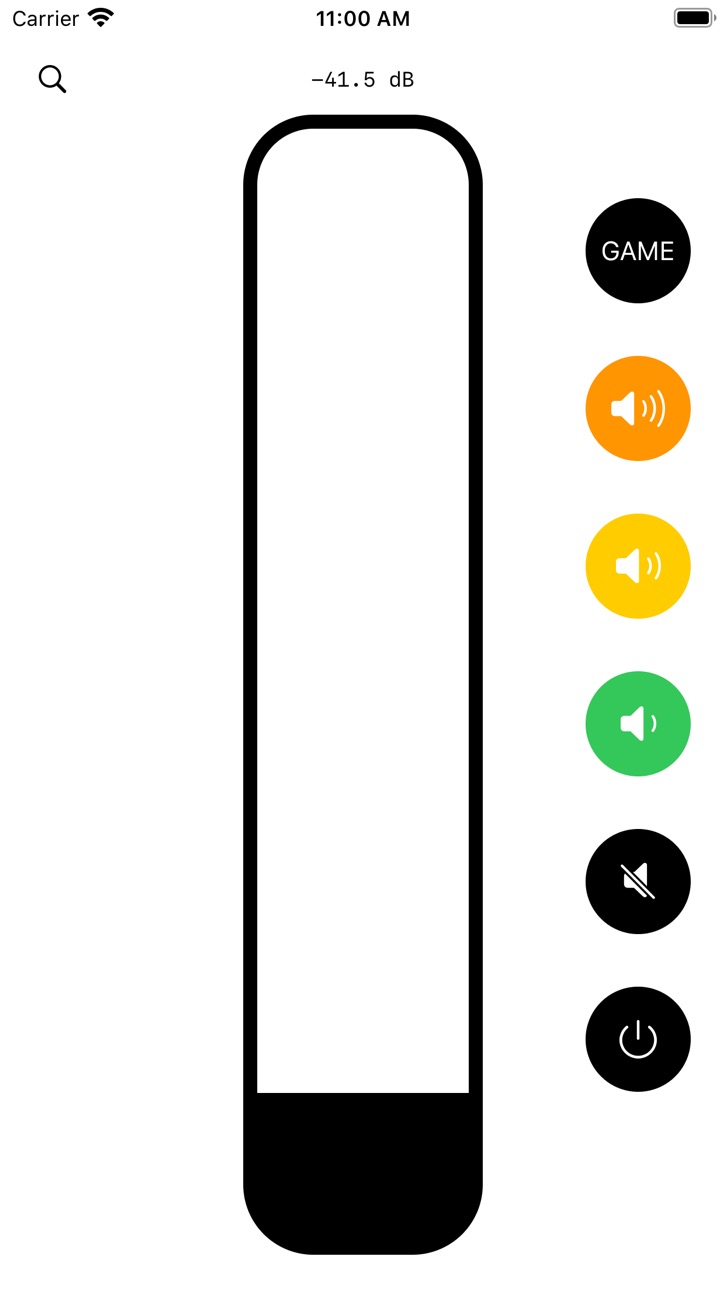
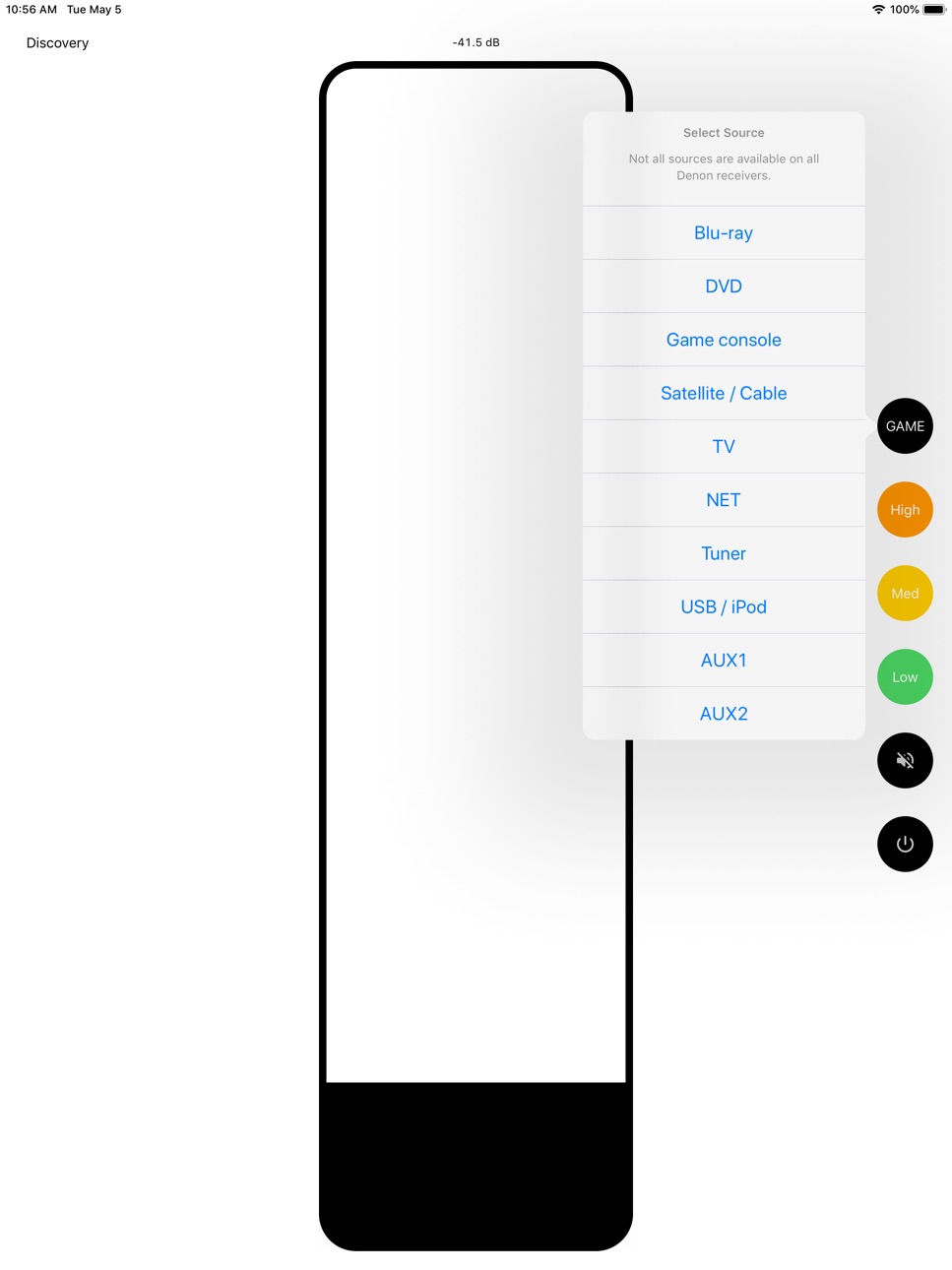
Crank It for Denon & Marantz allows you to control compatible Denon & Marantz receivers. Designed for maximum responsiveness, this app was made because sometimes you need to change the volume of your receiver really precisely, but also really FAST.
THIS APP IS OPEN-SOURCE: https://github.com/xaphod/CrankIt
This app can:
- change the volume (slide up/down anywhere on the screen, or use a preset)
- change the input source (ie. switch from DVD to TV)
- change the MultiEQ setting (ie. turn off Audyssey)
- toggle mute
- control zone 2 and main zone
- play/pause, skip prev/next, show album art -- requires HEOS-enabled receiver
This app supports only receivers made by Denon & Marantz that have an IP address, and are listening on port 23. In practice this translates to receivers made from roughly 2013 onwards.
Although this app has functionality designed to prevent you from accidentally turning your receiver up too loud, no software is perfect: by using this app you assume all responsibility for the volume levels & other functions set on your receiver, including those set by this app.
Accessibility
ipadiphonemacrealityDevicetvoswatch
Version history 6 versions
Build 870925025v3.0.12024-12-05 20:03:39
- NEW: HEOS-enabled receivers have new controls: play/pause, skip next, skip previous, album art
- FIXED: discovery (finding receivers the first time) was broken by changes in newer iOS versions, now works. After allowing network access, hit "Search Again"
- FIXED (3.0.1): a crash when hitting a discovery button
Build 870872403v3.02024-12-04 10:15:21
- NEW: HEOS-enabled receivers have new controls: play/pause, skip next, skip previous, album art
- FIXED: discovery (finding receivers the first time) was broken by changes in newer iOS versions, now works. After allowing network access, hit "Search Again"
Build 867667894v2.12024-07-23 13:08:14
2.1:
Made it faster to reconnect when the app was put into the background and then the foreground again
2.0:
Finally after many years, full zone 2 control is here!
Did you know this app is open-source? Find out more in the app menu -> "Hawt Tips"
Build 867446688v2.02024-07-17 00:47:22
Finally after many years, full zone 2 control is here!
Did you know this app is open-source? Find out more in the app menu -> "Hawt Tips"
Build 835993256v1.12020-05-21 14:16:13
- Improve connection handling: faster to start, faster when app is coming from background
- Fix volume buttons not working when app is in the foreground if you disabled audio
- Do you have multiple receivers? Now you can now go back to the discovery screen when the connected receiver is powered off, and choose to select from already discovered receivers before discovery runs again
Build 835817719v1.02020-05-09 01:37:12
No pricing data captured yet — comparisons appear once the app has paid storefronts or in-app purchases.
Availability 1 of 1 storefronts
| Region | Language | Price | Ratings | Avg | Version |
|---|---|---|---|---|---|
| US | en-US | Free | 130 | 4.4 | 3.0.1 |
Change log 10 changes · US
✎
releaseNotes updated
- NEW: HEOS-enabled receivers have new controls: play/pause, skip next, skip previous, album art
- FIXED: discovery (finding receivers the first time) was broke
✎
description updated
Crank It for Denon & Marantz allows you to control compatible Denon & Marantz receivers. Designed for maximum responsiveness, this app was made because sometime
✎
subtitle updated
Responsive receiver control
✎
name updated
Crank It for Denon & Marantz
◆
Version 3.0.1 released
- NEW: HEOS-enabled receivers have new controls: play/pause, skip next, skip previous, album art
- FIXED: discovery (finding receivers the first time) was broken by changes in newer iOS versions, now works. After allowing network access, hi
◆
Version 3.0 released
- NEW: HEOS-enabled receivers have new controls: play/pause, skip next, skip previous, album art
- FIXED: discovery (finding receivers the first time) was broken by changes in newer iOS versions, now works. After allowing network access, hi
◆
Version 2.1 released
2.1:
Made it faster to reconnect when the app was put into the background and then the foreground again
2.0:
Finally after many years, full zone 2 control is here!
Did you know this app is open-source? Find out more in the app menu -> "Haw
◆
Version 2.0 released
Finally after many years, full zone 2 control is here!
Did you know this app is open-source? Find out more in the app menu -> "Hawt Tips"
◆
Version 1.1 released
- Improve connection handling: faster to start, faster when app is coming from background
- Fix volume buttons not working when app is in the foreground if you disabled audio
- Do you have multiple receivers? Now you can now go back to the
◆
Version 1.0 released