Home › Productivity

 US
US
1 of 1 storefronts
Content in en-US
Content in en-US
Information
Apple ID1506931418
Bundle IDcom.datavideo.dvprompterplus
SellerSeller
Min iOS14.1
Min macOS11.0
Device familiesiphone, ipad, ipod
Released2020-06-25
Copyright© dv Solutions
Privacy policyLink ↗
Preview 2 platforms
iPhone 8 images



iPad 6 images



What’s New Version 1.0.11
Fix an issue with IAP
Description
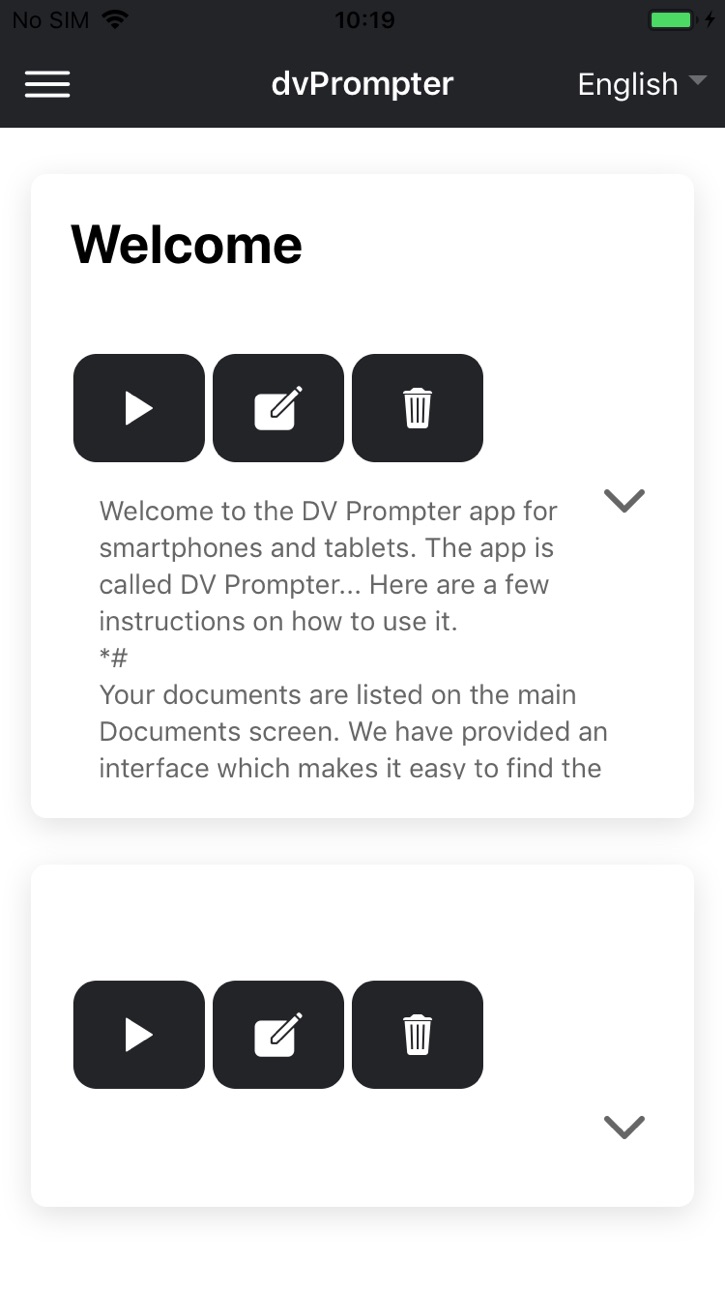
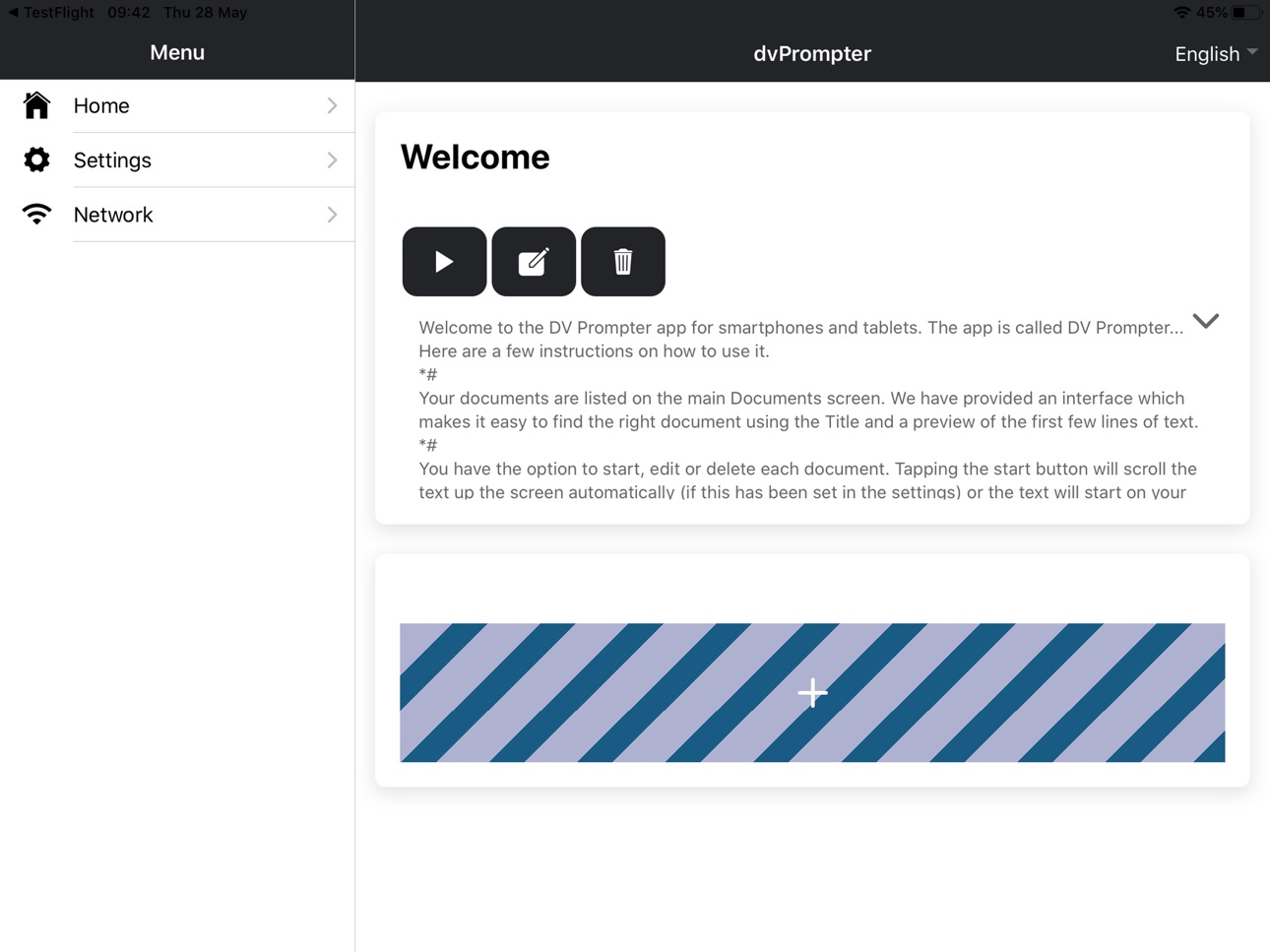
dv Prompter Plus is a full function teleprompter scripting application suitable for Apple iPhone and iPad devices.
Combined with the Datavideo TP range of teleprompters, your Apple device is mounted on or off-camera in a professional rig. All hardware products are available from the global network of Datavideo resellers which can be found at www.datavideo.com.
The Plus version of dv Prompter offers the following features:
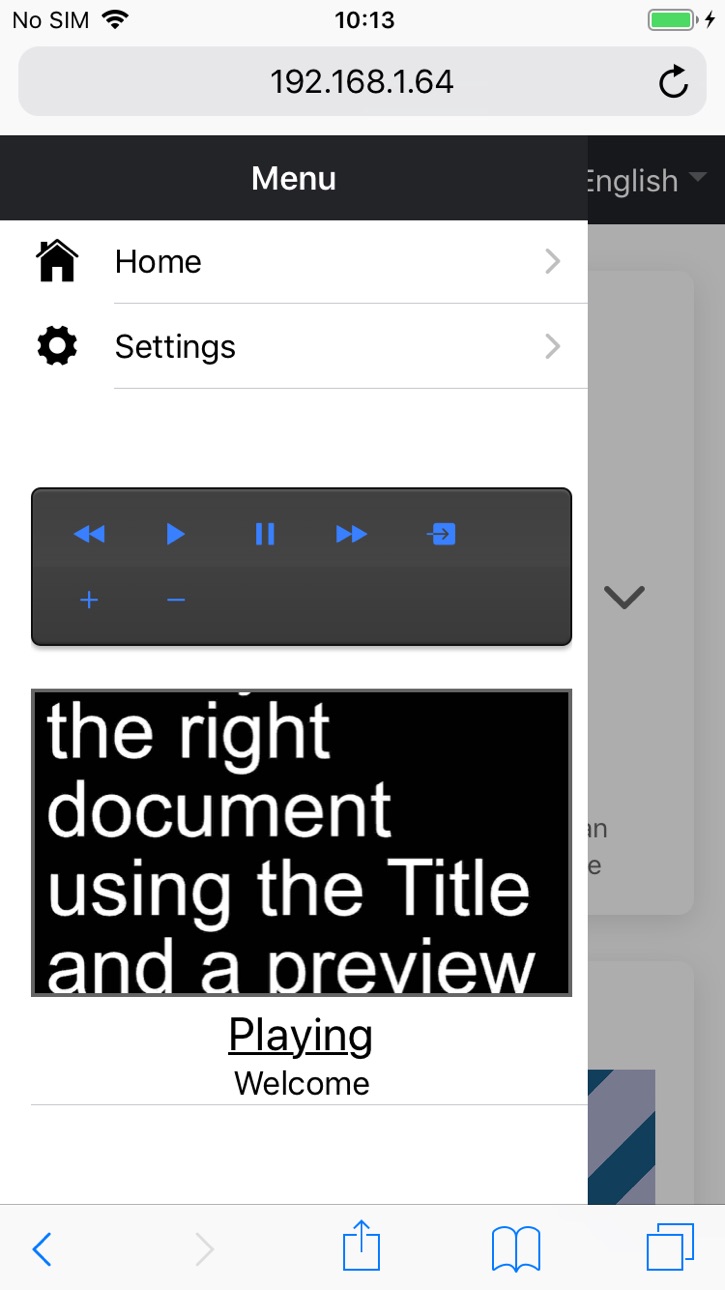
Flexible control options - dvPrompter Plus supports direct talent led control via our WR-500 Wired/Bluetooth remote control or remote control via IP using any web browser (in app purchase required for IP control). Both options allow you to pause and resume the scroll, increase and decrease speed, increase and decrease font size, jump to specific points within the script (break markers) and switch between scripts in a playlist.
Multi Language support
Powerful rich text editor - Change the font size, type, colour, and justification on a per script basis and even use multiple different fonts within a single script. The editor also has support for embedding images.
External display mode with support for HDMI adapters and wireless casting
Timer function
The optional in app purchase enables the following professional features:
Playlist support - Create a playlist containing multiple text-based script or slides, playlists can be automatic or manual.
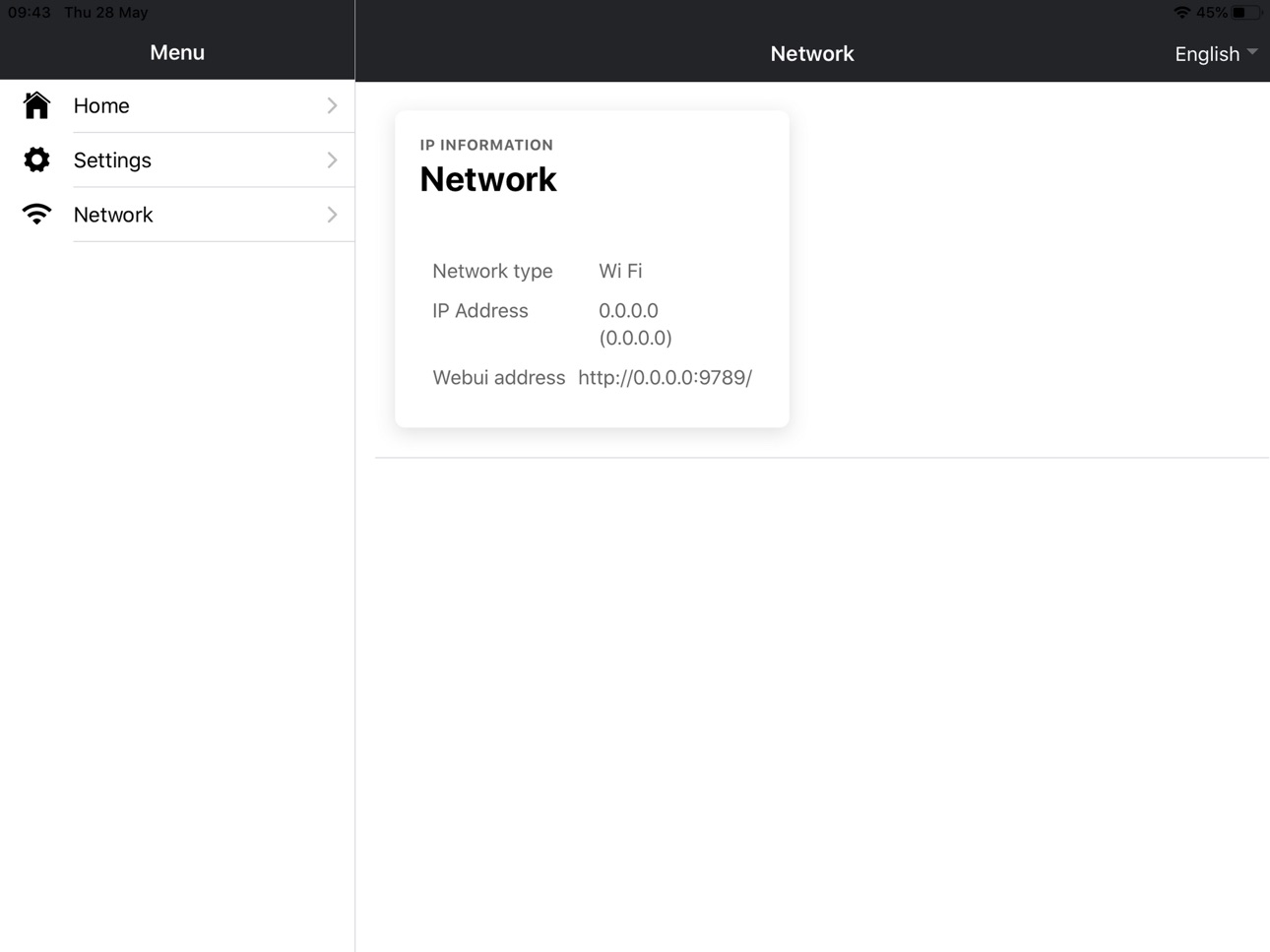
Easy control and monitoring via Ethernet - Control and monitor the prompter over a local network using any device with a modern web browser, Load, reload and control scripts over a local network.
All control functions can be assigned custom keyboard shortcuts.
Synchronize multiple devices via IP - Mirror the master teleprompters screen to multiple slave devices using our unique IP synchronisation technology
Supports PowerPoint and Keynote slides - In addition to text-based scripts you can now import your Powerpoint or Keynote presentation slides via the web interface, slides can be controlled using the hardware WR-500 control or the web based remote control interface. dvPrompter Plus supports seamlessly switching between text-based scripts and slides, you can even add slides and text-based scripts to a playlist.
dvPrompter Plus supports mirroring slides in real time so your content is the right way around even when viewed via the mirror glass.
Real Time Editing - Interrupt live broadcasts with breaking news or urgent updates, simply modify the script via the web interface and watch it update in real time.
In-App Purchases US pricing
One-Time Purchases
Web Interface$16.99
Capabilities
In-App Purchases
Accessibility
ipadiphonemacrealityDevicetvoswatch
Version history 20 versions
Build 883827797v1.0.112026-03-27 16:19:24
Fix an issue with IAP
Build 883536363v1.0.102026-03-19 18:53:54
Add support for WR-600 remote
Support offline use of in-app-purchase
Improve responsiveness of hardware remote controls
Fix issues with speed jumps on certain hardware
Fix issues with reverse scrolling on certain hardware
Build 882405856v1.0.092026-02-13 22:38:52
Fixed issue with editing scrips on some devices
Build 882334762v1.0.082026-02-10 20:41:48
-Enable reverse scroll options for WR-500
-Mirror script list option
-Navigate script list with WR-500
-Various minor fixes
Build 872152535v0.0.19972025-01-31 18:09:42
Fix issue with IAP needing to be manually restored
Build 870094183v0.0.19912024-10-31 09:37:20
Enable reverse scrolling speeds
Increase maximum framerate for WebUI live preview
Increase size of WebUI live preview
Enable WebUI keyboard shortcuts for break markers
Build 863693315v0.0.18662024-02-11 16:54:50
Resolves computability with older OS versions
Build 863416074v0.0.18642024-02-06 15:17:30
Fix issue with translation in recent ios versions
Build 860551162v0.0.18572023-10-10 16:47:20
Fix issue creating new scripts on the device
Build 859650769v0.0.18482023-09-04 18:51:35
Fix slides mode
Build 859253249v0.0.18442023-08-18 18:11:34
• Update the app logo
• Fix an issues with speed steps and break markers
• Fix the issue - When paused – should be previous break marker and + should be next.
• Add an option to settings ‘Speed Adjustment Steps’ with possible values of 1-5. This setting will dictate how many speed values are adjusted with each press of -/+ on the remote.
• Sort new scripts newest first
• Fix AutoStart behaviour with playlists
• Add support to Contour Shuttle Xpress jog wheel
• Allow the +/- buttons of the WR-500 to be held down to increase / decrease speed on the WR-500 remote when in Bluetooth remote
Build 848430132v0.0.16112022-04-19 22:05:30
Fix an issue where the WebUI control buttons would stop working after the device was locked with the latest version of IOS
Fix an issue where the app would crash with external display enabled on the latest version of IOS
Add the ‘Almarai’ font, this font is designed specifically for the Arabic language
Fix an issue where loop did not work with external display enabled
Build 846752956v0.0.15762022-01-20 23:53:19
Fix issue with editing new scripts in app
Build 846728719v0.0.15722022-01-19 20:04:32
* User is now warned that the app will restart when exiting slave mode
* Add support for custom keyboard shortcuts for control
Supports PowerPoint and Keynote slides
-----------------------------------------
In addition to text-based scripts you can now import your Powerpoint or Keynote presentation slides via the web interface, slides can be controlled using the hardware WR-500 control or the web based remote control interface. dvPrompter Plus supports seamlessly switching between text-based scripts and slides, you can even add slides and text-based scripts to a playlist
dvPrompter Plus supports mirroring slides in real time so your content is the right way around even when viewed via the mirror glass.
Real Time Editing
------------------
Interrupt live broadcasts with breaking news or urgent updates, simply modify the script via the web interface and watch it update in real time.
Build 844289131v0.0.14122021-09-24 23:42:59
Bug fixes - Improved synchronisation of multiple displays over IP
Build 843330218v0.0.12842021-07-30 01:00:13
-Remote monitoring is now real time
-Increased max scroll speed
-Add help
Build 837762749v0.0.11342020-09-13 14:09:31
Many updates.
Improved performance
Build 837057876v0.9352020-07-30 00:15:21
Fix a few issues found in previous release
Build 836759143v0.8772020-07-21 08:01:38
First official public release
Build 835458716v0.8742020-06-25 16:54:07
Price history by region
Currency
Show
Columns
Search
Availability 1 of 1 storefronts
| Region | Language | Price | Ratings | Avg | Version |
|---|---|---|---|---|---|
| US | en-US | Free | 10 | 4.6 | 1.0.11 |
Change log 23 changes · US
✎
releaseNotes updated
Fix an issue with IAP
✎
description updated
dv Prompter Plus is a full function teleprompter scripting application suitable for Apple iPhone and iPad devices.
Combined with the Datavideo TP range of
✎
name updated
dvPrompter Plus
◆
Version 1.0.11 released
Fix an issue with IAP
◆
Version 1.0.10 released
Add support for WR-600 remote
Support offline use of in-app-purchase
Improve responsiveness of hardware remote controls
Fix issues with speed jumps on certain hardware
Fix issues with reverse scrolling on certain hardware
◆
Version 1.0.09 released
Fixed issue with editing scrips on some devices
◆
Version 1.0.08 released
-Enable reverse scroll options for WR-500
-Mirror script list option
-Navigate script list with WR-500
-Various minor fixes
◆
Version 0.0.1997 released
Fix issue with IAP needing to be manually restored
◆
Version 0.0.1991 released
Enable reverse scrolling speeds
Increase maximum framerate for WebUI live preview
Increase size of WebUI live preview
Enable WebUI keyboard shortcuts for break markers
◆
Version 0.0.1866 released
Resolves computability with older OS versions
◆
Version 0.0.1864 released
Fix issue with translation in recent ios versions
◆
Version 0.0.1857 released
Fix issue creating new scripts on the device
◆
Version 0.0.1848 released
Fix slides mode
◆
Version 0.0.1844 released
• Update the app logo
• Fix an issues with speed steps and break markers
• Fix the issue - When paused – should be previous break marker and + should be next.
• Add an option to settings ‘Speed Adjustment Steps’ with possible values of 1-5.
◆
Version 0.0.1611 released
Fix an issue where the WebUI control buttons would stop working after the device was locked with the latest version of IOS
Fix an issue where the app would crash with external display enabled on the latest version of IOS
Add the ‘Almarai’ f
◆
Version 0.0.1576 released
Fix issue with editing new scripts in app
◆
Version 0.0.1572 released
* User is now warned that the app will restart when exiting slave mode
* Add support for custom keyboard shortcuts for control
Supports PowerPoint and Keynote slides
-----------------------------------------
In addition to text-based scrip
◆
Version 0.0.1412 released
Bug fixes - Improved synchronisation of multiple displays over IP
◆
Version 0.0.1284 released
-Remote monitoring is now real time
-Increased max scroll speed
-Add help
◆
Version 0.0.1134 released
Many updates.
Improved performance
◆
Version 0.935 released
Fix a few issues found in previous release
◆
Version 0.877 released
First official public release
◆
Version 0.874 released