Home › Photo & Video

 US
US
1 of 1 storefronts
Content in en-US
Content in en-US
Information
Preview 2 platforms
iPhone 8 images



iPad 5 images


What’s New Version 2.11.7
Added PIN Fusion to securely unlock shared content with a unique PIN
Description
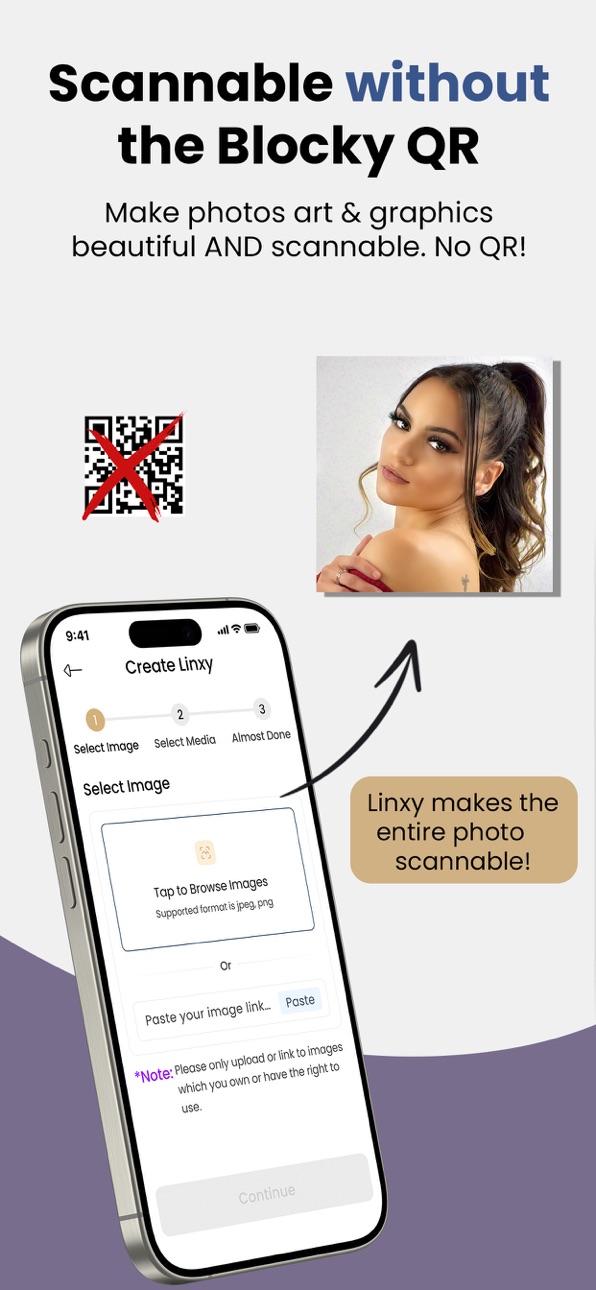
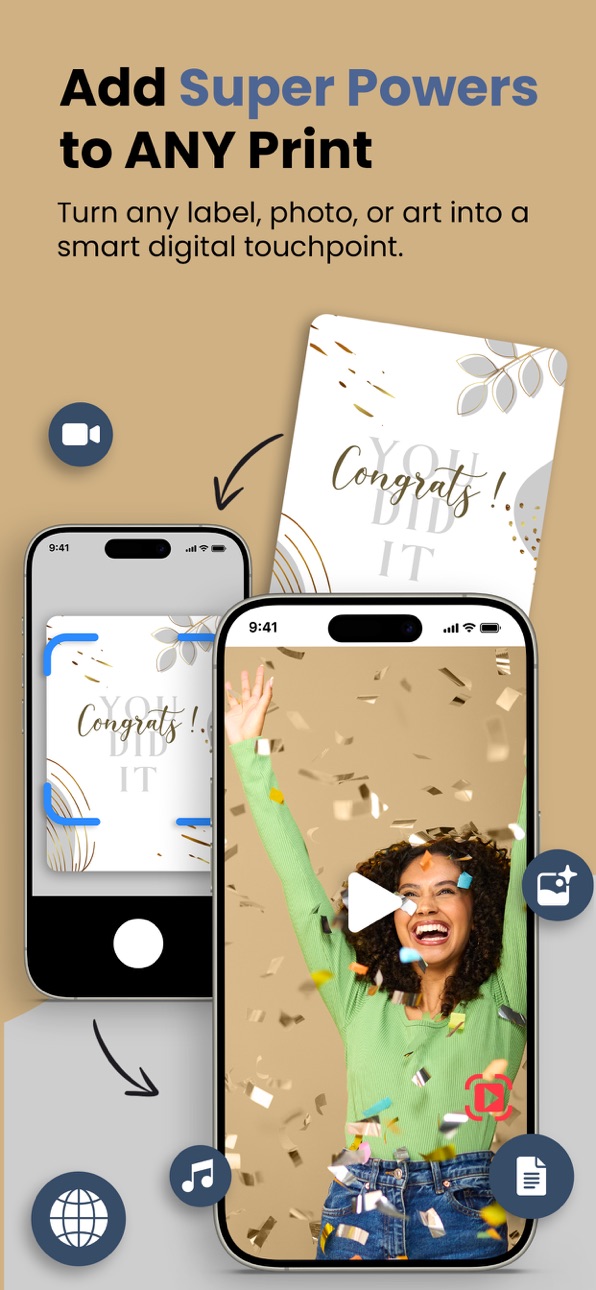
Linxy is an amazing app for creating scannable photos, graphics or art to deliver a video, song, documents and virtually any kind of online content from a single scan. With Linxy, all kinds of experiences are possible!
Easy to use. Select a photo or any graphics file. Then, choose a video, or create one. Name it and tap Create My Linxy! Your photo or art is immediately transformed. Download and print it. Scanning delivers your video or other online content instantly. All created right in the palm of your hand.
Add a song or video greeting to make that gift special and memorable.
Perfect for Business. Linxy is also perfect for business. Create scannable labels, plates, stickers, business cards and more without the blocky codes that destroy beautiful designs. Linxy is ready to scan right off the printer.
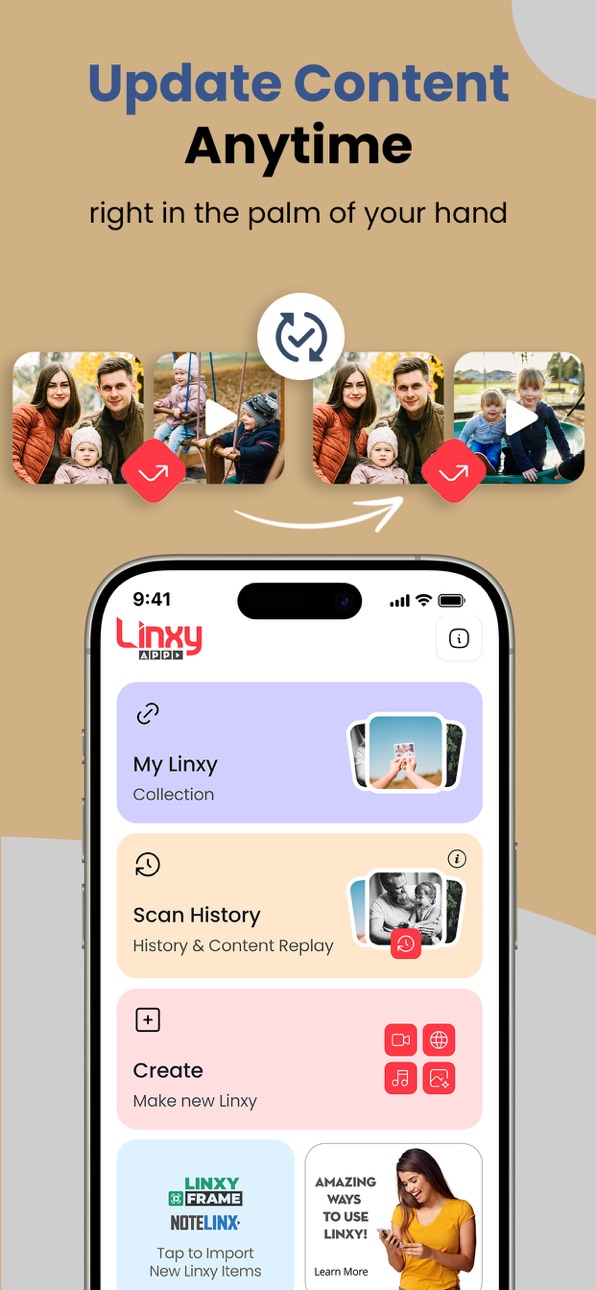
Linxy app lets you update the content right at any time. Upload a new video or point the scan to a web page, song or other content and it’s displayed with the very next scan!
More Secure than QR codes. Linxy app creates scannable images for print that are way more secure than QR codes, in part because each is unique. Adding biometrics and password protection ensures only those authorized can access private content.
This is not AR. The patented technology powering Linxy app is unique and very different from augmented reality seen on wine bottles. Linxy is more robust, secure and much more powerful. Linxy can still scan an image even when partially obscured.
Perfect for Personalization. Need 10, a few hundred or a few thousand personalized items for a campaign or event using the same design? No problem. Linxy app looks past the composition to detect the unique mark embedded in each printed piece to deliver personalized content to an audience of one. This is not possible with any other technology.
Linxy has been used at events for guest entertainment, communication, fundraising, promotions and more.
Want to get away from the “me too” QR code crowd? Linxy is the way.
Smart Labels, Tags & Stickers. Linxy tags, labels and stickers allow placement of discrete links to online content on virtually any surface.
Create scannable tags and labels with solid colors, logos, photos and graphics instead of using the blocky look of those other codes. Small stickers on important documents can lead to relevant video, updatable at any time. Instructions on a machine. Help line via scanning event. All this and more are possible with the Linxy app.
Scan without App Download. Customers, members and others on iPhone can begin scanning Linxy items by going to linxy.app/scan in Safari on an iPhone.
Tap to replay content from a prior scan. Linxy app keeps a history of your scans so you can replay without having to rescan. Tap the thumbnail in the history screen and see it again! This feature acts as “watch later” function.
Notifications. Want to know when someone scans your Linxy item? Simple: Enable notifications for each Linxy you want to track. Ding! Someone just scanned your Linxy again!
Feature Set
• Scan Linxy marked photos, artwork or graphics to instantly see online content
• Replay content, such as videos, right from the history screen
• Select photos or art from your own device or from online to create new Linxy items
• Update Linxy content at any time without limits
• Lock display or playback in landscape or portrait mode for best appearance
• Use Scan-to-Update to quickly update your Linxy
• Easily import Linxy items from purchases or from other accounts into your account
• Transfer any Linxy you created to another user
Ditch the QR code look. Linxy lets you go much further. Pro accounts have even more power to control Linxy scan behaviors.
Yes, Linxy Media prints all kinds of Linxy-powered items, including LinxyFrame and NoteLinx. Ask us at linxy.app. Download Linxy app and start enjoying the magic.
Accessibility
ipadiphonemacrealityDevicetvoswatch
Version history 25 versions
Build 882220027v2.11.72026-03-02 14:22:24
Added PIN Fusion to securely unlock shared content with a unique PIN
Build 880168682v2.11.62025-11-29 01:29:24
1. Add an advanced feature
Build 879855745v2.11.52025-11-18 20:56:28
1. Edit your Linxy from the History screen.
2. The Linxy creation process has been simplified by allowing users to select the Linxy App when sharing an image from an external app.
3. Bug Fixes to improve App Performance.
Build 879296225v2.11.42025-11-08 20:22:28
1. Scan Linxy images to see content
2. Instant scanning, app opens into scan mode
3. Optional to use tap-to-scan, useful when continuous scan may detect more than one Linxy item
4. App Clip: Securely scan without downloading the full app at linxy.app/scan
5. Scan-Updates mode displays Linxy details and allows Linxy owner to instantly update associated content
6. Biometrics scanning mode to protect secure content
7. Advanced mode to scan using a PIN code
8. History screen showing previous scans
9. Tap to replay content from History screen, same as a scan
10. Favorite Linxy items in History screen remain at the top
11. My Linxy screen displays user-owned Linxy items
12. Thumbnails display Linxy image and content-type pairing
13. Share, replay content, favorite and edit Linxy items from My Linxy screen
14. Transfer Linxy item ownership to another user from My Linxy
15. Enable notifications to know when someone scans your Linxy item
16. Invite others to scan secure content protected by biometrics
17. See Linxy details and scans/clicks
18. Lock icon identifies Secure Linxy items
19. Create Linxy screen allows account owners to make new Linxy items
20. Linxy creation wizard for easy image and content pairing
21. Pair Linxy to images, video, audio, documents or any online content
22. Add Later option allows future content pairing
23. Control content display locking into portrait or landscape mode for best presentation
24. Create Linxy items using default or custom settings
25. Option to secure content by password or biometric access, invite users to access secure Linxy items
26. Easily import Linxy items using a transfer code, including LinxyFrame or NoteLinx products
27. Use Experience Linxy to create your first sample Linxy item free
28. Sign up for a free Linxy account (required to own Linxy items)
29. Scan Secure Linxy QR codes protected with biometrics
30. Open Linxy-powered NFC tags inside the app
Build 876416983v2.11.32025-10-24 19:32:48
1. Scan Linxy images to see content
2. Instant scanning, app opens into scan mode
3. Optional to use tap-to-scan, useful when continuous scan may detect more than one Linxy item
4. App Clip: Securely scan without downloading the full app at linxy.app/scan
5. Scan-Updates mode displays Linxy details and allows Linxy owner to instantly update associated content
6. Biometrics scanning mode to protect secure content
7. Advanced mode to scan using a PIN code
8. History screen showing previous scans
9. Tap to replay content from History screen, same as a scan
10. Favorite Linxy items in History screen remain at the top
11. My Linxy screen displays user-owned Linxy items
12. Thumbnails display Linxy image and content-type pairing
13. Share, replay content, favorite and edit Linxy items from My Linxy screen
14. Transfer Linxy item ownership to another user from My Linxy
15. Enable notifications to know when someone scans your Linxy item
16. Invite others to scan secure content protected by biometrics
17. See Linxy details and scans/clicks
18. Lock icon identifies Secure Linxy items
19. Create Linxy screen allows account owners to make new Linxy items
20. Linxy creation wizard for easy image and content pairing
21. Pair Linxy to images, video, audio, documents or any online content
22. Add Later option allows future content pairing
23. Control content display locking into portrait or landscape mode for best presentation
24. Create Linxy items using default or custom settings
25. Option to secure content by password or biometric access, invite users to access secure Linxy items
26. Easily import Linxy items using a transfer code, including LinxyFrame or NoteLinx products
27. Use Experience Linxy to create your first sample Linxy item free
28. Sign up for a free Linxy account (required to own Linxy items)
29. Scan Secure Linxy QR codes protected with biometrics
30. Open Linxy-powered NFC tags inside the app
Build 875469055v2.11.22025-06-10 22:25:23
Bug fixes
Build 874622762v2.10.62025-05-08 16:51:59
Minor fixes
Build 873370391v2.10.52025-03-19 19:04:17
Minor Fixes
Build 873229854v2.10.42025-03-14 07:10:52
Bug fixes
Build 872741101v2.10.32025-02-24 14:54:56
Minor fixes
Build 872529281v2.10.22025-02-16 10:44:04
Minor fixes
Build 871372398v2.9.72024-12-26 10:38:53
- Minor bug fixes
Build 865720143v2.9.62024-09-03 07:19:44
Bug fixes
Build 865533307v2.9.52024-04-28 07:53:39
Bug fixes
Build 865051687v2.9.42024-04-14 15:30:05
Minor bug fixes
Build 864970936v2.9.32024-04-05 09:15:50
Minor fixes
Build 864032562v2.9.22024-02-27 04:22:47
Minor bug fixes
Build 863244291v2.9.12024-01-29 04:53:03
- Minor bug fixes
Build 855177036v2.8.72023-02-25 17:24:50
- Pin feature
- Focus mode
- Background upload support
Build 853439760v2.8.42022-11-19 00:02:51
Bug fixes
Build 852211923v2.8.32022-09-19 03:01:26
Fix iOS16 issues
Build 851886723v2.8.22022-08-30 16:17:16
Improved login
Build 848284923v2.8.12022-04-12 02:51:09
Bug fixes
Build 847315241v2.7.92022-02-25 02:35:18
Bug fixes
Build 846948014v2.7.82022-02-01 19:26:42
Add scan history
No pricing data captured yet — comparisons appear once the app has paid storefronts or in-app purchases.
Availability 1 of 1 storefronts
| Region | Language | Price | Ratings | Avg | Version |
|---|---|---|---|---|---|
| US | en-US | Free | 3 | 5.0 | 2.11.7 |
Change log 29 changes · US
✎
releaseNotes updated
Added PIN Fusion to securely unlock shared content with a unique PIN
✎
description updated
Linxy is an amazing app for creating scannable photos, graphics or art to deliver a video, song, documents and virtually any kind of online content from a sin
✎
subtitle updated
Smart Print | LinxyFrame | QR
✎
name updated
Linxy
◆
Version 2.11.7 released
Added PIN Fusion to securely unlock shared content with a unique PIN
◆
Version 2.11.6 released
1. Add an advanced feature
◆
Version 2.11.5 released
1. Edit your Linxy from the History screen.
2. The Linxy creation process has been simplified by allowing users to select the Linxy App when sharing an image from an external app.
3. Bug Fixes to improve App Performance.
◆
Version 2.11.4 released
1. Scan Linxy images to see content
2. Instant scanning, app opens into scan mode
3. Optional to use tap-to-scan, useful when continuous scan may detect more than one Linxy item
4. App Clip: Securely scan without downloading the full app at
◆
Version 2.11.3 released
1. Scan Linxy images to see content
2. Instant scanning, app opens into scan mode
3. Optional to use tap-to-scan, useful when continuous scan may detect more than one Linxy item
4. App Clip: Securely scan without downloading the full app at
◆
Version 2.11.2 released
Bug fixes
◆
Version 2.10.6 released
Minor fixes
◆
Version 2.10.5 released
Minor Fixes
◆
Version 2.10.4 released
Bug fixes
◆
Version 2.10.3 released
Minor fixes
◆
Version 2.10.2 released
Minor fixes
◆
Version 2.9.7 released
- Minor bug fixes
◆
Version 2.9.6 released
Bug fixes
◆
Version 2.9.5 released
Bug fixes
◆
Version 2.9.4 released
Minor bug fixes
◆
Version 2.9.3 released
Minor fixes
◆
Version 2.9.2 released
Minor bug fixes
◆
Version 2.9.1 released
- Minor bug fixes
◆
Version 2.8.7 released
- Pin feature
- Focus mode
- Background upload support
◆
Version 2.8.4 released
Bug fixes
◆
Version 2.8.3 released
Fix iOS16 issues
◆
Version 2.8.2 released
Improved login
◆
Version 2.8.1 released
Bug fixes
◆
Version 2.7.9 released
Bug fixes
◆
Version 2.7.8 released
Add scan history