Home › Lifestyle

2 of 2 storefronts
Content in en-US
Content in en-US
Information
Apple ID1497147076
Bundle IDcom.flos.app
SellerSeller
Min iOS13.0
Min macOS11.0
Device familieswatch, iphone, ipad, ipod
Released2020-06-18
Copyright© 2021 Flos S.p.A.
Privacy policyLink ↗
Preview 3 platforms
iPhone 5 images


iPad 5 images


Apple Watch 1 image

What’s New Version 3.20.2 B800
Hot bug fixes for last release.
Description
The Flos Control® app is the easiest and most natural way to control your lights. The first time use has been made easy and intuitive. Just one tap and you’ll be ready to control your lights.
Controlling all your lamps from one view:
With the Flos Control® app you can manage all your lighting fixtures with one view. It is possible to control lights individually or as a group. For example you can create a group for your kitchen, office or shop lights and turn them all off / on with just one tap. Or you can dim the living room lights until reaching a pleasant light level for a movie.
Control your lights from a photo:
The Gallery in Flos Control® app is the most natural way of controlling your lights. Take a picture of your room(s) and place the lamp controls over the lighting fixtures in the picture. Now you can control your lighting fixtures visually right from the picture.
Create scenes for different lighting situations:
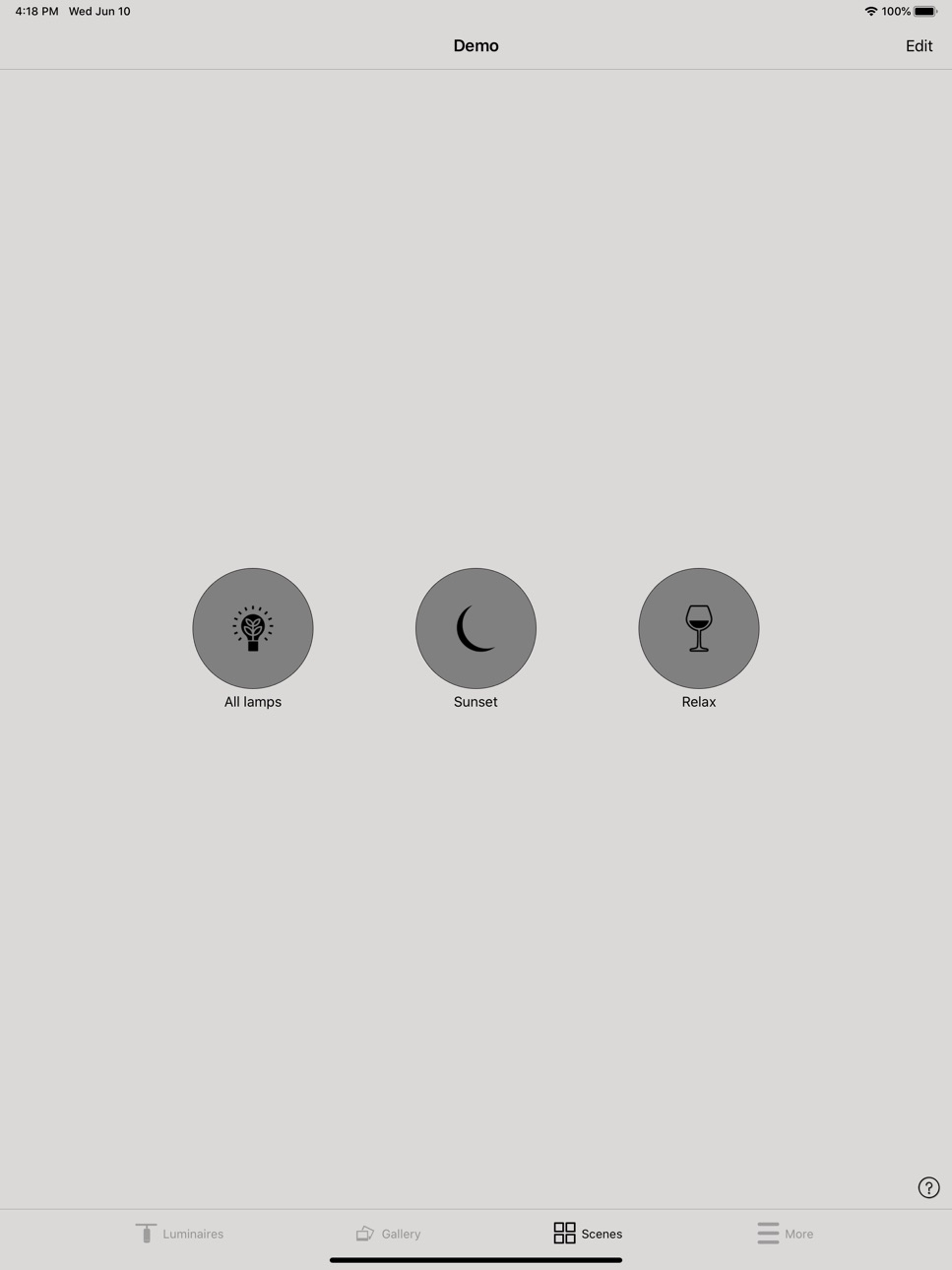
You can create different scenes for different occasions. Set the lights just right for dining, office environments or shop promotions and save the settings in a scene. Now you can change the lighting with one tap for different occasions for example a dinner party or a meeting with a customer.
Share your network and allow other devices to control your lights:
Flos Control® has four different levels for sharing and access control. You can decide if your network is open to everyone or if other users need a password to access your network. If you have several users and devices using the same network, all the changes made with one device will be automatically updated to the other devices with Flos Control® cloud service.
Accessibility
ipadiphonemacrealityDevicetvoswatch
Version history 25 versions
Build 887486719v3.20.2 B8002026-06-29 11:41:43
Hot bug fixes for last release.
Build 883693474v3.20.1 B7992026-06-17 08:30:33
* Possibility to hide All luminaires icon from the luminaires view
* Extended "Resume automation" action ("Reset presence")
* "Controller" detail in settings of virtual nodes created by Salvador controller.
* Bug fixes
Build 883466398v3.19.3 B7792026-03-18 07:48:55
Hot bug fiexes for 3.19.0 B776.
Build 882951224v3.19.0 B7762026-03-16 11:17:16
* New GW master user for Cloud GW configuration
* DALI GW export allows selection of multiple sensors
* Real time events view in network settings
* Bug fixes
Build 878642747v3.18.1 B7562025-10-20 10:18:58
* Dimming level in Circadian profiles
* Circadian profile creation moved to network settings
* Added dimming curve can be specified in the circadian profile
* New and updated passwords should have in minimum 12 characters
* Support for fixture specific web links in device settings
* Bug fixes
Build 876567022v3.17.3 B7462025-07-30 05:41:44
Update in 3.17.3 B746:
- Bug fixes.
Build 875192939v3.17.1 B7442025-06-16 11:06:53
New functionality
* Salvador discovery improvements
* 360-degree rotation on iPad
* Control of elements in a group of devices (“Group control” option)
* Add "Disabled" option for DALI Gateway "Control priority”
* Extend support of single Dimmer element-targets for Controls Element action
Fixture customization features
* Support for "UTF-8 String" type of (vendor) fixture parameters, longer parameter strings, signal-button use of parameters
* Show "STATE / Change luminaire (device) state" and configurable visibility of “MODES” settings for non-luminaire devices with state
* Custom titles and descriptions of settings sections of device
* Custom descriptions and error messages for unit condition codes
Beta functionality
* Adjusting scenes in "offline mode"
* Calculate scene complexity and show warning
Bug fixes
* Changing profile via Model menu does not update SetParameterValues
* "Controls an Element": BC and 1ch modes result un "null" element, but not in 2ch mode
* Small typo in the "iBeacon" menu / feature in Casambi app - "dBM" instead of "dBm"
* Manager cannot replace device
* App UI only shows TW colored sliders for RGB+TW fixtures
Build 871022387v3.16.0 B7222025-01-15 08:56:31
* Pair link added to “Identify device” dialog
* New Nearby devices and My networks lists with search and filtering in Casambi new theme
* Ask if 'Use control hierarcy' should be turned on when editing a sensor for the first time
* Push-button "Control Scene" with Function/Steps parameters
* Bug fixes
Build 869466588v3.15.0 B7062024-10-09 04:01:18
New functionality
* Support for EnOcean PTM535BZ switches and key-cards
* New EnOcean faceplates
* ON/OFF toggle switch support
* Unique DALI Gateway firmware support
* Allow "Fade time switch dimming" lower limit duration start from 0s (0.2s)
Bug fixes
* Daylight scene Activation level should not be visible for Classic networks [not supported]
* Copy (long press) of a hidden scene doesn't appear after creation
* User is able to navigate to discovery and initiate the discovery even thought the Salvador is powered of along with the Dali drivers
* Rectangular color selection displays incorrect color when the user taps to select the color in it
* Casambi new theme visual fixes
Build 868142649v3.14.2 B6972024-08-13 09:30:55
Hot fix of v3.14.1.
Build 866764460v3.14.1 B6942024-06-27 23:54:07
V3.14.1 B694 Updates
* Salvador functionality
* Bug fixes
Build 865056676v3.13.2 B6832024-04-18 06:41:44
- Local control for presence action
- Request to delete email account from Casambi system
- Customize scene icons
- EnOcean faceplate enhancements
- "Basic On/Off" Daylight control mode activation control
- Lightnet theme update
- Bug fixes
Build 862194297v3.12.0 B6752024-01-25 15:26:25
* Option to execute the Resume Automation action with timers (scheduled events)
* Improved Request support & Send feedback page
* "Set Fade Time" action added to DALI Unit configuration view
* New "Minimum dim level" option added for switches
* "Restart network" functionality can be run by remotely connected applications
* Traditional Chinese language added
* Theme updates
* Bug fixes
Build 860439358v3.11.0 B6962023-10-12 08:27:41
Feature updates in release v3.11.0 B696
* Control function options for push buttons.
* Minimum sensor reporting time parameter for light sensors
* Sensor sensitivity default changed to 80%
* Improvements to DALI/D4i data collection in gateway devices
* Support of LongRange 500Kbps mode for EnOcean switches
* Bug fixes
Build 857856671v3.10.0 B6822023-06-26 01:44:54
V3.10.0 B682 updates
* Classic network option moved from the Network selection popup to More page
* Third party license link added to Settings page
* Support of new EnOcean PTM 216B switch
* Presence sensor "walking man" visible in Nearby device list.
* Bug fixes
Build 856718714v3.9.1 B6722023-05-03 07:44:31
In this release, we’ve introduced improvements including two new features to the Casambi Cloud Gateway:
A better way to set up a Wi-Fi connection: The gateway now scans for and displays all available Wi-Fi networks, allowing the user to select, on the Casambi App, which they’d like to use. The option to manually input a Wi-Fi name is still available too.
Availability of gateway status information: additional info on a gateway’s status is now shown in the ‘Gateways’ section of the Casambi App.
Build 856830100v3.9.2 B6732023-05-03 14:15:59
Hotfix to remove LR 0.125 network mode
Build 855686738v3.9.0 B6602023-03-27 10:27:39
Feature updates and bug fixes in release v3.9.0 B660
* Network mode label names and descriptions enhanced
* Hides problematic network frequencies when creating a new network
* Allows only "This device" gateway for Classic networks
* Shows scene ID in device details
* When adding a new scene the Done button is changed to Continue and it will navigate to scene's settings page
* Bug fixes.
Build 854216590v3.8.0 B6462023-01-09 11:17:42
Feature updates in release v3.8.0 B646
* "Disable dimming" parameter added to scene actions of switches and push-button devices.
* Adds fixture-parameter type UNIT for selection of unit ID.
* Added toggling password visibility to password input text fields.
* UI changes to Gateway configurations.
* Possibility to configure new Cloud gateway.
* Bug fixes.
Build 852219816v3.7.5 B6302022-09-15 22:00:40
Bug fixes.
Build 849924702v3.7.0 b6212022-06-21 09:20:36
Feature updates and bug fixes in release v3.7.0
* Radio TX power option for Network settings.
* DALI Addressing actions in Unit details.
* Support for multiple TW "Color temperature" sliders.
* Support of US English language.
* Fixes timers to be refreshed via gateway connection.
* Fixes update of network's admin e-mail.
Build 848001518v3.6.0 b6102022-04-12 16:57:37
Feature updates
* "Absence timeout" parameter for Presence/Absence sensor actions
* "Export changes of CCT" option for DALI gateway
* Preventing to usage of Emojis
* Support the extended set of D4i data points for DT50/51/52
* Changed Philips Hue enabled default to off
* Identification of DALI Devices and Groups from Unit DALI details
* Password strength indicator added
* Resume automation button triggers pop-up note
* "Create a network" and "Log in to network" section moved to the top of the network page
* Enlarged +/- buttons in slider touch area
* When creating a new network the sharing mode needs to be selected (default value removed)
* Support disabling of certain device parameters by instructions from fixture profile
* "Check for updates" section is moved to top of the "Nearby devices" page
* New Luce&Light and Coelux themes
* Bug fixes
Build 846971002v3.5.0 b5932022-02-03 00:25:07
Feature updates
* Rename default scene names (Animation scene & Time-based scene).
* Translations for the privacy policy & eula view
* Support of new Bluetooth Long Range network modes in Mobile & Utility Apps
* Support customization of Fixture Parameter editor messages
* Configuration of "Activation level" for daylight-sensor control in closed-loop mode
* Pop up-message for firmware update not shown when FW update disabled
* Grouping/bulk configuration of presence sensors
* Possibility to assign DALI groups via Casambi App UI
* Add info about correct EnOcean switch model (PTM215B) when pairing of EnOcean switches is described and/or done
* Move information section of device details to the top of the view
* Change term "disable Gateway" to "remove Gateway" to avoid unwanted outcome of user action
* Show group ID of devices in the diagnostics view
* Provide readable date label for Unix-epoch timestamps in exported device details
Bug fixes
* iOS 15 updating for tab bar, status bar, navigation bar background colour and texts
* iOS: date shown as three dots in CustomDatePicker date field
* Issue with NavBars in popup sheets (iPad)
Build 844117415v3.4.4 b5822021-09-15 16:42:59
Feature updates
Dimmer & Color temperature gestures can be enabled and disabled from the application settings
New DALI gateway settings added
Bug fixes
Build 843062638v3.4.3 b5802021-07-13 16:48:27
V3.4.3 B580 release note:
Feature updates
* Fix to restore previous dimming level when units are switched off and on.
* Duravit theme added.
* Add new "Export light control" for DALI Gateway
* Updated translations.
* The Korean language added.
* Themes sorted in alphabetical order.
* Generic stability improvements & bug fixes.
Other improvements
* Generic stability improvements
* Extend customizations of values in custom sliders and sensors.
* Improved packaging of sensor-equipped fixtures into scene configuration.
* Update DaylightTargetLuxMax to 4000 lux.
Hot fix
* DALI D4i data often fails
* EULA & PP links removed
* End-user license & privacy policy welcome page disabled.
No pricing data captured yet — comparisons appear once the app has paid storefronts or in-app purchases.
Availability 2 of 2 storefronts
| Region | Language | Price | Ratings | Avg | Version |
|---|---|---|---|---|---|
 GB GB | en-GB | Free | 0 | — | 3.20.2 B800 |
 US US | en-US | Free | 0 | — | 3.20.2 B800 |
Change log 28 changes · US
✎
releaseNotes updated
Hot bug fixes for last release.
✎
description updated
The Flos Control® app is the easiest and most natural way to control your lights. The first time use has been made easy and intuitive. Just one tap and you’ll b
✎
name updated
Flos Control
◆
Version 3.20.2 B800 released
Hot bug fixes for last release.
◆
Version 3.20.1 B799 released
* Possibility to hide All luminaires icon from the luminaires view
* Extended "Resume automation" action ("Reset presence")
* "Controller" detail in settings of virtual nodes created by Salvador controller.
* Bug fixes
◆
Version 3.19.3 B779 released
Hot bug fiexes for 3.19.0 B776.
◆
Version 3.19.0 B776 released
* New GW master user for Cloud GW configuration
* DALI GW export allows selection of multiple sensors
* Real time events view in network settings
* Bug fixes
◆
Version 3.18.1 B756 released
* Dimming level in Circadian profiles
* Circadian profile creation moved to network settings
* Added dimming curve can be specified in the circadian profile
* New and updated passwords should have in minimum 12 characters
* Support
◆
Version 3.17.3 B746 released
Update in 3.17.3 B746:
- Bug fixes.
◆
Version 3.17.1 B744 released
New functionality
* Salvador discovery improvements
* 360-degree rotation on iPad
* Control of elements in a group of devices (“Group control” option)
* Add "Disabled" option for DALI Gateway "Control priority”
* Extend support of single D
◆
Version 3.16.0 B722 released
* Pair link added to “Identify device” dialog
* New Nearby devices and My networks lists with search and filtering in Casambi new theme
* Ask if 'Use control hierarcy' should be turned on when editing a sensor for the first time
* Push-but
◆
Version 3.15.0 B706 released
New functionality
* Support for EnOcean PTM535BZ switches and key-cards
* New EnOcean faceplates
* ON/OFF toggle switch support
* Unique DALI Gateway firmware support
* Allow "Fade time switch dimming" lower limit duration start from 0s (0.
◆
Version 3.14.2 B697 released
Hot fix of v3.14.1.
◆
Version 3.14.1 B694 released
V3.14.1 B694 Updates
* Salvador functionality
* Bug fixes
◆
Version 3.13.2 B683 released
- Local control for presence action
- Request to delete email account from Casambi system
- Customize scene icons
- EnOcean faceplate enhancements
- "Basic On/Off" Daylight control mode activation control
- Lightnet theme update
- Bug fixes
◆
Version 3.12.0 B675 released
* Option to execute the Resume Automation action with timers (scheduled events)
* Improved Request support & Send feedback page
* "Set Fade Time" action added to DALI Unit configuration view
* New "Minimum dim level" option added for switc
◆
Version 3.11.0 B696 released
Feature updates in release v3.11.0 B696
* Control function options for push buttons.
* Minimum sensor reporting time parameter for light sensors
* Sensor sensitivity default changed to 80%
* Improvements to DALI/D4i data collection in gatew
◆
Version 3.10.0 B682 released
V3.10.0 B682 updates
* Classic network option moved from the Network selection popup to More page
* Third party license link added to Settings page
* Support of new EnOcean PTM 216B switch
* Presence sensor "walking man" visible in Nearby d
◆
Version 3.9.2 B673 released
Hotfix to remove LR 0.125 network mode
◆
Version 3.9.1 B672 released
In this release, we’ve introduced improvements including two new features to the Casambi Cloud Gateway:
A better way to set up a Wi-Fi connection: The gateway now scans for and displays all available Wi-Fi networks, allowing the user to se
◆
Version 3.9.0 B660 released
Feature updates and bug fixes in release v3.9.0 B660
* Network mode label names and descriptions enhanced
* Hides problematic network frequencies when creating a new network
* Allows only "This device" gateway for Classic networks
* Shows s
◆
Version 3.8.0 B646 released
Feature updates in release v3.8.0 B646
* "Disable dimming" parameter added to scene actions of switches and push-button devices.
* Adds fixture-parameter type UNIT for selection of unit ID.
* Added toggling password visibility to password
◆
Version 3.7.5 B630 released
Bug fixes.
◆
Version 3.7.0 b621 released
Feature updates and bug fixes in release v3.7.0
* Radio TX power option for Network settings.
* DALI Addressing actions in Unit details.
* Support for multiple TW "Color temperature" sliders.
* Support of US English language.
* Fixes timer
◆
Version 3.6.0 b610 released
Feature updates
* "Absence timeout" parameter for Presence/Absence sensor actions
* "Export changes of CCT" option for DALI gateway
* Preventing to usage of Emojis
* Support the extended set of D4i data points for DT50/51/52
* Changed Phili
◆
Version 3.5.0 b593 released
Feature updates
* Rename default scene names (Animation scene & Time-based scene).
* Translations for the privacy policy & eula view
* Support of new Bluetooth Long Range network modes in Mobile & Utility Apps
* Support customization of Fix
◆
Version 3.4.4 b582 released
Feature updates
Dimmer & Color temperature gestures can be enabled and disabled from the application settings
New DALI gateway settings added
Bug fixes
◆
Version 3.4.3 b580 released
V3.4.3 B580 release note:
Feature updates
* Fix to restore previous dimming level when units are switched off and on.
* Duravit theme added.
* Add new "Export light control" for DALI Gateway
* Updated translations.
* The Korean languag