Home › Photo & Video

Photo to Watercolor Waterbrush
Turn Pictures into Paintings
 US
US
1 of 1 storefronts
Content in en-US
Content in en-US
Information
Preview 3 platforms

iPhone 10 images


iPad 10 images




Mac 10 images






What’s New Version 6.0.4
Introducing Projects
This update introduces the new Projects feature. You can now save your edits as projects, allowing you to return and continue your creative work at any time. To enhance usability, we have redesigned the start and finish screens for improved project management and clarity. Projects are automatically synchronized across your devices via iCloud, ensuring seamless access wherever you work.
Resume Your Last Editing Session
With this update, you can now pick up right where you left off. Our app remembers your unfinished edits, so even if you close it, you can return and continue your work seamlessly. This is the first step toward our upcoming Projects feature.
OS 26 and UI improvements
We’ve updated the app to run smoothly on the latest operating systems. You’ll notice better performance and improved stability. We also introduce a new fresh look with Liquid Glass. Several screens now feature the new Liquid Glass UI, giving your artwork more space and a cleaner editing experience.
Improved Zoom & Canvas Placement
We’ve redesigned the zoom view, so your canvas is easier to position — no more sliders getting in the way of your edits!
More Precision and Control
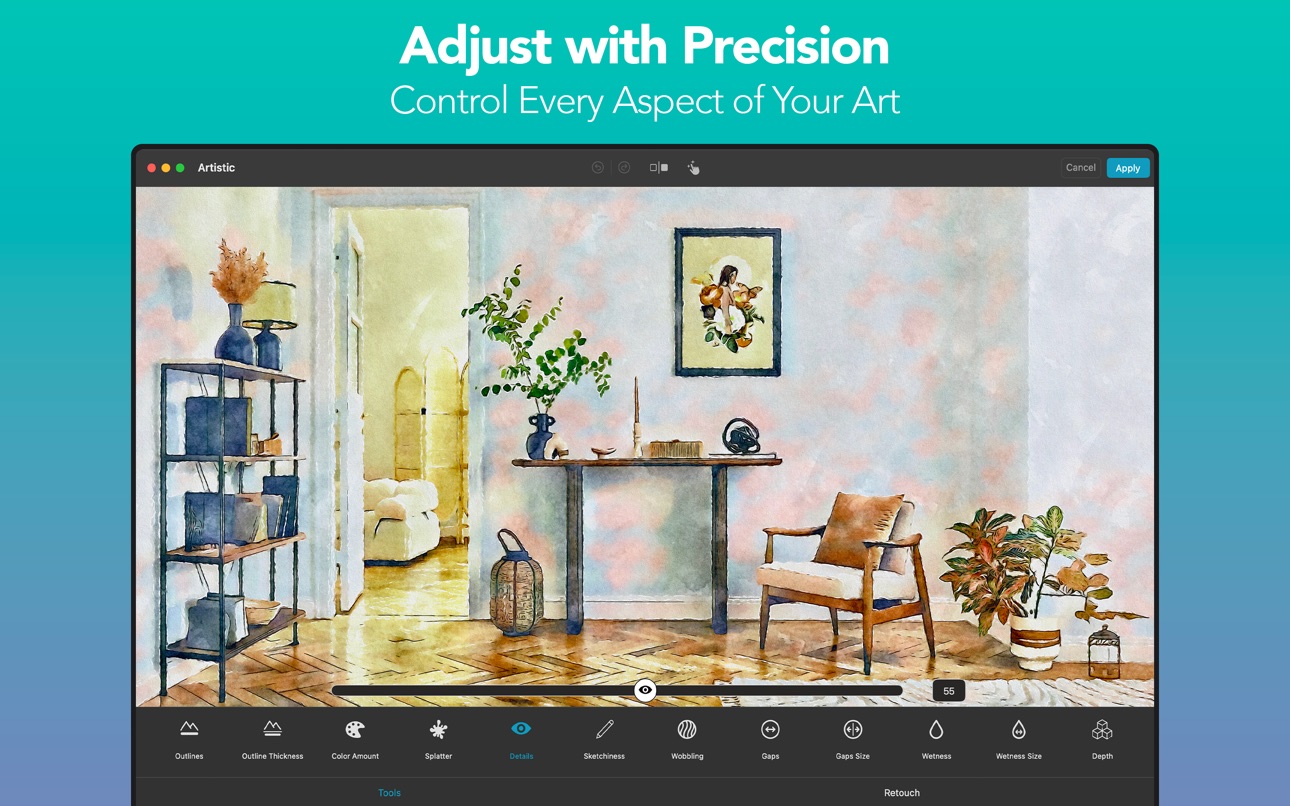
We've refined all sliders for better control and understandability. You can now see exact values and reset them easily—just double-tap the slider or tap the default value. The signature tool has also been improved, allowing you to move, rotate, and scale your signature freely with touch gestures.
Custom Vignettes
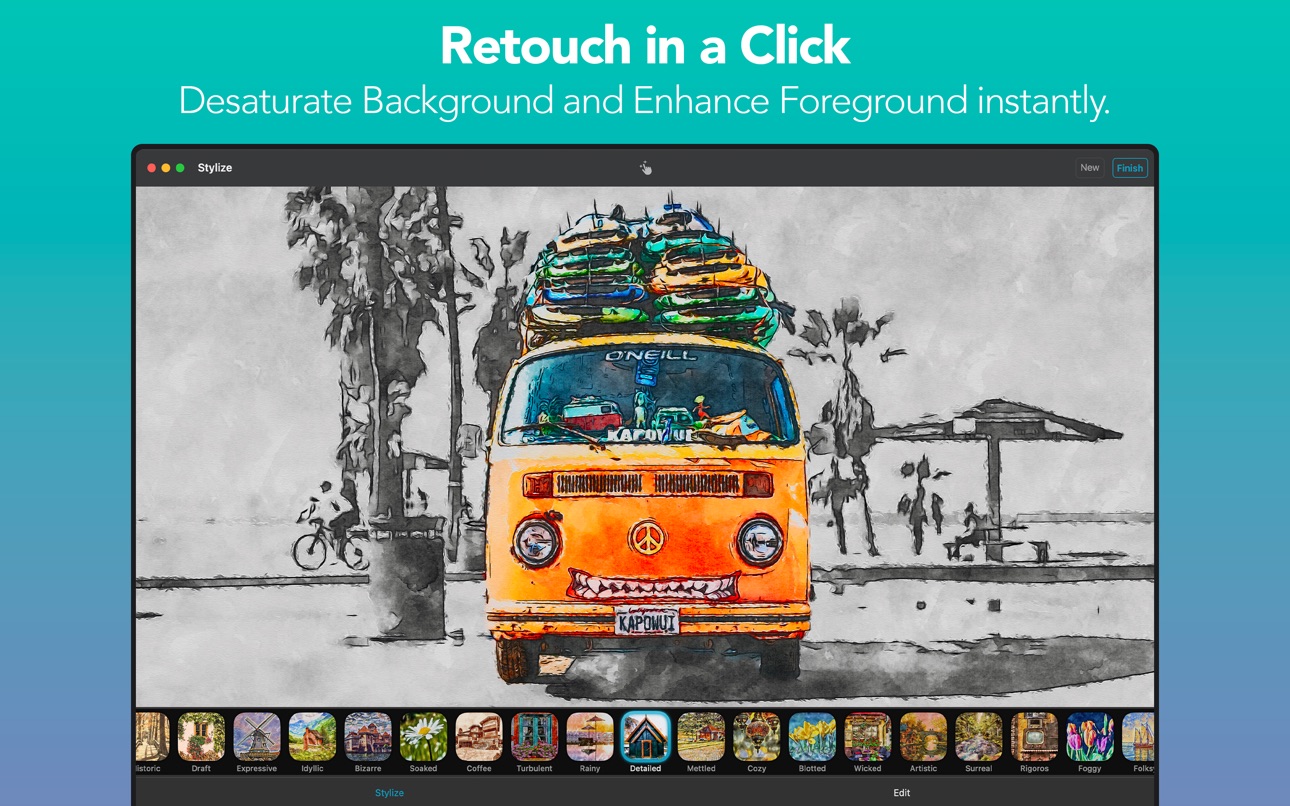
We've given the vignettes a massive overhaul! This update includes 13 new expressive vignettes and advanced customization tools. But that’s not all: You can now personalize your artwork even more by adding your own vignette images. Additionally, our new Auto Retouch feature ensures your main subject stands out.
Custom Signatures
You can now add your own logo, watermark, or signature to your artwork. Simply load your own signature from Files or Photos.
Unleash Your Creativity!
Discover our exciting new tools designed to give you enhanced creative control over your Color, Canvas, and Vignette filters. Plus, you now have the power to retouch every tool, old and new, for even more precision and personalization.
Streamline Your Edits!
We’ve organized your favorite photo adjustment tools —like contrast and saturation— into a single, easy-to-access menu for a smoother editing experience. Plus, every photo adjustment tool is now fully retouchable, giving you ultimate control over your edits.
UX Improvements
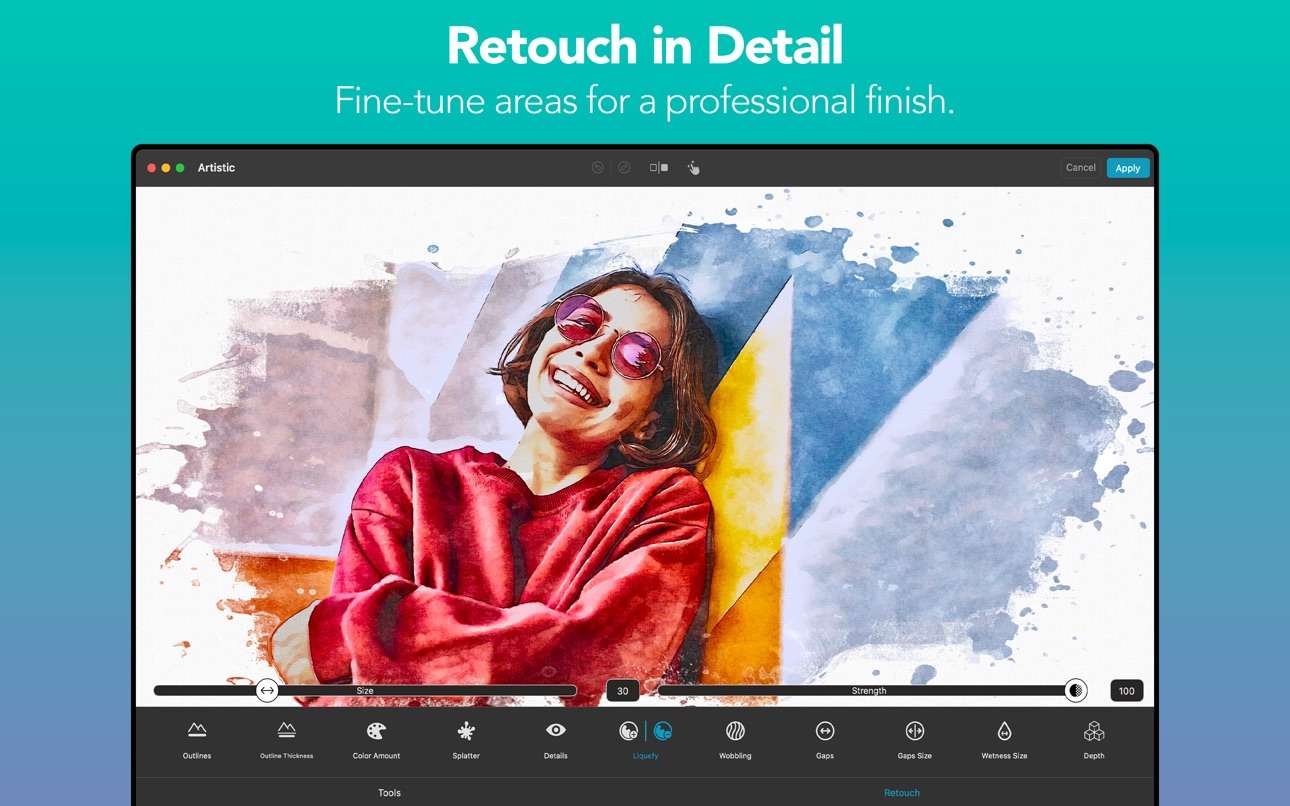
We've made significant improvements across all platforms to enhance your experience. The user interface is now more intuitive, with features like hover support for iPad and improved Retouch Tools with a clear visual indicator of the retouch area.
macOS Support
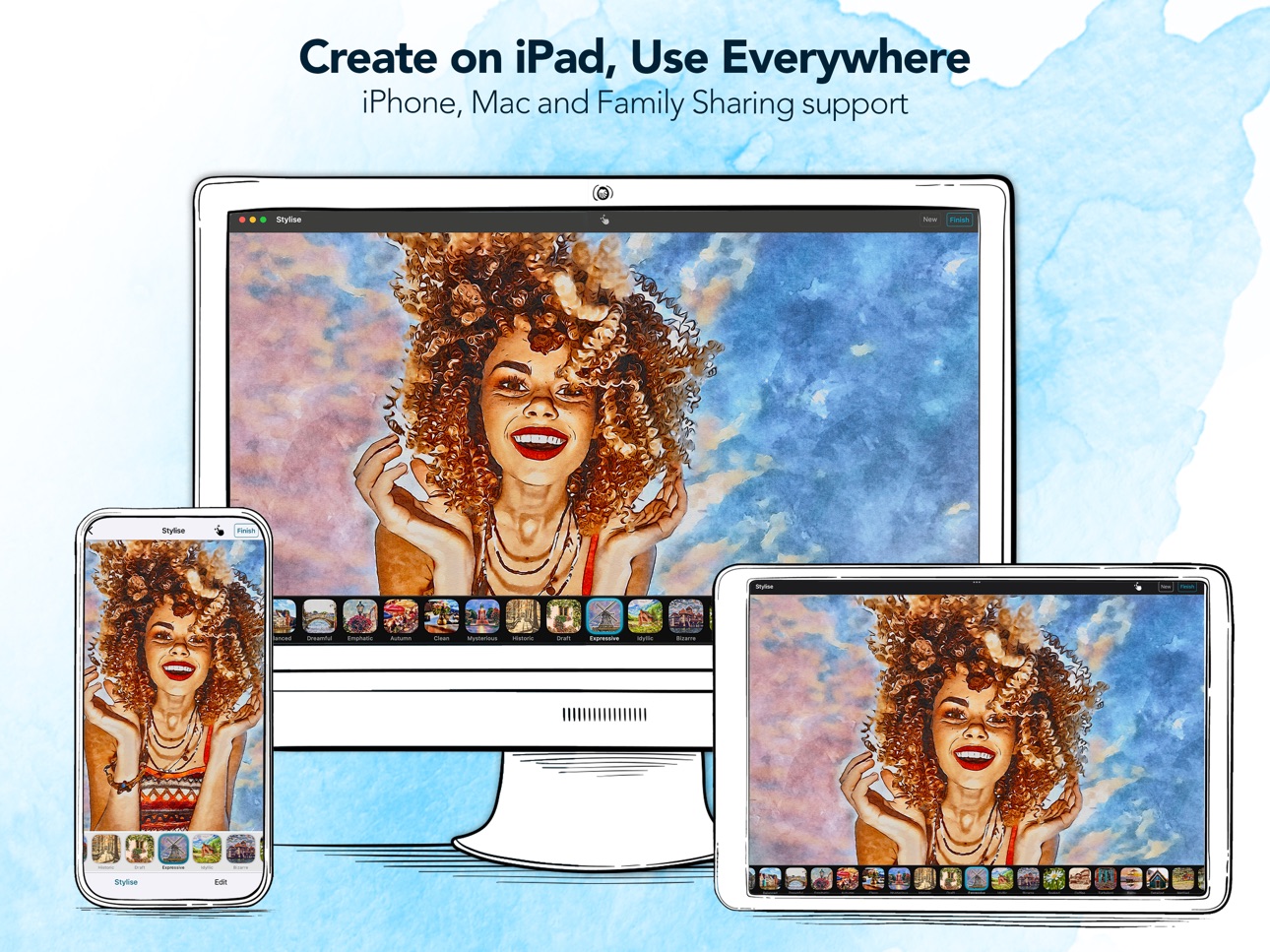
Our app is now a native macOS app, offering enhanced performance and features. We've expanded device compatibility to include Intel Macs, ensuring a wider range of users can enjoy the app. To streamline your workflow, we've optimized the user experience with keyboard shortcuts, intuitive navigation, and a sleek, native macOS design. Plus, seamless Finder and file-system integration makes loading and saving images a breeze.
Image Playground**
Produce fun, original images in seconds with Image Playground directly on your device. Create entirely new images based on descriptions, with suggested concepts and styles such as illustration and animation. Use our app to turn your creations into high-quality art effortlessly.
The latest version contains bug fixes and performance improvements.
If you have any questions or feedback for us, please feel free to send us an email at support@digitalmasterpieces.com. Our team is on hand 24 hours a day, so we’ll get right on it.
** Image playground is available on devices that support Apple Intelligence, only.
Description
Turn your photos and videos into luminous, vivid watercolor paintings — art so beautiful, it belongs in a gallery.
Waterbrush transforms your images into stunning watercolor artwork — right on your iPhone, iPad, or Mac. Whether you're capturing a travel memory, a family portrait, or an everyday moment, Waterbrush brings the soft glow and delicate flow of traditional watercolors to your fingertips. Your images stay 100% private. Everything is processed directly on your device for instant results and complete peace of mind. No internet required.
◆ Photos and Videos — Both Transformed
Export up to 4K resolution at 60 FPS for stunning video productions, or go for an artistic stop-motion look. For photos, export up to 64 megapixels — perfect for large-format prints, canvas art, journal covers, or even T-shirt designs.
◆ 31 Curated Watercolor Styles
Every style captures the essence of traditional watercolor painting. Find the perfect look for portraits, landscapes, travel photos, or daily snapshots — then make it your own. With Custom Styles, personalize and save your own presets — synced across all your devices.
◆ Precise Editing Tools
Take full control of your artwork. Fine-tune every detail with pixel-level accuracy — using your finger or Apple Pencil — directly in real time. Adjust wetness, wobbling, splatter, outlines, and more. Remove imperfections with the Magic Eraser, or add your personal signature to mark your creations as truly yours.
◆ Projects — Your Creative Work, Always Saved
Never lose a creative idea in progress. Save your edits as a project and return at any time — right where you left off. Explore variations, experiment freely, and share your projects with others.
◆ Paper, Color & Finish
Complete your artwork with authentic finishing touches:
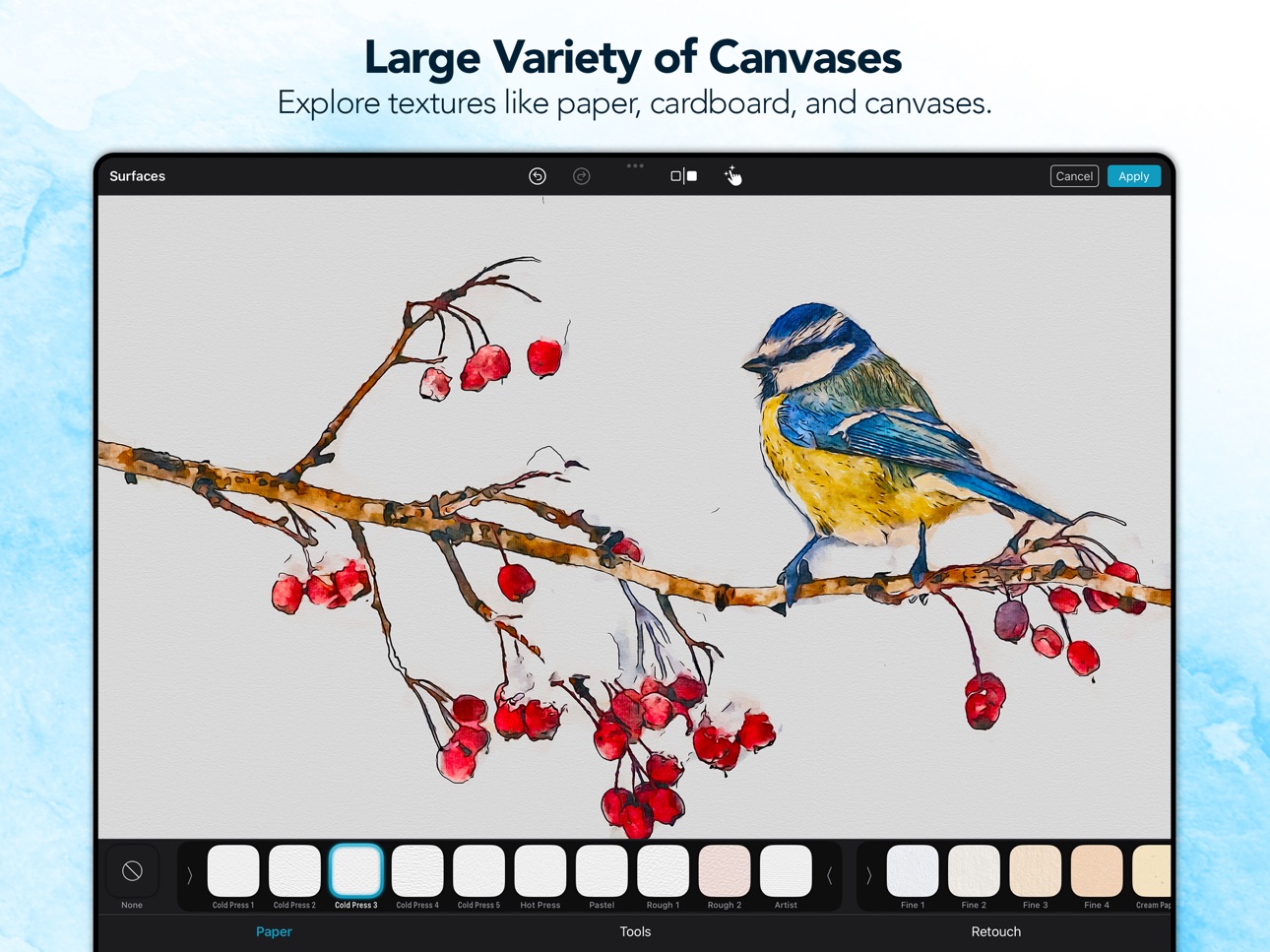
• 22 fine-art paper textures for a realistic, tactile feel
• 44 color palettes to set the perfect mood
• 30 customizable vignettes to frame your art
Every detail contributes to a finished piece that looks and feels like traditional watercolor art.
◆ Print & Share Your Creations
Bring your watercolors into the real world:
• Postcards via MyPostcard — worldwide delivery
• Canvas prints and posters via CanvasPop with a 100% "Love It" guarantee
• Large-format prints, made possible by Waterbrush's ultra-high-resolution output
Share your finished pieces on Instagram, TikTok, YouTube, and Facebook.
Download Waterbrush for free and start creating watercolor art that feels truly yours.
◆ Key Features
• Transform photos into high-resolution* watercolor paintings (up to 64 MP)
• Transform videos into stunning watercolor animations (up to 4K)
• 31 hand-curated watercolor styles
• Fully adjustable effects—fine-tune every detail*
• Pixel-precise retouch tools with finger or Apple Pencil*
• Magic Eraser to remove unwanted elements*
• Fine-art paper and canvas textures for authentic finishes*
• Color filters and custom vignettes*
• Add your personal signature or logo to your artwork*
• Personalize and save your own Custom Styles
• Projects — save your work, explore variations and share with others
• Real-time, on-device processing — no uploads, no waiting, no internet needed. 100% privacy assured
• Integrated postcard and canvas printing services
• Full RAW support for iPhone and DSLR images
• Optimized for iOS 26, iPhone 17 & iPhone 17 Pro
* Subscribe to unlock all features.
◆ Waterbrush Premium
To unlock Waterbrush's full creative power, we offer weekly, monthly, and yearly Premium auto-renewing subscriptions.
Payment is charged to your credit card through your Apple account at confirmation of purchase. Subscription renews automatically unless you turn off auto-renewal in Apple account settings or cancel your subscription at least 24 hours prior to the end of the subscription period.
◆ Support
Questions or feedback? We're here 24/7.
Contact us at: support@digitalmasterpieces.com
Terms of Use: https://www.digitalmasterpieces.com/app-terms-of-use/
In-App Purchases US pricing
Premium Subscription
Waterbrush Premium - 1 week · 7 days$1.99
Waterbrush Premium - 1 month · Monthly$3.99
Waterbrush Premium - 12 months · Yearly 7-day free trial$19.99
One-Time Purchases
Waterbrush Premium - Lifetime$74.99
Capabilities
In-App Purchases
Accessibility
ipadiphonemacrealityDevicetvoswatch
Version history 25 versions
Build 887432684v6.0.42026-07-06 11:39:05
Introducing Projects
This update introduces the new Projects feature. You can now save your edits as projects, allowing you to return and continue your creative work at any time. To enhance usability, we have redesigned the start and finish screens for improved project management and clarity. Projects are automatically synchronized across your devices via iCloud, ensuring seamless access wherever you work.
Resume Your Last Editing Session
With this update, you can now pick up right where you left off. Our app remembers your unfinished edits, so even if you close it, you can return and continue your work seamlessly. This is the first step toward our upcoming Projects feature.
OS 26 and UI improvements
We’ve updated the app to run smoothly on the latest operating systems. You’ll notice better performance and improved stability. We also introduce a new fresh look with Liquid Glass. Several screens now feature the new Liquid Glass UI, giving your artwork more space and a cleaner editing experience.
Improved Zoom & Canvas Placement
We’ve redesigned the zoom view, so your canvas is easier to position — no more sliders getting in the way of your edits!
More Precision and Control
We've refined all sliders for better control and understandability. You can now see exact values and reset them easily—just double-tap the slider or tap the default value. The signature tool has also been improved, allowing you to move, rotate, and scale your signature freely with touch gestures.
Custom Vignettes
We've given the vignettes a massive overhaul! This update includes 13 new expressive vignettes and advanced customization tools. But that’s not all: You can now personalize your artwork even more by adding your own vignette images. Additionally, our new Auto Retouch feature ensures your main subject stands out.
Custom Signatures
You can now add your own logo, watermark, or signature to your artwork. Simply load your own signature from Files or Photos.
Unleash Your Creativity!
Discover our exciting new tools designed to give you enhanced creative control over your Color, Canvas, and Vignette filters. Plus, you now have the power to retouch every tool, old and new, for even more precision and personalization.
Streamline Your Edits!
We’ve organized your favorite photo adjustment tools —like contrast and saturation— into a single, easy-to-access menu for a smoother editing experience. Plus, every photo adjustment tool is now fully retouchable, giving you ultimate control over your edits.
UX Improvements
We've made significant improvements across all platforms to enhance your experience. The user interface is now more intuitive, with features like hover support for iPad and improved Retouch Tools with a clear visual indicator of the retouch area.
macOS Support
Our app is now a native macOS app, offering enhanced performance and features. We've expanded device compatibility to include Intel Macs, ensuring a wider range of users can enjoy the app. To streamline your workflow, we've optimized the user experience with keyboard shortcuts, intuitive navigation, and a sleek, native macOS design. Plus, seamless Finder and file-system integration makes loading and saving images a breeze.
Image Playground**
Produce fun, original images in seconds with Image Playground directly on your device. Create entirely new images based on descriptions, with suggested concepts and styles such as illustration and animation. Use our app to turn your creations into high-quality art effortlessly.
The latest version contains bug fixes and performance improvements.
If you have any questions or feedback for us, please feel free to send us an email at support@digitalmasterpieces.com. Our team is on hand 24 hours a day, so we’ll get right on it.
** Image playground is available on devices that support Apple Intelligence, only.
Build 886231847v6.0.32026-06-08 10:50:51
Introducing Projects
This update introduces the new Projects feature. You can now save your edits as projects, allowing you to return and continue your creative work at any time. To enhance usability, we have redesigned the start and finish screens for improved project management and clarity. Projects are automatically synchronized across your devices via iCloud, ensuring seamless access wherever you work.
Resume Your Last Editing Session
With this update, you can now pick up right where you left off. Our app remembers your unfinished edits, so even if you close it, you can return and continue your work seamlessly. This is the first step toward our upcoming Projects feature.
OS 26 and UI improvements
We’ve updated the app to run smoothly on the latest operating systems. You’ll notice better performance and improved stability. We also introduce a new fresh look with Liquid Glass. Several screens now feature the new Liquid Glass UI, giving your artwork more space and a cleaner editing experience.
Improved Zoom & Canvas Placement
We’ve redesigned the zoom view, so your canvas is easier to position — no more sliders getting in the way of your edits!
More Precision and Control
We've refined all sliders for better control and understandability. You can now see exact values and reset them easily—just double-tap the slider or tap the default value. The signature tool has also been improved, allowing you to move, rotate, and scale your signature freely with touch gestures.
Custom Vignettes
We've given the vignettes a massive overhaul! This update includes 13 new expressive vignettes and advanced customization tools. But that’s not all: You can now personalize your artwork even more by adding your own vignette images. Additionally, our new Auto Retouch feature ensures your main subject stands out.
Custom Signatures
You can now add your own logo, watermark, or signature to your artwork. Simply load your own signature from Files or Photos.
Unleash Your Creativity!
Discover our exciting new tools designed to give you enhanced creative control over your Color, Canvas, and Vignette filters. Plus, you now have the power to retouch every tool, old and new, for even more precision and personalization.
Streamline Your Edits!
We’ve organized your favorite photo adjustment tools —like contrast and saturation— into a single, easy-to-access menu for a smoother editing experience. Plus, every photo adjustment tool is now fully retouchable, giving you ultimate control over your edits.
UX Improvements
We've made significant improvements across all platforms to enhance your experience. The user interface is now more intuitive, with features like hover support for iPad and improved Retouch Tools with a clear visual indicator of the retouch area.
macOS Support
Our app is now a native macOS app, offering enhanced performance and features. We've expanded device compatibility to include Intel Macs, ensuring a wider range of users can enjoy the app. To streamline your workflow, we've optimized the user experience with keyboard shortcuts, intuitive navigation, and a sleek, native macOS design. Plus, seamless Finder and file-system integration makes loading and saving images a breeze.
Image Playground**
Produce fun, original images in seconds with Image Playground directly on your device. Create entirely new images based on descriptions, with suggested concepts and styles such as illustration and animation. Use our app to turn your creations into high-quality art effortlessly.
The latest version contains bug fixes and performance improvements.
If you have any questions or feedback for us, please feel free to send us an email at support@digitalmasterpieces.com. Our team is on hand 24 hours a day, so we’ll get right on it.
** Image playground is available on devices that support Apple Intelligence, only.
Build 883928940v6.0.22026-04-13 11:36:37
Introducing Projects
This update introduces the new Projects feature. You can now save your edits as projects, allowing you to return and continue your creative work at any time. To enhance usability, we have redesigned the start and finish screens for improved project management and clarity. Projects are automatically synchronized across your devices via iCloud, ensuring seamless access wherever you work.
Resume Your Last Editing Session
With this update, you can now pick up right where you left off. Our app remembers your unfinished edits, so even if you close it, you can return and continue your work seamlessly. This is the first step toward our upcoming Projects feature.
OS 26 and UI improvements
We’ve updated the app to run smoothly on the latest operating systems. You’ll notice better performance and improved stability. We also introduce a new fresh look with Liquid Glass. Several screens now feature the new Liquid Glass UI, giving your artwork more space and a cleaner editing experience.
Improved Zoom & Canvas Placement
We’ve redesigned the zoom view, so your canvas is easier to position — no more sliders getting in the way of your edits!
More Precision and Control
We've refined all sliders for better control and understandability. You can now see exact values and reset them easily—just double-tap the slider or tap the default value. The signature tool has also been improved, allowing you to move, rotate, and scale your signature freely with touch gestures.
Custom Vignettes
We've given the vignettes a massive overhaul! This update includes 13 new expressive vignettes and advanced customization tools. But that’s not all: You can now personalize your artwork even more by adding your own vignette images. Additionally, our new Auto Retouch feature ensures your main subject stands out.
Custom Signatures
You can now add your own logo, watermark, or signature to your artwork. Simply load your own signature from Files or Photos.
Unleash Your Creativity!
Discover our exciting new tools designed to give you enhanced creative control over your Color, Canvas, and Vignette filters. Plus, you now have the power to retouch every tool, old and new, for even more precision and personalization.
Streamline Your Edits!
We’ve organized your favorite photo adjustment tools —like contrast and saturation— into a single, easy-to-access menu for a smoother editing experience. Plus, every photo adjustment tool is now fully retouchable, giving you ultimate control over your edits.
UX Improvements
We've made significant improvements across all platforms to enhance your experience. The user interface is now more intuitive, with features like hover support for iPad and improved Retouch Tools with a clear visual indicator of the retouch area.
macOS Support
Our app is now a native macOS app, offering enhanced performance and features. We've expanded device compatibility to include Intel Macs, ensuring a wider range of users can enjoy the app. To streamline your workflow, we've optimized the user experience with keyboard shortcuts, intuitive navigation, and a sleek, native macOS design. Plus, seamless Finder and file-system integration makes loading and saving images a breeze.
Image Playground**
Produce fun, original images in seconds with Image Playground directly on your device. Create entirely new images based on descriptions, with suggested concepts and styles such as illustration and animation. Use our app to turn your creations into high-quality art effortlessly.
The latest version contains bug fixes and performance improvements.
If you have any questions or feedback for us, please feel free to send us an email at support@digitalmasterpieces.com. Our team is on hand 24 hours a day, so we’ll get right on it.
** Image playground is available on devices that support Apple Intelligence, only.
Build 883296519v6.0.12026-03-30 11:20:32
Introducing Projects
This update introduces the new Projects feature. You can now save your edits as projects, allowing you to return and continue your creative work at any time. To enhance usability, we have redesigned the start and finish screens for improved project management and clarity. Projects are automatically synchronized across your devices via iCloud, ensuring seamless access wherever you work.
Resume Your Last Editing Session
With this update, you can now pick up right where you left off. Our app remembers your unfinished edits, so even if you close it, you can return and continue your work seamlessly. This is the first step toward our upcoming Projects feature.
OS 26 and UI improvements
We’ve updated the app to run smoothly on the latest operating systems. You’ll notice better performance and improved stability. We also introduce a new fresh look with Liquid Glass. Several screens now feature the new Liquid Glass UI, giving your artwork more space and a cleaner editing experience.
Improved Zoom & Canvas Placement
We’ve redesigned the zoom view, so your canvas is easier to position — no more sliders getting in the way of your edits!
More Precision and Control
We've refined all sliders for better control and understandability. You can now see exact values and reset them easily—just double-tap the slider or tap the default value. The signature tool has also been improved, allowing you to move, rotate, and scale your signature freely with touch gestures.
Custom Vignettes
We've given the vignettes a massive overhaul! This update includes 13 new expressive vignettes and advanced customization tools. But that’s not all: You can now personalize your artwork even more by adding your own vignette images. Additionally, our new Auto Retouch feature ensures your main subject stands out.
Custom Signatures
You can now add your own logo, watermark, or signature to your artwork. Simply load your own signature from Files or Photos.
Unleash Your Creativity!
Discover our exciting new tools designed to give you enhanced creative control over your Color, Canvas, and Vignette filters. Plus, you now have the power to retouch every tool, old and new, for even more precision and personalization.
Streamline Your Edits!
We’ve organized your favorite photo adjustment tools —like contrast and saturation— into a single, easy-to-access menu for a smoother editing experience. Plus, every photo adjustment tool is now fully retouchable, giving you ultimate control over your edits.
UX Improvements
We've made significant improvements across all platforms to enhance your experience. The user interface is now more intuitive, with features like hover support for iPad and improved Retouch Tools with a clear visual indicator of the retouch area.
macOS Support
Our app is now a native macOS app, offering enhanced performance and features. We've expanded device compatibility to include Intel Macs, ensuring a wider range of users can enjoy the app. To streamline your workflow, we've optimized the user experience with keyboard shortcuts, intuitive navigation, and a sleek, native macOS design. Plus, seamless Finder and file-system integration makes loading and saving images a breeze.
Image Playground**
Produce fun, original images in seconds with Image Playground directly on your device. Create entirely new images based on descriptions, with suggested concepts and styles such as illustration and animation. Use our app to turn your creations into high-quality art effortlessly.
The latest version contains bug fixes and performance improvements.
If you have any questions or feedback for us, please feel free to send us an email at support@digitalmasterpieces.com. Our team is on hand 24 hours a day, so we’ll get right on it.
** Image playground is available on devices that support Apple Intelligence, only.
Build 882706101v6.0.02026-03-11 12:03:27
Introducing Projects
This update introduces the new Projects feature. You can now save your edits as projects, allowing you to return and continue your creative work at any time. To enhance usability, we have redesigned the start and finish screens for improved project management and clarity. Projects are automatically synchronized across your devices via iCloud, ensuring seamless access wherever you work.
Resume Your Last Editing Session
With this update, you can now pick up right where you left off. Our app remembers your unfinished edits, so even if you close it, you can return and continue your work seamlessly. This is the first step toward our upcoming Projects feature.
OS 26 and UI improvements
We’ve updated the app to run smoothly on the latest operating systems. You’ll notice better performance and improved stability. We also introduce a new fresh look with Liquid Glass. Several screens now feature the new Liquid Glass UI, giving your artwork more space and a cleaner editing experience.
Improved Zoom & Canvas Placement
We’ve redesigned the zoom view, so your canvas is easier to position — no more sliders getting in the way of your edits!
More Precision and Control
We've refined all sliders for better control and understandability. You can now see exact values and reset them easily—just double-tap the slider or tap the default value. The signature tool has also been improved, allowing you to move, rotate, and scale your signature freely with touch gestures.
Custom Vignettes
We've given the vignettes a massive overhaul! This update includes 13 new expressive vignettes and advanced customization tools. But that’s not all: You can now personalize your artwork even more by adding your own vignette images. Additionally, our new Auto Retouch feature ensures your main subject stands out.
Custom Signatures
You can now add your own logo, watermark, or signature to your artwork. Simply load your own signature from Files or Photos.
Unleash Your Creativity!
Discover our exciting new tools designed to give you enhanced creative control over your Color, Canvas, and Vignette filters. Plus, you now have the power to retouch every tool, old and new, for even more precision and personalization.
Streamline Your Edits!
We’ve organized your favorite photo adjustment tools —like contrast and saturation— into a single, easy-to-access menu for a smoother editing experience. Plus, every photo adjustment tool is now fully retouchable, giving you ultimate control over your edits.
UX Improvements
We've made significant improvements across all platforms to enhance your experience. The user interface is now more intuitive, with features like hover support for iPad and improved Retouch Tools with a clear visual indicator of the retouch area.
macOS Support
Our app is now a native macOS app, offering enhanced performance and features. We've expanded device compatibility to include Intel Macs, ensuring a wider range of users can enjoy the app. To streamline your workflow, we've optimized the user experience with keyboard shortcuts, intuitive navigation, and a sleek, native macOS design. Plus, seamless Finder and file-system integration makes loading and saving images a breeze.
Image Playground**
Produce fun, original images in seconds with Image Playground directly on your device. Create entirely new images based on descriptions, with suggested concepts and styles such as illustration and animation. Use our app to turn your creations into high-quality art effortlessly.
The latest version contains bug fixes and performance improvements.
If you have any questions or feedback for us, please feel free to send us an email at support@digitalmasterpieces.com. Our team is on hand 24 hours a day, so we’ll get right on it.
** Image playground is available on devices that support Apple Intelligence, only.
Build 882508406v5.3.52026-02-23 12:11:35
Embark on your artistic journey as you discover the best and most stunning filters with Waterbrush!
Resume Your Last Editing Session
With this update, you can now pick up right where you left off. Our app remembers your unfinished edits, so even if you close it, you can return and continue your work seamlessly. This is the first step toward our upcoming Projects feature.
OS 26 and UI improvements
We’ve updated the app to run smoothly on the latest operating systems. You’ll notice better performance and improved stability. We also introduce a new fresh look with Liquid Glass. Several screens now feature the new Liquid Glass UI, giving your artwork more space and a cleaner editing experience.
Improved Zoom & Canvas Placement
We’ve redesigned the zoom view, so your canvas is easier to position — no more sliders getting in the way of your edits!
More Precision and Control
We've refined all sliders for better control and understandability. You can now see exact values and reset them easily—just double-tap the slider or tap the default value. The signature tool has also been improved, allowing you to move, rotate, and scale your signature freely with touch gestures.
Custom Vignettes
We've given the vignettes a massive overhaul! This update includes 13 new expressive vignettes and advanced customization tools. But that’s not all: You can now personalize your artwork even more by adding your own vignette images. Additionally, our new Auto Retouch feature ensures your main subject stands out.
Custom Signatures
You can now add your own logo, watermark, or signature to your artwork. Simply load you’re your own signature from Files or Photos.
Unleash Your Creativity!
Discover our exciting new tools designed to give you enhanced creative control over your Color, Canvas, and Vignette filters. Plus, you now have the power to retouch every tool, old and new, for even more precision and personalization.
Streamline Your Edits!
We’ve organized your favorite photo adjustment tools —like contrast and saturation— into a single, easy-to-access menu for a smoother editing experience. Plus, every photo adjustment tool is now fully retouchable, giving you ultimate control over your edits.
UX Improvements
We've made significant improvements across all platforms to enhance your experience. The user interface is now more intuitive, with features like hover support for iPad and improved Retouch Tools with a clear visual indicator of the retouch area.
macOS Support
Our app is now a native macOS app, offering enhanced performance and features. We've expanded device compatibility to include Intel Macs, ensuring a wider range of users can enjoy the app. To streamline your workflow, we've optimized the user experience with keyboard shortcuts, intuitive navigation, and a sleek, native macOS design. Plus, seamless Finder and file-system integration makes loading and saving images a breeze.
Image Playground**
Produce fun, original images in seconds with Image Playground directly on your device. Create entirely new images based on descriptions, with suggested concepts and styles such as illustration and animation. Use our app to turn your creations into high-quality art effortlessly.
The latest version contains bug fixes and performance improvements.
If you have any questions or feedback for us, please feel free to send us an email at support@digitalmasterpieces.com. Our team is on hand 24 hours a day, so we’ll get right on it.
** Image playground is available on devices that support Apple Intelligence, only.
Build 881665748v5.3.42026-02-11 07:54:00
Embark on your artistic journey as you discover the best and most stunning filters with Waterbrush!
Resume Your Last Editing Session
With this update, you can now pick up right where you left off. Our app remembers your unfinished edits, so even if you close it, you can return and continue your work seamlessly. This is the first step toward our upcoming Projects feature.
OS 26 and UI improvements
We’ve updated the app to run smoothly on the latest operating systems. You’ll notice better performance and improved stability. We also introduce a new fresh look with Liquid Glass. Several screens now feature the new Liquid Glass UI, giving your artwork more space and a cleaner editing experience.
Improved Zoom & Canvas Placement
We’ve redesigned the zoom view, so your canvas is easier to position — no more sliders getting in the way of your edits!
More Precision and Control
We've refined all sliders for better control and understandability. You can now see exact values and reset them easily—just double-tap the slider or tap the default value. The signature tool has also been improved, allowing you to move, rotate, and scale your signature freely with touch gestures.
Custom Vignettes
We've given the vignettes a massive overhaul! This update includes 13 new expressive vignettes and advanced customization tools. But that’s not all: You can now personalize your artwork even more by adding your own vignette images. Additionally, our new Auto Retouch feature ensures your main subject stands out.
Custom Signatures
You can now add your own logo, watermark, or signature to your artwork. Simply load you’re your own signature from Files or Photos.
Unleash Your Creativity!
Discover our exciting new tools designed to give you enhanced creative control over your Color, Canvas, and Vignette filters. Plus, you now have the power to retouch every tool, old and new, for even more precision and personalization.
Streamline Your Edits!
We’ve organized your favorite photo adjustment tools —like contrast and saturation— into a single, easy-to-access menu for a smoother editing experience. Plus, every photo adjustment tool is now fully retouchable, giving you ultimate control over your edits.
UX Improvements
We've made significant improvements across all platforms to enhance your experience. The user interface is now more intuitive, with features like hover support for iPad and improved Retouch Tools with a clear visual indicator of the retouch area.
macOS Support
Our app is now a native macOS app, offering enhanced performance and features. We've expanded device compatibility to include Intel Macs, ensuring a wider range of users can enjoy the app. To streamline your workflow, we've optimized the user experience with keyboard shortcuts, intuitive navigation, and a sleek, native macOS design. Plus, seamless Finder and file-system integration makes loading and saving images a breeze.
Image Playground**
Produce fun, original images in seconds with Image Playground directly on your device. Create entirely new images based on descriptions, with suggested concepts and styles such as illustration and animation. Use our app to turn your creations into high-quality art effortlessly.
The latest version contains bug fixes and performance improvements.
If you have any questions or feedback for us, please feel free to send us an email at support@digitalmasterpieces.com. Our team is on hand 24 hours a day, so we’ll get right on it.
** Image playground is available on devices that support Apple Intelligence, only.
Build 880684345v5.3.32025-12-18 10:49:27
Embark on your artistic journey as you discover the best and most stunning filters with Waterbrush!
Resume Your Last Editing Session
With this update, you can now pick up right where you left off. Our app remembers your unfinished edits, so even if you close it, you can return and continue your work seamlessly. This is the first step toward our upcoming Projects feature.
OS 26 and UI improvements
We’ve updated the app to run smoothly on the latest operating systems. You’ll notice better performance and improved stability. We also introduce a new fresh look with Liquid Glass. Several screens now feature the new Liquid Glass UI, giving your artwork more space and a cleaner editing experience.
Improved Zoom & Canvas Placement
We’ve redesigned the zoom view, so your canvas is easier to position — no more sliders getting in the way of your edits!
More Precision and Control
We've refined all sliders for better control and understandability. You can now see exact values and reset them easily—just double-tap the slider or tap the default value. The signature tool has also been improved, allowing you to move, rotate, and scale your signature freely with touch gestures.
Custom Vignettes
We've given the vignettes a massive overhaul! This update includes 13 new expressive vignettes and advanced customization tools. But that’s not all: You can now personalize your artwork even more by adding your own vignette images. Additionally, our new Auto Retouch feature ensures your main subject stands out.
Custom Signatures
You can now add your own logo, watermark, or signature to your artwork. Simply load you’re your own signature from Files or Photos.
Unleash Your Creativity!
Discover our exciting new tools designed to give you enhanced creative control over your Color, Canvas, and Vignette filters. Plus, you now have the power to retouch every tool, old and new, for even more precision and personalization.
Streamline Your Edits!
We’ve organized your favorite photo adjustment tools —like contrast and saturation— into a single, easy-to-access menu for a smoother editing experience. Plus, every photo adjustment tool is now fully retouchable, giving you ultimate control over your edits.
UX Improvements
We've made significant improvements across all platforms to enhance your experience. The user interface is now more intuitive, with features like hover support for iPad and improved Retouch Tools with a clear visual indicator of the retouch area.
macOS Support
Our app is now a native macOS app, offering enhanced performance and features. We've expanded device compatibility to include Intel Macs, ensuring a wider range of users can enjoy the app. To streamline your workflow, we've optimized the user experience with keyboard shortcuts, intuitive navigation, and a sleek, native macOS design. Plus, seamless Finder and file-system integration makes loading and saving images a breeze.
Image Playground**
Produce fun, original images in seconds with Image Playground directly on your device. Create entirely new images based on descriptions, with suggested concepts and styles such as illustration and animation. Use our app to turn your creations into high-quality art effortlessly.
The latest version contains bug fixes and performance improvements.
If you have any questions or feedback for us, please feel free to send us an email at support@digitalmasterpieces.com. Our team is on hand 24 hours a day, so we’ll get right on it.
** Image playground is available on devices that support Apple Intelligence, only.
Build 880551987v5.3.22025-12-15 11:04:10
Embark on your artistic journey as you discover the best and most stunning filters with Waterbrush!
Resume Your Last Editing Session
With this update, you can now pick up right where you left off. Our app remembers your unfinished edits, so even if you close it, you can return and continue your work seamlessly. This is the first step toward our upcoming Projects feature.
OS 26 and UI improvements
We’ve updated the app to run smoothly on the latest operating systems. You’ll notice better performance and improved stability. We also introduce a new fresh look with Liquid Glass. Several screens now feature the new Liquid Glass UI, giving your artwork more space and a cleaner editing experience.
Improved Zoom & Canvas Placement
We’ve redesigned the zoom view, so your canvas is easier to position — no more sliders getting in the way of your edits!
More Precision and Control
We've refined all sliders for better control and understandability. You can now see exact values and reset them easily—just double-tap the slider or tap the default value. The signature tool has also been improved, allowing you to move, rotate, and scale your signature freely with touch gestures.
Custom Vignettes
We've given the vignettes a massive overhaul! This update includes 13 new expressive vignettes and advanced customization tools. But that’s not all: You can now personalize your artwork even more by adding your own vignette images. Additionally, our new Auto Retouch feature ensures your main subject stands out.
Custom Signatures
You can now add your own logo, watermark, or signature to your artwork. Simply load you’re your own signature from Files or Photos.
Unleash Your Creativity!
Discover our exciting new tools designed to give you enhanced creative control over your Color, Canvas, and Vignette filters. Plus, you now have the power to retouch every tool, old and new, for even more precision and personalization.
Streamline Your Edits!
We’ve organized your favorite photo adjustment tools —like contrast and saturation— into a single, easy-to-access menu for a smoother editing experience. Plus, every photo adjustment tool is now fully retouchable, giving you ultimate control over your edits.
UX Improvements
We've made significant improvements across all platforms to enhance your experience. The user interface is now more intuitive, with features like hover support for iPad and improved Retouch Tools with a clear visual indicator of the retouch area.
macOS Support
Our app is now a native macOS app, offering enhanced performance and features. We've expanded device compatibility to include Intel Macs, ensuring a wider range of users can enjoy the app. To streamline your workflow, we've optimized the user experience with keyboard shortcuts, intuitive navigation, and a sleek, native macOS design. Plus, seamless Finder and file-system integration makes loading and saving images a breeze.
Image Playground**
Produce fun, original images in seconds with Image Playground directly on your device. Create entirely new images based on descriptions, with suggested concepts and styles such as illustration and animation. Use our app to turn your creations into high-quality art effortlessly.
The latest version contains bug fixes and performance improvements.
If you have any questions or feedback for us, please feel free to send us an email at support@digitalmasterpieces.com. Our team is on hand 24 hours a day, so we’ll get right on it.
** Image playground is available on devices that support Apple Intelligence, only.
Build 880445506v5.3.12025-12-11 10:30:37
Embark on your artistic journey as you discover the best and most stunning filters with Waterbrush!
Resume Your Last Editing Session
With this update, you can now pick up right where you left off. Our app remembers your unfinished edits, so even if you close it, you can return and continue your work seamlessly. This is the first step toward our upcoming Projects feature.
OS 26 and UI improvements
We’ve updated the app to run smoothly on the latest operating systems. You’ll notice better performance and improved stability. We also introduce a new fresh look with Liquid Glass. Several screens now feature the new Liquid Glass UI, giving your artwork more space and a cleaner editing experience.
Improved Zoom & Canvas Placement
We’ve redesigned the zoom view, so your canvas is easier to position — no more sliders getting in the way of your edits!
More Precision and Control
We've refined all sliders for better control and understandability. You can now see exact values and reset them easily—just double-tap the slider or tap the default value. The signature tool has also been improved, allowing you to move, rotate, and scale your signature freely with touch gestures.
Custom Vignettes
We've given the vignettes a massive overhaul! This update includes 13 new expressive vignettes and advanced customization tools. But that’s not all: You can now personalize your artwork even more by adding your own vignette images. Additionally, our new Auto Retouch feature ensures your main subject stands out.
Custom Signatures
You can now add your own logo, watermark, or signature to your artwork. Simply load you’re your own signature from Files or Photos.
Unleash Your Creativity!
Discover our exciting new tools designed to give you enhanced creative control over your Color, Canvas, and Vignette filters. Plus, you now have the power to retouch every tool, old and new, for even more precision and personalization.
Streamline Your Edits!
We’ve organized your favorite photo adjustment tools —like contrast and saturation— into a single, easy-to-access menu for a smoother editing experience. Plus, every photo adjustment tool is now fully retouchable, giving you ultimate control over your edits.
UX Improvements
We've made significant improvements across all platforms to enhance your experience. The user interface is now more intuitive, with features like hover support for iPad and improved Retouch Tools with a clear visual indicator of the retouch area.
macOS Support
Our app is now a native macOS app, offering enhanced performance and features. We've expanded device compatibility to include Intel Macs, ensuring a wider range of users can enjoy the app. To streamline your workflow, we've optimized the user experience with keyboard shortcuts, intuitive navigation, and a sleek, native macOS design. Plus, seamless Finder and file-system integration makes loading and saving images a breeze.
Image Playground**
Produce fun, original images in seconds with Image Playground directly on your device. Create entirely new images based on descriptions, with suggested concepts and styles such as illustration and animation. Use our app to turn your creations into high-quality art effortlessly.
The latest version contains bug fixes and performance improvements.
If you have any questions or feedback for us, please feel free to send us an email at support@digitalmasterpieces.com. Our team is on hand 24 hours a day, so we’ll get right on it.
** Image playground is available on devices that support Apple Intelligence, only.
Build 879892496v5.3.02025-12-01 10:08:54
Embark on your artistic journey as you discover the best and most stunning filters with Waterbrush!
Resume Your Last Editing Session
With this update, you can now pick up right where you left off. Our app remembers your unfinished edits, so even if you close it, you can return and continue your work seamlessly. This is the first step toward our upcoming Projects feature.
OS 26 and UI improvements
We’ve updated the app to run smoothly on the latest operating systems. You’ll notice better performance and improved stability. We also introduce a new fresh look with Liquid Glass. Several screens now feature the new Liquid Glass UI, giving your artwork more space and a cleaner editing experience.
Improved Zoom & Canvas Placement
We’ve redesigned the zoom view, so your canvas is easier to position — no more sliders getting in the way of your edits!
More Precision and Control
We've refined all sliders for better control and understandability. You can now see exact values and reset them easily—just double-tap the slider or tap the default value. The signature tool has also been improved, allowing you to move, rotate, and scale your signature freely with touch gestures.
Custom Vignettes
We've given the vignettes a massive overhaul! This update includes 13 new expressive vignettes and advanced customization tools. But that’s not all: You can now personalize your artwork even more by adding your own vignette images. Additionally, our new Auto Retouch feature ensures your main subject stands out.
Custom Signatures
You can now add your own logo, watermark, or signature to your artwork. Simply load you’re your own signature from Files or Photos.
Unleash Your Creativity!
Discover our exciting new tools designed to give you enhanced creative control over your Color, Canvas, and Vignette filters. Plus, you now have the power to retouch every tool, old and new, for even more precision and personalization.
Streamline Your Edits!
We’ve organized your favorite photo adjustment tools —like contrast and saturation— into a single, easy-to-access menu for a smoother editing experience. Plus, every photo adjustment tool is now fully retouchable, giving you ultimate control over your edits.
UX Improvements
We've made significant improvements across all platforms to enhance your experience. The user interface is now more intuitive, with features like hover support for iPad and improved Retouch Tools with a clear visual indicator of the retouch area.
macOS Support
Our app is now a native macOS app, offering enhanced performance and features. We've expanded device compatibility to include Intel Macs, ensuring a wider range of users can enjoy the app. To streamline your workflow, we've optimized the user experience with keyboard shortcuts, intuitive navigation, and a sleek, native macOS design. Plus, seamless Finder and file-system integration makes loading and saving images a breeze.
Image Playground**
Produce fun, original images in seconds with Image Playground directly on your device. Create entirely new images based on descriptions, with suggested concepts and styles such as illustration and animation. Use our app to turn your creations into high-quality art effortlessly.
The latest version contains bug fixes and performance improvements.
If you have any questions or feedback for us, please feel free to send us an email at support@digitalmasterpieces.com. Our team is on hand 24 hours a day, so we’ll get right on it.
** Image playground is available on devices that support Apple Intelligence, only.
Build 879835947v5.2.52025-11-18 01:57:03
Embark on your artistic journey as you discover the best and most stunning filters with Waterbrush!
OS 26 and UI improvements
We’ve updated the app to run smoothly on the latest operating systems. You’ll notice better performance and improved stability. We also introduce a new fresh look with Liquid Glass. Several screens now feature the new Liquid Glass UI, giving your artwork more space and a cleaner editing experience.
Improved Zoom & Canvas Placement
We’ve redesigned the zoom view, so your canvas is easier to position — no more sliders getting in the way of your edits!
More Precision and Control
We've refined all sliders for better control and understandability. You can now see exact values and reset them easily—just double-tap the slider or tap the default value. The signature tool has also been improved, allowing you to move, rotate, and scale your signature freely with touch gestures.
Custom Vignettes
We've given the vignettes a massive overhaul! This update includes 13 new expressive vignettes and advanced customization tools. But that’s not all: You can now personalize your artwork even more by adding your own vignette images. Additionally, our new Auto Retouch feature ensures your main subject stands out.
Custom Signatures
You can now add your own logo, watermark, or signature to your artwork. Simply load you’re your own signature from Files or Photos.
Unleash Your Creativity!
Discover our exciting new tools designed to give you enhanced creative control over your Color, Canvas, and Vignette filters. Plus, you now have the power to retouch every tool, old and new, for even more precision and personalization.
Streamline Your Edits!
We’ve organized your favorite photo adjustment tools —like contrast and saturation— into a single, easy-to-access menu for a smoother editing experience. Plus, every photo adjustment tool is now fully retouchable, giving you ultimate control over your edits.
UX Improvements
We've made significant improvements across all platforms to enhance your experience. The user interface is now more intuitive, with features like hover support for iPad and improved Retouch Tools with a clear visual indicator of the retouch area.
macOS Support
Our app is now a native macOS app, offering enhanced performance and features. We've expanded device compatibility to include Intel Macs, ensuring a wider range of users can enjoy the app. To streamline your workflow, we've optimized the user experience with keyboard shortcuts, intuitive navigation, and a sleek, native macOS design. Plus, seamless Finder and file-system integration makes loading and saving images a breeze.
Image Playground**
Produce fun, original images in seconds with Image Playground directly on your device. Create entirely new images based on descriptions, with suggested concepts and styles such as illustration and animation. Use our app to turn your creations into high-quality art effortlessly.
The latest version contains bug fixes and performance improvements.
If you have any questions or feedback for us, please feel free to send us an email at support@digitalmasterpieces.com. Our team is on hand 24 hours a day, so we’ll get right on it.
** Image playground is available on devices that support Apple Intelligence, only.
Build 879676348v5.2.42025-11-17 11:32:37
Embark on your artistic journey as you discover the best and most stunning filters with Waterbrush!
OS 26 and UI improvements
We’ve updated the app to run smoothly on the latest operating systems. You’ll notice better performance and improved stability. We also introduce a new fresh look with Liquid Glass. Several screens now feature the new Liquid Glass UI, giving your artwork more space and a cleaner editing experience.
Improved Zoom & Canvas Placement
We’ve redesigned the zoom view, so your canvas is easier to position — no more sliders getting in the way of your edits!
More Precision and Control
We've refined all sliders for better control and understandability. You can now see exact values and reset them easily—just double-tap the slider or tap the default value. The signature tool has also been improved, allowing you to move, rotate, and scale your signature freely with touch gestures.
Custom Vignettes
We've given the vignettes a massive overhaul! This update includes 13 new expressive vignettes and advanced customization tools. But that’s not all: You can now personalize your artwork even more by adding your own vignette images. Additionally, our new Auto Retouch feature ensures your main subject stands out.
Custom Signatures
You can now add your own logo, watermark, or signature to your artwork. Simply load you’re your own signature from Files or Photos.
Unleash Your Creativity!
Discover our exciting new tools designed to give you enhanced creative control over your Color, Canvas, and Vignette filters. Plus, you now have the power to retouch every tool, old and new, for even more precision and personalization.
Streamline Your Edits!
We’ve organized your favorite photo adjustment tools —like contrast and saturation— into a single, easy-to-access menu for a smoother editing experience. Plus, every photo adjustment tool is now fully retouchable, giving you ultimate control over your edits.
UX Improvements
We've made significant improvements across all platforms to enhance your experience. The user interface is now more intuitive, with features like hover support for iPad and improved Retouch Tools with a clear visual indicator of the retouch area.
macOS Support
Our app is now a native macOS app, offering enhanced performance and features. We've expanded device compatibility to include Intel Macs, ensuring a wider range of users can enjoy the app. To streamline your workflow, we've optimized the user experience with keyboard shortcuts, intuitive navigation, and a sleek, native macOS design. Plus, seamless Finder and file-system integration makes loading and saving images a breeze.
Image Playground**
Produce fun, original images in seconds with Image Playground directly on your device. Create entirely new images based on descriptions, with suggested concepts and styles such as illustration and animation. Use our app to turn your creations into high-quality art effortlessly.
The latest version contains bug fixes and performance improvements.
If you have any questions or feedback for us, please feel free to send us an email at support@digitalmasterpieces.com. Our team is on hand 24 hours a day, so we’ll get right on it.
** Image playground is available on devices that support Apple Intelligence, only.
Build 879636489v5.2.32025-11-11 12:33:36
Embark on your artistic journey as you discover the best and most stunning filters with Waterbrush!
OS 26 and UI improvements
We’ve updated the app to run smoothly on the latest operating systems. You’ll notice better performance and improved stability. We also introduce a new fresh look with Liquid Glass. Several screens now feature the new Liquid Glass UI, giving your artwork more space and a cleaner editing experience.
Improved Zoom & Canvas Placement
We’ve redesigned the zoom view, so your canvas is easier to position — no more sliders getting in the way of your edits!
More Precision and Control
We've refined all sliders for better control and understandability. You can now see exact values and reset them easily—just double-tap the slider or tap the default value. The signature tool has also been improved, allowing you to move, rotate, and scale your signature freely with touch gestures.
Custom Vignettes
We've given the vignettes a massive overhaul! This update includes 13 new expressive vignettes and advanced customization tools. But that’s not all: You can now personalize your artwork even more by adding your own vignette images. Additionally, our new Auto Retouch feature ensures your main subject stands out.
Custom Signatures
You can now add your own logo, watermark, or signature to your artwork. Simply load you’re your own signature from Files or Photos.
Unleash Your Creativity!
Discover our exciting new tools designed to give you enhanced creative control over your Color, Canvas, and Vignette filters. Plus, you now have the power to retouch every tool, old and new, for even more precision and personalization.
Streamline Your Edits!
We’ve organized your favorite photo adjustment tools —like contrast and saturation— into a single, easy-to-access menu for a smoother editing experience. Plus, every photo adjustment tool is now fully retouchable, giving you ultimate control over your edits.
UX Improvements
We've made significant improvements across all platforms to enhance your experience. The user interface is now more intuitive, with features like hover support for iPad and improved Retouch Tools with a clear visual indicator of the retouch area.
macOS Support
Our app is now a native macOS app, offering enhanced performance and features. We've expanded device compatibility to include Intel Macs, ensuring a wider range of users can enjoy the app. To streamline your workflow, we've optimized the user experience with keyboard shortcuts, intuitive navigation, and a sleek, native macOS design. Plus, seamless Finder and file-system integration makes loading and saving images a breeze.
Image Playground**
Produce fun, original images in seconds with Image Playground directly on your device. Create entirely new images based on descriptions, with suggested concepts and styles such as illustration and animation. Use our app to turn your creations into high-quality art effortlessly.
The latest version contains bug fixes and performance improvements.
If you have any questions or feedback for us, please feel free to send us an email at support@digitalmasterpieces.com. Our team is on hand 24 hours a day, so we’ll get right on it.
** Image playground is available on devices that support Apple Intelligence, only.
Build 879087106v5.2.22025-11-07 11:46:57
Embark on your artistic journey as you discover the best and most stunning filters with Waterbrush!
OS 26 and UI improvements
We’ve updated the app to run smoothly on the latest operating systems. You’ll notice better performance and improved stability. We also introduce a new fresh look with Liquid Glass. Several screens now feature the new Liquid Glass UI, giving your artwork more space and a cleaner editing experience.
Improved Zoom & Canvas Placement
We’ve redesigned the zoom view, so your canvas is easier to position — no more sliders getting in the way of your edits!
More Precision and Control
We've refined all sliders for better control and understandability. You can now see exact values and reset them easily—just double-tap the slider or tap the default value. The signature tool has also been improved, allowing you to move, rotate, and scale your signature freely with touch gestures.
Custom Vignettes
We've given the vignettes a massive overhaul! This update includes 13 new expressive vignettes and advanced customization tools. But that’s not all: You can now personalize your artwork even more by adding your own vignette images. Additionally, our new Auto Retouch feature ensures your main subject stands out.
Custom Signatures
You can now add your own logo, watermark, or signature to your artwork. Simply load you’re your own signature from Files or Photos.
Unleash Your Creativity!
Discover our exciting new tools designed to give you enhanced creative control over your Color, Canvas, and Vignette filters. Plus, you now have the power to retouch every tool, old and new, for even more precision and personalization.
Streamline Your Edits!
We’ve organized your favorite photo adjustment tools —like contrast and saturation— into a single, easy-to-access menu for a smoother editing experience. Plus, every photo adjustment tool is now fully retouchable, giving you ultimate control over your edits.
UX Improvements
We've made significant improvements across all platforms to enhance your experience. The user interface is now more intuitive, with features like hover support for iPad and improved Retouch Tools with a clear visual indicator of the retouch area.
macOS Support
Our app is now a native macOS app, offering enhanced performance and features. We've expanded device compatibility to include Intel Macs, ensuring a wider range of users can enjoy the app. To streamline your workflow, we've optimized the user experience with keyboard shortcuts, intuitive navigation, and a sleek, native macOS design. Plus, seamless Finder and file-system integration makes loading and saving images a breeze.
Image Playground**
Produce fun, original images in seconds with Image Playground directly on your device. Create entirely new images based on descriptions, with suggested concepts and styles such as illustration and animation. Use our app to turn your creations into high-quality art effortlessly.
The latest version contains bug fixes and performance improvements.
If you have any questions or feedback for us, please feel free to send us an email at support@digitalmasterpieces.com. Our team is on hand 24 hours a day, so we’ll get right on it.
** Image playground is available on devices that support Apple Intelligence, only.
Build 878162650v5.2.12025-09-29 11:24:05
Embark on your artistic journey as you discover the best and most stunning filters with Waterbrush!
OS 26 and UI improvements
We’ve updated the app to run smoothly on the latest operating systems. You’ll notice better performance and improved stability. We also introduce a new fresh look with Liquid Glass. Several screens now feature the new Liquid Glass UI, giving your artwork more space and a cleaner editing experience.
Improved Zoom & Canvas Placement
We’ve redesigned the zoom view, so your canvas is easier to position — no more sliders getting in the way of your edits!
More Precision and Control
We've refined all sliders for better control and understandability. You can now see exact values and reset them easily—just double-tap the slider or tap the default value. The signature tool has also been improved, allowing you to move, rotate, and scale your signature freely with touch gestures.
Custom Vignettes
We've given the vignettes a massive overhaul! This update includes 13 new expressive vignettes and advanced customization tools. But that’s not all: You can now personalize your artwork even more by adding your own vignette images. Additionally, our new Auto Retouch feature ensures your main subject stands out.
Custom Signatures
You can now add your own logo, watermark, or signature to your artwork. Simply load you’re your own signature from Files or Photos.
Unleash Your Creativity!
Discover our exciting new tools designed to give you enhanced creative control over your Color, Canvas, and Vignette filters. Plus, you now have the power to retouch every tool, old and new, for even more precision and personalization.
Streamline Your Edits!
We’ve organized your favorite photo adjustment tools —like contrast and saturation— into a single, easy-to-access menu for a smoother editing experience. Plus, every photo adjustment tool is now fully retouchable, giving you ultimate control over your edits.
UX Improvements
We've made significant improvements across all platforms to enhance your experience. The user interface is now more intuitive, with features like hover support for iPad and improved Retouch Tools with a clear visual indicator of the retouch area.
macOS Support
Our app is now a native macOS app, offering enhanced performance and features. We've expanded device compatibility to include Intel Macs, ensuring a wider range of users can enjoy the app. To streamline your workflow, we've optimized the user experience with keyboard shortcuts, intuitive navigation, and a sleek, native macOS design. Plus, seamless Finder and file-system integration makes loading and saving images a breeze.
Image Playground**
Produce fun, original images in seconds with Image Playground directly on your device. Create entirely new images based on descriptions, with suggested concepts and styles such as illustration and animation. Use our app to turn your creations into high-quality art effortlessly.
The latest version contains bug fixes and performance improvements.
If you have any questions or feedback for us, please feel free to send us an email at support@digitalmasterpieces.com. Our team is on hand 24 hours a day, so we’ll get right on it.
** Image playground is available on devices that support Apple Intelligence, only.
Build 877799280v5.2.02025-09-16 09:24:55
Embark on your artistic journey as you discover the best and most stunning filters with Waterbrush!
OS 26 and UI improvements
We’ve updated the app to run smoothly on the latest operating systems. You’ll notice better performance and improved stability. We also introduce a new fresh look with Liquid Glass. Several screens now feature the new Liquid Glass UI, giving your artwork more space and a cleaner editing experience.
Improved Zoom & Canvas Placement
We’ve redesigned the zoom view, so your canvas is easier to position — no more sliders getting in the way of your edits!
More Precision and Control
We've refined all sliders for better control and understandability. You can now see exact values and reset them easily—just double-tap the slider or tap the default value. The signature tool has also been improved, allowing you to move, rotate, and scale your signature freely with touch gestures.
Custom Vignettes
We've given the vignettes a massive overhaul! This update includes 13 new expressive vignettes and advanced customization tools. But that’s not all: You can now personalize your artwork even more by adding your own vignette images. Additionally, our new Auto Retouch feature ensures your main subject stands out.
Custom Signatures
You can now add your own logo, watermark, or signature to your artwork. Simply load you’re your own signature from Files or Photos.
Unleash Your Creativity!
Discover our exciting new tools designed to give you enhanced creative control over your Color, Canvas, and Vignette filters. Plus, you now have the power to retouch every tool, old and new, for even more precision and personalization.
Streamline Your Edits!
We’ve organized your favorite photo adjustment tools —like contrast and saturation— into a single, easy-to-access menu for a smoother editing experience. Plus, every photo adjustment tool is now fully retouchable, giving you ultimate control over your edits.
UX Improvements
We've made significant improvements across all platforms to enhance your experience. The user interface is now more intuitive, with features like hover support for iPad and improved Retouch Tools with a clear visual indicator of the retouch area.
macOS Support
Our app is now a native macOS app, offering enhanced performance and features. We've expanded device compatibility to include Intel Macs, ensuring a wider range of users can enjoy the app. To streamline your workflow, we've optimized the user experience with keyboard shortcuts, intuitive navigation, and a sleek, native macOS design. Plus, seamless Finder and file-system integration makes loading and saving images a breeze.
Image Playground**
Produce fun, original images in seconds with Image Playground directly on your device. Create entirely new images based on descriptions, with suggested concepts and styles such as illustration and animation. Use our app to turn your creations into high-quality art effortlessly.
The latest version contains bug fixes and performance improvements.
If you have any questions or feedback for us, please feel free to send us an email at support@digitalmasterpieces.com. Our team is on hand 24 hours a day, so we’ll get right on it.
** Image playground is available on devices that support Apple Intelligence, only.
Build 877153839v5.1.12025-08-21 09:14:15
Embark on your artistic journey as you discover the best and most stunning filters with Waterbrush!
More Precision and Control
We've refined all sliders for better control and understandability. You can now see exact values and reset them easily—just double-tap the slider or tap the default value. The signature tool has also been improved, allowing you to move, rotate, and scale your signature freely with touch gestures.
Custom Vignettes
We've given the vignettes a massive overhaul! This update includes 13 new expressive vignettes and advanced customization tools. But that’s not all: You can now personalize your artwork even more by adding your own vignette images. Additionally, our new Auto Retouch feature ensures your main subject stands out.
Custom Signatures
You can now add your own logo, watermark, or signature to your artwork. Simply load you’re your own signature from Files or Photos.
Unleash Your Creativity!
Discover our exciting new tools designed to give you enhanced creative control over your Color, Canvas, and Vignette filters. Plus, you now have the power to retouch every tool, old and new, for even more precision and personalization.
Streamline Your Edits!
We’ve organized your favorite photo adjustment tools —like contrast and saturation— into a single, easy-to-access menu for a smoother editing experience. Plus, every photo adjustment tool is now fully retouchable, giving you ultimate control over your edits.
UX Improvements
We've made significant improvements across all platforms to enhance your experience. The user interface is now more intuitive, with features like hover support for iPad and improved Retouch Tools with a clear visual indicator of the retouch area.
macOS Support
Our app is now a native macOS app, offering enhanced performance and features. We've expanded device compatibility to include Intel Macs, ensuring a wider range of users can enjoy the app. To streamline your workflow, we've optimized the user experience with keyboard shortcuts, intuitive navigation, and a sleek, native macOS design. Plus, seamless Finder and file-system integration makes loading and saving images a breeze.
Image Playground**
Produce fun, original images in seconds with Image Playground directly on your device. Create entirely new images based on descriptions, with suggested concepts and styles such as illustration and animation. Use our app to turn your creations into high-quality art effortlessly.
Improved Auto Retouch
We have improved the Auto Retouch feature for you. Besides usability and cosmetic tweaks, we improved its speed as well as detection accuracy.
The latest version contains bug fixes and performance improvements.
If you have any questions or feedback for us, please feel free to send us an email at support@digitalmasterpieces.com. Our team is on hand 24 hours a day, so we’ll get right on it.
** Image playground is available on devices that support Apple Intelligence, only.
Build 876189892v5.1.02025-07-17 14:07:01
Embark on your artistic journey as you discover the best and most stunning filters with Waterbrush!
More Precision and Control
We've refined all sliders for better control and understandability. You can now see exact values and reset them easily—just double-tap the slider or tap the default value. The signature tool has also been improved, allowing you to move, rotate, and scale your signature freely with touch gestures.
Custom Vignettes
We've given the vignettes a massive overhaul! This update includes 13 new expressive vignettes and advanced customization tools. But that’s not all: You can now personalize your artwork even more by adding your own vignette images. Additionally, our new Auto Retouch feature ensures your main subject stands out.
Custom Signatures
You can now add your own logo, watermark, or signature to your artwork. Simply load you’re your own signature from Files or Photos.
Unleash Your Creativity!
Discover our exciting new tools designed to give you enhanced creative control over your Color, Canvas, and Vignette filters. Plus, you now have the power to retouch every tool, old and new, for even more precision and personalization.
Streamline Your Edits!
We’ve organized your favorite photo adjustment tools —like contrast and saturation— into a single, easy-to-access menu for a smoother editing experience. Plus, every photo adjustment tool is now fully retouchable, giving you ultimate control over your edits.
UX Improvements
We've made significant improvements across all platforms to enhance your experience. The user interface is now more intuitive, with features like hover support for iPad and improved Retouch Tools with a clear visual indicator of the retouch area.
macOS Support
Our app is now a native macOS app, offering enhanced performance and features. We've expanded device compatibility to include Intel Macs, ensuring a wider range of users can enjoy the app. To streamline your workflow, we've optimized the user experience with keyboard shortcuts, intuitive navigation, and a sleek, native macOS design. Plus, seamless Finder and file-system integration makes loading and saving images a breeze.
Image Playground**
Produce fun, original images in seconds with Image Playground directly on your device. Create entirely new images based on descriptions, with suggested concepts and styles such as illustration and animation. Use our app to turn your creations into high-quality art effortlessly.
Improved Auto Retouch
We have improved the Auto Retouch feature for you. Besides usability and cosmetic tweaks, we improved its speed as well as detection accuracy.
The latest version contains bug fixes and performance improvements.
If you have any questions or feedback for us, please feel free to send us an email at support@digitalmasterpieces.com. Our team is on hand 24 hours a day, so we’ll get right on it.
** Image playground is available on devices that support Apple Intelligence, only.
Build 875253458v5.0.22025-06-05 06:49:43
Embark on your artistic journey as you discover the best and most stunning filters with Waterbrush!
Custom Vignettes
We've given the vignettes a massive overhaul! This update includes 13 new expressive vignettes and advanced customization tools. But that’s not all: You can now personalize your artwork even more by adding your own vignette images. Additionally, our new Auto Retouch feature ensures your main subject stands out.
Custom Signatures
You can now add your own logo, watermark, or signature to your artwork. Simply load you’re your own signature signature from Files or Photos.
Unleash Your Creativity!
Discover our exciting new tools designed to give you enhanced creative control over your Color, Canvas, and Vignette filters. Plus, you now have the power to retouch every tool, old and new, for even more precision and personalization.
Streamline Your Edits!
We’ve organized your favorite photo adjustment tools —like contrast and saturation— into a single, easy-to-access menu for a smoother editing experience. Plus, every photo adjustment tool is now fully retouchable, giving you ultimate control over your edits.
UX Improvements
We've made significant improvements across all platforms to enhance your experience. The user interface is now more intuitive, with features like hover support for iPad and improved Retouch Tools with a clear visual indicator of the retouch area.
UX Improvements
We've made significant improvements across all platforms to enhance your experience. The user interface is now more intuitive, with features like hover support for iPad and improved Retouch Tools with a clear visual indicator of the retouch area.
macOS Support
Our app is now a native macOS app, offering enhanced performance and features. We've expanded device compatibility to include Intel Macs, ensuring a wider range of users can enjoy the app. To streamline your workflow, we've optimized the user experience with keyboard shortcuts, intuitive navigation, and a sleek, native macOS design. Plus, seamless Finder and file-system integration makes loading and saving images a breeze.
Image Playground**
Produce fun, original images in seconds with Image Playground directly on your device. Create entirely new images based on descriptions, with suggested concepts and styles such as illustration and animation. Use our app to turn your creations into high-quality art effortlessly.
Improved Auto Retouch
We have improved the Auto Retouch feature for you. Besides usability and cosmetic tweaks, we improved its speed as well as detection accuracy.
Magic Eraser*
With the new Magic Eraser feature, you decide what stays and what goes in your artwork. Remove imperfections or objects from your photos before they are turned into art. Create truly beautiful masterpieces that reflects your vision.
Make It Your Own with Custom Styles
With Custom Styles you can personalize and save your very own styles with ease. Use our curated styles as a starting point, fine-tune them to your likings and save them as your new, personalized, very own Custom Style. Custom Styles are synchronized among all your devices, so that you can apply them on any device, everywhere, any time.
Wish list
With our wish list feature, we will share our next bigger product features with you. Tell us what feature should be implemented next, by upvoting your most desired feature. In addition, you can create your own feature requests.
The latest version contains bug fixes and performance improvements.
If you have any questions or feedback for us, please feel free to send us an email at support@digitalmasterpieces.com. Our team is on hand 24 hours a day, so we’ll get right on it.
* Device support starts at iPhone 12 (or newer), iPad mini (6th gen), iPad Air (4th gen), iPad (10th gen), iPad Pro 11 inch (3rd gen), iPad Pro 12.9 (5th gen)
** Image playground is available on devices that support Apple Intelligence, only.
Build 874894308v5.0.12025-05-29 04:16:39
Embark on your artistic journey as you discover the best and most stunning filters with Waterbrush!
Custom Vignettes
We've given the vignettes a massive overhaul! This update includes 13 new expressive vignettes and advanced customization tools. But that’s not all: You can now personalize your artwork even more by adding your own vignette images. Additionally, our new Auto Retouch feature ensures your main subject stands out.
Custom Signatures
You can now add your own logo, watermark, or signature to your artwork. Simply load you’re your own signature signature from Files or Photos.
Unleash Your Creativity!
Discover our exciting new tools designed to give you enhanced creative control over your Color, Canvas, and Vignette filters. Plus, you now have the power to retouch every tool, old and new, for even more precision and personalization.
Streamline Your Edits!
We’ve organized your favorite photo adjustment tools —like contrast and saturation— into a single, easy-to-access menu for a smoother editing experience. Plus, every photo adjustment tool is now fully retouchable, giving you ultimate control over your edits.
UX Improvements
We've made significant improvements across all platforms to enhance your experience. The user interface is now more intuitive, with features like hover support for iPad and improved Retouch Tools with a clear visual indicator of the retouch area.
UX Improvements
We've made significant improvements across all platforms to enhance your experience. The user interface is now more intuitive, with features like hover support for iPad and improved Retouch Tools with a clear visual indicator of the retouch area.
macOS Support
Our app is now a native macOS app, offering enhanced performance and features. We've expanded device compatibility to include Intel Macs, ensuring a wider range of users can enjoy the app. To streamline your workflow, we've optimized the user experience with keyboard shortcuts, intuitive navigation, and a sleek, native macOS design. Plus, seamless Finder and file-system integration makes loading and saving images a breeze.
Image Playground**
Produce fun, original images in seconds with Image Playground directly on your device. Create entirely new images based on descriptions, with suggested concepts and styles such as illustration and animation. Use our app to turn your creations into high-quality art effortlessly.
Improved Auto Retouch
We have improved the Auto Retouch feature for you. Besides usability and cosmetic tweaks, we improved its speed as well as detection accuracy.
Magic Eraser*
With the new Magic Eraser feature, you decide what stays and what goes in your artwork. Remove imperfections or objects from your photos before they are turned into art. Create truly beautiful masterpieces that reflects your vision.
Make It Your Own with Custom Styles
With Custom Styles you can personalize and save your very own styles with ease. Use our curated styles as a starting point, fine-tune them to your likings and save them as your new, personalized, very own Custom Style. Custom Styles are synchronized among all your devices, so that you can apply them on any device, everywhere, any time.
Wish list
With our wish list feature, we will share our next bigger product features with you. Tell us what feature should be implemented next, by upvoting your most desired feature. In addition, you can create your own feature requests.
The latest version contains bug fixes and performance improvements.
If you have any questions or feedback for us, please feel free to send us an email at support@digitalmasterpieces.com. Our team is on hand 24 hours a day, so we’ll get right on it.
* Device support starts at iPhone 12 (or newer), iPad mini (6th gen), iPad Air (4th gen), iPad (10th gen), iPad Pro 11 inch (3rd gen), iPad Pro 12.9 (5th gen)
** Image playground is available on devices that support Apple Intelligence, only.
Build 873921689v5.0.02025-04-22 10:55:00
Embark on your artistic journey as you discover the best and most stunning filters with Waterbrush!
Custom Vignettes
We've given the vignettes a massive overhaul! This update includes 13 new expressive vignettes and advanced customization tools. But that’s not all: You can now personalize your artwork even more by adding your own vignette images. Additionally, our new Auto Retouch feature ensures your main subject stands out.
Custom Signatures
You can now add your own logo, watermark, or signature to your artwork. Simply load you’re your own signature signature from Files or Photos.
Unleash Your Creativity!
Discover our exciting new tools designed to give you enhanced creative control over your Color, Canvas, and Vignette filters. Plus, you now have the power to retouch every tool, old and new, for even more precision and personalization.
Streamline Your Edits!
We’ve organized your favorite photo adjustment tools —like contrast and saturation— into a single, easy-to-access menu for a smoother editing experience. Plus, every photo adjustment tool is now fully retouchable, giving you ultimate control over your edits.
UX Improvements
We've made significant improvements across all platforms to enhance your experience. The user interface is now more intuitive, with features like hover support for iPad and improved Retouch Tools with a clear visual indicator of the retouch area.
UX Improvements
We've made significant improvements across all platforms to enhance your experience. The user interface is now more intuitive, with features like hover support for iPad and improved Retouch Tools with a clear visual indicator of the retouch area.
macOS Support
Our app is now a native macOS app, offering enhanced performance and features. We've expanded device compatibility to include Intel Macs, ensuring a wider range of users can enjoy the app. To streamline your workflow, we've optimized the user experience with keyboard shortcuts, intuitive navigation, and a sleek, native macOS design. Plus, seamless Finder and file-system integration makes loading and saving images a breeze.
Image Playground**
Produce fun, original images in seconds with Image Playground directly on your device. Create entirely new images based on descriptions, with suggested concepts and styles such as illustration and animation. Use our app to turn your creations into high-quality art effortlessly.
Improved Auto Retouch
We have improved the Auto Retouch feature for you. Besides usability and cosmetic tweaks, we improved its speed as well as detection accuracy.
Magic Eraser*
With the new Magic Eraser feature, you decide what stays and what goes in your artwork. Remove imperfections or objects from your photos before they are turned into art. Create truly beautiful masterpieces that reflects your vision.
Make It Your Own with Custom Styles
With Custom Styles you can personalize and save your very own styles with ease. Use our curated styles as a starting point, fine-tune them to your likings and save them as your new, personalized, very own Custom Style. Custom Styles are synchronized among all your devices, so that you can apply them on any device, everywhere, any time.
Wish list
With our wish list feature, we will share our next bigger product features with you. Tell us what feature should be implemented next, by upvoting your most desired feature. In addition, you can create your own feature requests.
The latest version contains bug fixes and performance improvements.
If you have any questions or feedback for us, please feel free to send us an email at support@digitalmasterpieces.com. Our team is on hand 24 hours a day, so we’ll get right on it.
* Device support starts at iPhone 12 (or newer), iPad mini (6th gen), iPad Air (4th gen), iPad (10th gen), iPad Pro 11 inch (3rd gen), iPad Pro 12.9 (5th gen)
** Image playground is available on devices that support Apple Intelligence, only.
Build 873425564v4.2.92025-04-10 06:46:03
Embark on your artistic journey as you discover the best and most stunning filters with Waterbrush!
Image Playground**
Produce fun, original images in seconds with Image Playground directly on your device. Create entirely new images based on descriptions, with suggested concepts and styles such as illustration and animation. Use our app to turn your creations into high-quality art effortlessly.
Improved Auto Retouch
We have improved the Auto Retouch feature for you. Besides usability and cosmetic tweaks, we improved its speed as well as detection accuracy.
Magic Eraser*
With the new Magic Eraser feature, you decide what stays and what goes in your artwork. Remove imperfections or objects from your photos before they are turned into art. Create truly beautiful masterpieces that reflects your vision.
Make It Your Own with Custom Styles
With Custom Styles you can personalize and save your very own styles with ease. Use our curated styles as a starting point, fine-tune them to your likings and save them as your new, personalized, very own Custom Style. Custom Styles are synchronized among all your devices, so that you can apply them on any device, everywhere, any time.
Wish list
With our wish list feature, we will share our next bigger product features with you. Tell us what feature should be implemented next, by upvoting your most desired feature. In addition, you can create your own feature requests.
The latest version contains bug fixes and performance improvements.
If you have any questions or feedback for us, please feel free to send us an email at support@digitalmasterpieces.com. Our team is on hand 24 hours a day, so we’ll get right on it.
* Device support starts at iPhone 12 (or newer), iPad mini (6th gen), iPad Air (4th gen), iPad (10th gen), iPad Pro 11 inch (3rd gen), iPad Pro 12.9 (5th gen)
** Image playground is available on devices that support Apple Intelligence, only.
Build 871775943v4.2.82025-02-10 09:56:19
Embark on your artistic journey as you discover the best and most stunning filters with Waterbrush!
Image Playground**
Produce fun, original images in seconds with Image Playground directly on your device. Create entirely new images based on descriptions, with suggested concepts and styles such as illustration and animation. Use our app to turn your creations into high-quality art effortlessly.
Improved Auto Retouch
We have improved the Auto Retouch feature for you. Besides usability and cosmetic tweaks, we improved its speed as well as detection accuracy.
Magic Eraser*
With the new Magic Eraser feature, you decide what stays and what goes in your artwork. Remove imperfections or objects from your photos before they are turned into art. Create truly beautiful masterpieces that reflects your vision.
Make It Your Own with Custom Styles
With Custom Styles you can personalize and save your very own styles with ease. Use our curated styles as a starting point, fine-tune them to your likings and save them as your new, personalized, very own Custom Style. Custom Styles are synchronized among all your devices, so that you can apply them on any device, everywhere, any time.
Wish list
With our wish list feature, we will share our next bigger product features with you. Tell us what feature should be implemented next, by upvoting your most desired feature. In addition, you can create your own feature requests.
The latest version contains bug fixes and performance improvements.
If you have any questions or feedback for us, please feel free to send us an email at support@digitalmasterpieces.com. Our team is on hand 24 hours a day, so we’ll get right on it.
* Device support starts at iPhone 12 (or newer), iPad mini (6th gen), iPad Air (4th gen), iPad (10th gen), iPad Pro 11 inch (3rd gen), iPad Pro 12.9 (5th gen)
** Image playground is available on devices that support Apple Intelligence, only.
Build 871498614v4.2.72025-01-15 13:56:54
Embark on your artistic journey as you discover the best and most stunning filters with Waterbrush!
Image Playground**
Produce fun, original images in seconds with Image Playground directly on your device. Create entirely new images based on descriptions, with suggested concepts and styles such as illustration and animation. Use our app to turn your creations into high-quality art effortlessly.
Improved Auto Retouch
We have improved the Auto Retouch feature for you. Besides usability and cosmetic tweaks, we improved its speed as well as detection accuracy.
Magic Eraser*
With the new Magic Eraser feature, you decide what stays and what goes in your artwork. Remove imperfections or objects from your photos before they are turned into art. Create truly beautiful masterpieces that reflects your vision.
Make It Your Own with Custom Styles
With Custom Styles you can personalize and save your very own styles with ease. Use our curated styles as a starting point, fine-tune them to your likings and save them as your new, personalized, very own Custom Style. Custom Styles are synchronized among all your devices, so that you can apply them on any device, everywhere, any time.
Wish list
With our wish list feature, we will share our next bigger product features with you. Tell us what feature should be implemented next, by upvoting your most desired feature. In addition, you can create your own feature requests.
The latest version contains bug fixes and performance improvements.
If you have any questions or feedback for us, please feel free to send us an email at support@digitalmasterpieces.com. Our team is on hand 24 hours a day, so we’ll get right on it.
* Device support starts at iPhone 12 (or newer), iPad mini (6th gen), iPad Air (4th gen), iPad (10th gen), iPad Pro 11 inch (3rd gen), iPad Pro 12.9 (5th gen)
** Image playground is available on devices that support Apple Intelligence, only.
Price history by region
Currency
Show
Columns
Search
Availability 1 of 1 storefronts
| Region | Language | Price | Ratings | Avg | Version |
|---|---|---|---|---|---|
| US | en-US | Free | 2.7k | 4.9 | 6.0.4 |
Change log 29 changes · US
✎
releaseNotes updated
Introducing Projects
This update introduces the new Projects feature. You can now save your edits as projects, allowing you to return and continue your creative
✎
description updated
Turn your photos and videos into luminous, vivid watercolor paintings — art so beautiful, it belongs in a gallery.
Waterbrush transforms your images into stunn
✎
subtitle updated
Turn Pictures into Paintings
✎
name updated
Photo to Watercolor Waterbrush
◆
Version 6.0.4 released
Introducing Projects
This update introduces the new Projects feature. You can now save your edits as projects, allowing you to return and continue your creative work at any time. To enhance usability, we have redesigned the start and finish
◆
Version 6.0.3 released
Introducing Projects
This update introduces the new Projects feature. You can now save your edits as projects, allowing you to return and continue your creative work at any time. To enhance usability, we have redesigned the start and finish
◆
Version 6.0.2 released
Introducing Projects
This update introduces the new Projects feature. You can now save your edits as projects, allowing you to return and continue your creative work at any time. To enhance usability, we have redesigned the start and finish
◆
Version 6.0.1 released
Introducing Projects
This update introduces the new Projects feature. You can now save your edits as projects, allowing you to return and continue your creative work at any time. To enhance usability, we have redesigned the start and finish
◆
Version 6.0.0 released
Introducing Projects
This update introduces the new Projects feature. You can now save your edits as projects, allowing you to return and continue your creative work at any time. To enhance usability, we have redesigned the start and finish
◆
Version 5.3.5 released
Embark on your artistic journey as you discover the best and most stunning filters with Waterbrush!
Resume Your Last Editing Session
With this update, you can now pick up right where you left off. Our app remembers your unfinished edits,
◆
Version 5.3.4 released
Embark on your artistic journey as you discover the best and most stunning filters with Waterbrush!
Resume Your Last Editing Session
With this update, you can now pick up right where you left off. Our app remembers your unfinished edits,
◆
Version 5.3.3 released
Embark on your artistic journey as you discover the best and most stunning filters with Waterbrush!
Resume Your Last Editing Session
With this update, you can now pick up right where you left off. Our app remembers your unfinished edits,
◆
Version 5.3.2 released
Embark on your artistic journey as you discover the best and most stunning filters with Waterbrush!
Resume Your Last Editing Session
With this update, you can now pick up right where you left off. Our app remembers your unfinished edits,
◆
Version 5.3.1 released
Embark on your artistic journey as you discover the best and most stunning filters with Waterbrush!
Resume Your Last Editing Session
With this update, you can now pick up right where you left off. Our app remembers your unfinished edits,
◆
Version 5.3.0 released
Embark on your artistic journey as you discover the best and most stunning filters with Waterbrush!
Resume Your Last Editing Session
With this update, you can now pick up right where you left off. Our app remembers your unfinished edits,
◆
Version 5.2.5 released
Embark on your artistic journey as you discover the best and most stunning filters with Waterbrush!
OS 26 and UI improvements
We’ve updated the app to run smoothly on the latest operating systems. You’ll notice better performance and imp
◆
Version 5.2.4 released
Embark on your artistic journey as you discover the best and most stunning filters with Waterbrush!
OS 26 and UI improvements
We’ve updated the app to run smoothly on the latest operating systems. You’ll notice better performance and imp
◆
Version 5.2.3 released
Embark on your artistic journey as you discover the best and most stunning filters with Waterbrush!
OS 26 and UI improvements
We’ve updated the app to run smoothly on the latest operating systems. You’ll notice better performance and imp
◆
Version 5.2.2 released
Embark on your artistic journey as you discover the best and most stunning filters with Waterbrush!
OS 26 and UI improvements
We’ve updated the app to run smoothly on the latest operating systems. You’ll notice better performance and imp
◆
Version 5.2.1 released
Embark on your artistic journey as you discover the best and most stunning filters with Waterbrush!
OS 26 and UI improvements
We’ve updated the app to run smoothly on the latest operating systems. You’ll notice better performance and imp
◆
Version 5.2.0 released
Embark on your artistic journey as you discover the best and most stunning filters with Waterbrush!
OS 26 and UI improvements
We’ve updated the app to run smoothly on the latest operating systems. You’ll notice better performance and imp
◆
Version 5.1.1 released
Embark on your artistic journey as you discover the best and most stunning filters with Waterbrush!
More Precision and Control
We've refined all sliders for better control and understandability. You can now see exact values and reset t
◆
Version 5.1.0 released
Embark on your artistic journey as you discover the best and most stunning filters with Waterbrush!
More Precision and Control
We've refined all sliders for better control and understandability. You can now see exact values and reset t
◆
Version 5.0.2 released
Embark on your artistic journey as you discover the best and most stunning filters with Waterbrush!
Custom Vignettes
We've given the vignettes a massive overhaul! This update includes 13 new expressive vignettes and advanced customization
◆
Version 5.0.1 released
Embark on your artistic journey as you discover the best and most stunning filters with Waterbrush!
Custom Vignettes
We've given the vignettes a massive overhaul! This update includes 13 new expressive vignettes and advanced customization
◆
Version 5.0.0 released
Embark on your artistic journey as you discover the best and most stunning filters with Waterbrush!
Custom Vignettes
We've given the vignettes a massive overhaul! This update includes 13 new expressive vignettes and advanced customization
◆
Version 4.2.9 released
Embark on your artistic journey as you discover the best and most stunning filters with Waterbrush!
Image Playground**
Produce fun, original images in seconds with Image Playground directly on your device. Create entirely new images based
◆
Version 4.2.8 released
Embark on your artistic journey as you discover the best and most stunning filters with Waterbrush!
Image Playground**
Produce fun, original images in seconds with Image Playground directly on your device. Create entirely new images based
◆
Version 4.2.7 released
Embark on your artistic journey as you discover the best and most stunning filters with Waterbrush!
Image Playground**
Produce fun, original images in seconds with Image Playground directly on your device. Create entirely new images based