Home › Business

 US
US
1 of 1 storefronts
Content in en-US
Content in en-US
Information
Preview 2 platforms
iPhone 8 images


Apple Watch 4 images


What’s New Version 3.3
In this release, we added support for break intervals in the timer, allowing the app to handle both break durations and break intervals based on the job configuration. The same break interval functionality is now available on Apple Watch, providing a more consistent time tracking experience across devices. We also improved the Work module and Home screen by hiding the “Did you work?” tiles when an employment is set to 100% leave of absence. In addition, we fixed several receipt-processing issues to prevent duplicate-related problems in the AI parser and improve the reliability of date, amount, and currency detection.
Description
Manage Your Work with Ease - RecMan Employee for iOS
Experience the convenience of managing your work activities on the go with RecMan Employee for iOS. From logging work hours to setting availability, sending messages, accepting shifts, and even scanning receipts, this app offers a comprehensive solution to streamline your work life, all accessible from anywhere!
Designed to provide an effortless and efficient experience, RecMan Employee brings the power of the RecMan system to your mobile device. We have reworked and enhanced every aspect of the web experience for seamless usage while you’re on the job. With Employee, you can handle administrative tasks in real-time, saving you valuable time and effort. Your work data is securely synced between the Employee app and the RecMan system, ensuring smooth operation.
Key Features:
Streamline Your Work
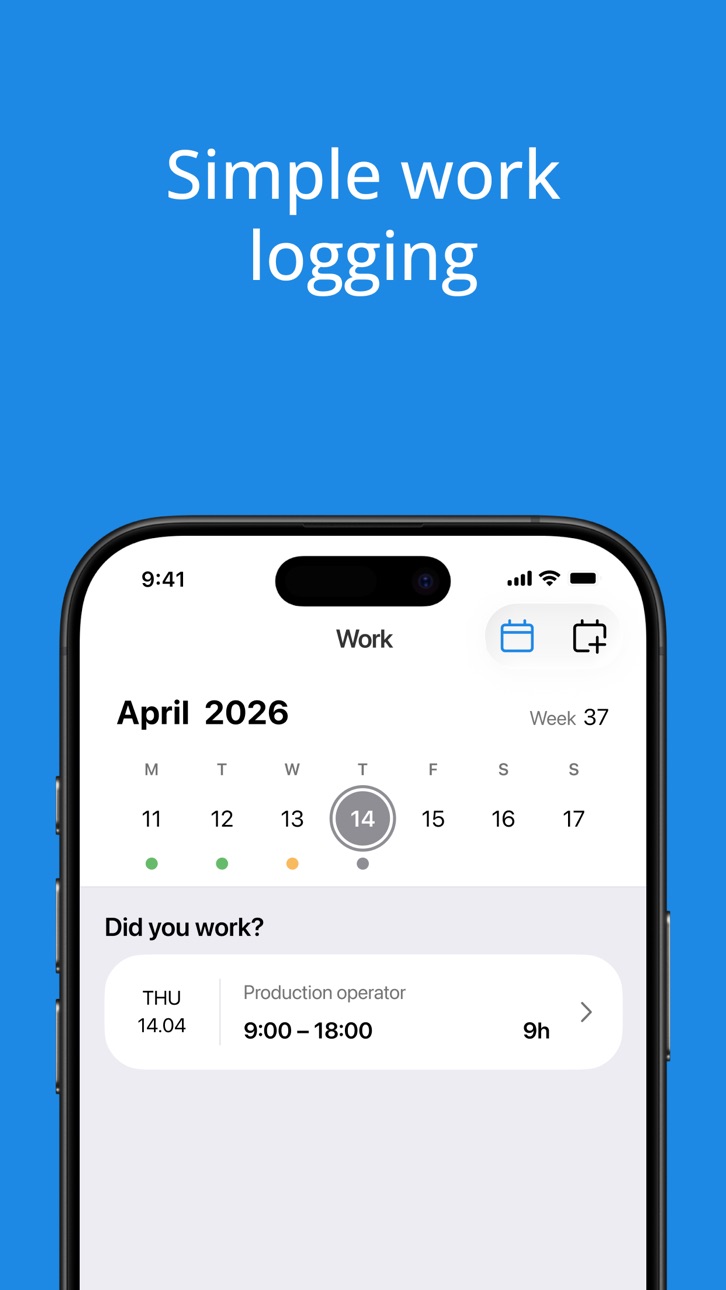
Log your work hours effortlessly by simply swiping to the right. Modify shifts with flexibility for times worked outside your set schedule. Employee’s robust reporting functionality allows you to conveniently view previously logged work and access all your paychecks.
Dynamic Calendar
Effortlessly manage your availability, log vacations, accept or decline shift requests, and create shifts with ease. The calendar provides a comprehensive overview of all your activities, allowing you to stay organized and on top of your schedule.
Seamless Work Tracking
Track your time worked with precision using the work timer. With iOS’s built-in location tracking, set reminders to start the timer when you approach the workplace and stop it when you leave.
Efficient Communication
Stay connected with your manager and other contacts using the in-app messaging module. Seamlessly communicate within the app for effective work coordination.
Simplify Expense Management
Scan and log receipts effortlessly within the app for approval by your employer. Streamline your expense management process and keep track of your reimbursements.
Track Trips
Conveniently consolidate your logged work, receipts, and other related items under a single trip. This allows you to easily track all associated expenses and income pertaining to each specific trip.
Stay Informed with Home Screen
The home screen provides a centralized hub for important notifications and displays your ongoing activities. Access work logging, review unsigned agreements, and accept or decline shift requests right from the home screen, ensuring that you never miss a beat.
Easy Document Access
Create and share your own documents, or access shared documents like employee handbooks, all within the app. Stay informed and organized with quick access to important resources.
Keep Your Profile Up to Date
Manage your profile and ensure your information is always current. Add relevant details and maintain a professional presence.
Custom Job Location
Enable RecMan Employee to use your device’s location and set a custom job location. Receive timely reminders for time tracking when you approach or leave the workplace, enhancing efficiency and accuracy.
Multi-Login Support
Working for multiple employers using the RecMan system? No worries! With the multi-login feature, easily switch between different employers within the app, ensuring smooth workflow and seamless transitions.
Please Note: To use this app, you must have an existing user account in RecMan, and your employer must use RecMan with active support for the mobile app. If you’re unsure whether your employer has activated the mobile app module, please reach out to them directly for confirmation.
About RecMan:
RecMan is an advanced IT system catering to the recruitment, ATS, and staffing industry, employing modern technology to enhance workdays for hundreds of thousands of people worldwide.
Accessibility
ipadiphonemacrealityDevicetvoswatch
Version history 25 versions
Build 886538556v3.32026-06-05 14:15:57
In this release, we added support for break intervals in the timer, allowing the app to handle both break durations and break intervals based on the job configuration. The same break interval functionality is now available on Apple Watch, providing a more consistent time tracking experience across devices. We also improved the Work module and Home screen by hiding the “Did you work?” tiles when an employment is set to 100% leave of absence. In addition, we fixed several receipt-processing issues to prevent duplicate-related problems in the AI parser and improve the reliability of date, amount, and currency detection.
Build 886247856v3.22026-06-02 10:12:20
In this release, break details will automatically appear in the right format, either as specific time intervals (e.g. 12:30-13:00) or as a total duration (e.g. 30 min), based on what your employer has configured. Additionally, break intervals or duration are integrated into the Calendar for confirmed shifts, available in create, edit, and view modes.
Build 885136100v3.1.12026-05-01 00:05:00
In this release, we fixed an issue where the header was missing for Receipts when employees attempted to add a receipt from the Action menu on older iOS versions.
Build 885092212v3.12026-04-30 13:51:28
In this release, we implemented displaying currencies per job across Work, Logged Work, Receipts, Trips, Paychecks, and Jobs modules during creation, viewing, and editing.
Default currencies are preselected and can be changed when creating a new job.
Build 884738721v3.02026-04-28 14:42:52
Version 3.0 marks a major milestone; the completion of our redesigned UI, delivering a cleaner, more intuitive experience across the entire app.
The hamburger menu has been redesigned and moved to the bottom bar, replacing the previous Message module button. It is now accessible from every module, so moving around the app is faster and more consistent no matter where you are.
Booking requests, including drafts, are now visible directly in the Calendar module, giving employees a clearer picture of upcoming work. A new push notification for assigned requests means you will be notified in real time when something is assigned to you.
Adding a receipt is now simpler. Attachments have been moved directly into the photo section, cutting down the number of steps in the upload flow. The "+" button also stays active for 30 days after your last job ends, as long as you have permission to log additions or deductions, so you won't lose access the moment a job wraps up.
Build 880308604v2.262026-03-07 09:00:55
In this release, we refactored the app’s interface and migrated it to Apple's new iOS 26 design. The update introduces smoother transitions and more consistent user interface components across the entire app. Transparent layers and updated spacing improve readability and create a more modern look and feel. We also optimized animations and interactions to make navigation feel lighter and more responsive. Overall, these changes enhance visual clarity, usability, and performance while aligning the app with Apple's latest design standards.
Build 880177404v2.252025-11-29 12:56:54
In this release we’ve migrated the Apple Watch app to SwiftUI, providing an improved performance on all supported Apple Watch models.
IMPORTANT: Employees who use the Apple Watch app should replace the old “This Week” widget with the new SwiftUI-based complication on their Watch faces to ensure accurate updates and full functionality.
We’ve also implemented ordering for piecework articles, and addressed several critical issues to improve overall stability and reliability of the app.
Build 878752781v2.24.22025-10-09 13:03:33
In this update, we’ve reintroduced support for the old booking module for customers who still rely on it. The app has been migrated to the latest developer tools (Xcode 26), ensuring better performance and future compatibility. We also fixed a critical crash with TouchID/FaceID, improved workflow efficiency, and made enhancements to receipt photo capture. Additionally, issues with displaying 24:00 hours for shifts have been resolved along with other important bug fixes and stability improvements.
Build 878133028v2.24.12025-09-16 12:27:30
This release includes an important fix for handling Asian system calendars. Additionally, several bugs have been resolved to improve stability and ensure consistent behavior across calendar operations.
Build 877621959v2.242025-08-27 16:52:48
This release brings an improved experience with "Did you work?" suggestions. You can now simply swipe left on the “Did you work?” tile to answer "no".
We’ve also added a new types of messages related with requested and unassigned shifts for Request module. Now if the your manager send a few shifts, you can see all of them in the list and select appropriate to open details of them.
You can also have ability to initiate a chat with the manager responsible for your employment if they have not previously sent a message to you.
In addition, the process of attaching files to receipts and logged work has been refined. Attachments are now uploaded together with your entries, providing a more efficient and seamless workflow.
Build 876647431v2.232025-07-24 10:39:19
This release brings significant improvements to performance, stability, and overall reliability. We have improved the performance across the app to provide a smoother and faster user experience. The entire local database has been refactored using modern technologies. The app has reduced memory usage. Additionally, error handling has been enhanced to provide better stability, especially on older devices.
Build 875107117v2.222025-05-27 15:03:54
We’ve split the feedback functionality into two distinct options for a more streamlined experience.
Streamlined Issue Reporting
We’ve improved the Report issue feature to provide better resolution. We have added logical and clear categories. Now, all relevant issues are sent directly to your responsible manager instead of the system vendor. Technical issues are routed straight to the development team.
Share Feedback
We’ve added a Share feedback option to help us better understand your experience. You can now easily share your thoughts, suggest improvements or report issues directly from the Asana form.
Build 874959252v2.212025-05-22 07:36:41
- Streamlined your experience by removing unnecessary "Did you work?" questions on holidays, vacations, and unavailable days
- Added support for "closing periods" so that if a limit is set by the administrator you can now only log work during a specific timeframes.
- Expanded messaging with notifications when booking requests are unassigned or cancelled
- Fixed several bugs and improved overall performance
Build 874121603v2.202025-04-21 09:18:12
Booking requests are now live in the app! If your employer uses the new booking module in RecMan, you'll receive messages with new booking requests. You can easily accept or decline these requests, as well as track their current status, all on the go.
Build 873243471v2.19.22025-03-15 10:55:40
This hotfix fixes an issue where the app in some special cases would show a blank screen and then crash.
Build 872778632v2.19.12025-02-26 08:11:35
Fixed an issue where the incorrect label was applied if week start was Sunday.
Build 872672116v2.192025-02-25 08:15:46
The app now has added support for "manual registration" mode for employees that have permission to select which articles to log work for manually. This is for example used in jobs where the employee needs the ability to define overtime themselves.
Build 872443004v2.182025-02-13 15:48:28
This release includes significant improvements to the timer, featuring an improved user interface and various bug fixes, both major and minor.
Build 871469811v2.172025-01-02 09:17:49
Log work reminder: You can now set up reminders for you to log your work. You can turn it on via Settings.
Build 871208500v2.162024-12-18 09:37:19
• Live Activities for Work Timer: The work timer now supports Live Activities, allowing active timers to be displayed on the Dynamic Island and Lock Screen for compatible iPhone models. This makes it easier to check your timer at a glance while it’s running.
• Improved Receipt Scanning: We’ve streamlined the flow for scanning receipts, making it simpler when scanning a single receipt.
• Automatic Manager Notifications for Absence: You no longer need to toggle “Notify Your Manager” when registering an absence since notifications now happen automatically.
• Simplified Availability Settings: When setting your availability, the app now defaults to “All Day” as this is the most commonly used option.
Build 870532069v2.152024-11-20 09:19:26
This release focuses on improving the timer feature in key areas:
- Ability to pause a timer
- Send a push notification if the timer seems to be running long
- Improved edit timer feature
- Improved the log work screen that is presented when stopping a timer
In addition, this release contains several bug fixes and improvements throughout the app.
Build 869976345v2.14.12024-10-28 07:15:08
Fixed issues with reminder at location, issue with creating new job and selecting last photo alternative when adding images.
Build 869645924v2.142024-10-14 07:02:52
Added support for child project in “did you work” quick log feature for shifts that include child projects
Build 869560926v2.132024-10-09 08:22:50
The following is new in this update:
- We’ve made enhancements to the Currency Exchange feature in the Receipts module for a smoother experience.
- Currency conversions now happen instantly as you enter digits.
- We fixed some issues related to iOS 18.
Build 868754797v2.122024-09-05 10:35:45
This release includes an improved experience when adding receipts. The messages module has also received enhancements, including a ‘… is typing’ indicator when someone is typing, better-looking links and attachments, and the ability to download attachments.
No pricing data captured yet — comparisons appear once the app has paid storefronts or in-app purchases.
Availability 1 of 1 storefronts
| Region | Language | Price | Ratings | Avg | Version |
|---|---|---|---|---|---|
| US | en-US | Free | 0 | — | 3.3 |
Change log 29 changes · US
✎
releaseNotes updated
In this release, we added support for break intervals in the timer, allowing the app to handle both break durations and break intervals based on the job configu
✎
description updated
Manage Your Work with Ease - RecMan Employee for iOS
Experience the convenience of managing your work activities on the go with RecMan Employee for iOS. From l
✎
subtitle updated
The official app for employees
✎
name updated
RecMan Employee
◆
Version 3.3 released
In this release, we added support for break intervals in the timer, allowing the app to handle both break durations and break intervals based on the job configuration. The same break interval functionality is now available on Apple Watch, p
◆
Version 3.2 released
In this release, break details will automatically appear in the right format, either as specific time intervals (e.g. 12:30-13:00) or as a total duration (e.g. 30 min), based on what your employer has configured. Additionally, break interva
◆
Version 3.1.1 released
In this release, we fixed an issue where the header was missing for Receipts when employees attempted to add a receipt from the Action menu on older iOS versions.
◆
Version 3.1 released
In this release, we implemented displaying currencies per job across Work, Logged Work, Receipts, Trips, Paychecks, and Jobs modules during creation, viewing, and editing.
Default currencies are preselected and can be changed when creating
◆
Version 3.0 released
Version 3.0 marks a major milestone; the completion of our redesigned UI, delivering a cleaner, more intuitive experience across the entire app.
The hamburger menu has been redesigned and moved to the bottom bar, replacing the previous Mes
◆
Version 2.26 released
In this release, we refactored the app’s interface and migrated it to Apple's new iOS 26 design. The update introduces smoother transitions and more consistent user interface components across the entire app. Transparent layers and updated
◆
Version 2.25 released
In this release we’ve migrated the Apple Watch app to SwiftUI, providing an improved performance on all supported Apple Watch models.
IMPORTANT: Employees who use the Apple Watch app should replace the old “This Week” widget with the new S
◆
Version 2.24.2 released
In this update, we’ve reintroduced support for the old booking module for customers who still rely on it. The app has been migrated to the latest developer tools (Xcode 26), ensuring better performance and future compatibility. We also fixe
◆
Version 2.24.1 released
This release includes an important fix for handling Asian system calendars. Additionally, several bugs have been resolved to improve stability and ensure consistent behavior across calendar operations.
◆
Version 2.24 released
This release brings an improved experience with "Did you work?" suggestions. You can now simply swipe left on the “Did you work?” tile to answer "no".
We’ve also added a new types of messages related with requested and unassigned shifts for
◆
Version 2.23 released
This release brings significant improvements to performance, stability, and overall reliability. We have improved the performance across the app to provide a smoother and faster user experience. The entire local database has been refactored
◆
Version 2.22 released
We’ve split the feedback functionality into two distinct options for a more streamlined experience.
Streamlined Issue Reporting
We’ve improved the Report issue feature to provide better resolution. We have added logical and clear categorie
◆
Version 2.21 released
- Streamlined your experience by removing unnecessary "Did you work?" questions on holidays, vacations, and unavailable days
- Added support for "closing periods" so that if a limit is set by the administrator you can now only log work duri
◆
Version 2.20 released
Booking requests are now live in the app! If your employer uses the new booking module in RecMan, you'll receive messages with new booking requests. You can easily accept or decline these requests, as well as track their current status, all
◆
Version 2.19.2 released
This hotfix fixes an issue where the app in some special cases would show a blank screen and then crash.
◆
Version 2.19.1 released
Fixed an issue where the incorrect label was applied if week start was Sunday.
◆
Version 2.19 released
The app now has added support for "manual registration" mode for employees that have permission to select which articles to log work for manually. This is for example used in jobs where the employee needs the ability to define overtime them
◆
Version 2.18 released
This release includes significant improvements to the timer, featuring an improved user interface and various bug fixes, both major and minor.
◆
Version 2.17 released
Log work reminder: You can now set up reminders for you to log your work. You can turn it on via Settings.
◆
Version 2.16 released
• Live Activities for Work Timer: The work timer now supports Live Activities, allowing active timers to be displayed on the Dynamic Island and Lock Screen for compatible iPhone models. This makes it easier to check your timer at a glance w
◆
Version 2.15 released
This release focuses on improving the timer feature in key areas:
- Ability to pause a timer
- Send a push notification if the timer seems to be running long
- Improved edit timer feature
- Improved the log work screen that is presented wh
◆
Version 2.14.1 released
Fixed issues with reminder at location, issue with creating new job and selecting last photo alternative when adding images.
◆
Version 2.14 released
Added support for child project in “did you work” quick log feature for shifts that include child projects
◆
Version 2.13 released
The following is new in this update:
- We’ve made enhancements to the Currency Exchange feature in the Receipts module for a smoother experience.
- Currency conversions now happen instantly as you enter digits.
- We fixed some issues relat
◆
Version 2.12 released
This release includes an improved experience when adding receipts. The messages module has also received enhancements, including a ‘… is typing’ indicator when someone is typing, better-looking links and attachments, and the ability to down