Home › Utilities

 US
US
1 of 1 storefronts
Content in en-US
Content in en-US
Information
Preview 4 platforms
iPhone 10 images


iPad 10 images


Mac 10 images




Apple Watch 5 images



What’s New Version 3.1.2
Get ready for the World Cup with a preview of Morpho Pro. Choose your destination city to get set up with travel and tournament-specific features.
• Preview of Morpho Pro through the end of July.
• Travel configuration automatically pins your destination country, adds a weather location for your destination, and updates your default conversions for the correct currency.
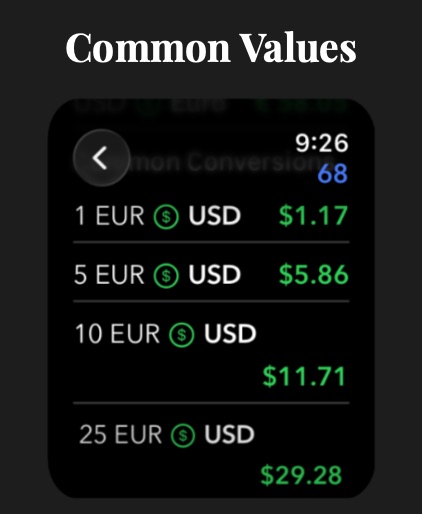
• Soccer-related common conversions. Check out Length, Speed, Time, and Area categories.
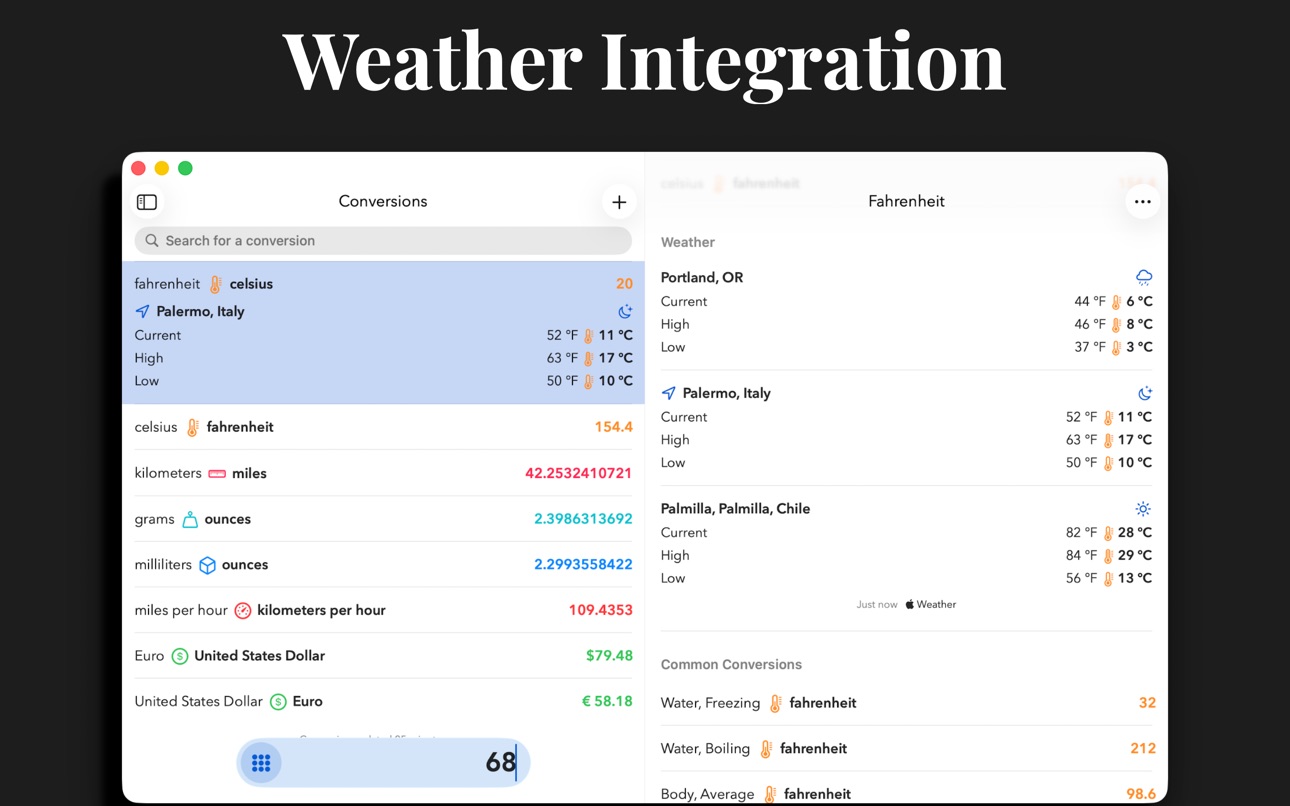
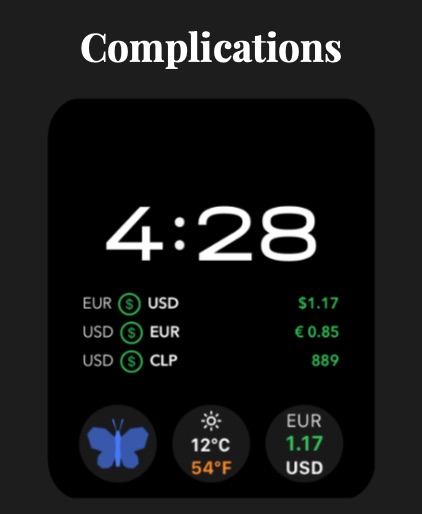
• Introducing our Weather widget and complication. Get temperatures in Celsius and Fahrenheit at the same time. Also see conditions along with high and low temperatures. Available on your Lock Screen, Home Screen, and Watch Face.
• New Pace units under the Speed category. Check out Settings > Decimals for option to input data as minutes, decimal, seconds.
• Reverse and +/- buttons now indicate their state.
• Fixed issue with currency conversion corner complication on watchOS where the value would not curve with the watch face.
• Fixed bug on iPhone where tapping pinned country would not navigate directly to country.
• Fixed issue where Auto Clear setting was not working as expected within the Mac status bar window.
• Improved German translations.
• Improved rounding errors on pace units.
Description
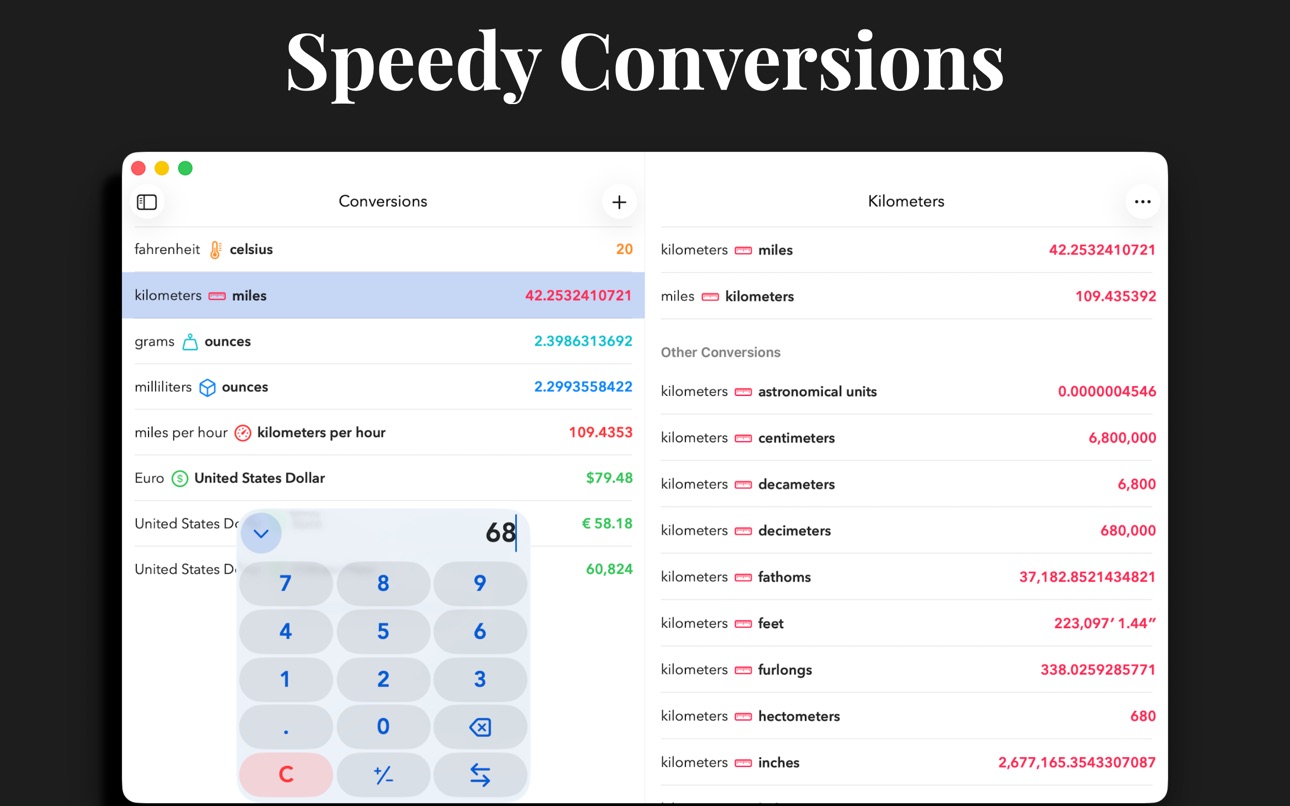
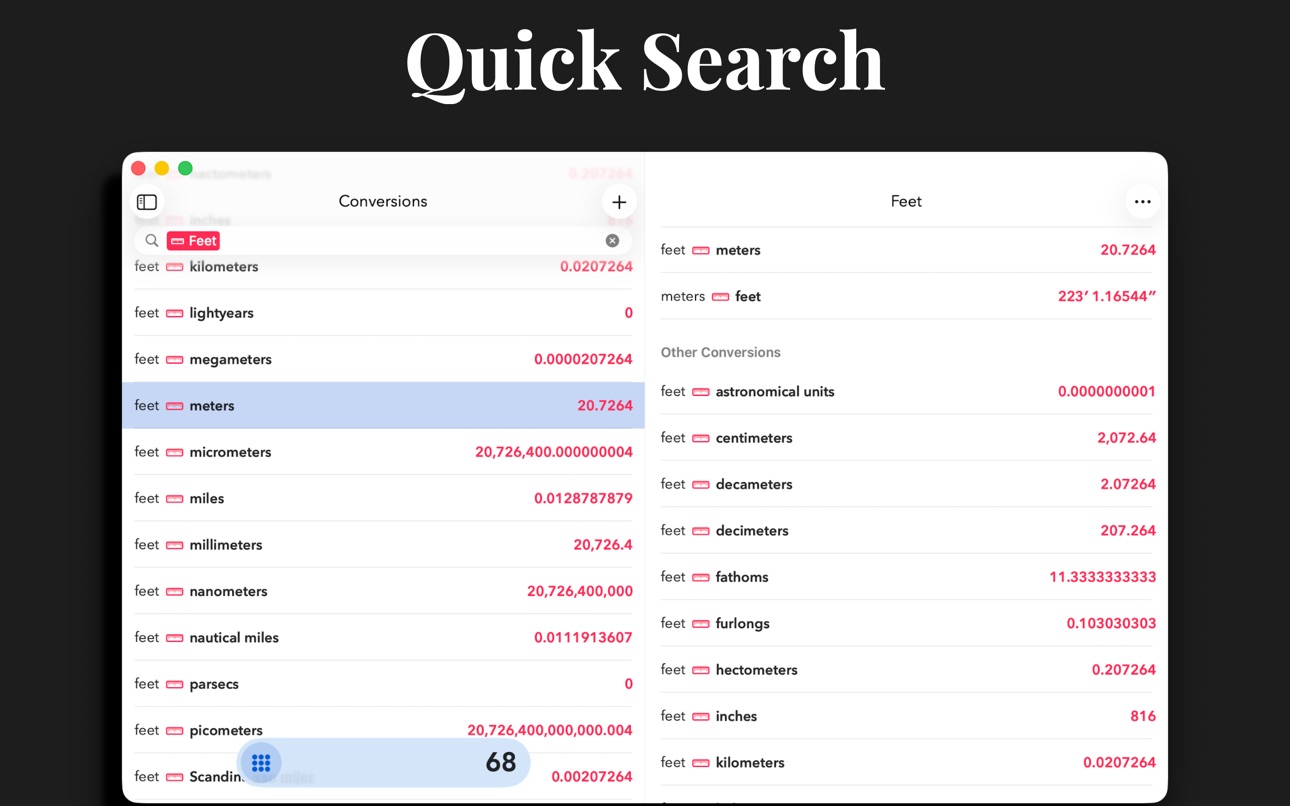
Morpho is a new take on conversions, focused on speed. Open, type a number, and instantly see all your favorite conversions. No fiddling.
Add all of your most-used conversions to the home screen so that you see what you want–and only what you want.
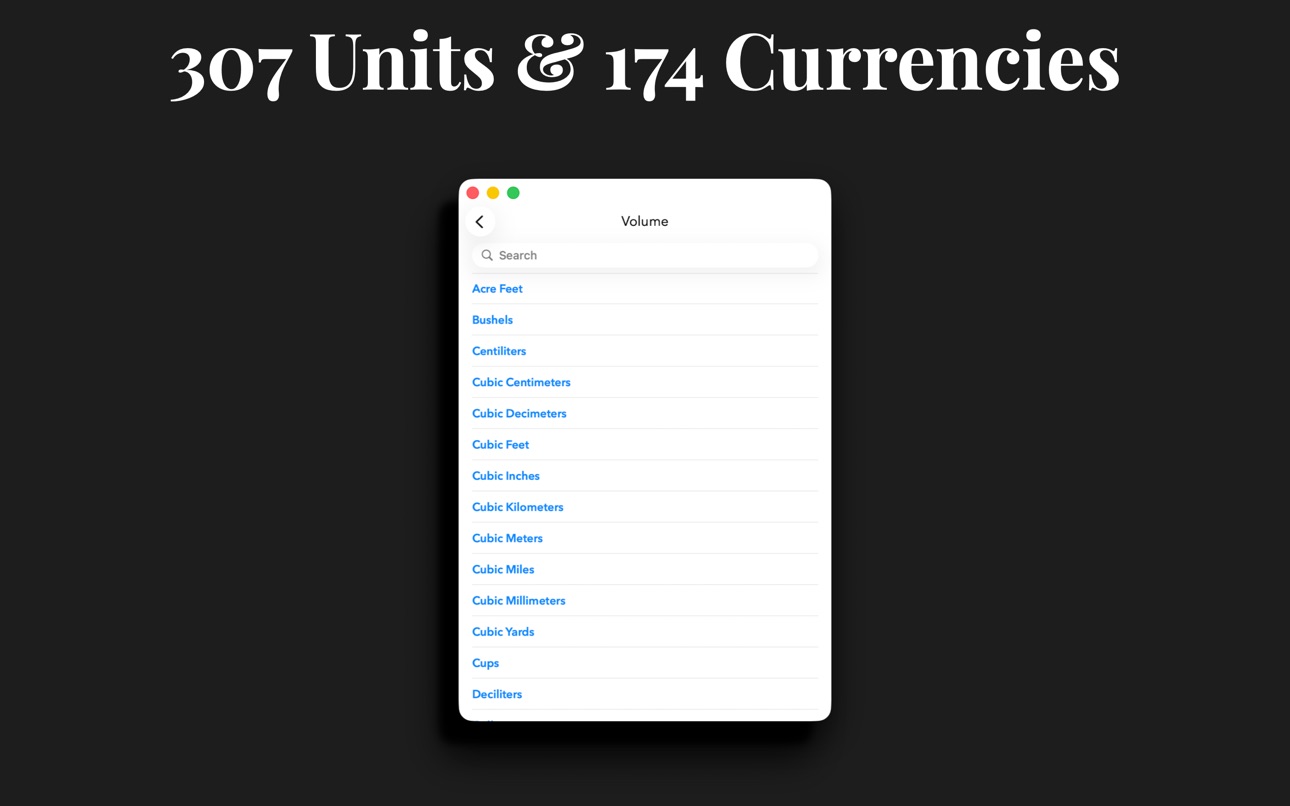
• Choose from 307 units and 174 currencies in 24 categories.
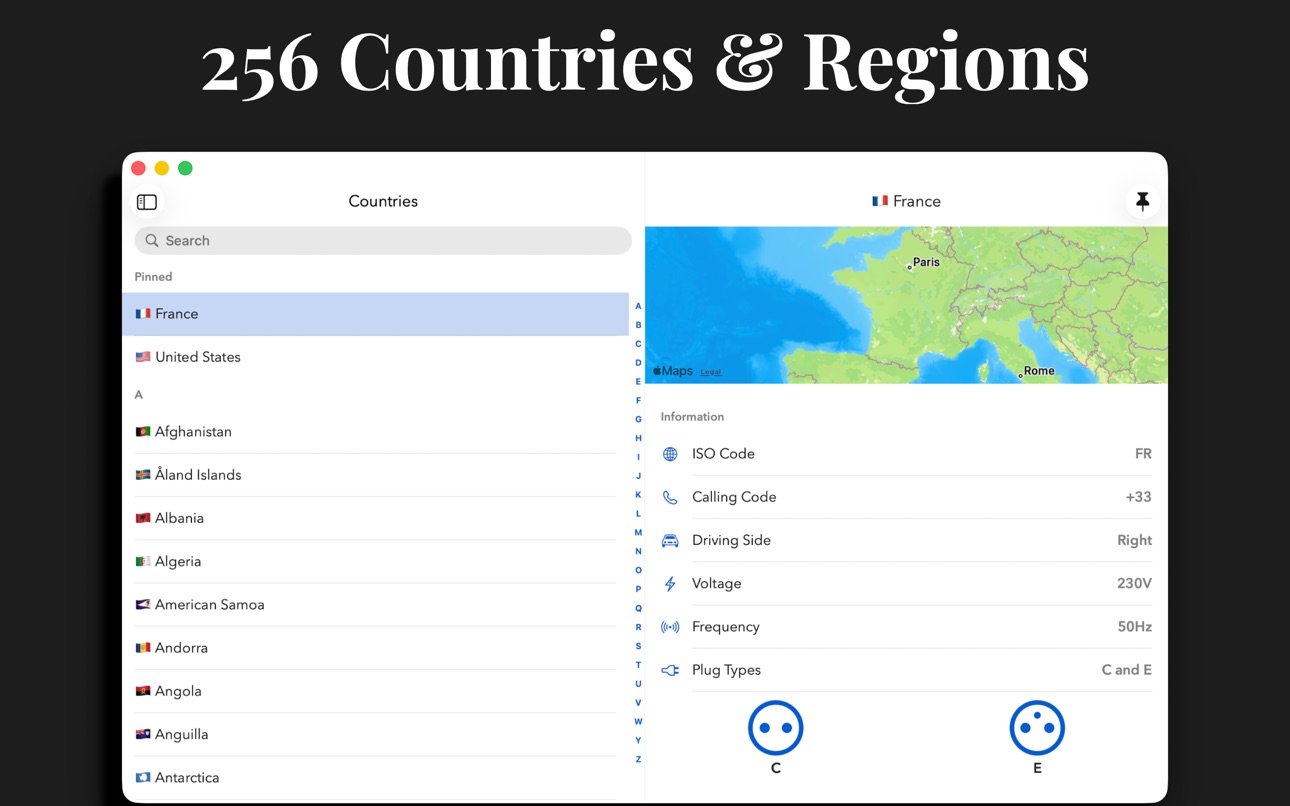
• Countries: view and add common units of measure from 256 countries and regions. Quickly view electrical information, calling codes, driving side, languages, and time zones to help plan your trip.
• Custom Units: Define specialized units for your profession or hobby, or add an uncommon unit that is not yet officially supported.
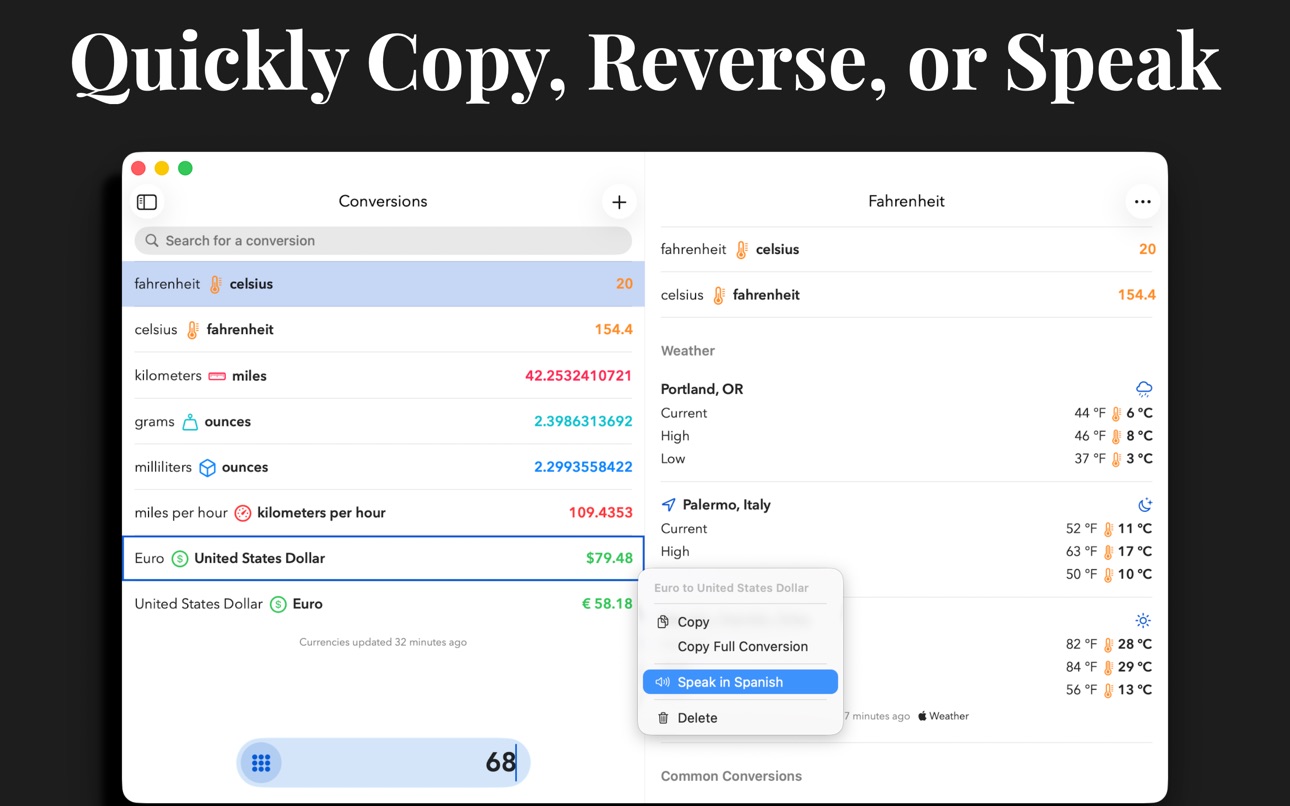
• Speak results: Select from 38 languages in Settings. Long-press a conversion and choose a language to have the result spoken to you.
• It's universal: iPhone, iPad, Mac, and Apple Watch. We have you covered no matter where you need a conversion.
• Long press for more: copy result, copy the full text of the conversion, or quickly add a reverse conversion.
• Conversions widget: new, interactive widget lets you convert your favorites instantly.
• Currency widget: use the currency widget to stay on top of changes throughout the day from your Home Screen or Lock Screen.
• Complications: launch Morpho from a complication, or use a currency complication to always have the latest exchange rate.
• Weather: instant temperature conversions with Weather integration.
• Siri: get the full list of conversions using your voice.
• Shortcuts: work currency conversions into your custom shortcuts.
• Quick Notes: add values or countries to your Quick Notes.
• Keyboard support: make full use of your hardware keyboard.
• Hand Off, URL schemes, and multiple windows: enjoy.
• Support for dynamic type sizes and VoiceOver.
If you choose to purchase a Morpho Pro subscription, payment will be charged to your iTunes account, and your account will be charged for renewal 24 hours prior to the end of the current period. Auto-renewal may be turned off at any time by going to your settings in the iTunes Store after purchase.
Terms of use: https://thinktapwork.com/tos.html
In-App Purchases US pricing
Morpho Pro Subscription
Yearly - Morpho Pro · Yearly 3-day free trial$5.99
Monthly - Morpho Pro · Monthly 3-day free trial$0.99
One-Time Purchases
One-time Purchase - Morpho Pro$19.99
Capabilities
In-App Purchases
Accessibility
ipadiphonemacrealityDevicetvoswatch
Version history 25 versions
Build 885299389v3.1.22026-05-05 23:21:54
Get ready for the World Cup with a preview of Morpho Pro. Choose your destination city to get set up with travel and tournament-specific features.
• Preview of Morpho Pro through the end of July.
• Travel configuration automatically pins your destination country, adds a weather location for your destination, and updates your default conversions for the correct currency.
• Soccer-related common conversions. Check out Length, Speed, Time, and Area categories.
• Introducing our Weather widget and complication. Get temperatures in Celsius and Fahrenheit at the same time. Also see conditions along with high and low temperatures. Available on your Lock Screen, Home Screen, and Watch Face.
• New Pace units under the Speed category. Check out Settings > Decimals for option to input data as minutes, decimal, seconds.
• Reverse and +/- buttons now indicate their state.
• Fixed issue with currency conversion corner complication on watchOS where the value would not curve with the watch face.
• Fixed bug on iPhone where tapping pinned country would not navigate directly to country.
• Fixed issue where Auto Clear setting was not working as expected within the Mac status bar window.
• Improved German translations.
• Improved rounding errors on pace units.
Build 885168845v3.1.12026-05-01 22:21:24
Get ready for the World Cup with a preview of Morpho Pro. Choose your destination city to get set up with travel and tournament-specific features.
• Preview of Morpho Pro through the end of July.
• Travel configuration automatically pins your destination country, adds a weather location for your destination, and updates your default conversions for the correct currency.
• Soccer-related common conversions. Check out Length, Speed, Time, and Area categories.
• Introducing our Weather widget and complication. Get temperatures in Celsius and Fahrenheit at the same time. Also see conditions along with high and low temperatures. Available on your Lock Screen, Home Screen, and Watch Face.
• New Pace units under the Speed category. Check out Settings > Decimals for option to input data as minutes, decimal, seconds.
• Reverse and +/- buttons now indicate their state.
• Fixed issue with currency conversion corner complication on watchOS where the value would not curve with the watch face.
• Fixed bug on iPhone where tapping pinned country would not navigate directly to country.
Build 884510738v3.12026-04-29 19:57:48
Get ready for the World Cup with a preview of Morpho Pro. Choose your destination city to get set up with travel and tournament-specific features.
• Preview of Morpho Pro through the end of July.
• Travel configuration automatically pins your destination country, adds a weather location for your destination, and updates your default conversions for the correct currency.
• Soccer-related common conversions. Check out Length, Speed, Time, and Area categories.
• Introducing our Weather widget and complication. Get temperatures in Celsius and Fahrenheit at the same time. Also see conditions along with high and low temperatures. Available on your Lock Screen, Home Screen, and Watch Face.
• New Pace units under the Speed category. Check out Settings > Decimals for option to input data as minutes, decimal, seconds.
• Reverse and +/- buttons now indicate their state.
• Fixed issue with currency conversion corner complication on watchOS where the value would not curve with the watch face.
• Fixed bug on iPhone where tapping pinned country would not navigate directly to country.
Build 884251854v3.0.22026-04-07 22:07:53
Fixed issue with currencies not updating.
Morpho 3.0 features a brand new, Liquid Glass design and icon. The interface has been given a full, modern refresh, from the keypad, to settings, widgets, and the Apple Watch app.
iPhone, iPad, and Mac:
• Brand new modernized keypad
• Reverse button now always available on the keypad
• Conversions will now show full units when possible
• Import and export now includes a full backup including conversions, custom units, settings, pinned countries, and weather locations
• New Triple Currency widget shows up to three currency pairs.
• Widgets will now show more conversions on screen
• Modernized design for conversion widget
• +/- and backspace are now available on small conversion widget
• Reverse is now available on all sizes of conversion widget
• Redesigned and reorganized settings
• New Energy unit: Milliwatt Hours
• Added common conversions for Angle
• Added common conversions for Spelled Out
• Updated icons for Liquid Glass
• 9 new Spelled Out languages: Bangla, Gujarati, Kannada, Malayalam, Marathi, Odia, Punjabi, Telugu, Urdu
• Accessibility text sizes will now fit more conversions on screen
iPad:
• Support for dynamic window sizing
Apple Watch:
• Redesigned Apple Watch keypad
• Reverse button is now available on screen without scrolling
• Conversions will now show full units when possible
• More conversions will now fit on screen
• New Triple Currency complication shows up to three currency pairs. The first three currency conversions you have in your favorites will be used.
Mac
• Dark, clear, and tinted icon support
• Reverse button is now available from the menu bar window
Bug Fixes:
• Fixed issue where some weather locations could not be found
• Fixed issue where changing theme, font, or decimal places on iPhone would not immediately take effect on Apple Watch
• Fixed issue where custom decimal places applying to currencies was not respected on Apple Watch
• Fixed issue where a conversion may remain selected after returning to favorites
• Fixed issue where importing a custom unit that references another custom unit would fail
• Fixed issue where having lots of decimal places applied to currencies could make some currency conversion widgets practically unusable
• Fixed issue where watchOS complication configurations would not update correctly after conversion list changes
• Fixed rare crashing bug for users running older versions of iOS that also don't have any favorite conversions
• UI improvements on conversion context menu
• Fixed issue where some widget conversions were missing titles for English (UK) users
Build 882352353v3.0.12026-02-11 02:58:07
Morpho 3.0 features a brand new, Liquid Glass design and icon. The interface has been given a full, modern refresh, from the keypad, to settings, widgets, and the Apple Watch app.
iPhone, iPad, and Mac:
• Brand new modernized keypad
• Reverse button now always available on the keypad
• Conversions will now show full units when possible
• Import and export now includes a full backup including conversions, custom units, settings, pinned countries, and weather locations
• New Triple Currency widget shows up to three currency pairs.
• Widgets will now show more conversions on screen
• Modernized design for conversion widget
• +/- and backspace are now available on small conversion widget
• Reverse is now available on all sizes of conversion widget
• Redesigned and reorganized settings
• New Energy unit: Milliwatt Hours
• Added common conversions for Angle
• Added common conversions for Spelled Out
• Updated icons for Liquid Glass
• 9 new Spelled Out languages: Bangla, Gujarati, Kannada, Malayalam, Marathi, Odia, Punjabi, Telugu, Urdu
• Accessibility text sizes will now fit more conversions on screen
iPad:
• Support for dynamic window sizing
Apple Watch:
• Redesigned Apple Watch keypad
• Reverse button is now available on screen without scrolling
• Conversions will now show full units when possible
• More conversions will now fit on screen
• New Triple Currency complication shows up to three currency pairs. The first three currency conversions you have in your favorites will be used.
Mac
• Dark, clear, and tinted icon support
• Reverse button is now available from the menu bar window
Bug Fixes:
• Fixed issue where some weather locations could not be found
• Fixed issue where changing theme, font, or decimal places on iPhone would not immediately take effect on Apple Watch
• Fixed issue where custom decimal places applying to currencies was not respected on Apple Watch
• Fixed issue where a conversion may remain selected after returning to favorites
• Fixed issue where importing a custom unit that references another custom unit would fail
• Fixed issue where having lots of decimal places applied to currencies could make some currency conversion widgets practically unusable
• Fixed issue where watchOS complication configurations would not update correctly after conversion list changes
• Fixed rare crashing bug for users running older versions of iOS that also don't have any favorite conversions
• UI improvements on conversion context menu
• Fixed issue where some widget conversions were missing titles for English (UK) users
Build 879124892v3.02026-01-29 03:21:45
Morpho 3.0 features a brand new, Liquid Glass design and icon. The interface has been given a full, modern refresh, from the keypad, to settings, widgets, and the Apple Watch app.
iPhone, iPad, and Mac:
• Brand new modernized keypad
• Reverse button now always available on the keypad
• Conversions will now show full units when possible
• Import and export now includes a full backup including conversions, custom units, settings, pinned countries, and weather locations
• New Triple Currency widget shows up to three currency pairs.
• Widgets will now show more conversions on screen
• Modernized design for conversion widget
• +/- and backspace are now available on small conversion widget
• Reverse is now available on all sizes of conversion widget
• Redesigned and reorganized settings
• New Energy unit: Milliwatt Hours
• Added common conversions for Angle
• Added common conversions for Spelled Out
• Updated icons for Liquid Glass
• 9 new Spelled Out languages: Bangla, Gujarati, Kannada, Malayalam, Marathi, Odia, Punjabi, Telugu, Urdu
• Accessibility text sizes will now fit more conversions on screen
iPad:
• Support for dynamic window sizing
Apple Watch:
• Redesigned Apple Watch keypad
• Reverse button is now available on screen without scrolling
• Conversions will now show full units when possible
• More conversions will now fit on screen
• New Triple Currency complication shows up to three currency pairs. The first three currency conversions you have in your favorites will be used.
Mac
• Dark, clear, and tinted icon support
• Reverse button is now available from the menu bar window
Bug Fixes:
• Fixed issue where some weather locations could not be found
• Fixed issue where changing theme, font, or decimal places on iPhone would not immediately take effect on Apple Watch
• Fixed issue where custom decimal places applying to currencies was not respected on Apple Watch
• Fixed issue where a conversion may remain selected after returning to favorites
• Fixed issue where importing a custom unit that references another custom unit would fail
• Fixed issue where having lots of decimal places applied to currencies could make some currency conversion widgets practically unusable
• Fixed issue where watchOS complication configurations would not update correctly after conversion list changes
Build 876390270v2.6.22025-07-15 11:33:25
Minor UI fixes and improvements.
Build 875671793v2.6.12025-06-18 12:57:55
Brand new in 2.6: CUSTOM UNITS. Define specialized units for your profession or hobby, or add an uncommon unit that is not yet officially supported.
Access Custom Units from Settings. Simply choose a category, give it a name and symbol, and define a conversion factor. Custom unit conversions will be appear instantly alongside the rest of your favorites.
ALSO NEW:
- Added Torque category with 17 new units
- Added power units: Horsepower (Electrical) and Horsepower (Metric)
- Added Thai area units: Rai, Ngan, and Tarang Wa
- Fixed issue with pounds and stones conversion
- Fixed issue with navigation button sizes on Pro Max devices
- Attempt to fix issue with widget displaying default conversions after device restart
- Fixed issue where Settings… would appear twice in the menu
- You can now edit custom unit from the conversion screen whether it is from the source or destination unit
Now localized into 19 additional languages:
- Catalan
- Croatian
- Czech
- Danish
- Dutch
- Finnish
- Greek
- Hindi
- Hungarian
- Indonesian
- Malay
- Norwegian
- Polish
- Romanian
- Slovak
- Swedish
- Thai
- Turkish
- Ukrainian
Build 874750196v2.62025-06-03 03:11:20
Brand new in 2.6: CUSTOM UNITS. Define specialized units for your profession or hobby, or add an uncommon unit that is not yet officially supported.
Access Custom Units from Settings. Simply choose a category, give it a name and symbol, and define a conversion factor. Custom unit conversions will be appear instantly alongside the rest of your favorites.
ALSO NEW:
- Added Torque category with 17 new units
- Added power units: Horsepower (Electrical) and Horsepower (Metric)
- Added Thai area units: Rai, Ngan, and Tarang Wa
- Fixed issue with pounds and stones conversion
- Fixed issue with navigation button sizes on Pro Max devices
- Attempt to fix issue with widget displaying default conversions after device restart
Now localized into 19 additional languages:
- Catalan
- Croatian
- Czech
- Danish
- Dutch
- Finnish
- Greek
- Hindi
- Hungarian
- Indonesian
- Malay
- Norwegian
- Polish
- Romanian
- Slovak
- Swedish
- Thai
- Turkish
- Ukrainian
Build 873311413v2.5.22025-03-18 13:33:17
- Fixed crash on watchOS background updates
- Fixed issue where launching the app initially without internet could show outdated rates
Build 870347935v2.5.12024-11-13 01:07:58
New Auto Clear setting. Auto Clear will reset to zero when the app is opened, according to the interval you select in Settings.
Subscription can now be managed in-app. Additional currency symbols based on your locale.
Build 869633100v2.52024-10-15 11:20:46
• -0 will now be shown when negative has been activated.
• New option to have custom decimal place setting apply to currencies.
• Added new currencies.
São Tomé and Príncipe Dobra (STN)
Venezuelan Bolívares (VES)
Mauritanian Ouguiya (MRU)
Platinum Ounce (XPT)
Palladium Ounce (XPD)
Ethereum (ETH)
Ripple (XRP)
Binance Coin (BNB)
Build 868907802v2.42024-09-15 22:00:42
- iOS 18 compatibility and fixes
- Support for dark and tinted icons on iOS 18
- Support for tinted widgets on iOS 18
- Minus key (-) on hardware keyboards will now toggle positive negative (you can still use + if you'd like)
- Fixed issue where selecting country would not navigate to country screen
- Fixed issue where duration units would sometimes not appear in search
- Fixed issue where widget would not display value/icon in dark mode if theme was Black & White or Minimal
Build 866945398v2.3.32024-06-25 00:16:47
Updated app icons.
Build 866589173v2.3.22024-06-11 01:49:47
Testing app icons.
Build 864203139v2.32024-03-06 15:32:02
New setting to configure the number of decimal places for converted values. Also fixed issue on Apple Watch where returning to the conversion list would scroll you back to the top.
Build 862052274v2.2.22023-12-08 17:16:17
- Improved keypad layout for Apple Watch 44mm running watchOS 9.x
- Fixed some Watch crashes
- Improved color contrast in dark mode
Build 860105609v2.2.12023-09-25 12:18:10
New interactive conversions widget is available for iPhone/iPad Home Screen!
Also:
• New settings for controlling keypad feedback (sound and haptic)
• Currency widget has been updated to support iPhone StandBy mode, iPadOS lock screen, and watchOS Smart Stack
• Launcher widget has been updated to support iPad OS lock screen
• Improved theme support for Watch widgets
• Improved Watch UI
• Updated output of Currency Conversion shortcut to improve formatting
• Support for Spelled Out conversions to Haitian Creole and Kazakh
Bug fixes:
• Fixed bug where list could become cut off after search
• Fixed bug where cancel button could disappear while searching
• Fixed bug where selection in list may not clear
Build 859865392v2.22023-09-18 01:23:08
New interactive conversions widget is available for iPhone/iPad Home Screen!
Also:
• New settings for controlling keypad feedback (sound and haptic).
• Currency widget has been updated to support iPhone StandBy mode, iPadOS lock screen, and watchOS Smart Stack
• Launcher widget has been updated to support iPad OS lock screen
• Improved theme support for Watch widgets
• Improved Watch UI
• Support for Spelled Out conversions to Haitian Creole and Kazakh
Bug fixes:
• Fixed bug where list could become cut off after search
• Fixed bug where cancel button could disappear while searching
Build 859008330v2.1.32023-08-08 13:30:02
Fixed crashing bug. Updated icon for shoe size.
Build 857967365v2.1.22023-06-21 01:16:31
- Improved cursor blinking
- Fixed menu headers appearing when there are no menu items
- URL scheme support for navigatng to Countries screen: com.thinktapwork.morpho://countries
Build 857035232v2.1.12023-05-15 19:19:14
- Add new option in settings to control if the search bar should appear when the app is launched
- Press and hold backspace to delete multiple digits
Build 856172732v2.12023-04-19 17:08:55
• Improved search
• Added various millimoles/liter conversions to Concentration Mass
• Added some more haptics
• CLF and STD currencies are marked as Unavailable for now
Build 854156048v2.0.22022-12-30 20:15:43
- Fixed issue where -0 temperature could appear
- Fixed spacing with long weather location names
- Fixed issue where section footers would not appear in Settings
Build 853672115v2.0.12022-12-02 10:49:53
New Features
• New Lock Screen widgets for currency conversions and launching Morpho (iPhone)
• Mac menu bar app to quickly perform conversions on the fly (macOS Ventura)
• Import and export your conversion list for backup or to transfer between devices
• Instant temperature conversions with Weather integration
• Common temperature conversions available on temperature screen
• Ability to switch unit on single conversion screen
Design
• Brand new plug icons
• Keypad tap sounds (respects the mute switch)
• Full name of language is now displayed for Spelled Out conversions
• Improved menus
• Added some additional colors for differentiating between categories for the Morpho theme
• Improved Appearance settings screen
Mac
• Tooltips now show full unit titles in narrow windows
• Value can now be cleared by C or Clear key, for those with extended keyboards
• Cursor will no longer blink when Morpho is not the active app
• Full screen is now disabled for utility windows
Watch
• Improved complications
• Improved syncing of conversions
Countries
• Common units for all countries are now freely available for all users. Tap a unit to quickly add conversions. Upgrade to Morpho Pro to unlock electrical information, illustrated plug types, calling codes, driving side, languages, and time zones.
• Alphabet scrubber for quick scrolling country list
Misc.
• You can now easily add a conversion or reverse conversion from the unit screen
• More concise currency symbols
• If a rate is not available for a given currency the result will show as "Unavailable"
• Localized unit names for UK / Australia
Fixes
• Fixed issue where right-hand pane may not update currency conversion automatically
• Fixed issue with location of São Tomé and Mauritius when viewing in Maps
• Fixed issues with custom font sizes
• Fixed crash when viewing Spelled Out conversions or with accessibility font sizes
Price history by region
Currency
Show
Columns
Search
Availability 1 of 1 storefronts
| Region | Language | Price | Ratings | Avg | Version |
|---|---|---|---|---|---|
| US | en-US | Free | 185 | 4.7 | 3.1.2 |
Change log 29 changes · US
✎
releaseNotes updated
Get ready for the World Cup with a preview of Morpho Pro. Choose your destination city to get set up with travel and tournament-specific features.
• Preview of
✎
description updated
Morpho is a new take on conversions, focused on speed. Open, type a number, and instantly see all your favorite conversions. No fiddling.
Add all of your most-
✎
subtitle updated
Fast travel / trip conversions
✎
name updated
Morpho Convert Currency & Unit
◆
Version 3.1.2 released
Get ready for the World Cup with a preview of Morpho Pro. Choose your destination city to get set up with travel and tournament-specific features.
• Preview of Morpho Pro through the end of July.
• Travel configuration automatically pins y
◆
Version 3.1.1 released
Get ready for the World Cup with a preview of Morpho Pro. Choose your destination city to get set up with travel and tournament-specific features.
• Preview of Morpho Pro through the end of July.
• Travel configuration automatically pins y
◆
Version 3.1 released
Get ready for the World Cup with a preview of Morpho Pro. Choose your destination city to get set up with travel and tournament-specific features.
• Preview of Morpho Pro through the end of July.
• Travel configuration automatically pins y
◆
Version 3.0.2 released
Fixed issue with currencies not updating.
Morpho 3.0 features a brand new, Liquid Glass design and icon. The interface has been given a full, modern refresh, from the keypad, to settings, widgets, and the Apple Watch app.
iPhone, iPad, an
◆
Version 3.0.1 released
Morpho 3.0 features a brand new, Liquid Glass design and icon. The interface has been given a full, modern refresh, from the keypad, to settings, widgets, and the Apple Watch app.
iPhone, iPad, and Mac:
• Brand new modernized keypad
• Reve
◆
Version 3.0 released
Morpho 3.0 features a brand new, Liquid Glass design and icon. The interface has been given a full, modern refresh, from the keypad, to settings, widgets, and the Apple Watch app.
iPhone, iPad, and Mac:
• Brand new modernized keypad
• Reve
◆
Version 2.6.2 released
Minor UI fixes and improvements.
◆
Version 2.6.1 released
Brand new in 2.6: CUSTOM UNITS. Define specialized units for your profession or hobby, or add an uncommon unit that is not yet officially supported.
Access Custom Units from Settings. Simply choose a category, give it a name and symbol, an
◆
Version 2.6 released
Brand new in 2.6: CUSTOM UNITS. Define specialized units for your profession or hobby, or add an uncommon unit that is not yet officially supported.
Access Custom Units from Settings. Simply choose a category, give it a name and symbol, an
◆
Version 2.5.2 released
- Fixed crash on watchOS background updates
- Fixed issue where launching the app initially without internet could show outdated rates
◆
Version 2.5.1 released
New Auto Clear setting. Auto Clear will reset to zero when the app is opened, according to the interval you select in Settings.
Subscription can now be managed in-app. Additional currency symbols based on your locale.
◆
Version 2.5 released
• -0 will now be shown when negative has been activated.
• New option to have custom decimal place setting apply to currencies.
• Added new currencies.
São Tomé and Príncipe Dobra (STN)
Venezuelan Bolívares (VES)
Mauritanian Ouguiya (MRU)
◆
Version 2.4 released
- iOS 18 compatibility and fixes
- Support for dark and tinted icons on iOS 18
- Support for tinted widgets on iOS 18
- Minus key (-) on hardware keyboards will now toggle positive negative (you can still use + if you'd like)
- Fixed issue
◆
Version 2.3.3 released
Updated app icons.
◆
Version 2.3.2 released
Testing app icons.
◆
Version 2.3 released
New setting to configure the number of decimal places for converted values. Also fixed issue on Apple Watch where returning to the conversion list would scroll you back to the top.
◆
Version 2.2.2 released
- Improved keypad layout for Apple Watch 44mm running watchOS 9.x
- Fixed some Watch crashes
- Improved color contrast in dark mode
◆
Version 2.2.1 released
New interactive conversions widget is available for iPhone/iPad Home Screen!
Also:
• New settings for controlling keypad feedback (sound and haptic)
• Currency widget has been updated to support iPhone StandBy mode, iPadOS lock screen, and
◆
Version 2.2 released
New interactive conversions widget is available for iPhone/iPad Home Screen!
Also:
• New settings for controlling keypad feedback (sound and haptic).
• Currency widget has been updated to support iPhone StandBy mode, iPadOS lock screen, an
◆
Version 2.1.3 released
Fixed crashing bug. Updated icon for shoe size.
◆
Version 2.1.2 released
- Improved cursor blinking
- Fixed menu headers appearing when there are no menu items
- URL scheme support for navigatng to Countries screen: com.thinktapwork.morpho://countries
◆
Version 2.1.1 released
- Add new option in settings to control if the search bar should appear when the app is launched
- Press and hold backspace to delete multiple digits
◆
Version 2.1 released
• Improved search
• Added various millimoles/liter conversions to Concentration Mass
• Added some more haptics
• CLF and STD currencies are marked as Unavailable for now
◆
Version 2.0.2 released
- Fixed issue where -0 temperature could appear
- Fixed spacing with long weather location names
- Fixed issue where section footers would not appear in Settings
◆
Version 2.0.1 released
New Features
• New Lock Screen widgets for currency conversions and launching Morpho (iPhone)
• Mac menu bar app to quickly perform conversions on the fly (macOS Ventura)
• Import and export your conversion list for backup or to transfer be