Home › Productivity

 US
US
1 of 1 storefronts
Content in en-US
Content in en-US
Information
Apple ID1492590590
Bundle IDcom.jera.GeopogoAR
SellerSeller
Min iOS13.2
Min macOS11.0
Device familiesiphone, ipad, ipod
Released2020-01-15
Copyright© 2023 Geopogo, Inc.
Privacy policyLink ↗
Preview 2 platforms
iPhone 6 images


iPad 5 images




What’s New Version 1.4.2
Implemented security measures - email verification
Description
Turn photos of real-world buildings into optimized 3D models in minutes.
Geopogo uses AI to transform real-world buildings into production-ready 3D models for architects, game developers, urban planners, designers, and creators. Export your models for CAD, Unreal Engine, Unity, Blender, and other professional 3D workflows.
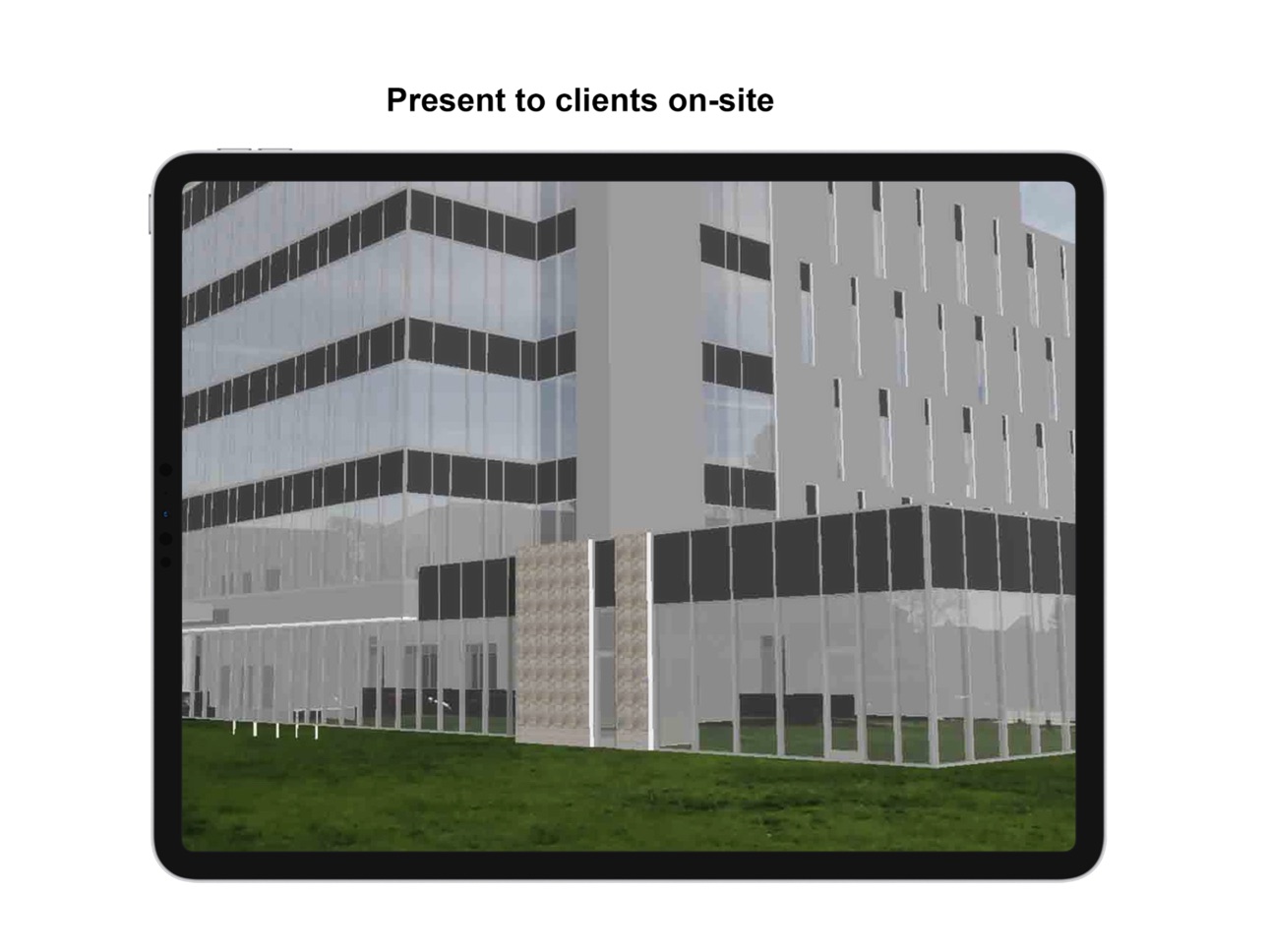
Need to visualize your work on-site? Geopogo also includes augmented reality tools for viewing your generated models in the real world.
Features:
- Capture buildings with your iPhone
- AI-powered Image-to-3D generation
- Generate optimized architectural 3D models
- Export for CAD, Unreal Engine, Unity, Blender, and more
- View your models in Augmented Reality
- Sync projects across your Geopogo account
Perfect For
- Architecture & AEC
- CAD & BIM
- Game Development
- Unreal Engine
- Unity
- Blender
- Digital Twins
- Urban Planning
Accessibility
ipadiphonemacrealityDevicetvoswatch
Version history 25 versions
Build 887972777v1.4.22026-07-08 17:32:49
Implemented security measures - email verification
Build 887925498v1.4.12026-07-07 17:15:51
Refined UI as well as users are now able to publish their 3D generated buildings into their respective accounts and view them in their Geopogo website accounts.
Build 887709735v1.4.02026-07-02 14:33:37
Fixed bugs for the credit system
Build 887664693v1.3.92026-07-01 16:27:58
New Image-to-3D generation! Turn photos of real-world buildings into optimized 3D models for CAD, Unreal Engine, Unity, Blender, and other 3D workflows.
Build 887461868v1.3.82026-06-26 14:29:09
All new improved user interface for a more seamless experience for our users and existing users by logging in to their existing Geopogo accounts and new users can sign up for a new one and try out the app.
Build 887108035v1.3.72026-06-24 19:52:56
Updated UI with increased interaction features, with greater controls in camera mode and video mode, making it more intuitive for users to use the augmented reality mode of the application. There is an added feature - Building Generation where users would be able to take/ upload pictures of buildings in real-life and generate 3D models of them.
Build 886802964v1.3.52026-06-11 15:32:03
Enhanced user controls, updated UI, and removal of the need for users to sign in or create accounts.
Build 877458685v1.3.42025-08-22 07:57:51
Updated user interface
Build 872947052v1.3.32025-08-20 02:04:56
Updated user interface
Build 866897612v1.3.22024-06-22 18:16:06
New models and improved shadow.
Build 864150888v1.3.12024-03-02 02:08:45
Bug fix and UI updates.
Build 864089940v1.3.02024-02-28 21:26:07
Improvements to the apps ability to place models on the ground.
Build 858909278v1.2.102024-02-04 23:15:53
UI update.
Build 854082304v1.2.82023-05-09 15:21:33
Fix to account creation and user log in.
Build 845075637v1.2.22022-12-25 13:35:57
We have made several updates for a better experience:
- New design: We’ve redesigned the app and added a new homepage to make it visually appealing and more user-friendly.
- Improved performance: We’ve fixed some issues and made some internal changes to make the app run more smoothly.
Thank you for using our app and we hope you enjoy the new updates!
Build 841854102v1.2.12021-04-28 12:11:13
Turned off shadows for devices with older processors.
(You can turn them back on, if you wish.)
Build 841093518v1.2.02021-04-10 16:58:01
Select models by image
Build 840498833v1.1.102021-02-16 15:54:52
New model: Unisource office layout.
Lighting button now hidden for snapshots and videos.
Build 840381654v1.1.92021-02-11 20:09:58
Can disable point lighting for slower devices.
Build 839442620v1.1.82020-12-02 00:50:03
Better shadows and cleaner UI
Build 839149797v1.1.72020-11-15 00:12:34
Buttons allow you to position the model precisely.
New "Sea Ranch" model included.
Build 834996517v1.1.62020-03-06 02:30:57
You can now download additional sample models!
Build 834923174v1.1.52020-03-01 01:09:38
Buttons are hidden for snapshots and recordings.
Build 834916603v1.1.42020-02-29 11:26:43
Added Tiny Home Shelter to built-in models
Build 834820886v1.1.32020-02-27 10:13:39
Enhanced lighting and shadows.
No pricing data captured yet — comparisons appear once the app has paid storefronts or in-app purchases.
Availability 1 of 1 storefronts
| Region | Language | Price | Ratings | Avg | Version |
|---|---|---|---|---|---|
| US | en-US | Free | 8 | 4.6 | 1.4.2 |
Change log 29 changes · US
✎
releaseNotes updated
Implemented security measures - email verification
✎
description updated
Turn photos of real-world buildings into optimized 3D models in minutes.
Geopogo uses AI to transform real-world buildings into production-ready 3D models for a
✎
subtitle updated
Photo to 3D Building Models
✎
name updated
Geopogo
◆
Version 1.4.2 released
Implemented security measures - email verification
◆
Version 1.4.1 released
Refined UI as well as users are now able to publish their 3D generated buildings into their respective accounts and view them in their Geopogo website accounts.
◆
Version 1.4.0 released
Fixed bugs for the credit system
◆
Version 1.3.9 released
New Image-to-3D generation! Turn photos of real-world buildings into optimized 3D models for CAD, Unreal Engine, Unity, Blender, and other 3D workflows.
◆
Version 1.3.8 released
All new improved user interface for a more seamless experience for our users and existing users by logging in to their existing Geopogo accounts and new users can sign up for a new one and try out the app.
◆
Version 1.3.7 released
Updated UI with increased interaction features, with greater controls in camera mode and video mode, making it more intuitive for users to use the augmented reality mode of the application. There is an added feature - Building Generation wh
◆
Version 1.3.5 released
Enhanced user controls, updated UI, and removal of the need for users to sign in or create accounts.
◆
Version 1.3.4 released
Updated user interface
◆
Version 1.3.3 released
Updated user interface
◆
Version 1.3.2 released
New models and improved shadow.
◆
Version 1.3.1 released
Bug fix and UI updates.
◆
Version 1.3.0 released
Improvements to the apps ability to place models on the ground.
◆
Version 1.2.10 released
UI update.
◆
Version 1.2.8 released
Fix to account creation and user log in.
◆
Version 1.2.2 released
We have made several updates for a better experience:
- New design: We’ve redesigned the app and added a new homepage to make it visually appealing and more user-friendly.
- Improved performance: We’ve fixed some issues and made some intern
◆
Version 1.2.1 released
Turned off shadows for devices with older processors.
(You can turn them back on, if you wish.)
◆
Version 1.2.0 released
Select models by image
◆
Version 1.1.10 released
New model: Unisource office layout.
Lighting button now hidden for snapshots and videos.
◆
Version 1.1.9 released
Can disable point lighting for slower devices.
◆
Version 1.1.8 released
Better shadows and cleaner UI
◆
Version 1.1.7 released
Buttons allow you to position the model precisely.
New "Sea Ranch" model included.
◆
Version 1.1.6 released
You can now download additional sample models!
◆
Version 1.1.5 released
Buttons are hidden for snapshots and recordings.
◆
Version 1.1.4 released
Added Tiny Home Shelter to built-in models
◆
Version 1.1.3 released
Enhanced lighting and shadows.