Home › Photo & Video

 US
US
 CNzh-Hans-CNUSen-US
 JPja
JPja TWzh-Hant-TW
 THen-GB
 PHen-GB
 MYen-GB
 HKzh-Hant-HK
 ITit
ITit DEde-DE
 ESes-ES
 GBen-GB
 IDen-GB
 CAen-CA
 INen-GB
 TRen-GB
 FRfr-FR
 AUen-AU
 VNen-GB
 KRko
KRko RUru
RUru SGen-GB
 PLen-GB
 CHde-CH
 NLnl
NLnl AEen-GB
 ATde-DE
 CZen-GB
 ROen-GB
 ILen-GB
 SAen-GB
 PTpt-PT
 UAen-GB
 SEsv
SEsv BEen-GB
 GRen-GB
 NZen-AU
 KZen-GB
 HUen-GB
 MOzh-Hant-HK
 NOen-GB
 KHen-GB
 SKen-GB
 DKen-GB
 QAen-GB
 BGen-GB
 ZAen-GB
 FIen-GB
 LKen-GB
 IEen-GB
 EGen-GB
 HRen-GB
 NPen-GB
 KWen-GB
 SIen-GB
 LVen-GB
 BYen-GB
 PKen-GB
 OMen-GB
 BNen-GB
 LTen-GB
 CYen-GB
 UZen-GB
 GEen-GB
 RSen-GB
 BHen-GB
 EEen-GB
 AZen-GB
 MKen-GB
 JOen-GB
 LUen-GB
 MTen-GB
 ALen-GB
 KGen-GB
 MNen-GB
 TNen-GB
 AMen-GB
 LBen-GB
 LAen-GB
 XKen-GB
 MDen-GB
 IQen-GB
 ISen-GB
 GHen-GB
 MVen-GB
 TZen-GB
 MEen-GB
 MMen-GB
 TJen-GB
 BAen-GB
 BMen-GB
 BTen-GB
 FJen-GB
 SCen-GB
 PGen-GB
 AFen-GB
 AGen-GB
 DMen-GB
 FMen-GB
 MRen-GB
 NRen-GB
 PWen-GB
 SBen-GB
 TMen-GB
 TOen-GB
 VUen-GB
 YEen-GB
107 of 107 storefronts
Content in en-US
Content in en-US
Information
Icon history 2 versions
Current←
 Previous
Preview 3 platforms
iPhone 8 images


iPad 8 images


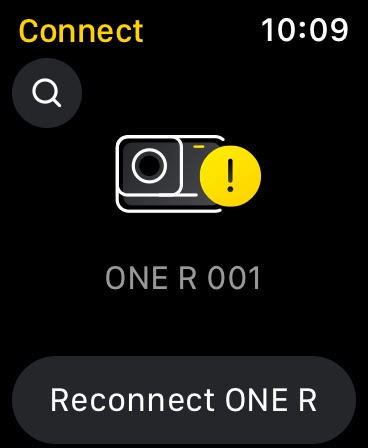
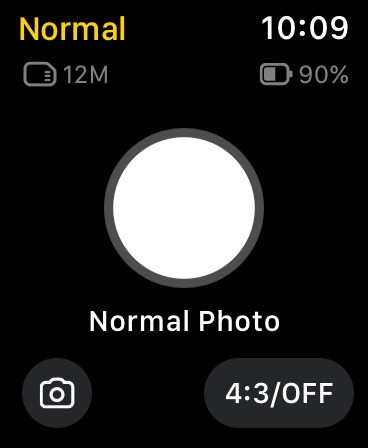
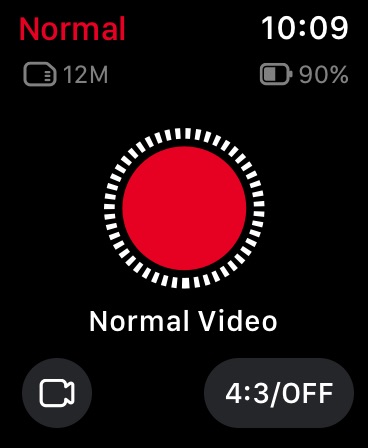
Apple Watch 5 images


What’s New Version 2.28.2
1. Added AI Layout for 360 photos, with smart framing suggestions to help you find the best composition.
2. 360 photos now support one-tap Animate effects to add movement within the image.
3. Select iPhone models now support Live Photo, making it easier to create dynamic, cinematic shots.
Note: These features are currently not available under certain shooting modes and scenarios.
Stay tuned for future updates!
For further support, head to Me > Help and Feedback > Insta360 Technical Support.
Description
Insta360 cameras and handheld gimbals give creators, athletes and adventurers tools to create like they’ve never created. Whether you’re upping your shooting game with an Insta360 cameras, the Insta360 app is a creative powerhouse in your pocket that acts as your camera’s sidekick. Let AI do the work with auto editing tools and templates, or dial in on your edit with a host of manual controls. Editing on your phone has never been easier.
New Album Page Layout
Thumbnails now automatically uses the best angle to easily identify and manage files.
AI Edit
AI can handle the entire reframing process! Sit back and let your action highlights make themselves, now faster with improved subject detection for even easier editing.
Shot Lab
Shot Lab is home to tons of AI-powered editing templates that help you create viral clips in just a few taps. Discover over 25 templates, including Nose Mode, Sky Swap, AI Warp and Clone Trail!
Reframing
The creative possibilities are endless with easy 360 reframing tools in the Insta360 app. Tap to add a keyframe and change the perspective of your footage.
Deep Track
Whether a person, animal, or a moving object, keep the subject centered in your shot with a single tap!
Hyperlapses
Speed up your videos to create a stabilized hyperlapse in just a few taps. Adjust the speed of your clip on a whim—you have full control over time and perspective.
Download-Free Editing
Edit and share your clips to social media without downloading them to your phone first! Save your phone’s storage space and edit clips while you’re on the go.
Please feel free to reach out to us at any time!
Official website: www.insta360.com (you can also download the Studio desktop software and the latest firmware updates)
Official customer service email: service@insta360.com
Plus, discover the best content from creators around the world in the Insta360 app! Find new video ideas, learn from tutorials, share content, interact with your favorite creators, and more. Download now and start exploring!
Here are the Insta360+Privacy Policy and Insta360+ User Service Agreement
Insta360+Privacy Policy: https://www.insta360.com/support/supportcourse?post_id=20767&utm_source=app_oner
Insta360+ User Service Agreement: https://www.insta360.com/support/supportcourse?post_id=20768&utm_source=app_oner
If you would like to share feedback about our app, please search for the "Insta360 Official" account in the app private message system, and send us a private message after following.
In-App Purchases US pricing
Insta360+ Subscription
Insta360 Premium 2TB Monthly · Monthly$11.99
Insta360 Premium 1TB Monthly · Monthly$8.99
Insta360 Premium 200GB Monthly · Monthly$2.99
Insta360 Essential 200GB Annual · Yearly 6-month free trial$19.99
Insta360 Premium 200GB Annual · Yearly 6-month free trial$29.99
Insta360 Premium 1TB Annual · Yearly 1-year free trial$89.99
Capabilities
In-App Purchases
Accessibility
ipadiphonemacrealityDevicetvoswatch
Version history 26 versions
Build 887960958v2.28.22026-07-08 11:27:54
1. Added AI Layout for 360 photos, with smart framing suggestions to help you find the best composition.
2. 360 photos now support one-tap Animate effects to add movement within the image.
3. Select iPhone models now support Live Photo, making it easier to create dynamic, cinematic shots.
Note: These features are currently not available under certain shooting modes and scenarios.
Stay tuned for future updates!
For further support, head to Me > Help and Feedback > Insta360 Technical Support.
Build 887815946v2.28.12026-07-06 03:39:34
1. Added AI Layout for 360 photos, with smart framing suggestions to help you find the best composition.
2. 360 photos now support one-tap Animate effects to add movement within the image.
3. Select iPhone models now support Live Photo, making it easier to create dynamic, cinematic shots.
Note: These features are currently not available under certain shooting modes and scenarios.
Stay tuned for future updates!
- For further support, head to Me > Help and Feedback > Insta360 Technical Support.
Build 887525597v2.28.02026-06-29 12:15:03
1.Added Holo Dash - Sci-Fi and Holo Dash - Levitate to the Stats Dashboard, two new styles with a bold, futuristic look.
Note: Only available for Insta360 X5, X4 Air, X4, and X3.
2.Added recommended templates to the export results page, making it easier to turn your footage into polished, cinematic edits.
-For further support, head to Me > Help and Feedback > Insta360 Technical Support.
Build 887450541v2.27.12026-06-26 12:59:14
Routine bug fixes and performance improvements.
For further support, head to Me > Help and Feedback > Insta360 Technical Support.
Build 887190601v2.27.02026-06-23 07:28:19
Routine bug fixes and performance improvements.
For further support, head to Me > Help and Feedback > Insta360 Technical Support.
Build 886887989v2.26.42026-06-14 06:27:50
1.The Insta360 app now supports the Insta360 Luna Series. Added new border and watermark options, including one-tap templates that let you share your shooting settings.
2.Insta360 GO Ultra × Hello Kitty Limited Edition is now available! The app now supports exclusive custom Hello Kitty watermarks and connection animation.
- For further support, head to Me > Help and Feedback > Insta360 Technical Support.
Build 886742683v2.26.32026-06-10 10:32:41
1.The Insta360 app now supports the Insta360 Luna Series. Added new border and watermark options, including one-tap templates that let you share your shooting settings.
2.Insta360 GO Ultra × Hello Kitty Limited Edition is now available! The app now supports exclusive custom Hello Kitty watermarks and connection animation.
For further support, head to Me > Help and Feedback > Insta360 Technical Support.
Build 886684673v2.26.22026-06-09 10:11:00
1.Stats Dashboard now supports the Dynamic ND Filter effect for smoother, more dynamic results.
2.Insta360 GO Ultra × Hello Kitty Limited Edition is now available! The app now supports exclusive custom Hello Kitty watermarks and connection animation.
For further support, head to Me > Help and Feedback > Insta360 Technical Support.
Build 886594048v2.26.12026-06-06 12:44:46
1.Stats Dashboard now supports the Dynamic ND Filter effect for smoother, more dynamic results.
2.Insta360 GO Ultra × Hello Kitty Limited Edition is now available! The app now supports exclusive custom Hello Kitty watermarks and connection animation.
For further support, head to Me > Help and Feedback > Insta360 Technical Support.
Build 886288649v2.26.02026-06-03 11:11:44
1.Stats Dashboard now supports the Dynamic ND Filter effect for smoother, more dynamic results.
2.Insta360 GO Ultra × Hello Kitty Limited Edition is now available! The app now supports exclusive custom Hello Kitty watermarks and connection animation.
For further support, head to Me > Help and Feedback > Insta360 Technical Support.
Build 886108145v2.25.22026-05-26 08:54:35
1. Added Holo Dash as a style in the Stats Dashboard, featuring a cool, futuristic look.
2. Added a Light Leak Overlay option for photo printing, with a range of retro-style effects.
For further support, head to Me > Help and Feedback > Insta360 Technical Support.
Build 885915696v2.25.12026-05-21 11:34:59
1.Added a Light Leak Overlay option for photo printing, with a range of retro-style effects.
2.Optimized Face Filter options deliver smoother skin, more natural-looking faces, and more accurate skin tones.
- For further support, head to Me > Help and Feedback > Insta360 Technical Support.
Build 885721393v2.25.02026-05-18 08:27:25
1.Added a Light Leak Overlay option for photo printing, with a range of retro-style effects.
2.Optimized Face Filter options deliver smoother skin, more natural-looking faces, and more accurate skin tones.
- For further support, head to Me > Help and Feedback > Insta360 Technical Support.
Build 885579316v2.24.12026-05-13 06:51:23
1.Added new Movement templates for 360 footage. Try new Tiny Planet options and other creative effects for easy one-tap edits.
2.GO 3S Retro Bundle (Special Edition) now supports vintage film filters. These are also available for previously purchased GO 3S units when used with the GO 3S Retro Viewfinder.
3.Added support to apply Stats overlays to multiple clips with a single tap.
4.Added 3-Clip Collage templates in FlashCut with three stacked layers in one clip, creating a unique editing effect.
For further support, head to Me > Help and Feedback > Insta360 Technical Support.
Build 885395292v2.24.02026-05-08 14:51:04
1.Added new Movement templates for 360 footage. Try new Tiny Planet options and other creative effects for easy one-tap edits.
2.GO 3S Retro Bundle (Special Edition) now supports vintage film filters. These are also available for previously purchased GO 3S units when used with the GO 3S Retro Viewfinder.
3.Added support to apply Stats overlays to multiple clips with a single tap.
4.Added 3-Clip Collage templates in FlashCut with three stacked layers in one clip, creating a unique editing effect.
For further support, head to Me > Help and Feedback > Insta360 Technical Support.
Build 885111985v2.23.42026-05-01 07:23:13
1.Routine bug fixes and performance improvements.
For further support, head to Me > Help and Feedback > Insta360 Technical Support.
Build 884988191v2.23.32026-04-29 06:24:03
1.Routine bug fixes and performance improvements.
For further support, head to Me > Help and Feedback > Insta360 Technical Support.
Build 884891393v2.23.22026-04-25 13:56:53
1.Added templates in the Auto Edit tool with three stacked layers of videos in one clip, creating a unique editing effect.
Note: Currently not available on vivo devices.
For further support, head to Me > Help and Feedback > Insta360 Technical Support.
Build 884640453v2.23.12026-04-20 13:56:52
1.Routine bug fixes and performance improvements.
For further support, head to Me > Help and Feedback > Insta360 Technical Support.
Build 884494979v2.22.22026-04-15 02:44:35
1.Updated filters now deliver richer colors and a noticeable boost in image quality.
2.Added Multiview templates for 360 footage in Auto Edit, with simultaneous dual perspectives for a more immersive result.
3.Added the ability to pan, zoom, and rotate flat footage during editing.
For further support, head to Me > Help and Feedback > Insta360 Technical Support.
Build 884377047v2.22.12026-04-13 07:00:09
1.Updated filters now deliver richer colors and a noticeable boost in image quality.
2.Added Multiview templates for 360 footage in Auto Edit, with simultaneous dual perspectives for a more immersive result.
3.Added the ability to pan, zoom, and rotate flat footage during editing.
- For further support, head to Me > Help and Feedback > Insta360 Technical Support.
Build 884105991v2.22.02026-04-08 06:28:29
1.Updated filters now deliver richer colors and a noticeable boost in image quality.
2.Added Multiview templates for 360 footage in Auto Edit, with simultaneous dual perspectives for a more immersive result.
3.Added the ability to pan, zoom, and rotate flat footage during editing.
For further support, head to Me > Help and Feedback > Insta360 Technical Support.
Build 884015660v2.21.22026-04-02 09:28:48
1.Updated AI Templates, including 360 Freeze Shot. Clip selection has also been improved for a smoother editing experience.
2.The Insta360 Ace Pro 2 Pocket Printer now supports batch printing, with real-time progress shown in the Task Center.
For further support, head to Me > Help and Feedback > Insta360 Technical Support.
Build 883964338v2.21.12026-03-31 12:40:39
1.Updated AI Templates, including 360 Freeze Shot. Clip selection has also been improved for a smoother editing experience.
2.The Insta360 Ace Pro 2 Pocket Printer now supports batch printing, with real-time progress shown in the Task Center.
For further support, head to Me > Help and Feedback > Insta360 Technical Support.
Build 883284823v2.21.02026-03-25 14:00:39
1.Updated AI Templates, including 360 Freeze Shot. Clip selection has also been improved for a smoother editing experience.
2.The Insta360 Ace Pro 2 Pocket Printer now supports batch printing, with real-time progress shown in the Task Center.
For further support, head to Me > Help and Feedback > Insta360 Technical Support.
Build 883103224v2.20.02026-03-10 04:07:14
1.Routine bug fixes and performance improvements.
For further support, head to Me > Help and Feedback > Insta360 Technical Support.
Price history by region
Currency
Show
Columns
Search
App performance US
Availability 107 of 107 storefronts
| Region | Language | Price | Ratings | Avg | Version |
|---|---|---|---|---|---|
| CN | zh-Hans-CN | Free | 24.6k | 4.8 | 2.28.2 |
| US | en-US | Free | 9.2k | 4.5 | 2.28.2 |
| JP | ja | Free | 5.4k | 4.5 | 2.28.2 |
| TW | zh-Hant-TW | Free | 3.7k | 4.7 | 2.28.2 |
| TH | en-GB | Free | 3.2k | 4.9 | 2.28.2 |
| PH | en-GB | Free | 2.5k | 4.8 | 2.28.2 |
| MY | en-GB | Free | 2.4k | 4.8 | 2.28.2 |
| HK | zh-Hant-HK | Free | 2.0k | 4.6 | 2.28.2 |
| IT | it | Free | 1.8k | 4.5 | 2.28.2 |
| DE | de-DE | Free | 1.7k | 3.9 | 2.28.2 |
| ES | es-ES | Free | 1.6k | 4.5 | 2.28.2 |
| GB | en-GB | Free | 1.5k | 4.2 | 2.28.2 |
| ID | en-GB | Free | 1.4k | 4.6 | 2.28.2 |
| CA | en-CA | Free | 1.3k | 4.4 | 2.28.2 |
| IN | en-GB | Free | 1.2k | 4.6 | 2.28.2 |
| TR | en-GB | Free | 1.2k | 4.3 | 2.28.2 |
| FR | fr-FR | Free | 1.1k | 4.3 | 2.28.2 |
| AU | en-AU | Free | 995 | 4.5 | 2.28.2 |
| VN | en-GB | Free | 912 | 4.8 | 2.28.2 |
| KR | ko | Free | 781 | 4.6 | 2.28.2 |
| RU | ru | Free | 716 | 4.0 | 2.28.2 |
| SG | en-GB | Free | 576 | 4.7 | 2.28.2 |
| PL | en-GB | Free | 443 | 4.4 | 2.28.2 |
| CH | de-CH | Free | 405 | 4.2 | 2.28.2 |
| NL | nl | Free | 347 | 4.0 | 2.28.2 |
| AE | en-GB | Free | 332 | 4.5 | 2.28.2 |
| AT | de-DE | Free | 269 | 4.1 | 2.28.2 |
| CZ | en-GB | Free | 264 | 4.6 | 2.28.2 |
| RO | en-GB | Free | 250 | 4.7 | 2.28.2 |
| IL | en-GB | Free | 218 | 4.5 | 2.28.2 |
| SA | en-GB | Free | 209 | 4.7 | 2.28.2 |
| PT | pt-PT | Free | 198 | 4.5 | 2.28.2 |
| UA | en-GB | Free | 171 | 3.9 | 2.28.2 |
| SE | sv | Free | 164 | 4.1 | 2.28.2 |
| BE | en-GB | Free | 159 | 4.5 | 2.28.2 |
| GR | en-GB | Free | 158 | 4.6 | 2.28.2 |
| NZ | en-AU | Free | 154 | 4.6 | 2.28.2 |
| KZ | en-GB | Free | 145 | 4.6 | 2.28.2 |
| HU | en-GB | Free | 139 | 4.6 | 2.28.2 |
| MO | zh-Hant-HK | Free | 137 | 4.8 | 2.28.2 |
| NO | en-GB | Free | 131 | 4.1 | 2.28.2 |
| KH | en-GB | Free | 121 | 4.8 | 2.28.2 |
| SK | en-GB | Free | 115 | 4.7 | 2.28.2 |
| DK | en-GB | Free | 104 | 4.1 | 2.28.2 |
| QA | en-GB | Free | 104 | 4.8 | 2.28.2 |
| BG | en-GB | Free | 100 | 4.8 | 2.28.2 |
| ZA | en-GB | Free | 96 | 4.3 | 2.28.2 |
| FI | en-GB | Free | 91 | 4.3 | 2.28.2 |
| LK | en-GB | Free | 89 | 4.9 | 2.28.2 |
| IE | en-GB | Free | 82 | 4.3 | 2.28.2 |
| EG | en-GB | Free | 80 | 4.9 | 2.28.2 |
| HR | en-GB | Free | 76 | 4.8 | 2.28.2 |
| NP | en-GB | Free | 65 | 4.6 | 2.28.2 |
| KW | en-GB | Free | 58 | 4.8 | 2.28.2 |
| SI | en-GB | Free | 47 | 4.4 | 2.28.2 |
| LV | en-GB | Free | 45 | 4.5 | 2.28.2 |
| BY | en-GB | Free | 44 | 4.6 | 2.28.2 |
| PK | en-GB | Free | 42 | 4.2 | 2.28.2 |
| OM | en-GB | Free | 40 | 4.5 | 2.28.2 |
| BN | en-GB | Free | 39 | 4.6 | 2.28.2 |
| LT | en-GB | Free | 37 | 4.5 | 2.28.2 |
| CY | en-GB | Free | 35 | 4.6 | 2.28.2 |
| UZ | en-GB | Free | 35 | 4.7 | 2.28.2 |
| GE | en-GB | Free | 33 | 4.3 | 2.28.2 |
| RS | en-GB | Free | 29 | 4.8 | 2.28.2 |
| BH | en-GB | Free | 27 | 4.9 | 2.28.2 |
| EE | en-GB | Free | 27 | 4.5 | 2.28.2 |
| AZ | en-GB | Free | 25 | 4.5 | 2.28.2 |
| MK | en-GB | Free | 24 | 4.9 | 2.28.2 |
| JO | en-GB | Free | 23 | 4.6 | 2.28.2 |
| LU | en-GB | Free | 23 | 4.7 | 2.28.2 |
| MT | en-GB | Free | 23 | 4.8 | 2.28.2 |
| AL | en-GB | Free | 22 | 4.8 | 2.28.2 |
| KG | en-GB | Free | 20 | 4.6 | 2.28.2 |
| MN | en-GB | Free | 19 | 4.8 | 2.28.2 |
| TN | en-GB | Free | 18 | 4.8 | 2.28.1 |
| AM | en-GB | Free | 15 | 3.9 | 2.28.2 |
| LB | en-GB | Free | 15 | 4.9 | 2.28.2 |
| LA | en-GB | Free | 14 | 4.3 | 2.28.2 |
| XK | en-GB | Free | 14 | 4.9 | 2.28.2 |
| MD | en-GB | Free | 12 | 4.9 | 2.28.2 |
| IQ | en-GB | Free | 11 | 4.6 | 2.28.2 |
| IS | en-GB | Free | 10 | 4.5 | 2.28.2 |
| GH | en-GB | Free | 9 | 4.6 | 2.28.1 |
| MV | en-GB | Free | 9 | 5.0 | 2.28.2 |
| TZ | en-GB | Free | 7 | 5.0 | 2.28.1 |
| ME | en-GB | Free | 6 | 5.0 | 2.28.2 |
| MM | en-GB | Free | 5 | 5.0 | 2.28.2 |
| TJ | en-GB | Free | 5 | 4.8 | 2.28.2 |
| BA | en-GB | Free | 4 | 5.0 | 2.28.2 |
| BM | en-GB | Free | 4 | 5.0 | 2.28.2 |
| BT | en-GB | Free | 3 | 4.7 | 2.28.2 |
| FJ | en-GB | Free | 2 | 5.0 | 2.28.2 |
| SC | en-GB | Free | 2 | 4.0 | 2.28.1 |
| PG | en-GB | Free | 1 | 5.0 | 2.28.2 |
| AF | en-GB | Free | 0 | — | 2.28.2 |
| AG | en-GB | Free | 0 | — | 2.28.1 |
| DM | en-GB | Free | 0 | — | 2.28.1 |
| FM | en-GB | Free | 0 | — | 2.28.2 |
| MR | en-GB | Free | 0 | — | 2.28.2 |
| NR | en-GB | Free | 0 | — | 2.28.2 |
| PW | en-GB | Free | 0 | — | 2.28.2 |
| SB | en-GB | Free | 0 | — | 2.28.2 |
| TM | en-GB | Free | 0 | — | 2.28.2 |
| TO | en-GB | Free | 0 | — | 2.28.2 |
| VU | en-GB | Free | 0 | — | 2.28.2 |
| YE | en-GB | Free | 0 | — | 2.28.2 |
Change log 44 changes · US
◆
Version changed
2.28.1 → 2.28.2
◆
Version changed
2.28.1 → 2.28.2
◆
Version changed
2.28.1 → 2.28.2
◆
Version changed
2.28.1 → 2.28.2
◆
Version changed
2.28.1 → 2.28.2
◆
Version changed
2.28.1 → 2.28.2
◆
Version changed
2.28.1 → 2.28.2
◆
Version changed
2.28.1 → 2.28.2
◆
Version changed
2.28.1 → 2.28.2
◆
Version changed
2.28.1 → 2.28.2
◆
Version changed
2.28.1 → 2.28.2
✎
releaseNotes updated
1. Added AI Layout for 360 photos, with smart framing suggestions to help you find the best composition.
2. 360 photos now support one-tap Animate effects to a
▣
App icon changed
◆
Version changed
2.28.1 → 2.28.2
◆
Version 2.28.2 released
1. Added AI Layout for 360 photos, with smart framing suggestions to help you find the best composition.
2. 360 photos now support one-tap Animate effects to add movement within the image.
3. Select iPhone models now support Live Photo, ma
✎
releaseNotes updated
1. Added AI Layout for 360 photos, with smart framing suggestions to help you find the best composition.
2. 360 photos now support one-tap Animate effects to a
✎
description updated
Insta360 cameras and handheld gimbals give creators, athletes and adventurers tools to create like they’ve never created. Whether you’re upping your shooting ga
✎
subtitle updated
View and edit Insta360 footage
✎
name updated
Insta360
◆
Version 2.28.1 released
1. Added AI Layout for 360 photos, with smart framing suggestions to help you find the best composition.
2. 360 photos now support one-tap Animate effects to add movement within the image.
3. Select iPhone models now support Live Photo, ma
◆
Version 2.28.0 released
1.Added Holo Dash - Sci-Fi and Holo Dash - Levitate to the Stats Dashboard, two new styles with a bold, futuristic look.
Note: Only available for Insta360 X5, X4 Air, X4, and X3.
2.Added recommended templates to the export results page, mak
◆
Version 2.27.1 released
Routine bug fixes and performance improvements.
For further support, head to Me > Help and Feedback > Insta360 Technical Support.
◆
Version 2.27.0 released
Routine bug fixes and performance improvements.
For further support, head to Me > Help and Feedback > Insta360 Technical Support.
◆
Version 2.26.4 released
1.The Insta360 app now supports the Insta360 Luna Series. Added new border and watermark options, including one-tap templates that let you share your shooting settings.
2.Insta360 GO Ultra × Hello Kitty Limited Edition is now available! The
◆
Version 2.26.3 released
1.The Insta360 app now supports the Insta360 Luna Series. Added new border and watermark options, including one-tap templates that let you share your shooting settings.
2.Insta360 GO Ultra × Hello Kitty Limited Edition is now available! The
◆
Version 2.26.2 released
1.Stats Dashboard now supports the Dynamic ND Filter effect for smoother, more dynamic results.
2.Insta360 GO Ultra × Hello Kitty Limited Edition is now available! The app now supports exclusive custom Hello Kitty watermarks and connection
◆
Version 2.26.1 released
1.Stats Dashboard now supports the Dynamic ND Filter effect for smoother, more dynamic results.
2.Insta360 GO Ultra × Hello Kitty Limited Edition is now available! The app now supports exclusive custom Hello Kitty watermarks and connection
◆
Version 2.26.0 released
1.Stats Dashboard now supports the Dynamic ND Filter effect for smoother, more dynamic results.
2.Insta360 GO Ultra × Hello Kitty Limited Edition is now available! The app now supports exclusive custom Hello Kitty watermarks and connection
◆
Version 2.25.2 released
1. Added Holo Dash as a style in the Stats Dashboard, featuring a cool, futuristic look.
2. Added a Light Leak Overlay option for photo printing, with a range of retro-style effects.
For further support, head to Me > Help and Feedback > Ins
◆
Version 2.25.1 released
1.Added a Light Leak Overlay option for photo printing, with a range of retro-style effects.
2.Optimized Face Filter options deliver smoother skin, more natural-looking faces, and more accurate skin tones.
- For further support, head to Me
◆
Version 2.25.0 released
1.Added a Light Leak Overlay option for photo printing, with a range of retro-style effects.
2.Optimized Face Filter options deliver smoother skin, more natural-looking faces, and more accurate skin tones.
- For further support, head to Me
◆
Version 2.24.1 released
1.Added new Movement templates for 360 footage. Try new Tiny Planet options and other creative effects for easy one-tap edits.
2.GO 3S Retro Bundle (Special Edition) now supports vintage film filters. These are also available for previously
◆
Version 2.24.0 released
1.Added new Movement templates for 360 footage. Try new Tiny Planet options and other creative effects for easy one-tap edits.
2.GO 3S Retro Bundle (Special Edition) now supports vintage film filters. These are also available for previously
◆
Version 2.23.4 released
1.Routine bug fixes and performance improvements.
For further support, head to Me > Help and Feedback > Insta360 Technical Support.
◆
Version 2.23.3 released
1.Routine bug fixes and performance improvements.
For further support, head to Me > Help and Feedback > Insta360 Technical Support.
◆
Version 2.23.2 released
1.Added templates in the Auto Edit tool with three stacked layers of videos in one clip, creating a unique editing effect.
Note: Currently not available on vivo devices.
For further support, head to Me > Help and Feedback > Insta360 Tech
◆
Version 2.23.1 released
1.Routine bug fixes and performance improvements.
For further support, head to Me > Help and Feedback > Insta360 Technical Support.
◆
Version 2.22.2 released
1.Updated filters now deliver richer colors and a noticeable boost in image quality.
2.Added Multiview templates for 360 footage in Auto Edit, with simultaneous dual perspectives for a more immersive result.
3.Added the ability to pan, zoom
◆
Version 2.22.1 released
1.Updated filters now deliver richer colors and a noticeable boost in image quality.
2.Added Multiview templates for 360 footage in Auto Edit, with simultaneous dual perspectives for a more immersive result.
3.Added the ability to pan, zoom
◆
Version 2.22.0 released
1.Updated filters now deliver richer colors and a noticeable boost in image quality.
2.Added Multiview templates for 360 footage in Auto Edit, with simultaneous dual perspectives for a more immersive result.
3.Added the ability to pan, zoom
◆
Version 2.21.2 released
1.Updated AI Templates, including 360 Freeze Shot. Clip selection has also been improved for a smoother editing experience.
2.The Insta360 Ace Pro 2 Pocket Printer now supports batch printing, with real-time progress shown in the Task Cente
◆
Version 2.21.1 released
1.Updated AI Templates, including 360 Freeze Shot. Clip selection has also been improved for a smoother editing experience.
2.The Insta360 Ace Pro 2 Pocket Printer now supports batch printing, with real-time progress shown in the Task Cente
◆
Version 2.21.0 released
1.Updated AI Templates, including 360 Freeze Shot. Clip selection has also been improved for a smoother editing experience.
2.The Insta360 Ace Pro 2 Pocket Printer now supports batch printing, with real-time progress shown in the Task Cente
◆
Version 2.20.0 released
1.Routine bug fixes and performance improvements.
For further support, head to Me > Help and Feedback > Insta360 Technical Support.