Home › Photo & Video

 US
US
1 of 1 storefronts
Content in en-US
Content in en-US
Information
Preview 2 platforms
iPhone 3 images


iPad 3 images


What’s New Version 10.3.0
Thank you for your many years of trust.
As part of the discontinuation of the MOBOTIX Cloud Services, this final release of the MOBOTIX CLOUD App is being issued and contains general improvements. For further information and next steps, please contact us or your MOBOTIX partner.
Description
The MOBOTIX CLOUD is compatible with all ONVIF-S cameras. For reasons of cyber security and longevity, we recommend using high-end MOBOTIX video systems.
Features of the MOBOTIX CLOUD:
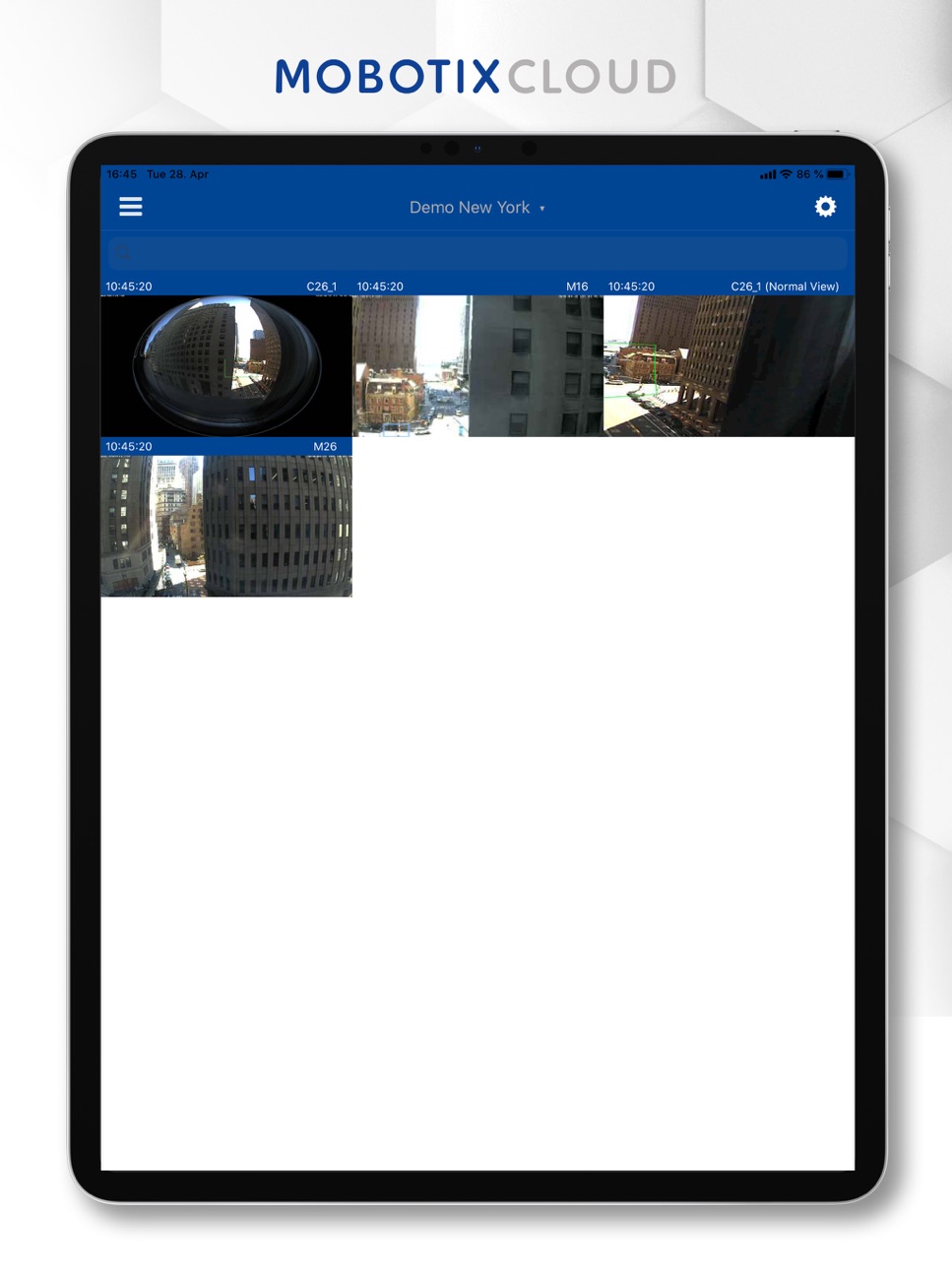
Grid View, camera groups, sharing
The clear tile or grid arrangement and the selection options of several camera groups make access to your video system simple, fast and convenient. In the Grid View, you can access the live image of the camera directly by simply tapping the corresponding tile. Easily share your recordings: Export the videos using a decrypted URL or a secure download.
Interactive Map View
MOBOTIX CLOUD integrates Google Maps on which your cameras are marked. You can see at a glance exactly where each camera is located and whether it is activated. Using a simple drawing tool, you can even add floor plans of your buildings, including several floors, to the Google map. This gives you an even better overview.
Video analysis in the MOBOTIX CLOUD (partly optional available)
• Motion (motion alarm) already automatically pre-configured
• Detecting suspicious behaviour (a person stays in an area for a defined period of time)
• Crossing lines
• Intruder detection
• Counting people and objects
• Detection of attempted camera manipulation (Tamper Detection)
Accessibility
ipadiphonemacrealityDevicetvoswatch
Version history 25 versions
Build 883838388v10.3.02026-03-27 19:07:10
Thank you for your many years of trust.
As part of the discontinuation of the MOBOTIX Cloud Services, this final release of the MOBOTIX CLOUD App is being issued and contains general improvements. For further information and next steps, please contact us or your MOBOTIX partner.
Build 883056490v10.2.92026-03-06 17:33:03
• General improvements and bug fixes
Build 882443227v10.2.82026-02-14 17:17:21
• General Improvements and Bug Fixes
Build 881708301v10.2.72026-01-21 23:05:40
• General Improvements and bug fixes
Build 869559391v9.4.12024-10-08 18:53:05
• Significant performance improvements
• Enhanced dashboard, “Map” and “Filtering” functionality
• Reworked Layouts and Tags
• New “Add Direct to Cloud” functionality
• Enhanced “Add bridge/camera” functionality
• Improved “Video exports and downloads” functionality
• New “Bottom navigation bar and drawer”
• “Archive” feature
• “Custom Sorting” for bridges, cameras, speakers, and users.
• General improvements and bug fixes
Build 861687031v8.4.42023-11-24 09:01:43
• New login screen for OAuth authentication
• Smart Video Search 1.1
• Support Local RTSP viewing
• User Interface adjustments
• Bug fixes and improvements
Build 860636364v8.4.22023-10-13 15:49:16
Thank you for updating the app to the latest version. This update includes:
- Layouts loader while loading cameras
- Layouts 'Add cameras' button hidden on 'All cameras' layout
- Camera status color alignments
Build 860589292v8.4.12023-10-12 17:11:27
Thank you for updating the app to the latest version, this update allows the to review all notifications on a mobile device. See all the notifications received, whether through email or mobile push, on a single screen.
This update includes:
- Bug fixes and improvements
- Web authorization for enhanced security
- New user experience in Video Search
Build 857465891v8.3.42023-09-22 04:33:23
New in the Version
• Smart Video Search: To search for specific people, objects or vehicles in videos using descriptive terms, such as "man with blue shirt", "person with backpack" or "white Toyota car", making it easier to find what you're looking for.
• Time sensitive notifications can be enabled so users can remain alerted of critical situations, even during focus times
• Video notifications that capture motion and analytics
• System health notifications
• Reseller and admin users can now restart a bridge
• Internet offline is now shown in orange similar to the web app
• Bug fixes and performance improvements
Build 852178417v8.1.52023-03-02 06:48:00
• First Responder Activation
• Two way Audio Support
• Search for a Layout and a Tag
• Long press to preview a camera
• General UI improvements
• Performance improvements
Build 849154945v8.0.52022-07-31 19:39:02
• New PTZ operation easier and faster for PTZ and Virtual PTZ
• Playback optimisation
• New timeline zoom with two fingers
• New controls can be displayed by swiping from below
• Export video
• UI improvements
• Optimisation for landscape view
• Bug fixing
Build 846569933v7.9.82022-03-24 19:50:21
General bug fixes and improvements.
Build 843925903v7.9.62021-12-24 17:48:26
• User Interface improvements in the Live, Playback and download view, Add Satellite view
• Highlight the non working cameras in the Map view
• High resolution snapshot supported
• Support Mobile Bridge Configurator for easier and faster configuration instead connect a monitor and keyboard to the bridge for individual settings like Static IP.
• Improvements in the User Management
• General bug fixes and improvements• General bug fixes and improvements
Build 843457073v7.8.62021-08-30 04:53:21
• New function for "Shake for Demo" available. You can now access the MOBOTIX demo account directly without login data and start your first cloud experience. Just shake your mobile phone in the login dialog!
• Bug fixes
Build 842867883v7.8.42021-07-12 08:38:29
• Stability fixes and improvements
• Optimized Dashboard, Camera & Bridge Settings
Build 841694062v7.8.12021-06-02 11:41:47
Now, the Layouts and Tags screens have a new design! The Layouts and Tags screens has become new, modern, maintainable, scalable and future proof!
• Improvements in Layouts & Tags screens.
• Downloaded data amount has decreased significantly.
• Improvements for Device power consumption has decreased significantly.
• Improvements in the UI/UX design
• Improvements in the Layouts screen, now the user can design the layout easily, apply three different sizes to any camera view, drag and drop to change camera order.
• In both Layouts and Tags screens, landscape orientation allows viewing cameras in up to 6 columns. In most zoomed out mode, the user can watch up to 24 cameras at the same time.
• All analytics icons (counting, line crossing, loitering, intrusion, tampering) are now visible on the Layouts and Tags screens (including green bounding boxes).
• Improvements in the User permission controls.
• New Shortcuts added to improve the UX, e.g. add cameras button, new layout button, long press for edit mode, camera more options button.
• Improved reseller account summary
• Fixed: IOS 11 & 12 crahes
• Variuos Bug Fixing
Build 840522121v7.7.32021-03-26 18:07:48
• Added localisation for Swedish and Portuguese-Brazilian languages
• Improved Reseller account summary
• Fixed an issue that prevented the user from creating motion regions
• Other bug fixes fixes and UI improvements
Build 840194422v7.7.12021-01-28 20:52:07
• Made User Interface and general improvements in Dashboard
• Camera Settings: Added subscription information for resolutions
• Bridge Settings: Improved Turning on/off all cameras
• Removed live stream duration limit
• Improved PTZ camera support
• Improved Push notifications handling
Build 839646103v7.7.02020-12-21 22:51:39
Dashboard optimisation:
• Screen now has a new UI design!
• Screen components are rewritten and upgraded for higher performance and scalability.
• Installation Wizard button is removed. Instead, New User Tutorial is added.
• Snapshot from the camera added next to camera name.
• Camera States are displayed.
• For Available Cameras bridge info is displayed.
• Unsupported Cameras request page is improved.
• Bug fixes and improvements.
Build 839264392v7.6.72020-12-03 00:59:46
• Improvements made to Camera and Bridge settings
• Support PIN added to account settings
• Fixed the timezone settings for Video Downloads
• Fixed an issue that caused marks appearing in History browser’s timeline
• Bug fixes and improvements
Build 838313979v7.6.52020-11-09 21:42:13
• Fixed an issue that caused the application to crash when the device’s calendar was set to other than Gregorian
• Improvements made to creating Viewports
Build 838107950v7.6.32020-10-09 07:22:21
- New Bridge Settings
- Bug fixes and improvements
Build 836260270v7.6.22020-06-10 04:25:00
• Added camera sharing in Account Settings
• Minor Bug Fixes
Build 836068938v7.62020-05-26 07:34:32
This version of the app includes the following changes:
• Dewarping function to display the 360° original images of the MOBOTIX Hemispheric cameras (e.g., Q26) in user-friendly equalized formats (Viewports)
• Dewarping available in Live and Playback mode
• Bug fixes and improvements
Build 833968046v7.52020-04-29 15:33:11
No pricing data captured yet — comparisons appear once the app has paid storefronts or in-app purchases.
Availability 1 of 1 storefronts
| Region | Language | Price | Ratings | Avg | Version |
|---|---|---|---|---|---|
| US | en-US | Free | 0 | — | 10.3.0 |
Change log 29 changes · US
✎
releaseNotes updated
Thank you for your many years of trust.
As part of the discontinuation of the MOBOTIX Cloud Services, this final release of the MOBOTIX CLOUD App is being issue
✎
description updated
The MOBOTIX CLOUD is compatible with all ONVIF-S cameras. For reasons of cyber security and longevity, we recommend using high-end MOBOTIX video systems.
Featu
✎
subtitle updated
Simply Secure. Easy for Sure
✎
name updated
MOBOTIX Cloud
◆
Version 10.3.0 released
Thank you for your many years of trust.
As part of the discontinuation of the MOBOTIX Cloud Services, this final release of the MOBOTIX CLOUD App is being issued and contains general improvements. For further information and next steps, ple
◆
Version 10.2.9 released
• General improvements and bug fixes
◆
Version 10.2.8 released
• General Improvements and Bug Fixes
◆
Version 10.2.7 released
• General Improvements and bug fixes
◆
Version 9.4.1 released
• Significant performance improvements
• Enhanced dashboard, “Map” and “Filtering” functionality
• Reworked Layouts and Tags
• New “Add Direct to Cloud” functionality
• Enhanced “Add bridge/camera” functionality
• Improved “Video exports an
◆
Version 8.4.4 released
• New login screen for OAuth authentication
• Smart Video Search 1.1
• Support Local RTSP viewing
• User Interface adjustments
• Bug fixes and improvements
◆
Version 8.4.2 released
Thank you for updating the app to the latest version. This update includes:
- Layouts loader while loading cameras
- Layouts 'Add cameras' button hidden on 'All cameras' layout
- Camera status color alignments
◆
Version 8.4.1 released
Thank you for updating the app to the latest version, this update allows the to review all notifications on a mobile device. See all the notifications received, whether through email or mobile push, on a single screen.
This update includes
◆
Version 8.3.4 released
New in the Version
• Smart Video Search: To search for specific people, objects or vehicles in videos using descriptive terms, such as "man with blue shirt", "person with backpack" or "white Toyota car", making it easier to find what you're
◆
Version 8.1.5 released
• First Responder Activation
• Two way Audio Support
• Search for a Layout and a Tag
• Long press to preview a camera
• General UI improvements
• Performance improvements
◆
Version 8.0.5 released
• New PTZ operation easier and faster for PTZ and Virtual PTZ
• Playback optimisation
• New timeline zoom with two fingers
• New controls can be displayed by swiping from below
• Export video
• UI improvements
• Optimisation f
◆
Version 7.9.8 released
General bug fixes and improvements.
◆
Version 7.9.6 released
• User Interface improvements in the Live, Playback and download view, Add Satellite view
• Highlight the non working cameras in the Map view
• High resolution snapshot supported
• Support Mobile Bridge Configurator for easier and faster c
◆
Version 7.8.6 released
• New function for "Shake for Demo" available. You can now access the MOBOTIX demo account directly without login data and start your first cloud experience. Just shake your mobile phone in the login dialog!
• Bug fixes
◆
Version 7.8.4 released
• Stability fixes and improvements
• Optimized Dashboard, Camera & Bridge Settings
◆
Version 7.8.1 released
Now, the Layouts and Tags screens have a new design! The Layouts and Tags screens has become new, modern, maintainable, scalable and future proof!
• Improvements in Layouts & Tags screens.
• Downloaded data amount has decreased significa
◆
Version 7.7.3 released
• Added localisation for Swedish and Portuguese-Brazilian languages
• Improved Reseller account summary
• Fixed an issue that prevented the user from creating motion regions
• Other bug fixes fixes and UI improvements
◆
Version 7.7.1 released
• Made User Interface and general improvements in Dashboard
• Camera Settings: Added subscription information for resolutions
• Bridge Settings: Improved Turning on/off all cameras
• Removed live stream duration limit
• Improved PTZ ca
◆
Version 7.7.0 released
Dashboard optimisation:
• Screen now has a new UI design!
• Screen components are rewritten and upgraded for higher performance and scalability.
• Installation Wizard button is removed. Instead, New User Tutorial is added.
• Snapshot fro
◆
Version 7.6.7 released
• Improvements made to Camera and Bridge settings
• Support PIN added to account settings
• Fixed the timezone settings for Video Downloads
• Fixed an issue that caused marks appearing in History browser’s timeline
• Bug fixes and improveme
◆
Version 7.6.5 released
• Fixed an issue that caused the application to crash when the device’s calendar was set to other than Gregorian
• Improvements made to creating Viewports
◆
Version 7.6.3 released
- New Bridge Settings
- Bug fixes and improvements
◆
Version 7.6.2 released
• Added camera sharing in Account Settings
• Minor Bug Fixes
◆
Version 7.6 released
This version of the app includes the following changes:
• Dewarping function to display the 360° original images of the MOBOTIX Hemispheric cameras (e.g., Q26) in user-friendly equalized formats (Viewports)
• Dewarping available in Live and
◆
Version 7.5 released