Home › Business

Information
Preview 1 platform
iPhone 10 images



What’s New Version 2.3.9
OCR text extraction from scanned PDF attachments
Description
Wouldn't it be great if CarPlay could read email? Now it can.
Be productive on the road by having your email read to you, with buttons to archive/mark-as-read, trash, or flag.
Just download our app, sign in to your email account, and your emails will be read out loud to you on your CarPlay!
Supports Gmail / Google Workspace, Microsoft 365 / Office 365, Microsoft Exchange, Outlook.com/Hotmail, Yahoo, iCloud, AOL, IMAP, POP. Microsoft Enterprise Mobility + Security customers can sign in via Intune / Microsoft Authenticator.
STANDARD FEATURES
* Easy listening - your inbox as a playlist
Speaking Email CarPlay reads your latest emails out loud from your inbox, one by one.
-> Automatically moves on to the next email
-> CarPlay next/back to jump emails
* Smart content detection - for smooth and speedy reading
Email reading is different from general text-to-speech. Emails are choked with signatures, disclaimers and thread headers.
-> Reads content without the clutter
-> Reply chains are intelligently skipped
* Action your email - get simple things done
CarPlay buttons provide the most common email actions:
-> Done (Archive/Mark as read)
-> Flag
-> Trash
* Lots of options - customize to your needs
-> Choose your 'done' action (archive or mark-as-read)
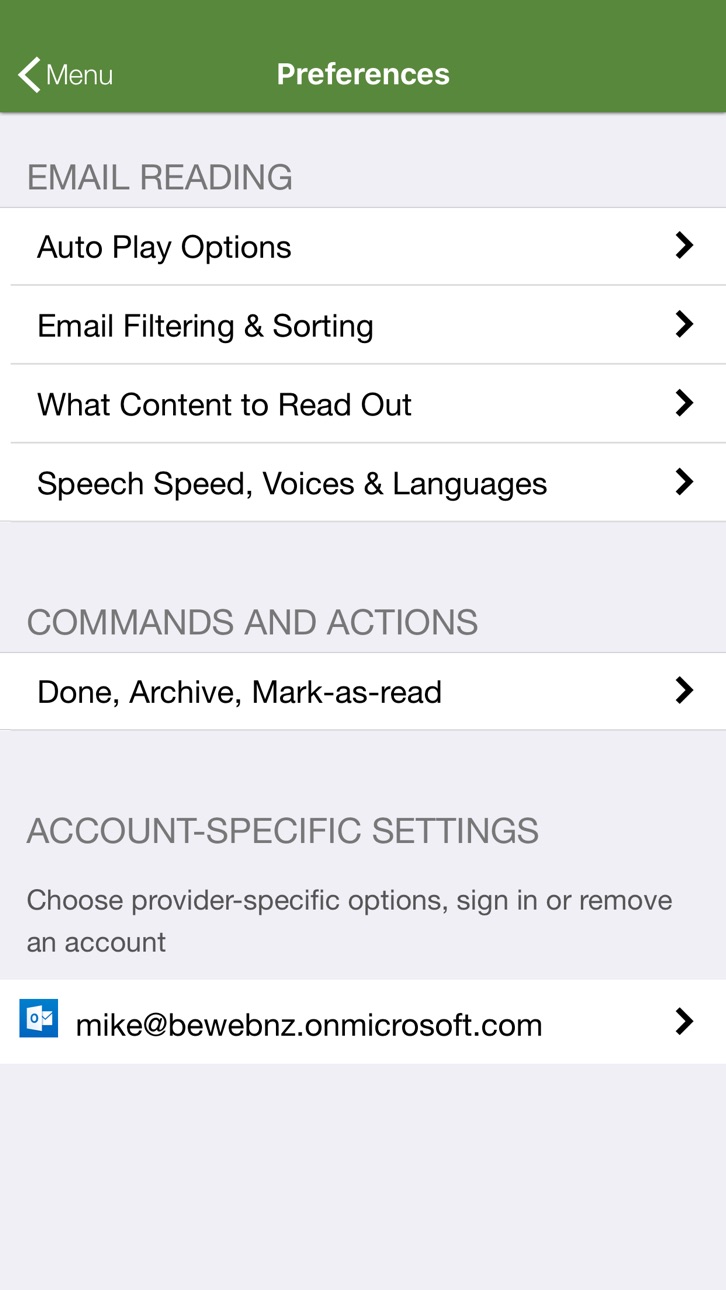
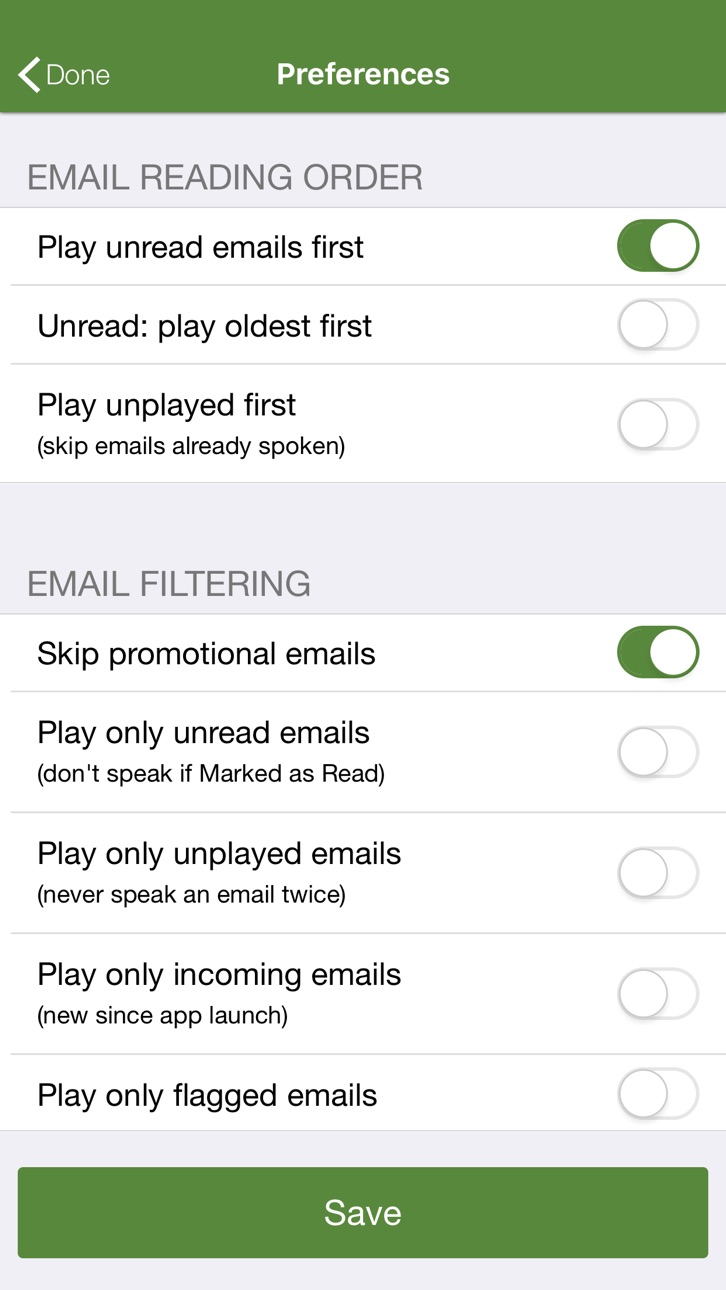
-> Customize email filtering and reading order
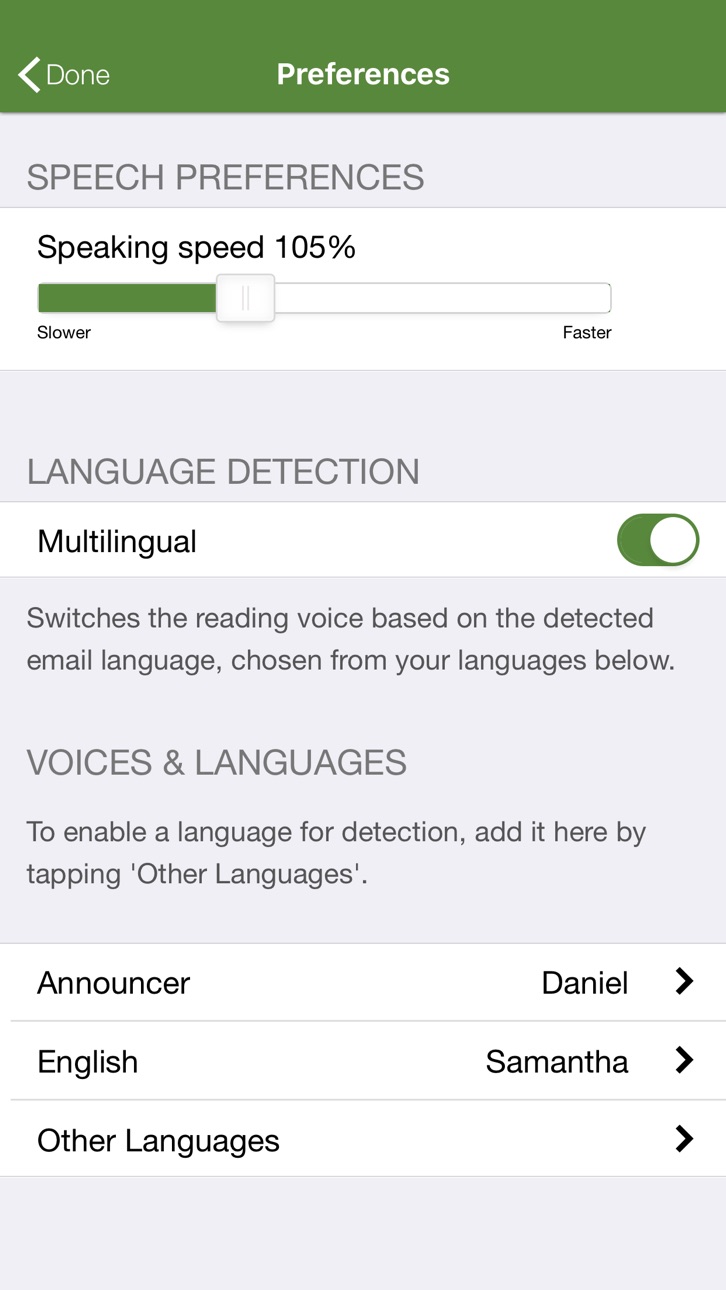
-> Select voices and speech speed
PREMIUM FEATURES
* Voice commands
-> Next, previous, repeat, archive, delete, move, ignore, important, block (and many more)
* Sending by dictation
-> Reply, forward, and compose (pick recipients by voice from your contacts, read back before sending)
* Multiple accounts
-> Office 365, Gmail, Outlook, Exchange, Yahoo, iCloud, AOL, IMAP, POP
* Attachment reading
-> Word, PDF, RTF, calendar items, MP3s
REQUIREMENTS
- Apple CarPlay
- supports Office 365, Gmail, Outlook, Exchange, Yahoo, iCloud, AOL, IMAP, POP
Capabilities
In-App Purchases
Accessibility
ipadiphonemacrealityDevicetvoswatch
Version history 10 versions
Build 856342132v2.3.92023-04-14 22:20:22
OCR text extraction from scanned PDF attachments
Build 855214821v2.3.82023-02-28 23:45:21
Rebuild for latest operating system
Build 852666387v2.3.62022-10-10 15:48:08
updated for iOS 16
Build 851904007v2.3.52022-08-30 20:22:42
- New account icons
Build 851553272v2.3.42022-08-22 21:31:29
- Improved permission handling
- Fixed Microsoft 365 sign in
Build 851070687v2.2.32022-08-01 15:51:41
- Archive and Sent folders are now playable like other folders on Gmail, Microsoft 365 and IMAP
- Bug fixes for Microsoft 365
Build 834838770v2.2.02020-02-26 18:24:10
- Multiple accounts available as extra purchase
- Attachments available as extra purchase
Build 834678732v1.1.12020-02-22 00:54:03
Now supports Office 365, Gmail, Outlook, Exchange, Yahoo, iCloud, AOL, IMAP, POP. Microsoft Enterprise Mobility + Security customers can sign in via Intune / Microsoft Authenticator.
Build 834315921v1.1.02020-01-13 20:26:21
Now supports Gmail, Office 365 online (work/school and personal accounts), Exchange ActiveSync on premise, Microsoft Enterprise Mobility + Security (aka Intune), Outlook.com/Hotmail (via Office 365 personal accounts)
Build 833638830v1.0.02019-12-12 05:27:37
No pricing data captured yet — comparisons appear once the app has paid storefronts or in-app purchases.
Availability 25 of 25 storefronts
| Region | Language | Price | Ratings | Avg | Version |
|---|---|---|---|---|---|
 US US | en-US | Free | 20 | 4.2 | 2.3.9 |
 AO AO | en-GB | Free | 0 | — | 2.3.9 |
 BF BF | en-GB | Free | 0 | — | 2.3.9 |
 BJ BJ | en-GB | Free | 0 | — | 2.3.9 |
 BW BW | en-GB | Free | 0 | — | 2.3.9 |
 CD CD | en-GB | Free | 0 | — | 2.3.9 |
 CG CG | en-GB | Free | 0 | — | 2.3.9 |
 CI CI | fr-FR | Free | 0 | — | 2.3.9 |
 CM CM | fr-FR | Free | 0 | — | 2.3.9 |
 CV CV | en-GB | Free | 0 | — | 2.3.9 |
 GA GA | fr-FR | Free | 0 | — | 2.3.9 |
 GH GH | en-GB | Free | 0 | — | 2.3.9 |
 KE KE | en-GB | Free | 0 | — | 2.3.9 |
 ML ML | en-GB | Free | 0 | — | 2.3.9 |
 MU MU | en-GB | Free | 0 | — | 2.3.9 |
 MZ MZ | en-GB | Free | 0 | — | 2.3.9 |
 NA NA | en-GB | Free | 0 | — | 2.3.9 |
 NE NE | en-GB | Free | 0 | — | 2.3.9 |
 NG NG | en-GB | Free | 0 | — | 2.3.9 |
 SN SN | en-GB | Free | 0 | — | 2.3.9 |
 TD TD | en-GB | Free | 0 | — | 2.3.9 |
 TZ TZ | en-GB | Free | 0 | — | 2.3.9 |
 UG UG | en-GB | Free | 0 | — | 2.3.9 |
 ZM ZM | en-GB | Free | 0 | — | 2.3.9 |
 ZW ZW | en-GB | Free | 0 | — | 2.3.9 |
Change log 14 changes · US
✎
releaseNotes updated
OCR text extraction from scanned PDF attachments
✎
description updated
Wouldn't it be great if CarPlay could read email? Now it can.
Be productive on the road by having your email read to you, with buttons to archive/mark-as-read,
✎
subtitle updated
Office365/Gmail for CarPlay
✎
name updated
Speaking Email CP
◆
Version 2.3.9 released
OCR text extraction from scanned PDF attachments
◆
Version 2.3.8 released
Rebuild for latest operating system
◆
Version 2.3.6 released
updated for iOS 16
◆
Version 2.3.5 released
- New account icons
◆
Version 2.3.4 released
- Improved permission handling
- Fixed Microsoft 365 sign in
◆
Version 2.2.3 released
- Archive and Sent folders are now playable like other folders on Gmail, Microsoft 365 and IMAP
- Bug fixes for Microsoft 365
◆
Version 2.2.0 released
- Multiple accounts available as extra purchase
- Attachments available as extra purchase
◆
Version 1.1.1 released
Now supports Office 365, Gmail, Outlook, Exchange, Yahoo, iCloud, AOL, IMAP, POP. Microsoft Enterprise Mobility + Security customers can sign in via Intune / Microsoft Authenticator.
◆
Version 1.1.0 released
Now supports Gmail, Office 365 online (work/school and personal accounts), Exchange ActiveSync on premise, Microsoft Enterprise Mobility + Security (aka Intune), Outlook.com/Hotmail (via Office 365 personal accounts)
◆
Version 1.0.0 released