Home › Business

 US
US
1 of 1 storefronts
Content in en-US
Content in en-US
Information
Preview 2 platforms
iPhone 4 images


iPad 4 images


What’s New Version 27.1.0
Available Now!
- Updated interface - We now adopt Apple's modern design framework for a refined, native iOS experience.
On-Demand Integrations (Coming Soon!)
Access real-time data from your critical business systems without leaving your mobile forms. On-Demand Integrations bring the information technicians need, exactly when they need it.
- On-Demand Data Sources - Pull fresh data in real-time from leading CRM, ERP, and asset management systems based on the current state of your job. Perfect for large datasets that can't be synced in advance and for retrieving information that's specific to your work-in-progress, ensuring technicians always work with current, relevant information.
- Webhook Control - Make real-time calls to external services during form completion. Look up information, access AI-powered tools, or send status updates to back-office systems as work progresses.
Description
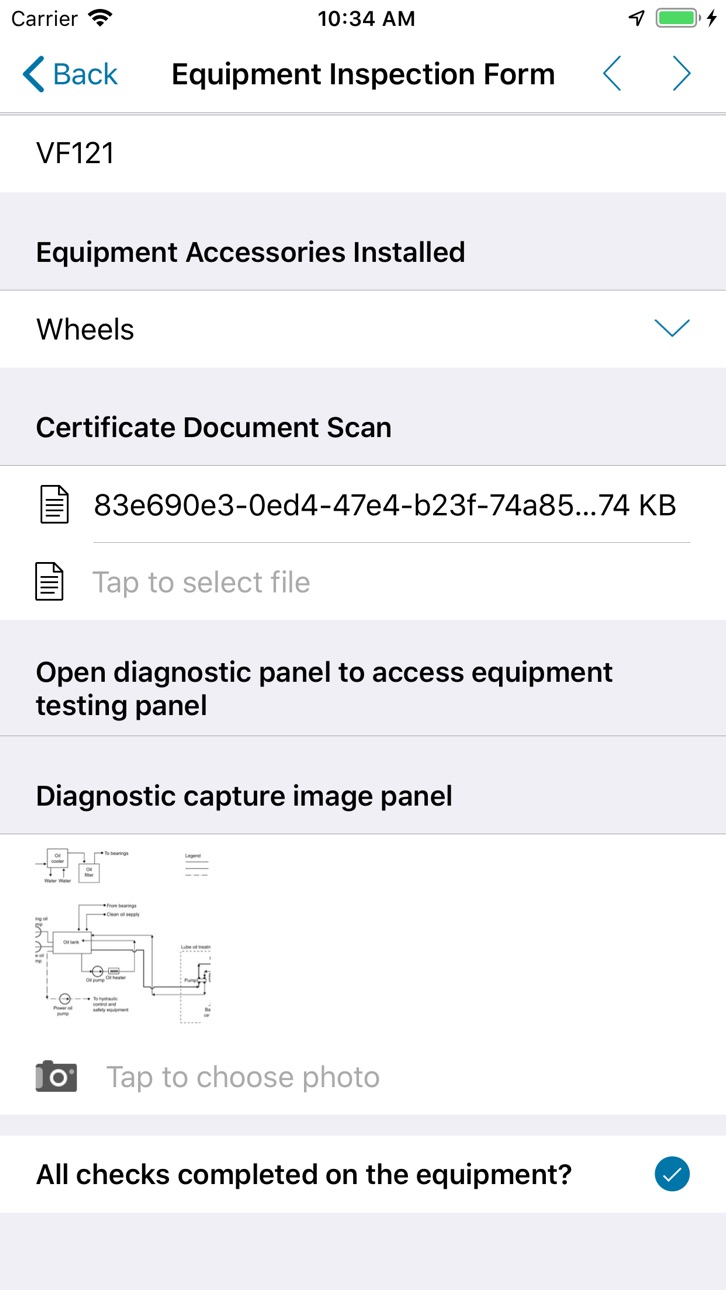
Thread Forms pairs with TBL’s web application to digitize recurring inspections, testing, and maintenance tasks in facilities. By replacing paper-based processes, it ensures accurate data capture, improved compliance, and real-time tracking of work orders. Tasks within Thread typically fall into four main categories:
* Corrective Maintenance: Addresses asset issues that arise unexpectedly, ensuring minimal downtime.
* Fire & Life Safety: Ensures that critical safety equipment, such as fire alarms and fire sprinkler systems, are inspected and tested to meet regulatory requirements.
* Preventive Maintenance: Helps extend the lifespan of assets through scheduled service.
* Rounds & Readings: Involves routine checks of equipment and systems to track performance and detect early issues.
By integrating with TBL’s web application, Thread Forms allows facility teams to efficiently complete assigned tasks, meet regulatory requirements, and access historical data — all from a centralized platform. This digital approach enhances operational efficiency, reduces errors, and ensures compliance with industry standards.
Accessibility
ipadiphonemacrealityDevicetvoswatch
Version history 23 versions
Build 879025441v27.1.02026-05-15 20:06:02
Available Now!
- Updated interface - We now adopt Apple's modern design framework for a refined, native iOS experience.
On-Demand Integrations (Coming Soon!)
Access real-time data from your critical business systems without leaving your mobile forms. On-Demand Integrations bring the information technicians need, exactly when they need it.
- On-Demand Data Sources - Pull fresh data in real-time from leading CRM, ERP, and asset management systems based on the current state of your job. Perfect for large datasets that can't be synced in advance and for retrieving information that's specific to your work-in-progress, ensuring technicians always work with current, relevant information.
- Webhook Control - Make real-time calls to external services during form completion. Look up information, access AI-powered tools, or send status updates to back-office systems as work progresses.
Build 875296052v23.4.02025-09-17 13:59:03
* iOS 26 support
* Bugfixes and Optimizations
Build 864122859v22.1.02025-05-12 20:34:47
Bugfixes and Optimizations
Build 860996852v18.3.12024-02-22 15:37:14
* Coming Soon: Multi-column layouts for regular sections.
* Other bugfixes and improvements
Build 853622189v16.7.02023-10-06 04:25:54
* Coming soon: New date-time calculations to easily add a number of days weeks, or months to a given date. Also, the elapsed number of days, months, or weeks between 2 dates.
* Coming soon: Added support for rendering the Display value of answer within a repeat summary table cell
* Added the ability to set your preferred language from the "Select a language" prompt on multi-language forms
* Other bugfixes and enhancements.
Build 852888951v15.1.02022-10-21 19:43:50
What’s New:
* Updated Home Screen: A new, modern layout replaces the notification badges with easy-to-read item counts in the corner of each tile.
* New Feature: Side-by-Side Layout: Enjoy new layout options on sections and questions to help your field users view more information and answer questions more comfortably.
* New Feature: Refresh on Form Open: Ensure that your field users have all the latest data specific to a form when they open it.
* Other bugfixes and improvements.
Build 844813886v15.0.02022-09-16 16:23:55
* Teamwork Direct Transfer: Field Users will be able to directly transfer partially-complete form submissions to another user.
* Draft Upload: Field Users can save a draft version of their work to the cloud.
* Inline Editing of Summary Tables: Save your field users time by allowing them to edit questions directly from the summary table.
* Users can copy data from a repeatable section row and modify it. Field technicians will save time on repeated tasks with minor differences by simply copying the previous row’s data, verifying it, and changing the relevant information.
* App-to-App Improvement: The Refresh action causes a reconcile when used in an app-to-app call.
* Coming Soon: Side-by-Side Layout: Enjoy new layout options on sections and questions to help your field users view more information and answer questions more comfortably.
* Coming Soon: Refresh on Form Open: Ensure that your field users have all the latest data specific to a form when they open it.
* Bugfixes and Optimizations
Build 844178033v13.3.12021-09-19 13:49:23
Bugfixes and Optimizations
Build 840980135v13.3.02021-09-09 22:13:00
- App-to-App Security: Administrators can now enable a secure list of apps capable of app-to-app calls with Digital Thread Forms.
- App-to-App Custom Callbacks: Form builders can now pass specific metadata to other apps using DREL in app-to-app calls.
- Improved Warnings: The app now shows a warning indicating that data will be erased once a user has made too many failed passcode entries.
- App-to-App Improvements: Added support for %r[state] DREL expression on the device.
- Advanced Search: Allow mobile users to easily find unclaimed, incomplete forms when using Teamwork and target their searches to a smaller time period using search filters!
- Users interacting with V1 forms will see an informational message about V1 form deprecation and a new “ProntoForms Classic” app.
- Bugfixes and Improvements.
Build 840710353v12.62021-03-17 21:49:49
Bugfixes and Optimizations
Build 840424108v12.5.12021-02-11 15:29:32
Bugfixes and Optimizations
Build 839988850v12.42021-01-26 23:39:48
* New Feature: Teamwork! Teamwork supports team collaboration by enabling your mobile users to transfer forms between them.
* Improved App-to-App calls: Digital Thread Forms can now send data to other applications using specially-configured app-to-app calls.
* Behind-the-scenes improvements ensure consistent behavior across all platforms.
Build 836863136v11.62020-07-16 14:02:08
Bugfixes and improvements
Build 836392647v11.4.12020-06-14 12:41:43
Bugfixes and optimizations
Build 835636974v11.32020-05-15 13:00:49
- Bugfixes and optimizations
Build 835351280v11.12020-04-09 22:05:53
- Dark Mode support: ProntoForms now works with iOS' Dark Mode.
- Bugfixes and optimizations.
Build 835265780v11.0.12020-03-30 12:25:35
- Bugfixes
Build 835106867v11.02020-03-15 02:48:00
Coming Soon: Display reference images inline or in help options to provide additional context to field workers. Use these images to provide diagrams of equipment, or step-by-step instructions for a complex task. This release contains background work for this feature.
Standard Deviation calculations now use the Population method instead of the Sample method. This is for platform consistency.
Email address data types now accept more domains as valid, such as .world, .build, and other such top-level domains.
Bugfixes and optimizations
Build 834726919v10.72020-02-22 12:37:06
- Coming Soon: Display reference images inline or in help options to provide additional context to field workers. Use these images to provide diagrams of equipment, or step-by-step instructions for a complex task. This release contains background work for this feature.
- Removed support for iOS 11. Users on older versions of iOS will need to upgrade or use an unsupported version.
- Bugfixes and Optimizations.
Build 834637285v10.6.12020-02-11 02:53:42
Bugfixes and Improvements
Build 834460992v10.52020-01-22 23:09:16
Bugfixes and improvements.
Build 834273609v10.4.12020-01-09 01:57:20
Bugfixes and optimizations.
Build 833500862v10.32019-11-18 01:38:43
No pricing data captured yet — comparisons appear once the app has paid storefronts or in-app purchases.
Availability 1 of 1 storefronts
| Region | Language | Price | Ratings | Avg | Version |
|---|---|---|---|---|---|
| US | en-US | Free | 4 | 4.0 | 27.1.0 |
Change log 26 changes · US
✎
releaseNotes updated
Available Now!
- Updated interface - We now adopt Apple's modern design framework for a refined, native iOS experience.
On-Demand Integrations (Coming Soon!)
✎
description updated
Thread Forms pairs with TBL’s web application to digitize recurring inspections, testing, and maintenance tasks in facilities. By replacing paper-based processe
✎
name updated
Thread Forms
◆
Version 27.1.0 released
Available Now!
- Updated interface - We now adopt Apple's modern design framework for a refined, native iOS experience.
On-Demand Integrations (Coming Soon!)
Access real-time data from your critical business systems without leaving your
◆
Version 23.4.0 released
* iOS 26 support
* Bugfixes and Optimizations
◆
Version 22.1.0 released
Bugfixes and Optimizations
◆
Version 18.3.1 released
* Coming Soon: Multi-column layouts for regular sections.
* Other bugfixes and improvements
◆
Version 16.7.0 released
* Coming soon: New date-time calculations to easily add a number of days weeks, or months to a given date. Also, the elapsed number of days, months, or weeks between 2 dates.
* Coming soon: Added support for rendering the Display value
◆
Version 15.1.0 released
What’s New:
* Updated Home Screen: A new, modern layout replaces the notification badges with easy-to-read item counts in the corner of each tile.
* New Feature: Side-by-Side Layout: Enjoy new layout options on sections and questions to hel
◆
Version 15.0.0 released
* Teamwork Direct Transfer: Field Users will be able to directly transfer partially-complete form submissions to another user.
* Draft Upload: Field Users can save a draft version of their work to the cloud.
* Inline Editing of Summary Tabl
◆
Version 13.3.1 released
Bugfixes and Optimizations
◆
Version 13.3.0 released
- App-to-App Security: Administrators can now enable a secure list of apps capable of app-to-app calls with Digital Thread Forms.
- App-to-App Custom Callbacks: Form builders can now pass specific metadata to other apps using DREL in app-to
◆
Version 12.6 released
Bugfixes and Optimizations
◆
Version 12.5.1 released
Bugfixes and Optimizations
◆
Version 12.4 released
* New Feature: Teamwork! Teamwork supports team collaboration by enabling your mobile users to transfer forms between them.
* Improved App-to-App calls: Digital Thread Forms can now send data to other applications using specially-configured
◆
Version 11.6 released
Bugfixes and improvements
◆
Version 11.4.1 released
Bugfixes and optimizations
◆
Version 11.3 released
- Bugfixes and optimizations
◆
Version 11.1 released
- Dark Mode support: ProntoForms now works with iOS' Dark Mode.
- Bugfixes and optimizations.
◆
Version 11.0.1 released
- Bugfixes
◆
Version 11.0 released
Coming Soon: Display reference images inline or in help options to provide additional context to field workers. Use these images to provide diagrams of equipment, or step-by-step instructions for a complex task. This release contains backgr
◆
Version 10.7 released
- Coming Soon: Display reference images inline or in help options to provide additional context to field workers. Use these images to provide diagrams of equipment, or step-by-step instructions for a complex task. This release contains back
◆
Version 10.6.1 released
Bugfixes and Improvements
◆
Version 10.5 released
Bugfixes and improvements.
◆
Version 10.4.1 released
Bugfixes and optimizations.
◆
Version 10.3 released