Home › Medical

 US
US
1 of 1 storefronts
Content in en-US
Content in en-US
Information
Apple ID1486648639
Bundle IDcom.psyonic.abilityhand
SellerSeller
Min iOS13.4
Min macOS11.0
Device familiesiphone, ipod
Released2019-11-06
Copyright© 2022 PSYONIC, INC.
Privacy policyLink ↗
Preview 1 platform
iPhone 10 images





What’s New Version 2.11
This update focuses on improving clarity and usability across three areas of the app: Power Switch, Control System, and Manage Updates. It introduces new safeguards, adds a feedback form, and resolves an issue related to empty grip cards.
Power Switch
• Updated the page design to improve clarity around Power Switch actions and provide learning materials.
• Improved Power Button tap setup to ensure each action uses a unique tap count. If your current configuration has duplicates, you’ll see the default tap settings applied automatically the next time you open Power Switch. Default tap assignments are:
Battery Level (Single Tap), Next Grip (Double Tap), Freeze (Triple Tap).
Control System
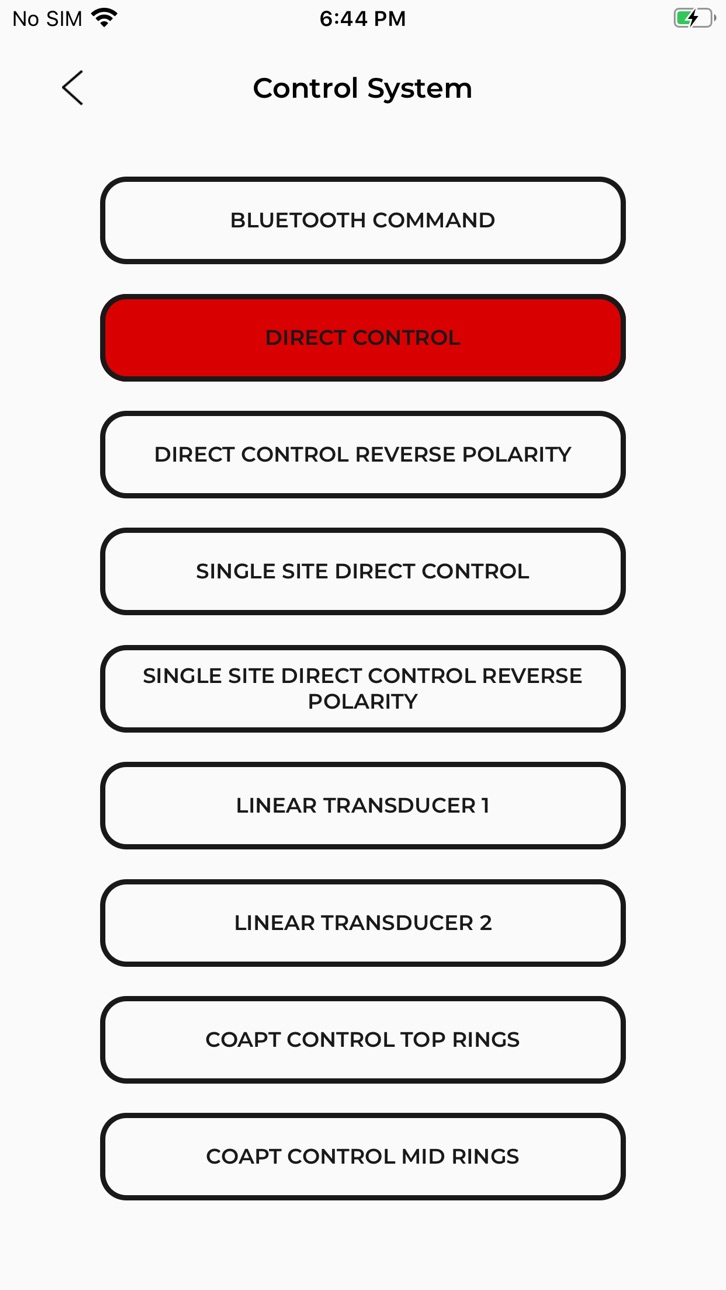
• Introduced a redesigned Control System flow to improve clarity and reduce accidental modifications.
• Control methods are now grouped under Control Selection, with clear descriptions provided for each option.
• Added a required acknowledgment step indicating that Control Selection should only be adjusted by a clinician or with proper guidance.
• Added a confirmation dialog to ensure users intentionally select and apply a new control method
Manage Updates
(formerly “Firmware Updates”)
• Introduced a redesigned Manage Updates section that clearly separates firmware and software.
• Added dedicated pages that display the current firmware version, mobile app version, and update statuses.
• Added access to Release Notes and System Details.
• The Reinstall Current Firmware button has been moved under System Details.
• Added a centralized Release Highlights entry point for viewing recent updates.
• Added an option to enable or disable the tune during firmware updates.
Submit Feedback
• Introduced a feedback form accessible through General Settings and the Grip Editor.
My Grips
• Resolved an issue where users were able to save or apply empty grip cards, leading to unintended hand behavior.
• Improved visibility of the difference between the active grip set and the saved grip card.
Description
This phone application is used to control, configure, and update the PSYONIC Ability Hand.
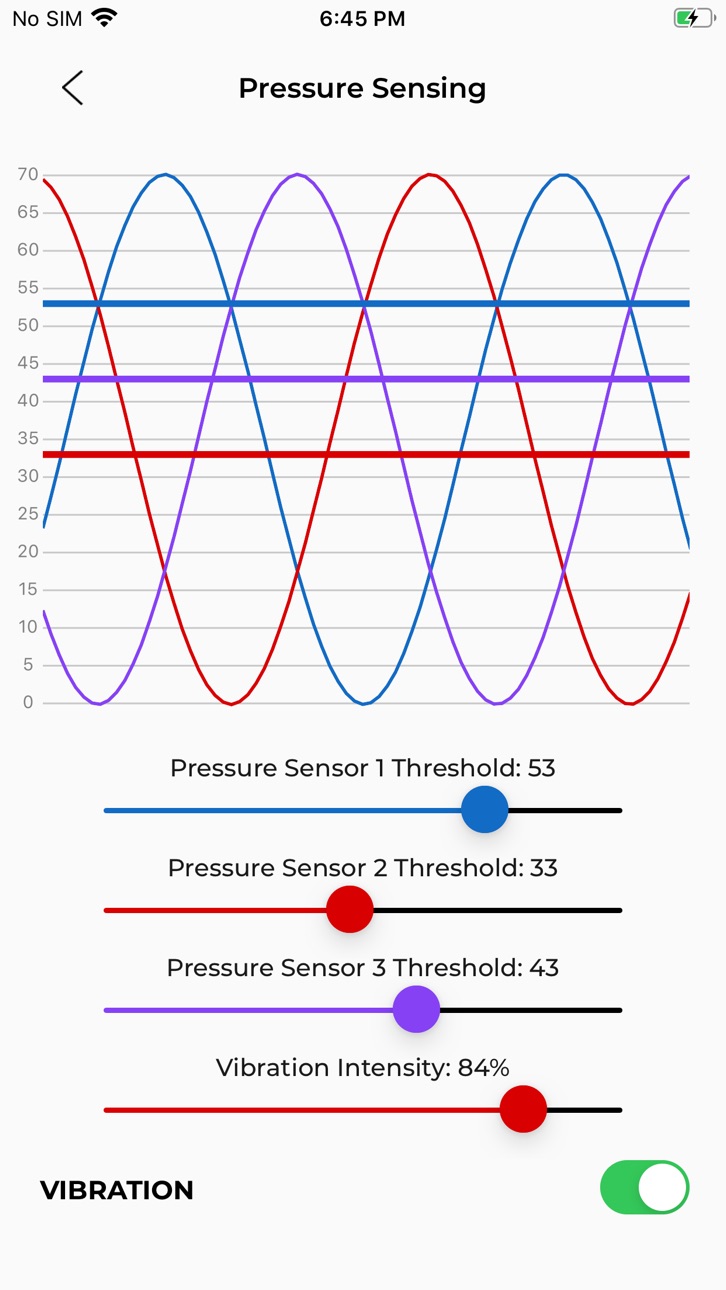
This phone application can connect to the PSYONIC Ability Hand through Bluetooth. Using the application, the user can select input control system, configure direct control electrode settings, configure pressure sensing system, configure custom user grips, as well as wirelessly update the hand’s firmware.
Accessibility
ipadiphonemacrealityDevicetvoswatch
Version history 25 versions
Build 880827711v2.112025-12-22 18:56:04
This update focuses on improving clarity and usability across three areas of the app: Power Switch, Control System, and Manage Updates. It introduces new safeguards, adds a feedback form, and resolves an issue related to empty grip cards.
Power Switch
• Updated the page design to improve clarity around Power Switch actions and provide learning materials.
• Improved Power Button tap setup to ensure each action uses a unique tap count. If your current configuration has duplicates, you’ll see the default tap settings applied automatically the next time you open Power Switch. Default tap assignments are:
Battery Level (Single Tap), Next Grip (Double Tap), Freeze (Triple Tap).
Control System
• Introduced a redesigned Control System flow to improve clarity and reduce accidental modifications.
• Control methods are now grouped under Control Selection, with clear descriptions provided for each option.
• Added a required acknowledgment step indicating that Control Selection should only be adjusted by a clinician or with proper guidance.
• Added a confirmation dialog to ensure users intentionally select and apply a new control method
Manage Updates
(formerly “Firmware Updates”)
• Introduced a redesigned Manage Updates section that clearly separates firmware and software.
• Added dedicated pages that display the current firmware version, mobile app version, and update statuses.
• Added access to Release Notes and System Details.
• The Reinstall Current Firmware button has been moved under System Details.
• Added a centralized Release Highlights entry point for viewing recent updates.
• Added an option to enable or disable the tune during firmware updates.
Submit Feedback
• Introduced a feedback form accessible through General Settings and the Grip Editor.
My Grips
• Resolved an issue where users were able to save or apply empty grip cards, leading to unintended hand behavior.
• Improved visibility of the difference between the active grip set and the saved grip card.
Build 877695345v2.102025-09-03 16:38:19
- Limited finger range in Grip Editor and added collision warning to prevent damage to the hand.
- Quick option to return to the Home screen while scanning.
- Improved battery status UI on the main menu.
Build 874224897v2.9.652025-04-23 21:36:08
- Power Switch Light Toggle (Found in Power Switch Settings).
- Card animation bug.
Build 873500242v2.9.642025-03-26 16:46:57
- Create card with empty grip bug fix.
- Banner not placed correctly on certain phones.
- Bring back Finger Wave.
- Open on Open disable Double Open options.
- Press and hold a grip on a grip card to preview the grip.
Build 873193685v2.9.632025-03-14 19:10:52
- grip cards
- create your own custom grips
- redesigns of multiple screens
- "grip switching -> grip shortcuts" with new UX
Build 871504657v2.9.622025-01-06 22:01:16
Updates
- Fix camera demo hand snap back issue
- Download command logs
- Fix developer mode double quote bug
Build 871016174v2.9.612024-12-10 17:22:15
- Hand camera demo handiness
Build 870436487v2.9.602024-11-16 00:30:41
- Save button in grip editor will save open & close
- Fix hand freeze after hand demo
- First over will now have a responsive label
- Auto save settings
- Bootloader Indicator
Build 869831379v2.9.592024-10-21 16:55:54
Hand Demo
Build 869310301v2.9.582024-09-30 17:55:46
Changes
- Update software update screen
- Auto resume updates
- Grip editor sleeve and tripod(c) bug
- control signals & grip switching config history
- file system dump
Build 868162350v2.9.572024-08-13 16:18:01
Changes
- Grip editor bug fixes
- Command line reconnect bug fix
- reverse user grip selection bug fix
Build 867692399v2.9.562024-07-24 15:41:33
- Fix easter egg
- Fix Index Sensitivity slider
Build 867333088v2.9.552024-07-11 22:00:15
Changes
- Scanning and menu screen redesigned
- Auto reconnect behavior
- Signal strength indicators
- Software update prompt update
Build 866715268v2.9.542024-06-15 13:30:34
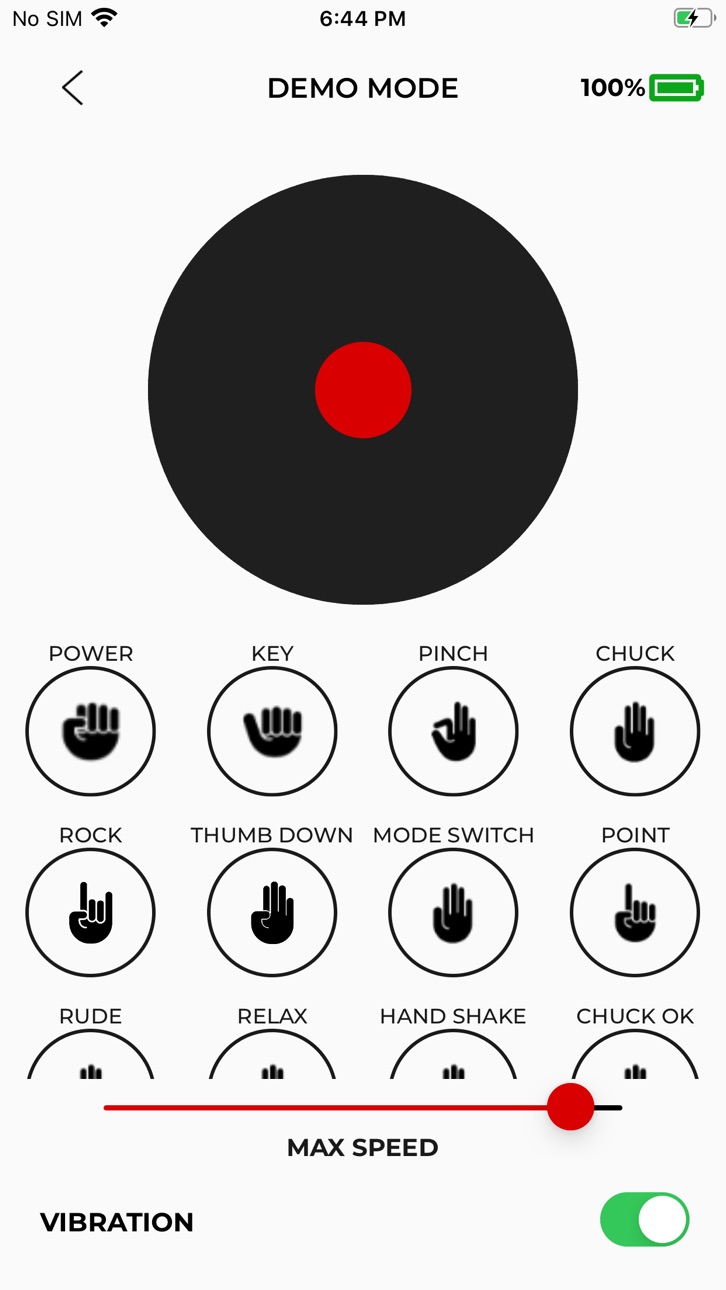
The demo screen joystick tool should now account for the max speed slider and remove vibration toggle.
Build 866420635v2.9.532024-06-04 09:25:02
Power saver updates
Build 859748359v2.9.522023-09-07 22:59:00
Software Update page changes
Build 859574334v2.9.512023-09-02 20:57:12
Grip Switching page changes
Settings page changes
Build 858738103v2.9.492023-08-01 03:25:58
Added vibrate on grip switch feature, Custom Grips page modifications
Build 858884654v2.9.502023-08-01 23:56:06
Grip Editor changes
Build 857700521v2.9.482023-06-08 22:07:46
Added additional features to "Control System" page
Build 857224891v2.9.472023-05-20 11:22:49
New updates to "User Grips" page. Adjacent "Nexts" are allowed on "User Grips", Default Grips cycle left to right. "Update Anyway" will now reinstall most recent firmware for hand. Changed "Control Systems" screen "REVERSE POLARITY" to "Flip Channels."
Build 851692795v2.9.462022-08-20 18:08:30
Changes:
- Add mode switch timing sliders and user power slider
- Reconnect to the command line after disconnect
- Dev plotting bug fix
Build 851534720v2.9.442022-08-18 20:40:40
Changes:
- Enable custom grips
- Support duplicate grips in user grip sets and mode switch
- Detect bootloading + general fixes to software updates
- Add dev plotting screen
Build 848443954v2.9.282022-04-20 21:39:13
Changes:
- Temporarily disable custom grips screen.
Build 848331501v2.9.262022-04-16 14:11:12
- Fixes app on iOS (react-native-share issue)
- Remove skip grips from custom-grips page
No pricing data captured yet — comparisons appear once the app has paid storefronts or in-app purchases.
Availability 1 of 1 storefronts
| Region | Language | Price | Ratings | Avg | Version |
|---|---|---|---|---|---|
| US | en-US | Free | 7 | 4.4 | 2.11 |
Change log 28 changes · US
✎
releaseNotes updated
This update focuses on improving clarity and usability across three areas of the app: Power Switch, Control System, and Manage Updates. It introduces new safegu
✎
description updated
This phone application is used to control, configure, and update the PSYONIC Ability Hand.
This phone application can connect to the PSYONIC Ability Hand throu
✎
name updated
PSYONIC ABILITY HAND
◆
Version 2.11 released
This update focuses on improving clarity and usability across three areas of the app: Power Switch, Control System, and Manage Updates. It introduces new safeguards, adds a feedback form, and resolves an issue related to empty grip cards.
◆
Version 2.10 released
- Limited finger range in Grip Editor and added collision warning to prevent damage to the hand.
- Quick option to return to the Home screen while scanning.
- Improved battery status UI on the main menu.
◆
Version 2.9.65 released
- Power Switch Light Toggle (Found in Power Switch Settings).
- Card animation bug.
◆
Version 2.9.64 released
- Create card with empty grip bug fix.
- Banner not placed correctly on certain phones.
- Bring back Finger Wave.
- Open on Open disable Double Open options.
- Press and hold a grip on a grip card to preview the grip.
◆
Version 2.9.63 released
- grip cards
- create your own custom grips
- redesigns of multiple screens
- "grip switching -> grip shortcuts" with new UX
◆
Version 2.9.62 released
Updates
- Fix camera demo hand snap back issue
- Download command logs
- Fix developer mode double quote bug
◆
Version 2.9.61 released
- Hand camera demo handiness
◆
Version 2.9.60 released
- Save button in grip editor will save open & close
- Fix hand freeze after hand demo
- First over will now have a responsive label
- Auto save settings
- Bootloader Indicator
◆
Version 2.9.59 released
Hand Demo
◆
Version 2.9.58 released
Changes
- Update software update screen
- Auto resume updates
- Grip editor sleeve and tripod(c) bug
- control signals & grip switching config history
- file system dump
◆
Version 2.9.57 released
Changes
- Grip editor bug fixes
- Command line reconnect bug fix
- reverse user grip selection bug fix
◆
Version 2.9.56 released
- Fix easter egg
- Fix Index Sensitivity slider
◆
Version 2.9.55 released
Changes
- Scanning and menu screen redesigned
- Auto reconnect behavior
- Signal strength indicators
- Software update prompt update
◆
Version 2.9.54 released
The demo screen joystick tool should now account for the max speed slider and remove vibration toggle.
◆
Version 2.9.53 released
Power saver updates
◆
Version 2.9.52 released
Software Update page changes
◆
Version 2.9.51 released
Grip Switching page changes
Settings page changes
◆
Version 2.9.50 released
Grip Editor changes
◆
Version 2.9.49 released
Added vibrate on grip switch feature, Custom Grips page modifications
◆
Version 2.9.48 released
Added additional features to "Control System" page
◆
Version 2.9.47 released
New updates to "User Grips" page. Adjacent "Nexts" are allowed on "User Grips", Default Grips cycle left to right. "Update Anyway" will now reinstall most recent firmware for hand. Changed "Control Systems" screen "REVERSE POLARITY" to "Fli
◆
Version 2.9.46 released
Changes:
- Add mode switch timing sliders and user power slider
- Reconnect to the command line after disconnect
- Dev plotting bug fix
◆
Version 2.9.44 released
Changes:
- Enable custom grips
- Support duplicate grips in user grip sets and mode switch
- Detect bootloading + general fixes to software updates
- Add dev plotting screen
◆
Version 2.9.28 released
Changes:
- Temporarily disable custom grips screen.
◆
Version 2.9.26 released
- Fixes app on iOS (react-native-share issue)
- Remove skip grips from custom-grips page