Home › Finance

 US
US
1 of 1 storefronts
Content in en-US
Content in en-US
Information
Preview 2 platforms
iPhone 10 images




iPad 10 images




What’s New Version 2.3.1
Bug Fix
- Amount with double value instead of formatted value.
Description
Simple & Smart Money tracker
MoneyMeter helps you answer for following questions
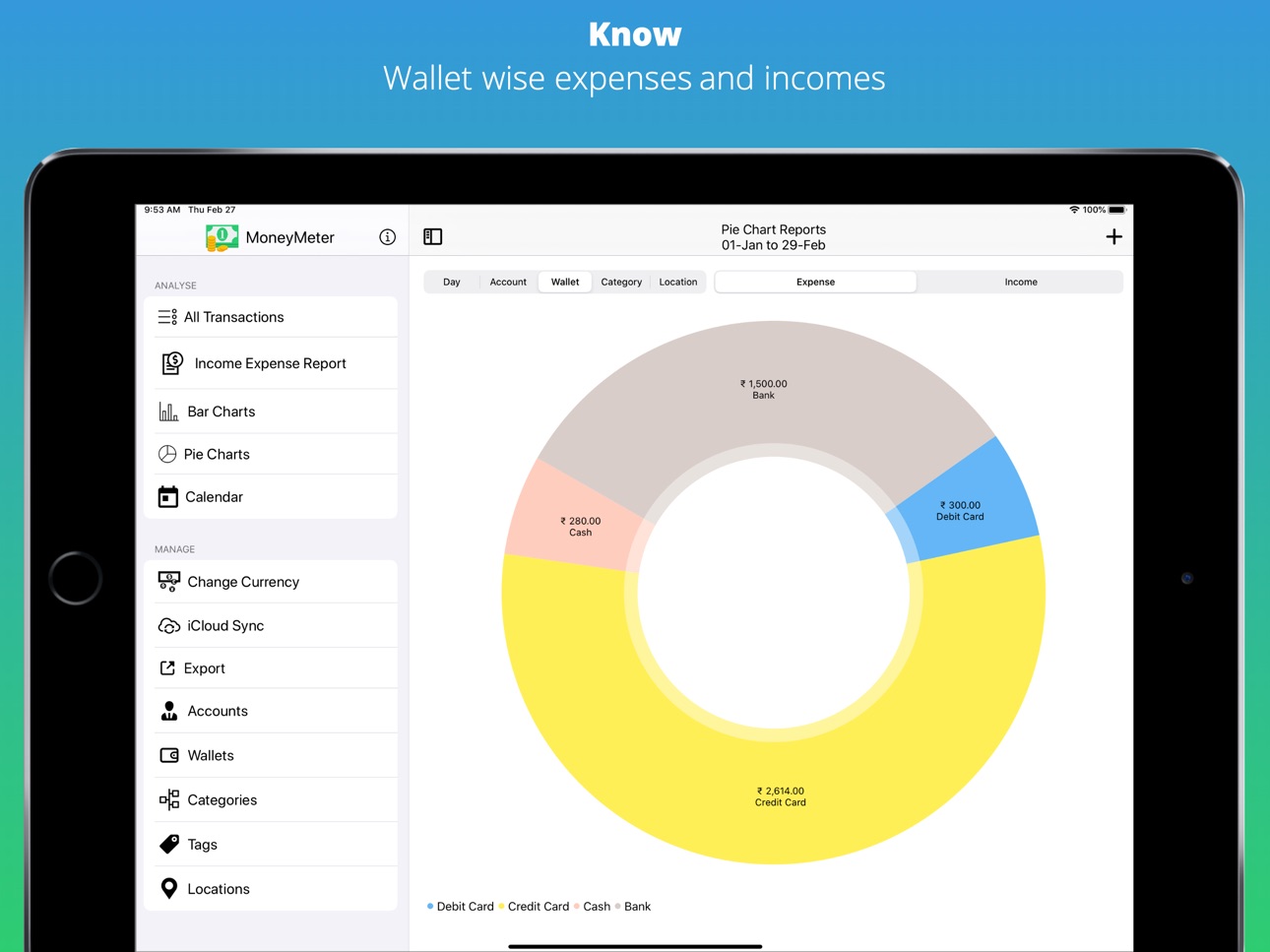
- How much did you spend using "Cash" or "Credit card"? (Wallet)
- How much did you spend on your "Business" / "Personal"? (Account)
- How much did you spend on "Shopping" / "Fitness" / "Bills" / "Food" / "Travel"? (Categories)
- How much did you spend at "Amazon" / "Subway" / "McDonalds" / "BigBasket"? (Locations)
- How much did you spend on the date "20-Jan-2020"?
MoneyMeter allows you to:
- Keep track of your personal, family, Business, Travel expenses
- Quickly enter your expenses
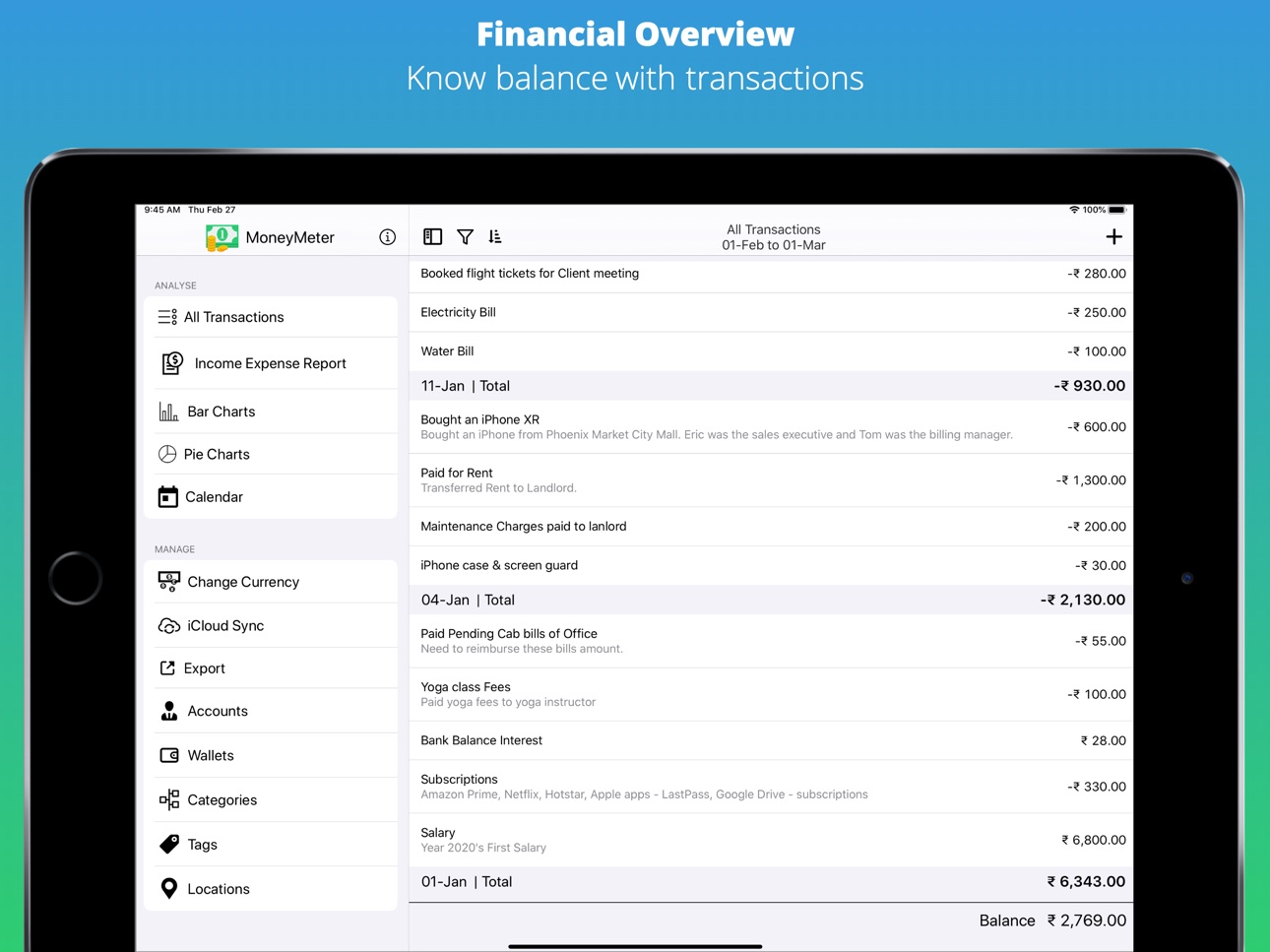
- View expenses grouped by date/account/category/wallet/location
- Know exactly where your money goes
- View reports for all accounts, wallets, categories, locations
***IMPORTANT: Works only when iCloud is enabled***
WE DON'T STORE YOUR FINANCIAL DATA.
Yes, You read it right. Everything is stored under your iCloud account & stays on your on the device only. Strictly.
You are the owner of your data & you can go to iCloud settings & delete app-data anytime you want.
WE DON'T DO ANALYTICS
We all love the privacy & specifically when it comes down to our finances. Anytime if you've any doubt, I can share my screen to show you the code to make you understand that there is no-analytics library integrated.
Accessibility
ipadiphonemacrealityDevicetvoswatch
Version history 17 versions
Build 838267273v2.3.12020-10-20 01:02:55
Bug Fix
- Amount with double value instead of formatted value.
Build 835337854v2.3.02020-04-19 01:14:47
Lighter Binary
Reduced App Size
Performance improvements
Removed In-App-advertisements
Build 835268212v2.2.32020-03-26 23:31:24
Critical bug fix related to Wallet & Locations
Calendar performance improvements
Build 835173173v2.2.22020-03-24 10:09:36
Bug fixes & Performance improvements.
Build 835030759v2.1.12020-03-09 10:57:43
Bug fixed for calendar.
Build 834979091v2.2.02020-03-05 11:55:49
Improvements
- View transactions by selecting items from Reports
- View transactions by selecting date from Calendar
- New AppStore Screenshots
Bug fixes
- After updating date range, updating header
- Lock & Unlock icon for Lock app
Build 834828802v2.1.02020-03-03 22:52:28
New Feature
- App Lock
Improvements
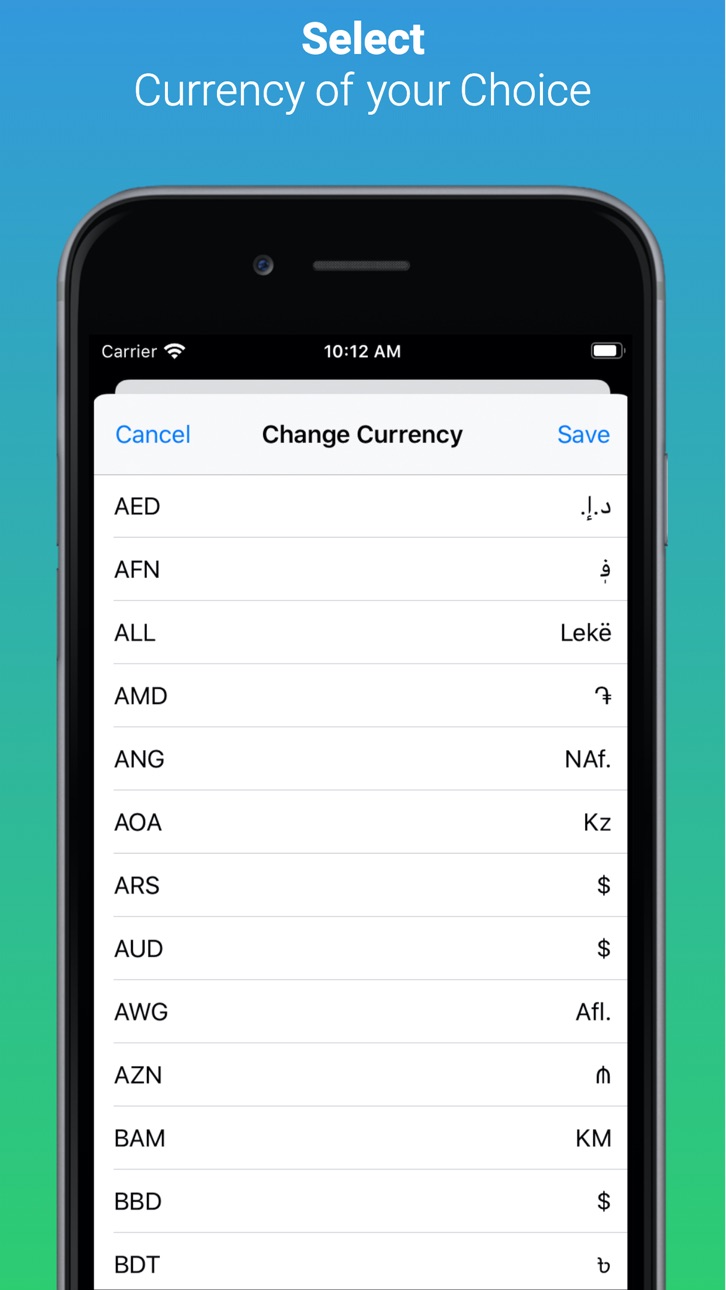
- Select Currency with different languages
Bug Fixes
- Amount in Add/Edit transaction
- Calendar with loading indicator
Build 834824129v2.0.32020-02-22 12:44:45
New Feature
- Date Range selection from Header of screen
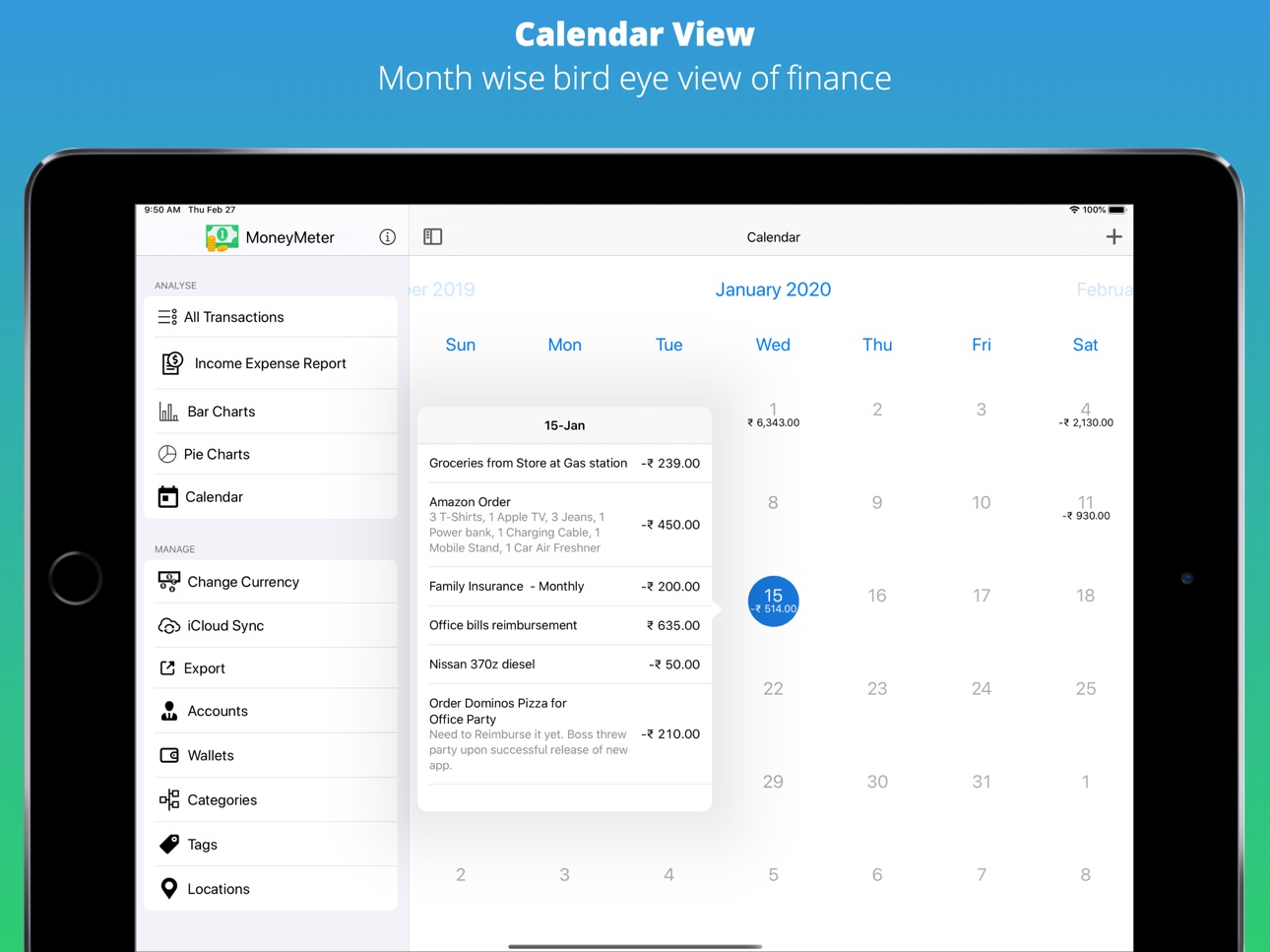
- Calendar showing expenses / incomes occurred on each day
Improvements
- Delete button in Edit Accounts/Wallets/Categories/Location/Tags
- Empty screen handling when no records found of list of transactions
- Show progress indicator while exporting data
Bug fixes
- Side bar button appears on iOS - fixed
- Export option on macOS shows pop-up at wrong place - fixed
Build 834733204v2.0.22020-02-16 03:40:45
New Feature
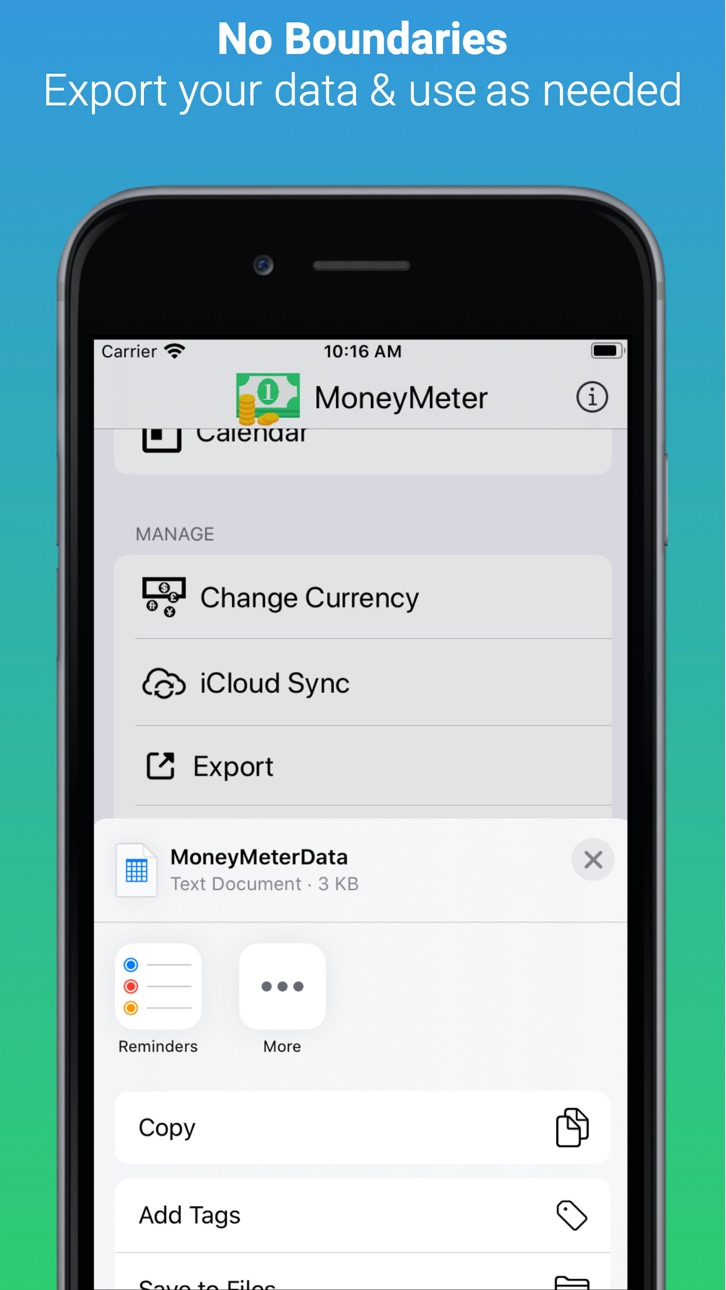
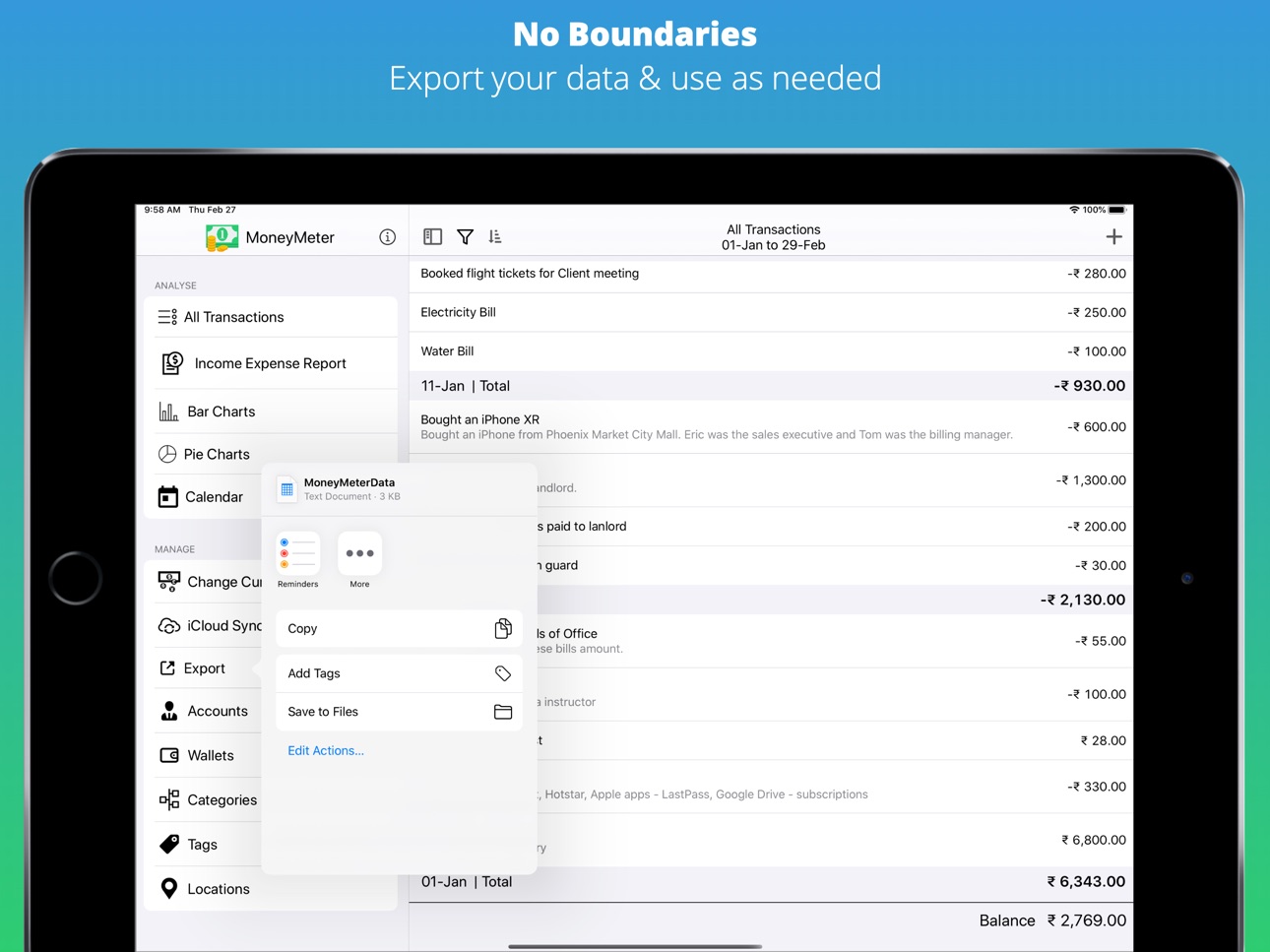
- Export your transactions to CSV format
- CSV formatted data separated with pipe | character
UI Improvements & bug fixes as listed below
- Removed filter button from reports
- Filter button with badge number indicator
- Filter button dark mode issue fixed
Build 834547600v2.0.12020-02-01 13:32:04
Minor Bug fixes & Improvements
- Fixed issue - Filter button not working
- Fixed issue - Filter button Shows Black in Dark Mode
Build 834421294v2.0.02020-01-21 18:33:02
- New macOS menu & shortcuts
- Dynamic Toolbar with a set of quick actions
- Sort By, Group By & Sort Direction options
- New User interface for date selection & entering notes
- App Icon Upgrade
- Removed Eye-catching color formatting for numbers
- Upgraded macOS User Interface
- Account, Wallet, Categories, Location, Tags now sorted by alphabetically
Build 834198552v1.4.32020-01-07 15:49:49
User Interface improvements
- Show more options in add/edit transaction with different background
- "Balance" instead of "Grand total" as it shows the remaining balance
- New Emoji Picker for Wallets, Categories, Accounts, Locations
- New Color Picker for Wallets, Categories, Accounts, Locations
- Amount gets formatted while entering transaction value in add/edit transaction
- Uses Default for Wallets, Categories, Accounts, Locations when nothing selected
- Slide to zoom for more information
- Date picker now selects previously selected date
- Icon representation instead of emojis in Add/Edit transaction
- Icon representation instead of emojis in Filters
Enhancements & Improvements
- Reduced binary size
- Removed unwanted dependencies
- Text Correction for "Rate on App Store"
- Report a bug would open Email client instead of GitHub redirection
- Corrected several navigation & pop-over issues
Build 834177432v1.4.22019-12-31 18:19:02
UI Improvements
- menu icons instead of emoji characters
- Filters now available on income expense report as well
- Add transaction button added at the bottom bar for quicker access
New Features
- Expand all / Collapse all - to view the list of transactions
- Integrated More/fewer details on the list of transactions
Bug Fixes
- Popover issue fixed for Edit transaction
- Default wallet, category, account, location - instead of showing no account/wallet/category/location.
- Removed color & icon space for transactions grouped by date.
Build 834160527v1.4.12019-12-29 23:37:30
New Currency Symbol selection feature implemented
Minor UI bug fixes
- amount field gets focus immediately when adding/editing.
Build 833826911v1.42019-12-04 10:00:38
- Brand new user interface
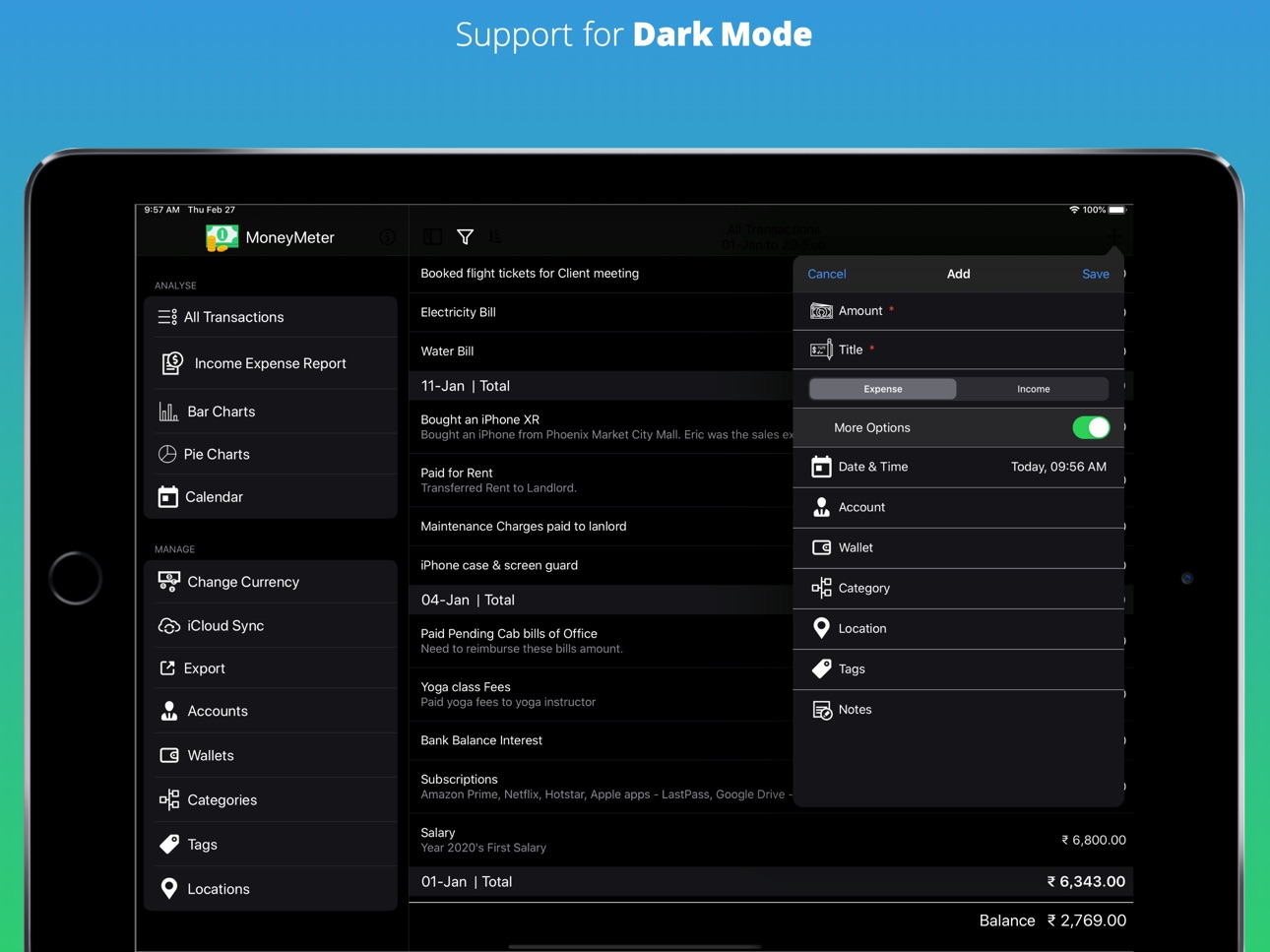
- Supports iOS 13 Dark mode
- Supports offline data read
- Supports re-sync of data
Build 833042793v1.32019-10-20 22:35:28
- Offline data access support
- Faster data access
- Bug fixes
- Number of known bugs squashed
- UI improvements
- Supports - iOS 11, iOS 12, iOS 13
- Supports Dark Mode
Build 832699053v1.02019-09-28 22:52:33
No pricing data captured yet — comparisons appear once the app has paid storefronts or in-app purchases.
Availability 1 of 1 storefronts
| Region | Language | Price | Ratings | Avg | Version |
|---|---|---|---|---|---|
| US | en-US | Free | 13 | 4.8 | 2.3.1 |
Change log 21 changes · US
✎
releaseNotes updated
Bug Fix
- Amount with double value instead of formatted value.
✎
description updated
Simple & Smart Money tracker
MoneyMeter helps you answer for following questions
- How much did you spend using "Cash" or "Credit card"? (Wallet)
- How much di
✎
subtitle updated
An Income Expense Tracker App
✎
name updated
MoneyMeter
◆
Version 2.3.1 released
Bug Fix
- Amount with double value instead of formatted value.
◆
Version 2.3.0 released
Lighter Binary
Reduced App Size
Performance improvements
Removed In-App-advertisements
◆
Version 2.2.3 released
Critical bug fix related to Wallet & Locations
Calendar performance improvements
◆
Version 2.2.2 released
Bug fixes & Performance improvements.
◆
Version 2.1.1 released
Bug fixed for calendar.
◆
Version 2.2.0 released
Improvements
- View transactions by selecting items from Reports
- View transactions by selecting date from Calendar
- New AppStore Screenshots
Bug fixes
- After updating date range, updating header
- Lock & Unlock icon for Lock app
◆
Version 2.1.0 released
New Feature
- App Lock
Improvements
- Select Currency with different languages
Bug Fixes
- Amount in Add/Edit transaction
- Calendar with loading indicator
◆
Version 2.0.3 released
New Feature
- Date Range selection from Header of screen
- Calendar showing expenses / incomes occurred on each day
Improvements
- Delete button in Edit Accounts/Wallets/Categories/Location/Tags
- Empty screen handling when no records found
◆
Version 2.0.2 released
New Feature
- Export your transactions to CSV format
- CSV formatted data separated with pipe | character
UI Improvements & bug fixes as listed below
- Removed filter button from reports
- Filter button with badge number indicator
- Filter
◆
Version 2.0.1 released
Minor Bug fixes & Improvements
- Fixed issue - Filter button not working
- Fixed issue - Filter button Shows Black in Dark Mode
◆
Version 2.0.0 released
- New macOS menu & shortcuts
- Dynamic Toolbar with a set of quick actions
- Sort By, Group By & Sort Direction options
- New User interface for date selection & entering notes
- App Icon Upgrade
- Removed Eye-catching color formatting for
◆
Version 1.4.3 released
User Interface improvements
- Show more options in add/edit transaction with different background
- "Balance" instead of "Grand total" as it shows the remaining balance
- New Emoji Picker for Wallets, Categories, Accounts, Locations
- New C
◆
Version 1.4.2 released
UI Improvements
- menu icons instead of emoji characters
- Filters now available on income expense report as well
- Add transaction button added at the bottom bar for quicker access
New Features
- Expand all / Collapse all - to view the l
◆
Version 1.4.1 released
New Currency Symbol selection feature implemented
Minor UI bug fixes
- amount field gets focus immediately when adding/editing.
◆
Version 1.4 released
- Brand new user interface
- Supports iOS 13 Dark mode
- Supports offline data read
- Supports re-sync of data
◆
Version 1.3 released
- Offline data access support
- Faster data access
- Bug fixes
- Number of known bugs squashed
- UI improvements
- Supports - iOS 11, iOS 12, iOS 13
- Supports Dark Mode
◆
Version 1.0 released