Home › Business

 US
US
1 of 1 storefronts
Content in en-US
Content in en-US
Information
Apple ID1478304479
Bundle IDpdf.format
SellerSeller
Min iOS17.0
Min macOS14.0
Device familiesiphone, ipad
Released2026-01-09
Copyright© Alexander Sukhanov
Privacy policyLink ↗
Preview 2 platforms
iPhone 5 images


iPad 3 images


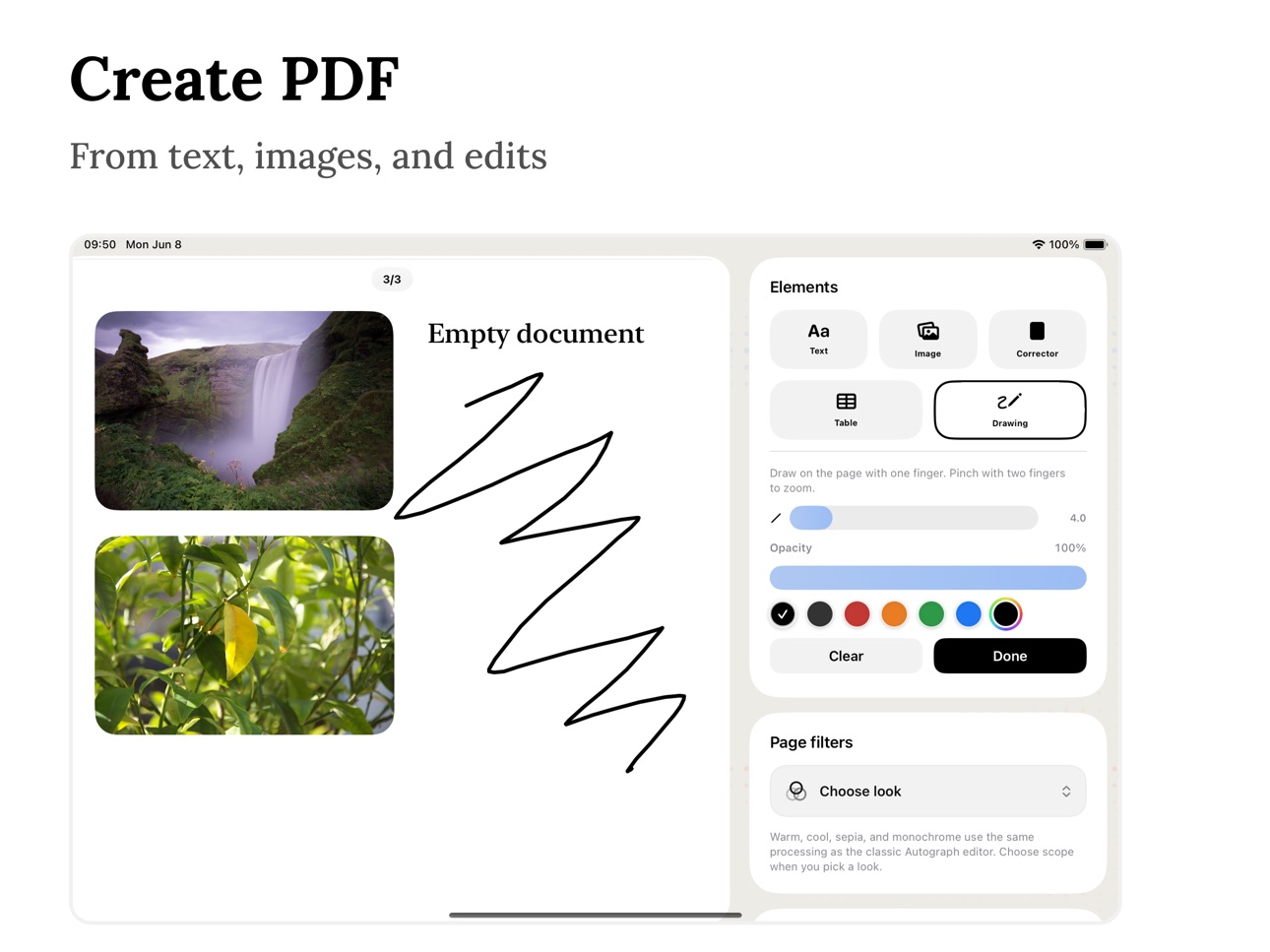
What’s New Version 1.5
- Added full iPad support.
- Added a new table tool for creating and editing tables.
- Added drawing tools.
- Added paper size selection (A4 and US Letter).
- Performance improvements and bug fixes.
Description
• Document signing
Draw your signature with your finger or Apple Pencil and place it anywhere on the document.
• Edit text and images
Add new text and images or easily edit existing content in your documents.
• Date and name
Add the signing date and your name for official documents and agreements.
• Import documents
Open PDF files from your device or cloud storage to sign them instantly.
• Export and share
Save signed documents or share them via email, messengers, or cloud services.
• Simple and focused
No clutter, no unnecessary tools - just fast and reliable document signing.
Privacy Policy: https://drive.google.com/file/d/12AbSTXV7UVnELZ7nZGyxV3o6C-6mEcEY/view?usp=share_link
Terms of Use: https://www.apple.com/legal/internet-services/itunes/dev/stdeula/
In-App Purchases US pricing
Creator Pro Subscription
Weekly Pro · 7 days 3-day free trial$1.99
Monthly Pro · Monthly 7-day free trial$3.99
Yearly Pro · Yearly 7-day free trial$14.99
One-Time Purchases
Creator Pro Forever$29.99
Capabilities
In-App Purchases
Accessibility
ipadiphonemacrealityDevicetvoswatch
Version history 7 versions
Build 886545397v1.52026-06-22 17:10:41
- Added full iPad support.
- Added a new table tool for creating and editing tables.
- Added drawing tools.
- Added paper size selection (A4 and US Letter).
- Performance improvements and bug fixes.
Build 886299507v1.42026-06-04 19:10:15
- You can now undo and redo actions while editing
- Support for custom fonts — upload your own
- Ability to save PDFs in encrypted form for security
Build 885559185v1.32026-05-27 08:50:05
- Completely redesigned the editor’s UI and UX for a cleaner, faster, and more intuitive document editing experience.
- Improved image and signature resizing with aspect ratio lock, including a one-tap toggle and a matching option in the long-press menu.
- Refined the editor experience with better dark mode consistency, smoother document flip interactions, customizable page backgrounds, and page numbering controls.
Build 882309763v1.2.12026-03-02 03:00:46
- Added support for iOS 17 and iOS 18 for improved performance and compatibility
Build 881513345v1.22026-02-09 18:20:55
- Added ability to insert photos and text into documents
- New redaction tool to hide or edit text
- Bug fixes and performance improvements
Build 881374054v1.12026-01-14 06:25:06
- Added the ability to add, delete, and reorder PDF pages
- Fixed bugs and improved overall app stability
Build 832576563v1.02026-01-09 12:56:29
Price history by region
Currency
Show
Columns
Search
Availability 1 of 1 storefronts
| Region | Language | Price | Ratings | Avg | Version |
|---|---|---|---|---|---|
| US | en-US | Free | 0 | — | 1.5 |
Change log 11 changes · US
✎
releaseNotes updated
- Added full iPad support.
- Added a new table tool for creating and editing tables.
- Added drawing tools.
- Added paper size selection (A4 and US Letter).
- P
✎
description updated
• Document signing
Draw your signature with your finger or Apple Pencil and place it anywhere on the document.
• Edit text and images
Add new text and images o
✎
subtitle updated
Sign & Edit documents
✎
name updated
Autograph - Sign & Edit Docs
◆
Version 1.5 released
- Added full iPad support.
- Added a new table tool for creating and editing tables.
- Added drawing tools.
- Added paper size selection (A4 and US Letter).
- Performance improvements and bug fixes.
◆
Version 1.4 released
- You can now undo and redo actions while editing
- Support for custom fonts — upload your own
- Ability to save PDFs in encrypted form for security
◆
Version 1.3 released
- Completely redesigned the editor’s UI and UX for a cleaner, faster, and more intuitive document editing experience.
- Improved image and signature resizing with aspect ratio lock, including a one-tap toggle and a matching option in the lo
◆
Version 1.2.1 released
- Added support for iOS 17 and iOS 18 for improved performance and compatibility
◆
Version 1.2 released
- Added ability to insert photos and text into documents
- New redaction tool to hide or edit text
- Bug fixes and performance improvements
◆
Version 1.1 released
- Added the ability to add, delete, and reorder PDF pages
- Fixed bugs and improved overall app stability
◆
Version 1.0 released