Home › Productivity

 US
US
1 of 1 storefronts
Content in en-US
Content in en-US
Information
Preview 2 platforms
iPhone 5 images




iPad 5 images


What’s New Version 6.1
Version 6.1
● Resolve the issue of CAD drawing scaling on mobile devices.
● Support running on MacOS.
● Bug fixes and improving drawing conversion.
Description
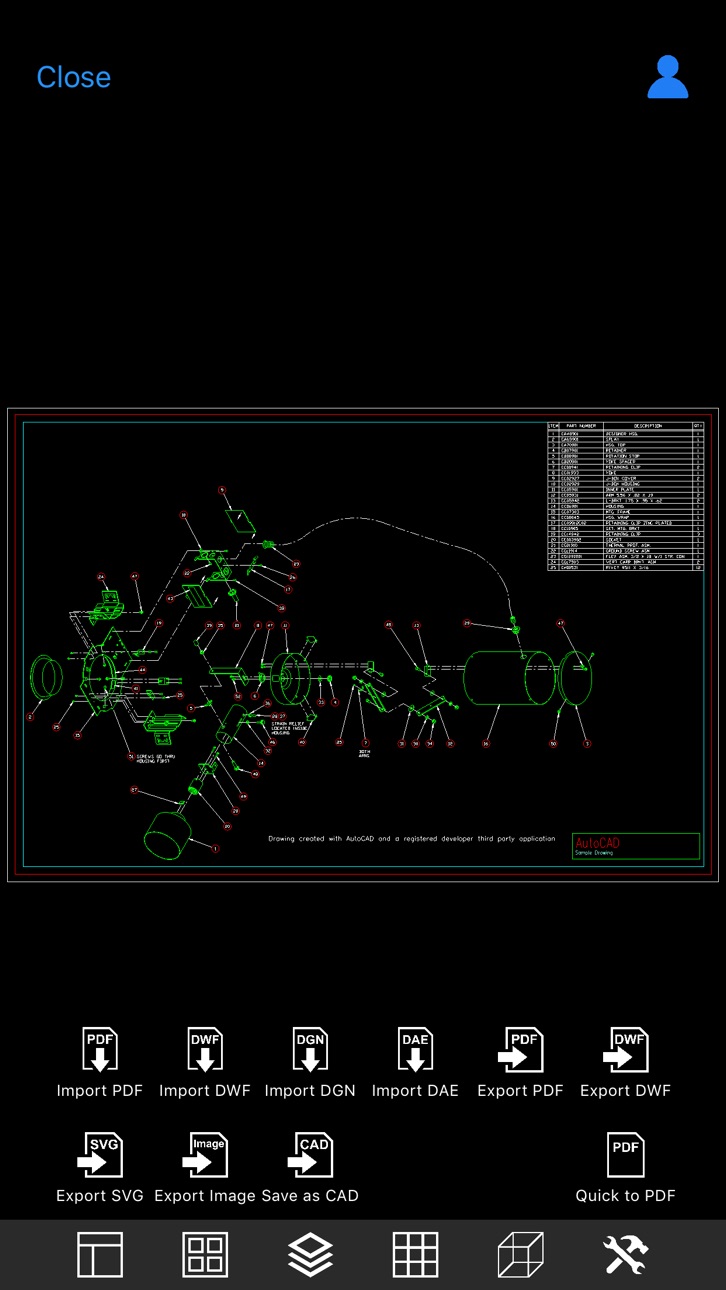
DWG Tools is a CAD toolkit for viewing dwg, dxf, dwf, dgn, dae, pdf, svg, etc. and converting these files to each other.
CAD Languages: Latin, Arabic, Cyrillic, Greek, Turkish, Hebrew, Baltic, Vietnamese, Thai, Japanese, simplified Chinese, traditional Chinese, Korean.
Main features:
◆Drawings management
1. Use the file management method of IOS system.
2. View drawings local and shared by other apps.
3. View recent drawings.
4. Manage files with color labels.
◆View drawings
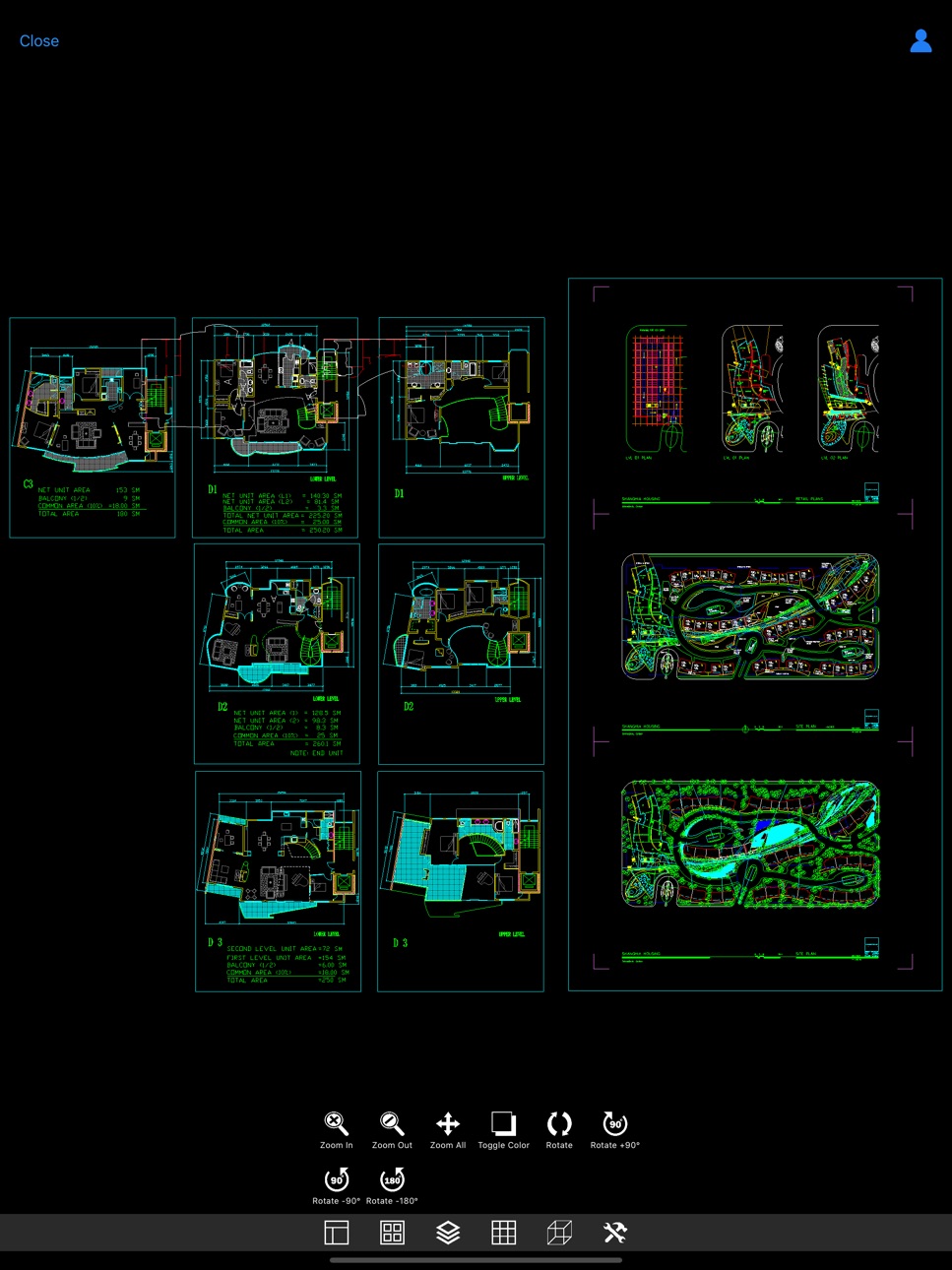
1. View dwg, dxf, dwf, dgn, dae, pdf, svg files directly.
2. Automatic recognition of fonts.
3. Manipulating views through gestures (pinch, pan, rotate)
4. Switch the layout and view.
5. Show and hide the layer.
6. Switch the background color.
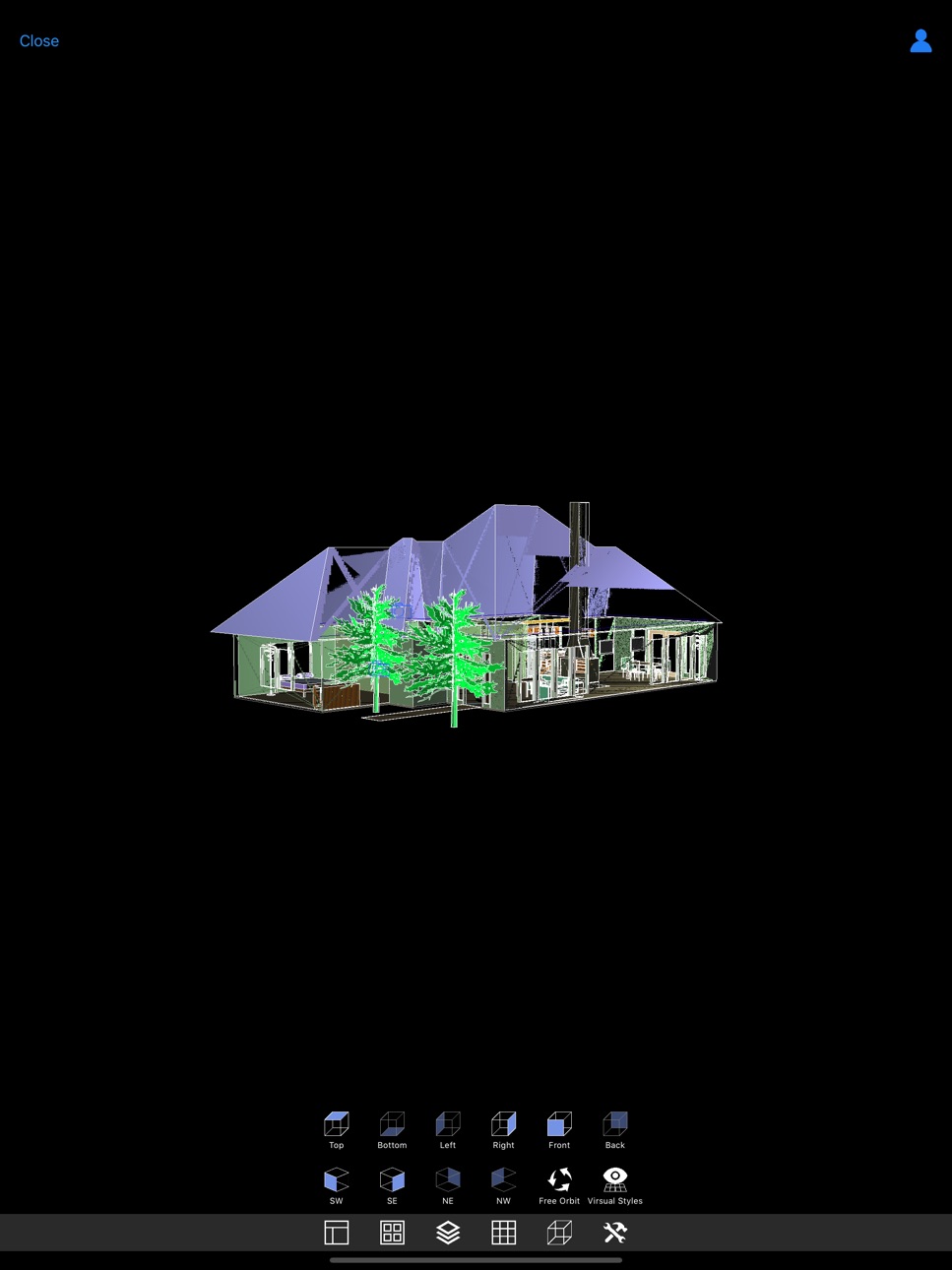
7. 3D perspective
8. Free dynamic observation.
9. Switch the visual style(Hidden, Realistic, etc.).
◆Convert drawings
1. Batch conversion.
2. Input types: PDF, DWF , DGN, SVG, DAE, etc.
3. Output types: PDF, DWF , SVG, DAE, Image, STL, CAD, etc.
◆Subscription instructions
All subscription and payment processes are performed on your iTunes account.
Cancel anytime in Settings at least a day before each renewal date.
Plan automatically renews until cancelled.
◆Privacy Policy and Terms of Use: http://moonlightbeauty.strikingly.com/
In-App Purchases US pricing
DWG TOOLS MEMBERSHIP Subscription
DWG Tools Pro (1 Month) · Monthly$9.99
DWG Tools Pro (1 Year) · Yearly$89.99
DWG Viewer Pro (1 Month) · Monthly 7-day free trial$5.99
DWG Viewer Pro (1 Year) · Yearly$49.99
Capabilities
In-App Purchases
Accessibility
ipadiphonemacrealityDevicetvoswatch
Version history 9 versions
Build 879814840v6.12025-11-16 22:27:04
Version 6.1
● Resolve the issue of CAD drawing scaling on mobile devices.
● Support running on MacOS.
● Bug fixes and improving drawing conversion.
Build 877223887v6.02025-08-18 22:30:31
Version 6.0
● Support iOS 18.6.
● New features: Universal Converter, supporting batch conversion of drawings.
● New features: Conversion settings, allowing users to customize conversions.
● New features: Convert SVG files to CAD.
● Bug fixes and improving drawing conversion.
Build 845531865v5.12024-01-15 21:07:34
Version 5.1
● Application interface optimization for iPhone 15 series.
● Support iOS 17.2.
● Bug fixes and improving drawing conversion.
Build 842772127v5.02021-10-19 00:36:28
Version 5.0
● Improve conversion functions, including importing PDF, exporting PDF, exporting DWF and saving as CAD.
● Support the latest version of CAD files.
● Improve iCloud support.
Build 834604560v4.42020-02-06 13:32:18
Version 4.4
● Supports storing files to iCloud and directly viewing files on iCoud.
● Bug fixed: Solve the problem that the file directory does not have access permissions.
Version 4.3
● Bug fixed: Non-printable layer cannot be converted when converting PDF.
● Update website URL.
Version 4.2
● Improve the interface for iPhone X & iPhone 11.
● Support free viewing of DWG and DXF drawings.
Version 4.1
● Add sample files.
● Improve interface.
● Improve parameter settings (size) for Export PDF, Export Image, and Import PDF.
Build 834559357v4.32020-02-01 17:17:23
Version 4.3
● Bug fixed: Non-printable layer cannot be converted when converting PDF.
● Update website URL.
Version 4.2
● Improve the interface for iPhone X & iPhone 11.
● Support free viewing of DWG and DXF drawings.
Version 4.1
● Add sample files.
● Improve interface.
● Improve parameter settings (size) for Export PDF, Export Image, and Import PDF.
Build 833192650v4.22019-11-12 22:54:07
Version 4.2
● Improve the interface for iPhone X & iPhone 11.
● Support free viewing of DWG and DXF drawings.
● Bug fixed.
Version 4.1
● Add sample files.
● Improve interface.
● Improve parameter settings (size) for Export PDF, Export Image, and Import PDF.
Build 833122279v4.12019-10-15 09:10:13
Version 4.1
● Add sample files.
● Improve interface.
● Improve parameter settings (size) for Export PDF, Export Image, and Import PDF.
Build 832532245v4.02019-10-08 16:52:20
Price history by region
Currency
Show
Columns
Search
Availability 1 of 1 storefronts
| Region | Language | Price | Ratings | Avg | Version |
|---|---|---|---|---|---|
| US | en-US | Free | 7 | 2.0 | 6.1 |
Change log 13 changes · US
✎
releaseNotes updated
Version 6.1
● Resolve the issue of CAD drawing scaling on mobile devices.
● Support running on MacOS.
● Bug fixes and improving drawing conversion.
✎
description updated
DWG Tools is a CAD toolkit for viewing dwg, dxf, dwf, dgn, dae, pdf, svg, etc. and converting these files to each other.
CAD Languages: Latin, Arabic, Cyrillic
✎
subtitle updated
View and convert CAD drawings
✎
name updated
DWG Tools - View & Convert DWG
◆
Version 6.1 released
Version 6.1
● Resolve the issue of CAD drawing scaling on mobile devices.
● Support running on MacOS.
● Bug fixes and improving drawing conversion.
◆
Version 6.0 released
Version 6.0
● Support iOS 18.6.
● New features: Universal Converter, supporting batch conversion of drawings.
● New features: Conversion settings, allowing users to customize conversions.
● New features: Convert SVG files to CAD.
● Bug fixe
◆
Version 5.1 released
Version 5.1
● Application interface optimization for iPhone 15 series.
● Support iOS 17.2.
● Bug fixes and improving drawing conversion.
◆
Version 5.0 released
Version 5.0
● Improve conversion functions, including importing PDF, exporting PDF, exporting DWF and saving as CAD.
● Support the latest version of CAD files.
● Improve iCloud support.
◆
Version 4.4 released
Version 4.4
● Supports storing files to iCloud and directly viewing files on iCoud.
● Bug fixed: Solve the problem that the file directory does not have access permissions.
Version 4.3
● Bug fixed: Non-printable layer cannot be converted w
◆
Version 4.3 released
Version 4.3
● Bug fixed: Non-printable layer cannot be converted when converting PDF.
● Update website URL.
Version 4.2
● Improve the interface for iPhone X & iPhone 11.
● Support free viewing of DWG and DXF drawings.
Version 4.1
● Add sa
◆
Version 4.2 released
Version 4.2
● Improve the interface for iPhone X & iPhone 11.
● Support free viewing of DWG and DXF drawings.
● Bug fixed.
Version 4.1
● Add sample files.
● Improve interface.
● Improve parameter settings (size) for Export PDF, Export Imag
◆
Version 4.1 released
Version 4.1
● Add sample files.
● Improve interface.
● Improve parameter settings (size) for Export PDF, Export Image, and Import PDF.
◆
Version 4.0 released