Home › Productivity

 US
US
 CNzh-Hans-CN
 TWzh-Hant-TWUSen-US
 HKzh-Hant-HK
 MXes-MX
 CAen-CA
 ITit
ITit TRen-GB
 VNen-GB
 DEde-DE
 BRpt-BR
 INen-GB
 RUru
RUru SAen-GB
 FRfr-FR
 JPja
JPja ESes-ES
 PLen-GB
 GBen-GB
 COes-MX
 PHen-GB
 AUen-AU
 THen-GB
 UAen-GB
 NLnl
NLnl ARes-MX
 EGen-GB
 ZAen-GB
 MYen-GB
 SGen-GB
 CHde-CH
 CLes-MX
 KRko
KRko SEsv
SEsv BEen-GB
 PEes-MX
 ATde-DE
 ROen-GB
 PTpt-PT
 HUen-GB
 AEen-GB
 CZen-GB
 IDen-GB
 IQen-GB
 ECes-MX
 GRen-GB
 ILen-GB
 OMen-GB
 GTes-MX
 MOzh-Hant-HK
 FIen-GB
 CRes-MX
 DKen-GB
 BGen-GB
 HRen-GB
 SKen-GB
 KZen-GB
 NGen-GB
 EEen-GB
 NOen-GB
 JOen-GB
 KWen-GB
 PKen-GB
 BOes-MX
 MAen-GB
 QAen-GB
 SIen-GB
 AZen-GB
 MNen-GB
 SVes-MX
 GEen-GB
 LTen-GB
 NZen-AU
 UZen-GB
 DZen-GB
 GHen-GB
 BYen-GB
 PAes-MX
 RSen-GB
 DOes-MX
 UYen-GB
 KEen-GB
 LVen-GB
 HNes-MX
 AMen-GB
 LKen-GB
 PYes-MX
 TNen-GB
 VEes-MX
 NPen-GB
 MDen-GB
 KHen-GB
 LBen-GB
 LYen-GB
 AOen-GB
 CIfr-FR
 IEen-GB
 KGen-GB
 MTen-GB
 SNen-GB
 UGen-GB
 ALen-GB
 LUen-GB
 MUen-GB
 ZWen-GB
 CYen-GB
 JMen-GB
 MKen-GB
 MZen-GB
 TZen-GB
 ZMen-GB
 BSen-GB
 BTen-GB
 CDen-GB
 CMfr-FR
 MLen-GB
 MVen-GB
 NIes-MX
 SZen-GB
 TJen-GB
 TTen-GB
 XKen-GB
 AFen-GB
 BAen-GB
 BHen-GB
 BJen-GB
 BMen-GB
 BNen-GB
 BWen-GB
 FJen-GB
 GAfr-FR
 GDen-GB
 GMen-GB
 ISen-GB
 KYen-GB
 MWen-GB
 NAen-GB
 SRen-GB
 AGen-GB
 AIen-GB
 BBen-GB
 BFen-GB
 BZen-GB
 CGen-GB
 CVen-GB
 DMen-GB
 FMen-GB
 GWen-GB
 GYen-GB
 KNen-GB
 LAen-GB
 LCen-GB
 LRen-GB
 MEen-GB
 MGen-GB
 MMen-GB
 MRen-GB
 MSen-GB
 NEen-GB
 NRen-GB
 PGen-GB
 PWen-GB
 RWen-GB
 SBen-GB
 SCen-GB
 SLen-GB
 STen-GB
 TCen-GB
 TDen-GB
 TMen-GB
 TOen-GB
 VCen-GB
 VGen-GB
 VUen-GB
 YEen-GB
175 of 175 storefronts
Content in en-US
Content in en-US
Information
Icon history 2 versions
Current←
 Previous
Preview 2 platforms

iPhone 10 images






iPad 8 images


What’s New Version 6.0.8
• Fixed an issue on iOS 26 where the "Stop" button in the timer's background-sound menu liked to hide — it now stays put at the top, easy to find.
• Closing the menu by tapping outside no longer stops your playing sound by accident.
• Tuned the timer layout for newer iPads (including iPad Pro M4/M5) so buttons line up properly.
• The app version in Settings now shows the build number too.
• Plus a few small, behind-the-scenes tweaks to keep things running smoothly.
Description
## App Of The Day - Apple
## New Apps We Love - Apple
## Try These Out - Apple
## Student App of the Month - The App Brewery (London)
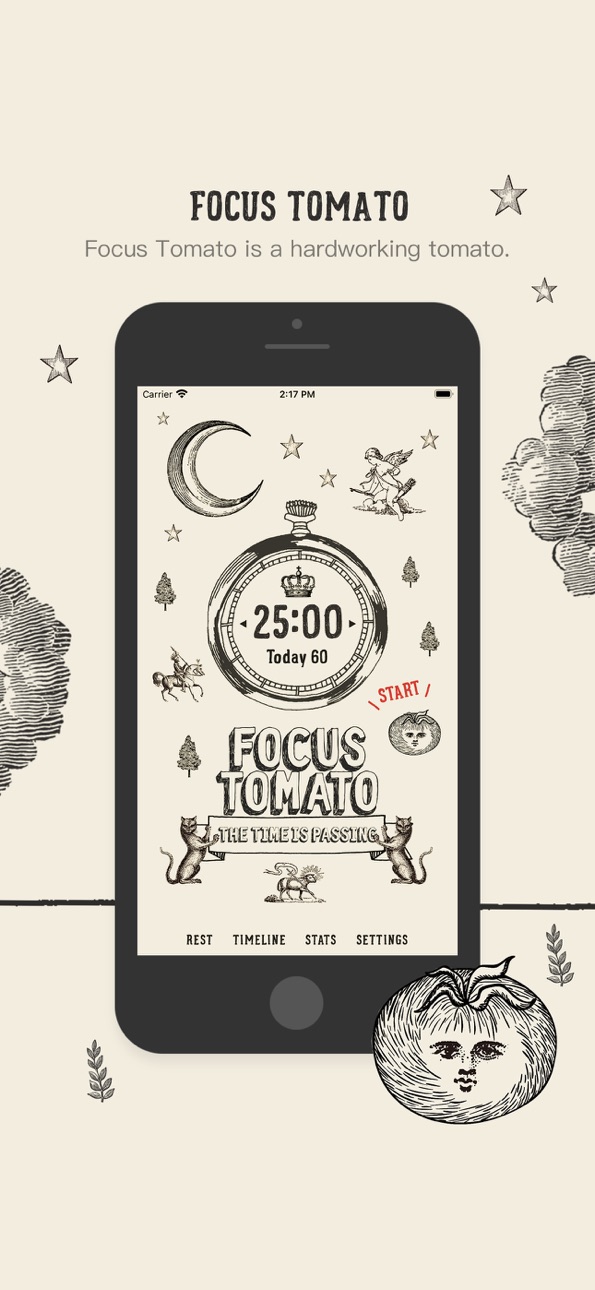
Focus Tomato is a serious tomato helping you stay focused.
Cheer you up when you succeed.
—— Recommended consuming order ——
Step 1: Goal setting
If the goal is too big, break it down.
Step 2: only focus for 25 minutes
* Only focus on one thing
* Avoid distraction; make efforts to keep the Tomato running (ex. if someone hits you up, tell him/her getting back to you shortly!)
* Better to watch the timer counting
Step 3: Rest for 5 minutes
* Not suitable for mental consuming tasks
* Light activities that are good for your mind and body
* Pause your work momentarily can help you view things from another perspective and avoid couldn't see the forests for the trees.
Step 4: Repeat 4 times, then take a more extended rest for 15 to 30 minutes
Repeat the previous two steps for 4 times, and take a 15 to 30 minutes long rest
—— After taking it, you can gain the following benefits on top of straight As ——
* Prevent distracting and stay focused more easily: counting down timer brings good stress
* Reduce interruptions: postpone other tasks; most things can wait for 25 minutes
* Avoid procrastinating: when the timer is running, it means the declaration of a focused time frame
* Endure longer: with adequate rest, you can run further
—— Features of “Focus Tomato” ——
Based on the Pomodoro method with new spice-ups and improvements.
* Do not force stop; keep the flow
Classical Promodoro clock asks you to stop working asap when time is up; Focus Tomato only notifies you with sound and does not force you to stop. You can keep staying in the zone and running the timer.
* Fractional time is allowed
Classical Promodoro clock requires to maintain 25 minutes duration. Focus Tomato freely lets you count the fractional time as long as it starts running.
* Modifiable Timeline
It is usual to forget to stop the timer. Focus Tomato allows you to modify the Timeline and make adjustments afterward.
* Do Not Disturb mode is available
Distracted by too many notifications? Do Not Disturb mode can be enabled when Focus Tomato is running.
* Integrate smoothly with other work methods and/or apps
Because the app only applies the timing part of the Promodoro technique, in addition to the original Promodoro method, you can also use the Reminder, Trello, or physical notebooks along with it.
Good tomato, why not eat it?
In-App Purchases US pricing
One-Time Purchases
Tomato King$2.99
Capabilities
In-App Purchases
Accessibility
ipadiphonemacrealityDevicetvoswatch
Version history 25 versions
Build 886658653v6.0.82026-06-08 17:15:27
• Fixed an issue on iOS 26 where the "Stop" button in the timer's background-sound menu liked to hide — it now stays put at the top, easy to find.
• Closing the menu by tapping outside no longer stops your playing sound by accident.
• Tuned the timer layout for newer iPads (including iPad Pro M4/M5) so buttons line up properly.
• The app version in Settings now shows the build number too.
• Plus a few small, behind-the-scenes tweaks to keep things running smoothly.
Build 885647715v6.0.72026-05-14 14:43:36
A small polish update:
• Refined some wording in Settings for a softer tone
• Improved underlying compatibility for smoother performance on the latest iOS
Build 880894278v6.0.62025-12-22 03:40:50
[Tomato King Exclusive]
Added a friendly upgrade path for Tomato Kings to unlock Focus Tomato 2 at a discounted price.
Build 879924048v6.0.52025-11-20 17:51:52
Fixed statistics chart display issues during DST transitions
Build 879441484v6.0.32025-11-03 05:01:59
What’s New
+ You can now export your focus records and import them into Focus Tomato 2
+ General performance and stability improvements
Build 879031604v6.0.22025-10-20 08:04:39
This update introduces the following new features:
• Focus Record Export
Added the “Export Focus Records” feature, allowing you to export all your focus sessions in CSV format for data analysis or backup purposes.
Build 878931453v6.0.12025-10-16 07:14:16
This update fixes the following issues:
• Fixed an issue where the time picker on the Timeline edit page was cut off
• Fixed an issue where the Timeline edit page frame was too short and hidden by the scroll bar
• Fixed the discomfort caused by rapid image switching on the home page
• Widget and Live Activity text display optimization
Fixed an issue where text in Widgets and Live Activity could exceed the display area when using larger system fonts. Now all content displays properly even with
accessibility large text settings enabled.
Build 878750896v6.02025-10-08 17:52:54
• Added Live Activity — view focus progress on the Dynamic Island and Lock Screen
• Added Widgets — show today’s tomato count and total focus time
• Removed flicker animation when returning to the home screen
• Fixed App Icon display issue
• Optimized for iPhone Air
Build 877315422v5.3.22025-08-17 19:56:25
•Fixed image issues on iPhone 16 Pro and iPhone 16 Pro Max.
•Temporarily added an ad banner for Focus Tomato 2.
Build 863891077v5.3.12024-02-20 19:40:51
Fixed a significant bug affecting user experience. Users encountered inaccurate tomatoes count issues when starting the focus mode immediately after a rest period. This update addresses this issue, ensuring accurate statistics for focus time and the number of Pomodoros, making your time management more reliable.
Build 863844325v5.32024-02-19 02:18:09
* Homepage Refresh:We've spruced up the homepage a bit. Now, you'll see "Today's Focused Tomato Count" instead of just time. The Pomodoro technique just got more intuitive, right?
* TimeLine Page Bonus:We've added total focus time and tomato count to the end of each day's record. It's crystal clear, giving you a full sense of achievement every day.
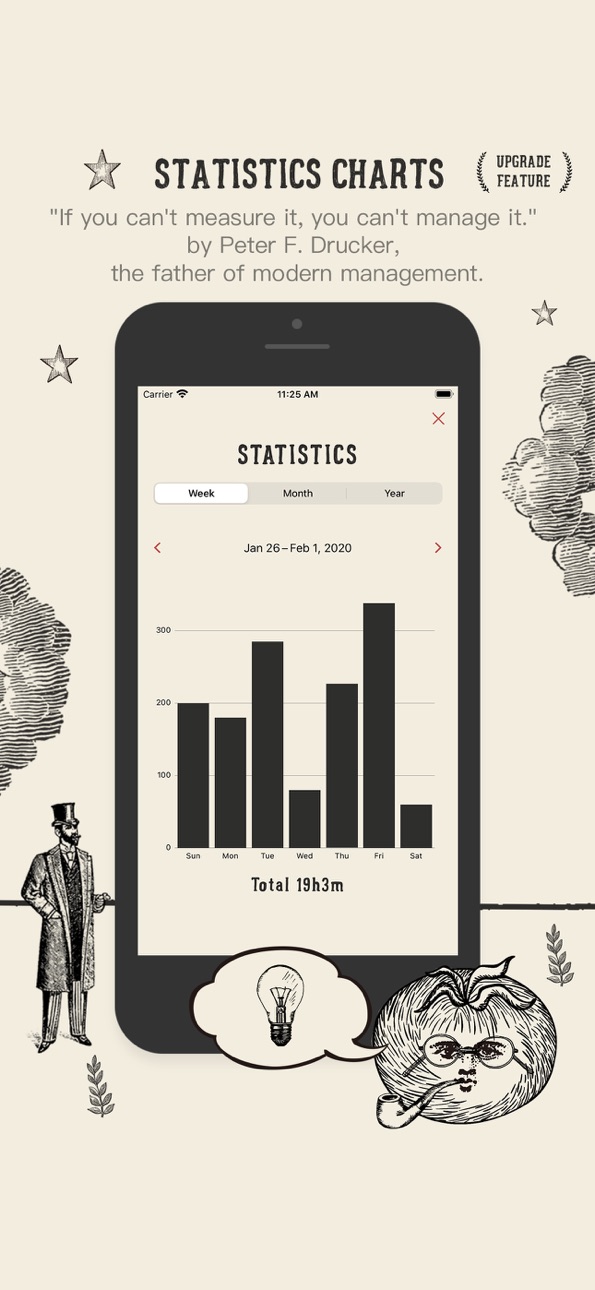
* New Perspective in Stats Page:We're showing not just the total focus time, but also the accumulated number of tomatoes. Because every tomato is proof of your effort.
* New Choices in Settings:
* Added "Statistics Preference" option, allowing you to choose between focusing on tomato count or focus duration. After all, customization is always good.
* We've also simplified the settings options, standardizing time display to hours and minutes to simplify things.
* Interface Tweaks:We've optimized some icons to make them more friendly and easier to use. Hope you like these little changes!
Build 860175281v5.2.92023-10-05 15:57:01
Corrected copywriting errors.
Build 859050350v5.2.82023-08-09 16:01:29
Optimize Timeline Performance and Revise Copy.
Build 858121758v5.2.72023-06-29 14:22:26
bug fix.
Build 853868339v5.2.62022-12-21 03:06:01
Partial texts and images retouching.
Build 853431456v5.2.52022-11-20 15:17:26
+ Add compatible images for iPhone 14 Pro and Pro Max sizes.
+ Add rest image.
Build 851399020v5.2.42022-08-17 10:30:14
+ Update frequent questions.
+ Add Focus Tomato official website link.
Build 848040914v5.2.32022-05-13 14:21:32
+ Reorganize Settings page.
+ Add the Quick Start.
Build 846306191v5.2.22021-12-31 17:01:26
+ iPad supports landscape mode.
Build 845865583v5.2.12021-12-10 22:01:51
+ Re-editing the ambient sound of "Bonfire”.
+ Added ambient sound of "Classroom”.
Build 845326868v5.22021-11-14 06:15:17
Important Updates
+ White noises (ambient sounds) will turn on automatically based on the previous option.
+ More white noises (ambient sounds) are added to the “King of tomato”: forest, train, hairdryer, grandfather clock, rain in the city, and keyboard.
Others
+ Re-editing and fine-tuning all the white noises (ambient sounds).
+ Some folks say they are freaked out because the sound effect of successful focus is too loud. Volume is turned down currently and fine-tuning that of other sound effects.
+ Try to reduce the volume gap between white noises (ambient sounds) and the tomato’s cough when time is up; prevent freaking out when the tomato coughs.
+ Fix the bug that if the “display Zoom” of certain sizes of iPhone are set as “Zoomed”, the button is in the wrong position.
+ Add fade in and fade out to white noises (ambient sounds).
Build 842741054v5.02021-06-23 19:46:50
+ Support iPad (iPhone, iPad data is not synced)
+ "Timeline" added week
Build 842175786v3.2.12021-05-12 23:16:23
"Time display format" is added in Settings; users can choose either “hour and minute” or “minute” on Today and when clicking the bar on Stats.
Build 841463614v3.22021-04-16 18:01:24
Important Updates
+ Newly added “Eyes on you mode” - texts and images can be changed when taking a break to prevent others from finding you are resting.
+ The info on Today has been changed to hours and minutes have been focused (Only minutes were shown previously).
+ Show hours and minutes on the long bar chart of the Stats (Only minutes were shown previously).
Others
+ The Timeline deleting sound has been changed to trash dumping sound.
+ Fix the “Valley stream” ambient sound, making the volume constant to prevent distracting.
+ Text space modifications on the third and fourth covers.
+ Fix the bug when clicking Focus, 25:00 could become 12:30 after taking a break.
+ Updated App icon.
Build 840153620v3.12021-01-23 04:07:07
+ Tomato will not throw in the towel while working in the background; no matter how many other apps are running at the same time, how long the timer has been counting, or even if the iPhone has been turned off, it will keep counting when the app is turned on.
+ Several covers can be added for “Tomato King”; options are available in “Settings”.
+ Rest time is logged in “Timeline” now, but not in “Stats” and Today on the cover; Today is only for the total focus time. This modification can help you arrange long rest more easily.
+ When adding notes in “Timeline,” save is complete when clicking “done”; no need to tap it on the virtual keyboard.
+ When setting the time up sound effect in the “Settings,” you can hear it immediately.
+ Modification of the “Timeline” interface.
+ Other minor optimization.
Price history by region
Currency
Show
Columns
Search
Availability 175 of 175 storefronts
| Region | Language | Price | Ratings | Avg | Version |
|---|---|---|---|---|---|
| CN | zh-Hans-CN | Free | 8.2k | 4.9 | 6.0.8 |
| TW | zh-Hant-TW | Free | 6.2k | 4.9 | 6.0.8 |
| US | en-US | Free | 1.7k | 4.9 | 6.0.8 |
| HK | zh-Hant-HK | Free | 925 | 4.8 | 6.0.8 |
| MX | es-MX | Free | 900 | 4.9 | 6.0.8 |
| CA | en-CA | Free | 725 | 4.8 | 6.0.8 |
| IT | it | Free | 620 | 4.8 | 6.0.8 |
| TR | en-GB | Free | 619 | 4.8 | 6.0.8 |
| VN | en-GB | Free | 612 | 4.9 | 6.0.8 |
| DE | de-DE | Free | 599 | 4.8 | 6.0.8 |
| BR | pt-BR | Free | 508 | 4.9 | 6.0.8 |
| IN | en-GB | Free | 463 | 4.8 | 6.0.8 |
| RU | ru | Free | 444 | 4.9 | 6.0.8 |
| SA | en-GB | Free | 358 | 4.8 | 6.0.8 |
| FR | fr-FR | Free | 282 | 4.8 | 6.0.8 |
| JP | ja | Free | 275 | 4.8 | 6.0.8 |
| ES | es-ES | Free | 270 | 4.8 | 6.0.8 |
| PL | en-GB | Free | 260 | 4.9 | 6.0.8 |
| GB | en-GB | Free | 218 | 4.9 | 6.0.8 |
| CO | es-MX | Free | 205 | 4.9 | 6.0.8 |
| PH | en-GB | Free | 201 | 4.8 | 6.0.8 |
| AU | en-AU | Free | 188 | 4.9 | 6.0.8 |
| TH | en-GB | Free | 163 | 4.9 | 6.0.8 |
| UA | en-GB | Free | 149 | 4.9 | 6.0.8 |
| NL | nl | Free | 125 | 4.7 | 6.0.8 |
| AR | es-MX | Free | 110 | 4.9 | 6.0.8 |
| EG | en-GB | Free | 108 | 4.8 | 6.0.8 |
| ZA | en-GB | Free | 106 | 4.8 | 6.0.8 |
| MY | en-GB | Free | 105 | 4.8 | 6.0.8 |
| SG | en-GB | Free | 105 | 5.0 | 6.0.8 |
| CH | de-CH | Free | 103 | 4.8 | 6.0.8 |
| CL | es-MX | Free | 103 | 4.9 | 6.0.8 |
| KR | ko | Free | 99 | 4.9 | 6.0.8 |
| SE | sv | Free | 99 | 4.7 | 6.0.8 |
| BE | en-GB | Free | 98 | 4.8 | 6.0.8 |
| PE | es-MX | Free | 95 | 4.9 | 6.0.8 |
| AT | de-DE | Free | 91 | 4.9 | 6.0.8 |
| RO | en-GB | Free | 91 | 4.9 | 6.0.8 |
| PT | pt-PT | Free | 86 | 4.8 | 6.0.8 |
| HU | en-GB | Free | 82 | 4.9 | 6.0.8 |
| AE | en-GB | Free | 71 | 4.8 | 6.0.8 |
| CZ | en-GB | Free | 62 | 4.9 | 6.0.8 |
| ID | en-GB | Free | 51 | 4.9 | 6.0.8 |
| IQ | en-GB | Free | 51 | 4.7 | 6.0.8 |
| EC | es-MX | Free | 50 | 4.8 | 6.0.8 |
| GR | en-GB | Free | 42 | 4.7 | 6.0.8 |
| IL | en-GB | Free | 42 | 4.7 | 6.0.8 |
| OM | en-GB | Free | 41 | 4.9 | 6.0.8 |
| GT | es-MX | Free | 39 | 4.9 | 6.0.8 |
| MO | zh-Hant-HK | Free | 39 | 4.9 | 6.0.8 |
| FI | en-GB | Free | 38 | 4.7 | 6.0.8 |
| CR | es-MX | Free | 37 | 5.0 | 6.0.8 |
| DK | en-GB | Free | 36 | 4.7 | 6.0.8 |
| BG | en-GB | Free | 32 | 4.8 | 6.0.8 |
| HR | en-GB | Free | 31 | 4.9 | 6.0.8 |
| SK | en-GB | Free | 31 | 4.9 | 6.0.8 |
| KZ | en-GB | Free | 26 | 4.9 | 6.0.8 |
| NG | en-GB | Free | 26 | 4.6 | 6.0.8 |
| EE | en-GB | Free | 24 | 5.0 | 6.0.8 |
| NO | en-GB | Free | 24 | 5.0 | 6.0.8 |
| JO | en-GB | Free | 23 | 4.7 | 6.0.8 |
| KW | en-GB | Free | 22 | 4.6 | 6.0.8 |
| PK | en-GB | Free | 22 | 4.6 | 6.0.8 |
| BO | es-MX | Free | 19 | 4.9 | 6.0.8 |
| MA | en-GB | Free | 19 | 4.5 | 6.0.8 |
| QA | en-GB | Free | 19 | 4.8 | 6.0.8 |
| SI | en-GB | Free | 19 | 4.9 | 6.0.8 |
| AZ | en-GB | Free | 18 | 4.9 | 6.0.8 |
| MN | en-GB | Free | 18 | 4.8 | 6.0.8 |
| SV | es-MX | Free | 18 | 4.9 | 6.0.8 |
| GE | en-GB | Free | 17 | 4.9 | 6.0.8 |
| LT | en-GB | Free | 17 | 4.9 | 6.0.8 |
| NZ | en-AU | Free | 17 | 4.9 | 6.0.8 |
| UZ | en-GB | Free | 16 | 4.9 | 6.0.8 |
| DZ | en-GB | Free | 15 | 4.9 | 6.0.8 |
| GH | en-GB | Free | 15 | 4.9 | 6.0.8 |
| BY | en-GB | Free | 13 | 5.0 | 6.0.8 |
| PA | es-MX | Free | 13 | 4.9 | 6.0.8 |
| RS | en-GB | Free | 13 | 4.8 | 6.0.8 |
| DO | es-MX | Free | 12 | 4.8 | 6.0.8 |
| UY | en-GB | Free | 12 | 4.9 | 6.0.8 |
| KE | en-GB | Free | 11 | 4.8 | 6.0.8 |
| LV | en-GB | Free | 11 | 4.8 | 6.0.8 |
| HN | es-MX | Free | 10 | 5.0 | 6.0.8 |
| AM | en-GB | Free | 9 | 4.9 | 6.0.8 |
| LK | en-GB | Free | 9 | 4.0 | 6.0.8 |
| PY | es-MX | Free | 9 | 4.9 | 6.0.8 |
| TN | en-GB | Free | 9 | 4.9 | 6.0.8 |
| VE | es-MX | Free | 9 | 4.6 | 6.0.8 |
| NP | en-GB | Free | 8 | 4.9 | 6.0.8 |
| MD | en-GB | Free | 7 | 4.9 | 6.0.8 |
| KH | en-GB | Free | 6 | 4.8 | 6.0.8 |
| LB | en-GB | Free | 6 | 4.7 | 6.0.8 |
| LY | en-GB | Free | 6 | 4.0 | 6.0.8 |
| AO | en-GB | Free | 5 | 4.8 | 6.0.8 |
| CI | fr-FR | Free | 5 | 4.2 | 6.0.8 |
| IE | en-GB | Free | 5 | 5.0 | 6.0.8 |
| KG | en-GB | Free | 5 | 5.0 | 6.0.8 |
| MT | en-GB | Free | 5 | 4.8 | 6.0.8 |
| SN | en-GB | Free | 5 | 5.0 | 6.0.8 |
| UG | en-GB | Free | 5 | 4.8 | 6.0.8 |
| AL | en-GB | Free | 4 | 3.5 | 6.0.8 |
| LU | en-GB | Free | 4 | 5.0 | 6.0.8 |
| MU | en-GB | Free | 4 | 5.0 | 6.0.8 |
| ZW | en-GB | Free | 4 | 4.5 | 6.0.8 |
| CY | en-GB | Free | 3 | 5.0 | 6.0.8 |
| JM | en-GB | Free | 3 | 5.0 | 6.0.8 |
| MK | en-GB | Free | 3 | 5.0 | 6.0.8 |
| MZ | en-GB | Free | 3 | 5.0 | 6.0.8 |
| TZ | en-GB | Free | 3 | 5.0 | 6.0.8 |
| ZM | en-GB | Free | 3 | 4.0 | 6.0.8 |
| BS | en-GB | Free | 2 | 5.0 | 6.0.8 |
| BT | en-GB | Free | 2 | 5.0 | 6.0.8 |
| CD | en-GB | Free | 2 | 4.5 | 6.0.8 |
| CM | fr-FR | Free | 2 | 4.5 | 6.0.8 |
| ML | en-GB | Free | 2 | 4.5 | 6.0.8 |
| MV | en-GB | Free | 2 | 5.0 | 6.0.8 |
| NI | es-MX | Free | 2 | 4.5 | 6.0.8 |
| SZ | en-GB | Free | 2 | 5.0 | 6.0.8 |
| TJ | en-GB | Free | 2 | 5.0 | 6.0.8 |
| TT | en-GB | Free | 2 | 5.0 | 6.0.8 |
| XK | en-GB | Free | 2 | 5.0 | 6.0.8 |
| AF | en-GB | Free | 1 | 5.0 | 6.0.8 |
| BA | en-GB | Free | 1 | 5.0 | 6.0.8 |
| BH | en-GB | Free | 1 | 5.0 | 6.0.8 |
| BJ | en-GB | Free | 1 | 5.0 | 6.0.8 |
| BM | en-GB | Free | 1 | 5.0 | 6.0.8 |
| BN | en-GB | Free | 1 | 5.0 | 6.0.8 |
| BW | en-GB | Free | 1 | 5.0 | 6.0.8 |
| FJ | en-GB | Free | 1 | 3.0 | 6.0.8 |
| GA | fr-FR | Free | 1 | 5.0 | 6.0.8 |
| GD | en-GB | Free | 1 | 5.0 | 6.0.8 |
| GM | en-GB | Free | 1 | 5.0 | 6.0.8 |
| IS | en-GB | Free | 1 | 5.0 | 6.0.8 |
| KY | en-GB | Free | 1 | 5.0 | 6.0.8 |
| MW | en-GB | Free | 1 | 5.0 | 6.0.8 |
| NA | en-GB | Free | 1 | 5.0 | 6.0.8 |
| SR | en-GB | Free | 1 | 5.0 | 6.0.8 |
| AG | en-GB | Free | 0 | — | 6.0.8 |
| AI | en-GB | Free | 0 | — | 6.0.8 |
| BB | en-GB | Free | 0 | — | 6.0.8 |
| BF | en-GB | Free | 0 | — | 6.0.8 |
| BZ | en-GB | Free | 0 | — | 6.0.8 |
| CG | en-GB | Free | 0 | — | 6.0.8 |
| CV | en-GB | Free | 0 | — | 6.0.8 |
| DM | en-GB | Free | 0 | — | 6.0.8 |
| FM | en-GB | Free | 0 | — | 6.0.8 |
| GW | en-GB | Free | 0 | — | 6.0.8 |
| GY | en-GB | Free | 0 | — | 6.0.8 |
| KN | en-GB | Free | 0 | — | 6.0.8 |
| LA | en-GB | Free | 0 | — | 6.0.8 |
| LC | en-GB | Free | 0 | — | 6.0.8 |
| LR | en-GB | Free | 0 | — | 6.0.8 |
| ME | en-GB | Free | 0 | — | 6.0.8 |
| MG | en-GB | Free | 0 | — | 6.0.8 |
| MM | en-GB | Free | 0 | — | 6.0.8 |
| MR | en-GB | Free | 0 | — | 6.0.8 |
| MS | en-GB | Free | 0 | — | 6.0.8 |
| NE | en-GB | Free | 0 | — | 6.0.8 |
| NR | en-GB | Free | 0 | — | 6.0.8 |
| PG | en-GB | Free | 0 | — | 6.0.8 |
| PW | en-GB | Free | 0 | — | 6.0.8 |
| RW | en-GB | Free | 0 | — | 6.0.8 |
| SB | en-GB | Free | 0 | — | 6.0.8 |
| SC | en-GB | Free | 0 | — | 6.0.8 |
| SL | en-GB | Free | 0 | — | 6.0.8 |
| ST | en-GB | Free | 0 | — | 6.0.8 |
| TC | en-GB | Free | 0 | — | 6.0.8 |
| TD | en-GB | Free | 0 | — | 6.0.8 |
| TM | en-GB | Free | 0 | — | 6.0.8 |
| TO | en-GB | Free | 0 | — | 6.0.8 |
| VC | en-GB | Free | 0 | — | 6.0.8 |
| VG | en-GB | Free | 0 | — | 6.0.8 |
| VU | en-GB | Free | 0 | — | 6.0.8 |
| YE | en-GB | Free | 0 | — | 6.0.8 |
Reviews 30 reviews · US
★★★★★
Good, but some sounds are disturbing/inappropriate
I like the app. It helps me. The VISUAL design is great...But the AUDIO, unfortunately, is poorly selected. I am fine with the non vocal noises that seem to come from a clock/telephone; but I DO NOT LIKE how when I press start, I hear a man's GRUNTING and COUGHING. It doesn't seem appropriate.
jean de daumier2026-03-16
★★★★★
Simple, functional, pleasing
Focus Tomato is easy to use as a timer, has space for short narrative notes if desired for each segment of time spent, does not require setting a goal first, allows time to keep running and be recorded so if I’m on a roll I can keep going but still keep track of time spent on a task or project. The art is minimums but delightful. The alert sounds same.
cmp3692025-12-20
★★★★★
Simple, yet Packed with Excellent Design
In a world of many productivity apps and pomodoro timers, this one stands out. Compared to other apps in this genre, this app has a lot of character. The UI deviates from the cut-and-dry minimalism that many other apps have with vintage illustrations and unique typography. It’s a breath of fresh air.
The timer for both work and break are easily adjustable, and the ambient sound options are fantastic (big fan of Library and Coffee Shop). The sounds for the buttons are a great touch. And come on, the tomato has a face! I love him!
DoofusConvention2025-06-12
★★★★★
Love it with one suggestion
App is great and I love the art! Would give it 5 stars if it could make use of Live Activities and Dynamic Island on the newer iPhones.
Aayush Kubavat2025-05-27
★★★★★
Please add a widget option!
Great app!! Simple and to the point but still aesthetically pleasing. I would love an option to add a widget to my homescreen!
sanr review2024-12-20
★★★★★
I can’t emphasize this enough YOU SHOULD GET THIS APP!!
This app + the “tomato master” in-app purchase has worked amazing wonders on me that no other app or thing has ever had.
I’m currently in high school and I’ve always struggled with homework, have tried many different things to try to help myself with both focusing and to help me stay focused, but stuff never really worked. This app however, not only has worked for me, but works so well that it took me from someone who would spend an hour to finish 1 thing of double sided homework, to now 25 minutes to finish double sided homework. That is less then half the time! With the timer plus the purcha
Autumnus222024-12-15
★★★★★
Simple but delicate
Usage is simple, the design is good, but is there an auto mode to continue circles?
People’s Niuma2024-12-11
★★★★★
An incredible app
I almost never take the time to write reviews, but this app is so beautiful and so amazing that I must praise it
no09277112024-10-20
★★★★★
Simple and straight-forward, affordable, and no gimmicks!
I love this developer, honestly, I do. I love how straight forward their apps are and how they don’t collect any personal data, it’s the absolute best!
idjvgv2024-09-25
★★★★★
I LOVE IT!
I’ve been jumping between several types of pomodoro timers, but out of all of it, this app is just the most visually appealing and the most very user friendly out of all of it. I love how modifiable the break timer is and how it totals the time if I went pass the work timer. It really helps with just focusing on your tasks. I do wish that this app to have a widget that I can put in the lock screen or a heat map; definitely so down to purchase it for that feature!
Ana-Phi n=boy2024-09-15
★★★★★
Helps me get work done much faster
This app helps me get school work done and when the timers go off it motivates me to earn more 🍅 tomatoes. I love the design it looks so interesting. Really cute app I really recommend it. Also I love how it has a white noise feature because it helps me be more productive the only I would suggest is adding a dark mode. 9/10 app
我喜欢 很好👍👍👌👌2024-08-26
★★★★★
Focus
Best study app among many which i downloaded. It is fun and useful.
titanium777777772024-05-11
★★★★★
10/10.
I literally never write reviews for any apps, but this one simply deserves it. It’s perfect for anyone who needs a timer to study. I’ve been studying for 7 hours now (including the breaks) and this app made it so easy, it’s actually insane. Please download this and try it. I just purchased the premium version too (ONLY $1.99?????) because I love the aesthetics and the background noise of the app. I just love this. Thank you for making this app.
priscillaaes2024-04-20
★★★★★
Love it. BUG? Can’t turn off coffee shop white noise.
I’ve been using this for a year and love it. But I experimented with the white noise coffee shop and can’t find the place to turn it off.
Expecting Positive2024-04-02
★★★★★
Good app
I really enjoy this app. Very simple and does the job. I would love it if you could also make it compatible with Apple Watch in the future!
TrueClouds2024-03-08
★★★★★
Best app for timing studying!!!!
I have used so many other promodoro timer apps among other timer app for studying, and none of them are better than Focus Tomato! This app is so easy to use and is really aesthetically pleasing. I also love that if you go overtime on the set amount of time you’ve set, it just adds that time to your total time studying. Could not recommend this app more!!!
rosey.posey2024-02-25
★★★★★
Simple, Fun and Cool Pomodoro!!
I’ve tried a few focus apps but they were too complicated (like you ended up spending much more time on the app than actually working)..those apps defied the purposes of “focus” app a little bit. Tomato is different. I became so productive right away. I think mainly because the app has a super easy interface, no fuss, no hidden route or complicated tables/stats/sync function. I really appreciated this. Extra points for all these cool vintage/Western visuals and sound. Just amazing! After this review, I’ll pay for the one-time permanent upgrade (super cheap too!). Thanks, team, and keep going!
yvestree2024-02-16
★★★★★
I wasn’t payed to write this
I love this app because it makes me productive instead of working nonstop and taking no breaks.
Phoenix thunder tsunami2024-02-02
★★★★★
Fun Focus
This has helped me in my writing practice. I like that I can customize the focus and break time. The white noise sounds are a fun mix. I like the retro graphics. Simple, straight forward app that you can just buy and not have to subscribe monthly.
Sfroma2024-01-10
Change log 32 changes · US
✎
releaseNotes updated
• Fixed an issue on iOS 26 where the "Stop" button in the timer's background-sound menu liked to hide — it now stays put at the top, easy to find.
• Closing the
✎
description updated
## App Of The Day - Apple
## New Apps We Love - Apple
## Try These Out - Apple
## Student App of the Month - The App Brewery (London)
Focus Tomato is a serio
✎
subtitle updated
Stop distracting; stay focused
✎
name updated
Focus Tomato - Let's focus now
▣
App icon changed
✎
Privacy labels 0 → 1 categories
✎
Added: In App Purchases
◆
Version 6.0.8 released
• Fixed an issue on iOS 26 where the "Stop" button in the timer's background-sound menu liked to hide — it now stays put at the top, easy to find.
• Closing the menu by tapping outside no longer stops your playing sound by accident.
• Tuned
◆
Version 6.0.7 released
A small polish update:
• Refined some wording in Settings for a softer tone
• Improved underlying compatibility for smoother performance on the latest iOS
◆
Version 6.0.6 released
[Tomato King Exclusive]
Added a friendly upgrade path for Tomato Kings to unlock Focus Tomato 2 at a discounted price.
◆
Version 6.0.5 released
Fixed statistics chart display issues during DST transitions
◆
Version 6.0.3 released
What’s New
+ You can now export your focus records and import them into Focus Tomato 2
+ General performance and stability improvements
◆
Version 6.0.2 released
This update introduces the following new features:
• Focus Record Export
Added the “Export Focus Records” feature, allowing you to export all your focus sessions in CSV format for data analysis or backup purposes.
◆
Version 6.0.1 released
This update fixes the following issues:
• Fixed an issue where the time picker on the Timeline edit page was cut off
• Fixed an issue where the Timeline edit page frame was too short and hidden by the scroll bar
• Fixed the discomfo
◆
Version 6.0 released
• Added Live Activity — view focus progress on the Dynamic Island and Lock Screen
• Added Widgets — show today’s tomato count and total focus time
• Removed flicker animation when returning to the home screen
• Fixed App Icon display issue
◆
Version 5.3.2 released
•Fixed image issues on iPhone 16 Pro and iPhone 16 Pro Max.
•Temporarily added an ad banner for Focus Tomato 2.
◆
Version 5.3.1 released
Fixed a significant bug affecting user experience. Users encountered inaccurate tomatoes count issues when starting the focus mode immediately after a rest period. This update addresses this issue, ensuring accurate statistics for focus tim
◆
Version 5.3 released
* Homepage Refresh:We've spruced up the homepage a bit. Now, you'll see "Today's Focused Tomato Count" instead of just time. The Pomodoro technique just got more intuitive, right?
* TimeLine Page Bonus:We've added total focus time and tomat
◆
Version 5.2.9 released
Corrected copywriting errors.
◆
Version 5.2.8 released
Optimize Timeline Performance and Revise Copy.
◆
Version 5.2.7 released
bug fix.
◆
Version 5.2.6 released
Partial texts and images retouching.
◆
Version 5.2.5 released
+ Add compatible images for iPhone 14 Pro and Pro Max sizes.
+ Add rest image.
◆
Version 5.2.4 released
+ Update frequent questions.
+ Add Focus Tomato official website link.
◆
Version 5.2.3 released
+ Reorganize Settings page.
+ Add the Quick Start.
◆
Version 5.2.2 released
+ iPad supports landscape mode.
◆
Version 5.2.1 released
+ Re-editing the ambient sound of "Bonfire”.
+ Added ambient sound of "Classroom”.
◆
Version 5.2 released
Important Updates
+ White noises (ambient sounds) will turn on automatically based on the previous option.
+ More white noises (ambient sounds) are added to the “King of tomato”: forest, train, hairdryer, grandfather clock, rain in the city
◆
Version 5.0 released
+ Support iPad (iPhone, iPad data is not synced)
+ "Timeline" added week
◆
Version 3.2.1 released
"Time display format" is added in Settings; users can choose either “hour and minute” or “minute” on Today and when clicking the bar on Stats.
◆
Version 3.2 released
Important Updates
+ Newly added “Eyes on you mode” - texts and images can be changed when taking a break to prevent others from finding you are resting.
+ The info on Today has been changed to hours and minutes have been focused (Only minut
◆
Version 3.1 released
+ Tomato will not throw in the towel while working in the background; no matter how many other apps are running at the same time, how long the timer has been counting, or even if the iPhone has been turned off, it will keep counting when th