Home › Business

 US
US
USen-US AONot Available
 BFNot Available
 BJNot Available
 BWNot Available
 CDNot Available
 CGNot Available
 CINot Available
 CMNot Available
 CVNot Available
 GANot Available
 GHNot Available
 KENot Available
 MANot Available
 MGNot Available
 MLNot Available
 MUNot Available
 MZNot Available
 NANot Available
 NENot Available
 NGNot Available
 SNNot Available
 TDNot Available
 TZNot Available
 UGNot Available
 ZMNot Available
 ZWNot Available
1 of 27 storefronts
Content in en-US
Content in en-US
Information
Preview 2 platforms
iPhone 5 images

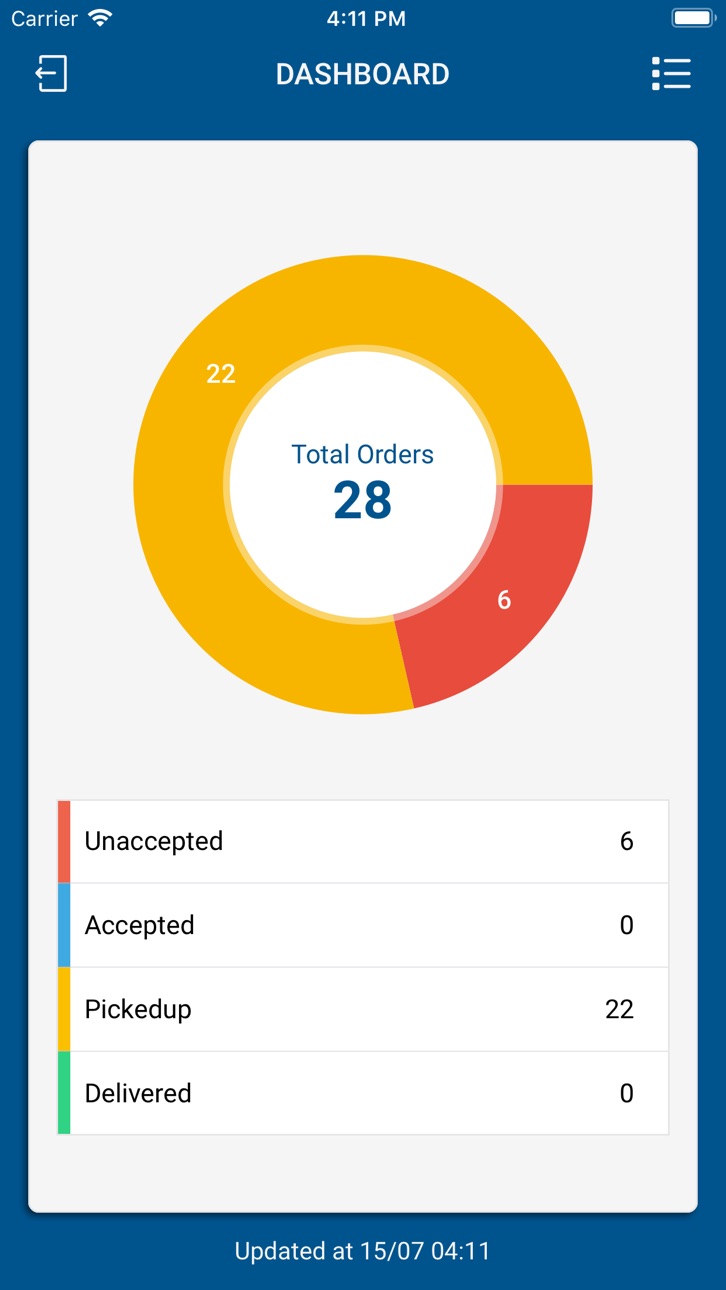
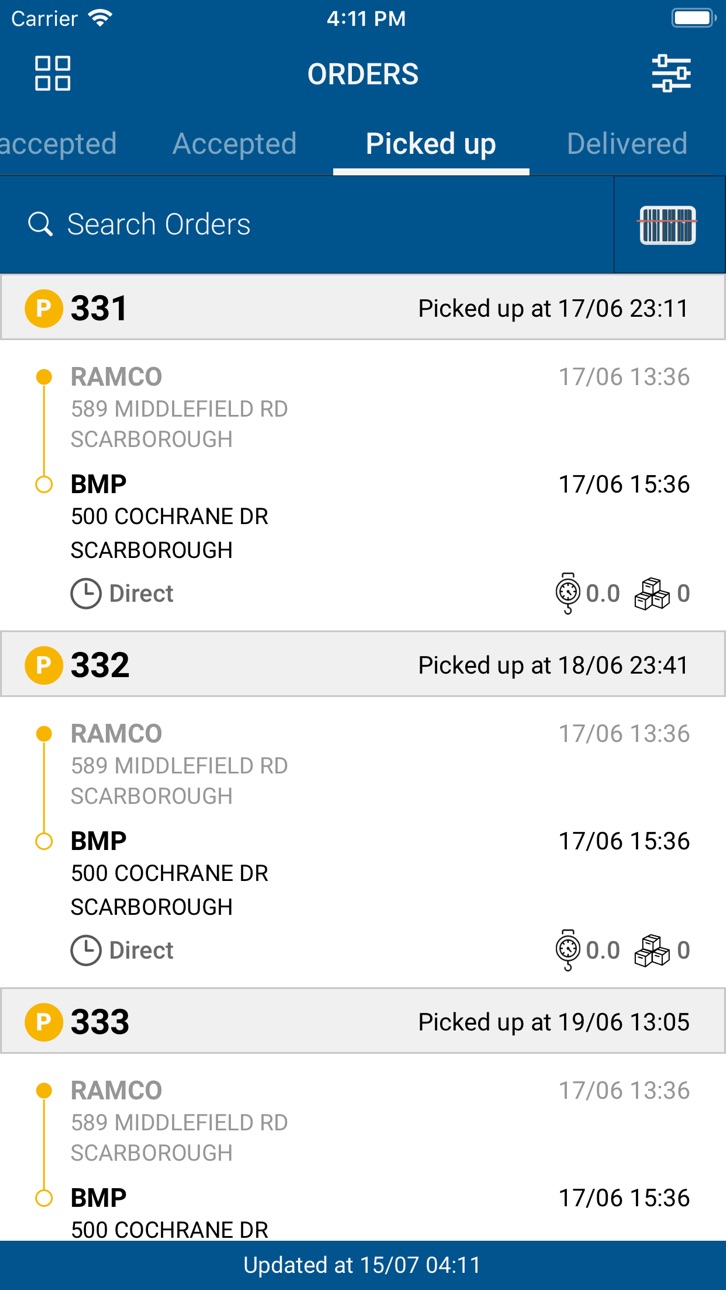
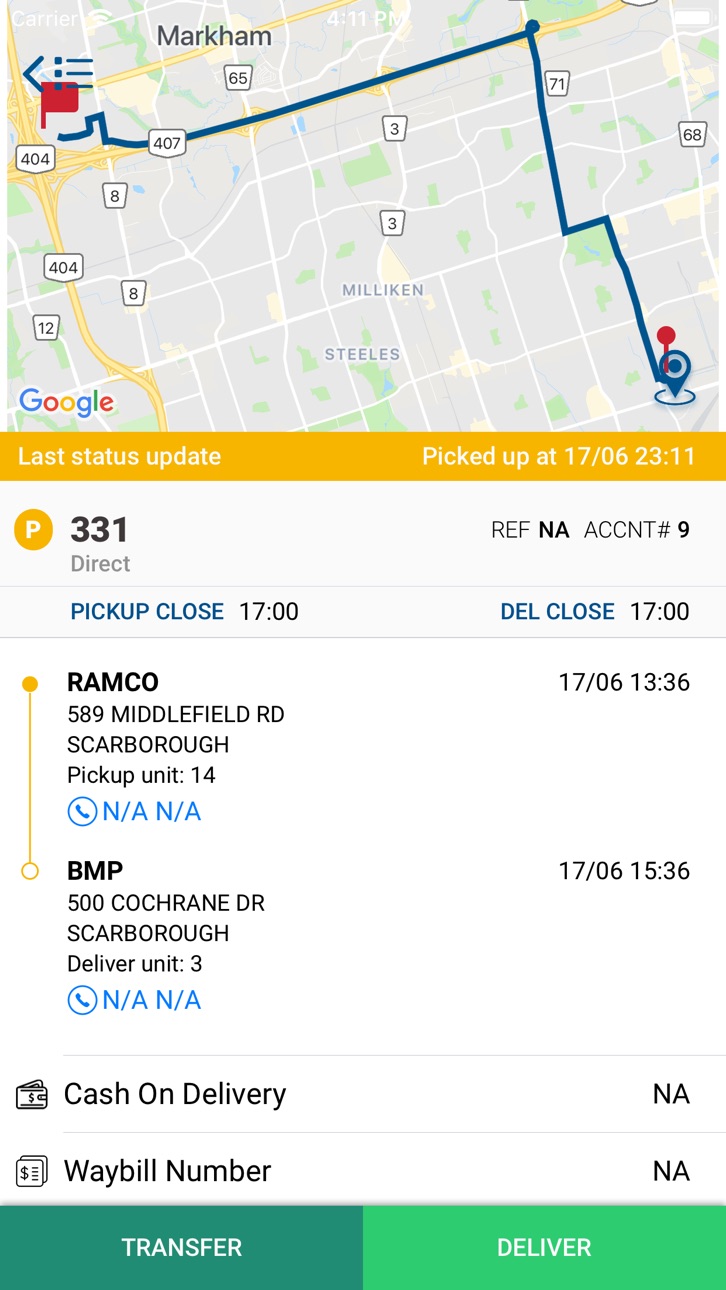
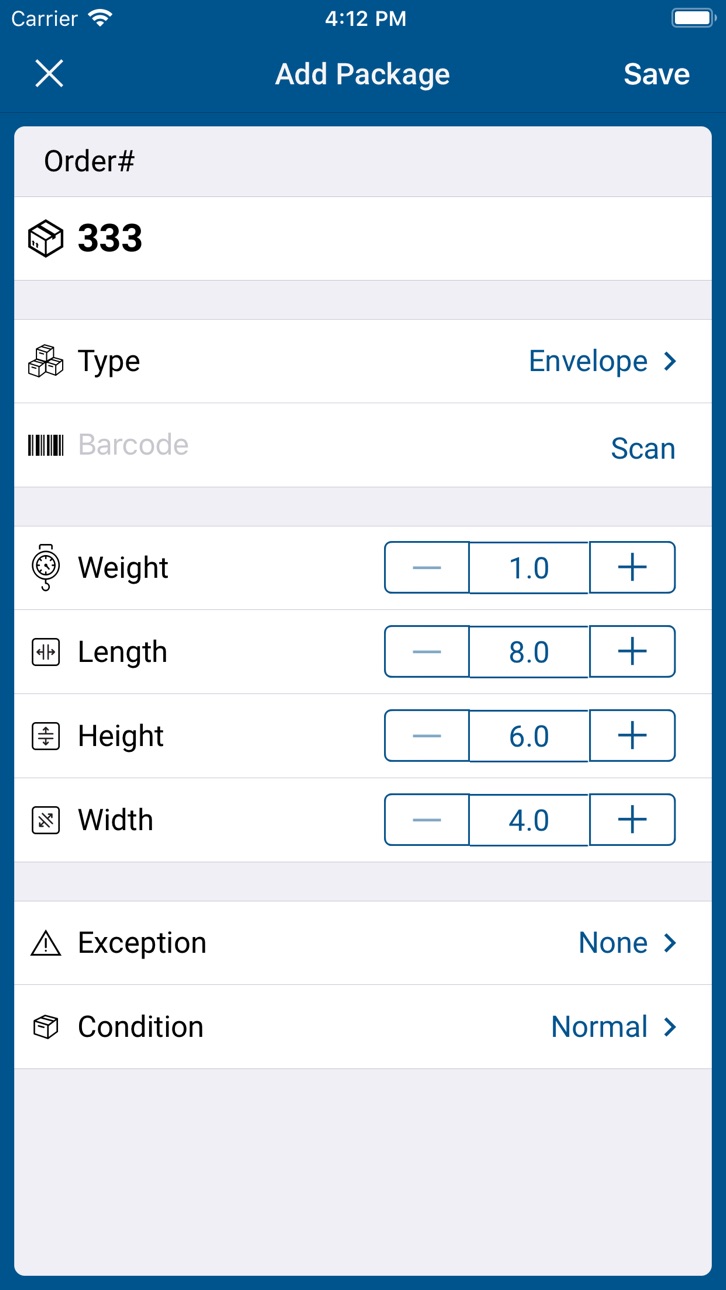
iPad 5 images


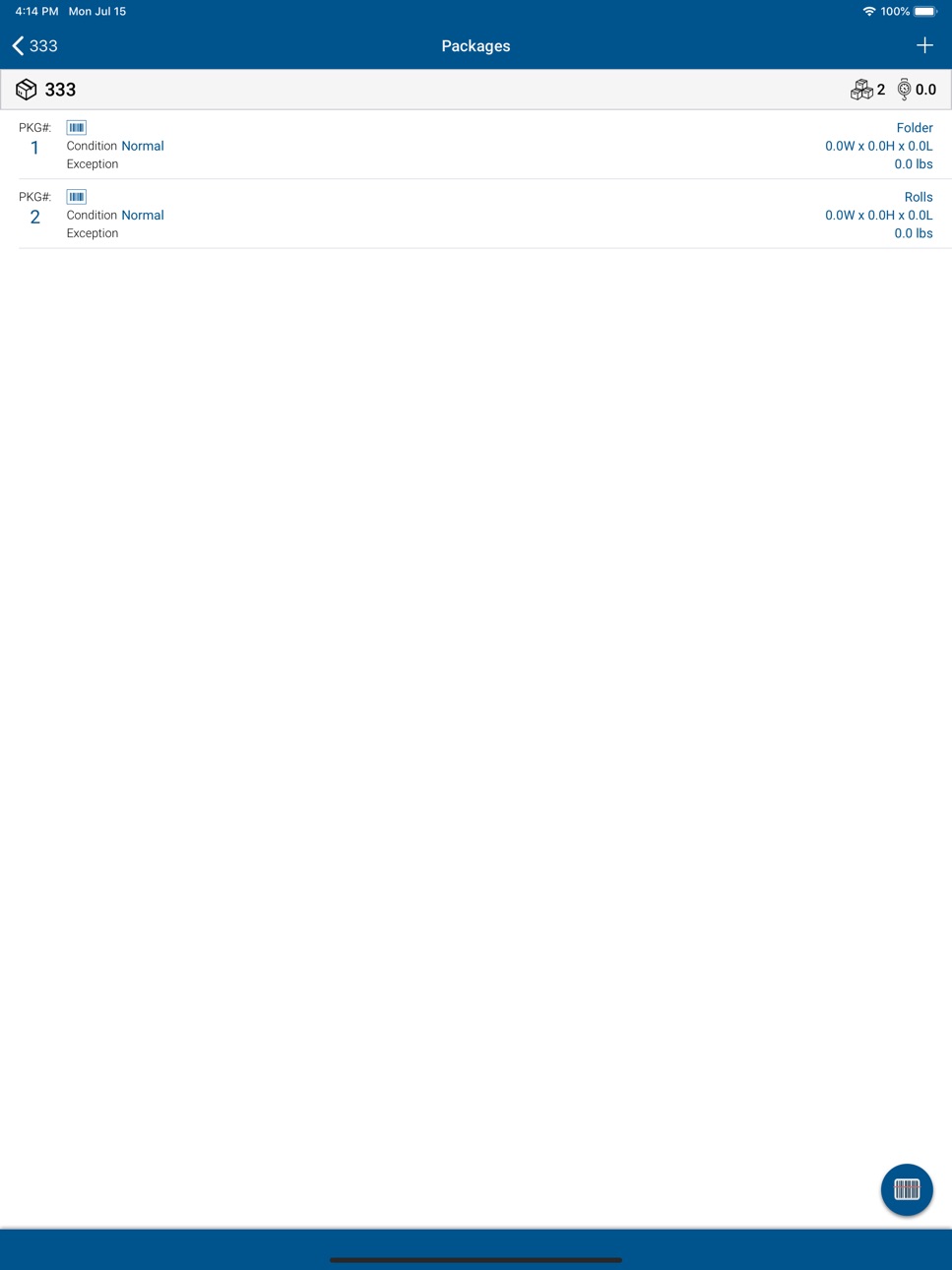

What’s New Version 1.5.8
1. Toggle between Light Mode and Dark Mode (affecting Splash Screen, Login Screen, Dashboard, Order List Screen, Order Details Screen, Package Details Screen, etc.)
2. Toggle between Collapsed and Expanded as the default setting for the Order List Screen (auto-expanded by default)
3. Upon each order status progression (New -> Accepted -> Arrived at PU -> Picked Up -> Arrived at DEL -> Delivered), toggle between
4. Default Flow: Auto-Redirect to the Next Tab
5. New Flow #1: Stay in the Current Tab
6. New Flow #2: Return to the Dashboard Screen
7. Implemented the ability to browse images in Camera Roll/Photo Gallery to the Photos/Order Images feature
8. Fixed the app crashing issue related to OrderListActivity,ForegroundServiceStartNotAllowedException when starting LocationService from onResume. This is triggered and bubbles up through ActivityThread.performResumeActivity
Description
Courier Complete Mobile 2 for iOS.
Courier Complete is the most widely used courier software in North America. Courier Complete automates the front office, back-end business and in-field courier processes, including online customer order entry, accounts receivable, real-time deliver tracking, and account information. It uses wireless two-way data technology to enable dispatchers to wirelessly send detailed order information to a driver’s device. Drivers can view and interact with the information on their device and keep dispatchers up to date by remotely updating the status of pickups and deliveries. The Courier Complete solution includes:
- Unlimited Courier Complete desktop (dispatcher) licenses
- Support through our North American support department
- Courier Complete web portal for your clients to place orders
- Mobile device tracking (while user is logged in) and unlimited Fleet Complete licenses
In addition, data services can be provided to assist in the conversion to the Courier Complete product; and a large custom development and consulting team is available to develop custom solutions to give your businesses the competitive advantage.
ccMobile2 provides additional functionality to:
- take photo's when interacting with an order
- timestamp arrival at pickup and delivery location
- specify an exception code for the order
ccMobile2 will require additional Web Services be configured and changes to your Courier Complete application/server. Please contact Courier Complete Support for prior to using this version of ccMobile.
Please Note:
Continued use of GPS running in the background can dramatically decrease battery life.
Accessibility
ipadiphonemacrealityDevicetvoswatch
Version history 14 versions
Build 879301397v1.5.82025-10-30 11:51:51
1. Toggle between Light Mode and Dark Mode (affecting Splash Screen, Login Screen, Dashboard, Order List Screen, Order Details Screen, Package Details Screen, etc.)
2. Toggle between Collapsed and Expanded as the default setting for the Order List Screen (auto-expanded by default)
3. Upon each order status progression (New -> Accepted -> Arrived at PU -> Picked Up -> Arrived at DEL -> Delivered), toggle between
4. Default Flow: Auto-Redirect to the Next Tab
5. New Flow #1: Stay in the Current Tab
6. New Flow #2: Return to the Dashboard Screen
7. Implemented the ability to browse images in Camera Roll/Photo Gallery to the Photos/Order Images feature
8. Fixed the app crashing issue related to OrderListActivity,ForegroundServiceStartNotAllowedException when starting LocationService from onResume. This is triggered and bubbles up through ActivityThread.performResumeActivity
Build 876295731v1.5.72025-07-14 15:07:35
1. Implemented Geofencing Validation Logic on Pickup and Delivery Arrival
2. Optimized Barcode Scan Workflow
3. Automated navigation to specific Tab/Folder/List Menu upon each status progression
4. Allow Saving Individual Tab Sorting as User Preferences
5. Clearing Driver Notes screen when user creates a new entry
6. Changed direct dialing behaviour of Pickup and Delivery Contact Phone Number
7. Updated parameters from AllowScanOnPickup and AllowScanOnDelivery to VerifyScanOnPickup and VerifyScanOnDelivery
Hi Iyyappan Rajendran I have asked palani and he told me to take the notes from the group so this is the comments.
Build 874462185v1.5.62025-05-02 14:43:33
Bug Fixes
Build 866850203v1.5.52024-08-12 09:58:23
- Shifted the scanner frame to the top of the Package List screen when the ‘barcode scanner’ button is toggled on
- Added the Flashlight option to the Scanner Frame to help barcode scanning in low-light conditions
- Added the ‘Barcode Search’ button to the List Menu to enable barcode scanning of Order Number from the Waybill or Package Barcode from the Label, which will redirect the user to the Order Details screen
- Changed ‘Barcode Search’ to Scanner Frame as opposed to redirecting to the camera and rotating the screen
- Implemented the logic to automatically turn off the Flashlight when the Scanner Frame is closed
- Added numerator and denominator (fraction) to the Package List screen for both Pickup and Delivery to indicate the total number of packages scanned / the total number of packages available
- Forced the header frame (Order Number, Package Count, Order Weight) to stay on top when scrolling down the package list
- Fixed the issue with package instances intermittently disappearing when drivers progress order statuses from pickup to delivery
Build 863158189v1.5.42024-01-25 00:11:32
1. Hide/Show 'Print Waybill & Labels' field on the Order Details screen based on the corresponding parameter value defined on the web config
2. Updated workflow for barcode scanning during pickup and delivery; scan once to update scan flags and scan twice to redirect to the Package Details screen
3. Fixed the image capturing bug affecting iOS version 17 and up
Build 861728483v1.5.32023-11-24 21:00:00
1. Increased size of action buttons
2. Shifted action buttons to be above the bottom bar for easier access
3. General bug fixes and improvements
Build 857269957v1.5.22023-05-22 23:22:52
Added vehicle type information on the order details page.
UI fixes
Build 851464686v1.5.12022-08-10 12:13:06
Fixed issues related to adding packages to order
Build 849387855v1.5.02022-05-24 18:41:52
iOS 15 fixes and optimization
Build 842957112v1.42021-12-16 02:58:17
- Ability to multi-select orders and process to the next stage.
- Showing package count on order delivery screen.
- Enable/Disable adding, editing, deleting, and scanning packages.
- Updated order transfer UI.
- Ability to add multiple packages in a single shot.
- Ability to attach POD image on delivery.
- Phone number dialer fixes.
- Retain order sorting.
- Push notification on inbound orders.
- Real-time orders count update in the dashboard.
- Location snapshot UTC conversion.
- Admin orders removal handling.
Build 842323921v1.32021-05-21 17:02:46
Order sync fixes
Build 842149707v1.22021-05-13 06:01:47
Bug fixes
Build 832538702v1.12021-04-29 07:14:34
New:
- Displaying driver name on the dashboard
- Displaying client name on the order details screen
- Saving login credentials on logout
- Package confirmation popup
- Image discard confirmation popup
Bugfixes:
- Orders sync fixes
- Date format fixes
Build 831617208v1.02019-07-17 18:50:49
No pricing data captured yet — comparisons appear once the app has paid storefronts or in-app purchases.
Availability 1 of 27 storefronts
| Region | Language | Price | Ratings | Avg | Version |
|---|---|---|---|---|---|
| US | en-US | Free | 2 | 3.0 | 1.5.8 |
Not available in: AO, BF, BJ, BW, CD, CG, CI, CM, CV, GA, GH, KE, MA, MG, ML, MU, MZ, NA, NE, NG, SN, TD, TZ, UG, ZM, ZW
Change log 17 changes · US
✎
releaseNotes updated
1. Toggle between Light Mode and Dark Mode (affecting Splash Screen, Login Screen, Dashboard, Order List Screen, Order Details Screen, Package Details Screen, e
✎
description updated
Courier Complete Mobile 2 for iOS.
Courier Complete is the most widely used courier software in North America. Courier Complete automates the front office, bac
✎
name updated
Courier Complete Mobile 2
◆
Version 1.5.8 released
1. Toggle between Light Mode and Dark Mode (affecting Splash Screen, Login Screen, Dashboard, Order List Screen, Order Details Screen, Package Details Screen, etc.)
2. Toggle between Collapsed and Expanded as the default setting for the Ord
◆
Version 1.5.7 released
1. Implemented Geofencing Validation Logic on Pickup and Delivery Arrival
2. Optimized Barcode Scan Workflow
3. Automated navigation to specific Tab/Folder/List Menu upon each status progression
4. Allow Saving Individual Tab Sorting as Use
◆
Version 1.5.6 released
Bug Fixes
◆
Version 1.5.5 released
- Shifted the scanner frame to the top of the Package List screen when the ‘barcode scanner’ button is toggled on
- Added the Flashlight option to the Scanner Frame to help barcode scanning in low-light conditions
- Added the ‘Barcode Sea
◆
Version 1.5.4 released
1. Hide/Show 'Print Waybill & Labels' field on the Order Details screen based on the corresponding parameter value defined on the web config
2. Updated workflow for barcode scanning during pickup and delivery; scan once to update scan flag
◆
Version 1.5.3 released
1. Increased size of action buttons
2. Shifted action buttons to be above the bottom bar for easier access
3. General bug fixes and improvements
◆
Version 1.5.2 released
Added vehicle type information on the order details page.
UI fixes
◆
Version 1.5.1 released
Fixed issues related to adding packages to order
◆
Version 1.5.0 released
iOS 15 fixes and optimization
◆
Version 1.4 released
- Ability to multi-select orders and process to the next stage.
- Showing package count on order delivery screen.
- Enable/Disable adding, editing, deleting, and scanning packages.
- Updated order transfer UI.
- Ability to add multiple pack
◆
Version 1.3 released
Order sync fixes
◆
Version 1.2 released
Bug fixes
◆
Version 1.1 released
New:
- Displaying driver name on the dashboard
- Displaying client name on the order details screen
- Saving login credentials on logout
- Package confirmation popup
- Image discard confirmation popup
Bugfixes:
- Orders sync fixes
- Date f
◆
Version 1.0 released