Home › Business

 US
US
1 of 1 storefronts
Content in en-US
Content in en-US
Information
Apple ID1462463852
Bundle IDcom.war.pdfpencil
SellerSeller
Min iOS15.6
Min macOS12.5
Device familiesiphone, ipad, ipod
Released2019-06-18
Copyright© Warif Akhand Rishi
Privacy policyLink ↗
Preview 2 platforms
iPhone 10 images




iPad 10 images




What’s New Version 6.0
PDF Pencil is back with its biggest update since 2021! We’ve completely rebuilt the app to be faster, smoother, and more beautiful for 2026.
• iOS 26 Liquid Glass Design: Experience a stunning, modern interface with fluid, translucent visuals that let your documents take center stage.
• Modern Performance: PDF Pencil now uses the latest SDKs for 40% faster vector rendering and improved battery efficiency.
• Refined Precision: Smoother ink strokes and updated context menus for a more intuitive signature and markup experience.
A Huge Thank You: To our loyal community who has been with us since the beginning—thank you for your patience and for staying with PDF Pencil. We are thrilled to bring this new era of design to your workflow!
Description
Experience the most natural way to sign, scan, and markup documents. With PDF Pencil, you can sign your PDF documents like paper with full vector support—no more blurry image stamps. Transform your device into a professional portable scanner and go paperless today.
# Pro Vector Signatures
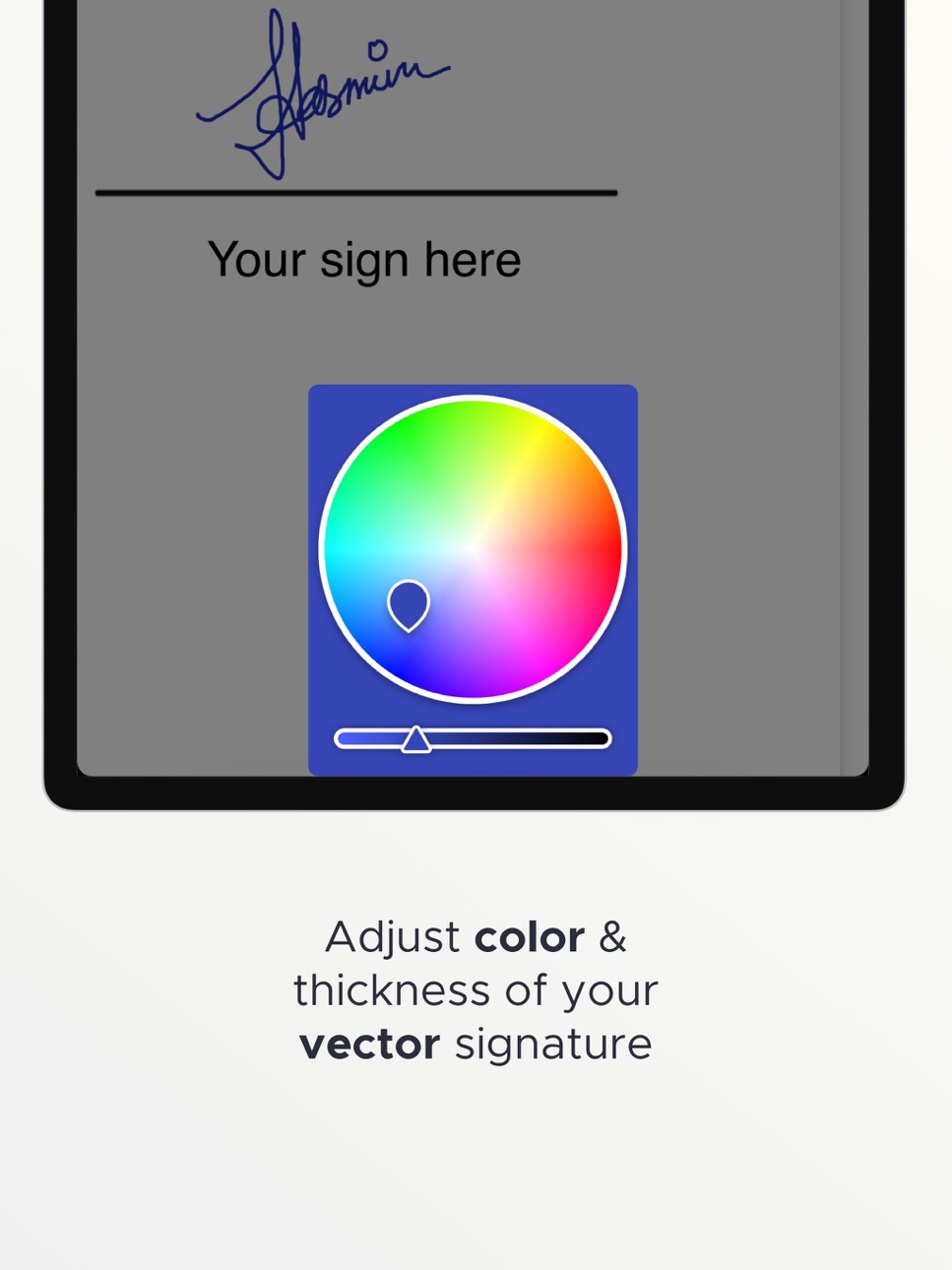
Upgrade your finger or Apple Pencil into a high-precision stylus. PDF Pencil uses full vector technology, allowing you to zoom in without losing quality.
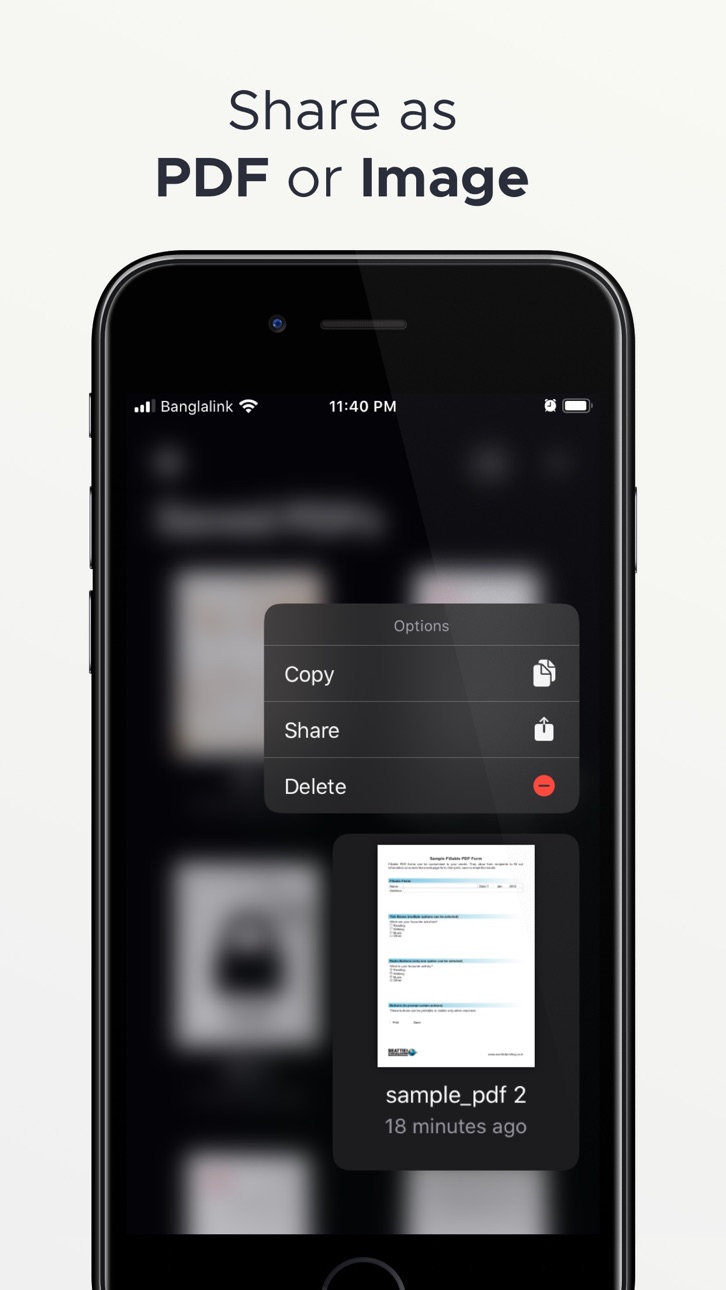
• Customizable: Pick your favorite ink color and line thickness; the app remembers your preferences for next time.
• Security First: PDF Pencil prioritizes your privacy. We never save your signature—not even inside the app.
# Advanced PDF Markup & Editing
• Fill forms and annotate documents with ease.
• Fill & Sign: Add text, handwritten notes, and drawings to any PDF form.
• Full Control: Use Undo/Redo, rearrange pages, duplicate files, or rename documents instantly.
• Reader & Search: A powerful built-in PDF reader with a search feature to find exactly what you need.
# Your Mobile Portable Scanner
• Turn physical paper into high-quality PDF files using your camera.
• Smart Detection: Auto-capture, crop, and rotate features with B&W conversion for a clean, professional look.
• Scan Anything: Perfect for expense receipts, business cards, paper contracts, and handwritten notes.
• Image Converter: Quickly convert photos from your gallery directly into PDFs.
# Organize & Protect
Manage your professional document workflow directly from your iPhone or iPad.
• Password Protection: Secure your sensitive files with encrypted password support.
• Page Management: Rearrange, copy, or delete individual pages within a multipage document.
• Cloud Sync: Import and save files from iCloud, Dropbox, OneDrive, and Google Drive.
# Seamless Sharing
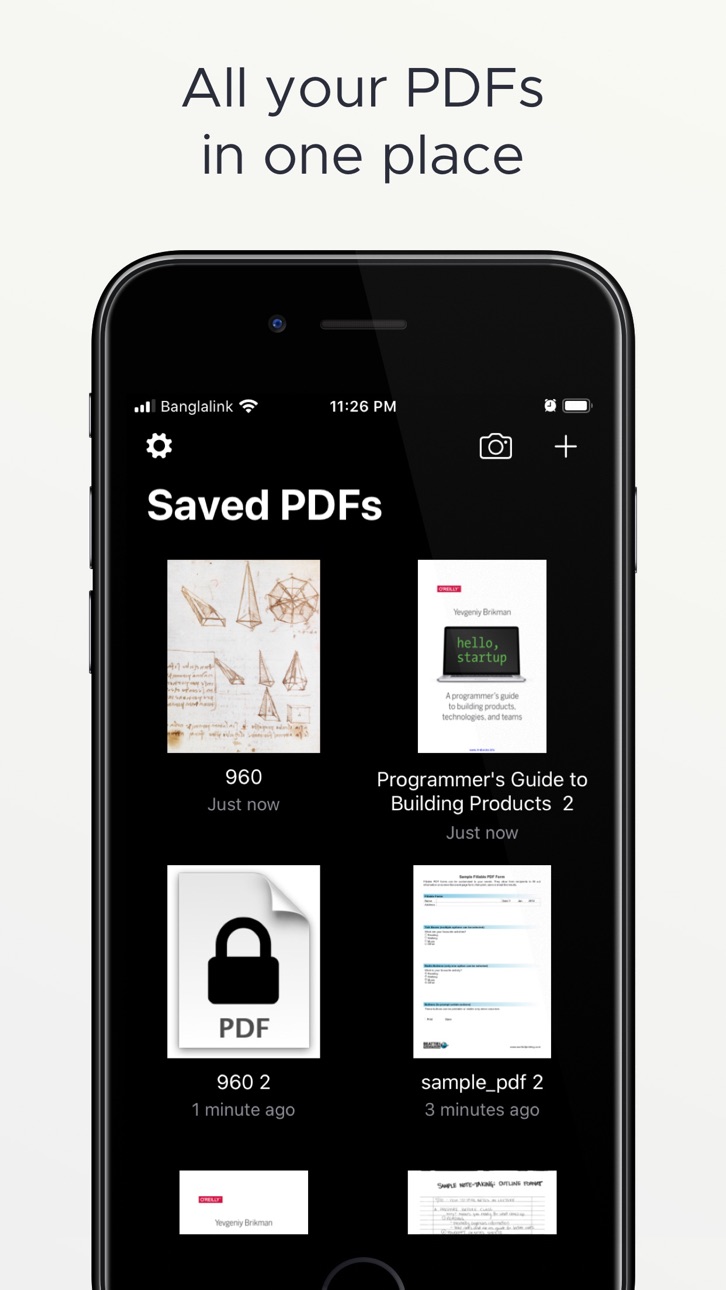
• Standard Share: Send your documents anywhere using the Apple standard share sheet.
• Universal Access: Synchronize PDFs in iCloud to access your work from all your Apple devices.
• Dark Mode: Full iOS Dark Mode support for comfortable viewing in any environment.
# Go Paperless
Replace paper, save trees, and protect our planet. While we love trees, PDF Pencil supports AirPrint for those times when a physical copy is absolutely necessary.
Get the full version to SCAN and SHARE without limits.
Terms of Use: https://www.apple.com/legal/internet-services/itunes/dev/stdeula/
In-App Purchases US pricing
Premium Subscription Subscription
Premium Weekly · 7 days$3.99
Premium Monthly · Monthly 3-day free trial$9.99
Premium Yearly · Yearly 3-day free trial$49.99
Capabilities
In-App Purchases
Accessibility
ipadiphonemacrealityDevicetvoswatch
Version history 8 versions
Build 883600199v6.02026-04-12 17:14:28
PDF Pencil is back with its biggest update since 2021! We’ve completely rebuilt the app to be faster, smoother, and more beautiful for 2026.
• iOS 26 Liquid Glass Design: Experience a stunning, modern interface with fluid, translucent visuals that let your documents take center stage.
• Modern Performance: PDF Pencil now uses the latest SDKs for 40% faster vector rendering and improved battery efficiency.
• Refined Precision: Smoother ink strokes and updated context menus for a more intuitive signature and markup experience.
A Huge Thank You: To our loyal community who has been with us since the beginning—thank you for your patience and for staying with PDF Pencil. We are thrilled to bring this new era of design to your workflow!
Build 842859536v5.02021-06-30 16:54:30
- More options button added in every page cell.
- Bug fix - Share extension.
- Bug fix - Page delete.
- Deprecated Facebook Analytics Removed.
(Facebook analytics, will no longer be available after June 30, 2021.)
Build 836513334v4.02020-06-23 14:20:01
We have rebuilt Camera Scanning feature from the ground up.
(Now Camera Scanning feature is one of the best in the market)
Build 836123389v3.12020-05-28 11:09:55
1. iOS 13 SF Symbol added
2. Memory leak fix
3. Tutorial added for signing
4. PDF Reader - scroll to next page bug fix
5. Delete and Rearrange Page at the same time crash fix
Build 835699141v3.02020-04-29 17:31:29
New features -
1. Import signature to your PDF
2. Add text to fill PDF form
3. Undo Redo implemented
4. Import Images from File app
5. Long press quick menu for copy, share and delete
6. New color picker
7. Camera scan PDF file size reduced
Bug fix -
1. Sometimes password protected files don't import.
2. Share extension fix for iOS 13
3. Zoom during drawing
4. Memory leak in canvas view
5. iPad camera scanning
6. Unique file name for digit only names
Build 834815502v2.02020-02-22 16:38:18
1. iOS 13 Pencil kit added
2. iOS 13 Dark Mode support added
3. Long press to Share, Copy and Delete
4. Copy, delete and share individual page
5. PDF document viewer added
Build 831925483v1.12019-09-03 02:59:04
1. Share as PDF or Image.
2. Camera scan rotation bug fix.
3. Thickness calculation Bug fix.
2. Save as screen design changed
3. Show loading when press sign button
4. Converted to swift 5
5. Unused gesture recogniser crash fix
6. Now white theme is the default theme
7. Haptic feedback reduced
8. Purchase screen bigger button for iPad
Build 831191615v1.02019-06-17 15:31:30
Price history by region
Currency
Show
Columns
Search
Availability 1 of 1 storefronts
| Region | Language | Price | Ratings | Avg | Version |
|---|---|---|---|---|---|
| US | en-US | Free | 139 | 4.6 | 6.0 |
Change log 12 changes · US
✎
releaseNotes updated
PDF Pencil is back with its biggest update since 2021! We’ve completely rebuilt the app to be faster, smoother, and more beautiful for 2026.
• iOS 26 Liquid Gl
✎
description updated
Experience the most natural way to sign, scan, and markup documents. With PDF Pencil, you can sign your PDF documents like paper with full vector support—no mor
✎
subtitle updated
Document Filler & Signing App
✎
name updated
PDF Pencil: Fill Out Form
◆
Version 6.0 released
PDF Pencil is back with its biggest update since 2021! We’ve completely rebuilt the app to be faster, smoother, and more beautiful for 2026.
• iOS 26 Liquid Glass Design: Experience a stunning, modern interface with fluid, translucent visu
◆
Version 5.0 released
- More options button added in every page cell.
- Bug fix - Share extension.
- Bug fix - Page delete.
- Deprecated Facebook Analytics Removed.
(Facebook analytics, will no longer be available after June 30, 2021.)
◆
Version 4.0 released
We have rebuilt Camera Scanning feature from the ground up.
(Now Camera Scanning feature is one of the best in the market)
◆
Version 3.1 released
1. iOS 13 SF Symbol added
2. Memory leak fix
3. Tutorial added for signing
4. PDF Reader - scroll to next page bug fix
5. Delete and Rearrange Page at the same time crash fix
◆
Version 3.0 released
New features -
1. Import signature to your PDF
2. Add text to fill PDF form
3. Undo Redo implemented
4. Import Images from File app
5. Long press quick menu for copy, share and delete
6. New color picker
7. Camera scan PDF file size reduce
◆
Version 2.0 released
1. iOS 13 Pencil kit added
2. iOS 13 Dark Mode support added
3. Long press to Share, Copy and Delete
4. Copy, delete and share individual page
5. PDF document viewer added
◆
Version 1.1 released
1. Share as PDF or Image.
2. Camera scan rotation bug fix.
3. Thickness calculation Bug fix.
2. Save as screen design changed
3. Show loading when press sign button
4. Converted to swift 5
5. Unused gesture recogniser crash fix
6. Now whi
◆
Version 1.0 released