Home › Photo & Video

 US
US
1 of 1 storefronts
Content in en-US
Content in en-US
Information
Apple ID1461041445
Bundle IDcom.jiayz.Saramonic
SellerSeller
Min iOS9.0
Min macOS11.0
Device familiesiphone, ipad, ipod
Released2019-05-26
Copyright©2019Shenzhen DSQN Investment Co., Ltd.
Privacy policyLink ↗
Preview 2 platforms
iPhone 6 images


iPad 6 images




What’s New Version 2.3.6
Optimize audio noise reduction effects
Description
An app for recording, editing, playing and managing audio and video files!
【Recording by Apple device】 No external audio equipment is needed, use iPhone or iPad itself to record and play, and when the headphones are plugged in, you can record and listen while recording, and hear the external sound from the headphones.
【External audio devices recognition】When an external audio device is inserted, the name of the device can be intelligently recognized, and it can automatically display whether it supports stereo; If audio monitoring can display two-channel audio tracks, and the peripheral supports stereo output, otherwise the peripheral doesn't support stereo output.
【Select audio channel】After the peripheral device that supports stereo is connected, you can select left channel, right channel and stereo item to display left channel data, right channel data and dual track data respectively.
【Real-time monitoring】After this function is turned on, the input sound can be heard from the audio output port in real time, and when the peripheral supporting stereo is inserted into the iOS device, set the corresponding value (left, right, stereo) to hear different sounds sound effect.
【Audio and video file operation】Accurately query the files you need in multiple audio files; batch delete selected audio/video files; change the name of audio and video files; share recorded audio and video files...
【Audio input source selection】If there are multiple audio input sources, you can select the input port and use the selected port for recording
【Language switching】Support multi-language display, easy to understand language switching operation
【Add marker】When recording and playing the recording file, you can add a marker, which is convenient for you to operate the audio playback at a certain position or time period
【Background operation】 When the app enters the background, you can still continue to record and play the recording file
【Sound effect processing】You can enable noise reduction, low cut, vocal enhancement and other sound effects in the APP for audio and video recording, and set related parameters
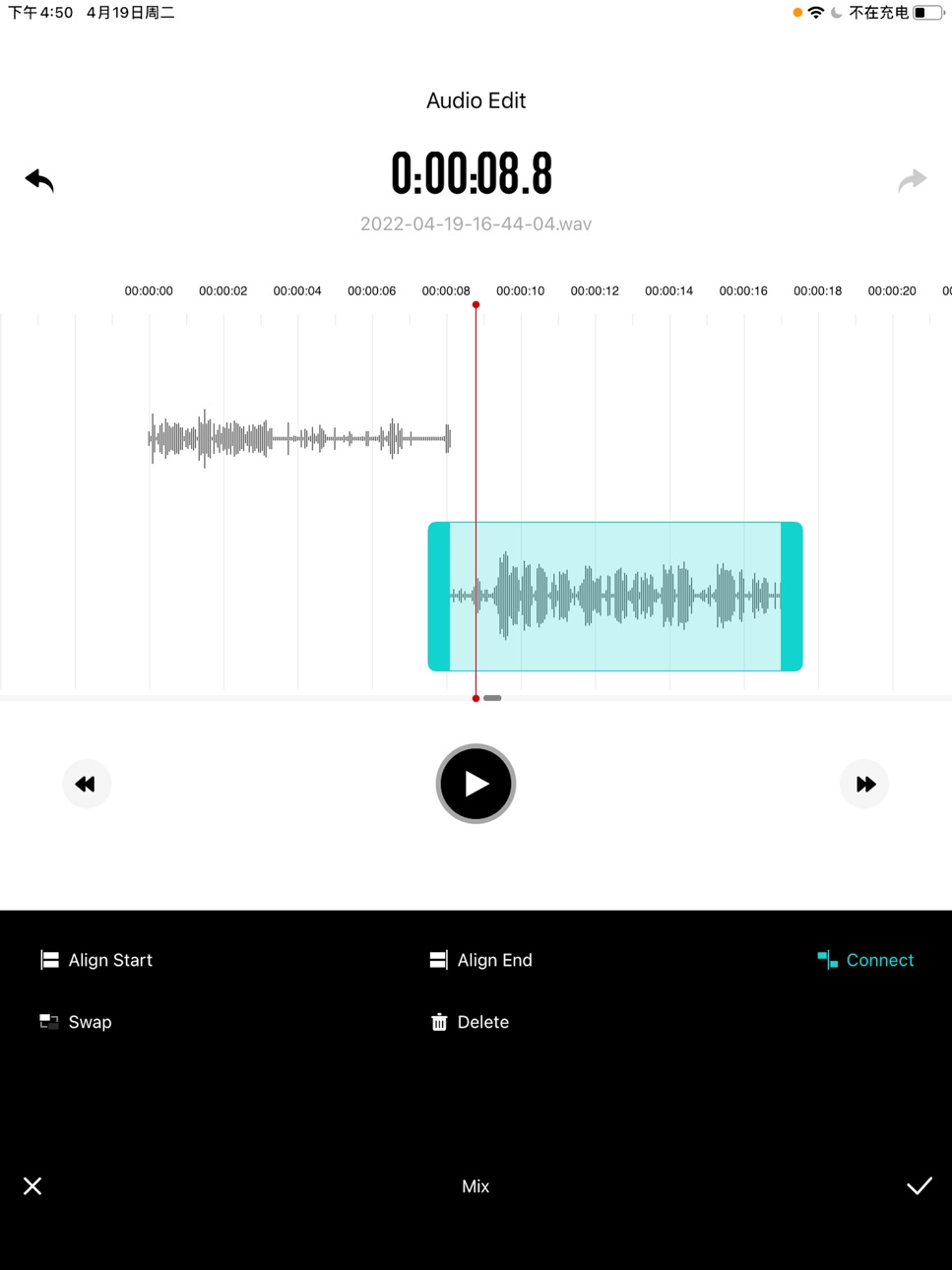
【Audio Editing】 Editing operations such as fading, cropping, splitting, balancing, mixing, and mute elimination can be performed on the audio in the APP.
【Video recording】The APP can record high-definition 4K video, and has various settings for video shooting
【Teleprompter】Video recording can customize a variety of teleprompters
【Bluetooth audio】 APP can connect Bluetooth headset, collect Bluetooth data, and realize the ear return function of Bluetooth headset
【Dark Mode】Adapted to the latest dark mode, there are more choices according to the user's personality
【Recycle Bin】Audio and video files deleted in the APP can be retrieved from the Recycle Bin within a certain period of time
【Voice to text】 Real-time recognition of voice to text when recording audio and video
Accessibility
ipadiphonemacrealityDevicetvoswatch
Version history 17 versions
Build 859935878v2.3.62023-09-16 01:12:30
Optimize audio noise reduction effects
Build 852848848v2.3.52022-10-19 22:17:27
Fixed iOS 16 compatibility issues
Build 850902128v2.3.42022-07-22 23:40:18
Fixed a bug that the teleprompter displayed incorrectly
Build 850625544v2.3.32022-07-05 22:12:19
Optimized the video recording teleprompter module.
Build 849223376v2.3.22022-05-19 01:41:35
1. Optimized the adaptation of iPad models.
2. Optimize the APP experience.
Build 848822317v2.3.12022-05-05 17:45:45
Optimized the video recording module.
Build 848424933v2.3.02022-04-21 00:06:16
1.【Audio Editing】 Editing operations such as fading, cropping, splitting, balancing, mixing, and mute elimination can be performed on the audio in the APP.
2.【Teleprompter】 Video recording can customize a variety of teleprompters
3.【Recycle Bin】 Audio and video files deleted in the APP can be retrieved from the Recycle Bin within a period of time
4.【Voice to text】 Real-time recognition of voice to text when recording audio and video
5. Optimized user experience and UI style
Build 838414182v2.2.0.22021-02-10 15:41:47
优化用户体验;解决长时间录制和播放存在的问题。
Build 837248793v2.2.0.12020-08-20 21:27:35
优化用户体验,优化应用界面!
Build 836742442v2.2.02020-07-08 00:11:47
1.添加蓝牙音频,可以连接蓝牙耳机进行音频采集;实现蓝牙耳返功能
2.深色模式的适配
3.添加了音频输入源的图标显示
4.判断APP音视频文件是否在其他地方有删除修改,更新数据库信息
Build 836046558v2.1.42020-05-23 04:38:48
1、增加视频的录制和播放
2、增加视频文件管理
3、增加音视频录制音效功能
4、修改了整个的UI界面
5、优化了程序的录制和流畅性,提高了整体性能
Build 832734623v2.1.32019-09-12 23:16:09
分享完成,文件变为未选中状态;调节音频外设的滑块调整到声音格上面,防止被声音格覆盖;播放暂停时,边录边播功能任然有效。压缩中文文件名的编码方式改变。
Build 832613041v2.1.22019-09-03 18:24:37
添加标记名称,并添加修改标记名称功能
Build 832547526v2.1.12019-08-28 21:52:41
分享多个文件添加文件压缩打包等待;文件名输入框输入错乱情况修复;说明书修改。
Build 832505274v2.1.02019-08-25 14:16:54
增加了当正在播放时,拔出音频外设继续播放
Build 832391558v2.0.02019-08-22 18:11:59
修改了整体的UI界面风格,同时完善了录音功能和界面流畅性
Build 831102511v1.02019-05-25 16:12:45
No pricing data captured yet — comparisons appear once the app has paid storefronts or in-app purchases.
Availability 1 of 1 storefronts
| Region | Language | Price | Ratings | Avg | Version |
|---|---|---|---|---|---|
| US | en-US | Free | 10 | 3.2 | 2.3.6 |
Change log 21 changes · US
✎
releaseNotes updated
Optimize audio noise reduction effects
✎
description updated
An app for recording, editing, playing and managing audio and video files!
【Recording by Apple device】 No external audio equipment is needed, use iPhone or iPa
✎
subtitle updated
record,play and organize audio
✎
name updated
SmartRecorder
◆
Version 2.3.6 released
Optimize audio noise reduction effects
◆
Version 2.3.5 released
Fixed iOS 16 compatibility issues
◆
Version 2.3.4 released
Fixed a bug that the teleprompter displayed incorrectly
◆
Version 2.3.3 released
Optimized the video recording teleprompter module.
◆
Version 2.3.2 released
1. Optimized the adaptation of iPad models.
2. Optimize the APP experience.
◆
Version 2.3.1 released
Optimized the video recording module.
◆
Version 2.3.0 released
1.【Audio Editing】 Editing operations such as fading, cropping, splitting, balancing, mixing, and mute elimination can be performed on the audio in the APP.
2.【Teleprompter】 Video recording can customize a variety of teleprompters
3.【Recycle
◆
Version 2.2.0.2 released
优化用户体验;解决长时间录制和播放存在的问题。
◆
Version 2.2.0.1 released
优化用户体验,优化应用界面!
◆
Version 2.2.0 released
1.添加蓝牙音频,可以连接蓝牙耳机进行音频采集;实现蓝牙耳返功能
2.深色模式的适配
3.添加了音频输入源的图标显示
4.判断APP音视频文件是否在其他地方有删除修改,更新数据库信息
◆
Version 2.1.4 released
1、增加视频的录制和播放
2、增加视频文件管理
3、增加音视频录制音效功能
4、修改了整个的UI界面
5、优化了程序的录制和流畅性,提高了整体性能
◆
Version 2.1.3 released
分享完成,文件变为未选中状态;调节音频外设的滑块调整到声音格上面,防止被声音格覆盖;播放暂停时,边录边播功能任然有效。压缩中文文件名的编码方式改变。
◆
Version 2.1.2 released
添加标记名称,并添加修改标记名称功能
◆
Version 2.1.1 released
分享多个文件添加文件压缩打包等待;文件名输入框输入错乱情况修复;说明书修改。
◆
Version 2.1.0 released
增加了当正在播放时,拔出音频外设继续播放
◆
Version 2.0.0 released
修改了整体的UI界面风格,同时完善了录音功能和界面流畅性
◆
Version 1.0 released