Home › Productivity

 US
US
1 of 1 storefronts
Content in en-US
Content in en-US
Information
Preview 3 platforms
iPhone 8 images
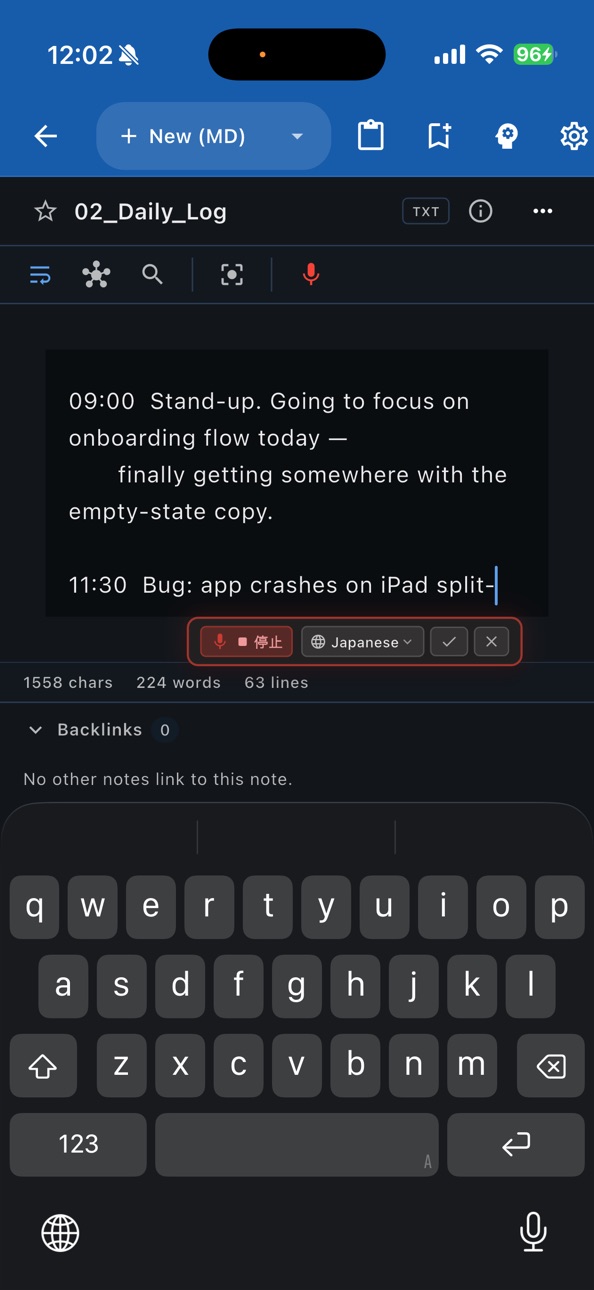


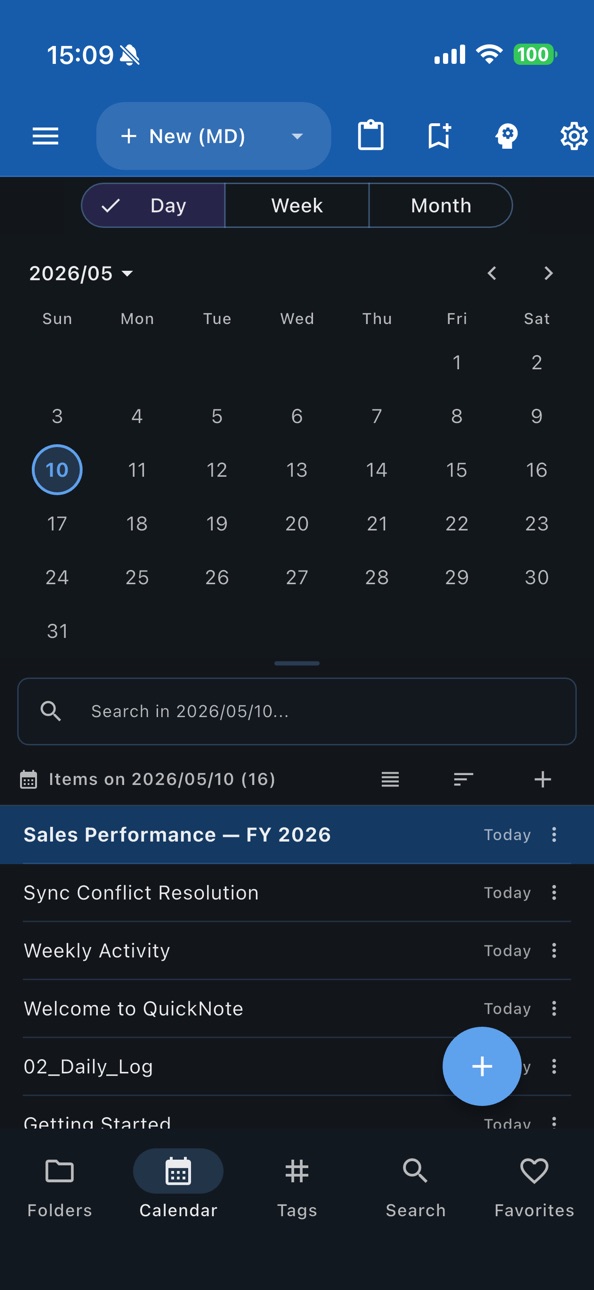


iPad 7 images


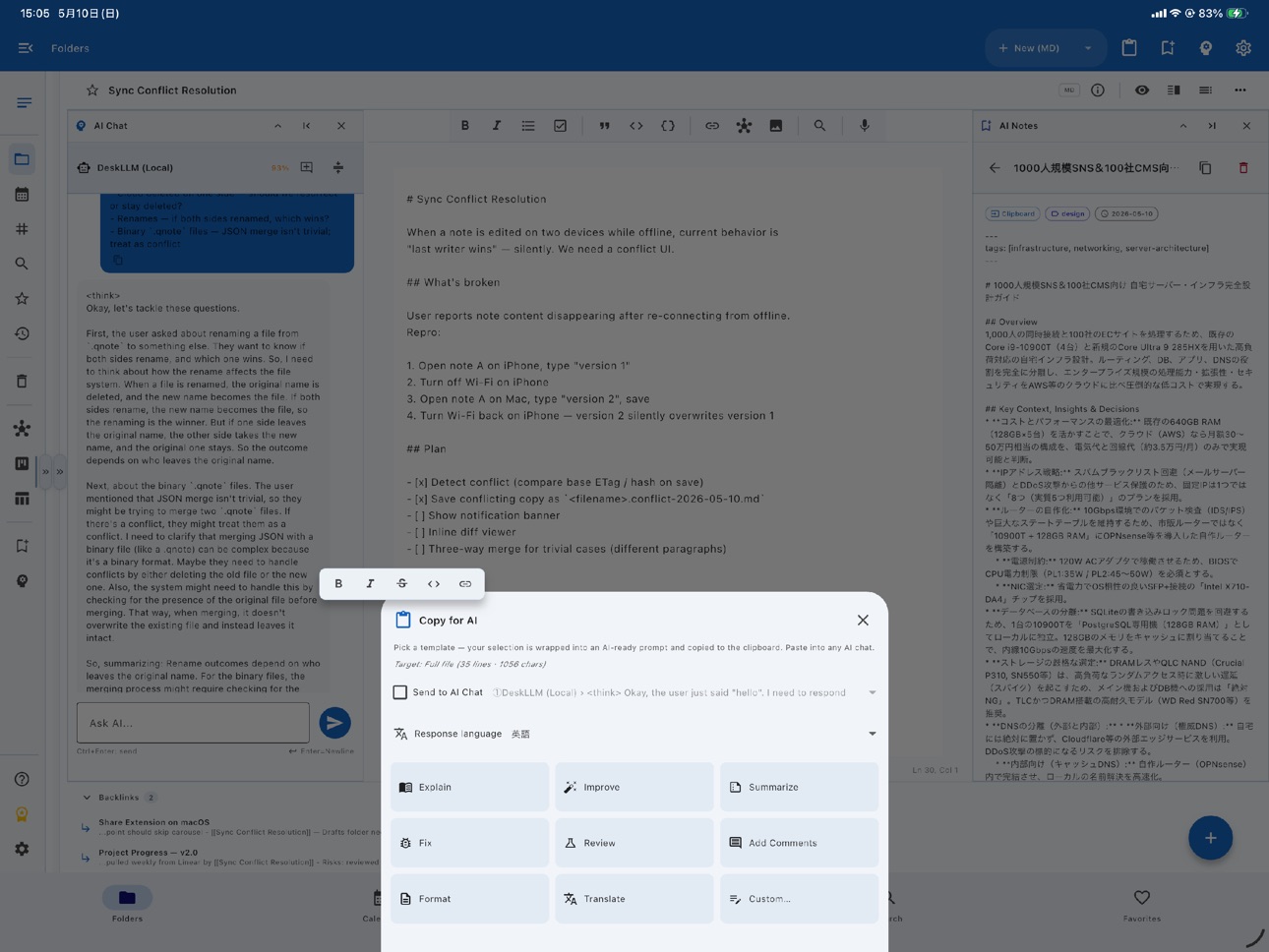
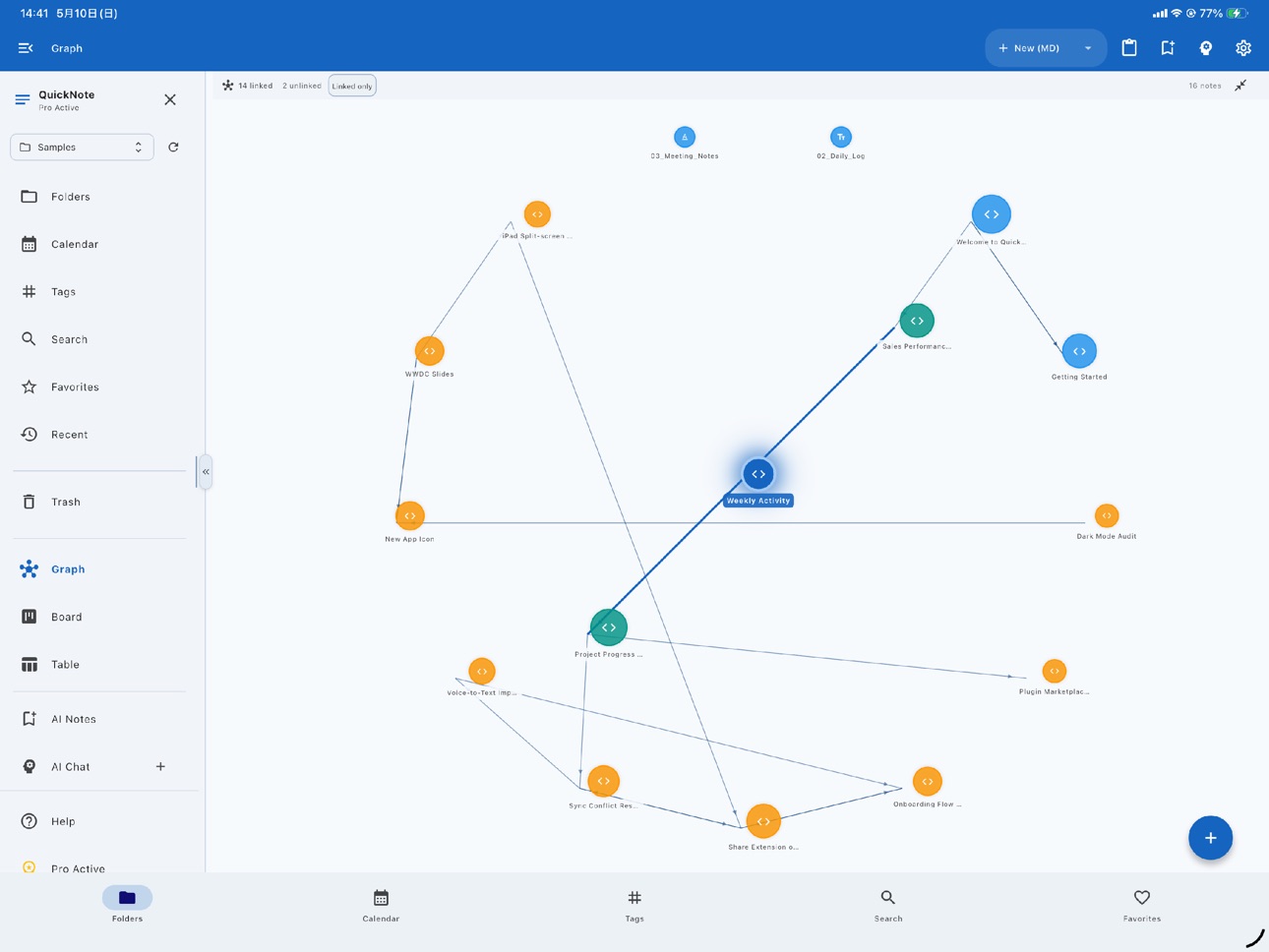


Mac 7 images


What’s New Version 5.4
• Bug fixes and performance improvements.
• UI and design improvements.
• Security updates.
Description
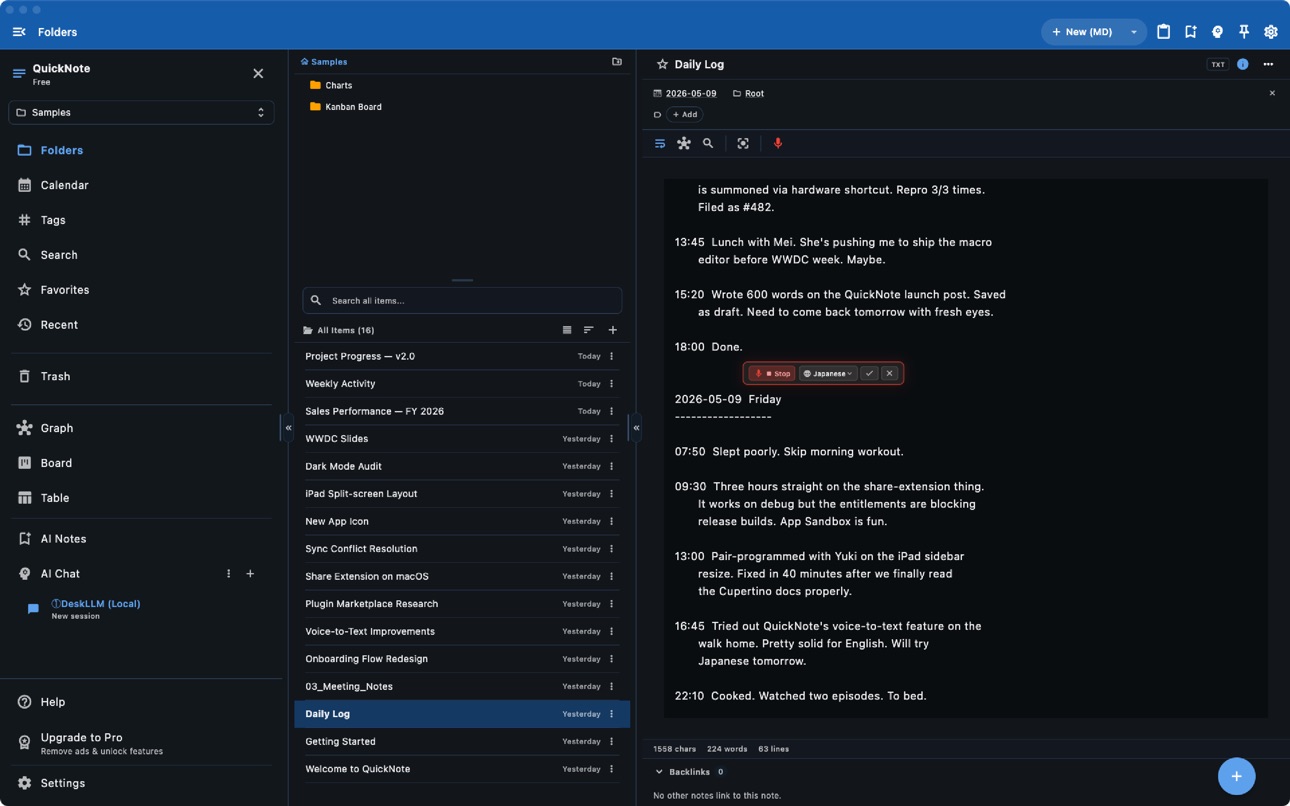
QuickNote is a powerful, AI-driven note-taking and personal knowledge management (PKM) app for iOS and macOS. Whether you use Markdown, Rich Text (.qnote), or Plain Text with YAML frontmatter, QuickNote adapts perfectly to your workflow.
AI AGENT & ASSISTANT:
• AI Agent & Memory • Empower your workflow with an autonomous AI agent that reads, edits, and organizes notes with an interactive task board and persistent memory.
• Smart AI Assistant • Instantly fix grammar, rewrite, summarize, expand, and translate your text.
• Auto-Organization • Let AI automatically suggest tags and titles for your notes.
• Context-Aware AI Chat • Engage in multi-turn conversations with an AI that understands the context of your notes and mounted external knowledge bases.
EDITING & WRITING:
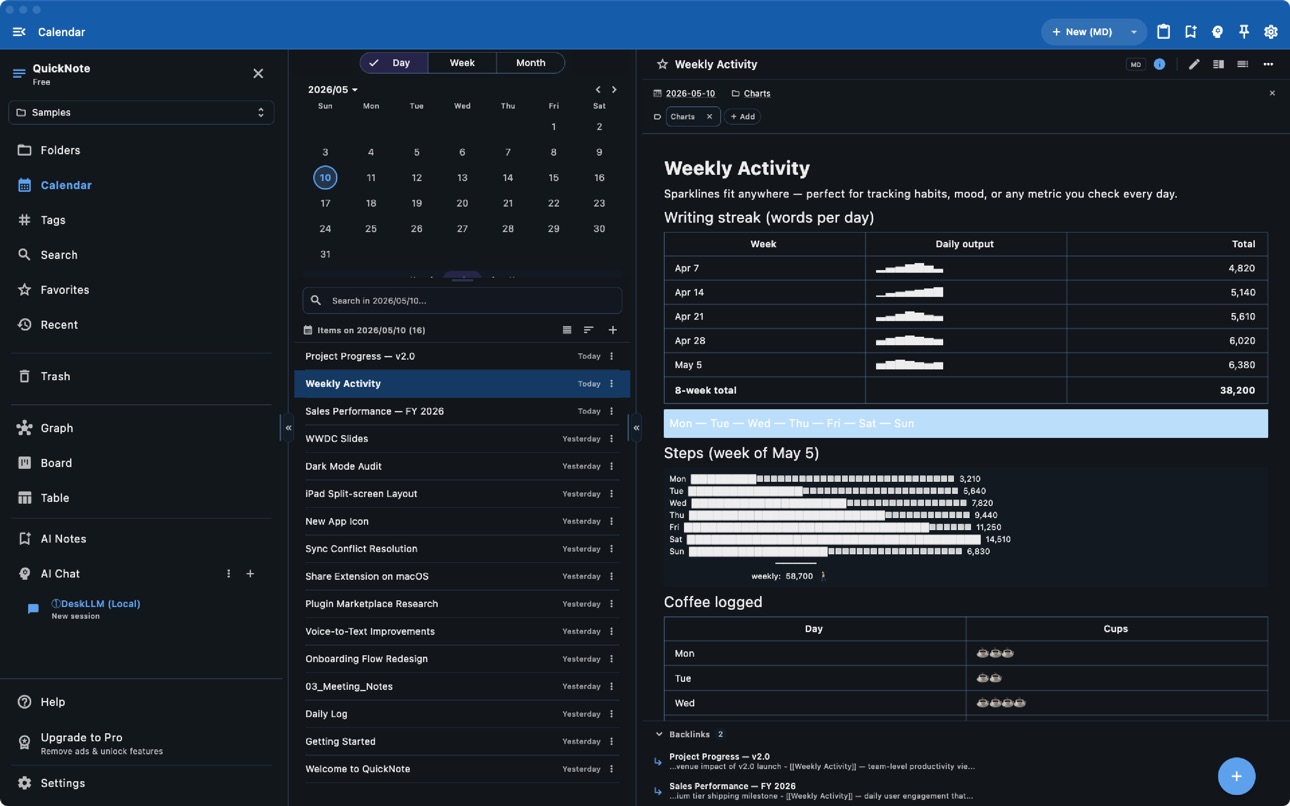
• Markdown & Rich Text • Enjoy a Markdown editor with live preview and table of contents, or use WYSIWYG rich text with formatting, checklists, and code blocks.
• Speech & Audio • Capture ideas hands-free with voice-to-text input, and listen to your notes using the built-in Text-to-Speech (Read Aloud) feature.
• Focus Mode • Experience distraction-free plain text editing with word wrap.
• Find & Replace • Execute powerful search and replace operations across your entire workspace.
ORGANIZATION & KNOWLEDGE GRAPH:
• Bidirectional Links • Build your personal wiki using [[Note Title]] wiki-links and backlinks.
• Interactive Graph View • Visualize your thoughts, connections, and note clusters with a dynamic knowledge graph.
• Multiple Views • Manage projects visually with Board/Kanban and sortable Table views, or browse chronologically via the Calendar view.
• Command Palette & Filters • Jump anywhere instantly (Cmd+K) and use audit filters to find notes missing tags, links, or folders.
CLOUD, REMOTE & AUTOMATION:
• Network & Cloud Storage • Sync seamlessly via Dropbox, Google Drive, OneDrive, and SMB/NAS network drives.
• Automation & Deep Links • Open any note via custom URL schemes—perfect for Apple Shortcuts and custom workflows.
• Workspace Management • Effortlessly handle multiple workspaces for different projects.
MEDIA & VERSION CONTROL:
• Rich Media Embeds • Insert images, audio, and video, or import directly from your camera and photo library.
• Auto-Snapshots • Never lose your work with auto-saves every 10 minutes (up to 30 snapshots per note) and a full undo/redo stack.
CUSTOMIZATION & EXPORT:
• Themes & Layouts • Personalize your workspace with 20+ theme colors, dark/light modes, and Vivid & Chic tone options.
• Fully Responsive • A fluid experience optimized for iPhone, iPad, and Mac.
• Export Options • Export your documents to HTML, PDF, and DOCX, or share via the system share sheet.
QuickNote Pro unlocks:
• Ad-free experience
• Full access to all features
• Priority support
Terms of Use: https://kakitiro.com/quickapps/quicknote/terms/
In-App Purchases US pricing
QuickNote Pro Subscription
Pro - Annual · Yearly$2.99
One-Time Purchases
Pro - Lifetime$9.99
Capabilities
In-App Purchases
Accessibility
ipadiphonemacrealityDevicetvoswatch
Version history 12 versions
Build 887215499v5.42026-06-20 20:55:03
• Bug fixes and performance improvements.
• UI and design improvements.
• Security updates.
Build 887189520v5.32026-06-19 23:40:50
• Bug fixes and performance improvements.
• UI and design improvements.
• Security updates.
Build 886842294v5.22026-06-14 23:25:33
• Bug fixes and performance improvements.
• UI and design improvements.
• Security updates.
• Added AI Agent integration, management, and memory features.
• Added voice input and text-to-speech features.
Build 886315519v5.12026-06-10 22:02:00
• Bug fixes and performance improvements.
• UI and design improvements.
• Added AI Agent integration, management, and memory features.
• Added voice input and text-to-speech features.
Build 885076356v5.02026-05-13 06:47:29
• Initial release.
• Markdown, Rich Text, and Plain Text editors.
• Wiki-links with knowledge graph visualization.
• AI writing assistant with grammar fix, rewrite, and summarize.
• Cloud storage support (Dropbox, Google Drive, OneDrive, SMB).
• Export to HTML, PDF, and DOCX.
Build 838747927v3.22020-11-16 16:44:24
・Improved clipboard control
・Optimized iPad user interface
・Performance improvement
・Bug fixes
Build 838298511v3.12020-10-25 09:34:12
・Optimization of keyboard & IME control
・Performance improvement
・Bug fixes
Build 837974239v3.02020-09-27 15:29:20
・Design theme setting (15 theme colors, dark/light mode)
・Note management by calendar
・Read/Write notes by specifying the character encoding
・Performance improvement
・Bug fixes
Build 835688769v2.22020-04-25 13:37:32
・ File open / share directly on wifi network
・ File open / share directly on iCloud Drive
・ File open / share directly on Google Drive
・ Performance improvement
・ Bug fixes
Build 835211729v2.12020-03-22 12:19:09
・ Supports SMB2 & SMB3 protocol
・ Read and write files on iCloud Drive
・ Read and write files on Google Drive
・ Improved note editing (text selection, copy and paste)
・ UI optimization for tablets
・ Open selected files from other applications(Files, etc.)
・ Quick actions from home icon
・ Performance improvement
・ Bug fixes
Build 834418218v2.02020-01-22 20:43:08
・ Root folders management (change, add, delete)
・ Read and write files on iCloud Drive
・ Open selected files and strings from other applications(Files, Editor apps, etc.)
・ Quick actions from home icon
・ Performance improvement
・ Bug fixes
Build 830937999v1.02019-04-13 18:38:46
Price history by region
Currency
Show
Columns
Search
Availability 1 of 1 storefronts
| Region | Language | Price | Ratings | Avg | Version |
|---|---|---|---|---|---|
| US | en-US | Free | 2 | 2.5 | 5.4 |
Change log 16 changes · US
✎
releaseNotes updated
• Bug fixes and performance improvements.
• UI and design improvements.
• Security updates.
✎
description updated
QuickNote is a powerful, AI-driven note-taking and personal knowledge management (PKM) app for iOS and macOS. Whether you use Markdown, Rich Text (.qnote), or P
✎
subtitle updated
AI Notes, ToDo & Journal
✎
name updated
QuickNote - Text Library
◆
Version 5.4 released
• Bug fixes and performance improvements.
• UI and design improvements.
• Security updates.
◆
Version 5.3 released
• Bug fixes and performance improvements.
• UI and design improvements.
• Security updates.
◆
Version 5.2 released
• Bug fixes and performance improvements.
• UI and design improvements.
• Security updates.
• Added AI Agent integration, management, and memory features.
• Added voice input and text-to-speech features.
◆
Version 5.1 released
• Bug fixes and performance improvements.
• UI and design improvements.
• Added AI Agent integration, management, and memory features.
• Added voice input and text-to-speech features.
◆
Version 5.0 released
• Initial release.
• Markdown, Rich Text, and Plain Text editors.
• Wiki-links with knowledge graph visualization.
• AI writing assistant with grammar fix, rewrite, and summarize.
• Cloud storage support (Dropbox, Google Drive, OneDrive, SM
◆
Version 3.2 released
・Improved clipboard control
・Optimized iPad user interface
・Performance improvement
・Bug fixes
◆
Version 3.1 released
・Optimization of keyboard & IME control
・Performance improvement
・Bug fixes
◆
Version 3.0 released
・Design theme setting (15 theme colors, dark/light mode)
・Note management by calendar
・Read/Write notes by specifying the character encoding
・Performance improvement
・Bug fixes
◆
Version 2.2 released
・ File open / share directly on wifi network
・ File open / share directly on iCloud Drive
・ File open / share directly on Google Drive
・ Performance improvement
・ Bug fixes
◆
Version 2.1 released
・ Supports SMB2 & SMB3 protocol
・ Read and write files on iCloud Drive
・ Read and write files on Google Drive
・ Improved note editing (text selection, copy and paste)
・ UI optimization for tablets
・ Open selected files from other applicati
◆
Version 2.0 released
・ Root folders management (change, add, delete)
・ Read and write files on iCloud Drive
・ Open selected files and strings from other applications(Files, Editor apps, etc.)
・ Quick actions from home icon
・ Performance improvement
・ Bug fixes
◆
Version 1.0 released