Home › Utilities

 US
US
1 of 1 storefronts
Content in en-US
Content in en-US
Information
Apple ID1459388938
Bundle IDcom.craftstrom.craftstrom
SellerSeller
Min iOS15.1
Min macOS12.0
Device familiesiphone, ipad, ipod
Released2019-12-05
Copyright© 2024 Craftstrom All rights reserved
Privacy policyLink ↗
Preview 2 platforms
iPhone 3 images


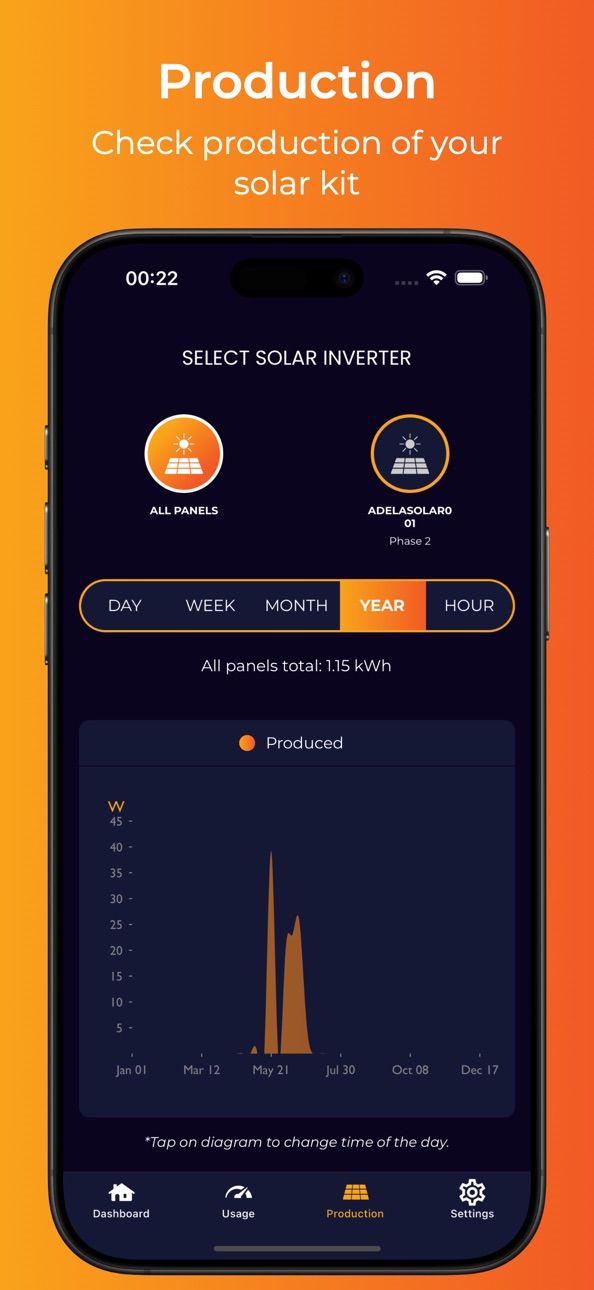
iPad 3 images


What’s New Version 4.1.0
What's New
* Dashboard improvements — New battery data is now surfaced on the Dashboard.
* Battery support — Each battery now shows its full details directly on the Storage screen. There you can see live battery metering data with new graphs to track performance over time. Batteries can also be set to and monitored in Standby.
* Cleaned up glitches and visual bugs across the UI.
Description
CraftStrom brings you an easy-to-use solar panel and battery system. With the CraftStrom mobile app you can easily set up, monitor and control your CraftStrom home renewable energy system.
Accessibility
ipadiphonemacrealityDevicetvoswatch
Version history 25 versions
Build 885927405v4.1.02026-05-20 23:11:58
What's New
* Dashboard improvements — New battery data is now surfaced on the Dashboard.
* Battery support — Each battery now shows its full details directly on the Storage screen. There you can see live battery metering data with new graphs to track performance over time. Batteries can also be set to and monitored in Standby.
* Cleaned up glitches and visual bugs across the UI.
Build 883157613v4.0.72026-03-09 18:16:31
What’s new:
- Improve Dashboard readability (Export Value & Info Button)
- UI/UX Improvements
Build 883117521v4.0.62026-03-07 15:52:34
What's new:
- Improved sign-in and access flow for a smoother app experience
- Improved handling when permissions are denied or unavailable
- Faster Dashboard loading
- Simplified error messaging across Dashboard screens
- Improved Dashboard readability, including clearer export information and updates to the info button
Build 882264279v4.0.52026-02-09 02:36:00
What’s New:
- Improved session handling to reduce unexpected logouts.
- Added the ability to delete saved Wi-Fi networks in Settings.
- Fixed navigation issues across the app.
- Made UI/UX improvements for a smoother app experience.
Build 880324432v4.0.42025-12-04 01:49:26
What's new:
- Resolved several navigation issues to ensure smoother transitions and a more intuitive flow throughout the app
- Fixed bugs affecting the device installation process, improving reliability and reducing setup errors
- Addressed multiple UI-related bugs
Build 878034005v4.0.32025-09-12 09:51:14
What’s New:
- We’ve restored the battery feature, enabling you to handle your battery devices through the app!
- We’ve fine-tuned how the app deals with errors, so things run more smoothly and interruptions are minimized.
- Communication data on the dashboard is now clearer, more accurate, and easier to understand.
Build 876784497v4.0.22025-07-29 10:23:10
What's New in This Release
* Faster & More Reliable: Enjoy a faster response and better stability throughout the app.
* Easy Version Check: Ever wonder if your app is up to date? Now you can easily see the version number on the Settings screen.
* Minor bug fixes and under-the-hood improvements for a smoother experience.
Build 876350016v4.0.12025-07-15 09:44:02
What's New in This Release
* Added swipe feature on Usage and Production graphs, to enable users to view past data.
* Added device communication status section on dashboard
* Minor bug fixes and under-the-hood improvements for a smoother experience.
Build 875575438v4.0.02025-06-19 10:51:16
What's New in This Release
* Switched to a new backend API to significantly improve app performance and responsiveness.
* Enhanced accuracy and reliability of data throughout the app.
* Minor bug fixes and under-the-hood improvements for a smoother experience.
Build 873695721v3.0.22025-04-01 18:43:14
What's new:
*Updated the production page to correctly display solar data
*Added the ability to update the server certificate through the settings screen
*General UI/UX improvements for a smoother experience
Build 869233683v3.0.12024-09-25 16:14:59
What’s New:
- Phase Assignment for Solar Inverters and Batteries:
- You can now assign solar inverters and batteries to Phase 1, Phase 2, or Phase 3 during the installation process.
Build 866672559v3.0.02024-06-14 21:14:32
Full App update
- New dashboard with more detailed power and energy values/graphs
- Average vs. daily electricity consumption graphic
- PowerMeter now displays up to 3 phases
- New design
- More detailed graphs with accurate values at the tip of a finger
Build 855317130v2.92023-03-03 22:10:15
Minor fixes and updates
Build 850898403v2.82022-07-17 20:23:41
Add improvements to device pairing process
Build 848266128v2.72022-04-11 16:44:48
This update adds improvements to device management
Build 846942442v2.62022-01-31 18:47:37
This update makes improvements to how energy graphs are displayed
Build 845125262v2.52021-11-04 13:42:35
This update fixes graph rendering issues
Build 844936327v2.32021-10-26 10:08:07
This update adds the display of amp meter total power
Build 844652761v2.12021-10-13 17:37:43
This update adds the ability to remove amp meters and fixes device pairing bugs. It's recommended that all users update.
Build 842728744v2.02021-06-19 14:45:00
This update fixes bugs with scanning barcodes.
Build 842682702v1.92021-06-17 00:12:52
This update brings information display and device pairing improvements
Build 842083523v1.82021-05-06 13:49:45
- Add individual solar panels' graphs
- Add steps to make getting started easier
- Fix issues with syncing devices
Build 841086780v1.72021-03-27 01:45:11
- upgrade ReactNative to 0.63
- fix crash caused by automatic timezone setting
- always show the panel date range for switching
- fix margin and the title position in "panels" screen
- use SafeAreaView for more consistent margins
Build 841022337v1.62021-03-26 13:23:06
- upgrade ReactNative to 0.63
- fix crash caused by automatic timezone setting
- always show the panel date range for switching
- fix margin and the title position in "panels" screen
- use SafeAreaView for more consistent margins
Build 838197527v1.42020-10-14 12:00:57
- fix barcode scanner crash issue on iOS
No pricing data captured yet — comparisons appear once the app has paid storefronts or in-app purchases.
Availability 1 of 1 storefronts
| Region | Language | Price | Ratings | Avg | Version |
|---|---|---|---|---|---|
| US | en-US | Free | 5 | 3.6 | 4.1.0 |
Change log 29 changes · US
✎
releaseNotes updated
What's New
* Dashboard improvements — New battery data is now surfaced on the Dashboard.
* Battery support — Each battery now shows its full details directly o
✎
description updated
CraftStrom brings you an easy-to-use solar panel and battery system. With the CraftStrom mobile app you can easily set up, monitor and control your CraftStrom h
✎
subtitle updated
Smart Energy Systems
✎
name updated
CraftStrom
◆
Version 4.1.0 released
What's New
* Dashboard improvements — New battery data is now surfaced on the Dashboard.
* Battery support — Each battery now shows its full details directly on the Storage screen. There you can see live battery metering data with new grap
◆
Version 4.0.7 released
What’s new:
- Improve Dashboard readability (Export Value & Info Button)
- UI/UX Improvements
◆
Version 4.0.6 released
What's new:
- Improved sign-in and access flow for a smoother app experience
- Improved handling when permissions are denied or unavailable
- Faster Dashboard loading
- Simplified error messaging across Dashboard screens
- Improved Dashboa
◆
Version 4.0.5 released
What’s New:
- Improved session handling to reduce unexpected logouts.
- Added the ability to delete saved Wi-Fi networks in Settings.
- Fixed navigation issues across the app.
- Made UI/UX improvements for a smoother app experience.
◆
Version 4.0.4 released
What's new:
- Resolved several navigation issues to ensure smoother transitions and a more intuitive flow throughout the app
- Fixed bugs affecting the device installation process, improving reliability and reducing setup errors
- Addressed
◆
Version 4.0.3 released
What’s New:
- We’ve restored the battery feature, enabling you to handle your battery devices through the app!
- We’ve fine-tuned how the app deals with errors, so things run more smoothly and interruptions are minimized.
- Communication da
◆
Version 4.0.2 released
What's New in This Release
* Faster & More Reliable: Enjoy a faster response and better stability throughout the app.
* Easy Version Check: Ever wonder if your app is up to date? Now you can easily see the version number on the Settings scr
◆
Version 4.0.1 released
What's New in This Release
* Added swipe feature on Usage and Production graphs, to enable users to view past data.
* Added device communication status section on dashboard
* Minor bug fixes and under-the-hood improvements for a smoother ex
◆
Version 4.0.0 released
What's New in This Release
* Switched to a new backend API to significantly improve app performance and responsiveness.
* Enhanced accuracy and reliability of data throughout the app.
* Minor bug fixes and under-the-hood improvements for a
◆
Version 3.0.2 released
What's new:
*Updated the production page to correctly display solar data
*Added the ability to update the server certificate through the settings screen
*General UI/UX improvements for a smoother experience
◆
Version 3.0.1 released
What’s New:
- Phase Assignment for Solar Inverters and Batteries:
- You can now assign solar inverters and batteries to Phase 1, Phase 2, or Phase 3 during the installation process.
◆
Version 3.0.0 released
Full App update
- New dashboard with more detailed power and energy values/graphs
- Average vs. daily electricity consumption graphic
- PowerMeter now displays up to 3 phases
- New design
- More detailed graphs with accurate values at the t
◆
Version 2.9 released
Minor fixes and updates
◆
Version 2.8 released
Add improvements to device pairing process
◆
Version 2.7 released
This update adds improvements to device management
◆
Version 2.6 released
This update makes improvements to how energy graphs are displayed
◆
Version 2.5 released
This update fixes graph rendering issues
◆
Version 2.3 released
This update adds the display of amp meter total power
◆
Version 2.1 released
This update adds the ability to remove amp meters and fixes device pairing bugs. It's recommended that all users update.
◆
Version 2.0 released
This update fixes bugs with scanning barcodes.
◆
Version 1.9 released
This update brings information display and device pairing improvements
◆
Version 1.8 released
- Add individual solar panels' graphs
- Add steps to make getting started easier
- Fix issues with syncing devices
◆
Version 1.7 released
- upgrade ReactNative to 0.63
- fix crash caused by automatic timezone setting
- always show the panel date range for switching
- fix margin and the title position in "panels" screen
- use SafeAreaView for more consistent margins
◆
Version 1.6 released
- upgrade ReactNative to 0.63
- fix crash caused by automatic timezone setting
- always show the panel date range for switching
- fix margin and the title position in "panels" screen
- use SafeAreaView for more consistent margins
◆
Version 1.4 released
- fix barcode scanner crash issue on iOS