Home › Education

 US
US
1 of 1 storefronts
Content in en-US
Content in en-US
Information
Preview 2 platforms
iPhone 5 images


iPad 4 images



What’s New Version 2024.10.23
This release contains enhancements for mobile scanning and event listing functionality.
Description
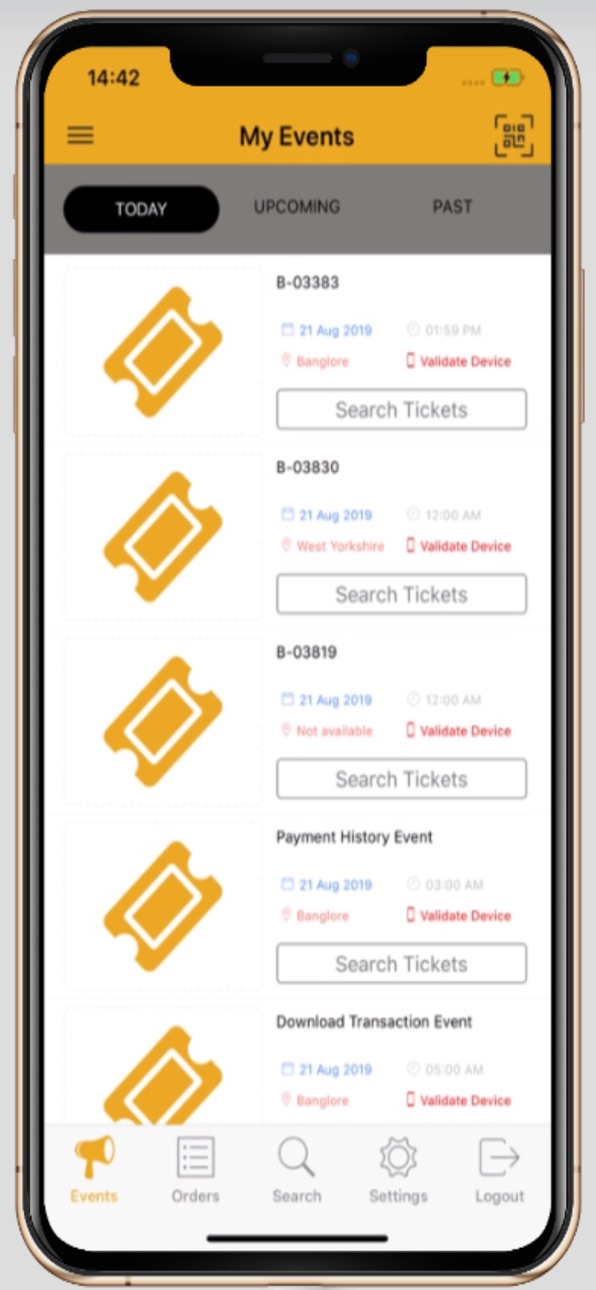
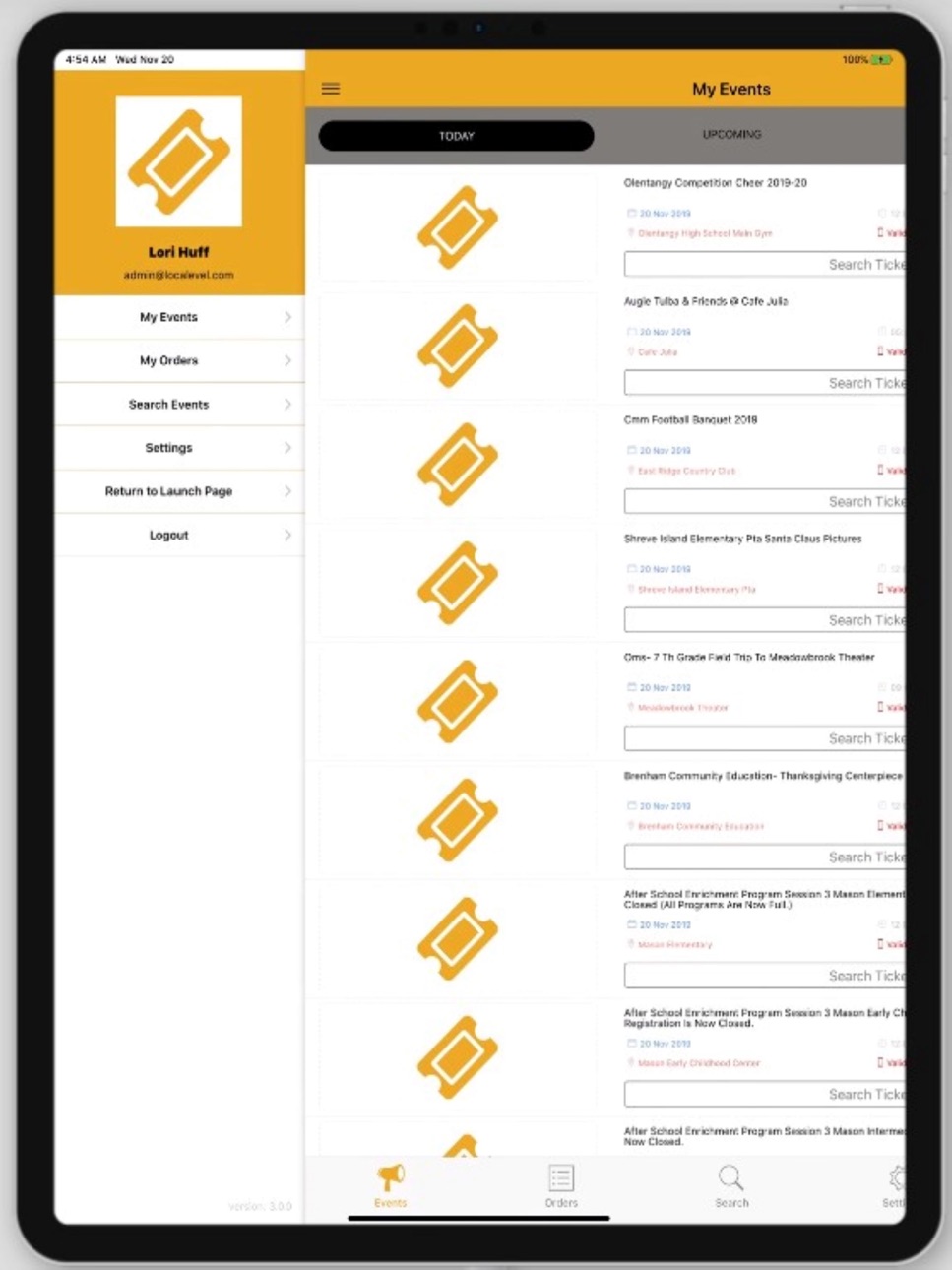
The MyEvents! application allows users to view their event orders and administrators to manage event attendance. Search for events that are happening near you. After a ticket has been purchased you can access it in the app. Show your screen while entering the event. Your ticket will be scanned in real-time. Are you helping to manage an event? This app will allow you to see the list of purchasers and to scan tickets for validity and attendance tracking.
User access:
• View tickets for purchased events
• Share tickets with others
• Search local events
• Update account settings
Admin access:
• View event details
• Validate scanning device
• Search purchaser list
• Scan tickets
• View attendance details
Note: Tickets found in the MyEvents! application have been purchased on Local Level Events or PaySchools Events.
Accessibility
ipadiphonemacrealityDevicetvoswatch
Version history 9 versions
Build 869894300v2024.10.232024-10-23 18:08:28
This release contains enhancements for mobile scanning and event listing functionality.
Build 865569213v04.30.20242024-05-08 13:01:29
1. Improve performance
2. Bug fixes
Build 861622597v11.20.20232023-11-21 13:58:29
App updates to fix miscellaneous system issues
Build 852222408v15.9.222022-10-06 16:32:02
New in this release: updated scanning feature to have the option of continuous scanning, added ticket details to the scanning screen.
Build 843026510v7.9.20212021-07-12 13:13:39
A new user screen has been added for viewing tickets. It allows for easy ticket validation, transferring tickets and viewing the QR code for each order.
Build 842878198v6.30.20212021-07-01 14:09:04
A new user screen has been added for viewing tickets. It allows for easy ticket validation, transferring tickets and viewing the QR code for each order.
Build 838508758v11.4.20202020-11-12 15:53:33
Event admin updates including the ability to link to purchaser's order information and to sort by Name, Date and Ticket #. Purchaser updates including the ability to view the event details for which they have placed an order.
Build 833829171v12.11.20192019-12-17 21:34:15
New domain launch screen allows users to pick which site to load within the app. The launch screen is displayed only once. It is able to be accessed again by the side navigation menu.
Build 830925259v9.3.20192019-09-11 14:20:20
No pricing data captured yet — comparisons appear once the app has paid storefronts or in-app purchases.
Availability 1 of 1 storefronts
| Region | Language | Price | Ratings | Avg | Version |
|---|---|---|---|---|---|
| US | en-US | Free | 10 | 2.0 | 2024.10.23 |
Change log 12 changes · US
✎
releaseNotes updated
This release contains enhancements for mobile scanning and event listing functionality.
✎
description updated
The MyEvents! application allows users to view their event orders and administrators to manage event attendance. Search for events that are happening near you.
✎
name updated
MyEvents!
◆
Version 2024.10.23 released
This release contains enhancements for mobile scanning and event listing functionality.
◆
Version 04.30.2024 released
1. Improve performance
2. Bug fixes
◆
Version 11.20.2023 released
App updates to fix miscellaneous system issues
◆
Version 15.9.22 released
New in this release: updated scanning feature to have the option of continuous scanning, added ticket details to the scanning screen.
◆
Version 7.9.2021 released
A new user screen has been added for viewing tickets. It allows for easy ticket validation, transferring tickets and viewing the QR code for each order.
◆
Version 6.30.2021 released
A new user screen has been added for viewing tickets. It allows for easy ticket validation, transferring tickets and viewing the QR code for each order.
◆
Version 11.4.2020 released
Event admin updates including the ability to link to purchaser's order information and to sort by Name, Date and Ticket #. Purchaser updates including the ability to view the event details for which they have placed an order.
◆
Version 12.11.2019 released
New domain launch screen allows users to pick which site to load within the app. The launch screen is displayed only once. It is able to be accessed again by the side navigation menu.
◆
Version 9.3.2019 released