Home › Photo & Video

 US
US
1 of 1 storefronts
Content in en-US
Content in en-US
Information
Preview 2 platforms
iPhone 7 images


iPad 5 images


What’s New Version 1.3.15
• Support setting separate camera settings for photo and boomerang/video sessions if supported by camera. Requires dslrBooth for Windows v6.39 or greater.
• Improved support for devices running iOS 14.6-15.0.
Description
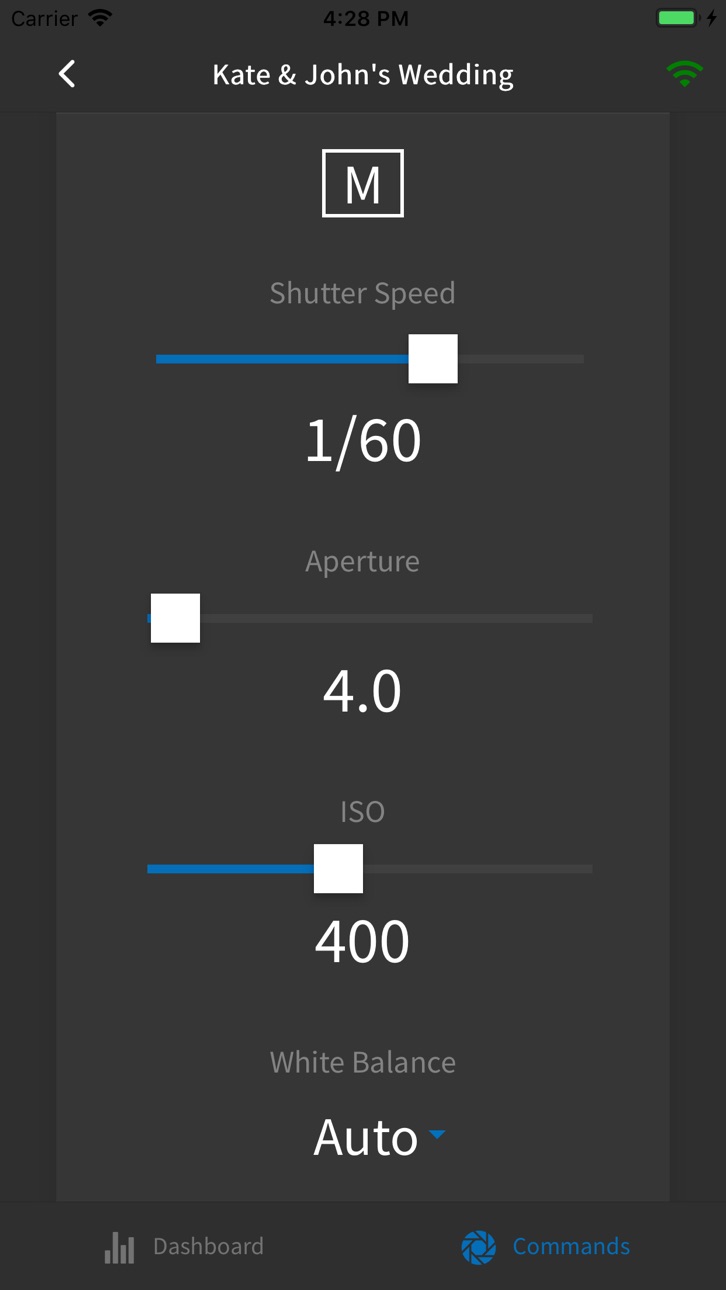
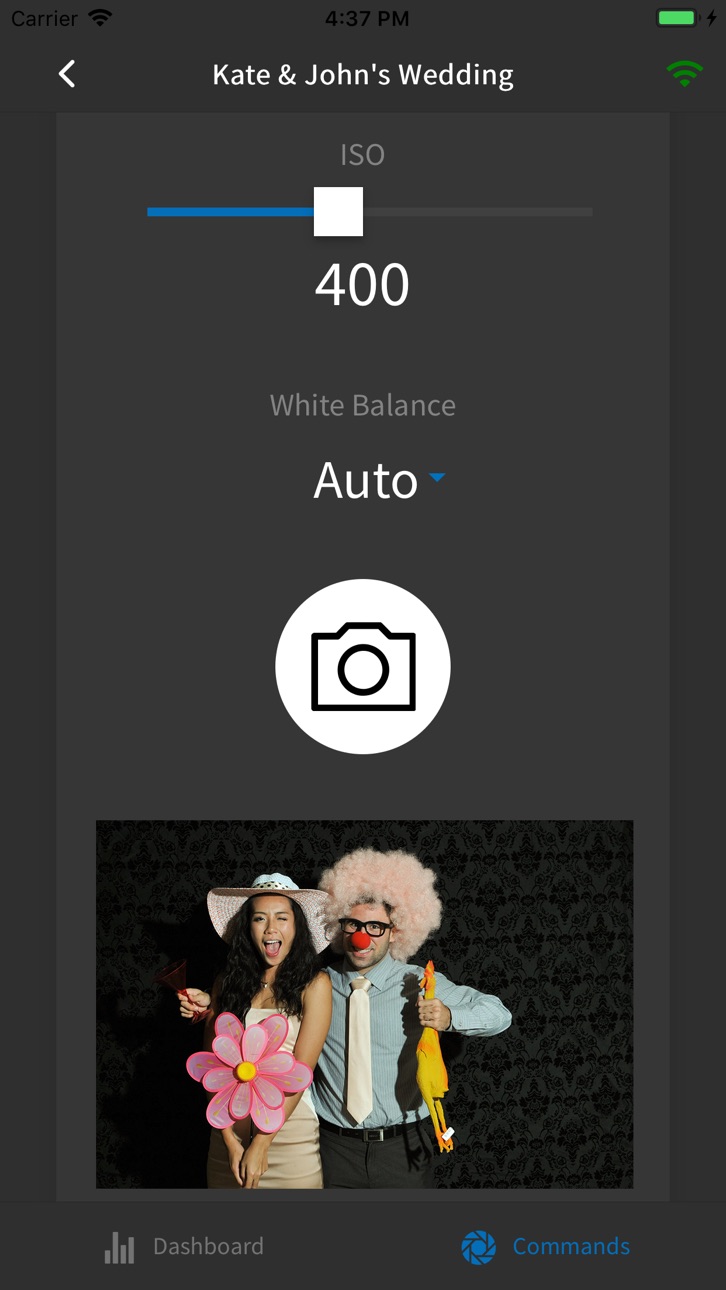
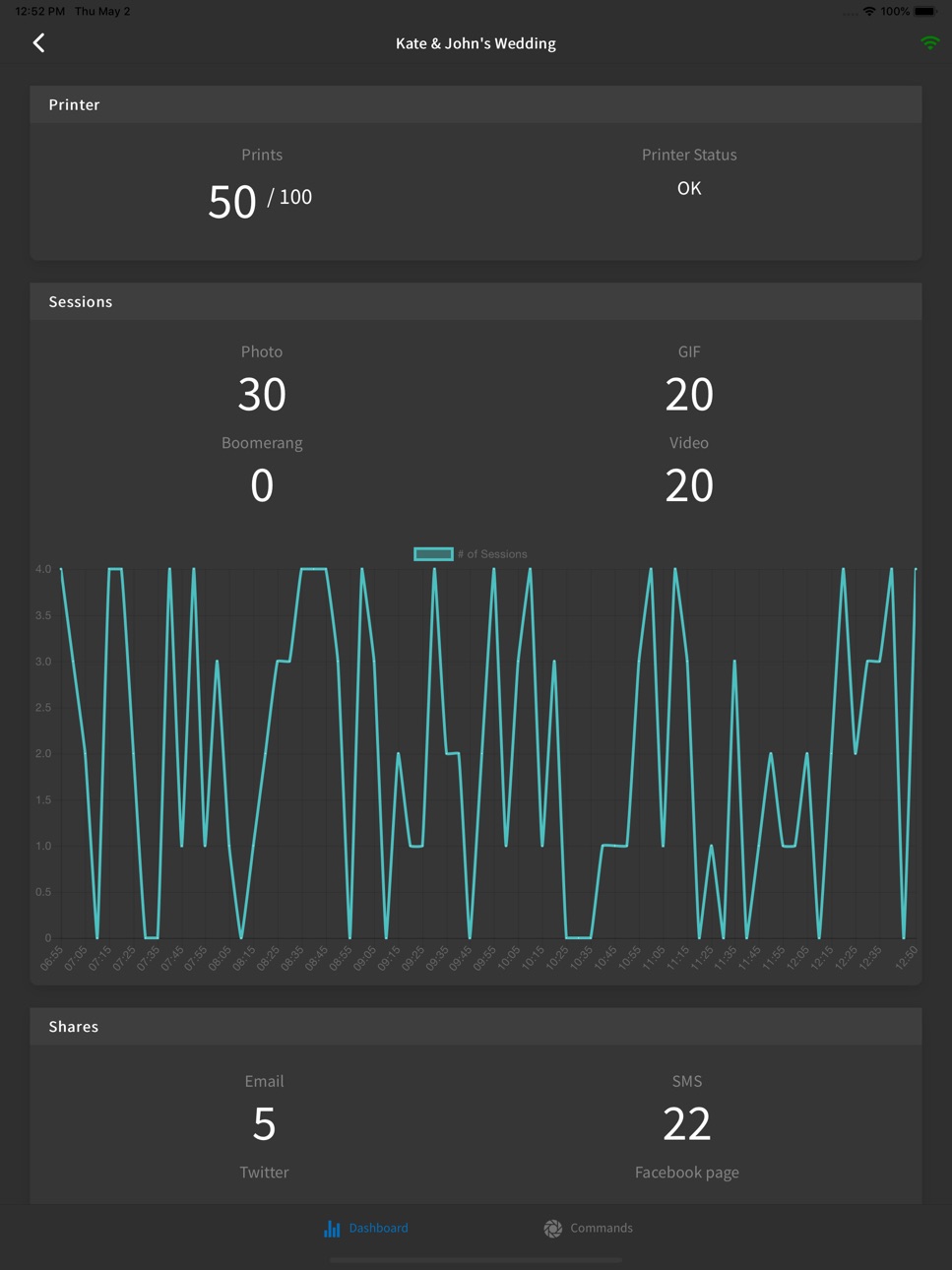
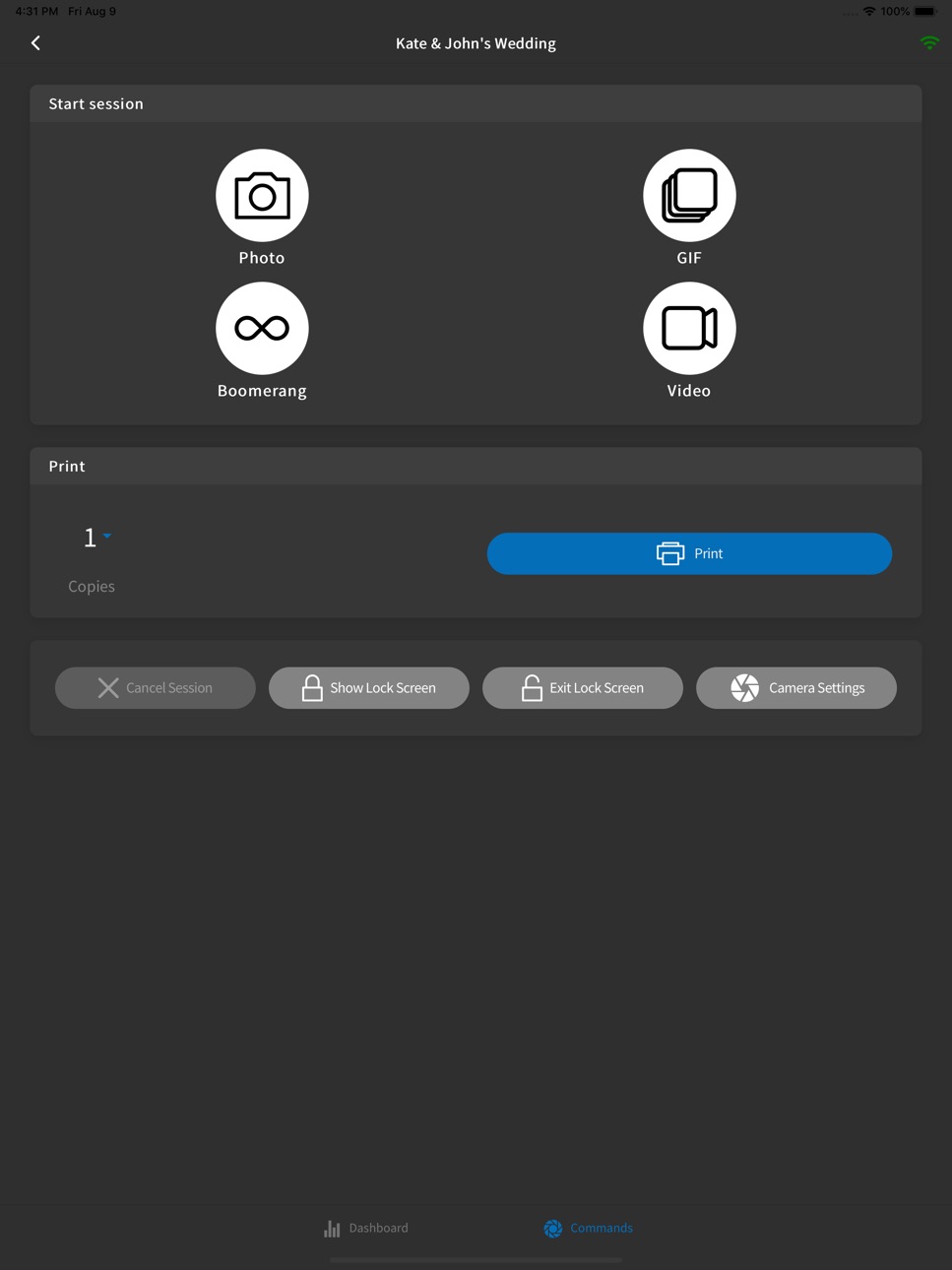
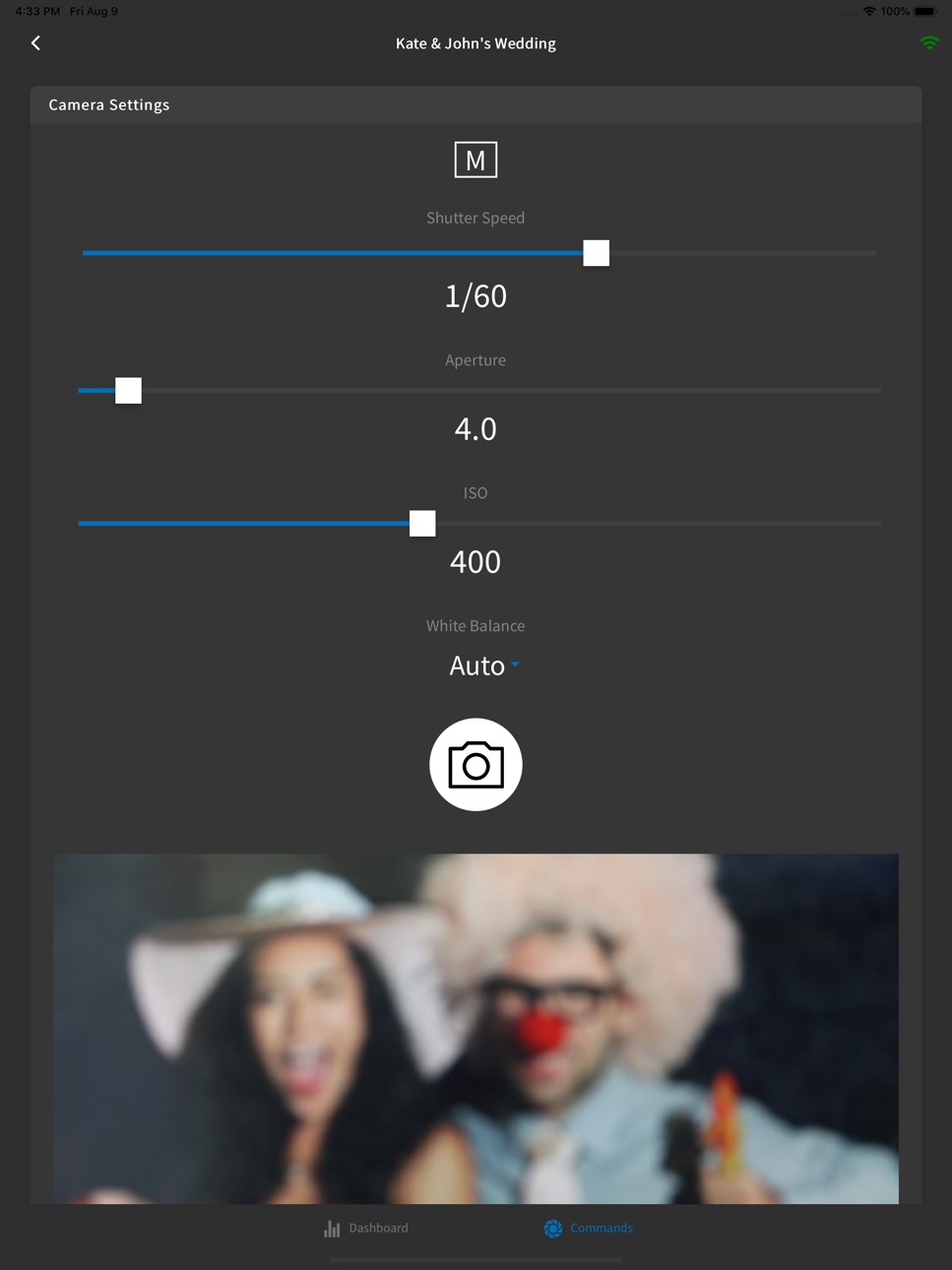
Booth Copilot is a companion app to dslrBooth Photo Booth software that lets you see detailed stats on sessions and sharing activity in your booth in real-time. You can also remotely start different types of capture modes (photo, gif, boomerang, video), cancel sessions, and show/exit the lock screen. You can also adjust your DSLR camera's settings such as aperture, shutter speed, ISO, and white balance directly from Booth Copilot. Take a test photo through Booth Copilot and see a live preview right in app.
Requires dslrBooth 5.28 or greater to run.
Accessibility
ipadiphonemacrealityDevicetvoswatch
Version history 6 versions
Build 845456351v1.3.152021-11-19 21:58:26
• Support setting separate camera settings for photo and boomerang/video sessions if supported by camera. Requires dslrBooth for Windows v6.39 or greater.
• Improved support for devices running iOS 14.6-15.0.
Build 844978816v1.3.82021-10-28 21:58:25
• Support setting separate camera settings for photo and boomerang/video sessions if supported by camera. Requires dslrBooth for Windows v6.39 or greater.
• Improved support for devices running iOS 14.6-15.0.
Build 844691906v1.3.72021-10-15 01:00:34
Support setting separate camera for photo and boomerang/video sessions if supported by camera.
Build 832331805v1.1.02019-08-10 15:48:17
Adjust the DSLR camera settings such as aperture, shutter speed, ISO, and white balance directly from Booth Copilot. Take a test photo through Booth Copilot and see a live preview right in app. This feature requires dslrBooth for Windows v5.30 or later.
Build 831240958v1.0.72019-05-09 14:08:25
Initial public release.
Build 830922329v1.02019-05-02 17:16:52
No pricing data captured yet — comparisons appear once the app has paid storefronts or in-app purchases.
Availability 1 of 1 storefronts
| Region | Language | Price | Ratings | Avg | Version |
|---|---|---|---|---|---|
| US | en-US | Free | 45 | 4.7 | 1.3.15 |
Change log 10 changes · US
✎
releaseNotes updated
• Support setting separate camera settings for photo and boomerang/video sessions if supported by camera. Requires dslrBooth for Windows v6.39 or greater.
• Im
✎
description updated
Booth Copilot is a companion app to dslrBooth Photo Booth software that lets you see detailed stats on sessions and sharing activity in your booth in real-time.
✎
subtitle updated
Remote Control for dslrBooth
✎
name updated
Booth Copilot
◆
Version 1.3.15 released
• Support setting separate camera settings for photo and boomerang/video sessions if supported by camera. Requires dslrBooth for Windows v6.39 or greater.
• Improved support for devices running iOS 14.6-15.0.
◆
Version 1.3.8 released
• Support setting separate camera settings for photo and boomerang/video sessions if supported by camera. Requires dslrBooth for Windows v6.39 or greater.
• Improved support for devices running iOS 14.6-15.0.
◆
Version 1.3.7 released
Support setting separate camera for photo and boomerang/video sessions if supported by camera.
◆
Version 1.1.0 released
Adjust the DSLR camera settings such as aperture, shutter speed, ISO, and white balance directly from Booth Copilot. Take a test photo through Booth Copilot and see a live preview right in app. This feature requires dslrBooth for Windows v5
◆
Version 1.0.7 released
Initial public release.
◆
Version 1.0 released