Home › Photo & Video

Shutter+ Sony Camera Remote
Photo transfer, remote control
 US
US
1 of 1 storefronts
Content in en-US
Content in en-US
Information
Preview 3 platforms
iPhone 10 images



iPad 8 images




Apple Watch 5 images


What’s New Version 5.05
- Bug fixes
Description
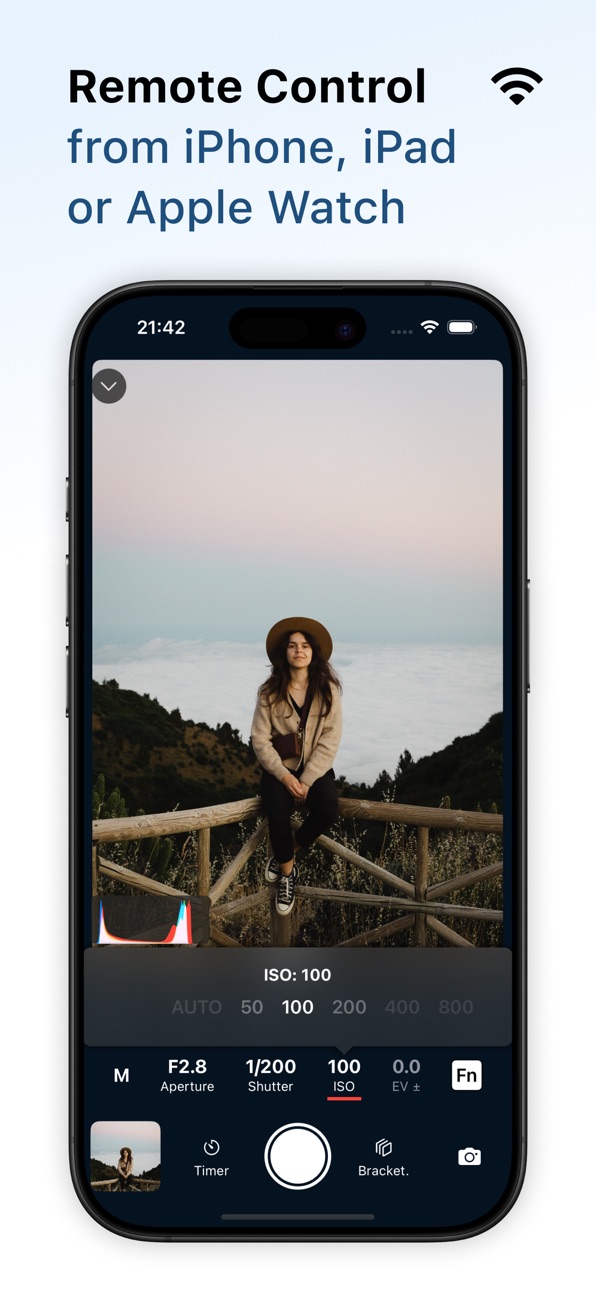
Remote control your camera: Sony (alpha and Cyber-shot), Canon (EOS and PowerShot), or Fujifilm (X and GFX series). Capture flawless self-portraits, breathtaking travel shots, professional real-estate photos, stunning time-lapses, and more. (See a list of supported camera models at the end of this description.)
WHY YOU’LL LOVE SHUTTER+
• Connect wirelessly or use a USB cable.
• Easily browse, filter and download photos from the camera.
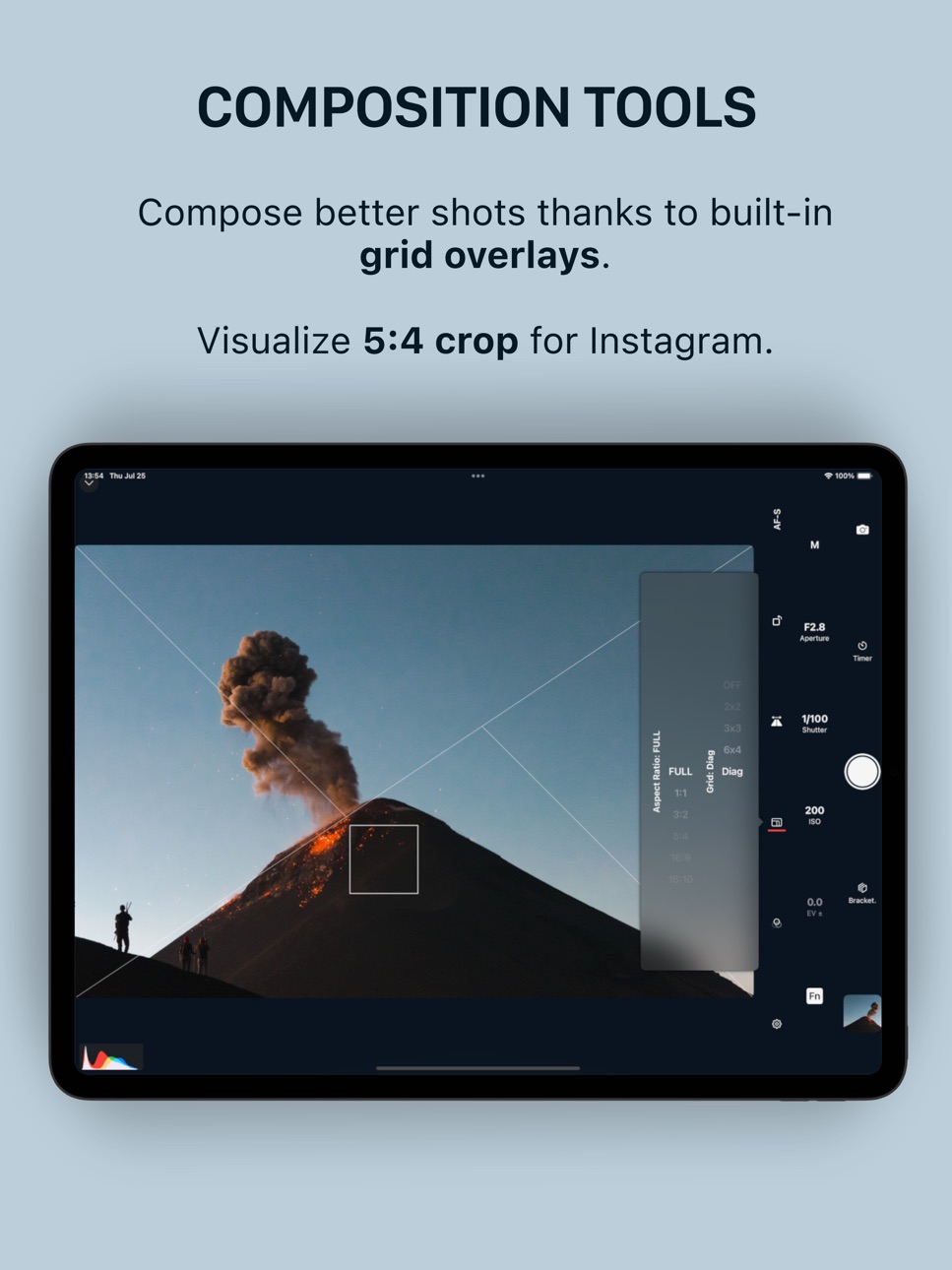
• Compose perfect shots with aspect ratios and grid overlays.
• Nail down exposure with tools like RGB, histogram, zebras and false color.
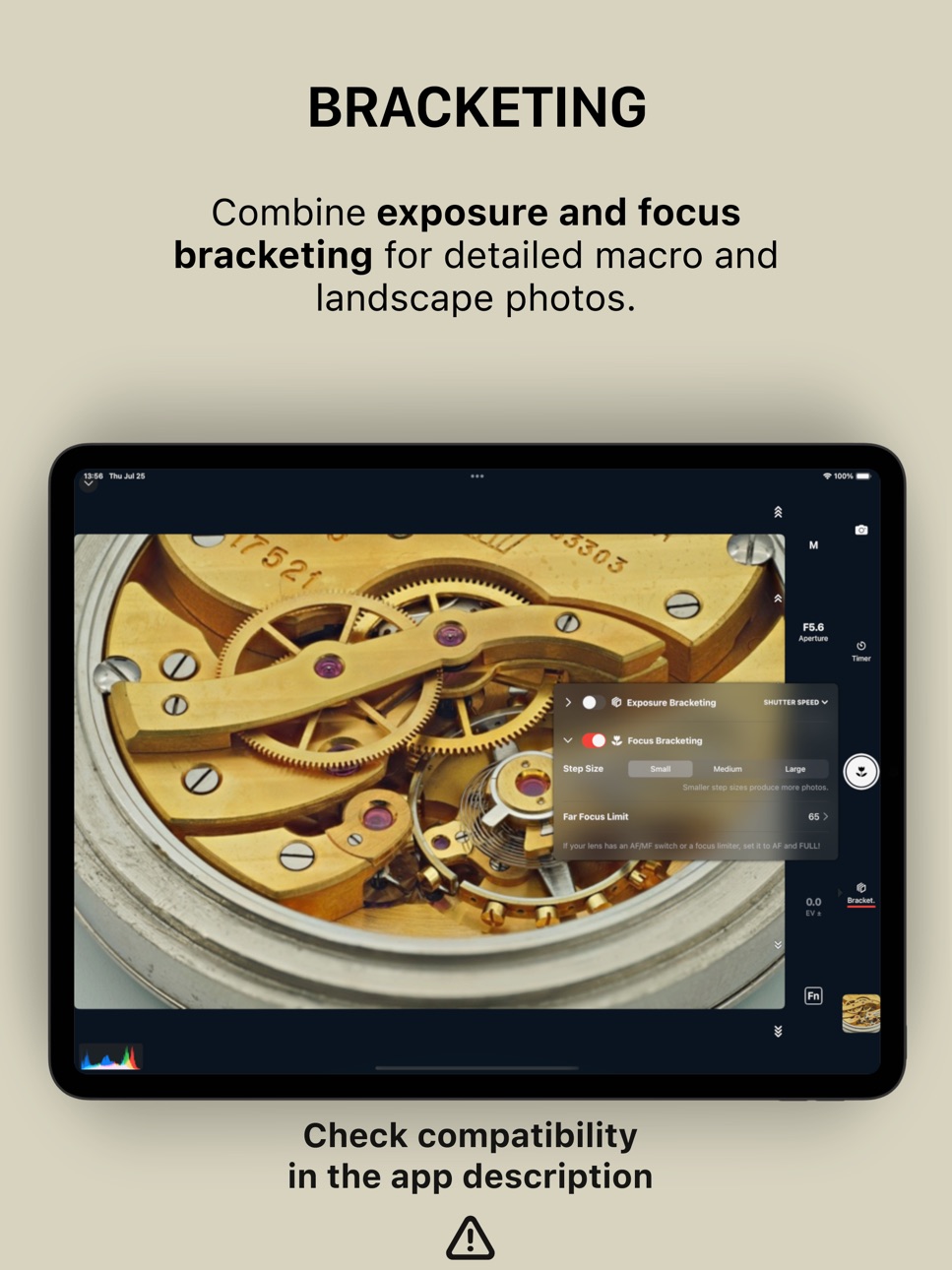
• Exposure bracketing & BULB support.
• Focus bracketing (see compatibility below!)
• Include yourself in the photo - configurable delay and interval for repeated capture (intervalometer).
• Audio cues for countdown and shutter.
• Optimized for low battery usage.
PERFECT FOR EVERY PHOTOGRAPHER
Self-portraits & group shots
Set the timer, join the scene, and let Shutter+ take multiple frames so everyone looks their best.
Travel photography
Capture sunrises, sunsets, and landmark shots — no strangers, no cut-off limbs.
Real-estate & interiors
Use composition tools to line up the shot, and exposure bracketing to preserve detail in bright and dark areas.
Astrophotography
Stack multiple exposures for sharp, noise-free images of the Milky Way and Northern Lights.
Social media & lifestyle
Compose, pose, and shoot as many takes as you want — without relying on anyone else.
SUPPORTED CAMERAS
Sony alpha series:
a1 (I, II), a7 (I*, II, III*, IV, V), a7R (I*, II, III*, IV, V, VI), a7S (I, II, III), a7C (I, II), a7C R, a9 (I, II, III),'e' a5000*, a5100, a6000*, a6100*, a6300, a6400*, a6500, a6600*, a6700
Sony FX-series:
FX2, FX3, FX30
Sony RX-series:
RX1R II*, RX1R III, RX10 (II, III, IV*), RX100 (III, IV, V, VI, VII)
Sony ZV-series:
ZV-1, ZV-1 II, ZV-1F, ZV-E1, ZV-E10, ZV-E10 II
Sony HX, WX-series:
HX400V*, HX60V*, HX80*, HX90V*, HX99, WX500*
Sony NES, NEX-series:
NES-5R*, NEX-5T*, NEX-6*
Canon EOS R-series:
R, Ra, RP, R1, R3, R5 (I, II), R5 C, R6 (I, II, III), R7, R8, R10, R50, R50 V, R100
Canon EOS M-series:
M10, M100, M200, M5, M50 (I, II), M6 (I, II)
Canon EOS Rebel:
SL2, SL3, T100, T6, T6i, T6s, T7, T7i, T8i
Canon EOS DSLRs
5D IV, 6D (I, II), 70D, 77D, 80D, 90D, 200D (I, II), 250D, 750D, 760D, 800D, 850D, 1300D, 1500D, 2000D, 3000D, 4000D, 8000D, 9000D
Canon EOS Kiss:
M, M2, X10, X10i, X80, X8i, X9, X90, X9i
Canon PowerShot
V1, G1 X III, G5 X II, G7X (II, III), G9X II SX420 HS, SX430 IS, SX432 IS, SX540 HS, SX620 HS SX70 HS, SX720 HS, SX730 HS, SX740 HS
Fujifilm X-series:
X-E3, X-E4, X-E5, X-H1, X-H2, X-H2S, X-M5, X-Pro2, X-Pro3, X-S10, X-S20, X-T2, X-T20, X-T3, X-T30 (I, II), X-T4, X-T5, X-T50, X100F, X100V, X100VI
Fujifilm GFX-series:
GFX100 (I, II, IR), GFX100RF, GFX100S (I, II), GFX50R, GFX50S (I, II)
FOCUS BRACKETING SUPPORT (SONY ONLY)
Cameras: a1 (I, II), a7C (I, II), a7CR, a7 IV, a7R (IV, V, VI), a7S III, a9 (I, II, III), a6700, FX2, FX3, FX30, RX100 VII, RX1R III, ZV-1 (I, II), ZV-1F, ZV-E1, ZV-E10 (I, II)
Only Sony AF lenses are supported!
WARNING: a7, a7R, a6000, a5000, RX1R II and NEX models do not support video.
WARNING: a7, a7R, a7S, a5000, a5100, a6000, RX100 III, HX400V and NEX-series cameras do not support burst shooting.
WARNING: a7 III, a7R III, a6100, a6400, a6600, RX10 IV don't allow tap to focus.
Terms of use: https://shutter.dev/legal/terms
Canon, EOS R, EOS M, EOS Kiss, EOS Rebel, PowerShot are registered trademarks of Canon, Inc.
Sony, α, Alpha, Cyber-shot, NEX, RX are trademarks of Sony Corporation.
Fujifilm is a registered trademark of FUJIFILM Corporation.
In-App Purchases US pricing
Shutter Pro Subscription
Monthly · Monthly$3.49
Annual · Yearly 7-day free trial$24.99
One-Time Purchases
Lifetime$65.00
Capabilities
In-App Purchases
Accessibility
ipadiphonemacrealityDevicetvoswatch
Version history 25 versions
Build 887522347v5.042026-06-29 06:05:28
- Bug fixes
Build 887579953v5.052026-06-29 15:15:30
- Bug fixes
Build 887352651v5.032026-06-24 11:35:34
- Bug fixes
Build 886898025v5.022026-06-14 21:00:54
- Improved compatibility with Fujifilm cameras
- Added Sony a7R VI support
- Waveform monitor
Build 885731927v5.012026-05-17 04:33:18
- Improved performance when downloading lots of photos
Build 883019534v5.002026-05-13 04:24:44
- Rename Shutter to Shutter+
- Added support for Canon and Fujifilm cameras
Build 882298535v4.322026-02-13 14:43:37
- Bug fixes
Build 881810524v4.312026-01-26 08:19:53
- Bluetooth extension to improve connection performance
- Improved "import photos" performance
Build 881165635v4.302026-01-03 07:34:45
- Focus peaking
- Auto-review tethered photos
- Fix dates in the Import Photos view
- Fix flickering overlays when rotating between portrait and landscape modes
- Fix previewing newly downloaded photos
Build 881077613v4.292025-12-30 16:13:27
- Fix AF-C focusing
- Fix shutter speed menu disappearing when adjusting settings
Build 880886889v4.282025-12-21 23:35:00
- Added support for Sony a7 V
- Improved readability of "Import Photos" headers
Build 880238995v4.272025-12-02 13:47:19
- Added support for Sony FX2
- Improved performance and compatibility of photo sharing
- Fixed photo previews sometimes not loading
- Other performance improvements
Build 879557451v4.262025-11-07 09:44:25
- Fresh coat of paint for iOS 26
- Added full-screen mode
- Resizable histogram
- Performance improvements
Build 879232047v4.252025-10-27 08:38:43
- Bug fixes
Build 878893904v4.242025-10-13 16:37:12
- Double-tap gesture on Apple Watch
- Bug fixes
Build 878775251v4.232025-10-12 10:42:12
- Load thumbnails faster when importing photos & videos
- Show errors when photos or videos couldn't be saved in the Photos app
- Downloads screen stays visible even after the camera is disconnected
- Add a warning when focus fails
- Remove "software update" warning for older cameras
- Add missing translations
- Bug fixes
Build 878600933v4.222025-10-02 17:48:52
- Custom overlay images
- Photo import performance improvements
- UI tweaks
Build 877784169v4.212025-09-02 20:22:11
- Remember exposure overlay settings
- False color scale always visible
- Improved app performance
- Show errors when downloading files
Build 877710003v4.202025-08-31 06:50:09
- Remember exposure overlay settings
- False color scale always visible
- Improved app performance
- Show errors when downloading files
Build 877306939v4.192025-08-18 17:52:26
- Clarified connection instructions
- Added Sony RX1R III support
- Better handling of connection errors
- Golden spiral overlay
- New translations for Chinese (Simplified), French, German, Japanese, Polish, Portuguese (Brazil), Russian, Spanish
Build 877226290v4.182025-08-14 08:13:58
- Fixed downloading photos to the Files app
- Added golden ratio composition overlay
- Added an indicator that a color effect is active (zebra, false color, LUT)
- Camera search in "Add camera" view
- Design tweaks
Build 876676742v4.172025-07-24 21:42:04
- Fixed downloading photos to the Files app
- Added golden ratio composition overlay
- Added an indicator that a color effect is active (zebra, false color, LUT)
- Camera search in "Add camera" view
- Design tweaks
Build 876506172v4.162025-07-20 15:12:37
- Customizable zebra thresholds
- Support for custom LUTs
- UI fixes in landscape mode
- Updated app screenshots
Build 876173138v4.152025-07-07 20:51:35
- Minor bug fixes
Build 875736624v4.142025-06-23 11:06:07
- Added support for exposure scenes
- Added an option to rename cameras
- Added "Tips & Tricks" section to select cameras
Price history by region
Currency
Show
Columns
Search
Availability 1 of 1 storefronts
| Region | Language | Price | Ratings | Avg | Version |
|---|---|---|---|---|---|
| US | en-US | Free | 975 | 4.3 | 5.05 |
Change log 29 changes · US
✎
releaseNotes updated
- Bug fixes
✎
description updated
Remote control your camera: Sony (alpha and Cyber-shot), Canon (EOS and PowerShot), or Fujifilm (X and GFX series). Capture flawless self-portraits, breathtakin
✎
subtitle updated
Photo transfer, remote control
✎
name updated
Shutter+ Sony Camera Remote
◆
Version 5.05 released
- Bug fixes
◆
Version 5.04 released
- Bug fixes
◆
Version 5.03 released
- Bug fixes
◆
Version 5.02 released
- Improved compatibility with Fujifilm cameras
- Added Sony a7R VI support
- Waveform monitor
◆
Version 5.01 released
- Improved performance when downloading lots of photos
◆
Version 5.00 released
- Rename Shutter to Shutter+
- Added support for Canon and Fujifilm cameras
◆
Version 4.32 released
- Bug fixes
◆
Version 4.31 released
- Bluetooth extension to improve connection performance
- Improved "import photos" performance
◆
Version 4.30 released
- Focus peaking
- Auto-review tethered photos
- Fix dates in the Import Photos view
- Fix flickering overlays when rotating between portrait and landscape modes
- Fix previewing newly downloaded photos
◆
Version 4.29 released
- Fix AF-C focusing
- Fix shutter speed menu disappearing when adjusting settings
◆
Version 4.28 released
- Added support for Sony a7 V
- Improved readability of "Import Photos" headers
◆
Version 4.27 released
- Added support for Sony FX2
- Improved performance and compatibility of photo sharing
- Fixed photo previews sometimes not loading
- Other performance improvements
◆
Version 4.26 released
- Fresh coat of paint for iOS 26
- Added full-screen mode
- Resizable histogram
- Performance improvements
◆
Version 4.25 released
- Bug fixes
◆
Version 4.24 released
- Double-tap gesture on Apple Watch
- Bug fixes
◆
Version 4.23 released
- Load thumbnails faster when importing photos & videos
- Show errors when photos or videos couldn't be saved in the Photos app
- Downloads screen stays visible even after the camera is disconnected
- Add a warning when focus fails
- Remove
◆
Version 4.22 released
- Custom overlay images
- Photo import performance improvements
- UI tweaks
◆
Version 4.21 released
- Remember exposure overlay settings
- False color scale always visible
- Improved app performance
- Show errors when downloading files
◆
Version 4.20 released
- Remember exposure overlay settings
- False color scale always visible
- Improved app performance
- Show errors when downloading files
◆
Version 4.19 released
- Clarified connection instructions
- Added Sony RX1R III support
- Better handling of connection errors
- Golden spiral overlay
- New translations for Chinese (Simplified), French, German, Japanese, Polish, Portuguese (Brazil), Russian, Sp
◆
Version 4.18 released
- Fixed downloading photos to the Files app
- Added golden ratio composition overlay
- Added an indicator that a color effect is active (zebra, false color, LUT)
- Camera search in "Add camera" view
- Design tweaks
◆
Version 4.17 released
- Fixed downloading photos to the Files app
- Added golden ratio composition overlay
- Added an indicator that a color effect is active (zebra, false color, LUT)
- Camera search in "Add camera" view
- Design tweaks
◆
Version 4.16 released
- Customizable zebra thresholds
- Support for custom LUTs
- UI fixes in landscape mode
- Updated app screenshots
◆
Version 4.15 released
- Minor bug fixes
◆
Version 4.14 released
- Added support for exposure scenes
- Added an option to rename cameras
- Added "Tips & Tricks" section to select cameras