Home › Utilities

 US
US
1 of 1 storefronts
Content in en-US
Content in en-US
Information
Preview 2 platforms
iPhone 9 images


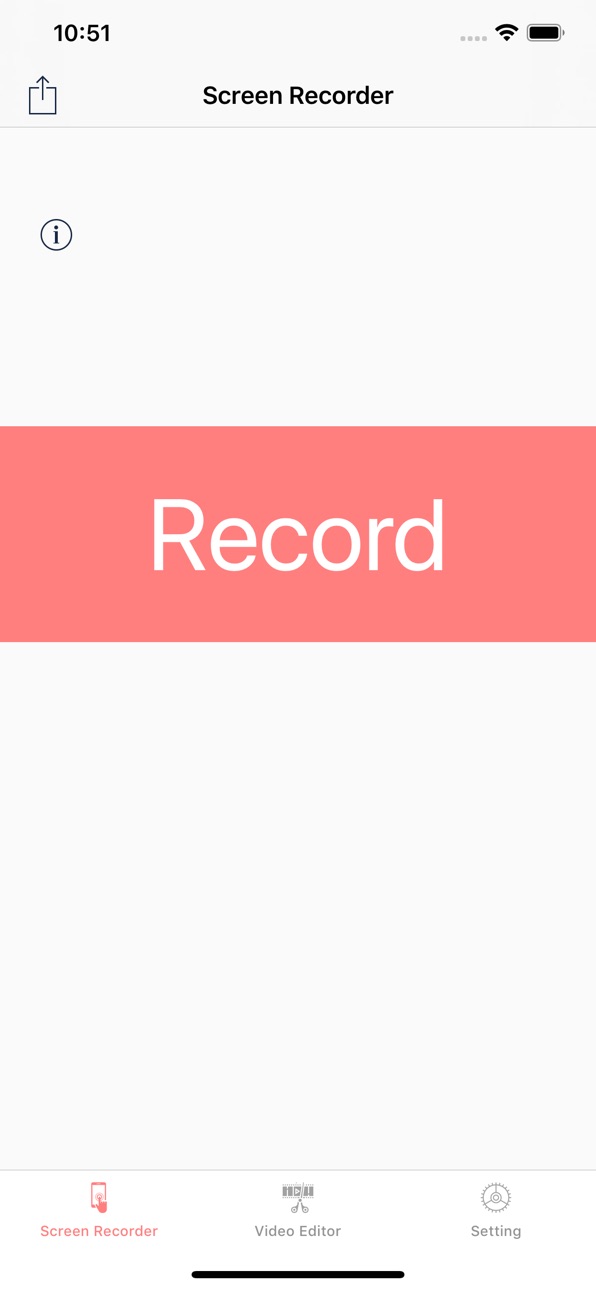


iPad 7 images


What’s New Version 2.8
Enhanced Screen Recording Experience
Improved Video Editing Tools
Full Accessibility Support Across the App
Added Support for Apple Shortcuts and Home Screen Quick Actions
Description
+Screen Recorder App
.Game Recorder
.App to record devices screen
.One tap to start full screen recording of your device
.One tap to stop screen recording
.Unlimited recording
.Screen recorder gives you an accurate timer
.Friendly user interface
.It is easy to share recorded video
.No matter what your device is busy with. this app records everything
.From your screen (game , video, instagram ,...)
.No Ads included
.Screen Recorder ( Screen capture ) includes Setting Part
.Screen Recorder ( Screen capture ) includes Help Part
.Universal App (iPhone & iPad )
.Recording in the background AirPlay®
.Auto File Naming
.Displays File Sizes
.You can give it access to camera roll for editing and playing your videos
+Microphone
.It is optional to let it adding microphone sound to your recording (Turn microphone sound ON or OFF)
.
+3D Touch
.it supports 3D Touch for easy navigation
.Video Format
.Add video recording
.Save recorded HQ Video with .MP4 and .MOV format
.Share button gives you the chance to share recorded videos with iMessage email ,iCloud & almost every social media
you can Archive recorded videos in iCloud
+Add Texts On Videos
.Change Font Style
.Change Font Colour
.Change Alignment
.Change Background Colour
.Change Text Transparency
+Add Stickers On Videos
+VIDEO EDITOR
.Trim your video (Change the length of videos)
.Crop recorded videos (Change the scene)
.Change Speed Video Fast & slow (Slow motion)
.Share edited video is easy
Save Edited Video with .MP4 and .MOV format in Camera roll
+Live Stream and Recorder Screen
.Live stream : from Skype , Messenger and Twitch , Mobcrush , Periscope
.Record Screen from Skype , Messenger and Twitch , Mobcrush , Periscope
Subscription pricing and terms:
ALL ACCESS $7.49 per 3 months (Billed 3 Months after 3-day Free trial is over)
----
ALL ACCESS $20.99 per year (Billed yearly after 3-day Free trial is over)
In 12 month subscription priced at $1.62 Save 54%
This price is for United States customers. Pricing in other countries may vary, actual charges may be converted to your local currency depending on the country of residence.
https://vidiaweb.com/privacy_screenrecordervideoeditor.htmlYour subscription automatically renews unless auto-renew is turned off at least 24-hours before the end of the current period. Your credit card will be charged through your iTunes account. You can turn off auto-renew at any time from your iTunes Account Settings but refunds will not be provided for any unused portion of the term. Alternatively, there is a "Manage Subscription" menu option in the App Settings menu. Payment will be charged to iTunes Account at confirmation of purchase. Any unused portion of a free trial period will be forfeited when you purchase a subscription.
https://vidiaweb.com/privacy_screenrecordervideoeditor.html
https://vidiaweb.com/terms_screenrecordervideoeditor.html
Capabilities
In-App Purchases
Accessibility
ipadiphonemacrealityDevicetvoswatch
Version history 19 versions
Build 884678243v2.82026-07-06 09:43:30
Enhanced Screen Recording Experience
Improved Video Editing Tools
Full Accessibility Support Across the App
Added Support for Apple Shortcuts and Home Screen Quick Actions
Build 884670745v2.72026-04-18 20:52:57
Enhance icon quality and design
Build 884037439v2.62026-04-02 05:11:15
Enhanced Recording Quality – Capture videos in higher resolution with smoother performance.
Build 869298666v2.52024-09-26 20:36:03
+iOS 18
.Night and Tint Icon Added
.Improve App
.improve Localization
Build 861415781v2.42023-11-13 17:08:25
improvement app for iOS 17 & ipadOS 17
Build 850285670v2.32022-06-19 19:06:42
.improve application
.minor bug fixes
Build 848734345v2.22022-06-18 19:33:07
.improve application
.minor bug fixes
Build 844221890v2.12021-09-22 09:41:33
.improve application
.minor bug fixes
Build 844173680v2.02021-09-18 22:15:40
.improve application
Build 839766729v1.92020-12-23 23:01:21
.improve application
.bug fixes
Build 839646932v1.82020-12-15 18:04:42
.improve application
.bug fixes
Build 839492310v1.72020-12-04 15:48:12
.Improve application
.Minor bug fixes
Build 838263551v1.62020-10-19 13:37:57
.Improve application
.Minor bug fixes
Build 837016491v1.52020-09-20 16:13:11
.Improve Application
.Minor bug Fixes
Build 836163043v1.42020-05-28 06:46:22
.improve app
Build 833827853v1.32019-12-02 20:52:22
.Bug Fixes
Build 833321293v1.22019-10-25 09:42:54
.iOS 13 support
.Bug Fixes
Build 830940520v1.12019-06-10 21:30:56
.improve app
.add video recording
Build 830853909v1.02019-04-08 23:04:37
No pricing data captured yet — comparisons appear once the app has paid storefronts or in-app purchases.
Availability 1 of 1 storefronts
| Region | Language | Price | Ratings | Avg | Version |
|---|---|---|---|---|---|
| US | en-US | Free | 1.4k | 4.6 | 2.8 |
Change log 23 changes · US
✎
releaseNotes updated
Enhanced Screen Recording Experience
Improved Video Editing Tools
Full Accessibility Support Across the App
Added Support for Apple Shortcuts and Home Screen Qu
✎
description updated
+Screen Recorder App
.Game Recorder
.App to record devices screen
.One tap to start full screen recording of your device
.One tap to stop screen recording
.U
✎
subtitle updated
Recorder app,Game recorder
✎
name updated
Screen Recorder,Screen Capture
◆
Version 2.8 released
Enhanced Screen Recording Experience
Improved Video Editing Tools
Full Accessibility Support Across the App
Added Support for Apple Shortcuts and Home Screen Quick Actions
◆
Version 2.7 released
Enhance icon quality and design
◆
Version 2.6 released
Enhanced Recording Quality – Capture videos in higher resolution with smoother performance.
◆
Version 2.5 released
+iOS 18
.Night and Tint Icon Added
.Improve App
.improve Localization
◆
Version 2.4 released
improvement app for iOS 17 & ipadOS 17
◆
Version 2.3 released
.improve application
.minor bug fixes
◆
Version 2.2 released
.improve application
.minor bug fixes
◆
Version 2.1 released
.improve application
.minor bug fixes
◆
Version 2.0 released
.improve application
◆
Version 1.9 released
.improve application
.bug fixes
◆
Version 1.8 released
.improve application
.bug fixes
◆
Version 1.7 released
.Improve application
.Minor bug fixes
◆
Version 1.6 released
.Improve application
.Minor bug fixes
◆
Version 1.5 released
.Improve Application
.Minor bug Fixes
◆
Version 1.4 released
.improve app
◆
Version 1.3 released
.Bug Fixes
◆
Version 1.2 released
.iOS 13 support
.Bug Fixes
◆
Version 1.1 released
.improve app
.add video recording
◆
Version 1.0 released